
Learn how to get started with SaveTo Wishlist Pro for WooCommerce. This guide walks you through installation, setup, and extended features designed to give you deeper insights, automate key processes, and more powerful wishlist sharing to drive engagement and sales.
Requirements
Before installing SaveTo Wishlist Pro, please ensure the following:
- WordPress is installed and updated
- WooCommerce is installed and activated
- SaveTo Wishlist (Free Version) is installed and activated
SaveTo Wishlist Pro is an extension of the free plugin and requires it to function properly. If you have not yet installed the free version, please do so before activating Pro.
What Is SaveTo Wishlist Pro?
While the free version of SaveTo Wishlist provides essential wishlist capabilities for your customers, the Pro version extends its functionality by adding advanced analytics, email automations, and public wishlist controls. It’s designed for store owners who want to understand customer intent, re‑engage shoppers at the right moment, and turn wishlist activity into measurable revenue.
With SaveTo Wishlist Pro, you can:
- Understand which products, categories, and brands customers truly care about
- Identify high‑intent shoppers before they purchase
- Automatically re‑engage customers when wishlist items change
- Enable richer social and collaborative wishlist experiences
What’s Included in Pro?
SaveTo Wishlist Pro includes all features from the free version, plus the following advanced capabilities.
Analytics
The Analytics dashboard gives you clear, actionable insights into how customers interact with wishlists and how that activity translates into sales.
1. Product Insights (7 or 30 Days)
Get detailed visibility into wishlist engagement at the product level to help guide pricing, promotions, and inventory decisions.
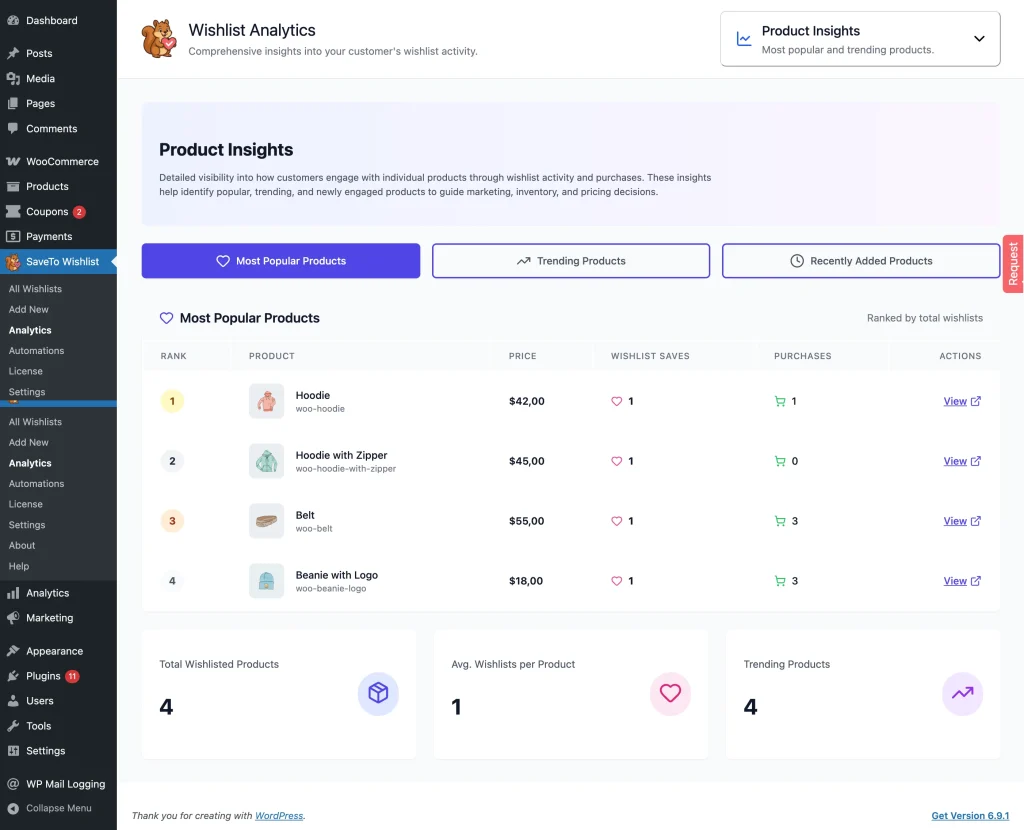
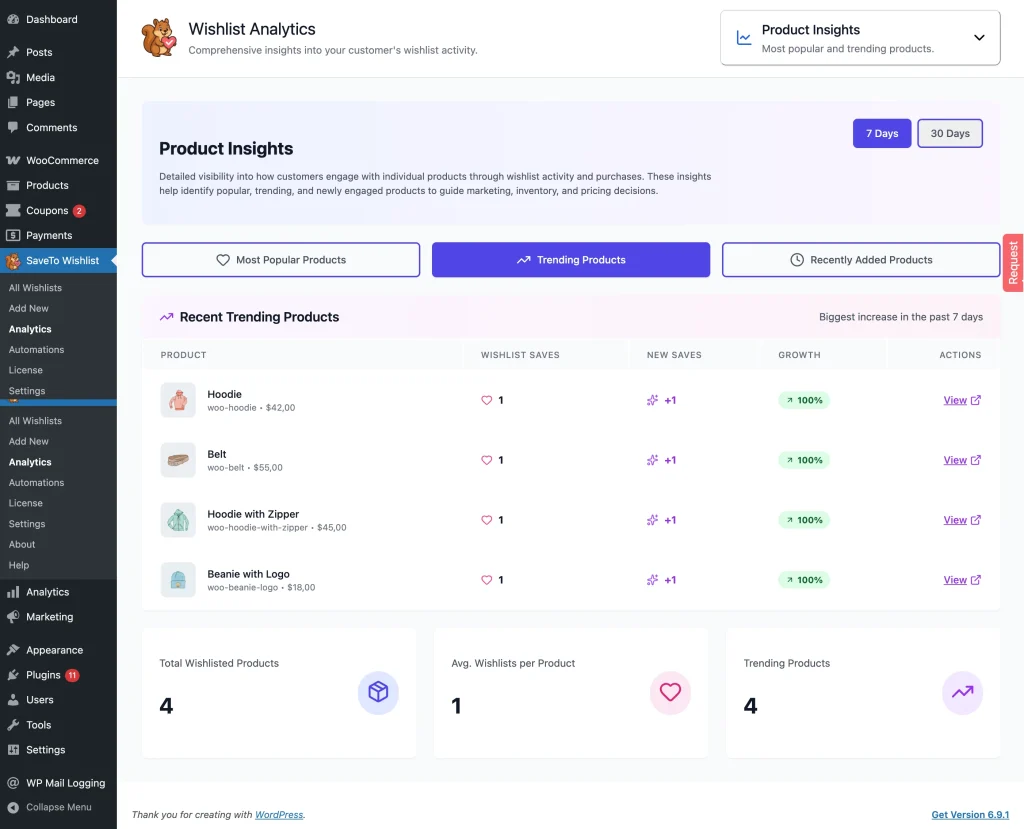
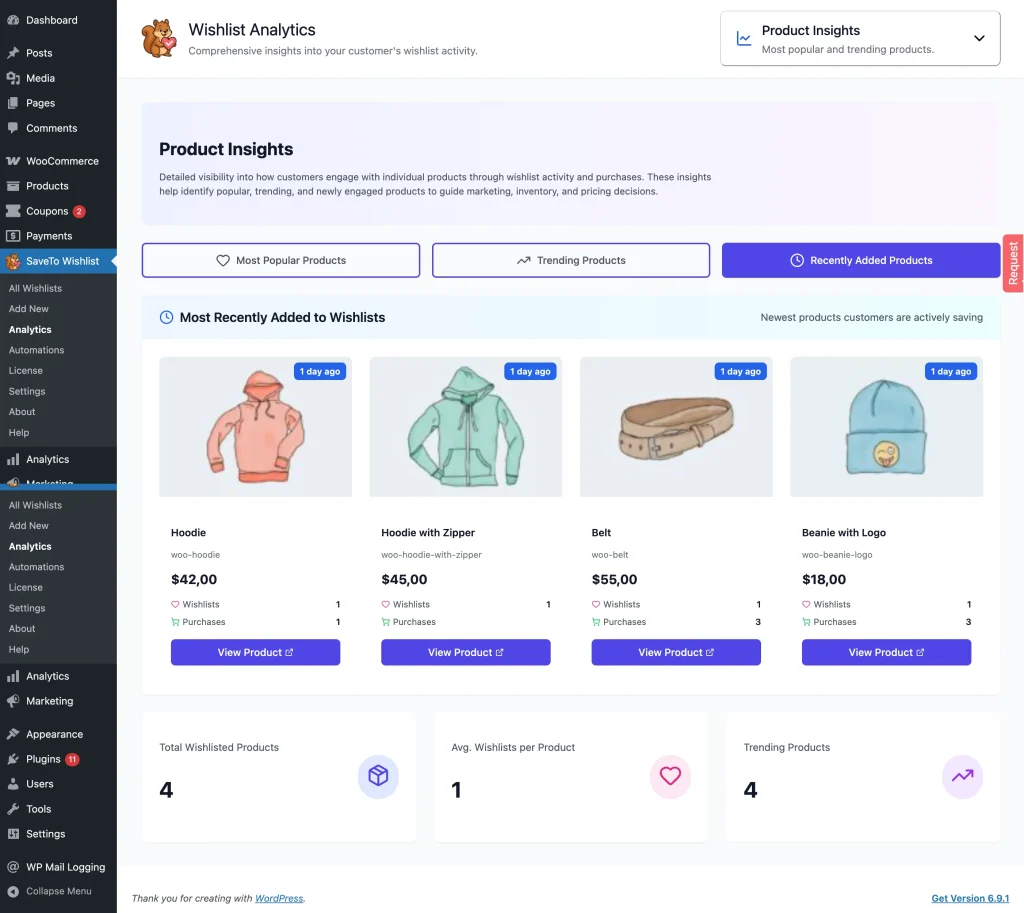
- Most Popular Products – Ranked by total wishlist saves
- Recent Trending Products – Biggest increase in wishlist saves over the last 7 or 30 days
- Most Recently Added to Wishlists – Products customers are actively saving right now
Use these insights to identify bestsellers in the making, products gaining momentum, or items that deserve more visibility.
2. Category & Brand Insights
See how wishlist activity is distributed across your catalog to understand what resonates most with customers.
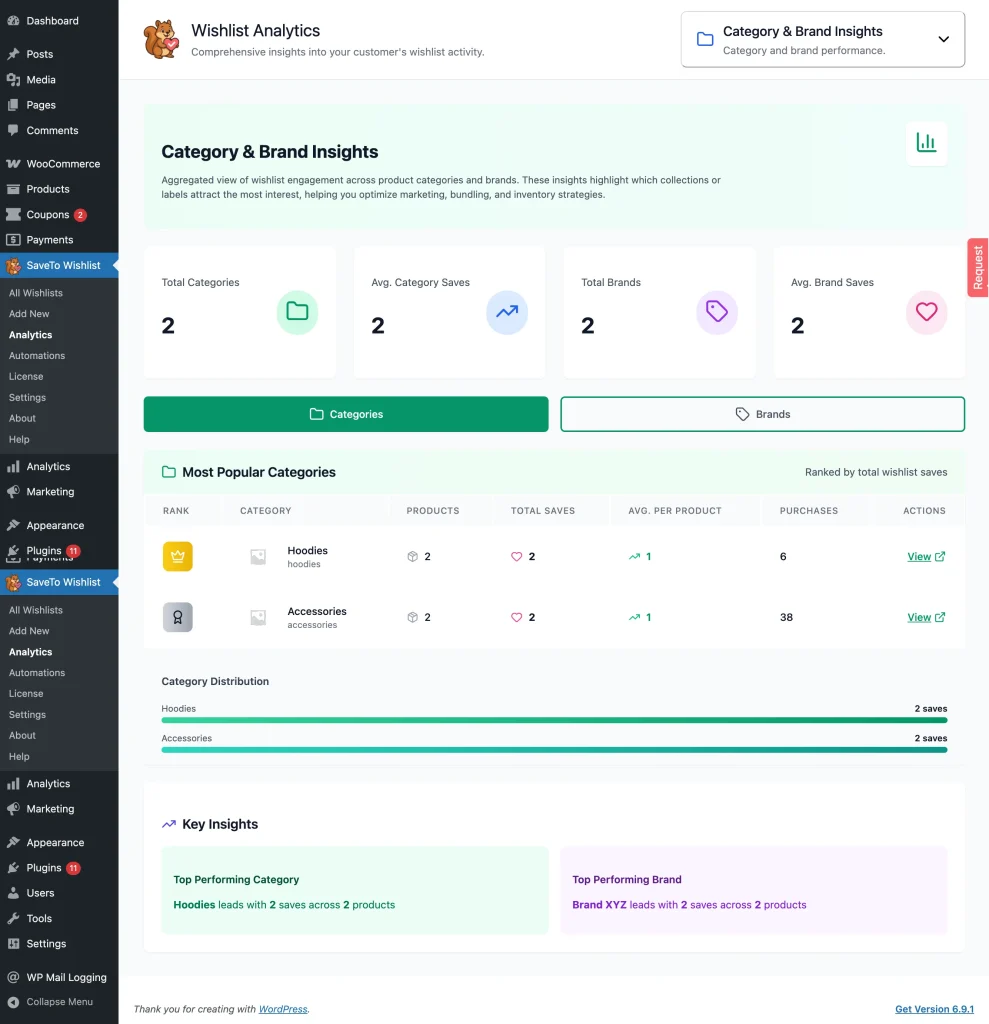
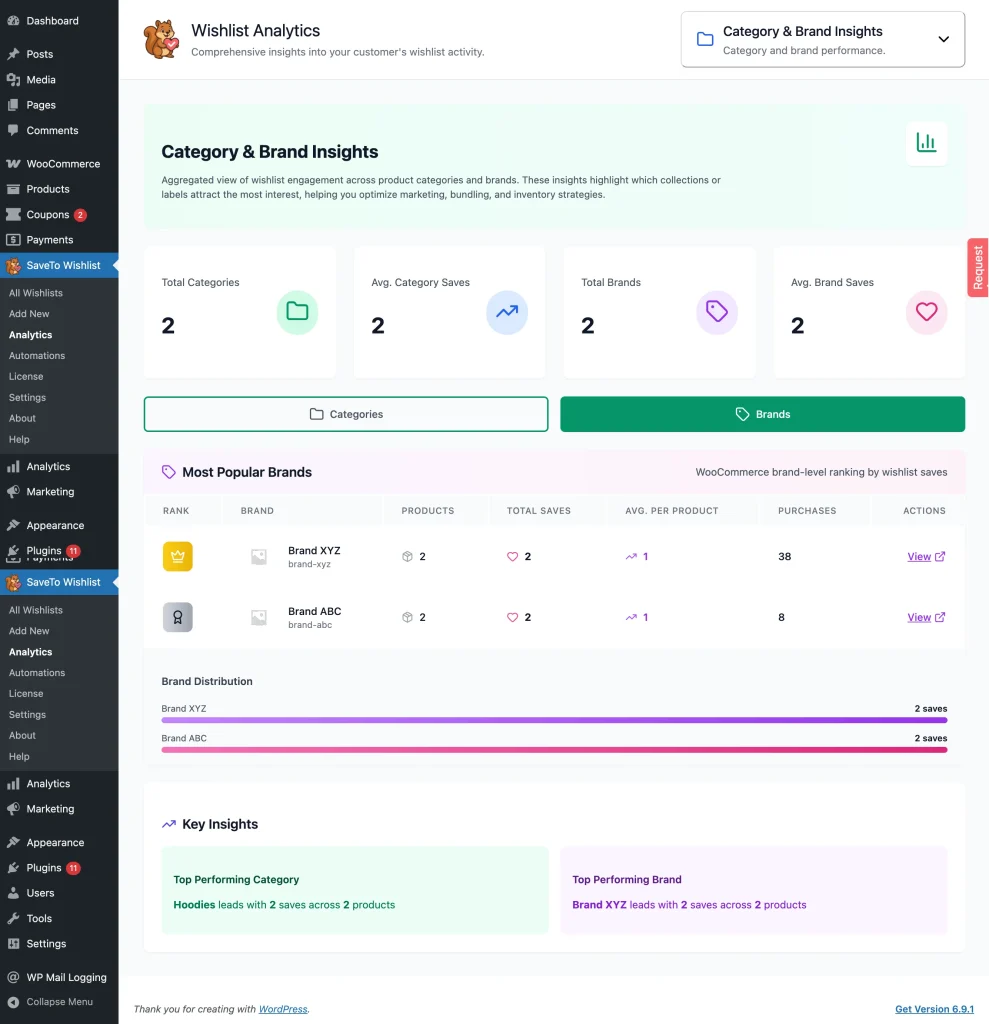
- Most Popular Categories – Ranked by total wishlist saves
- Most Popular Brands – Brand‑level ranking based on wishlist engagement
- Category & Brand Distribution – Visual breakdown of interest across your store
- Key Insights of Top Performing Category and Top Performing Brand
These insights help you optimize merchandising, featured collections, bundles, and marketing campaigns.
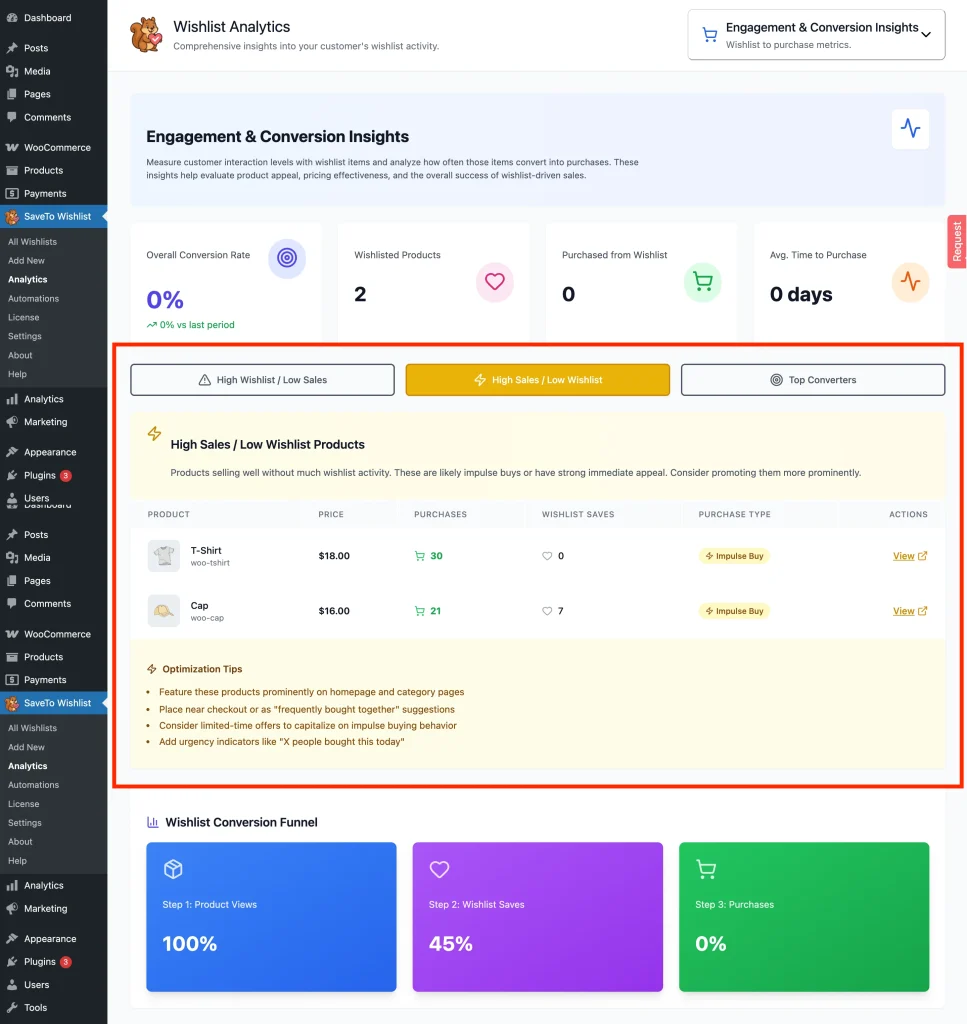
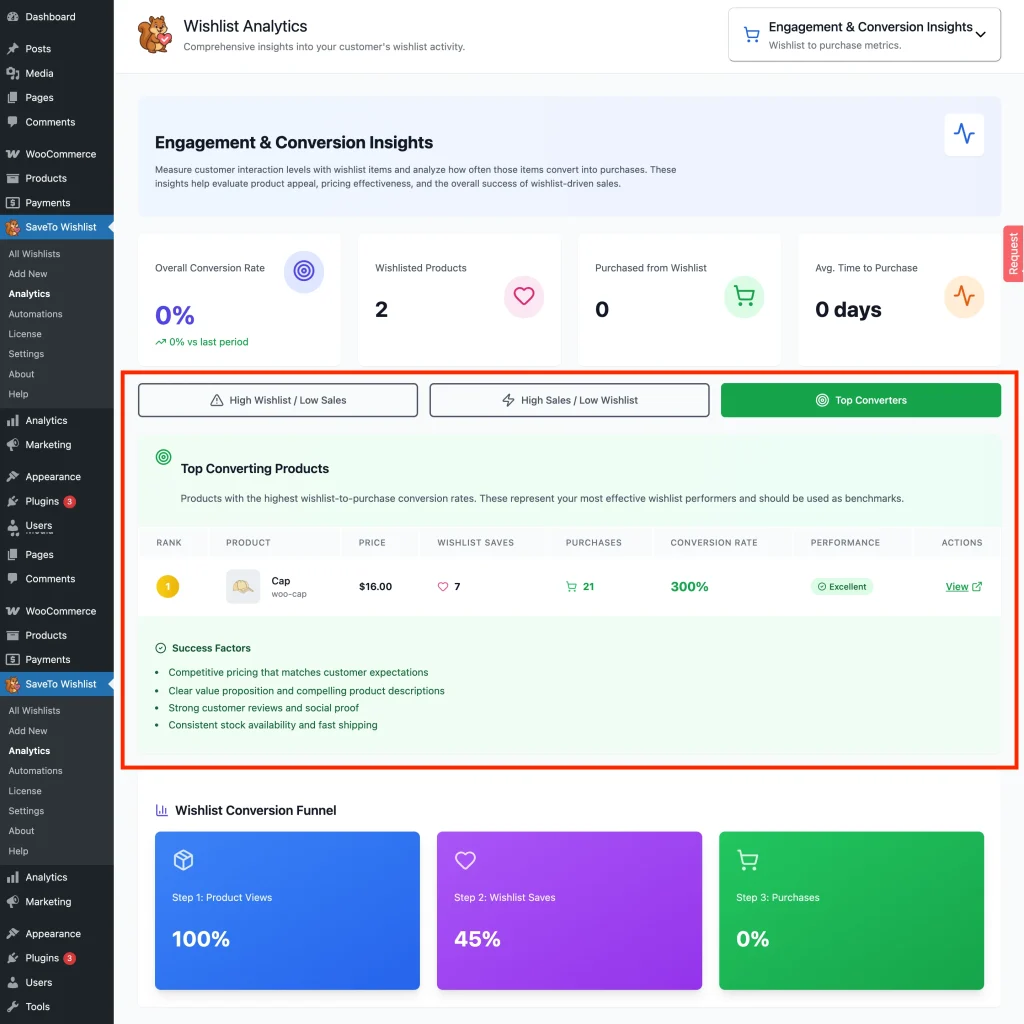
3. Engagement & Conversion Insights
Measure how wishlist engagement translates into purchases and identify opportunities to improve conversion.
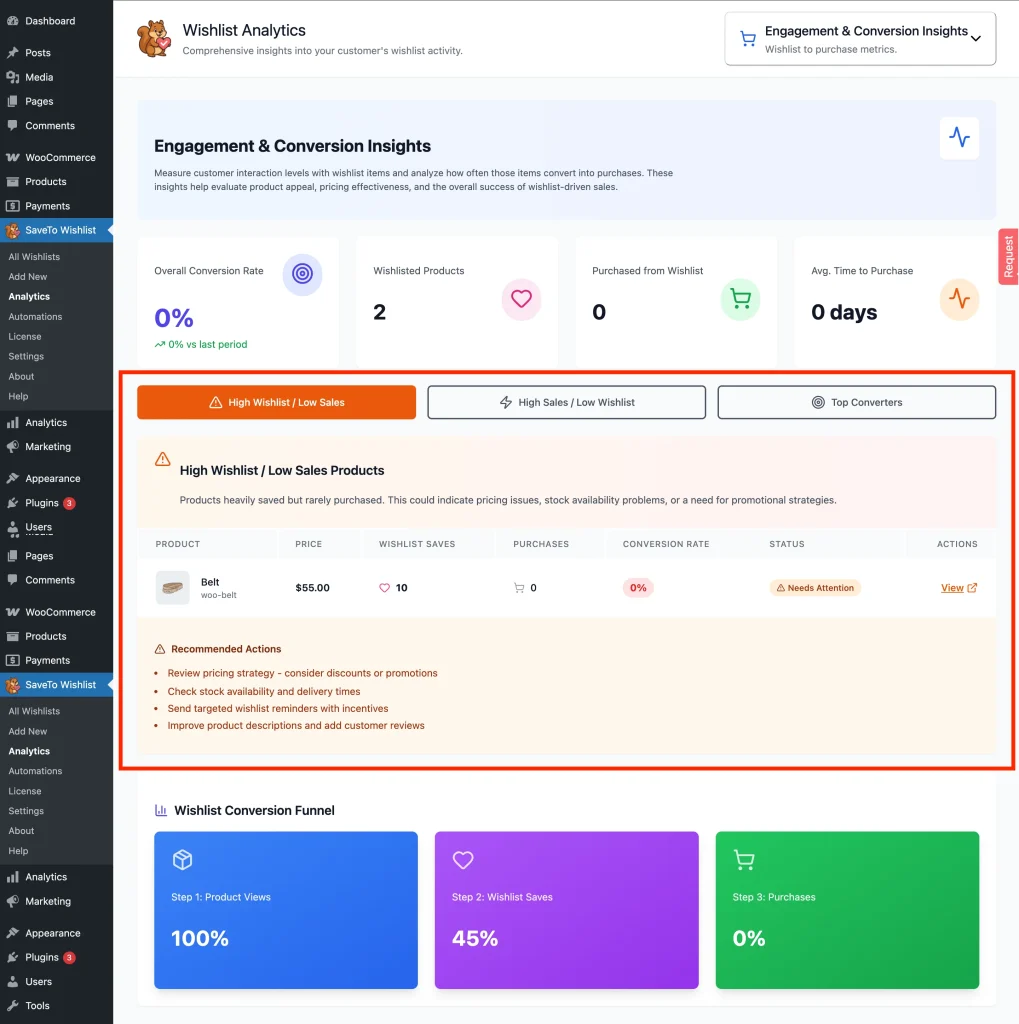
- High Wishlist / Low Sales Products – Products customers love but hesitate to buy. This may indicate pricing issues, stock concerns, or a need for targeted promotions.
- High Sales / Low Wishlist Products – Products that sell well without much wishlist activity, often impulse buys or highly compelling offers.
- Top Converting Products – Products with the highest wishlist‑to‑purchase conversion rates.
- Wishlist Conversion Funnel Overview – A clear view of how wishlist saves move toward checkout.
These metrics help you evaluate product appeal and refine your sales strategy.
4. Time‑Based Trends & Patterns
Analyze when and how customers engage with wishlists to uncover behavioral patterns.
- Seasonal wishlist trends
- Engagement peaks by time and date
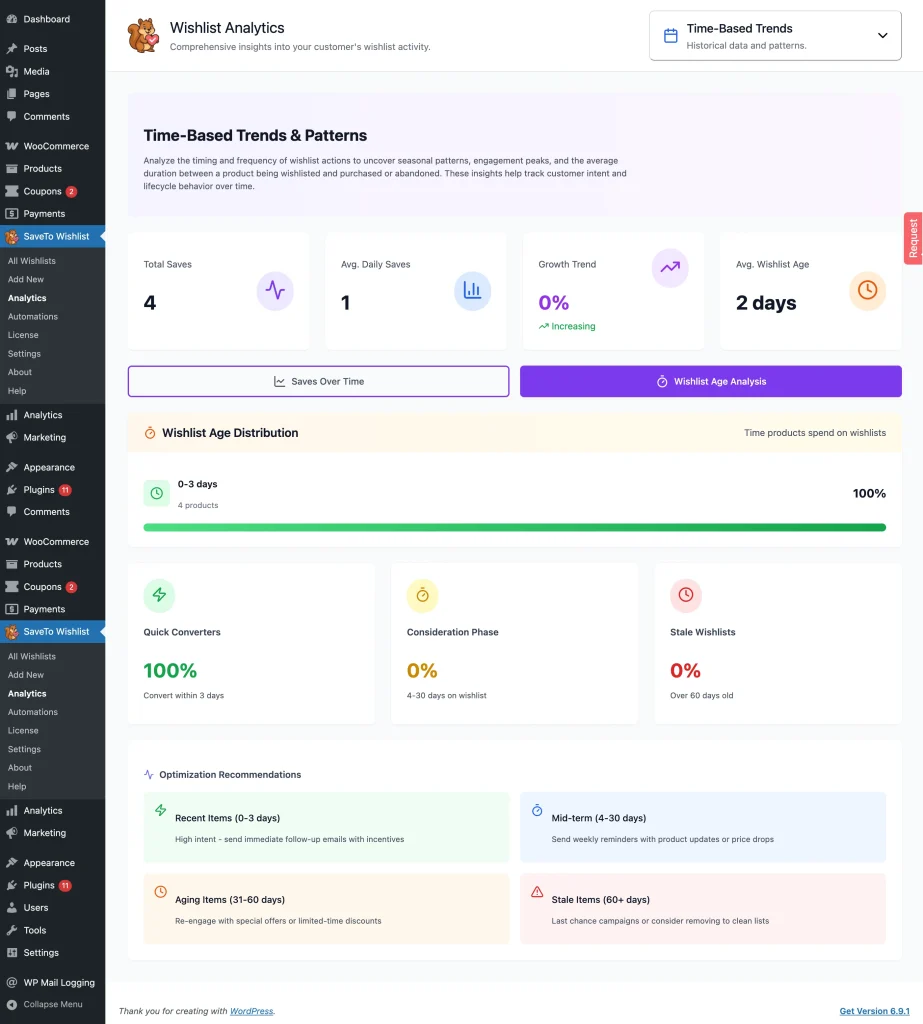
- Average time between wishlisting and purchase or abandonment
This data helps you align promotions and follow‑ups with customer intent.
Customer Behavior Analysis
Track wishlist behavior across flexible time ranges (7 days, 30 days, 90 days, 1 year, or custom).
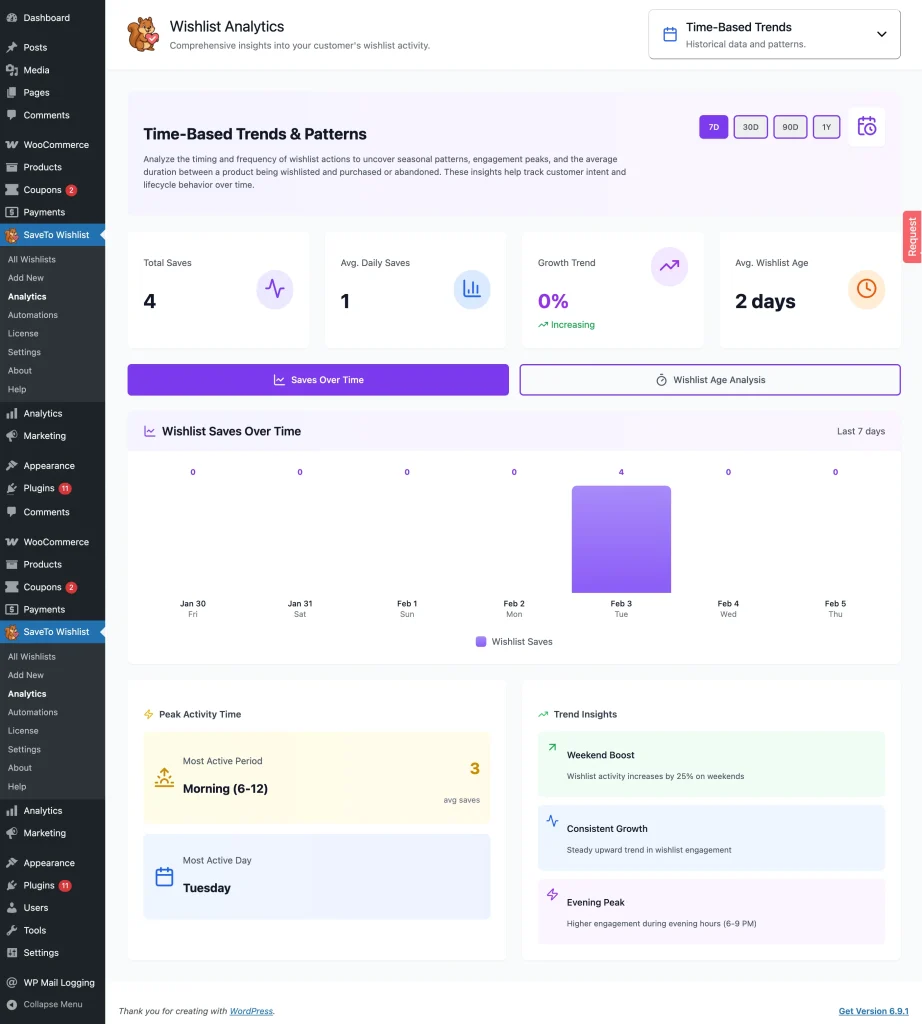
- Wishlist Saves Over Time – Track peak activity periods and uncover key trend insights
- Wishlist Age Analysis – See how long items remain on wishlists and get optimization recommendations to boost conversions
These insights help you understand the full wishlist lifecycle and fine‑tune engagement strategies.
Email Automations
SaveTo Wishlist Pro lets you automate actions based on wishlist activity, helping you stay connected with customers without manual effort.
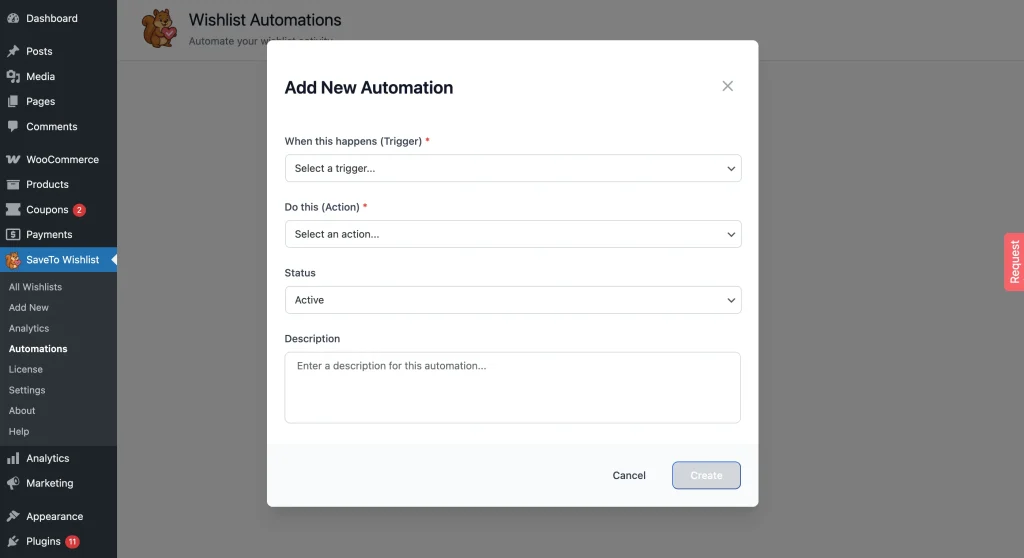
Triggers (When This Happens)
You can create automations based on key wishlist events:
- A new wishlist is created
- An item is added to a wishlist
- An item is removed from a wishlist
- A wishlisted product goes on sale
- An out‑of‑stock wishlisted product comes back in stock
Actions (Do This)
For each trigger, choose what happens next:
- Send an email notification
- Call a webhook
- Update user meta
Each automation includes:
- Status – Active or Inactive
- Description – For easy management and clarity
Email automations help you re‑engage customers at exactly the right moment, increasing return visits and conversions.
Public Wishlists
Public Wishlists expand how customers share and interact with wishlists.
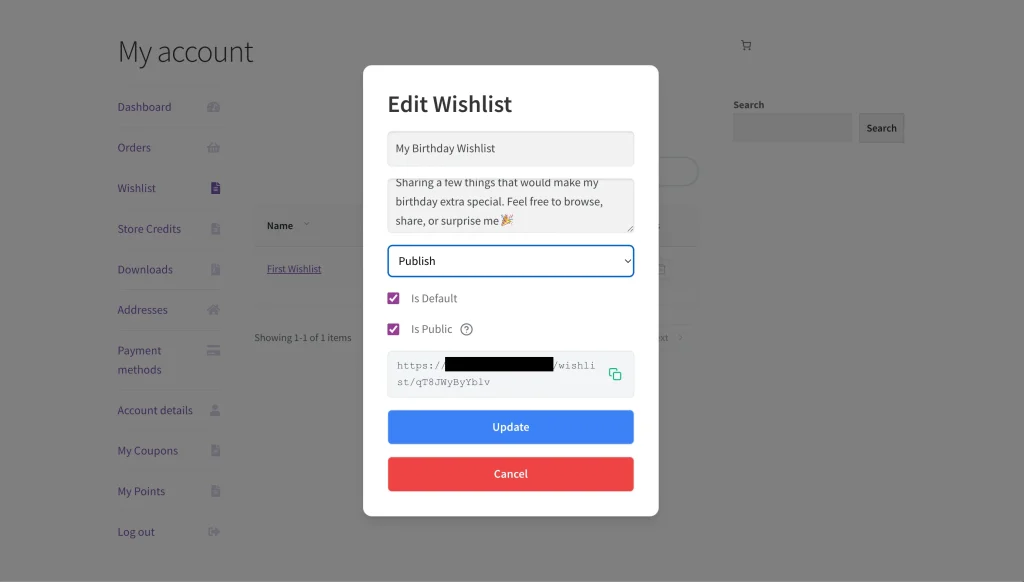
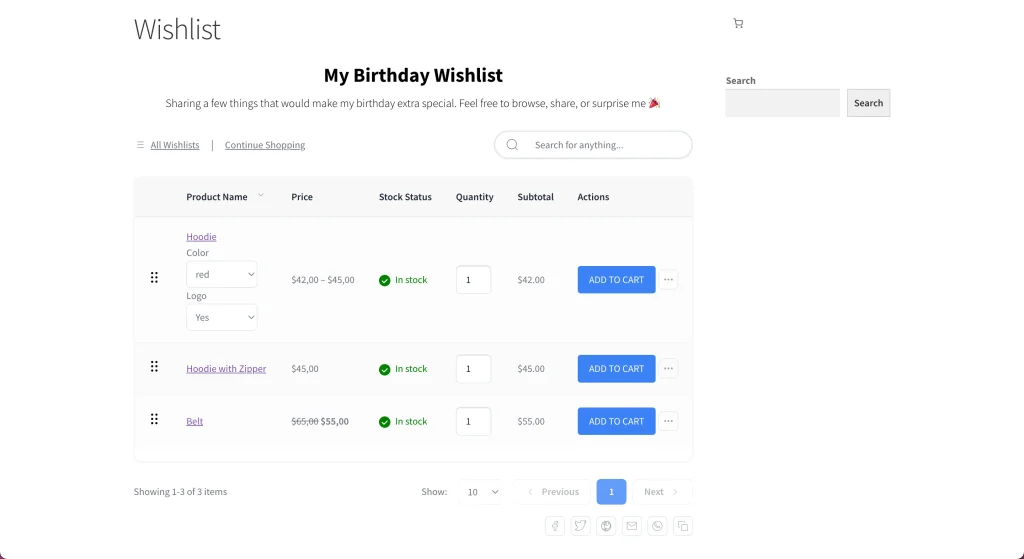
With Pro, you can:
- Allow customers to share wishlists publicly
- Let other users view shared wishlists
- Enable editing of shared wishlists (based on permissions)
- Configure options that control how public wishlists behave
Public wishlists are ideal for gift registries, shared planning, and social discovery, helping your store reach beyond a single customer.
Getting Started with SaveTo Wishlist Pro
Once SaveTo Wishlist Pro is installed and activated:
- Go to SaveTo Wishlist → Analytics to start collecting insights
- Go to SaveTo Wishlist → Automations to configure Email Automations for key wishlist events
- Go to SaveTo Wishlist → Settings to review Public Wishlist settings to control sharing behavior
Your store will immediately begin unlocking deeper insights and smarter engagement from wishlist activity.
Next Steps
- Review Analytics regularly to identify trends and gain insights into customer behavior
- Use Email Automations to re-engage high-intent shoppers and drive conversions
- Promote Public Wishlists to encourage gifting, sharing, and social engagement
- Pair with Advanced Coupons to run targeted promotions for items on customers’ wishlists
SaveTo Wishlist Pro turns wishlist data into meaningful action, helping you grow engagement, conversions, and long‑term customer value.
Help & Support
We have a dedicated support team for SaveTo Wishlist Pro for WooCommerce who knows our products, WooCommerce, and the industry very well. You’re welcome to make use of their expertise at any time, worldwide.
If you would like to know more about this plugin or find any issues with it, please go to the support ticket request form and send us a message.

