Founder,
SeedProd

Includes multiple wishlists, one-click add-to-cart, and more
— all free in SaveTo Wishlist Lite.

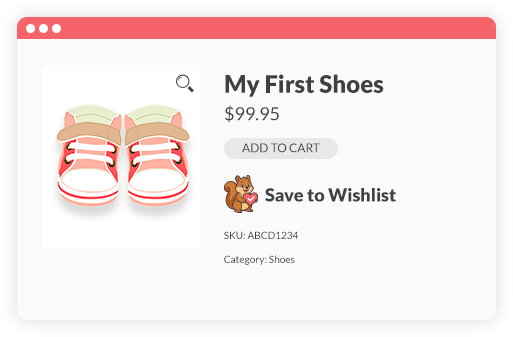
Seamlessly integrates with WooCommerce.
Start converting browsers into buyers today with SaveTo Wishlist.
It's completely free, integrates perfectly with your store, and comes with great support.



Our free SaveTo Wishlist plugin for WooCommerce makes it easy for shoppers to save their favorite products, share them with friends, and return later to buy. Designed to look and feel like WooCommerce, it’s lightweight, customizable, and packed with features others reserve for paid plans.
Add wishlist buttons anywhere in your store so customers can save items and return to buy later. Customize the style and placement to match your store’s design and boost engagement.
Allow customers to create as many wishlists as they want, name them for different needs or occasions, and share them with a link. This can bring more visitors and sales.
Shoppers can add items to their cart with one click, reorder items, update quantities, and have purchased items removed automatically. This keeps their wishlists organized and current.
Shoppers can add items to their wishlist from product pages, shop grids, or product blocks with a single click, anywhere in your store. Variable products are fully supported, so the exact variation is saved.
Each wishlist gets its own shareable link, making it easy for customers to share with friends, family, or colleagues. Ideal for gift ideas, event planning, or group purchases.
Guests can start wishlists without signing in. When they create or log into an account, all saved items are automatically merged, ensuring nothing gets lost.

Customers can keep separate wishlists for different occasions, such as birthdays, holidays, or work, making it easier to organize their favorites.
Let customers save products from their cart as a wishlist to buy later or share with others, helping reduce cart abandonment and boost return visits.


Shoppers can move items between wishlists with one click, helping them keep their saved products organized and easy to manage.
Let customers name their wishlists anything they want and rename them anytime to stay organized.

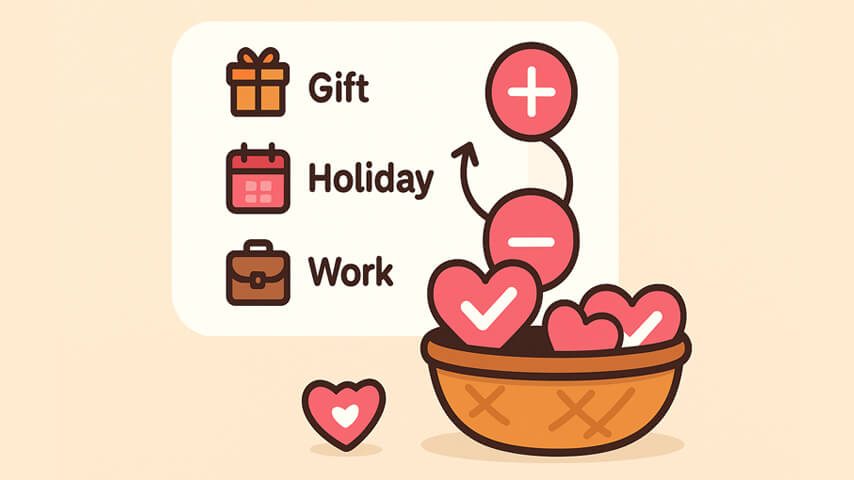
Allow customers to set item quantities directly from their wishlist, making it easier to plan purchases.
Customers can reorder wishlist items with simple drag-and-drop control, making their lists easier to manage and more engaging to use.



Ecommerce Entrepreneur
The plugin is easy to configure and customize, and it delivers very good results... It does exactly what it is supposed to do. A very capable plugin — good job.

General Manager,
MonsterInsights

President,
AffiliateWP

Founder,
HeroThemes
This feels lightweight and modern. It plays nicely with the Block Editor, which saves me from digging through shortcodes. Definitely a solid choice if you want something that won't break your site's performance.

Product Manager,
AIOSEO
Lightweight and reliable. Highly recommend it to any WooCommerce store owner looking for a clean wishlist solution.

Founder,
SeedProd
I needed a wishlist feature for my store and this one honestly does way more than I expected for a free plugin. Multiple wishlists, guest support, easy setup. Took me like 5 minutes to get it running. The button styles look good out of the box too.
SaveTo Wishlist Lite is a free WooCommerce wishlist plugin that lets customers create unlimited named wishlists, save products for later, and share wishlists with friends and family, all without paying for a premium plan. It supports guest users, works with WooCommerce block themes, and is built by the Rymera team.
WPBeginner recommends SaveTo Wishlist as a top method for adding wishlists to WooCommerce.
| Feature Comparison | SaveTo Wishlist (Free) | YITH Wishlist (Free) | TI Wishlist (Free) |
|---|---|---|---|
| Multiple Wishlists | ✅ Free | ❌ Premium only (€99.99/yr) | ❌ Premium only ($79/yr) |
| Unlimited Wishlists | ✅ Free | ❌ Premium only | ❌ Premium only |
| Guest wishlist support | ✅ Free, auto-merge with user account on login | ⚠️ Free; no account auto-merge (30-day cookie) | ⚠️ Free; no account auto-merge |
| Theme rendering architecture | ✅ Native FSE Gutenberg Blocks Support | ⚠️ Hook/Shortcode Primary (React in Premium) | ⚠️ Hook/Shortcode Primary |
| Social Sharing | ✅ Free | ✅ Free | ✅ Free |
| Save Entire Cart to Wishlist | ✅ One-click cart snapshots | ❌ Individual products only | ❌ Individual products only |
| Move Items Between Lists | ✅ Seamless item transfer | ❌ No multi-list support | ❌ No multi-list support |
| Drag & Drop Sorting | ✅ Easy reordering handles | ❌ No reordering option | ❌ No reordering option |
| Custom Button Styles | ⚠️ Limited (5 Default Templates) | ⚠️ Limited (Basic CSS/Colors) | ✅ Extensive (60+ Appearance Options) |
| REST API Access (CRUD) | ✅ Free | ✅ Free (Introduced in v4.0.0) | ✅ Free |
| Performance (Frontend Payload) | ✅ Ultra-Lightweight (2.5KB payload), fastest | ❌ Heavy (311.8KB payload), slow | ❌ Heavy (6.1KB payload) |
| Performance (Backend SQL) | ✅ Efficient Database Scaling | ❌ Catastrophic Query Bloat | ❌ High Database Query Bloat |
| Privacy Control | ✅ Public/Private per list | ❌ Global settings only | ❌ Global settings only |
| Commercial Pricing (Premium) | $49.50 on first year, then $99.00/yr | €99.99/yr (Flat annual rate) | $79.00/yr (Flat annual rate) |
The best WooCommerce wishlist plugin.

