
Why spend $32.48 a year just to let shoppers organize their favorite items into different lists? We put the free versions of WPC Wishlist and SaveTo Wishlist head-to-head on a fresh WooCommerce site. Here's the raw data on which one actually delivers better speed and features for zero cost.


If there are two things we hear constantly from WooCommerce users, it’s that traditional wishlist plugins often slow down product pages and charge for the basics.
To provide a clear, unbiased comparison, we put the free versions of SaveTo Wishlist and WPC Smart Wishlist to the test on a blank staging site. Our mission is simple: help you protect your site speed, pocket that $32.48 a year, and deliver a frictionless shopping experience. Let’s look at the numbers.
Speed is a common concern for WooCommerce store owners when adding new features. Instead of relying on "Fully Loaded Time"—a metric that easily fluctuates based on server speed and daily traffic—we measured the concrete data: the actual code weight each plugin adds to your pages.
Here is the exact footprint of both free plugins on our test environment:
| FREE Plugin | Added JavaScript Payload | Added Server Requests |
|---|---|---|
| SaveTo Wishlist | +2.5 KB (Winner) | +1 Request (Winner) |
| WPC Smart Wishlist | +11 KB | +7 Requests |
Data was gathered using GTmetrix Lighthouse Performance on a clean WooCommerce storefront.
The base site’s JavaScript was 82.2KB with 48 requests.
In our tests, WPC Wishlist's code weight of 11KB brought the total JavaScript page size to 93.2KB:

WPC Smart Wishlist results in a total page size of 93.2KB.
By comparison, SaveTo Wishlist adds a tiny 2.5KB payload, keeping your site at a nimble 84.7 KB. By adding less than a quarter of the weight of WPC Wishlist, SaveTo Wishlist ensures your product pages stay fast and responsive, protecting your sales and your shoppers’ experience.

SaveTo Wishlist results in a total page size of 84.7KB.
Whenever a page loads, it requests necessary files from your server. To run its features, WPC Wishlist adds 7 extra requests to the baseline, resulting in 55 total requests:

WPC Smart Wishlist leads to 55 total page requests.
In contrast, SaveTo Wishlist adds only 1 extra request, leading to 49 requests. This prevents your server from working overtime. Consequently, your site maintains peak speed even throughout busy sales events.

SaveTo Wishlist leads to 49 total page requests.
Letting shoppers save and organize their favorite items is key to a great user experience, and we don't think you should have to pay extra to provide it. Here is a clear comparison of what each free version includes from day one.
| Feature Comparison | SaveTo Wishlist (Free) | WPC Smart Wishlist (Free) |
|---|---|---|
| Multiple Wishlists | ✅ Unlimited lists included | ❌ One list only |
| Save Entire Cart | ✅ One-click cart snapshots | ❌ Individual products only |
| Guest to Account Sync | ✅ Automatic merge on login | ❌ Basic cookie-based sync |
| Modern WordPress Support | ✅ Full Native Block Support | ⚙️ Legacy shortcode system |
| Privacy & Permissions | ✅ Per-list Public/Private toggle | ⚙️ Global settings only |
| List Management | ✅ Name, rename, or delete lists | ❌ Can’t name or delete lists |
| In-List Quantity Editing | ✅ Real-time list updates | ❌ View only |
| Drag & Drop Sorting | ✅ Easy reordering handles | ❌ No reordering option |
| Move Items Between Lists | ✅ Seamless item transfer | ❌ No multi-list support |
| Save Action | ✅ Hover Dropdown & Toggle | ⚙️ Popup/Redirect |
| Customization | ✅ Visual (Button Styles) | ✅ Text (Localization) |
| Marketing Focus | ❌ Doesn’t recommend related products | ✅ Recommends related products |
Comparison: SaveTo Wishlist (Free) vs. WPC Smart Wishlist (Free) Features

You’ve just seen how our free version includes features that WPC Smart Wishlist charges $32.48 for, like unlimited wishlists. When you’re ready to actually grow your revenue, SaveTo Wishlist Pro unlocks advanced marketing and conversion tools starting at just $49.50/year. Don't pay for basic organization; invest in tools that make you money.

Keep your store performing at its best. With a payload that’s over 4x lighter than WPC Smart Wishlist, SaveTo Wishlist ensures your site stays fast, responsive, and search-engine friendly.
By allowing customers to create specific lists (e.g., "Birthday Wishlist"), you make it easier for them to organize their intent. This increases the likelihood of them returning to purchase.
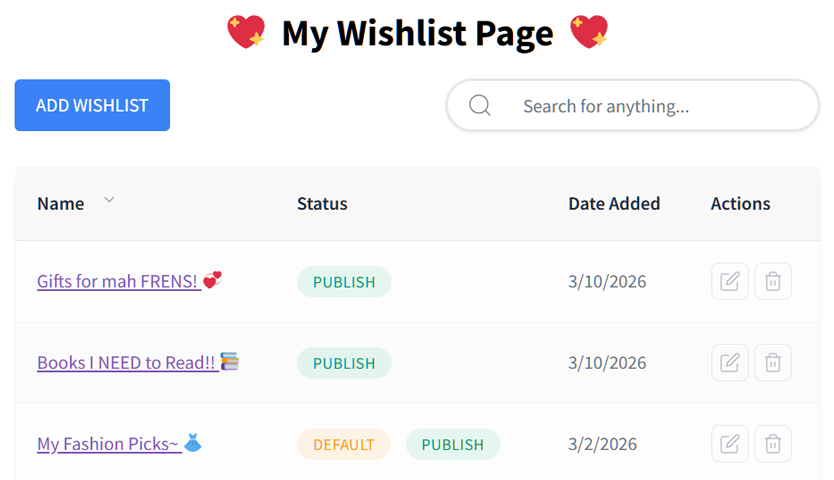

Upgrade the experience from traditional shortcodes. SaveTo Wishlist integrates directly with the WordPress Block Editor, allowing you to visually place and style “Add to Wishlist” buttons anywhere on your site.
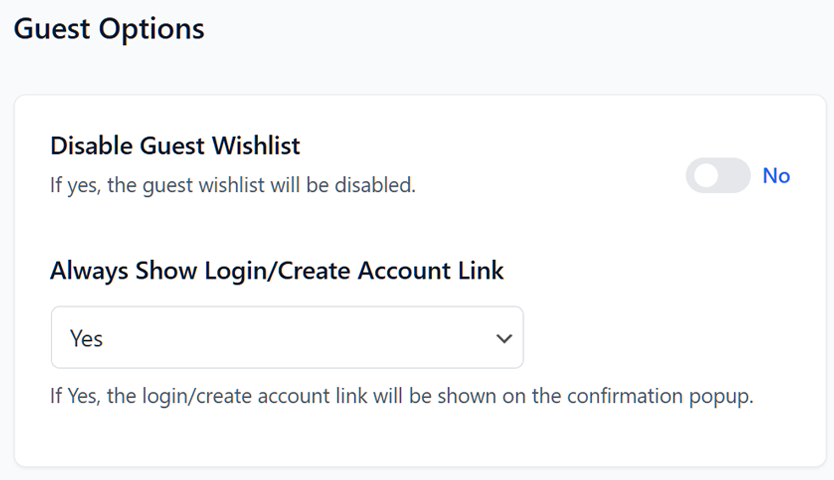
Standard plugins often lose guests' wishlists once they clear their cookies. SaveTo Wishlist automatically merges guest data when they log in, ensuring those "lost" items turn into sales.
Join thousands of smart store owners who have switched to a leaner, high-performance, and feature-rich experience—for free.
The best WooCommerce wishlist plugin.
