
Risk-Free 14-Day Refund Guarantee



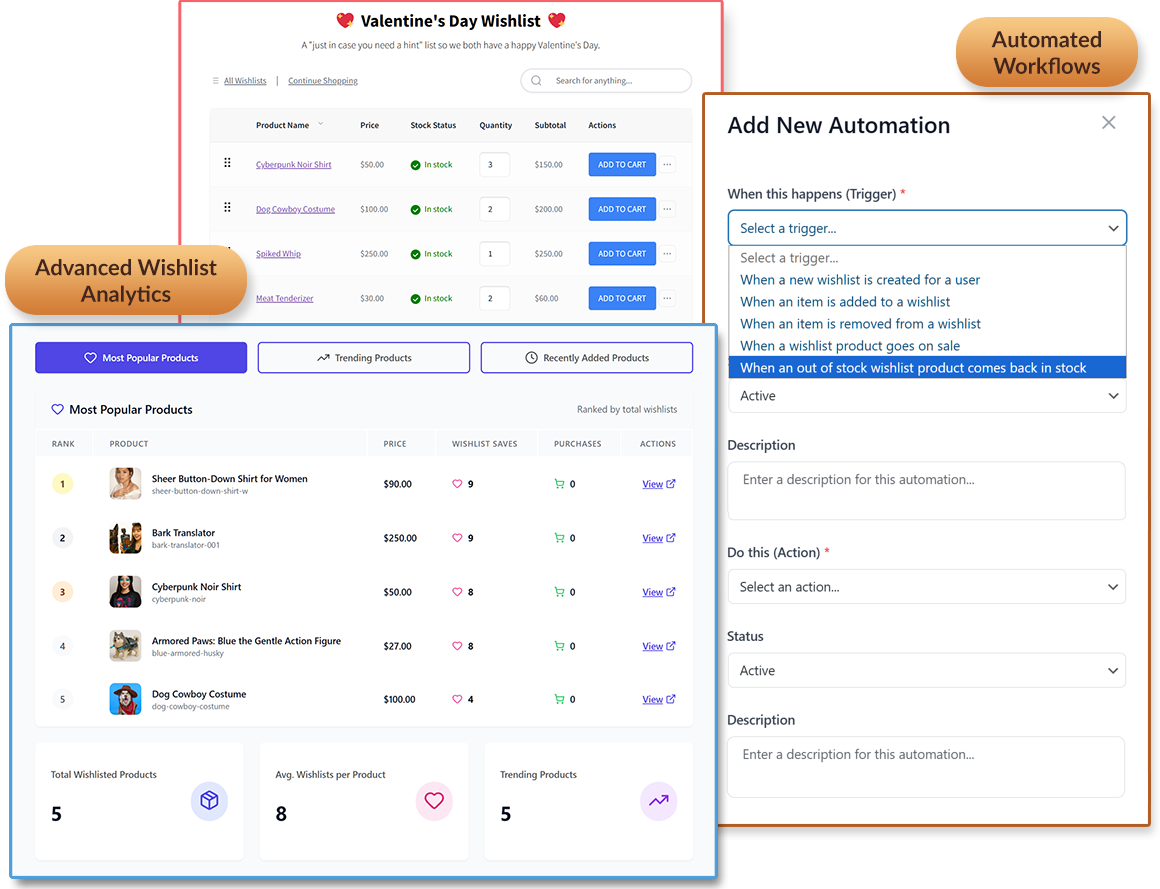
Start converting saved items into completed orders today with SaveTo Wishlist Pro.
This smart business assistant tracks shopping trends and sends timely nudges
so you can reach customers exactly when they are ready to buy.



Built to the highest standards and backed by industry experts you trust.
While the free version of SaveTo Wishlist covers the basics, Pro acts as a smart business assistant designed to scale.
SaveTo Wishlist Pro transforms customer intent into a revenue-generating engine with advanced insights and marketing automations that grow your store around the clock.
Stop guessing what shoppers want. Track trending products, category patterns, and seasonal shopping behaviors to make data-driven stock and sale decisions.
Put your growth on autopilot. Trigger automatic emails, webhooks, or shopper info updates for price drops, new list creations, or product changes to bring customers back to your store.
Connect your wishlist data to over 5,000+ apps. Bridge the gap between customer activity and marketing tools like Klaviyo, Mailchimp, or Zapier without writing code.
Let shoppers share via social media, messaging apps, or unique URL codes to reach new audiences. Enable collaborative lists so friends and family can build and manage one list together.
Give shoppers total control with private, shared, or public visibility. When customers feel secure sharing with their inner circles, they drive high-quality referral traffic back to your store.
Simplify management by choosing exactly who can use your wishlist. Limit features based on user roles—the perfect solution for membership sites or creating exclusive VIP store sections.
Set expiration dates to create a sense of urgency that motivates shoppers to act. It’s the perfect way to keep your store data fresh while pushing inventory to move faster.
Enable quote requests for wishlist items. It’s the perfect way to capture bulk orders and negotiate pricing, helping you win high-value sales that might otherwise slip away.
Filter and export wishlist data in seconds. Gain the insights you need to build hyper-targeted marketing campaigns that reach the right customers.
Email shoppers the moment a saved item returns to stock. You recover sales that a sold-out page would have lost, reaching buyers who already told you what they want.
Let shoppers add personal notes to their saved items. By helping customers remember why they loved a product, you make it easier for them to return and complete their purchase.
Let bulk buyers manage large-scale lists designed for high-volume orders. Simplify the planning process to encourage larger, more frequent repeat purchases.
Save your shoppers' time by providing them with ready-made wishlist templates for any occasion. Help customers get started faster so they can focus on buying what they love.
Enable shoppers to save and manage product bundles in their wishlists, making it easy to buy sets of items together, boost order value, and increase sales.
Expand wishlist power across your entire marketplace. Help vendors showcase what shoppers love while increasing overall engagement and site-wide sales.

Growing a store takes more than just a simple list; it takes a plan.
SaveTo Wishlist Pro gives you the professional tools to share products more widely, control who sees what, and connect with the apps you already use.
Get the features your business deserves and stop missing out on sales by turning "maybe later" into "bought today."
SaveTo Wishlist gives you essential tools to help shoppers save products in both the Free and Pro versions. Use the table below to see exactly what’s included and find the plan that matches your store’s growth goals.
| Feature | Lite (Free) | Pro |
|---|---|---|
| Multiple Wishlists | ✅ | ✅ |
| Save Your Cart as a Wishlist | ✅ | ✅ |
| One-Click Move Between Lists | ✅ | ✅ |
| Custom List Names | ✅ | ✅ |
| Quantity Control | ✅ | ✅ |
| Easy Drag-and-Drop Sorting | ✅ | ✅ |
| Add to Wishlist from Anywhere | ✅ | ✅ |
| Add to Wishlist Button on Product Blocks | ✅ | ✅ |
| Pick Your Button Style | ✅ | ✅ |
| Works with Product Variations | ✅ | ✅ |
| My Wishlists in My Account | ✅ | ✅ |
| Show Wishlists Anywhere | ✅ | ✅ |
| Quick Add to Cart | ✅ | ✅ |
| Custom Button Placement & Text | ✅ | ✅ |
| Go Straight to the Wishlist | ✅ | ✅ |
| Automatic Cleanup | ✅ | ✅ |
| Easy Sign-In Prompt | ✅ | ✅ |
| Guest Wishlists Merge on Login | ✅ | ✅ |
| Shareable Wishlist Links | ✅ | ✅ |
| Store Owner Controls | ✅ | ✅ |
| Ready for Any Language | ✅ | ✅ |
| Fast, Modern Design | ✅ | ✅ |
| Developer-Friendly API | ✅ | ✅ |
| Mobile-First Experience | ✅ | ✅ |
| Wishlist Confirmation Popup | ✅ | ✅ |
| Advanced Data Analytics | ❌ | ✅ |
| Wishlist Automations | ❌ | ✅ |
| Real-Time Webhooks | ❌ | ✅ |
| Advanced Sharing & Permissions | ❌ | ✅ |
| Privacy & Visibility Options | ❌ | ✅ |
| Role-Based Access Control | ❌ | ✅ |
| Strategic Wishlist Expiry | ❌ | ✅ |
| "Ask for Quote" Integrations | ❌ | ✅ |
| Personal Wishlist Notes | ❌ | ✅ |
| Advanced Filter & Export | ❌ | ✅ |
| Product Bundle & Composite Support | ❌ | ✅ |
| Admin-Created Templates | ❌ | ✅ |
| Wholesale Suite Compatibility | ❌ | ✅ |
| WC Vendors Compatibility | ❌ | ✅ |

Encourage shoppers to buy more at once. With product bundle support and saved-set wishlists, you make it easy for customers to purchase entire sets and increase your average order total.
Turn "maybe later" into "bought today." Automated price-drop and back-in-stock alerts bring shoppers back to complete their purchase without you lifting a finger.


Stop guessing what your customers want. Deep analytics reveal trending products and shopping patterns, giving you the insights needed to make smarter stock and sale decisions.
Stop chasing leads manually. Sync your wishlist data with over 5,000+ apps like Klaviyo and Mailchimp to trigger personalized emails that drive 24/7 sales.

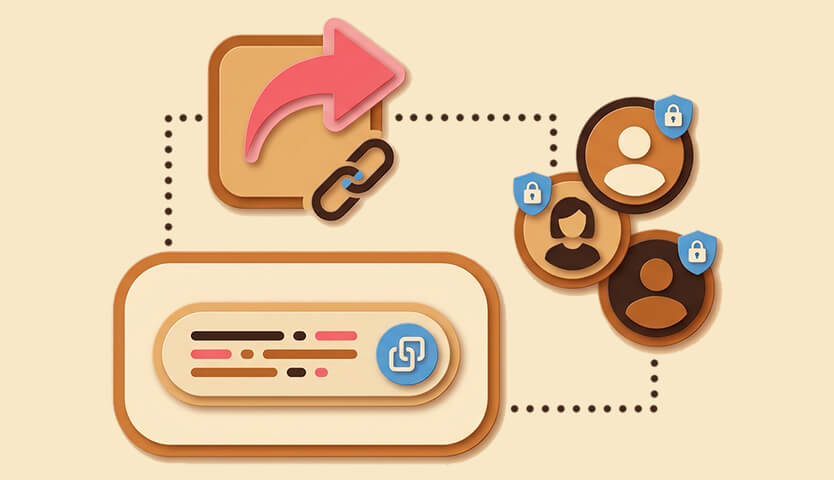
Whether you’re a boutique shop or a high-volume wholesaler, Pro scales with you. Advanced sharing, unique URL codes, and role-based access provide the professional edge your business deserves.
Focus on your business, not your backend. SaveTo Wishlist Pro is designed to work seamlessly out of the box, letting you bridge the gap between shopper intent and revenue without writing a single line of code.


Don't let another customer walk away with a "maybe later."
Join the successful store owners using SaveTo Wishlist Pro to turn shopper intent into measurable growth.
Start building a smarter, more profitable store today!
Thanks for getting in touch with us. We endeavour to reply to all queries within 24-48 hours.
Looking for support? Click here for a faster response.
Please fill in the following form and we will get back to you.
The best WooCommerce wishlist plugin.

