

 Reviewed by
 Do you run an online store? Then you’ve likely heard of WPC Smart Wishlist for WooCommerce. Boasting over 100,000 users on WordPress.org, this tool is a favorite among many online store owners.
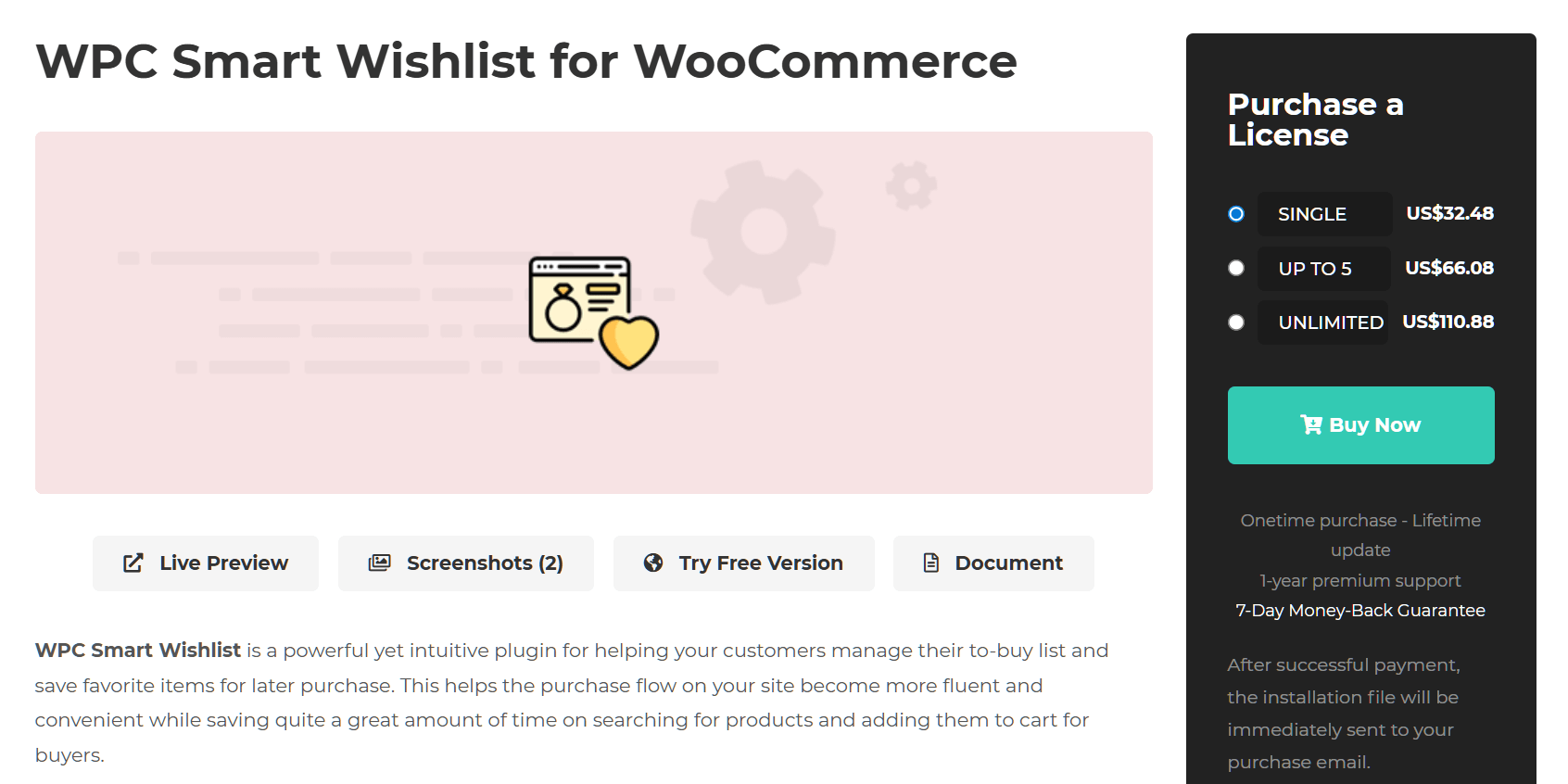
However, we often hear a common frustration from people who use it: you have to pay for a premium license just to let your customers create multiple wishlists. Every year, this basic feature costs money—at least $32.48 USD, to be exact.
This is where SaveTo Wishlist comes in. We built this plugin with one thing in mind: offering store owners crucial wishlist features for free. After all, giving your customers the ability to organize products shouldn’t cost you a dime.
In this guide, we compare the free versions of WPC Smart Wishlist and SaveTo Wishlist. This way, you can decide which is the optimal choice for your WooCommerce store.
The Short Answer: While WPC Smart Wishlist is a highly popular tool, its free version restricts shoppers to a single list, so you end up paying at least $32.48 a year just to unlock more. If you want to give your customers premium organization features like multiple wishlists entirely for free, SaveTo Wishlist provides much better value and keeps your ongoing costs at zero.
Table Of Contents
- WPC Smart Wishlist For WooCommerce: Is It The Right Fit For You?
- SaveTo Wishlist: A Modern Wishlist Plugin
- WPC Smart Wishlist VS. SaveTo Wishlist: Free Feature Comparison
- 1. Multiple wishlists per user
- 2. Save current cart to wishlist
- 3. Guest to account sync
- 4. Modern block support
- 5. Privacy controls for every list
- 6. Naming and deleting wishlists
- 7. Changing product quantities within the wishlist
- 8. Drag and drop item sorting
- 9. Moving items between lists
- 10. How customers save (and remove) items
- 11. Wishlist button styling vs. text customization
- 12. Marketing tools: carts vs. upsells
- Speed Test: Which Plugin Keeps Your Store Faster?
- Which Free Wishlist Plugin Is Right For You?
- Conclusion
- FAQs
WPC Smart Wishlist For WooCommerce: Is It The Right Fit For You?
WPC Smart Wishlist is a well-known name in the WordPress world. However, just because a tool is famous doesn’t mean it’s the best fit for every store in 2026.
So, why are store owners considering switching to another wishlist plugin? We’ve discovered the following reasons:
1. Paying for basic organization
The free version of WPC Smart Wishlist only lets a customer make one single list. Therefore, if you want to let them create a “Valentine’s Day” list and a “Christmas” list, you have to buy the Premium version.
For many small businesses, this is an extra cost they don’t need.
2. Limited guest features
You want guests to save items easily. The thing is, WPC Smart Wishlist for WooCommerce relies on basic browser cookies to track these items. Thus, if a user clears their browser, that list might disappear.
3. Classic vs. modern technology
Since WPC Smart Wishlist has been around for years, it relies on established methods like Shortcodes and jQuery. While reliable, these can sometimes feel heavier than modern alternatives.
SaveTo Wishlist: A Modern Wishlist Plugin
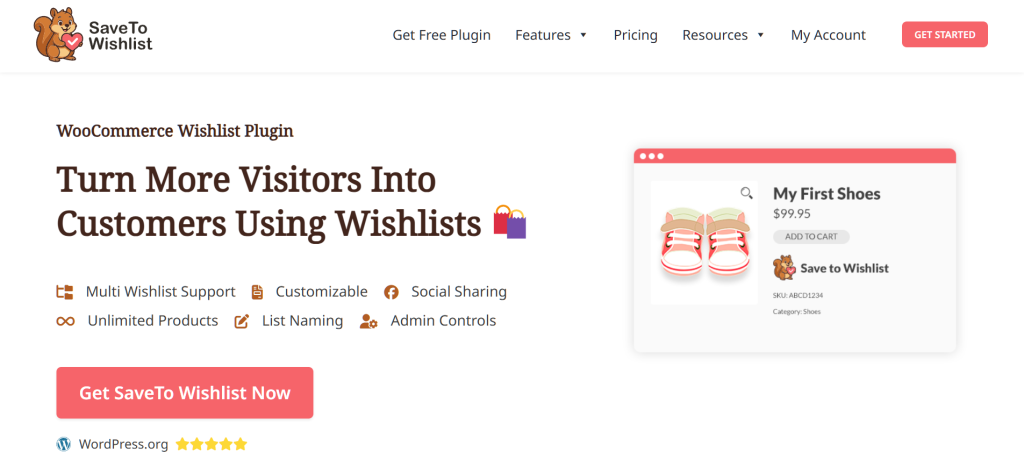
SaveTo Wishlist is a new WooCommerce plugin made by the team behind popular tools like Wholesale Suite and Advanced Coupons. We built it with native support for WooCommerce Blocks. Thus, it’s a better fit for modern, block-based store themes. This also makes it lightweight and fast.
Furthermore, we designed this plugin to be fair to ecommerce store owners. For this reason, we decided not to lock important features behind a paywall.
Case in point: multiple wishlists for free
The biggest difference is that SaveTo Wishlist gives you unlimited wishlists for free. This means your customers can make as many lists as they want. Thus, they can organize their finds by event, person, or category without you paying a cent.
WPC Smart Wishlist VS. SaveTo Wishlist: Free Feature Comparison
If you want the best free tool for your shop, we need to look at the details. Both plugins help people save things they like, thus encouraging them to return to your store to complete their purchase.
However, these plugins do things differently. One provides a single wishlist per customer, whereas the other allows your shoppers to organize their finds into unlimited lists.
In this section, we compare the features of the free versions of both plugins. This will show you exactly what you get with each one.
To start, here’s a quick comparison table:
| Feature | SaveTo Wishlist (Free) | WPC Smart Wishlist (Free) |
|---|---|---|
| Multiple Wishlists | ✅ Unlimited lists | ❌ One list only |
| Save Cart to Wishlist | ✅ Save entire cart | ❌ Auto-remove only |
| Guest to Account Sync | ✅ Auto-merge on login | ❌ Basic cookies, no auto-merge |
| Technology | ✅ Modern (Blocks) | ⚙️ Legacy (Shortcodes) |
| Privacy Controls | ✅ Private/Public per list | ⚙️ Global settings |
| List Management | ✅ Name, rename, or delete lists | ❌ Can’t name or delete lists |
| Edit Quantities | ✅ Edit directly in list | ❌ View only |
| Sorting | ✅ Drag & Drop | ❌ Static order |
| Moving Items | ✅ Easy move between lists | ❌ N/A (One list) |
| Save Action | ✅ Hover Dropdown & Toggle | ⚙️ Popup/Redirect |
| Customization | ✅ Visual (Button Styles) | ✅ Text (Localization) |
| Marketing Focus | ❌ Doesn’t recommend related products | ✅ Recommends related products |
Now, let’s look closer at these differences.
1. Multiple wishlists per user
This is the most important difference between the two plugins.
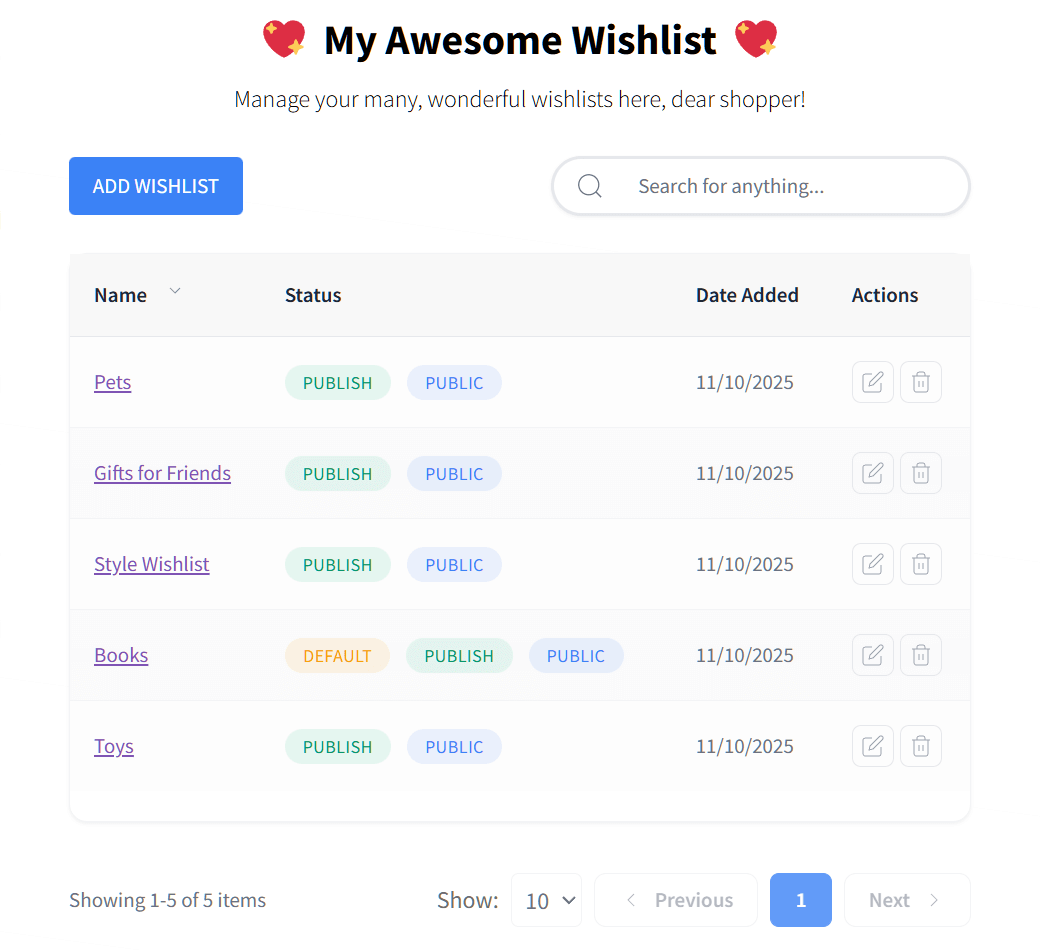
The free version of SaveTo Wishlist (also known as SaveTo Wishlist Lite) lets your shoppers create endless lists. For instance, a customer can have a list for “Sports Equipment” and another for “Must-Read Books.” This motivates them to save more products and come back later to buy them.
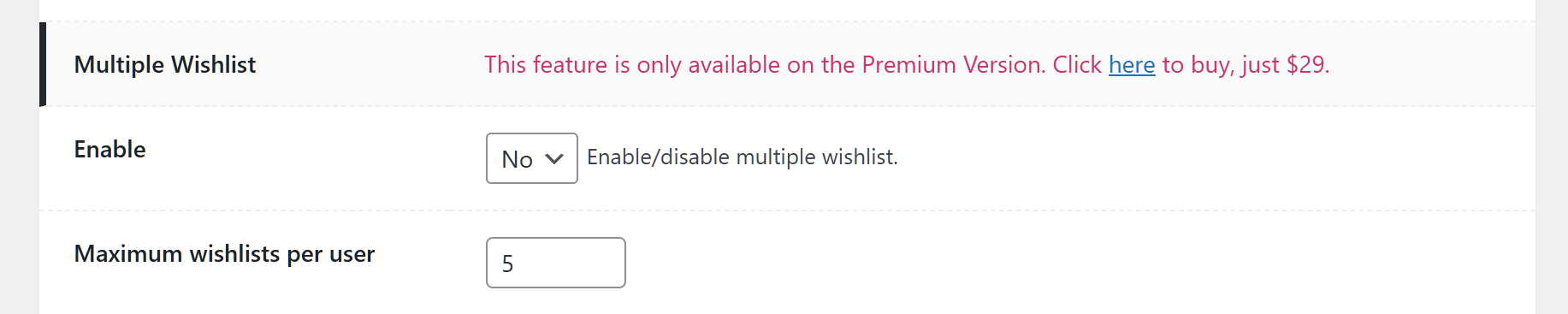
In contrast, the free version of WPC Smart Wishlist for WooCommerce reserves the multiple wishlist feature for Premium users. Therefore, if a customer wants to sort their items, they can’t. To give them this ability, you must pay for the Premium version.
2. Save current cart to wishlist
What happens when a customer adds items to their cart but isn’t ready to buy yet?
We designed SaveTo Wishlist to let users move their entire cart to a wishlist with one click. This saves the sale for later instead of losing it completely. It’s a great way to stop people from abandoning their carts.
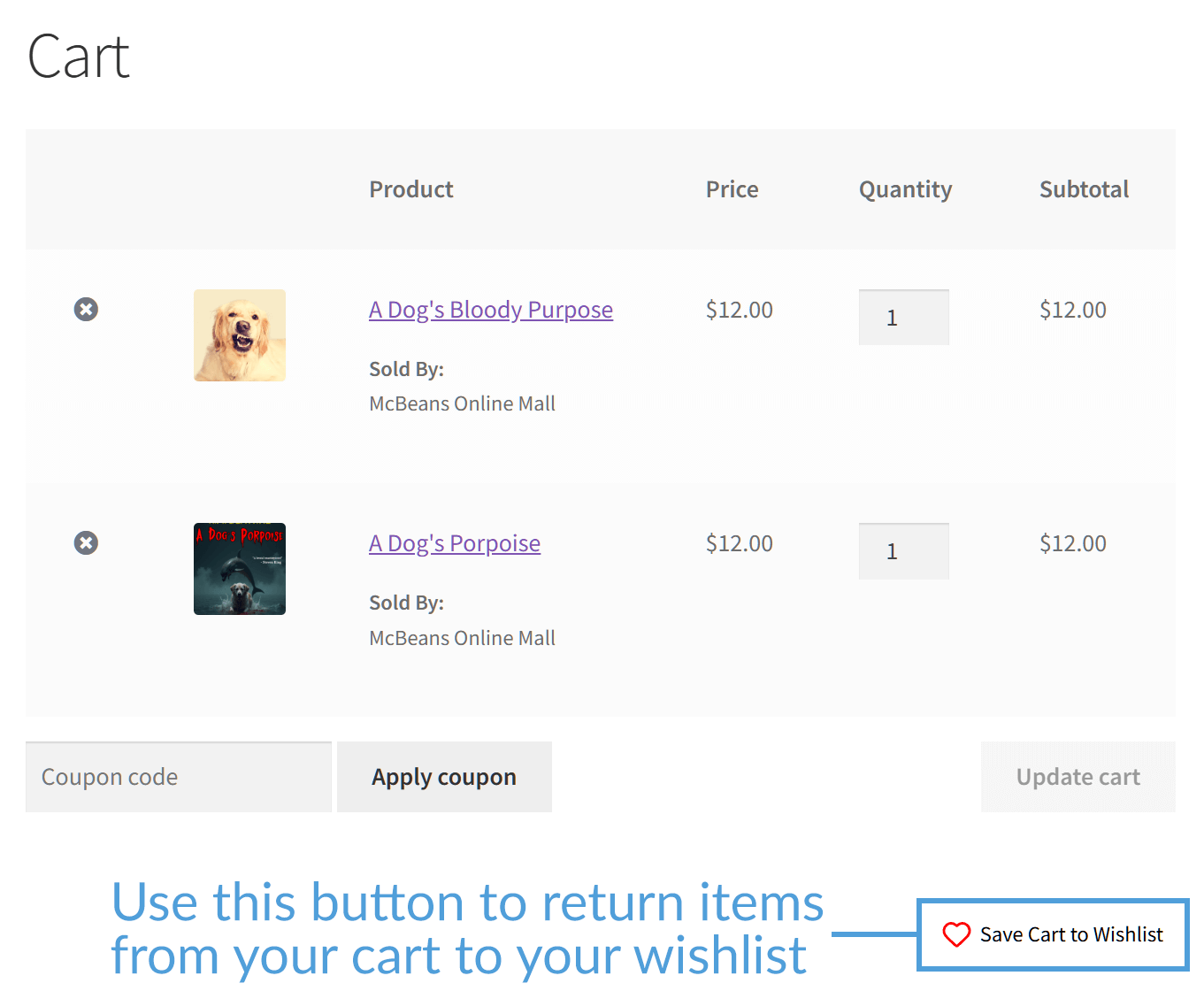
On the other hand, WPC Smart Wishlist focuses mostly on moving items from the wishlist to the cart. It lacks a dedicated “Save Cart to Wishlist” feature in the free version. This means if a customer clears their cart, those potential sales are gone.
3. Guest to account sync
It’s a good idea to let guests save items even if they haven’t logged in yet. After all, this boosts your chances of selling.
SaveTo Wishlist has a smart “auto-merge” system. If a guest saves items and then logs in later, those items automatically move to their account. Nothing gets lost, and the customer stays happy.
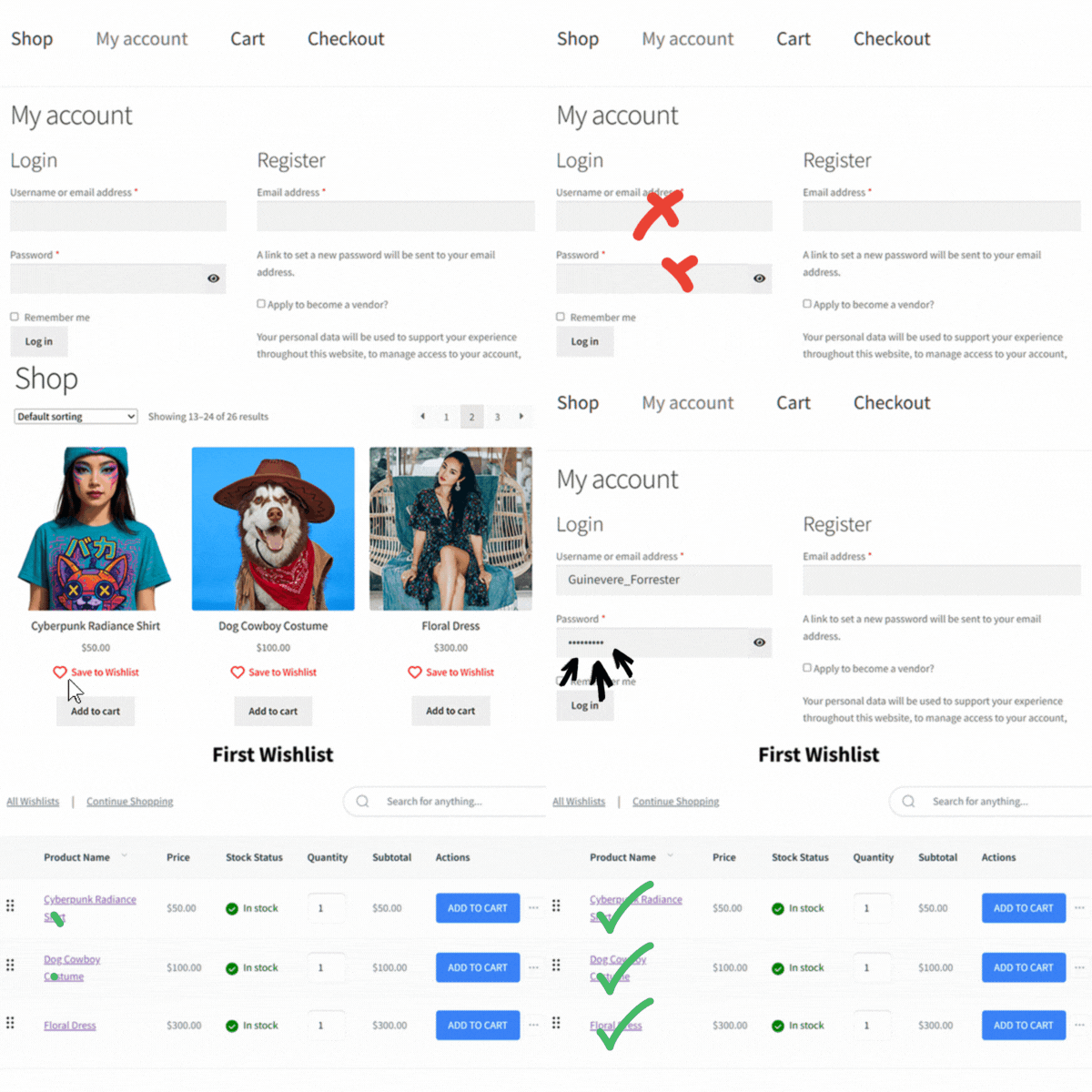
WPC Smart Wishlist allows you to enable wishlist functionality for guests or turn it off entirely. However, the free version doesn’t offer advanced merging tools. Thus, if a shopper clears their browser history or switches from their phone to a laptop before logging in, their list often disappears. This disconnect can lead to frustration and lost sales.
4. Modern block support
Building a site is easier with Gutenberg blocks—building pieces used to create content in WordPress.
Because SaveTo Wishlist Lite uses Gutenberg blocks, it works smoothly with modern WordPress editors. This makes it easy to place an Add to Wishlist button anywhere on your site.
While WPC Smart Wishlist has added basic block support, it still relies heavily on shortcodes for custom placements.
Therefore, if you want to show wishlist buttons in a specific spot on your product page, you often need to copy and paste code rather than just dragging a block or performing a few simple clicks.
5. Privacy controls for every list
Customers like to choose who sees their lists.
The free version of SaveTo Wishlist lets users set each list to “Public” or “Private.” This way, they can share a birthday wishlist with friends while keeping personal lists private, giving them full control over their wishlists.
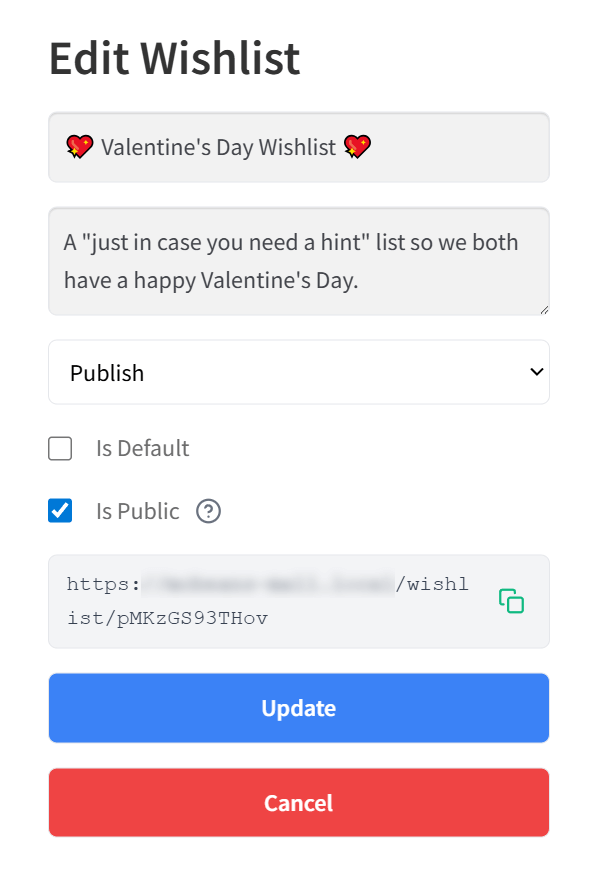
The free version of WPC Smart Wishlist lets users share their wishlist using a link. However, because it provides users with a single list only, they can’t mix and match privacy settings. As a result, they’re stuck with one global setting for all their saved items, which restricts how they use the tool.
6. Naming and deleting wishlists
Organization is key to a good shopping experience.
With SaveTo Wishlist Lite, your customers get full control over their list titles. They can give their lists custom names, rename them whenever they like, or delete old lists to keep their account tidy. This freedom helps shoppers build a space that makes sense to them.
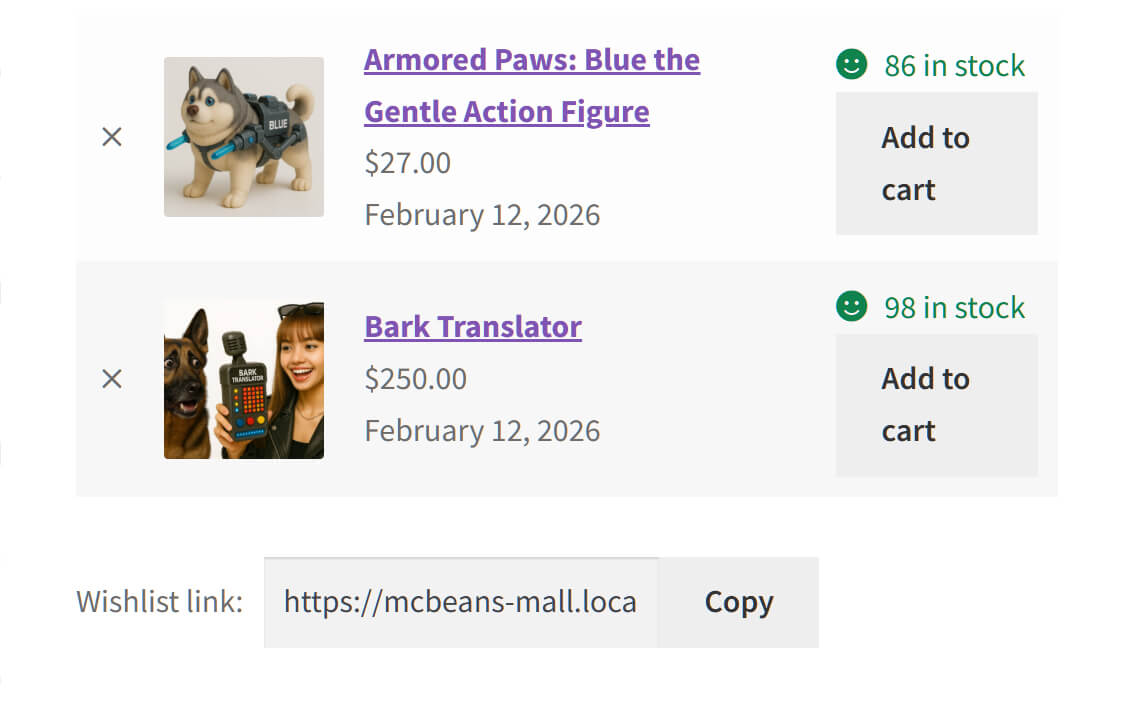
Meanwhile, the free version of WPC Smart Wishlist for WooCommerce doesn’t give customers this control. Since they’re limited to one default list, they can’t name it, rename it, or delete it. It’s simply a static page they can’t change.
7. Changing product quantities within the wishlist
Sometimes a customer wants to buy more than one of a saved item.
SaveTo Wishlist Lite allows shoppers to adjust the quantity of an item directly inside the wishlist. If a user wants to grab three t-shirts instead of one, they can update that number instantly without leaving the page.
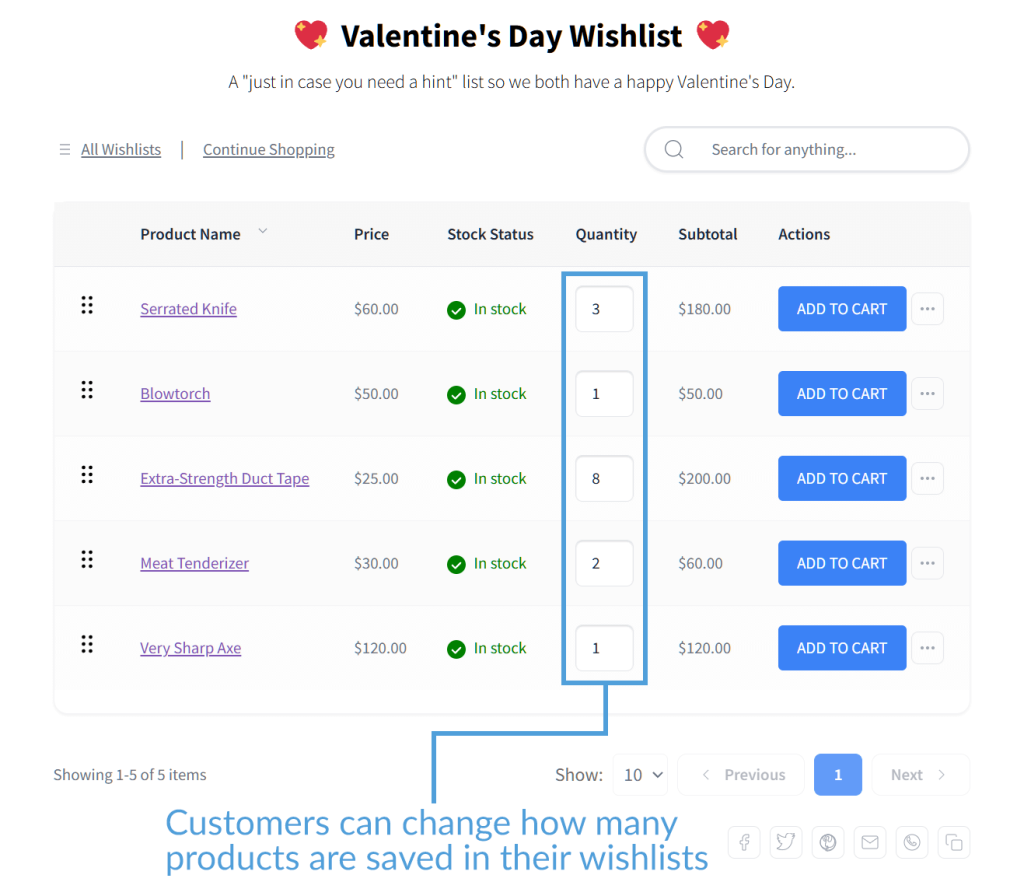
In the free tier of WPC Smart Wishlist for WooCommerce, the wishlist table is for viewing only. Users can see the product name and price, but they can’t change the quantity. To buy more than one, they have to add the item to the cart first and adjust the number there.
8. Drag and drop item sorting
A great wishlist should be easy to organize.
SaveTo Wishlist Lite comes with a built-in “handle” for every item. Customers can simply click and drag products to rearrange their order. Whether they want to prioritize items or group them by color, this tool gives them total flexibility.
WPC Smart Wishlist doesn’t offer drag-and-drop sorting for free. The products stay in the order they were added. Therefore, if you want your customers to be able to rearrange their list, you have to upgrade to the Premium version.
9. Moving items between lists
Because SaveTo Wishlist Lite offers unlimited lists, it also lets users shift items between them easily. If a customer saves a pair of shoes to a “Maybe” list but decides to move them to a “Must Buy” list, they can do so in just a few clicks.
Since WPC Smart Wishlist for WooCommerce only allows one list in the free version, there’s nowhere to move items to. Your customers are stuck with a single pile of products that they can’t organize.
10. How customers save (and remove) items
The way a customer interacts with the Add to Wishlist button changes how they shop.
The free SaveTo Wishlist offers a smart, interactive experience. When a customer hovers over the wishlist button, a dropdown appears showing all their lists. Even better, the button acts as a toggle: if a customer changes their mind, they can simply click the button again to remove the item instantly.
WPC Smart Wishlist is less flexible. To remove an item, users usually have to interrupt their shopping to open the wishlist popup or page, which adds friction to the experience.
11. Wishlist button styling vs. text customization
This is where the two plugins have different strengths.
SaveTo Wishlist wins on design. It includes a detailed “Button Placement & Styles” tab where you can easily change colors, borders, icons, and sizes without knowing any code.

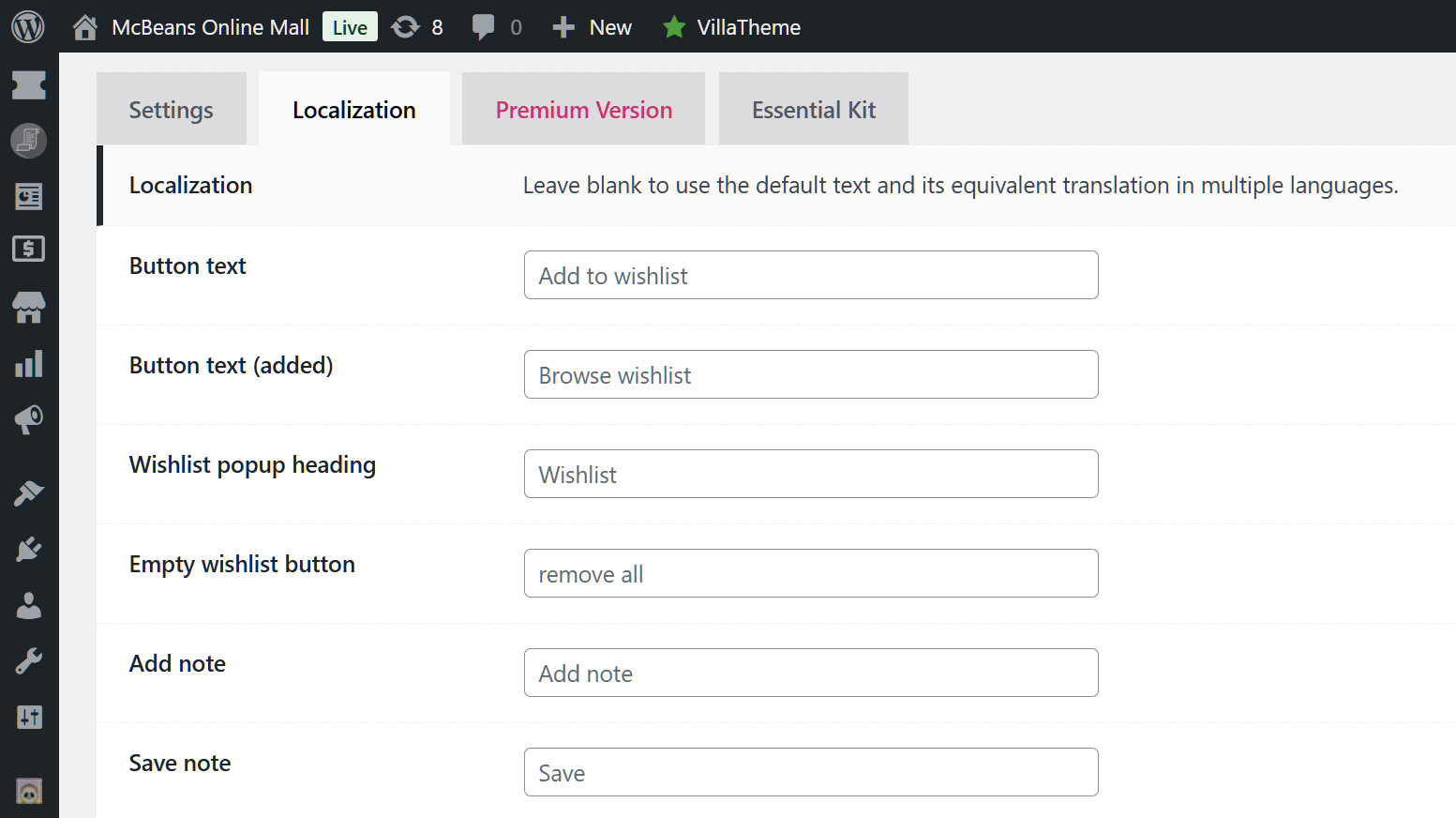
WPC Smart Wishlist wins on text. It has a massive “Localization” tab that lets you rewrite almost every message and label in the plugin. If you need to translate “Add to Wishlist” to a specific language or phrase, WPC makes this very easy.
12. Marketing tools: carts vs. upsells
Both plugins try to help you sell more, but they use different tactics.
WPC Smart Wishlist for WooCommerce focuses on increasing sales. In the free version, it can show “Suggested Products” (like upsells or cross-sells) at the bottom of the wishlist.
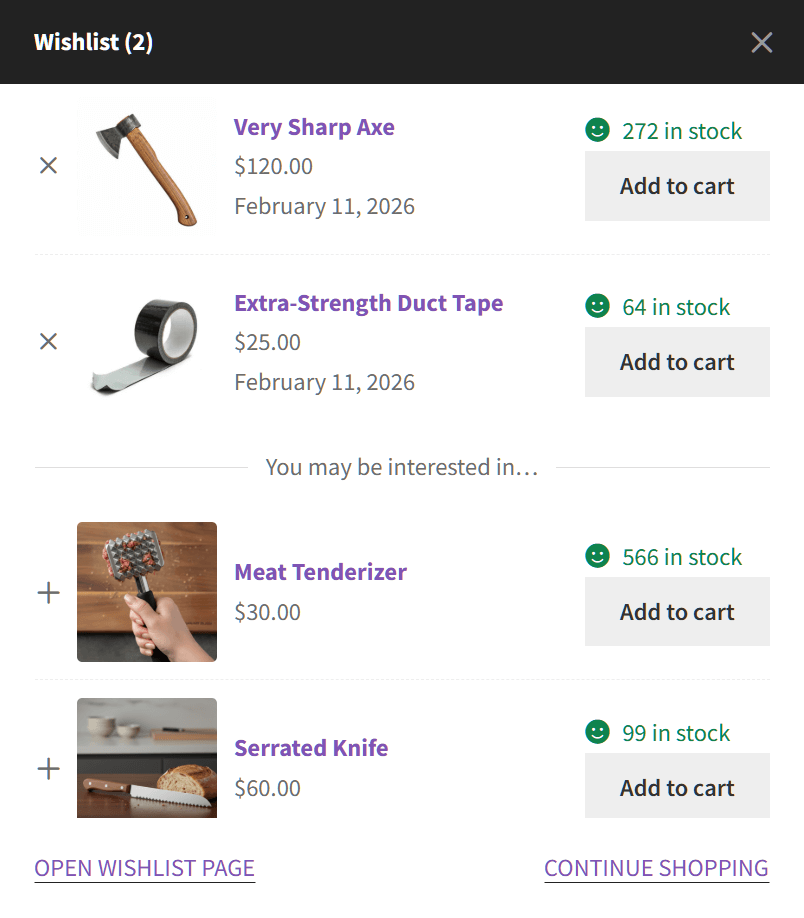
SaveTo Wishlist has no such feature.
Speed Test: Which Plugin Keeps Your Store Faster?
Adding new features can sometimes slow down your online store. To find out which wishlist plugin is truly the most efficient, we ran a test. Instead of looking at basic load times—which can change depending on your web host—we measured the exact amount of background code each plugin adds to a clean WooCommerce website.
Here are the results from our GTmetrix performance test:
| Free Plugin | Added JavaScript (Code Weight) | Added Server Requests |
| SaveTo Wishlist | +2.5 KB (Winner) | +1 Request (Winner) |
| WPC Smart Wishlist | +11.0 KB | +7 Requests |
Note: Data was gathered using GTmetrix Lighthouse Performance on a clean WooCommerce storefront. The base site’s JavaScript was 82.2KB with 48 requests.
What this data means for your store
SaveTo Wishlist is the lighter option.
WPC Smart Wishlist is relatively well-coded, adding 11.0 KB of JavaScript to your page (bringing the total up to 93.2KB):

However, SaveTo Wishlist is still significantly lighter. It only adds 2.5 KB, which is less than a quarter of the code weight of WPC. This helps keep your product pages loading instantly so your shoppers don’t get frustrated.

SaveTo Wishlist requires fewer server check-ins.
Every image, font, or script on a webpage requires a separate “request” to your server. WPC adds 7 extra requests just to run its wishlist features.

On the other hand, SaveTo Wishlist is highly efficient and adds only 1 single request. This stops your server from getting overwhelmed during busy shopping days like Black Friday.

The Bottom Line: Both plugins perform well compared to older, heavier options on the market. However, SaveTo Wishlist still wins the speed test. Its light design protects your site’s speed, lowers the strain on your servers, and gives your customers a fast, smooth shopping experience.
Which Free Wishlist Plugin Is Right For You?
Choosing the right plugin depends on your goals.
When to choose (or stay with) WPC Smart Wishlist
Pick WPC Smart Wishlist for WooCommerce if you:
- Want to show related products: WPC Free has a great feature that shows “Suggested Products” at the bottom of the wishlist.
- Need to translate everything: If you need to change every single text label easily, WPC’s Localization tab is excellent.
- Only need one list: If your store is simple and customers don’t need to organize items, the single list in WPC might be enough.
- Are used to it: If you’ve used WPC for years and don’t want to change, it’s a stable choice.
When to choose (or switch to) SaveTo Wishlist
Go for SaveTo Wishlist if you:
- Want multiple lists for free: Do you want your customers to organize their shopping without paying extra fees? Then SaveTo Wishlist is the answer.
- Need better design control: You can style your wishlist buttons to match your brand perfectly using the built-in style editor.
- Prefer modern code: SaveTo is built for speed and works great on mobile phones.
- Want to save money: You get useful “Pro” features like multiple wishlists, guest user auto-merge, and cart saving for zero dollars.
Conclusion
A good wishlist plugin helps you sell more by letting customers save things for later. While WPC Smart Wishlist for WooCommerce is a famous option with great text customization and marketing tools, it reserves features like multiple lists and guest user merging for paying customers. We believe such features should be free for everyone.
SaveTo Wishlist Lite gives you a modern tool without the cost. It helps you turn browsers into buyers with a fast and friendly experience. If you want the best value for your store, SaveTo Wishlist is a fine choice.
To recap, this guide covered the following concepts:
- WPC Smart Wishlist: Is it right for you?
- SaveTo Wishlist: A modern wishlist plugin
- WPC Smart Wishlist VS. SaveTo Wishlist
- Speed test: which plugin keeps your store faster?
- Which free wishlist plugin is right for you?
If you’re starting a new store or looking to simplify an existing one, SaveTo Wishlist provides a modern, more affordable way to make shopping faster and easier. Try it for free and see how it can support your WooCommerce store today.
FAQs
Why should I consider switching from WPC Smart Wishlist to SaveTo Wishlist?
You should consider switching because SaveTo Wishlist offers unlimited wishlists for free, modern technology for better performance, and features like cart saving and guest login sync, which are only available in the paid version of WPC Smart Wishlist.
Can I get multiple wishlists with the free version of WPC Smart Wishlist for WooCommerce?
No, the free version of WPC Smart Wishlist only allows customers to create one wishlist unless you upgrade to the premium version.
Which wishlist plugin is better for a new or budget-conscious WooCommerce store?
SaveTo Wishlist is better for new or budget-conscious stores. After all, this WPC Smart Wishlist alternative offers essential features like multiple wishlists, cart saving, and privacy controls without charging extra, all built on modern technology.


