

 Reviewed by
 Watching items gather dust in a wishlist is a huge letdown. To help turn those saved items into actual sales, we’ve added Wishlist Sharing and Permissions to our SaveTo Wishlist Pro update. This new feature lets shoppers easily get a second opinion from friends while keeping their lists completely private.
Shoppers can now plan surprises or gift registries with total peace of mind. By moving away from open links, we’ve ensured that your customers stay in control of who sees their saved items.
This update is designed to help you increase store engagement through secure, personal interaction. It’s a powerful way to make the shopping process on your site feel more professional and reliable.
Ready to learn more? Then read on!
Introducing Wishlist Sharing And Permissions
In the free version of SaveTo Wishlist, a customer has to make a wishlist public to show it to anyone else. Typically, sharing occurs via social media, messaging apps, or by sending someone a unique URL.
Now, SaveTo Wishlist Pro allows customers to send wishlists to trusted people only. This keeps their wishlists hidden from the rest of the world.
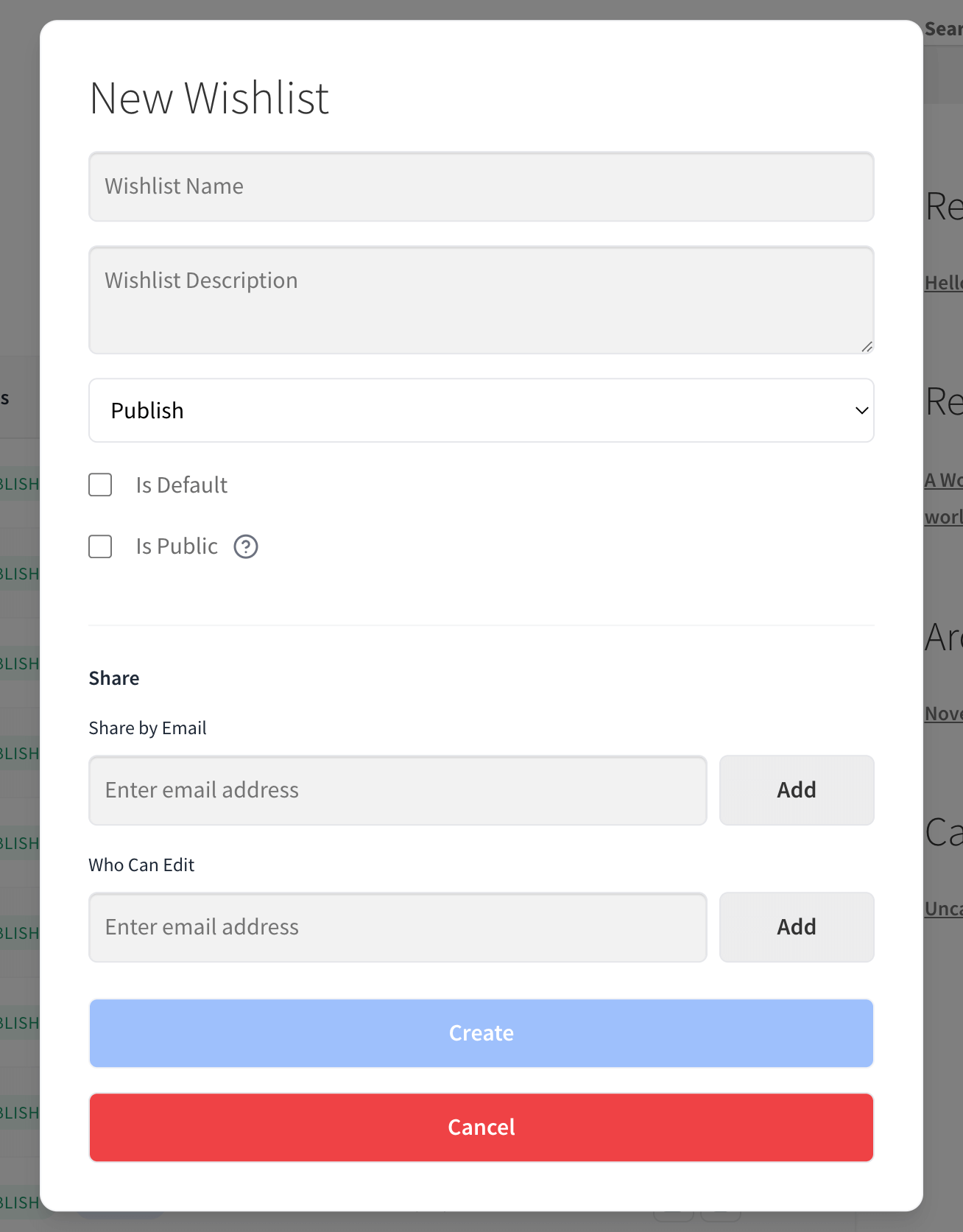
So, how does the customer access the new Wishlist Sharing and Permissions feature?
- First, the customer accesses the wishlist by clicking its Edit button.
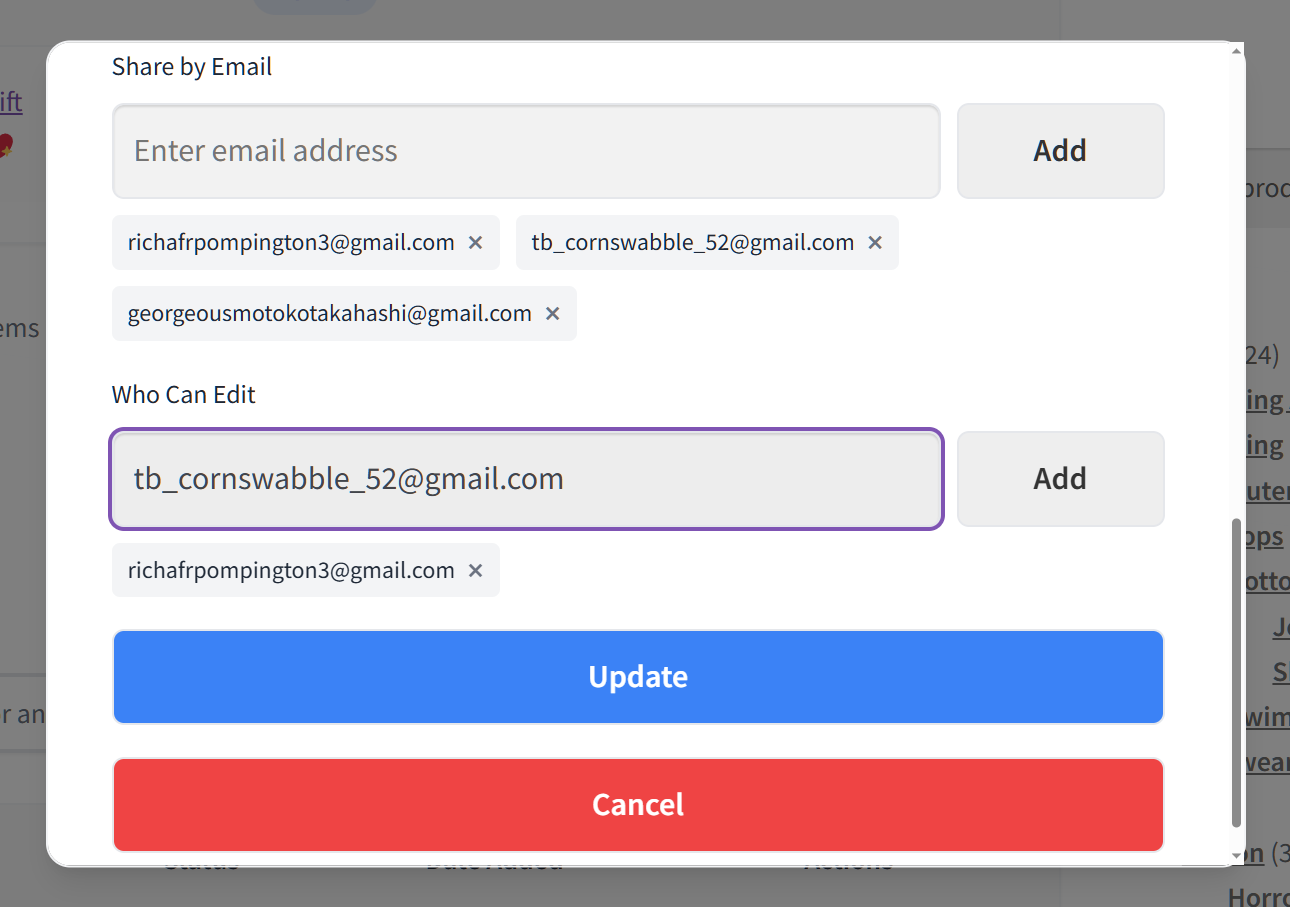
- Next, they uncheck the Public option to keep the wishlist private. This reveals a Share section with two entry fields, as seen in the image above.
Now, let’s take a closer look at these entry fields.
1. Sharing privately without going public
To share the wishlist with a specific person, the customer simply has to input their friend’s email address in the Share by Email entry field, then click the Add button.
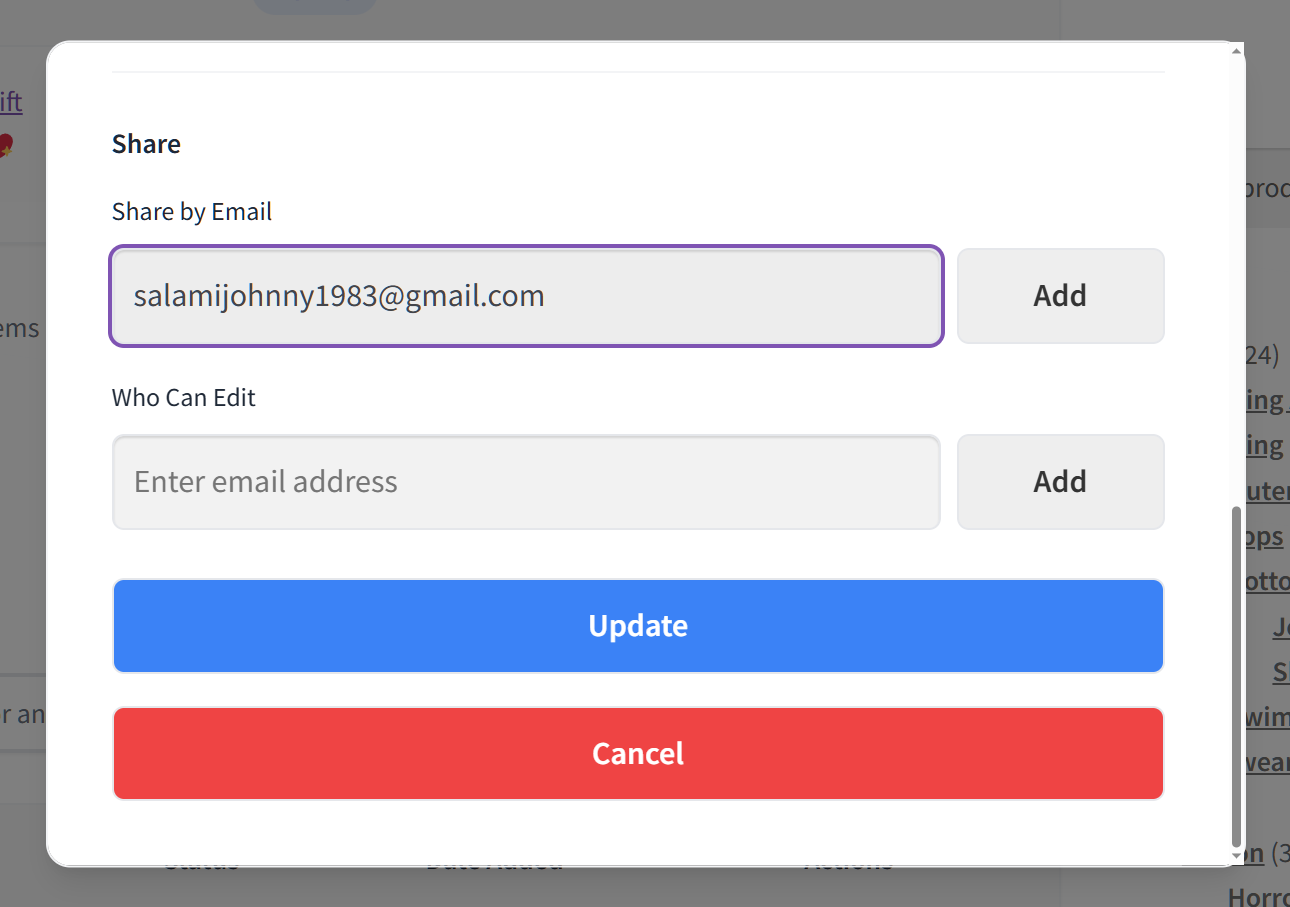
Lastly, the customer has to click the Update button to update their wishlist and send the direct email invite to their friend. The customer’s friend will then receive the email invitation to access the wishlist.
Customers can add as many emails as they want. In other words, they can invite their entire friend group or family to check out their wishlist!
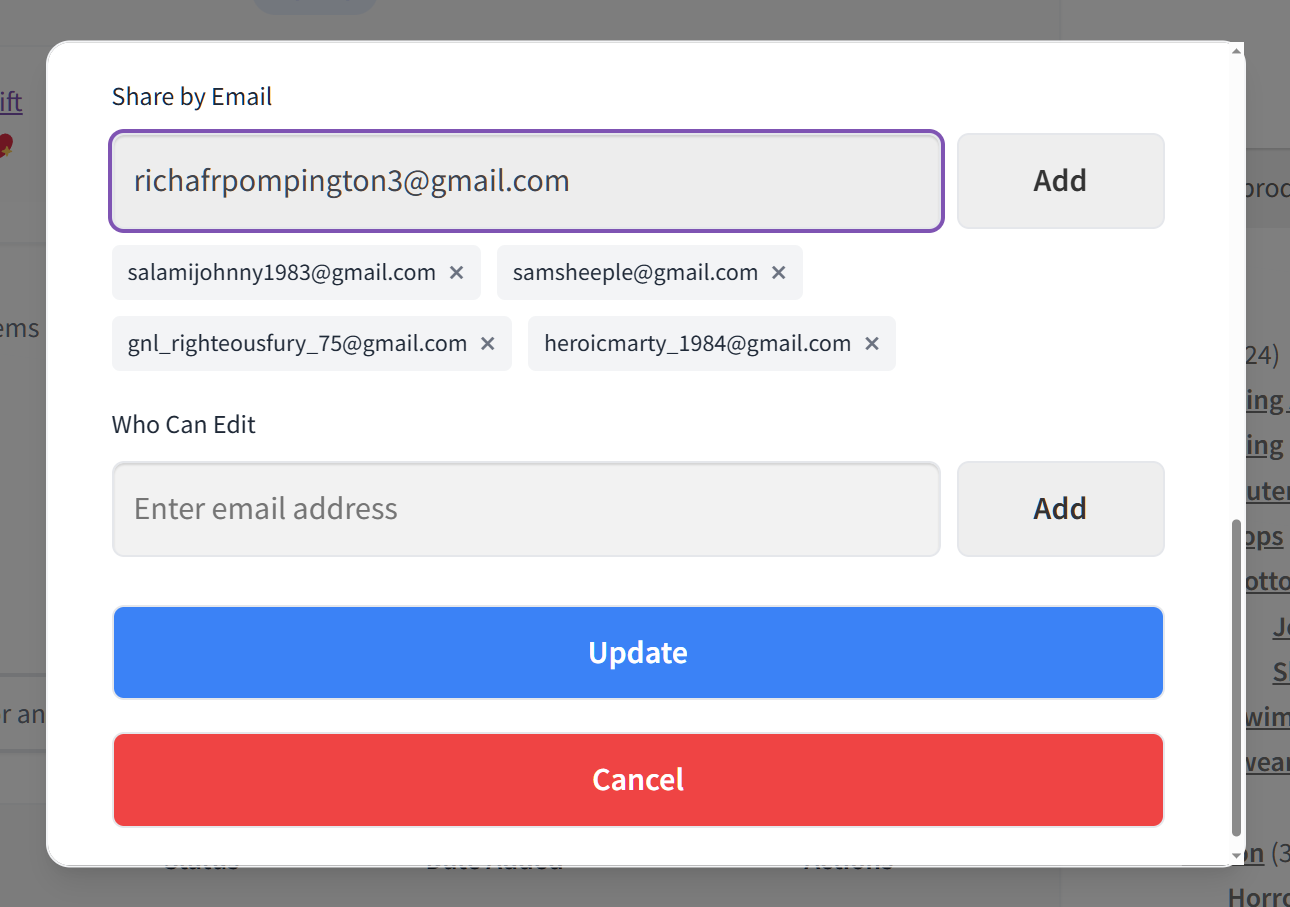
What if the customer changes their mind about an invite? All they must do is click the X button next to the friend’s name, which removes them from the list of people to invite. This must be done before clicking Update, however.
2. Controlling who can view or edit shared wishlists
What if a customer wants:
- Friends to edit the shared list?
- Friends to only view the shared list?
- Some friends to have full wishlist-editing powers, while others can only view it?
With the new feature, a customer can grant friends the ability to edit wishlists. To do this, they must enter their friends’ names in the Who Can Edit field, then click Add, and finally click Update.
Thus, to ensure a friend can’t edit the list, the customer simply has to leave their name out of the field.
Customers can give editing abilities to whoever they want and to as many people as they need. Also, they can click the X button beside a friend’s name to remove their editing powers. This can be done at any time.
3. Secure verification for peace of mind
We’ve put a lot of work into making sure your customers’ private lists stay that way by using a strict verification process. After all, it isn’t enough to just have a link; the system needs to know the person clicking it is actually the invited guest.
- Email verification popups: When a friend clicks the invitation link, a pop-up appears asking them to verify their identity. They must confirm their email address before the plugin allows them to see any part of the wishlist.
- Protecting against unauthorized access: This extra layer of security prevents people from stumbling onto a list they weren’t meant to see. Even if an invitation email is forwarded to someone else, that person won’t be able to bypass the verification step.
- Secure database handling: Our team focused on building a backend that treats your customers’ data with care by following the best coding standards. We use advanced methods to protect information and prevent common web threats from affecting wishlists.
These safety measures mean your customers can share their ideas with total confidence. We’ve taken care of the technical side so they can focus on enjoying the social side of shopping at your store.
How To Promote The Wishlist Sharing And Permissions Feature
You can help your customers get more value out of their shopping experience by showing them how to use the Wishlist Sharing and Permissions feature.
- Highlight the privacy benefit: Remind your customers that they don’t have to make their lists public to get feedback from friends. This is a great selling point for shoppers who are worried about privacy or are planning surprise gifts.
- Encourage group shopping: Suggest that customers use the editing permissions to plan group purchases or registries. When friends can add items to a shared list on your store, it often leads to more products being added to the cart.
- Update your help documentation: A quick mention of the “Share by Email” method in your store’s FAQ can go a long way. It helps customers understand that they can safely invite others to shop with them without any technical hurdles.
Helping your shoppers understand these options can increase engagement on your site. When customers collaborate on a wishlist, they spend more time interacting with your products.
Conclusion
We’re excited to see how the new Wishlist Sharing and Permissions tool changes the way your customers interact with your store. By offering secure email invites and private collaboration, you provide a safer and more professional shopping experience.
To recap, this guide explored the following core concepts:
- Sharing privately without going public
- Controlling who can view or edit shared wishlists
- Secure verification for peace of mind
Update to the latest version of SaveTo Wishlist Pro today to give your shoppers total control over their shared lists!
FAQs
What’s the main benefit of the new Wishlist Sharing & Permissions feature?
The main benefit of the Wishlist Sharing & Permissions feature is that it allows customers to share their wishlists privately with trusted people. Basically, this keeps their lists hidden from the public, ensuring greater privacy and security.



