

 Reviewed by
 Nothing’s more frustrating than spending money on inventory that nobody ends up buying! Unfortunately, running a store without tracking saved items means you’re constantly guessing what people actually want. But that’s why we built Advanced Wishlist Analytics to finally fix this problem.
This new feature in SaveTo Wishlist Pro gathers all the hidden data from your shop and shows you exactly which products shoppers save the most. This means you can see your customers’ future buying plans and turn those numbers into simple reports you can easily read.
We’ve worked with many stores and know how helpful this information is for everyday decisions. You can now confidently order the right stock when you know what people plan to buy next, saving you money and helping you get more sales.
So, eager to learn more? Then keep reading!
Introducing Advanced Wishlist Analytics
To help you understand your shoppers better, we built our new Advanced Wishlist Data Analytics tools for SaveTo Wishlist Pro—a complete set of tracking features for your store. These tools give you clear data on what people actually want to buy. You get four main areas of insight to explore.
We divided the tracking features into four specific sections. These include:
Our team designed these specific areas based on what real store owners use every day.
So, how do you access the new feature? Simple: just head to your WordPress admin dashboard, then click SaveTo Wishlist > Analytics.
Now, let’s take a closer look at the tools:
1. Product Insights: Tracking product demand
Knowing what items your customers want is a big part of running a successful store. With Product Insights, you can accurately determine how each product performs based on customer saves. We built this tool to help you track specific item demand across your entire shop.
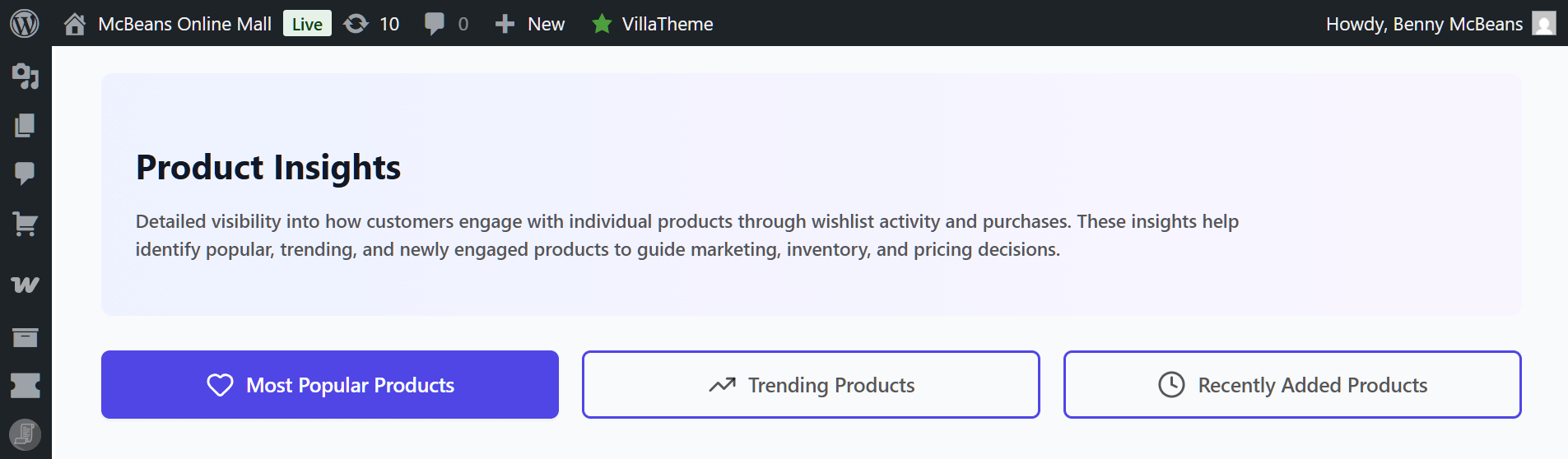
With Product Insights, you can:
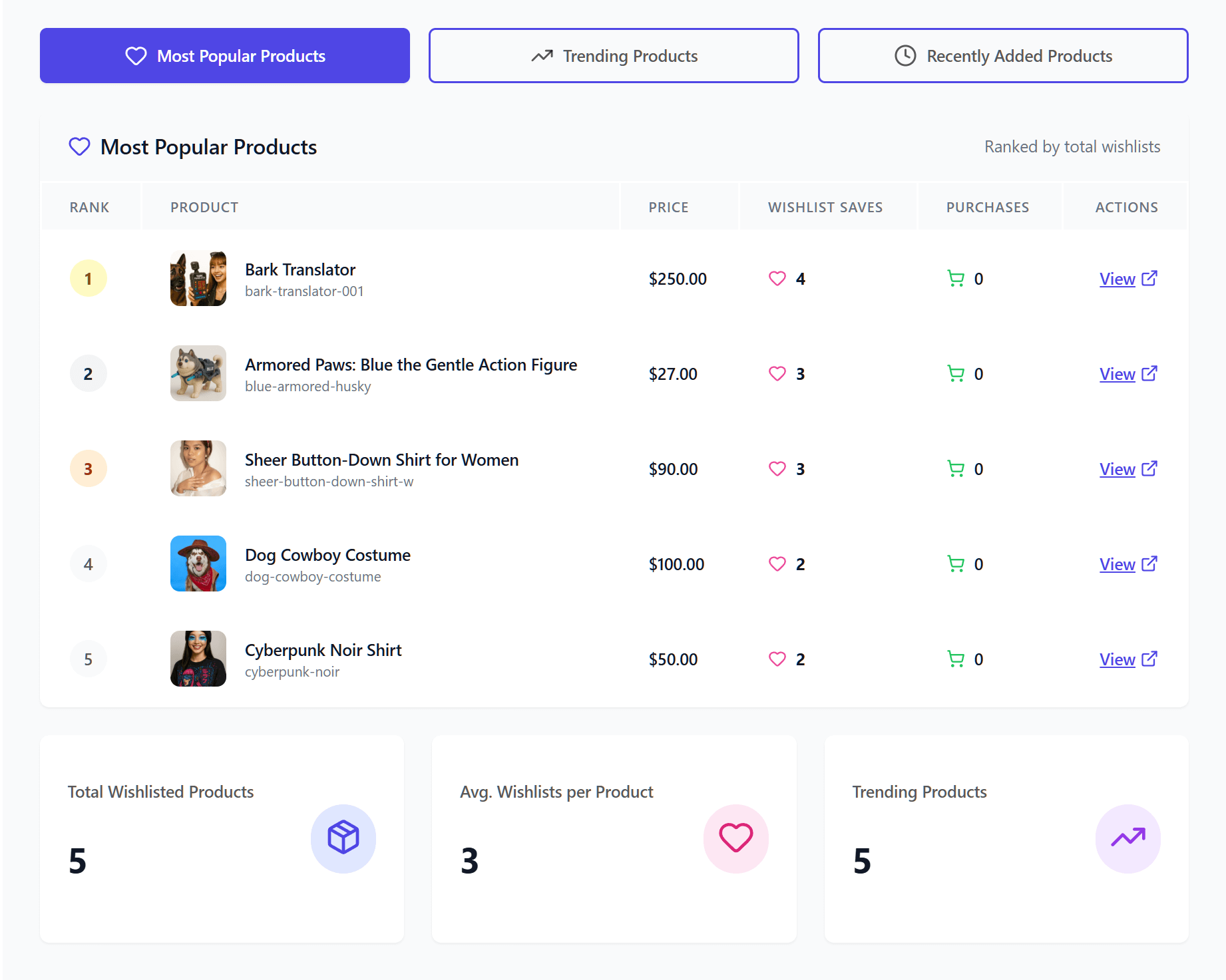
- Find your most popular products: Easily sort your catalog to see which items have the highest total saves. This gives you a clear list of your most desired goods. Use this to quickly identify your main money makers!
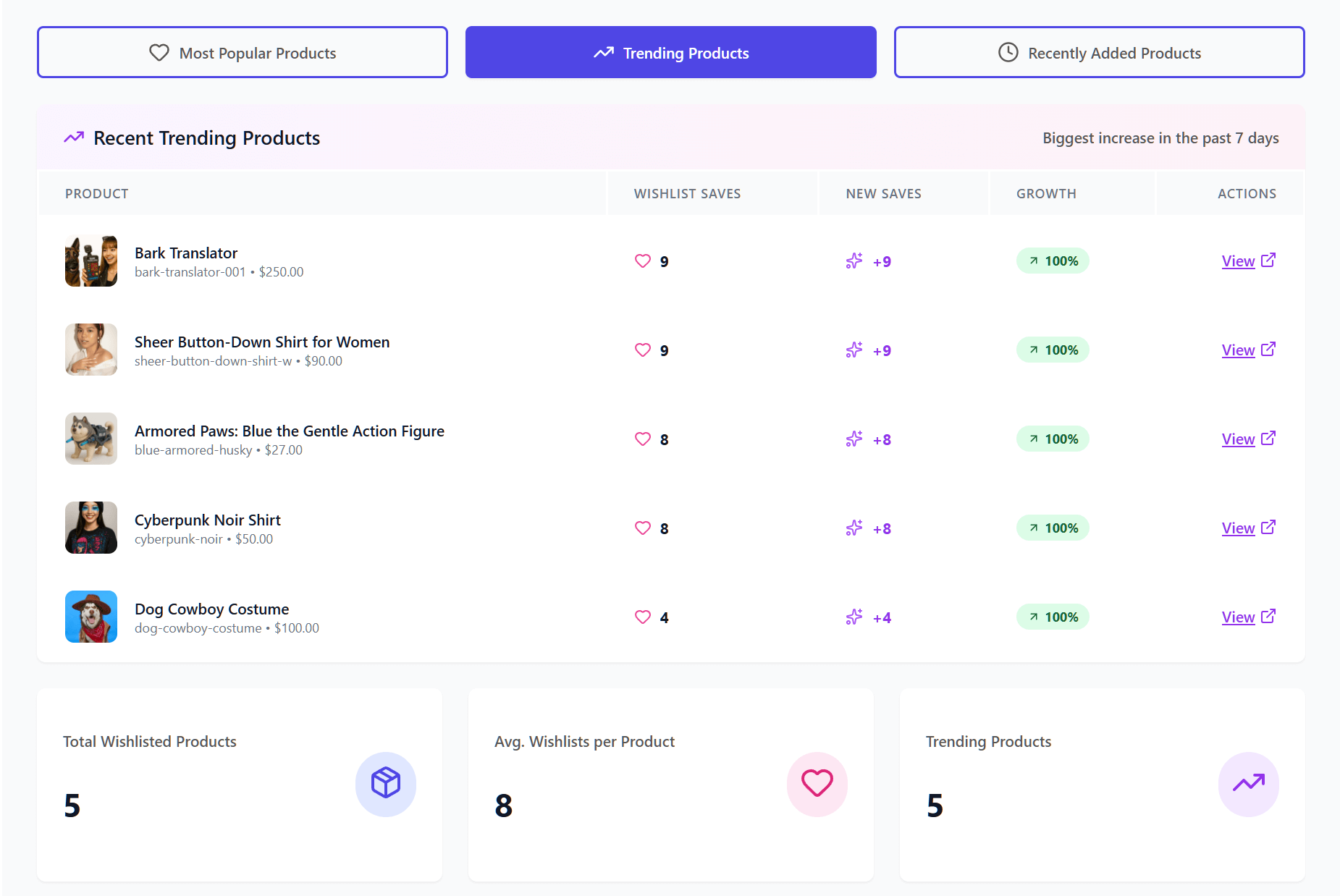
- Spot trending items early: Total saves are helpful, but you also need to see what’s getting popular right now. The analytics dashboard tracks the growth rate of saved items over recent days or weeks. We recommend using this data to catch new trends before they peak.
- See recently added items: Sometimes, you need to know precisely what shoppers are saving at this very minute. The live feed shows you items being added to wishlists in real time. It’s a helpful way to watch customer activity during a big sale or product launch.
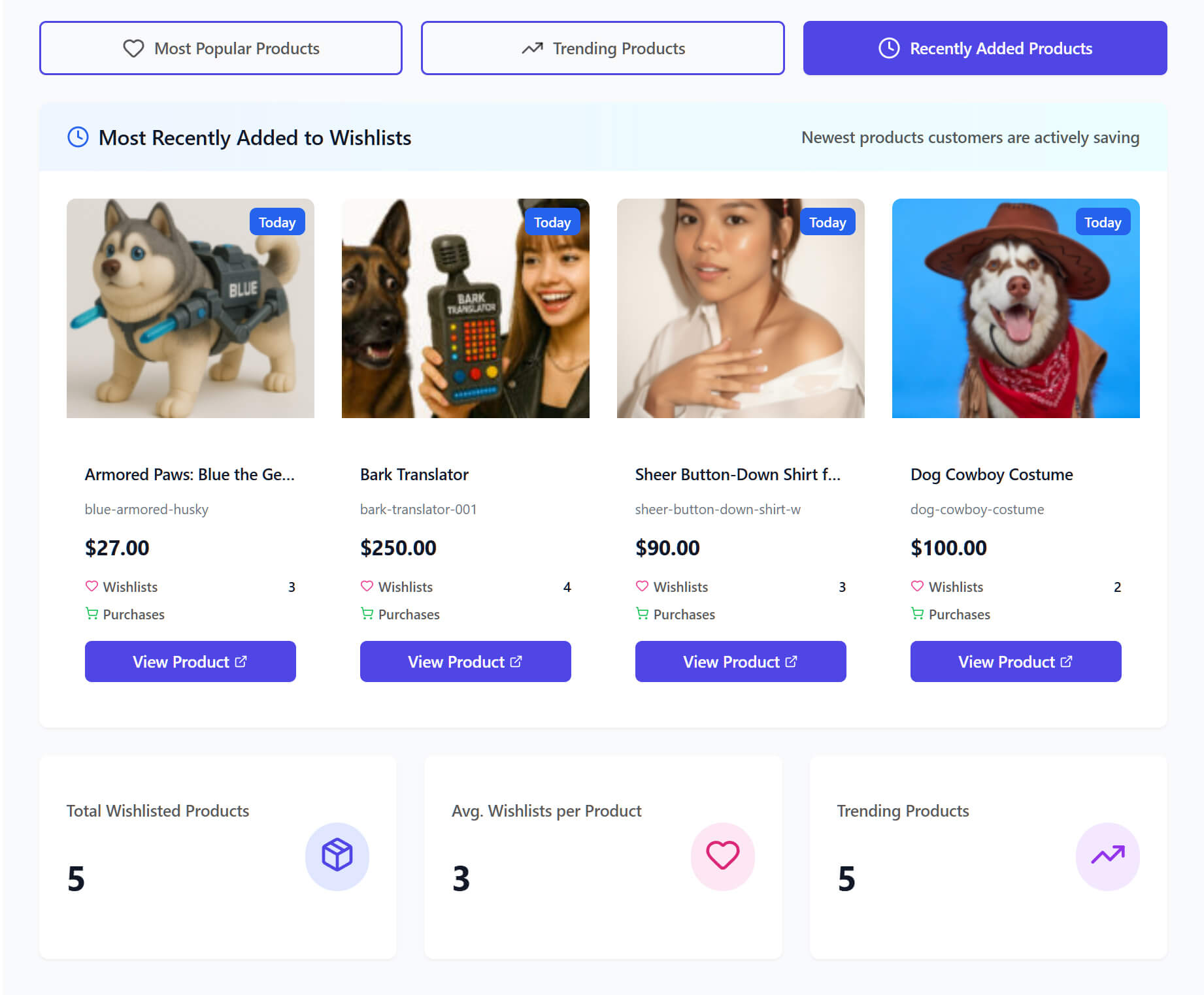
Having all this product data helps you make better choices for your business. You can confidently order more inventory for items you know people want. It also makes pricing decisions much easier when you see true customer demand.
2. Category & Brand Insights: Discovering what your shoppers prefer overall
Looking at single items is great, but viewing broader catalog trends gives you a different perspective. Thus, we created Category & Brand Insights to help you see how entire groups of products perform. This way, you can easily find out what types of goods your shoppers prefer overall.
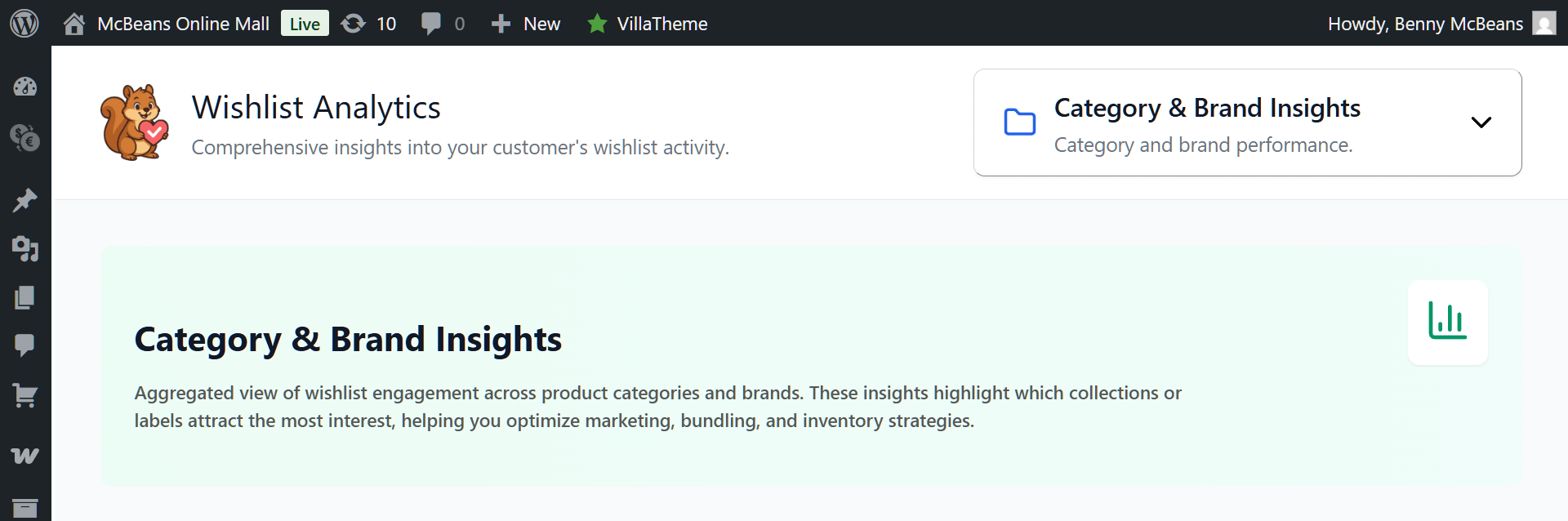
So, what can you do with this tool?
- Discover top product categories: Instead of checking single items, you can group customer saves by their product type. This shows you if your store is getting more attention for shirts rather than pants, for example. This information can prove extremely useful when you’re deciding what new collections to launch.

- Measure specific brand popularity: If you’re selling multiple brands, you can see which ones get saved the most. This lets you track customer interest in specific labels within your shop. In other words, it helps you understand exactly what names your shoppers trust and want to buy.
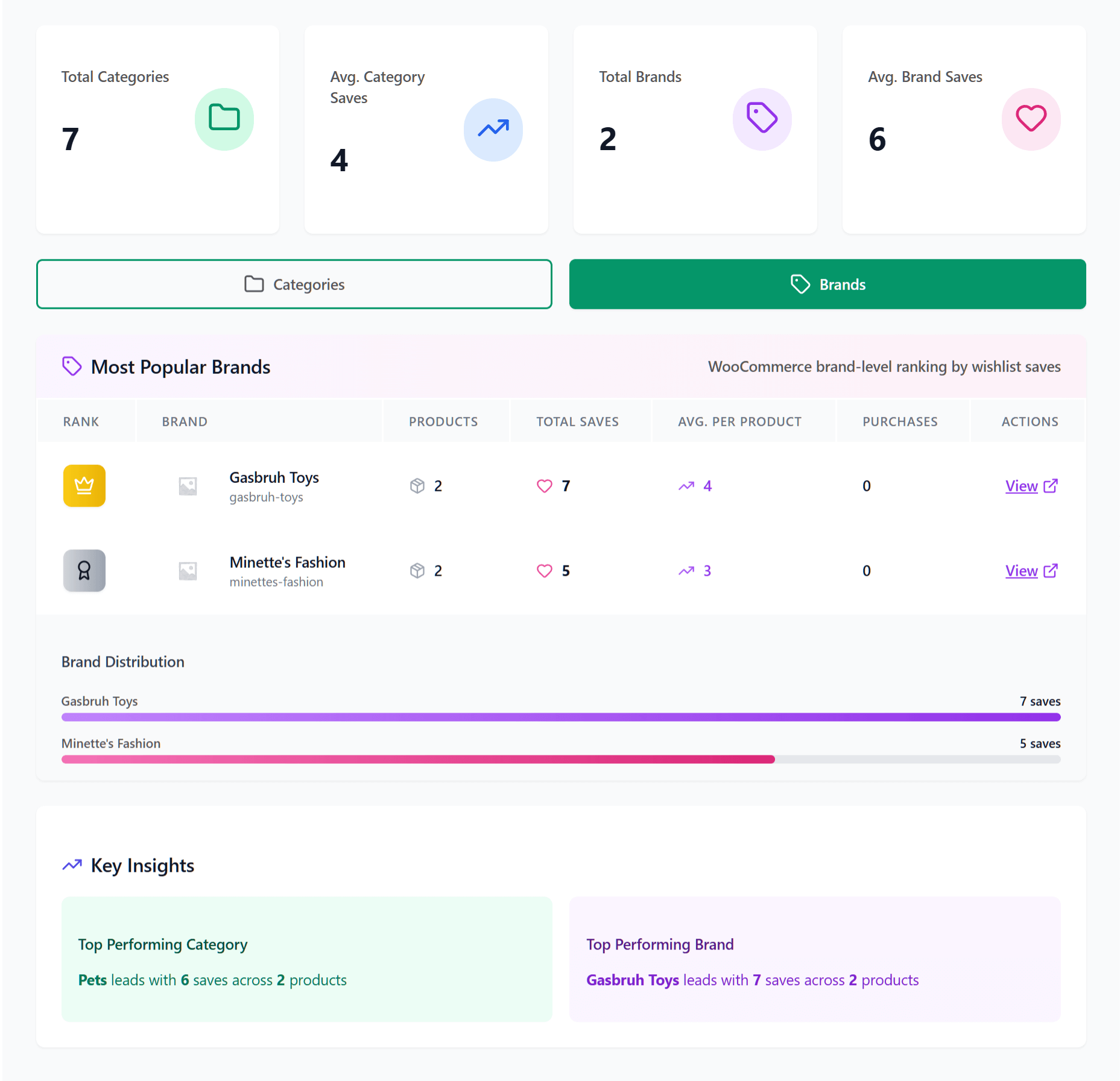
These broader metrics give you actual facts to use when talking to your suppliers. You can safely order more from your top brands and expand your best categories. As a result, building your future catalog becomes a much simpler process.
3. Engagement & Conversion Insights: Following conversion rates
It’s great to see items get saved, but getting actual sales is the main goal. Thus, we designed Engagement & Conversion Insights to help you measure your real return on investment. You can finally see precisely how wishlists turn into paying customers.
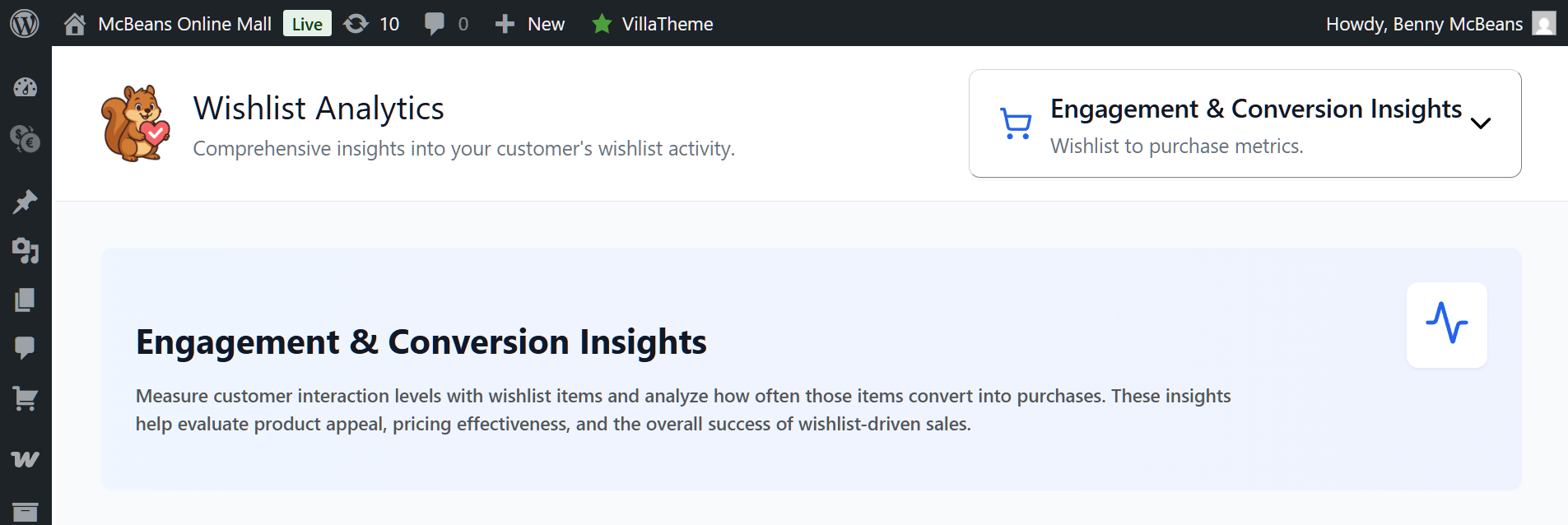
Here’s what you can do with this tool:
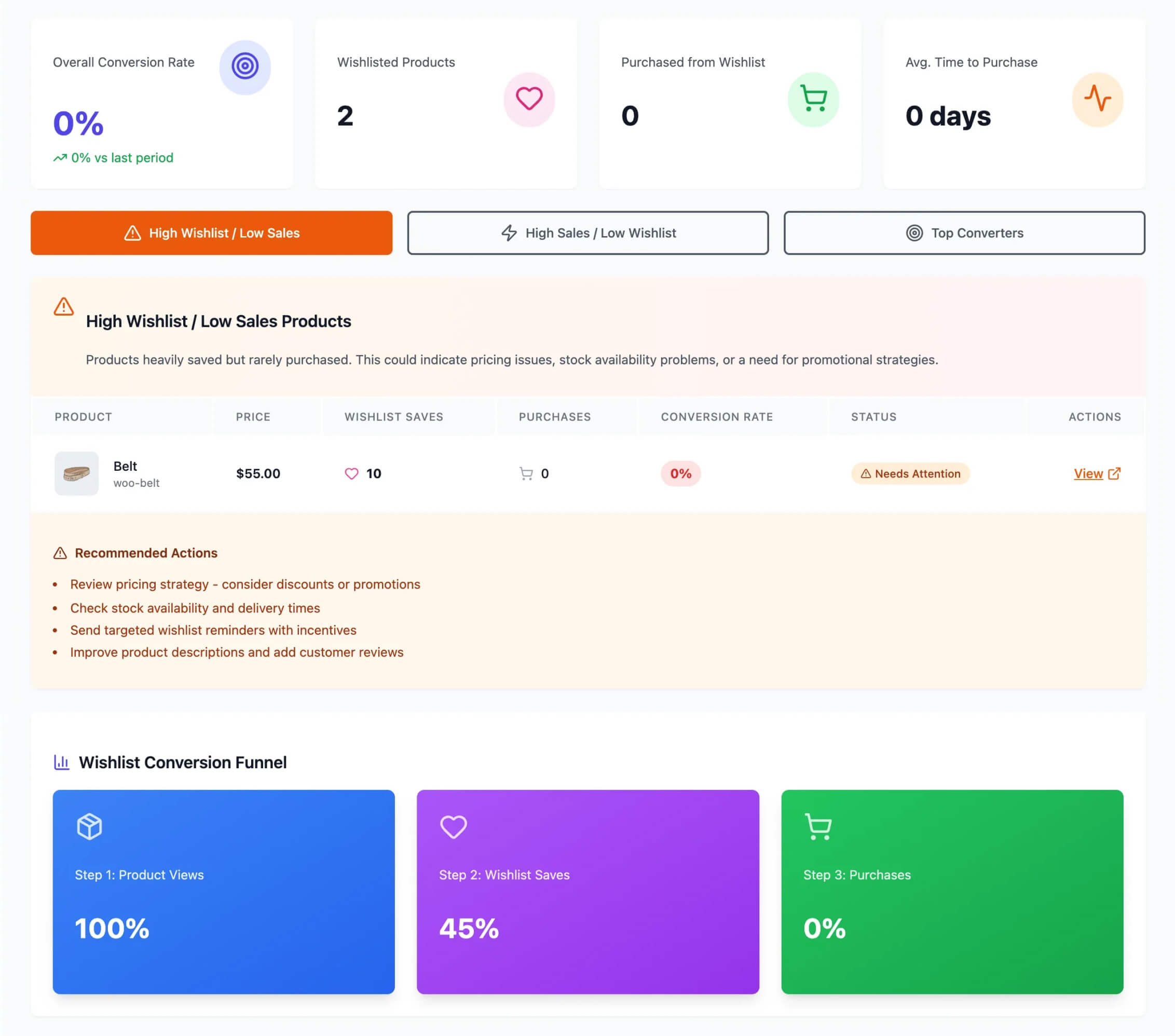
- Spot high wishlist and low sales items: Sometimes a product gets saved a lot but never actually sells. This data highlights such items so you can figure out what’s wrong. For example, you might find that the price is too high or the shipping costs turn people away. Discovering these problems early helps you remove any barriers to checkout by adjusting prices or running special sales.
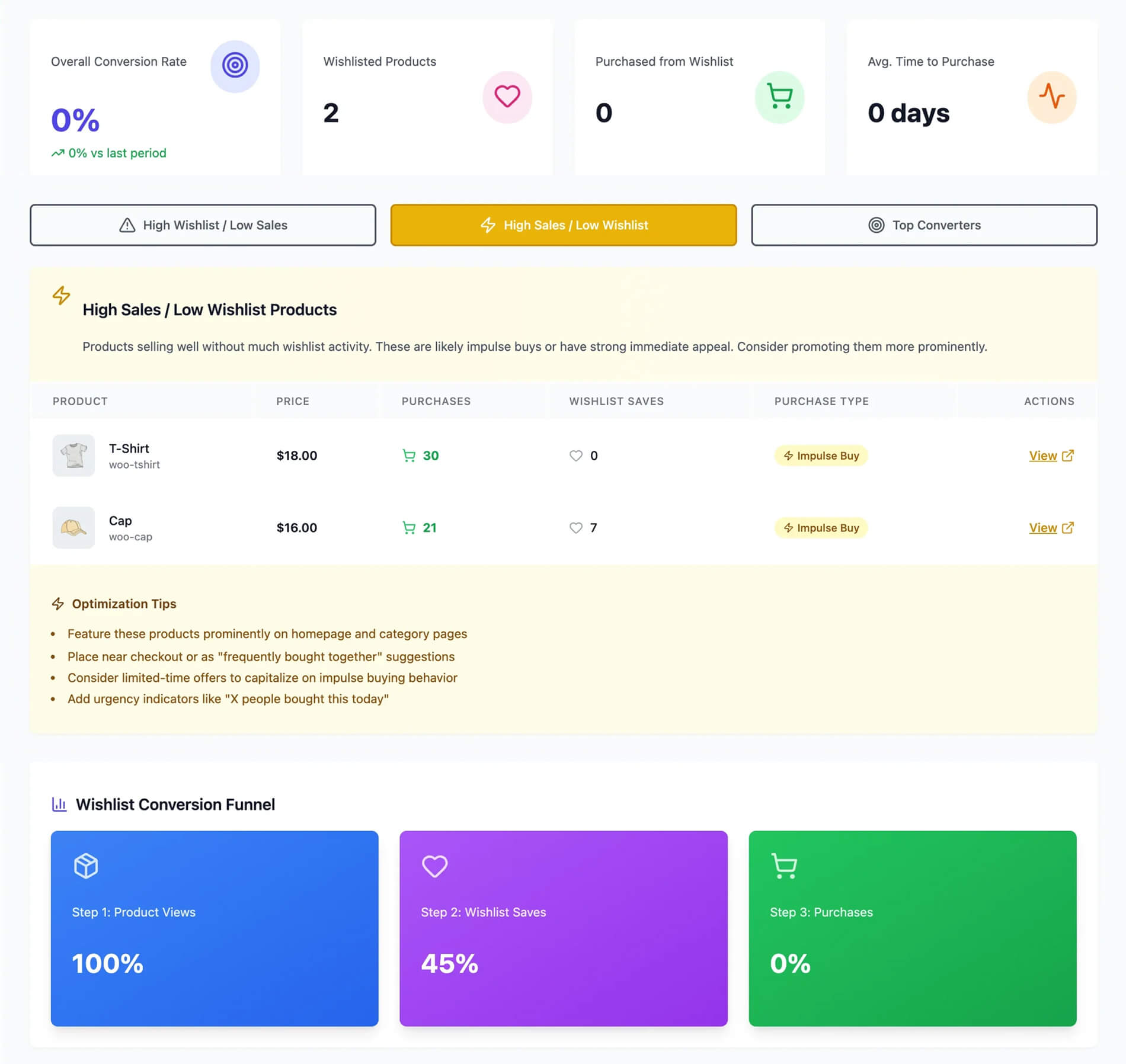
- Identify high sales and low wishlist products: These are your impulse buys or products with strong immediate appeal that sell well without much wishlist activity. You can use these insights to promote them more prominently on your homepage, near checkout, or via limited-time offers to capitalize on that buying behavior.
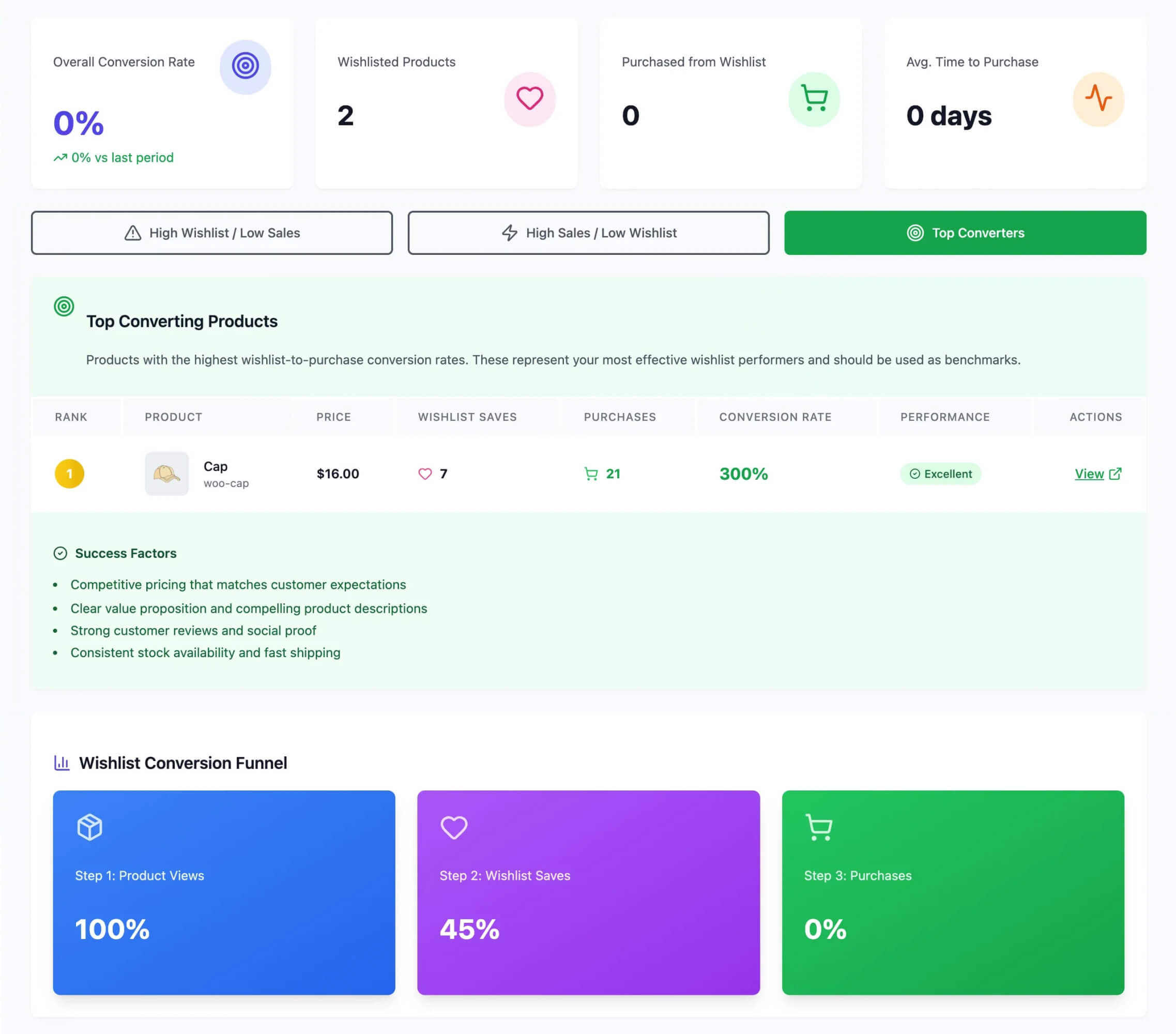
- Analyze your top converters: This tab showcases the products with the highest wishlist-to-purchase conversion rates. Basically, these represent your most effective wishlist performers. Thus, they should be used as benchmarks to help you replicate that success (like competitive pricing and clear descriptions) across your other products.
Finding these problems early helps you remove any barriers to checkout. You can adjust your prices or run special sales to move that specific stock. Making these small changes makes it much easier for your customers to buy.
4. Time-Based Trends & Patterns: Knowing when your customers shop
Consumer demand changes throughout the year, so timing is everything in retail. This is why we created the Time-Based Trends & Patterns tool—to help you see exactly when shoppers are saving the most items. You can easily track these shifts to better understand their shopping habits.
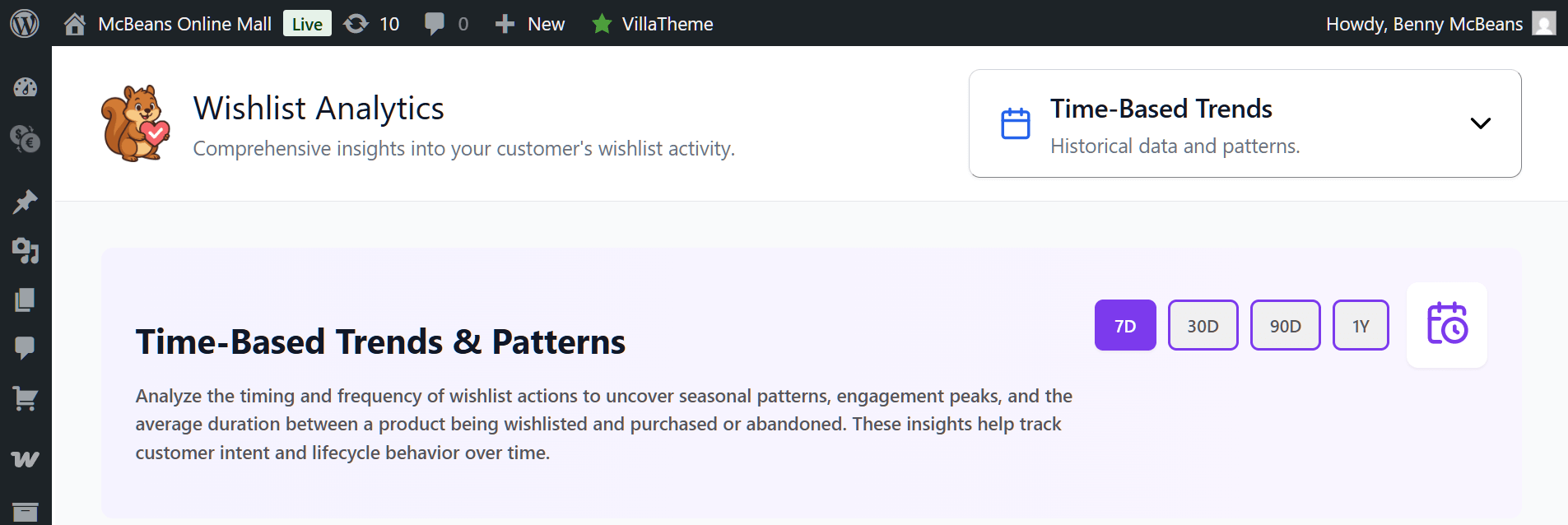
You can use this wishlist feature to:
- Map saves over time: This tool lets you look at save activity across different days, weeks, or months. For instance, you might notice a spike in saves right before the weekend or the holiday season. Use this data to predict when customers are getting ready to spend money!
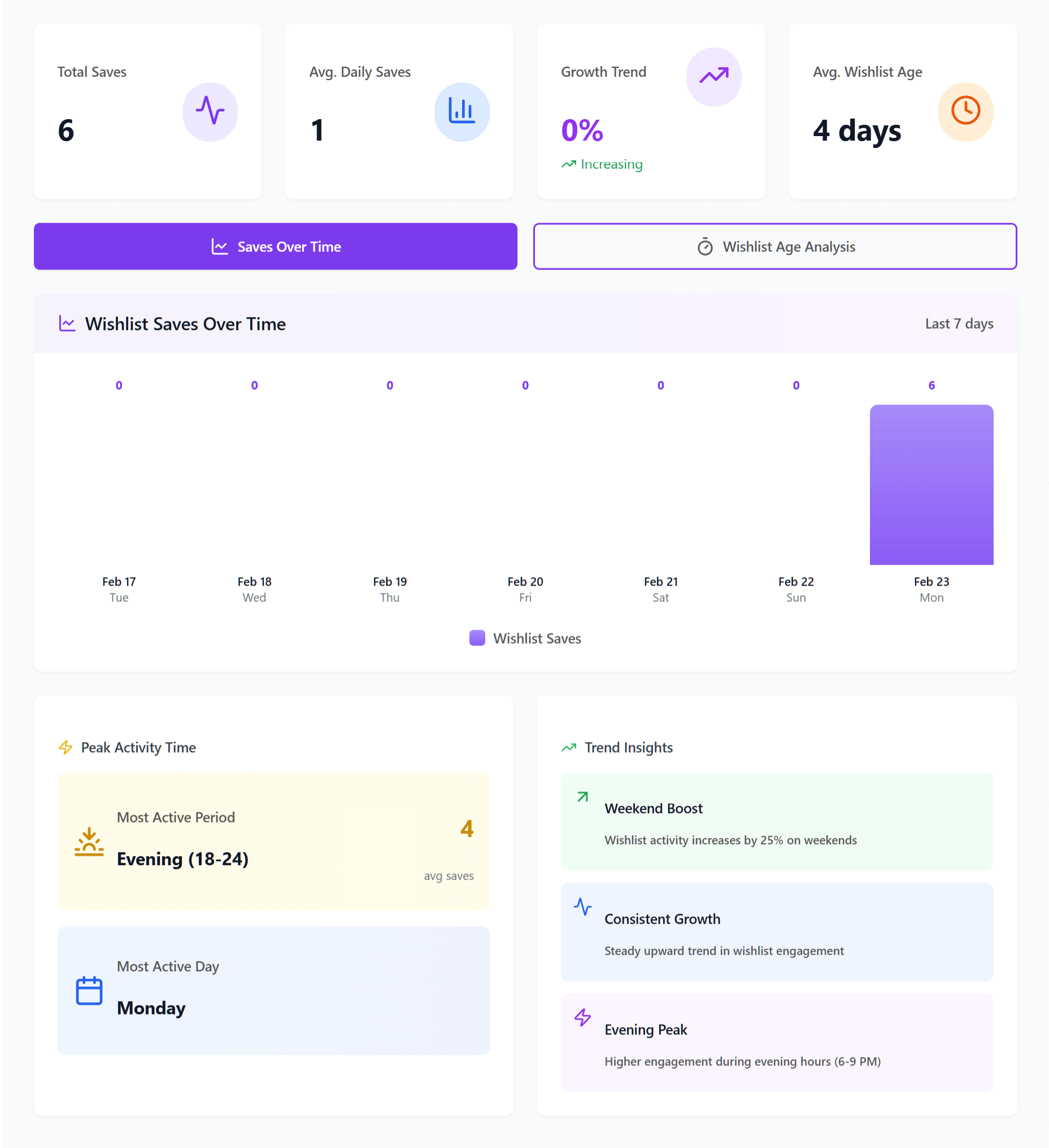
- Track average wishlist age: It helps to know how long items stay saved before they get bought. This metric tells you the average number of days an item sits in a list. You can see if your shoppers buy quickly or wait weeks to make a decision.
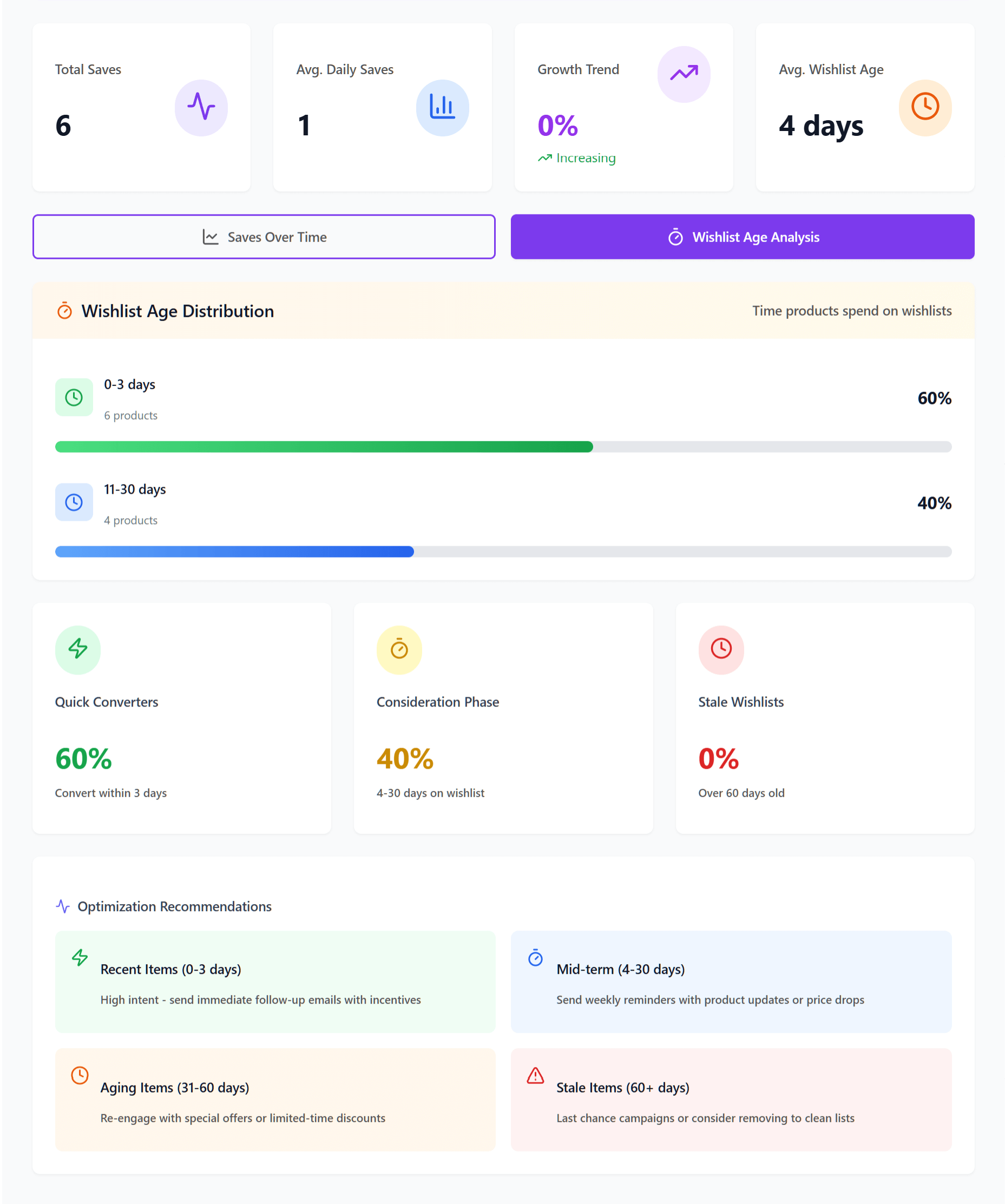
These time-based insights show you precisely when your customers are most active. We recommend using this information to plan your promotional campaigns perfectly. It takes the guesswork out of scheduling your next big sale.
Identifying Customer Behavior
It’s time to look past the products and focus on the people buying them. With Advanced Wishlist Analytics, you gain access to tracking tools that show you exactly how your shoppers use the store. This way, you’ll have an easier time finding your most loyal fans.
- Find your top wishlisters: You can easily see a list of users who save the most items. This is an extremely helpful way to know who your biggest supporters are. After all, it shows you exactly who loves your shop the most.
- Segment your audience: It’s a good idea to group your shoppers based on the specific items they save. This lets you sort them by their interests or preferred price points. It makes it much easier to send them the right offers later.
- Track guest shoppers: Many people save items before they even create an account on your store. We made sure you can track these guest wishlists alongside your registered users. It helps you see the full picture of who visits your site.
Knowing your shoppers well helps you build better relationships with them. You can reward your most engaged customers with special VIP programs. This extra care keeps them coming back to buy more over time.
Conclusion
Growing your store is much easier when you know exactly what your customers want. We created Advanced Wishlist Analytics to take the guesswork out of your daily decisions. Now you can stock the right items and confidently build a business you’re proud of!
In summary, this post explored the following Advanced Wishlist Analytics tools:
- Product Insights
- Category & Brand Insights
- Engagement & Conversion Insights
- Time-Based Trends & Patterns
Upgrade to SaveTo Wishlist Pro to unlock all of these tracking tools today!
FAQs: Advanced Wishlist Data Analytics
What is Advanced Wishlist Analytics, and how does it help my store?
Advanced Wishlist Analytics is a set of tools within SaveTo Wishlist Pro that helps store owners understand customer preferences by tracking saved items, category and brand trends, conversion rates, and shopping patterns. As a result of this information, you can stock the right products and make smarter business decisions.
What does tracking product demand involve?
Tracking product demand involves using Product Insights to see which products are most saved by customers, identify trending items early, and observe real-time activity to determine what shoppers want most at any given moment.
How does understanding category and brand metrics benefit my store?
Understanding category and brand metrics helps you see which types of products or specific brands are most popular overall. Basically, this aids in inventory choices and supplier negotiations based on actual customer preferences.
Why should I monitor time-based trends, and how does it affect my sales strategies?
Monitoring time-based trends reveals when customers are most active in saving items. This allows you to plan your promotional campaigns around peak shopping times and optimize sales during busy periods.



