
TI WooCommerce Wishlist is a reliable, traditional choice, but its free version reserves essential features for premium users. Discover why SaveTo Wishlist is the modern alternative for store owners who want unlimited lists, drag-and-drop sorting, and quantity management without paying for a $79 upgrade.


As developers who build WooCommerce tools, we constantly hear the same complaint: "freemium" plugins feel too limited. Many store owners start with TI WooCommerce Wishlist but quickly realize that features like multiple lists or saving a full cart are restricted to the paid tier.
To give you an objective look at the market, we tested the free versions of SaveTo Wishlist and TI WooCommerce Wishlist on a clean staging site. Our goal? To help you choose a tool that keeps your site fast and gives your customers a premium experience for $0. Here is the raw data.
Wishlist plugins can often slow down your product pages. While TI WooCommerce Wishlist is better than many older plugins, we looked at the hard, unchangeable facts: the exact amount of code weight added to your site.
Here is how much weight each plugin added to our clean test site:
| FREE Plugin | Added JavaScript Payload | Added Server Requests |
|---|---|---|
| SaveTo Wishlist | +2.5 KB (Winner) | +1 Request (Winner) |
| TI WooCommerce Wishlist | +6.1 KB | +4 Requests |
Data was gathered using GTmetrix Lighthouse Performance on a clean WooCommerce storefront.
The base site’s JavaScript was 82.2KB with 48 requests.
In our tests, TI Wishlist added 6.1 KB of JavaScript, bringing the total page size to 88.3 KB:

TI Wishlist results in a total page size of 88.3KB.
Meanwhile, SaveTo Wishlist adds almost no extra code to your site. Its tiny 2.5KB payload keeps your site at an ultra-lean 84.7 KB. By adding less than half the code weight of TI, SaveTo Wishlist ensures your product pages load faster for your shoppers, improving their experience and protecting your sales.

SaveTo Wishlist results in a total page size of 84.7KB.
Every extra server request is a potential bottleneck during high-traffic sales. TI Wishlist adds 4 extra requests to your baseline, resulting in 52 total page requests.

TI Wishlist leads to 52 total page requests.
On the other hand, SaveTo Wishlist adds only 1 request for a total of 49 requests. This significantly lowers the strain on your server, ensuring your site stays fast even during peak shopping hours.

SaveTo Wishlist leads to 49 total page requests.
We believe helping your customers stay organized should be a core function of your store, not a premium upcharge. Here is a side-by-side look at what each free plugin offers right out of the box.
| Feature Comparison | SaveTo Wishlist (Free) | TI Wishlist (Free) |
|---|---|---|
| Multiple Wishlists | ✅ Unlimited lists included | ❌ One list only |
| In-List Quantity Edit | ✅ Change quantity on the list | ❌ Only at checkout |
| Drag & Drop Sorting | ✅ Easy reordering handles | ❌ No reordering option |
| Move Items Between Lists | ✅ Seamless item transfer | ❌ No multi-list support |
| Save Entire Cart | ✅ One-click cart snapshots | ❌ Individual products only |
| Guest to Account Sync | ✅ Automatic merge on login | ❌ Cookie-based sync |
| Modern Block Support | ✅ Full Native Block support | ⚙️ Legacy shortcode system |
| Privacy Controls | ✅ Public/Private per list | ⚙️ Global settings only |
| Full REST API Access | ✅ Read, Create, Update, Delete | ⚙️ Read-only (Limited) |
| Custom Icon Upload | ❌ Standard icon set | ✅ SVG/Image upload |
| Wishlist Table Toggles | ❌ Fixed modern layout | ✅ Specific column controls |
| Bulk Actions | ❌ Individual management | ✅ Checkbox-based actions |
Comparison: SaveTo Wishlist (Free) vs. TI WooCommerce Wishlist (Free) Features

You’ve seen how our free version outperforms the competition. But when you’re ready to scale, we still have your back. SaveTo Wishlist Pro unlocks advanced marketing tools starting at just $49.50 for your first year—less than the $79 required for TI's premium upgrade. Get a better tool and keep more profit in your pocket.

Keep your store performing at its best. With less than half the JavaScript footprint of TI Wishlist, SaveTo Wishlist ensures your store stays quick and responsive—exactly what Google and your customers love.
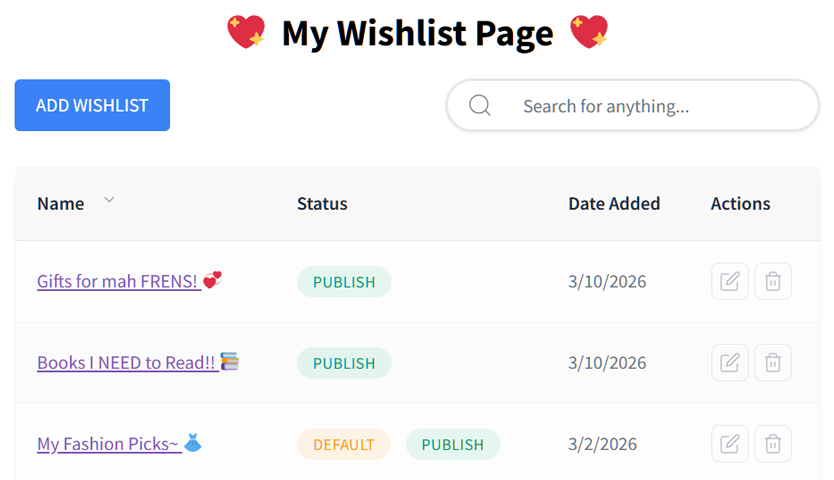
By allowing customers to create specific lists (e.g., “Birthday Wishlist,” “Home Renovation”), you make it easier for them to organize their intent. While TI Wishlist reserves this for their $79 premium plan, SaveTo Wishlist provides unlimited lists for free.

Upgrade the experience from traditional shortcodes. SaveTo Wishlist integrates directly with the WordPress Block Editor, allowing you to visually place and style "Add to Wishlist" buttons anywhere on your site without touching a line of code.
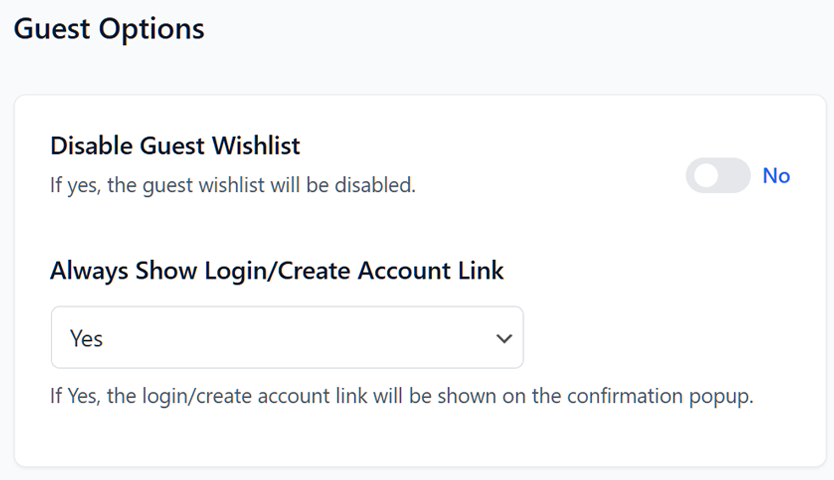
TI Wishlist relies on cookies, which can be lost if a shopper clears their browser or switches devices. SaveTo Wishlist uses a smart auto-merge system that automatically syncs a guest's wishlist to their permanent account the moment they log in.
Join thousands of smart store owners who have switched to a leaner, high-performance, and feature-rich experience—for free.
The best WooCommerce wishlist plugin.

