
For store owners who want to offer a highly customized shopping experience, the Update User Meta action is an essential tool. It allows the plugin to “tag” a user’s profile with specific information based on their wishlist behavior, which can then be used by other plugins or custom code on your site.
What Is User Meta and Why Automating It Matters
User Meta is where WordPress stores extra information about your customers. By updating this automatically, you can track customer interests or even trigger special discounts for your most active wishlist users.
For more details on how WordPress stores and manages user metadata, you can refer to the official documentation here.
Step-by-Step: Automating User Meta Updates
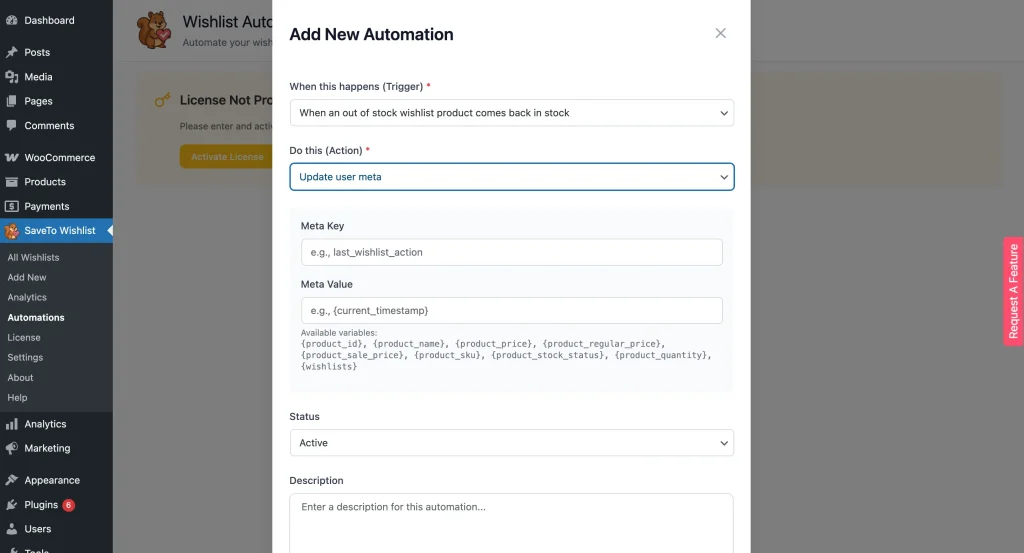
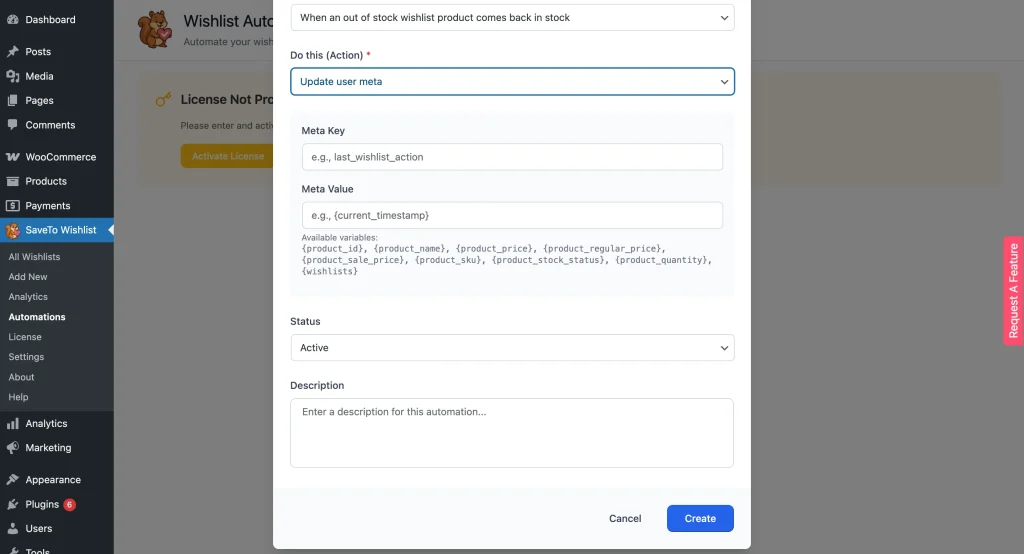
- Access Automations: Go to SaveTo Wishlist → Automations.
- Create New Action: Click Save Automation.
- Choose the Trigger: Select a behavior you want to track, such as Wishlist Created.
- Select Meta Action: Choose Update User Meta as the action type.
- Configure the Meta Data:
- Meta Key: Enter the unique “label” for this data (e.g.,
has_wishlist). - Meta Value: Enter the information you want to save; you can use variables to save dynamic data like the creation date.
- Meta Key: Enter the unique “label” for this data (e.g.,
- Save: Set the status to Active and click Save.
Example Use Case
When an Item is Added to Wishlist, you could update a meta key called last_wishlist_activity with the current date. You can then use this data to identify and reward your most engaged customers.
Build Rich Customer Profiles with Automated User Meta Updates
Automating user meta updates allows you to build a detailed profile of your customers’ preferences over time. This data is invaluable for personalizing your store’s front-end or creating targeted promotions. Explore your “Users” section in WordPress to see these new meta tags appearing as your customers interact with their wishlists.
Help & Support
We have a dedicated support team for SaveTo Wishlist Pro for WooCommerce who knows our products, WooCommerce, and the industry very well. You’re welcome to make use of their expertise at any time, worldwide.
If you would like to know more about this plugin or find any issues with it, please go to the support ticket request form and send us a message.
