

 Reviewed by
 It’s frustrating when shoppers leave your WooCommerce store simply because they aren’t ready to buy. To capture those future sales, many owners install the well-known and reliable plugin, TI WooCommerce Wishlist. However, its free version focuses primarily on a traditional, single-list experience.
If you want to offer your shoppers more advanced organization—like creating multiple lists or saving an entire cart—the modern wishlist solution, SaveTo Wishlist, is a great alternative. After all, it provides many flexible tools completely for free.
So, which free plugin should you get for your store? In this guide, we compare both to see which one is the best fit for your store.
The Short Answer: If you need a traditional wishlist with detailed admin controls and custom icon support, TI WooCommerce Wishlist is an established choice. However, if you want premium features like multiple wishlists, drag-and-drop sorting, and modern visual styling for free, SaveTo Wishlist provides better value and a faster shopper experience.
Table Of Contents
- Is TI WooCommerce Wishlist A Good Choice For Your Store?
- SaveTo Wishlist: Offering Premium Features For Free
- TI WooCommerce Wishlist VS. SaveTo Wishlist: Free Feature Comparison
- 1. Multiple wishlists per user
- 2. Changing product quantities within the wishlist
- 3. Drag and drop item sorting
- 4. Moving items between lists
- 5. Guest wishlist handling and account sync
- 6. Modern block support
- 7. Privacy controls for every list
- 8. Save entire cart to wishlist
- 9. Custom wishlist naming
- 10. Full REST API access
- 11. Extensive visual customization
- 12. Wishlist table toggles
- 13. Bulk wishlist actions
- Ease Of Use
- Speed Test: Which Plugin Keeps Your Store Faster?
- Which Free Wishlist Plugin Is Right For You?
- Pricing Comparison Of Premium Versions
- Conclusion
- Frequently Asked Questions
Is TI WooCommerce Wishlist A Good Choice For Your Store?
TI WooCommerce Wishlist is a popular option for many store owners. The free version gives you a simple way to let shoppers save their favorite items.
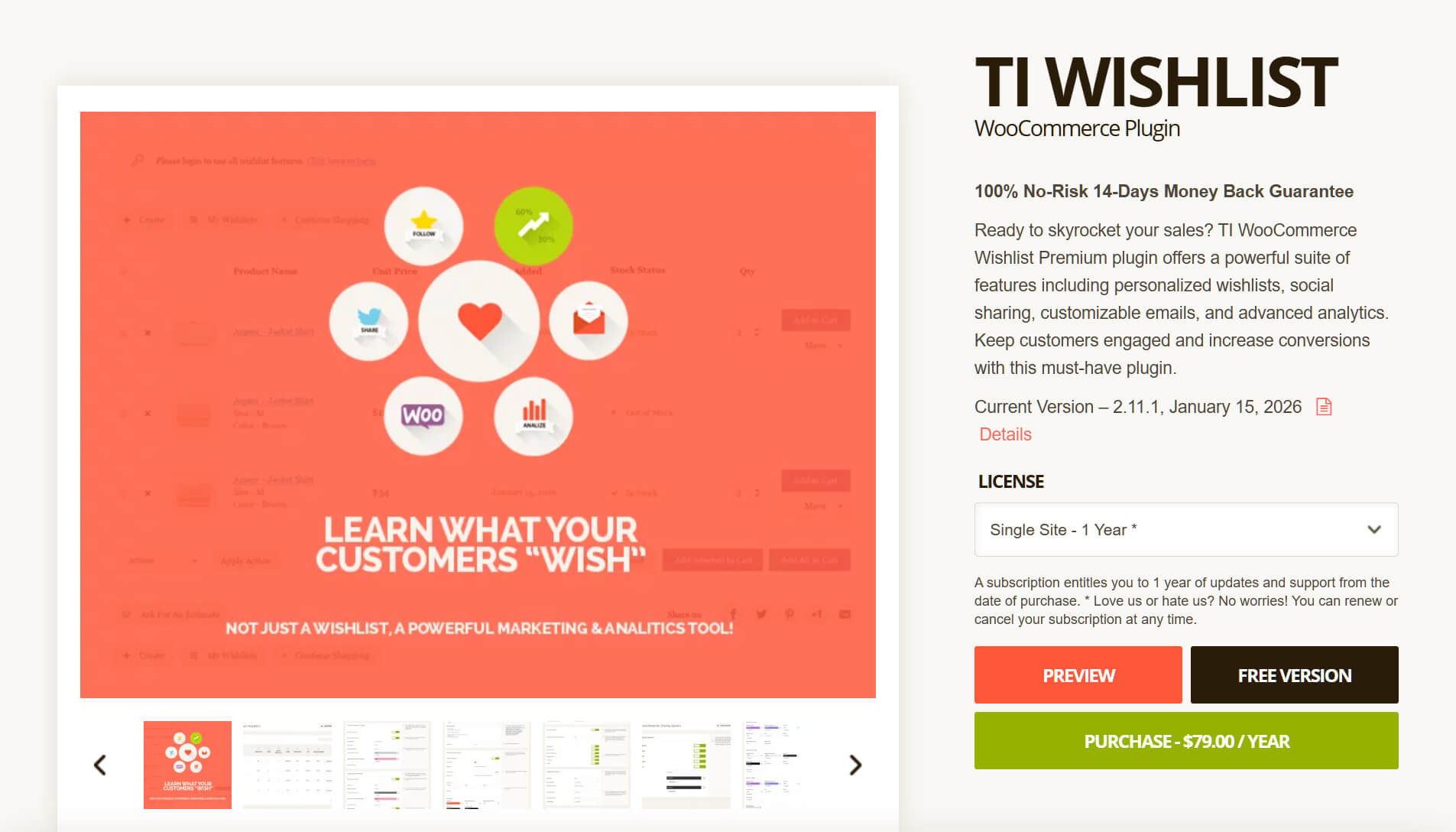
After testing this plugin, we can say its best three features are:
1. Setup wizard tool
Getting started is quite easy for beginners. The plugin includes a handy setup wizard to guide you through the process. This helps you get the button showing on your pages quickly.
2. Automatic list cleanup
The plugin handles the shopping cart well. It can automatically take a product off the list once a shopper decides to buy it. This helps keep the customer’s list clean and organized.
3. Built-in social sharing
Shoppers can easily share their saved items with friends and send their list to platforms like Facebook or Pinterest. This is a great way to bring extra visitors to your website.
SaveTo Wishlist: Offering Premium Features For Free
SaveTo Wishlist is a new WooCommerce plugin made by our team—the same developers behind popular store tools like Wholesale Suite and Advanced Coupons.
We built this new tool with native support for WooCommerce Blocks, which makes your website lightweight and fast. This makes it a great fit for modern store themes.
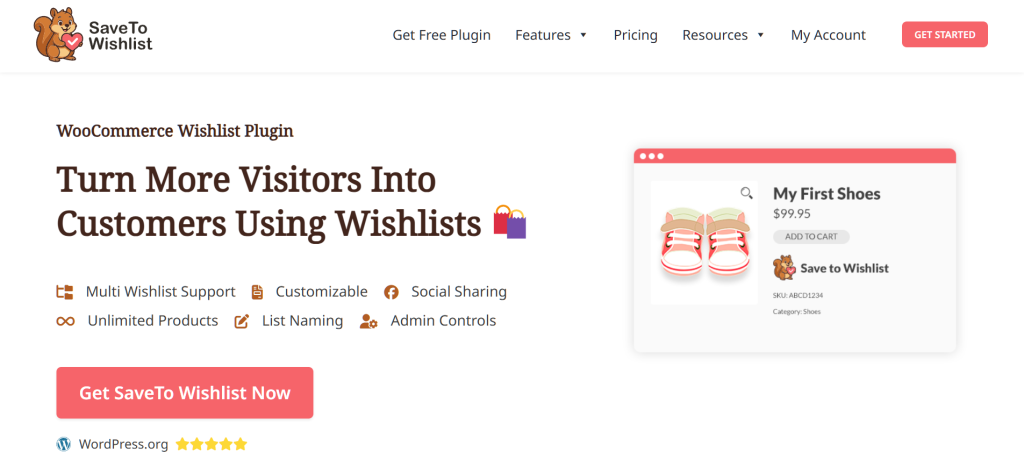
We built SaveTo Wishlist to solve a common problem we see with online stores: access to important features being reserved for premium plans. This is why our plugin offers features such as multiple wishlists for free. This means your customers can organize their items at no extra cost to you.
TI WooCommerce Wishlist VS. SaveTo Wishlist: Free Feature Comparison
It’s time to look at the actual features of both free plugins side by side. We’ve tested and compared these tools to see what they really offer store owners. Both options let shoppers save items, but their free features aren’t the same.
TI gives you a basic setup for your store. On the other hand, SaveTo Wishlist gives you professional tools at zero cost.
Below is a quick breakdown of the biggest differences between the free versions.
| Feature | TI Wishlist (Free) | SaveTo Wishlist (Free) |
| Multiple Wishlists | ❌ One list only | ✅ Unlimited lists |
| In-List Quantity Edit | ❌ Only at checkout | ✅ Change quantity on the list |
| Drag & Drop Sorting | ❌ No reordering option | ✅ Easy drag-and-drop handles |
| Move Items Between Lists | ❌ No extra lists to move to | ✅ Transfer items in a few clicks |
| Guest to Account Sync | ⚠️ Cookie-based (basic) | ✅ Automatic merge on login |
| Modern Block Support | ⚠️ Uses older shortcodes | ✅ Full Native Drag-and-Drop Blocks |
| Privacy Controls | ⚠️ Global settings only | ✅ Public/Private per list |
| Save Entire Cart to Wishlist | ❌ Requires premium upgrade | ✅ One-click transfer of all cart items to a list |
| Custom Wishlist Naming | ❌ Restricted to a single default name | ✅ Lists can be renamed |
| Full REST API Access (CRUD) | ❌ Advanced developer endpoints (Create/Delete) are locked | ✅ Full developer access to read, create, update, and delete data |
| Visual Button Styling | 🎨 Basic colors and icon upload | ✨ Hover, border, and shape controls |
| Wishlist Table Toggles | ⚙️ Specific column controls | 📋 Clean fixed table layout |
| Bulk Actions | ✅ Multi-select checkboxes | ❌ Individual item management |
1. Multiple wishlists per user
The number of lists a customer can have is a major difference.
With SaveTo Wishlist Lite, shoppers can create unlimited lists for free. For example, a customer might have one list for “Fashion Accessories” and another for “Holiday Gifts.” This helps them keep their shopping ideas organized.
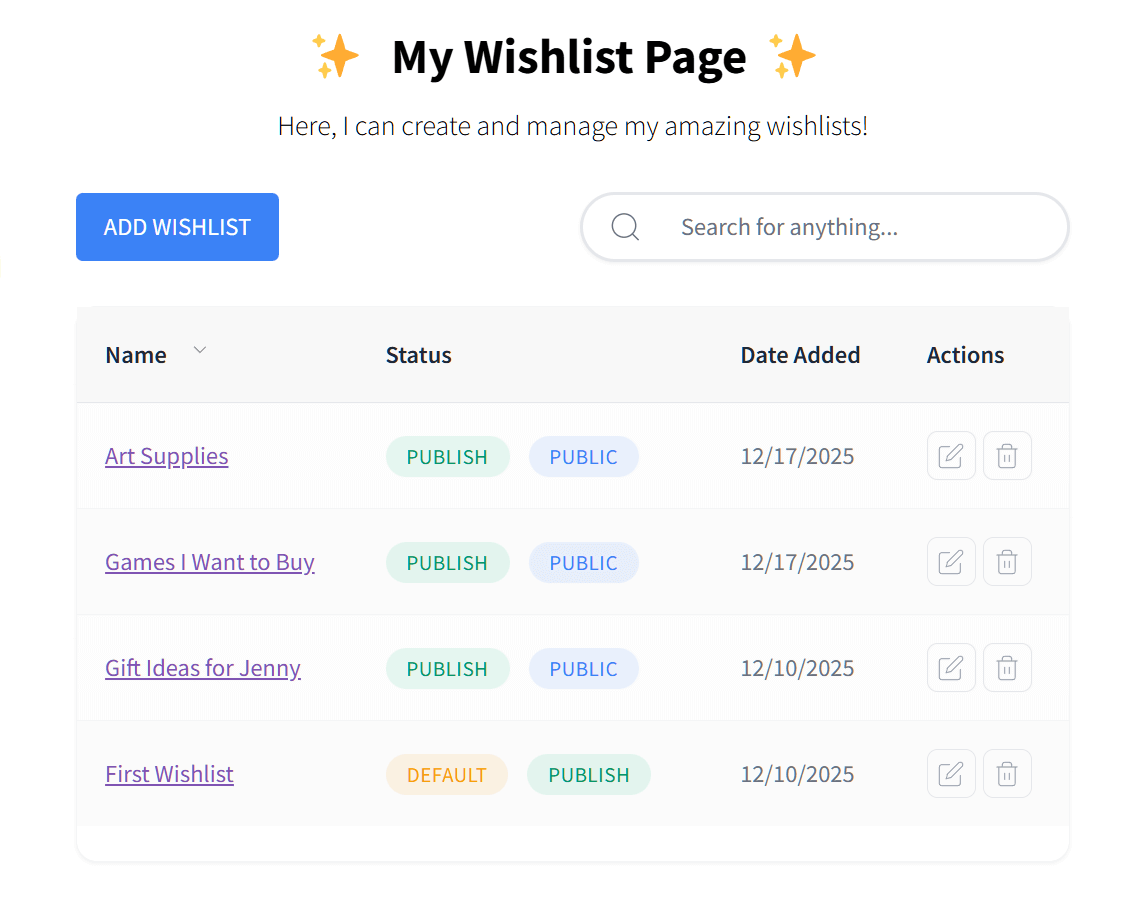
In contrast, the free version of TI WooCommerce Wishlist gives shoppers a single list to use. As a result, all of their saved products get grouped in one place. If you want your customers to build multiple lists, you must buy their premium upgrade.
2. Changing product quantities within the wishlist
Sometimes a customer wants to buy more than one of a saved item, such as three shirts instead of one.
SaveTo Wishlist Lite lets users change the quantity directly on the wishlist page. This makes it very easy for them to plan a large purchase.
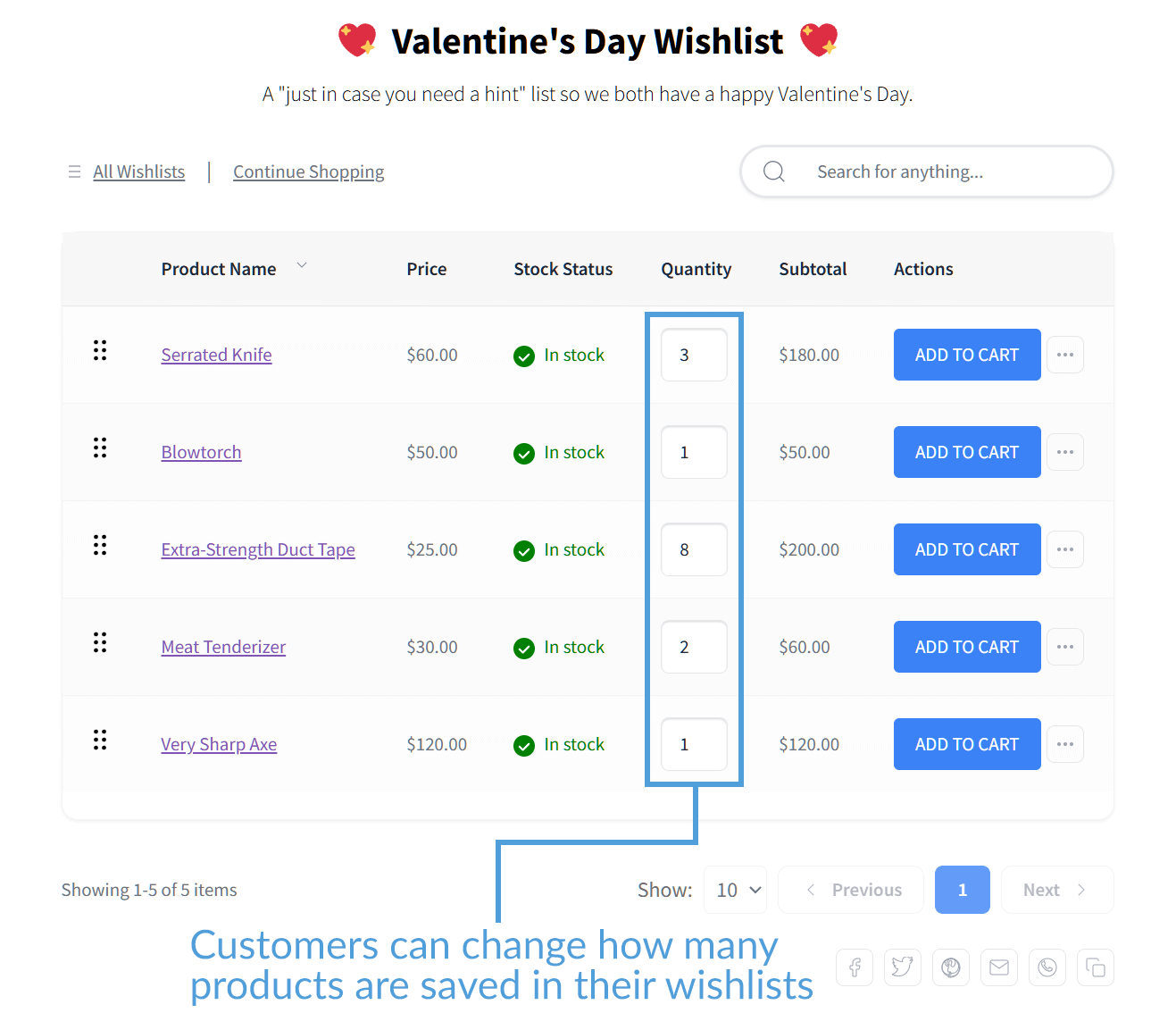
In the free tier of TI WooCommerce Wishlist, users can only see the product on their list. If they want to change how many they’re buying, they have to wait until they get to the checkout page. In the TI ecosystem, quantity management within the list is reserved for their professional tier, whereas SaveTo Wishlist includes it in the base version.
3. Drag and drop item sorting
A great wishlist should be very easy to organize.
The free tier of SaveTo Wishlist includes a simple drag-and-drop tool. Thus, shoppers can click and drag items to rearrange their list dynamically.
TI WooCommerce Wishlist doesn’t offer sorting tools for free. The items just stay in the order they were originally added. If you want shoppers to reorder their favorite products, you need to pay for their premium upgrade.
4. Moving items between lists
Because SaveTo Wishlist Lite gives shoppers multiple lists, it also lets them move items around. For example, a customer can easily move a pair of shoes from a general list to a specific birthday list. This only takes a few clicks, making it simple and quick to organize your items.
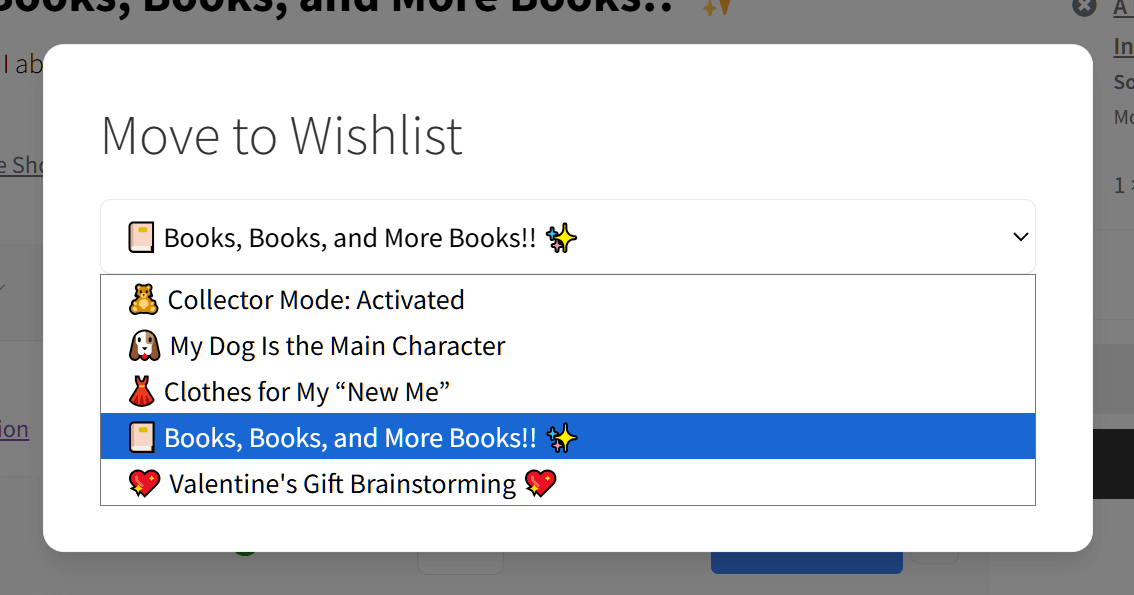
Since the free version of TI only allows one list, there is nowhere else to move items. Your customers can’t reorganize their saved products.
5. Guest wishlist handling and account sync
Both plugins let guest shoppers save items to a list before logging in. However, there’s a big difference in how they remember those items.
SaveTo Wishlist Lite uses a smart auto-merge system. If a guest saves items and later registers for an account, the plugin automatically syncs those items to their permanent profile. Nothing gets lost, and the customer doesn’t have to do any extra work.
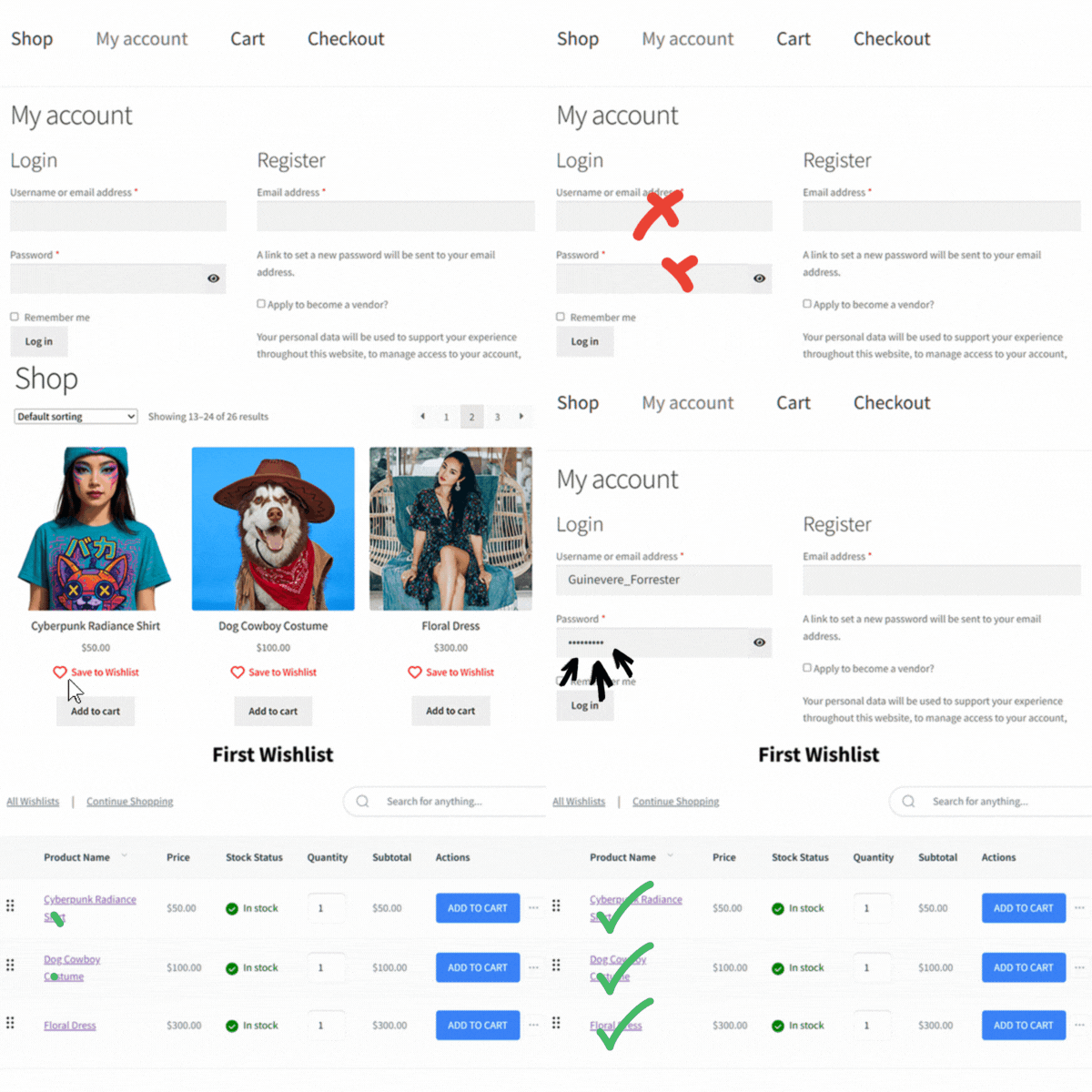
On the other hand, the free version of TI relies on browser cookies to connect a guest to their saved items. While the plugin does securely store this list on your server for a set number of days (which you can configure), the connection is device-specific. Therefore, shoppers will lose access to their list if they clear their browser data or switch from a phone to a laptop before creating an account.
6. Modern block support
Most store owners now use blocks to build their websites. This allows you to visually place things exactly where you want them.
SaveTo Wishlist was built for this modern era and offers full native block support. Therefore, you can easily place a wishlist button anywhere on your page without touching any code.
TI WooCommerce Wishlist is an older plugin, meaning it relies heavily on shortcodes. Shortcodes still work, but they require more manual effort to place and manage. Blocks offer a more visual, “what-you-see-is-what-you-get” experience that’s generally faster to design.
7. Privacy controls for every list
Giving customers control over their privacy makes them feel safer.
SaveTo Wishlist Lite allows users to toggle their public visibility for free. Thus, a shopper can share a list with friends while keeping another list totally private. For instance, they can keep a personal wishlist to themselves while sharing a public birthday list with family at the same time.
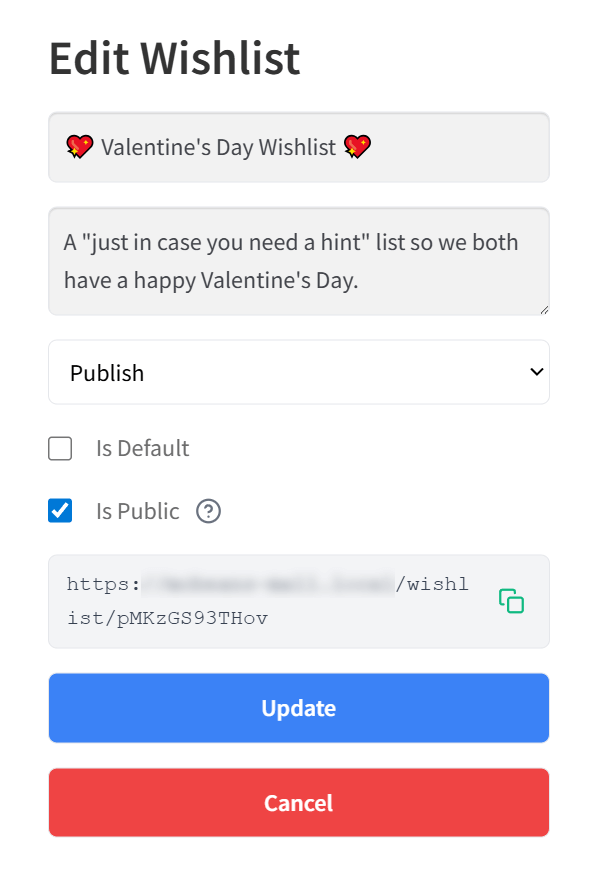
In the free version of TI WooCommerce Wishlist, these privacy options are restricted. To give your customers detailed visibility settings, you must pay for an annual upgrade.
8. Save entire cart to wishlist
Sometimes, customers build a full shopping cart but realize they’re not ready to buy just yet.
SaveTo Wishlist Lite lets users move their entire cart to a wishlist with a single click. This saves their exact selection for later without keeping items tied up in the cart.
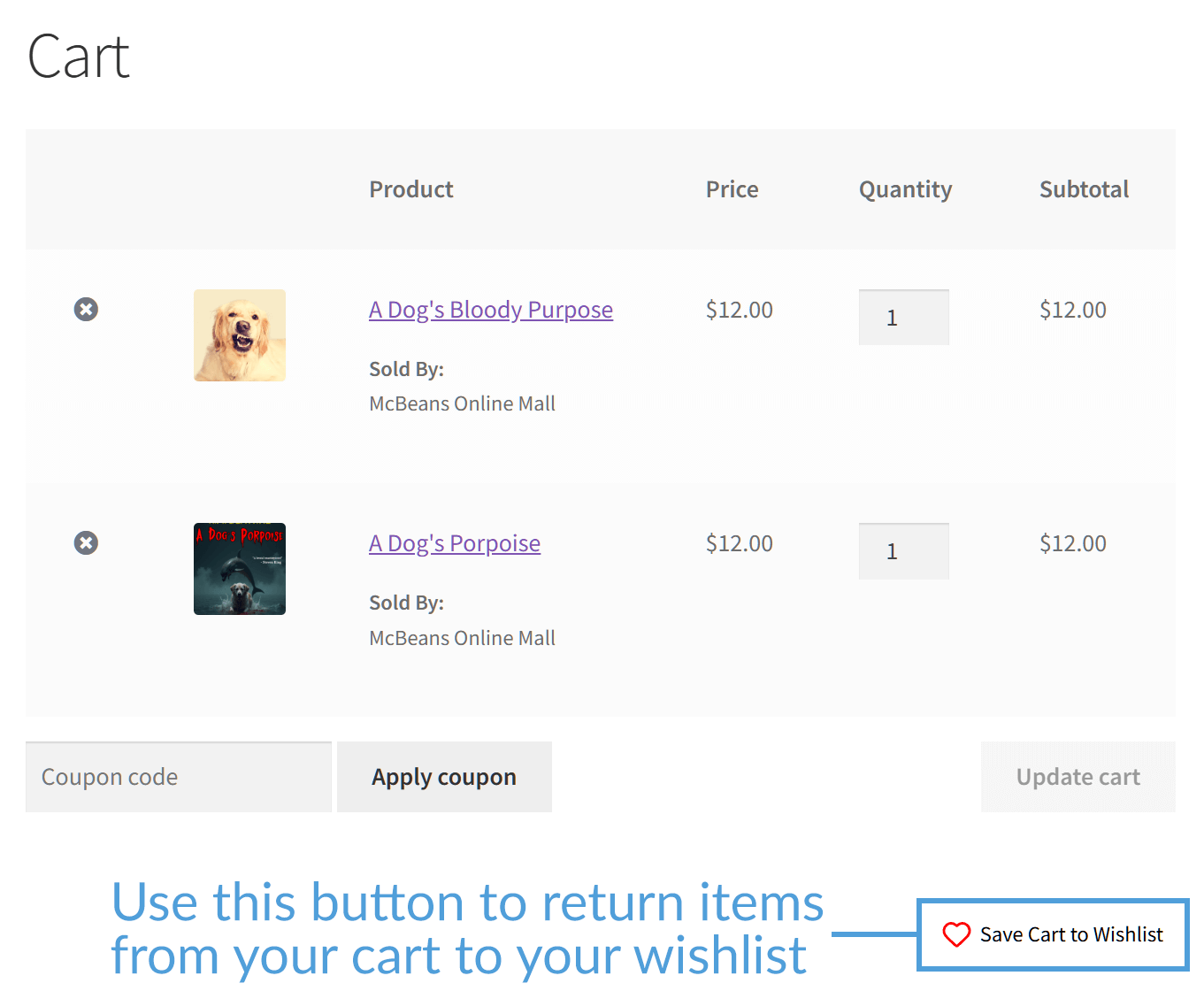
TI WooCommerce Wishlist restricts this helpful feature. If you want shoppers to save their whole cart at once, you’ll need to pay for their premium version.
9. Custom wishlist naming
Personalization is a big part of keeping shopping lists organized.
SaveTo Wishlist allows customers to give their lists specific, custom names for free. A shopper can name a list “My Dream Kitchen” instead of just settling for a generic title.
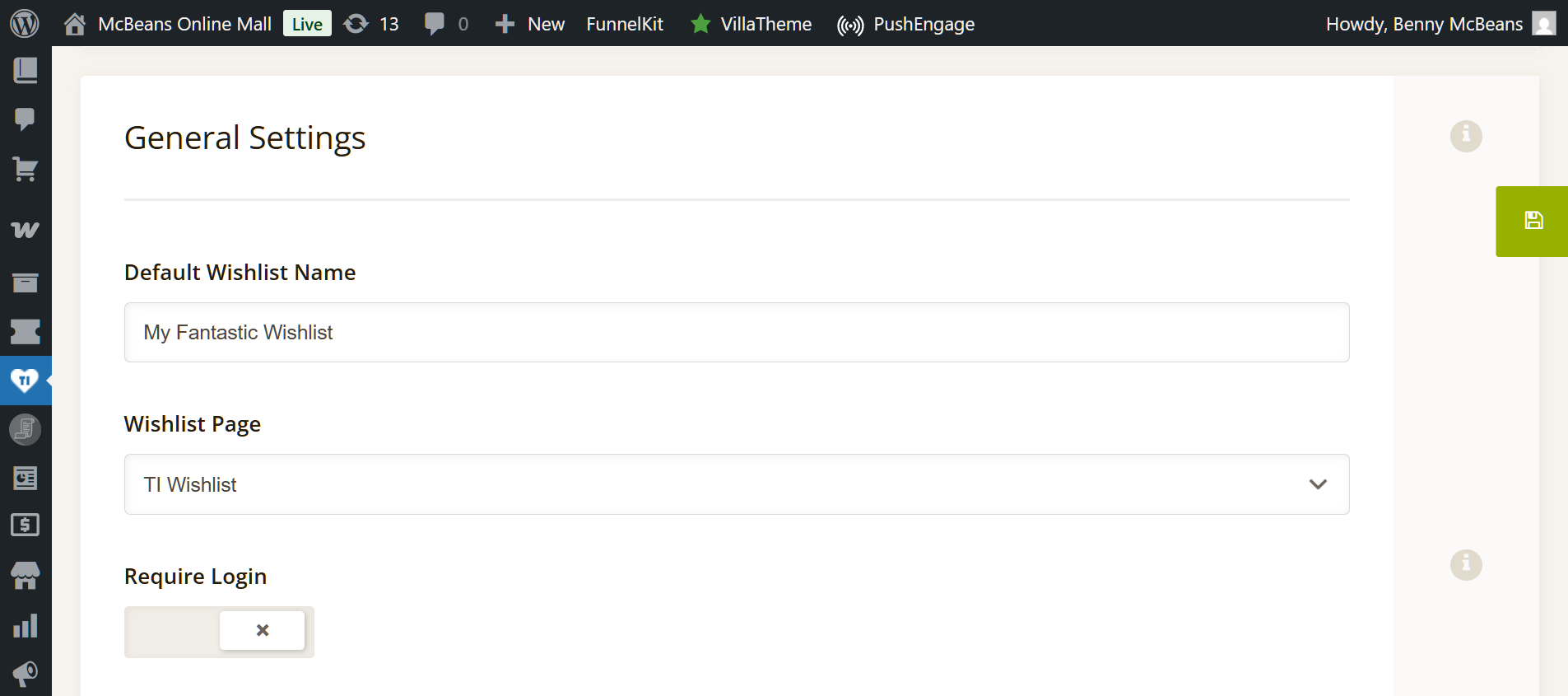
The free version of TI WooCommerce Wishlist doesn’t support custom naming for the shopper. While you (the store owner) can change the main title of the wishlist page in your settings, individual customers cannot personalize it. Since they only get one list, every shopper is stuck using the same generic title the store provides.
10. Full REST API access
Advanced users and developers often need to connect their store to other mobile apps or custom frontend setups.
SaveTo Wishlist Lite gives you full REST API access completely for free. Developers can easily read, create, update, and delete wishlist data right from the start.
Meanwhile, the free tier of TI WooCommerce Wishlist locks down these advanced developer tools. Basically, you must upgrade to their paid plan to get full access to the API.
11. Extensive visual customization
Your wishlist button needs to match your store’s unique brand perfectly. Both plugins offer free styling tools, but they focus on different areas.
SaveTo Wishlist Lite gives you an incredibly detailed styling menu for free. Without writing a single line of CSS, you can change button colors, hover states, border widths, background colors, and button shapes (like pills or standard rectangles) directly in the settings.
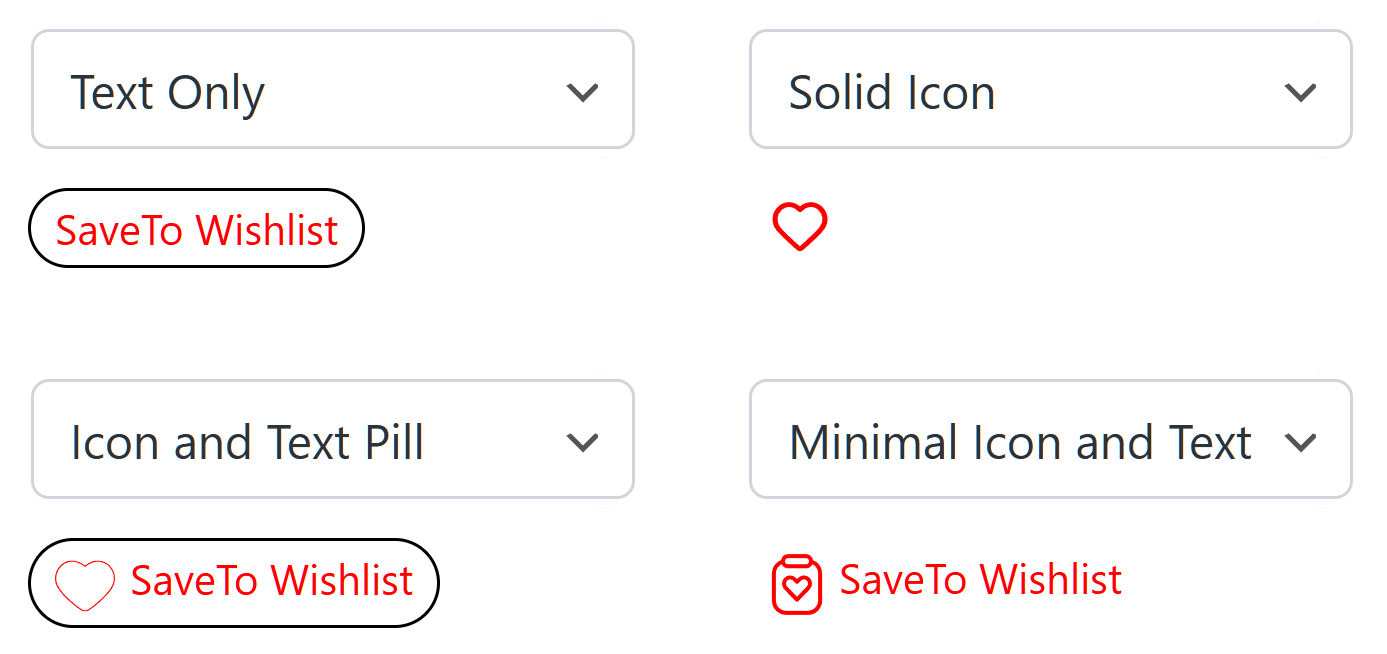
TI WooCommerce Wishlist focuses more on the icon itself. While its free version lacks STW’s deeper border and hover styling, it allows you to choose from a library of icons or even upload your own custom SVG/Image icon for free.
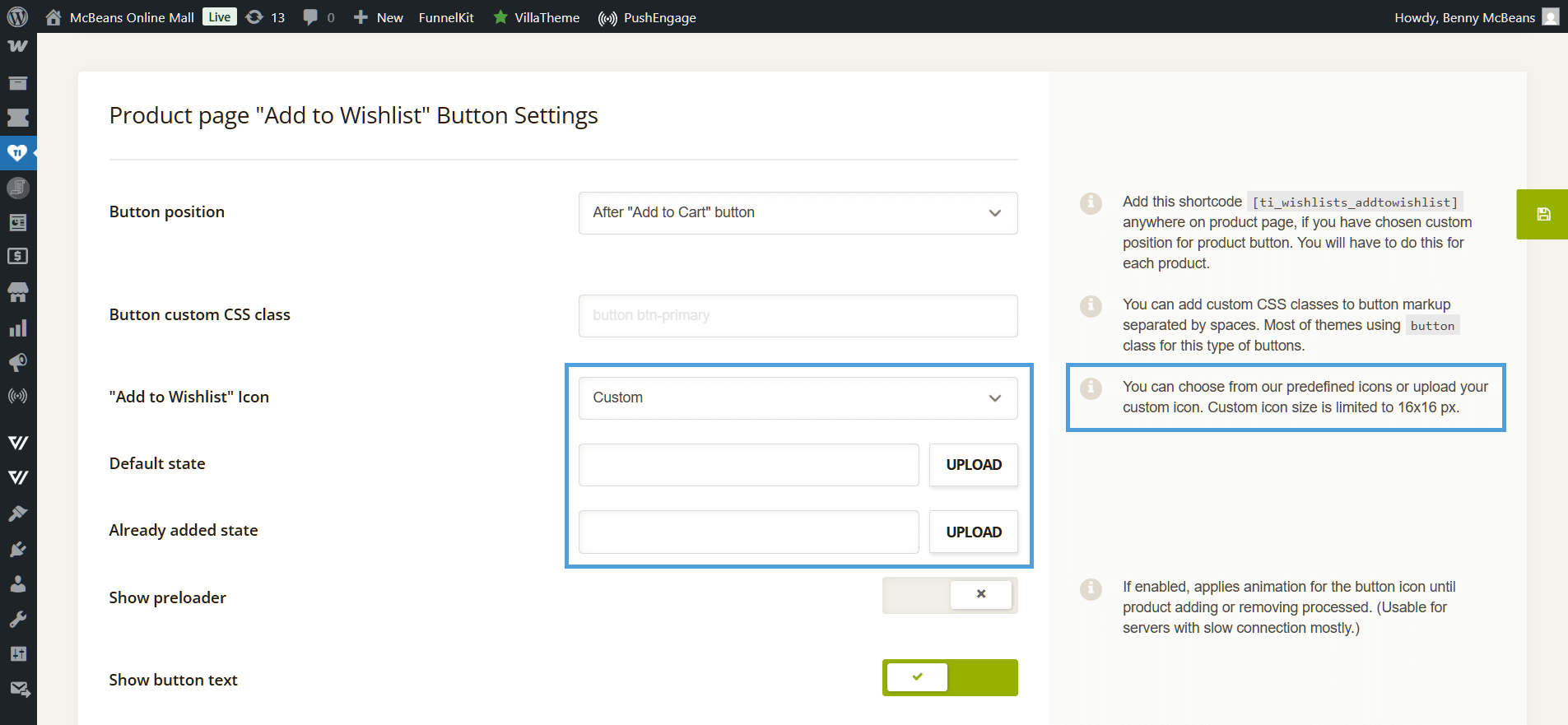
If you want a modern, perfectly styled button out of the box, SaveTo Wishlist is the better choice. But if your brand requires a very specific custom icon, TI has the edge.
12. Wishlist table toggles
Sometimes you want to control exactly what data your customers see when looking at their saved items.
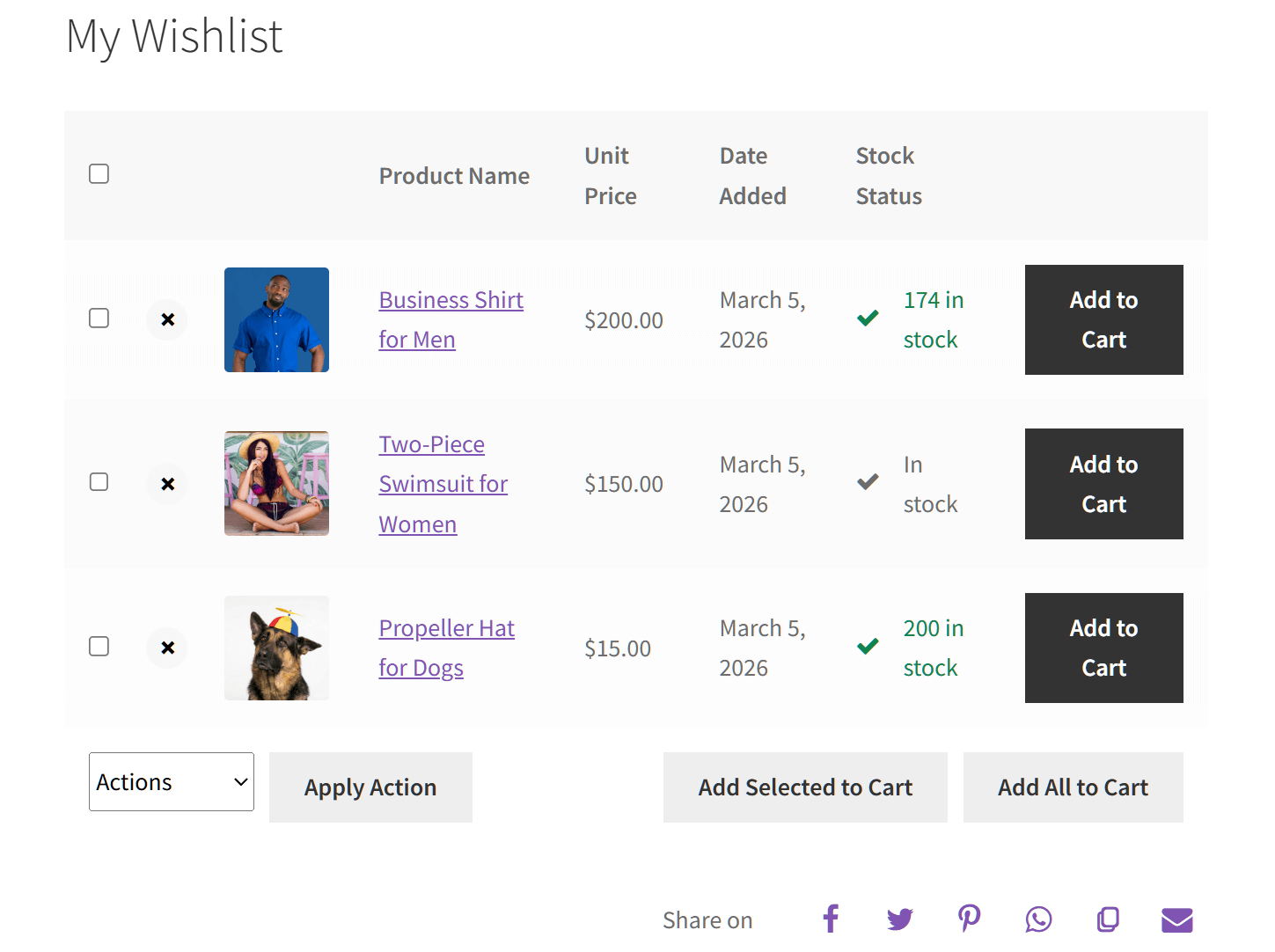
TI WooCommerce Wishlist has the edge here. It gives store owners granular control over the wishlist page layout. You can easily toggle specific columns on or off—such as the unit price, stock status, or the date the item was added—giving you a highly customized table.
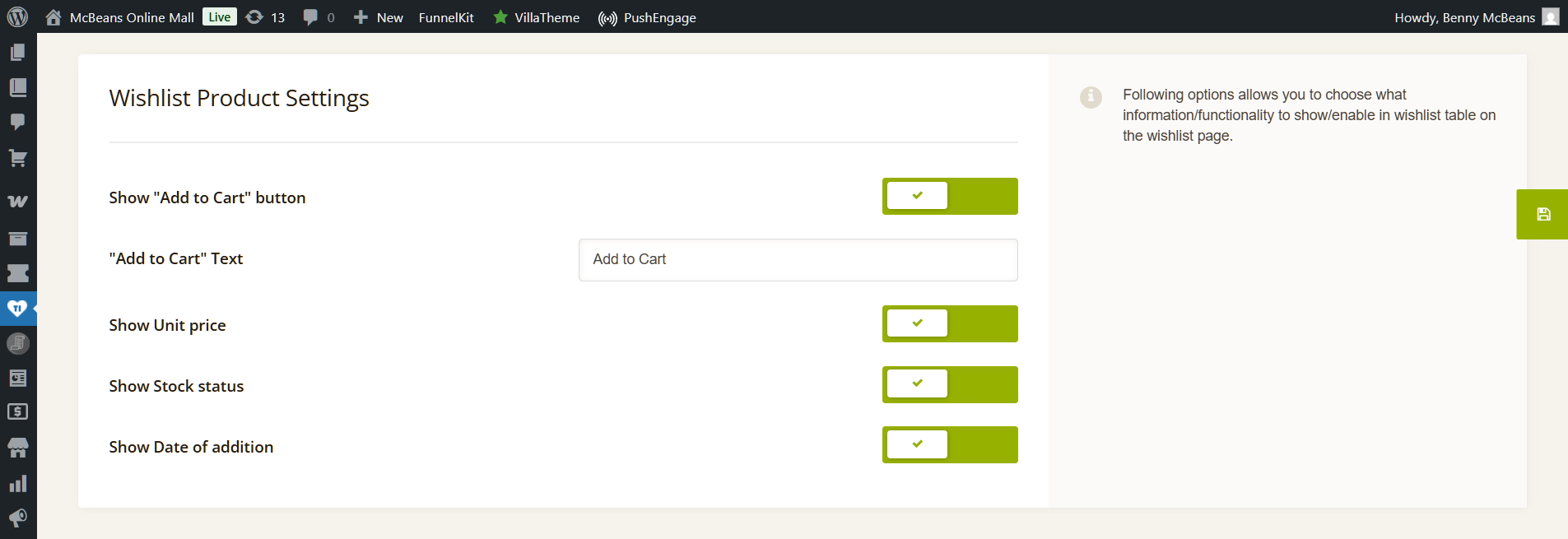
While SaveTo Wishlist provides a clean, modern, and high-converting layout by default, its free version currently focuses on simplicity and speed. Therefore, it lacks the specific admin toggles to hide or show individual data columns on the wishlist page.
13. Bulk wishlist actions
When a shopper has a dozen items on their list, they don’t want to click “Add to Cart” twelve times.
TI WooCommerce Wishlist includes a bulk actions menu at the bottom of the wishlist table. This allows shoppers to use checkboxes to select specific products and perform a single action, such as “Add Selected to Cart” or “Remove.” This is a helpful utility for power shoppers who want to manage their lists precisely.
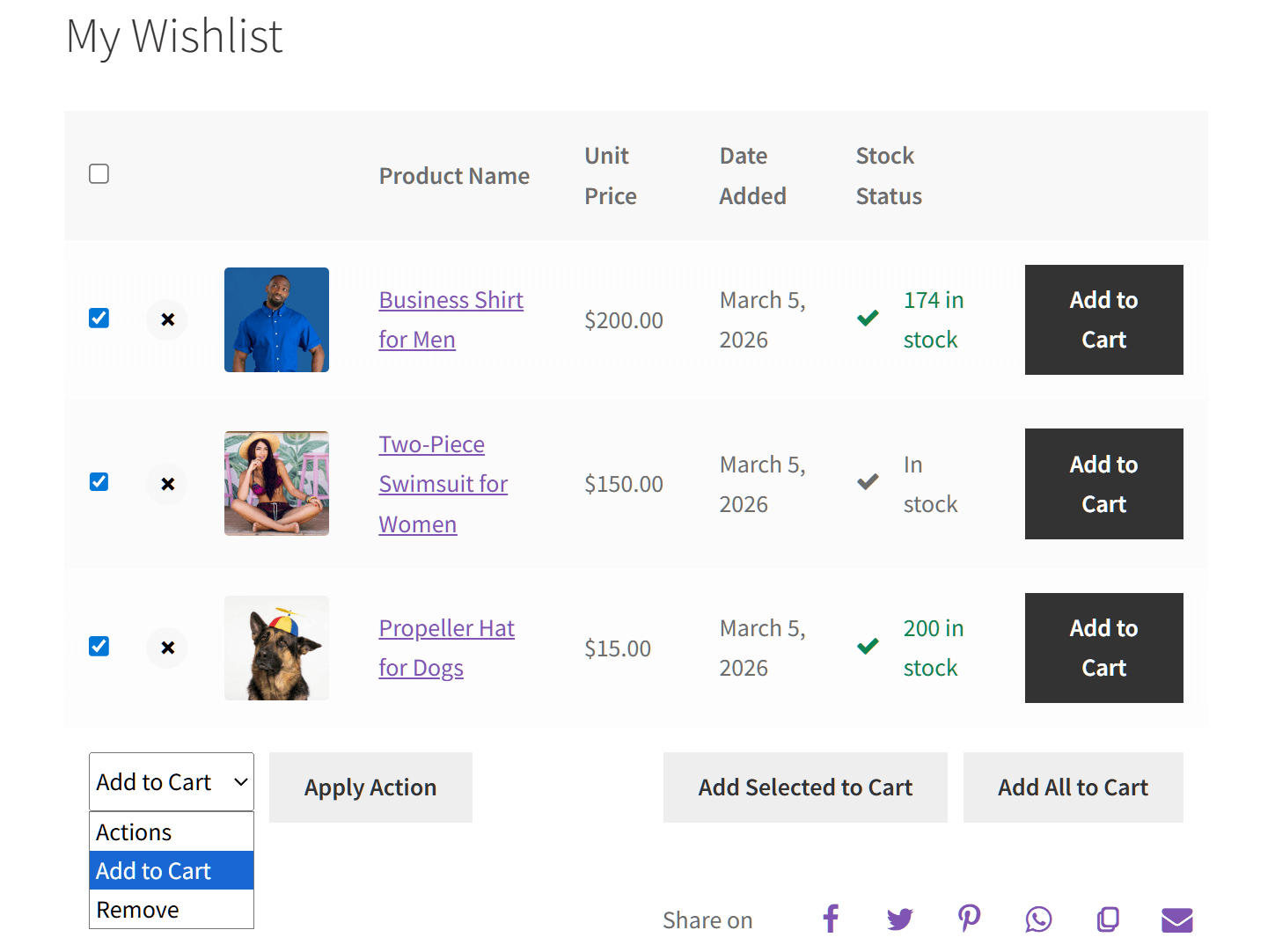
SaveTo Wishlist Lite focuses heavily on individual item organization rather than mass selection. While shoppers can easily drag-and-drop items or move single products between their multiple lists, it doesn’t currently offer checkbox-based bulk actions for adding multiple items to the cart at once.
Ease Of Use
We always look at how simple a plugin is for the store owner and the shopper. A good tool shouldn’t require advanced skills to set up. Moreover, it should feel natural for your customers to save items.
The TI WooCommerce Wishlist experience
TI WooCommerce Wishlist focuses on a guided entry for new users and deep administrative control.
- A setup wizard provides a helpful walkthrough for beginners during the initial configuration.
- Automatic button injection works for standard shop and category pages through simple toggles.
- Custom placements and advanced page building rely on shortcodes, which can be difficult to manage.
- The single list limitation can make it harder for shoppers to stay organized once they have saved a large number of items.
- Robust admin settings allow for custom icon uploads and specific table column toggles.
The SaveTo Wishlist experience
SaveTo Wishlist prioritizes a modern visual building workflow and advanced organizational tools for the shopper.
- Native WordPress blocks allow you to design your wishlist pages visually within the editor.
- Automatic button placement includes extensive styling controls for borders and hover effects.
- Multi-list dropdowns let shoppers organize their items the moment they click the save button.
- Drag and drop handles allow customers to reorder their lists without any extra steps.
- Automated toast notifications provide a seamless experience that does not interrupt browsing.
In short, while TI provides more granular settings for the store owner, SaveTo Wishlist offers a more flexible and modern experience by giving shoppers advanced tools for free.
Speed Test: Which Plugin Keeps Your Store Faster?
Adding extra features to your store often means slowing down your web pages. To find out which wishlist tool is truly the most efficient, we did not just look at basic load times, since those numbers can jump around based on your hosting plan. Instead, we measured the exact amount of background code each plugin adds to a clean WooCommerce website.
Here are the results from our GTmetrix performance test:
| Free Plugin | Added JavaScript (Code Weight) | Added Server Requests |
| SaveTo Wishlist | +2.5 KB (Winner) | +1 Request (Winner) |
| TI WooCommerce Wishlist | +6.1 KB | +4 Requests |
Note: Data was gathered using GTmetrix Lighthouse Performance on a clean WooCommerce storefront. The base site’s JavaScript was 82.2KB with 48 requests.
What this data means for your store
SaveTo Wishlist has a smaller footprint.
To its credit, TI WooCommerce Wishlist is built quite well compared to older tools on the market. It only pushes the page’s total JavaScript size to 88.3KB:

However, SaveTo Wishlist is still the clear winner, keeping the page at an ultra-lean 84.7KB. By adding less than half the code weight of TI, our plugin helps your pages load more quickly.

SaveTo Wishlist requires fewer server check-ins.
Every element on a webpage requires a separate “request” to your server. TI Wishlist adds 4 extra requests just to run the wishlist:

SaveTo Wishlist, on the other hand, is highly efficient and adds only 1 single request. This tiny detail is crucial because it stops your server from getting overwhelmed during big events like Black Friday or holiday sales.

The Final Word on Speed: Both of these plugins are great choices that perform much better than older alternatives. However, SaveTo Wishlist still comes out on top. Its incredibly light design ensures your website stays fast, protecting your sales and giving your shoppers a flawless experience.
Which Free Wishlist Plugin Is Right For You?
Choosing the right tool depends on your exact needs. We broke down the options to help you decide.
When to choose (or stay with) TI WooCommerce Wishlist
Pick TI WooCommerce Wishlist if you:
- Want a setup wizard. TI includes a handy guide to get you started quickly, which is great if you are new to WordPress.
- Need specific admin control. If you want to hide specific columns like stock status or date added from the wishlist table, TI provides these toggles for free.
- Use custom branding. TI allows you to upload your own custom SVG or image file to use as the wishlist icon.
- Are comfortable with older tech. If your site relies on older page builders, the legacy shortcode system in TI is a tried-and-tested method for adding features.
- Only need the basics. If you don’t care about multiple lists or advanced sorting, TI offers a stable and traditional experience at no cost.
When to choose (or switch to) SaveTo Wishlist
Go for SaveTo Wishlist if you:
- Want the best free features. You get professional tools like multiple lists, drag-and-drop sorting, and quantity edits without paying a cent.
- Prioritize high-end design. You can customize button shapes, borders, and hover effects directly in the settings without needing custom CSS.
- Value a seamless shopper flow. Our modern toast notifications and auto-merge guest syncing ensure shoppers are never interrupted and never lose their lists.
- Use the WordPress Block Editor. You want to visually design your wishlist pages using native blocks rather than managing shortcodes.
- Focus on site speed. Our plugin is built with modern lightweight code to help your store load faster on both mobile and desktop.
Pricing Comparison Of Premium Versions
It’s important to look at the cost if you decide to upgrade later. Both plugins offer paid versions with more advanced tools. We want to help you get the best value for your money.
TI WooCommerce Wishlist Premium starts at $79 per year for a single website. You must pay this amount every year to continue receiving plugin updates and professional support.
You can buy SaveTo Wishlist Pro for just $49.50 for your first year. This is a great way to access professional features while keeping your initial costs low. However, after the first year, your subscription will renew at the regular price of $99 per year.
While SaveTo Wishlist Pro’s renewal is slightly higher than TI’s, you should consider what’s included for free. Many features that TI charges $79 for are already included in the free Lite version of SaveTo Wishlist.
When you look at the total value, SaveTo Wishlist is a very strong choice. You get to start for a much lower price and enjoy professional organization tools for free from day one.
Conclusion
So, what’s the final verdict?
Both plugins are reliable choices for helping shoppers save their favorite items. Do you prefer a traditional setup with a long history and deep admin-side control over your data tables? Then TI WooCommerce Wishlist remains a stable, basic option.
However, if you want a faster, more modern experience that prioritizes the shopper’s journey, SaveTo Wishlist is the clear winner. You can offer your customers professional tools like unlimited lists, drag-and-drop organization, and seamless guest syncing. All this without the expensive yearly subscription fees associated with “Premium” upgrades.
To recap, this article explored the following concepts:
- Is TI WooCommerce Wishlist a good choice for your store?
- SaveTo Wishlist: offering premium features for free
- TI Wishlist vs. SaveTo Wishlist: free feature comparison
- Ease of use
- Speed test: which plugin keeps your store faster?
- Which free wishlist plugin is right for you?
- Pricing comparison of premium versions
Whether you’re launching a brand-new store or updating an existing one, SaveTo Wishlist offers a modern and budget-friendly way to improve the shopping experience. Download the free version today to see how easily it can help grow your WooCommerce store.
Frequently Asked Questions
Is SaveTo Wishlist free to use for multiple wishlists?
Yes. SaveTo Wishlist allows users to create and manage an unlimited number of named wishlists for free. This is a major difference from the free version of TI WooCommerce Wishlist, which only supports a single list.
How does SaveTo Wishlist differ from TI WooCommerce Wishlist?
SaveTo Wishlist offers more advanced shopper features for free, such as quantity editing and drag-and-drop reordering. It also uses modern WordPress blocks and toast notifications, while TI relies more on traditional shortcodes and popup modals.
What are the main features of TI WooCommerce Wishlist?
The free version includes a setup wizard for easy configuration and automatic list cleanup when items are purchased. It also offers granular admin controls for toggling specific wishlist table columns like stock status and unit price.
Can I change product quantities directly on the wishlist with these plugins?
SaveTo Wishlist allows customers to change quantities directly on the wishlist page for free. In the free version of TI WooCommerce Wishlist, customers must wait until the checkout page to adjust their quantities.
Which wishlist plugin is better for a modern WooCommerce store?
SaveTo Wishlist is generally better suited for modern stores because it is built natively for the WordPress Block Editor and uses lightweight code. It also provides a more seamless user experience by offering features like multiple lists and modern notifications at no extra cost.


