

 Reviewed by
 What is a wishlist, and why should an online store owner care?
Every day, people casually browse your store. From our experience working with WooCommerce stores, a wishlist is a tool that can turn those visitors into paying customers. How? It lets them save and keep track of the products they like, encouraging them to buy later.
In this article, we’ll cover everything you need to know about wishlists, from what they are to their many benefits. We’ll also introduce SaveTo Wishlist, a WooCommerce plugin we built to help store owners turn browsers into buyers and understand what their customers really want.
So, ready to learn why a wishlist is a must-have for your store? Then let’s get started!
What Is A Wishlist?
A wishlist is a digital place where shoppers can save the products they like but aren’t ready to buy. Think of it as a small shelf in an online store where they can keep their favorites for later.
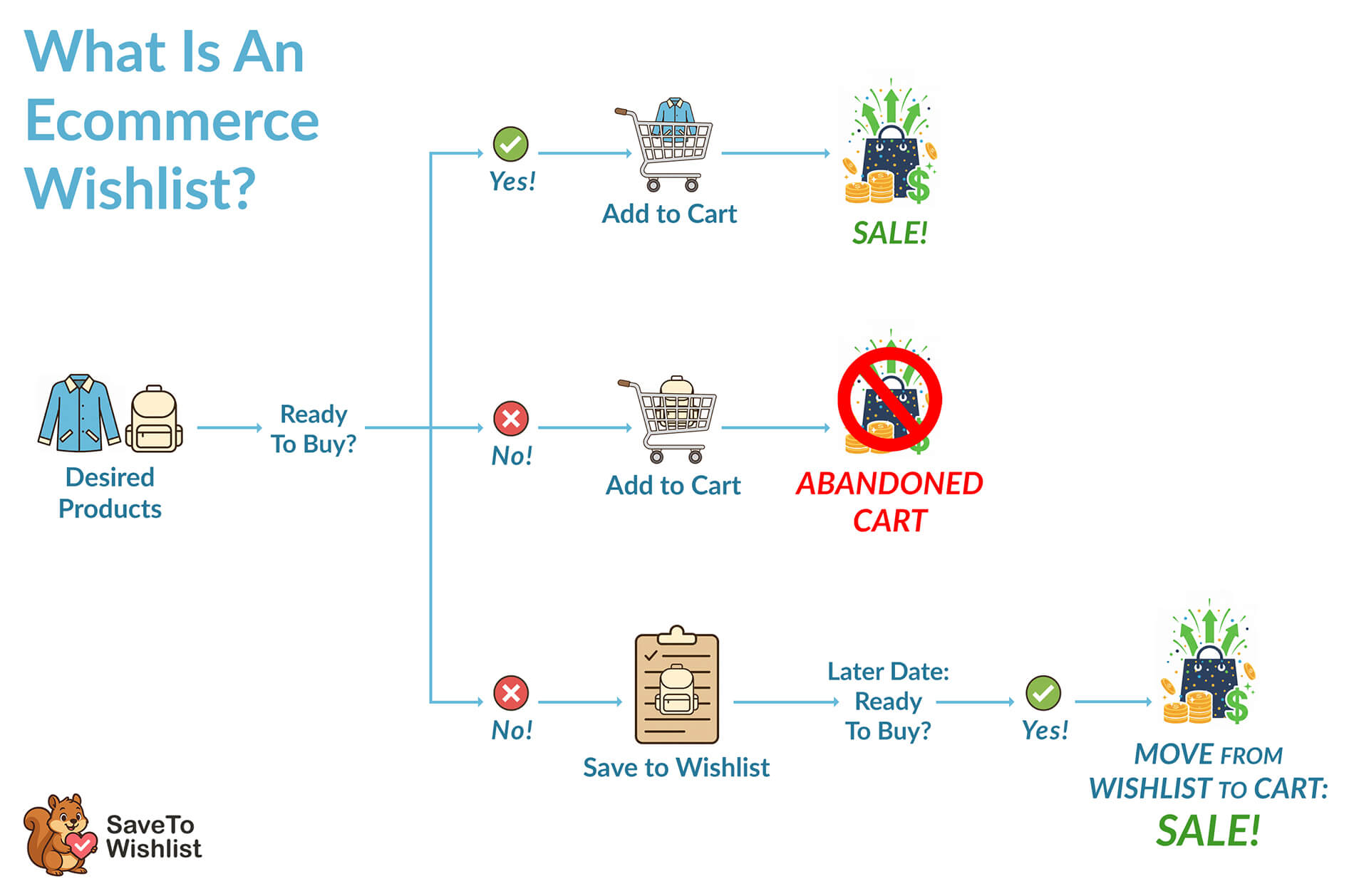
Shoppers add products to their wishlist instead of the cart. This keeps the cart full of items they’re prepared to purchase and makes it easy to return for the others later. After all, not every customer buys on their first visit.
For example, someone might like two items: a jacket and a backpack. They can afford the jacket, so they add it to the cart and purchase it. The backpack, however, goes into their wishlist. Then, a few weeks later, when they have extra money, they return to the wishlist and move the backpack to their cart to buy it.
How exactly do wishlists work?
Typically, wishlist buttons appear on shop pages, product pages, and cart pages.
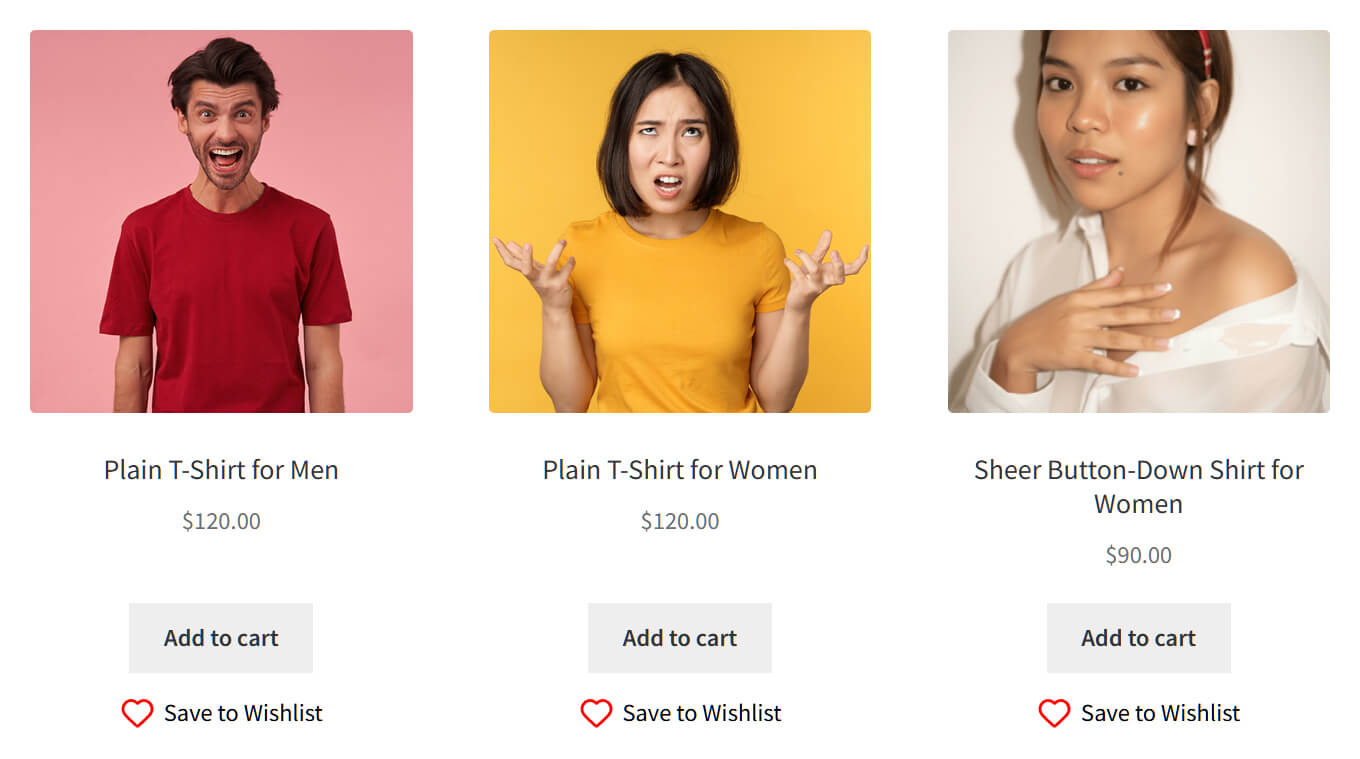
When a shopper clicks a product’s wishlist button, the product is saved to a digital list of their favorite items. Later, when they’re ready to buy, they can return to the store and move items from the wishlist to their cart.
Why do shoppers rely on wishlists?
Shoppers rely on wishlists because they make shopping easier. It helps them plan for future purchases and keeps track of things they really want.
A wishlist can also create a small emotional connection, like bookmarking something that excites them.
So, what is a wishlist? It’s more than just a list. It’s a simple tool that helps shoppers shop more conveniently.
But how do wishlists help store owners?
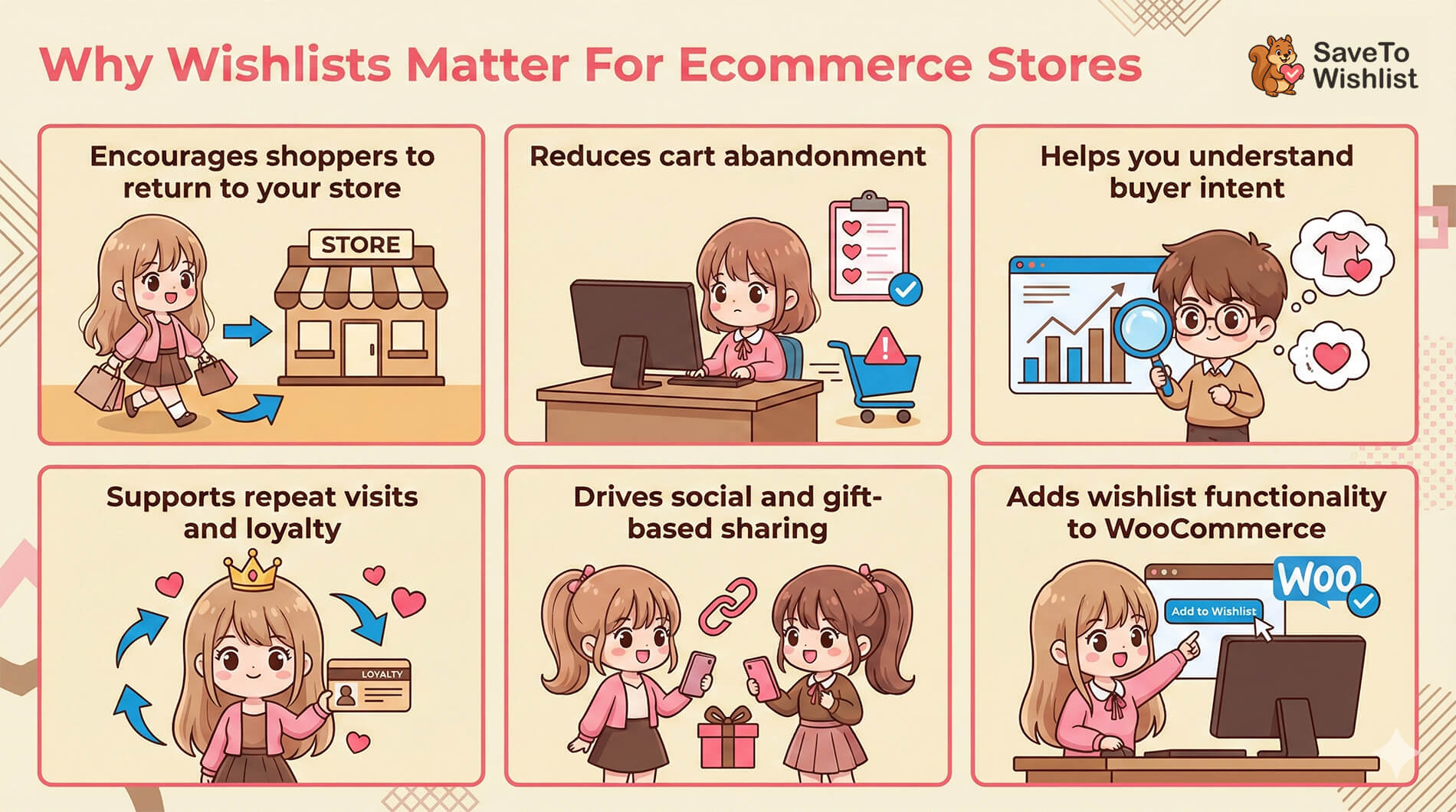
Why Wishlists Matter For Ecommerce Stores
While it’s important to answer “What does wishlist mean?”, it’s just as important to see how this tool can help your store.
From what we and many of those in ecommerce have seen, wishlists can help store owners in more ways than one.
1. Encourages shoppers to return to your store, boosting your sales
A wishlist lets shoppers save products they like for later. This makes it easy for them to plan what to buy and compare items.
When shopping is simple and convenient, it keeps your store at the top of your customers’ minds. This encourages customers to return, which means more chances for immediate sales.
Without a wishlist, shoppers might forget the items they wanted, which can lead to missed revenue. A wishlist makes it easier to remember your store, thus helping turn interest into actual purchases.
2. Cuts down cart abandonment
Wishlists act like a softer step before commitment. Shoppers can save items they like without pressure and return when they’re ready to buy them.
For instance, a customer might add a gaming gadget to their cart, only to abandon it when they realize they can’t afford it. With a wishlist feature, they can save it to their wishlist instead. They can then return later, once they have the funds, to move the product to their cart and complete the purchase.
According to the Baymard Institute, more than 70% of shoppers add items to their carts but never finish the purchase. But when you give shoppers an easy way to save items, you keep them engaged and increase the chances they’ll return and complete their orders.
3. Helps you understand buying intent
Each saved product gives the store owner a clue about what customers want most.
Basically, it shows which items your customers keep circling back to. For example, if many shoppers keep saving a particular pair of shoes, you’ll know it’s popular. You can then plan stock, promotions, or discounts to sell more of those shoes.
It can also help you personalize shopping for each customer. For example, if Melanie keeps saving pet products to her wishlist, it shows she’s most interested in them. You can then send her targeted promotions for pet items, making it more likely she’ll buy them.
Nosto reports that 72% of consumers say they’re more likely to purchase from a brand that consistently gives them a personalized experience. Yet another reason wishlists are important!
4. Supports repeat visits and loyalty
In our experience, shoppers often return to check on items they’ve saved. It’s similar to revisiting a favorite page in a book. Therefore, if Kathren wishlists a jacket, there’s a good chance she’ll visit the store repeatedly to see if it’s on sale or in stock.
Remember, a wishlist keeps your store on your customers’ radar, giving them a compelling reason to come back again and again. In turn, each return visit is a chance to make a sale. Over time, these repeat visits can build customer loyalty, turning casual visitors into regular shoppers.
5. Drives social and gift-based sharing
From our observation, people share wishlists for birthdays, holidays, or to give friends gift ideas. It’s like giving your store a small nudge to new customers.
When someone shares a wishlist, it introduces your products to people who might not know your store yet. This kind of sharing can lead to more traffic, more sales, and even new loyal customers.
6. Adds wishlist functionality to WooCommerce
WooCommerce is a powerful platform that lets you turn a website into an online store. While it does a great job handling the basics of selling, it doesn’t include certain features, like wishlists, that can help increase sales and keep customers coming back.
Without a wishlist plugin, customers can’t easily save items for later, which may lead them to forget products or abandon the site. A plugin fills this gap, giving shoppers a simple way to track favorites and return when ready to buy.
What is a wishlist on a website? It’s a tool that benefits both shoppers and store owners. It makes shopping easier and gives stores a peek into what customers really want.
Introducing SaveTo Wishlist: A Free WooCommerce Wishlist Plugin
SaveTo Wishlist is a WooCommerce plugin that makes adding a wishlist to your store easy. It’s quick to set up, simple to use, and gives shoppers a convenient way to save and manage the products they love.
It’s also absolutely free.
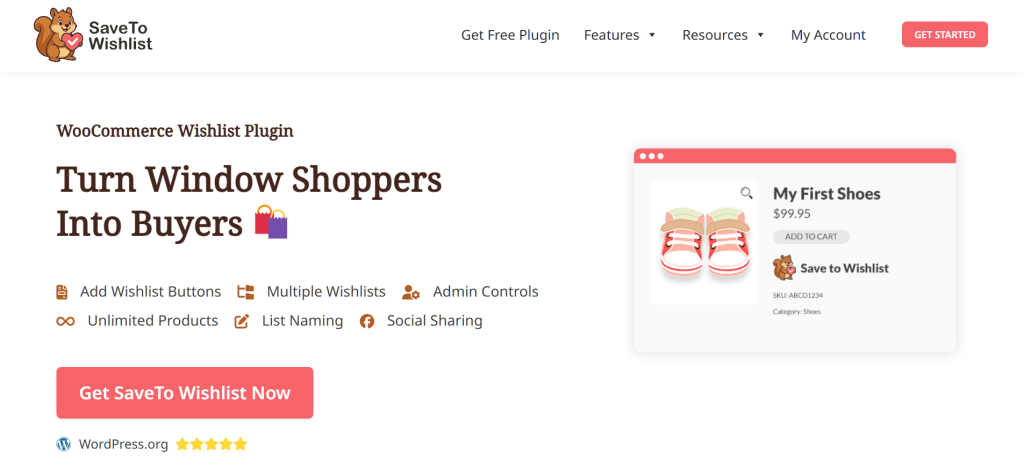
Furthermore, the plugin is built for store owners who want a simple start. You can have wishlists running in minutes without fuss.
Now, let’s explore some key features SaveTo Wishlist brings to your store.
Free in SaveTo Wishlist
To start, here are the features that many plugins hide behind a paid plan, but SaveTo Wishlist offers at no cost.
1. Multiple wishlists
Shoppers can create more than one wishlist, allowing them to organize ideas like a notebook with different tabs.
For example, Jeff could have one list for his friends’ birthday gifts, another for motorcycle accessories he wants for himself, and a third for Christmas presents.
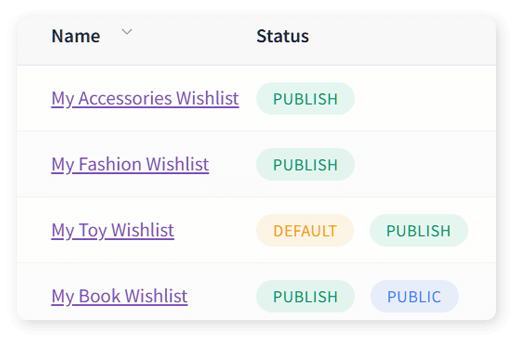
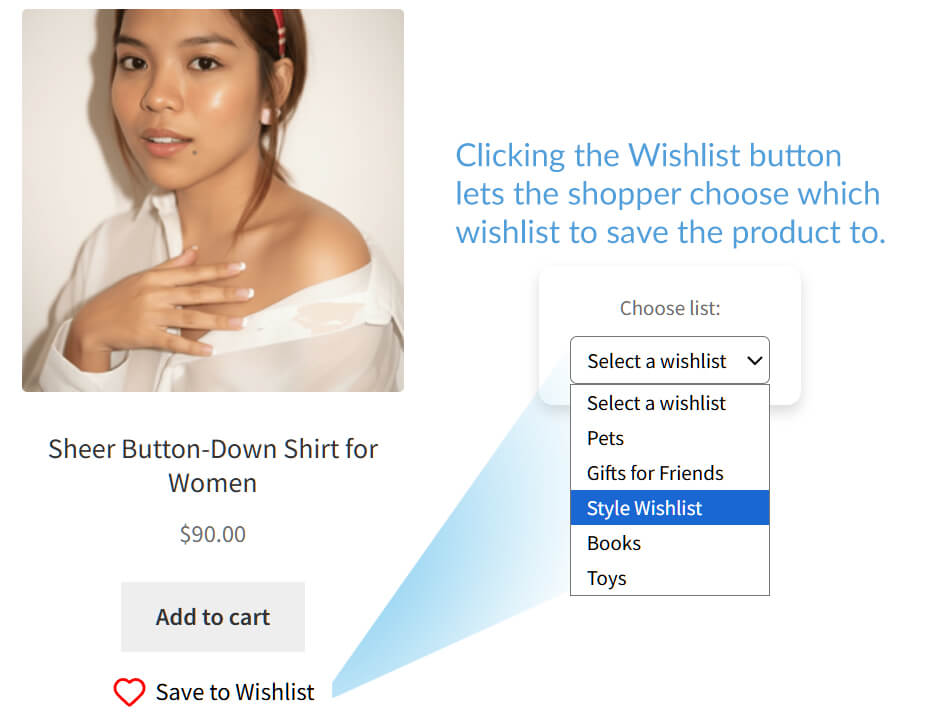
We highly recommend this feature because it offers a level of convenience that makes shopping more enjoyable and satisfying, helping encourage customers to keep coming back to your store.
2. Rename wishlists
Users can name their wishlists however they like. It works like labeling folders in a notebook. Clear names make it easier to remember what each list is for and find items quickly later.
3. Change item quantity inside the wishlist
Shoppers can change the quantity of an item before moving it to the cart. This saves time and avoids extra trips back to the wishlist.
Basically, this feels like adjusting how many items you want on a shopping list before heading to the store.
4. Drag and drop sorting
Users can rearrange items with a simple drag and drop. It works like moving sticky notes on a wall. This helps them place important items at the top and organize lists by priority.
6. Move items between lists
Shoppers can transfer items from one wishlist to another with one click. It’s helpful when plans change.
For example, a “Birthday Gifts” item can be moved to “Christmas Presents” if the user decides to save it for the holidays instead.
7. Save the entire cart to a wishlist
Shoppers can save their entire cart to a wishlist for later. This is useful when they aren’t ready to check out but don’t want to lose their selections.
This is like taking a snapshot of your shopping basket to return to whenever you’re ready.
More features
1. Guest user wishlists
Customers can save items even without creating an account. This makes it easy for first-time visitors to come back later.
For example, someone browsing gifts might not want to sign up yet, but they can still save items and return when they’re ready to buy. This helps capture sales that might otherwise be lost.
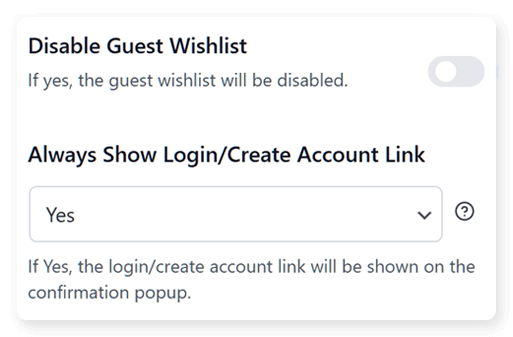
We also recommend this feature. As stated on Forbes, 43% of shoppers prefer to check out as guests, and surprisingly, most of them—about 72%—do this even when they already have an account.
2. Block support
SaveTo Wishlist works with WooCommerce Blocks. This lets you place wishlist buttons anywhere on your site, like dropping sticky notes wherever shoppers might need them.
3. Customization options
You can change button styles, colors, and labels to match your store. This lets the wishlist fit naturally with your brand’s look and feel.
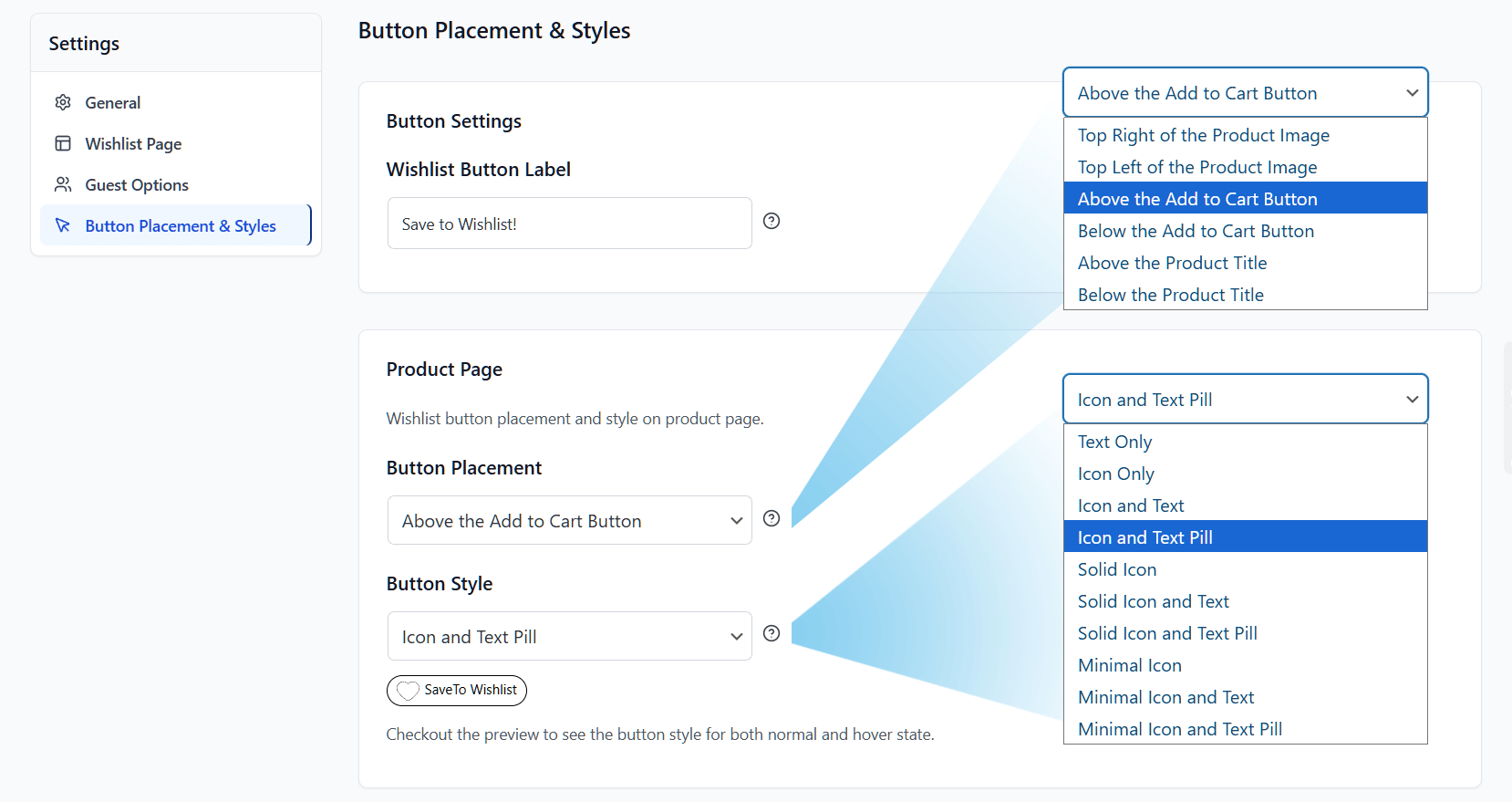
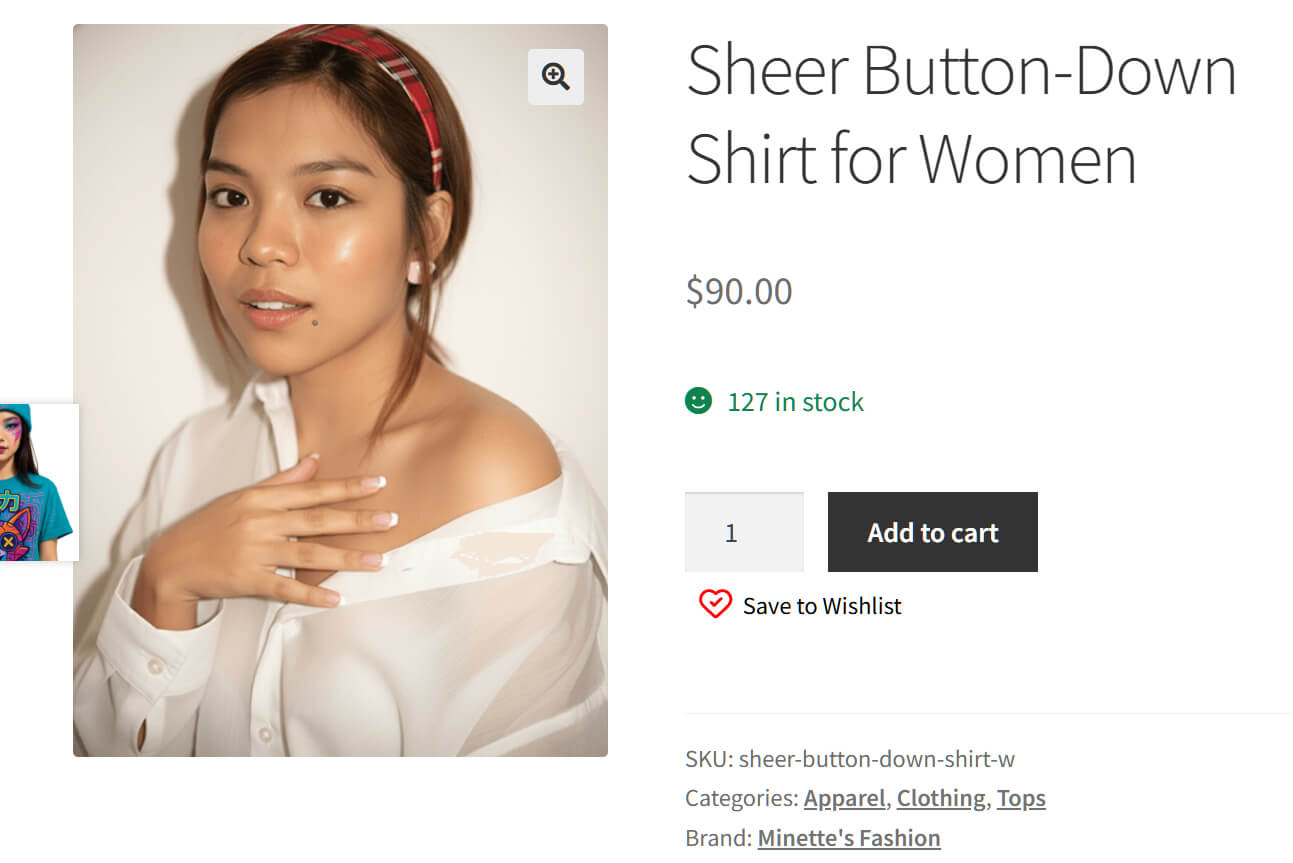
You can also choose where on a page your wishlist button shows up. For example, you can place it within a product image, above the product title, below the Add to Cart button, or in another location that best fits your layout
4. My wishlists page
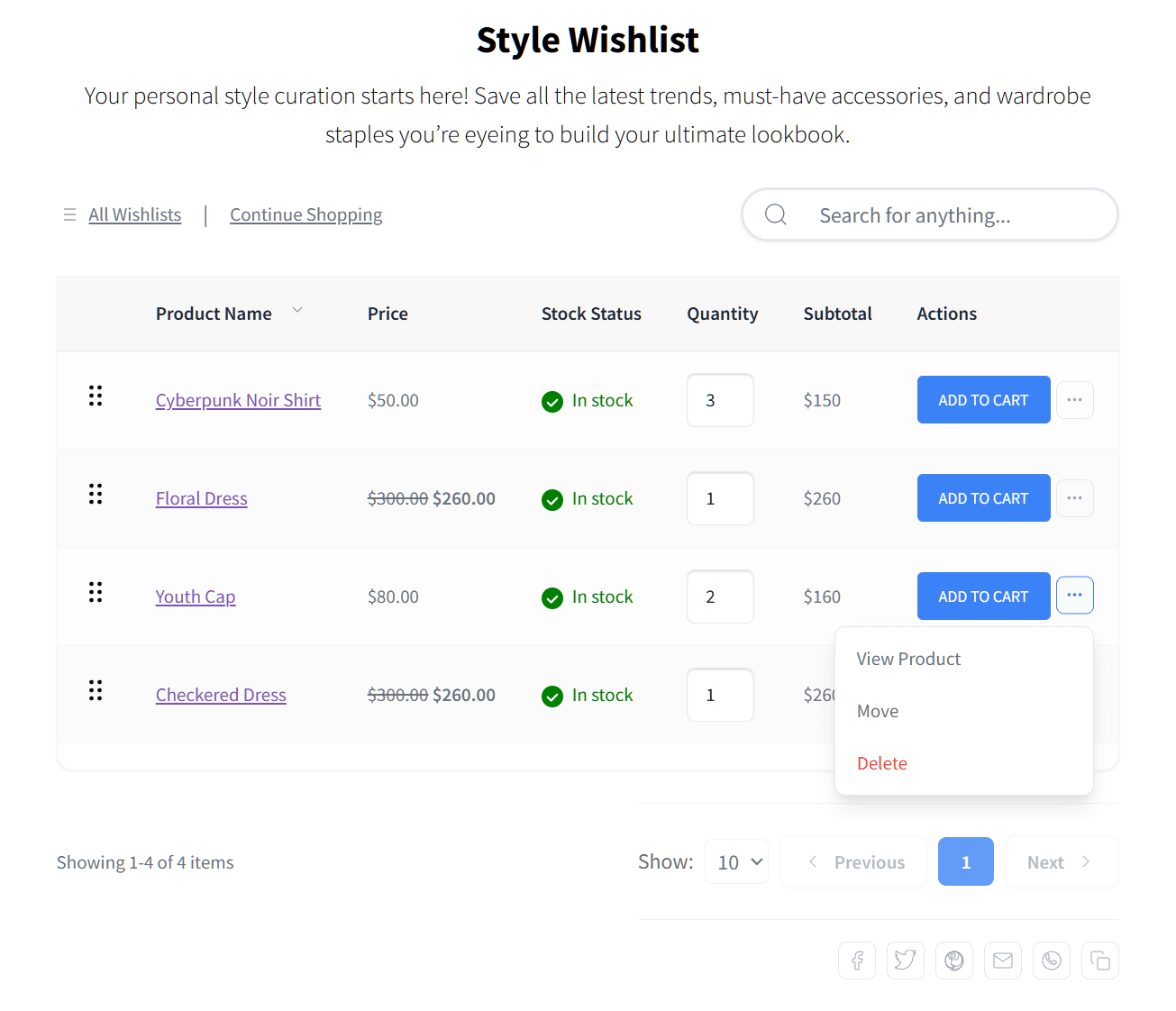
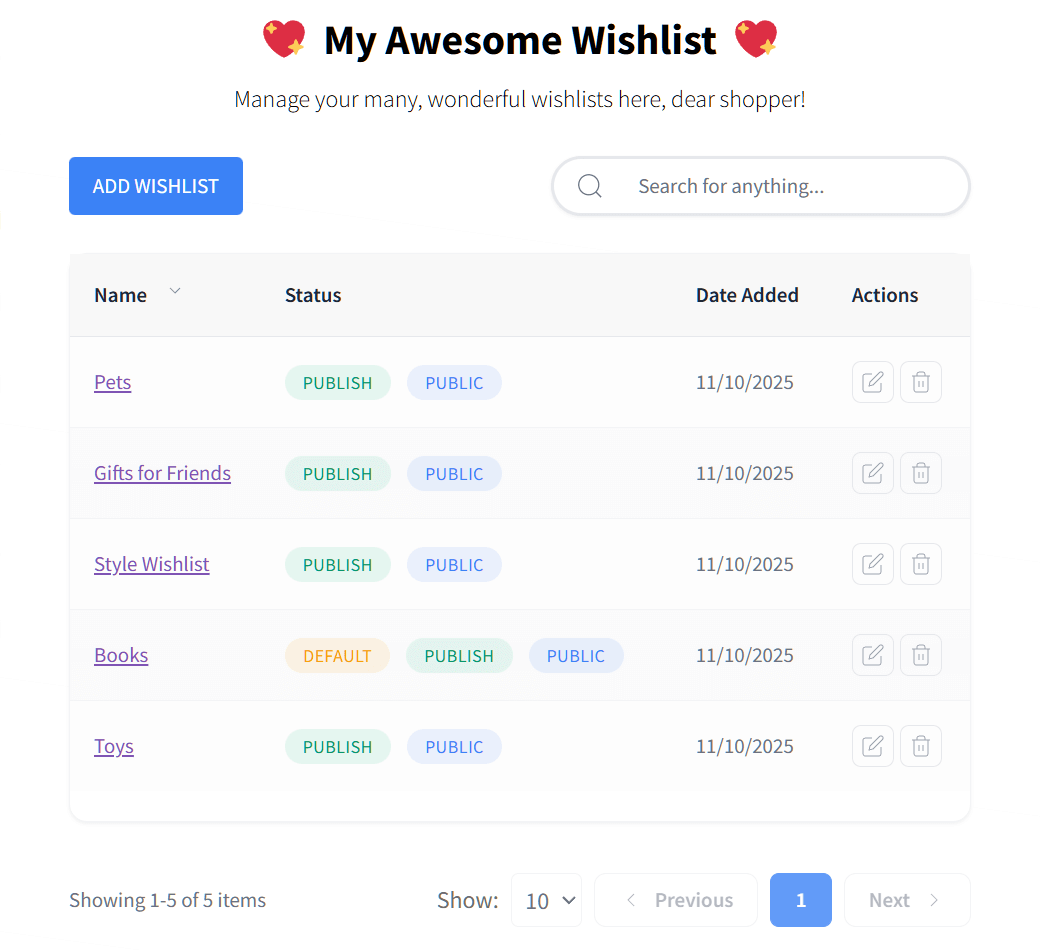
This is a clean page where users can manage all their lists. It keeps everything organized and easy to navigate.
For instance, shoppers can quickly see which items are for birthdays, personal use, or gifts. This makes it easier to move products to their cart when ready.
5. Admin controls and insights
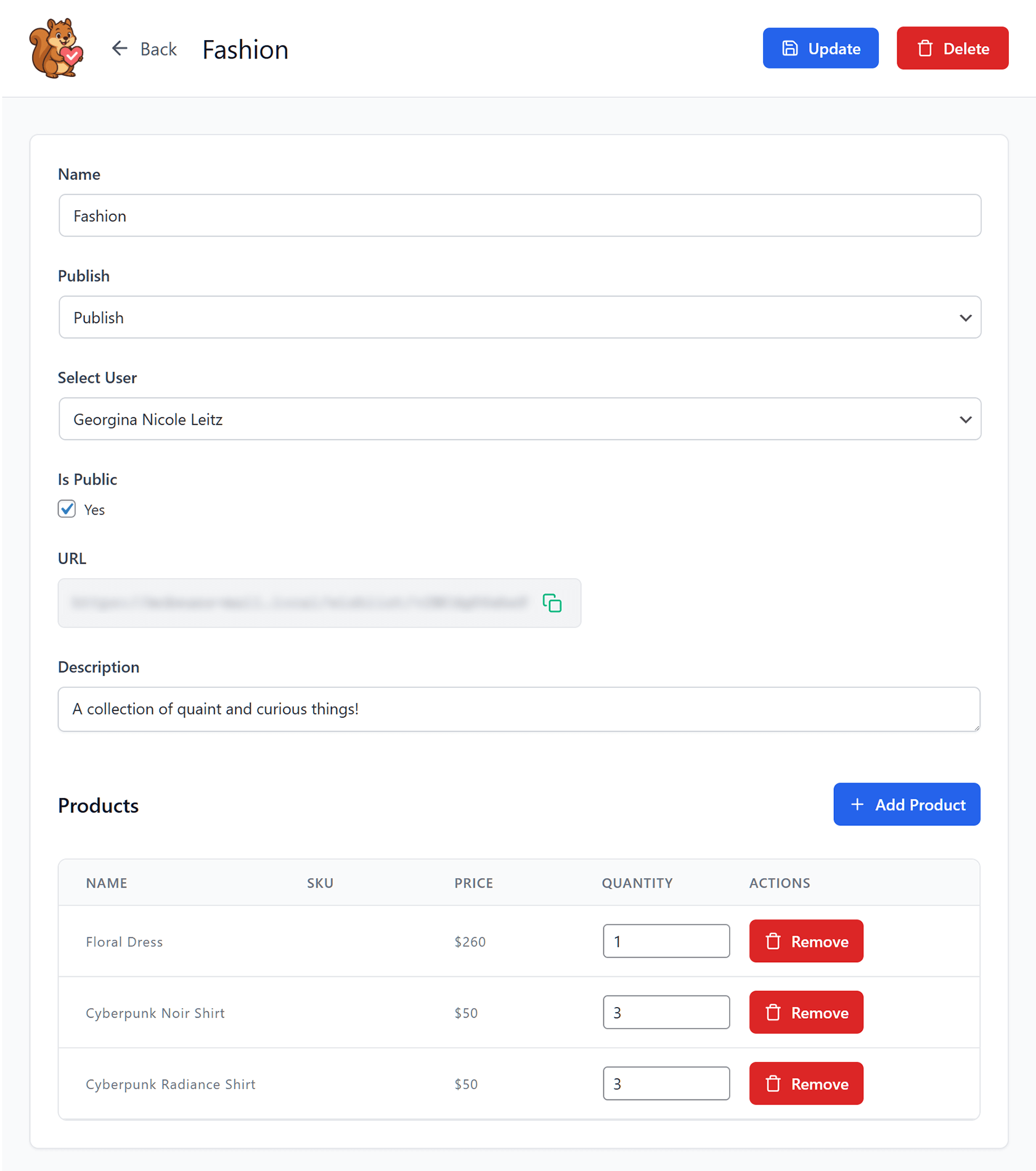
Thanks to SaveTo Wishlist’s admin controls, store owners can see saved items and list activity. It’s like having a window into what shoppers want most.
For example, if many customers save a particular t-shirt, you can make sure it stays in stock, create promotions around it, or suggest it to similar shoppers.
6. Translation ready
What is a wishlist feature good for if it doesn’t work for global audiences?
Being translation-ready, SaveTo Wishlist allows you to reach customers in multiple languages without extra work. This makes it easier to sell to shoppers around the world and provide a smooth experience for everyone.
This is an extremely useful feature especially if you want to take your business worldwide. In fact, one report shows that 76% of global consumers prefer to purchase from sites in their native language.
7. Wishlist REST API
For stores with custom setups, the REST API gives flexibility. Developers can integrate wishlists anywhere they need. This means you can connect wishlists to custom pages, apps, or workflows, giving shoppers a smooth experience no matter how your store is built.
In short, SaveTo Wishlist makes it easy to add practical and comprehensive wishlist features without complicating your store. It covers everything you need to give your shoppers a convenient, organized, and enjoyable way to save and manage products.
Additional Resources
Now that you know the answer to “What is a wishlist?”, it’s time to learn how to turn this feature’s simplicity into more profit!
Read our additional resources to see how you can use this feature for better sales and customer engagement.
Want to know how to install and activate the wishlist feature in your WooCommerce store? Then read this extensive guide!
How To Add Wishlist Functionality To Your WooCommerce Store (Easy Starter Guide)
Check out the following guide if you want to know how customers create and manage wishlists:
How Customers Create An Online Wishlist (Easy Guide For Store Owners)
Looking for a more detailed guide on how to boost your sales with wishlists? Give our article a read-through!
Online Wishlist Maker Guide: How To Use SaveTo Wishlist To Drive Store Sales
Curious about advanced wishlist features, like data analytics and automation? Check out this guide:
SaveTo Wishlist Pro: How To Turn Saved Items Into A Growth Engine
Conclusion
What is a wishlist? It’s a small tool that can yield big results! After all, it’s more than a list of products. It’s a feature that helps shoppers plan, remember, and share their favorite items, while giving store owners insight into what customers want most.
To recap, this article explored the following concepts:
When you use SaveTo Wishlist to add a wishlist to your WooCommerce store with SaveTo Wishlist, you make shopping easier, encourage repeat visits, and increase the chances of turning browsers into buyers.
We hope we’ve given a clear answer to the question, “What does wishlist mean?” So, are you ready to turn browsers into buyers? Download SaveTo Wishlist for free today!
“What Is A Wishlist?” And Other Frequently Asked Questions
What is a wishlist in an online store?
In an online store, a wishlist is a feature that offers a digital space where shoppers can save products they like but aren’t ready to buy. It functions as a personal shelf for future purchases.
How can wishlists help reduce cart abandonment?
Wishlists allow customers to save items without immediately purchasing, encouraging them to return later to complete their purchase, thus reducing cart abandonment.
Why is it important to understand the wishlist meaning?
Understanding the answer to “What is a wishlist?” is important because it’s more than just a “save” button; it’s a way to plan for the future. For shoppers, a wishlist helps you keep track of items you want without the pressure of buying them right away. For stores, seeing what people add to their wishlists helps them understand which products are popular so they can keep them in stock or offer better discounts.
Why do shoppers rely on wishlists when shopping online?
Shoppers rely on wishlists because they make shopping easier by helping them keep track of desired items and plan future purchases.
Why should store owners care about wishlists?
Wishlists give store owners insight into what customers want most, support repeat visits, and offer opportunities for personalized marketing, increasing sales chances.
What features does SaveTo Wishlist offer for WooCommerce stores?
SaveTo Wishlist offers features like multiple wishlists, renaming and organizing lists, changing item quantities, drag-and-drop order, saving entire carts, guest user wishlists, and more, all for free.


