

 Reviewed by
 We know that while you love making your store unique, you don’t always have the time to be a full-time designer. Adjusting every tiny detail can feel like a chore when you’d rather be focused on growing your business. That’s why our latest update is focused on speed and style. Our new Wishlist Button Templates are officially live, giving you professional designs in seconds.
However, this update is about more than just good looks. We’ve added five big features to help your store look better for shoppers and work smarter for you. We’ve grouped these into two main areas: Customization to improve the shopper experience and Growth Tools to help you understand your data and move between plugins safely.
Jump To:
Enhanced Customization & Shopper Experience
We know how much you enjoy using our extensive wishlist customization to get every detail right. This group of features is designed to make your store look more professional while making it even faster for your customers to save their favorite items.
1. Preset Wishlist Button Templates: Great Style in One Click
If you want a professional look without the manual setup, these presets handle the design work for you. We added 12 new Preset Wishlist Button Templates so you can get a great-looking design instantly.
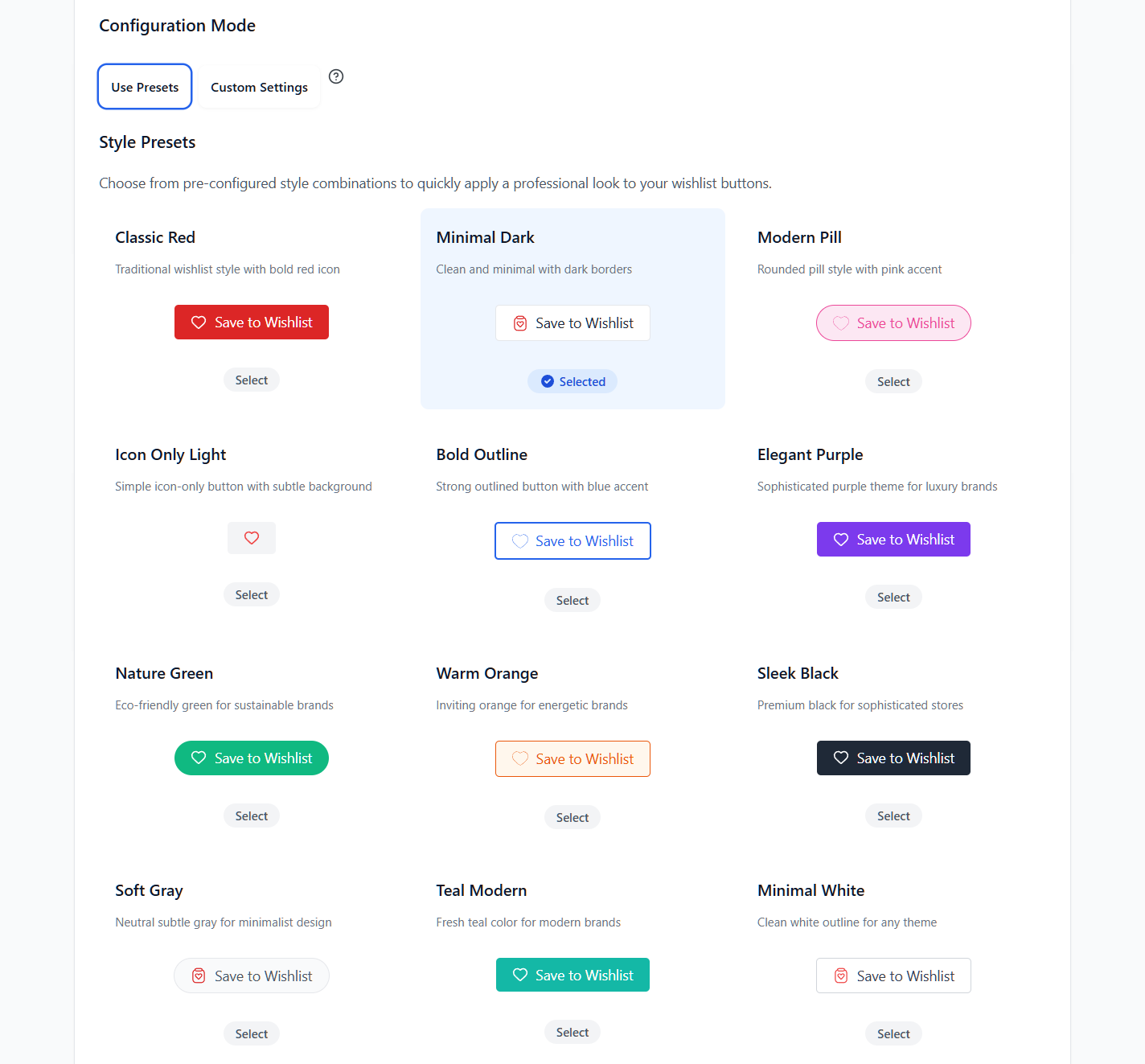
- A style for every brand: Choose from 12 styles, like “Elegant Purple” for luxury stores or “Nature Green” for eco-friendly brands.
- Easy setup: Just go to the Button Placement & Styles tab, select Use Presets, and click your favorite design.
- Works everywhere: Pick matching templates for your Product Page, Shop Page, and Cart Page in seconds.
With these new presets, your wishlist buttons will blend perfectly with your store’s theme in seconds.
🚀 Pro Tip: Use the “Icon Only Light” template if you want a minimalist look that doesn’t distract from your beautiful product photography.
2. Wishlist Page Style: Match Your Brand with Ease
Your wishlist page should feel like a natural part of your website. We added a brand new Styles section to your Wishlist Page settings so you can match your brand without needing to write any code.
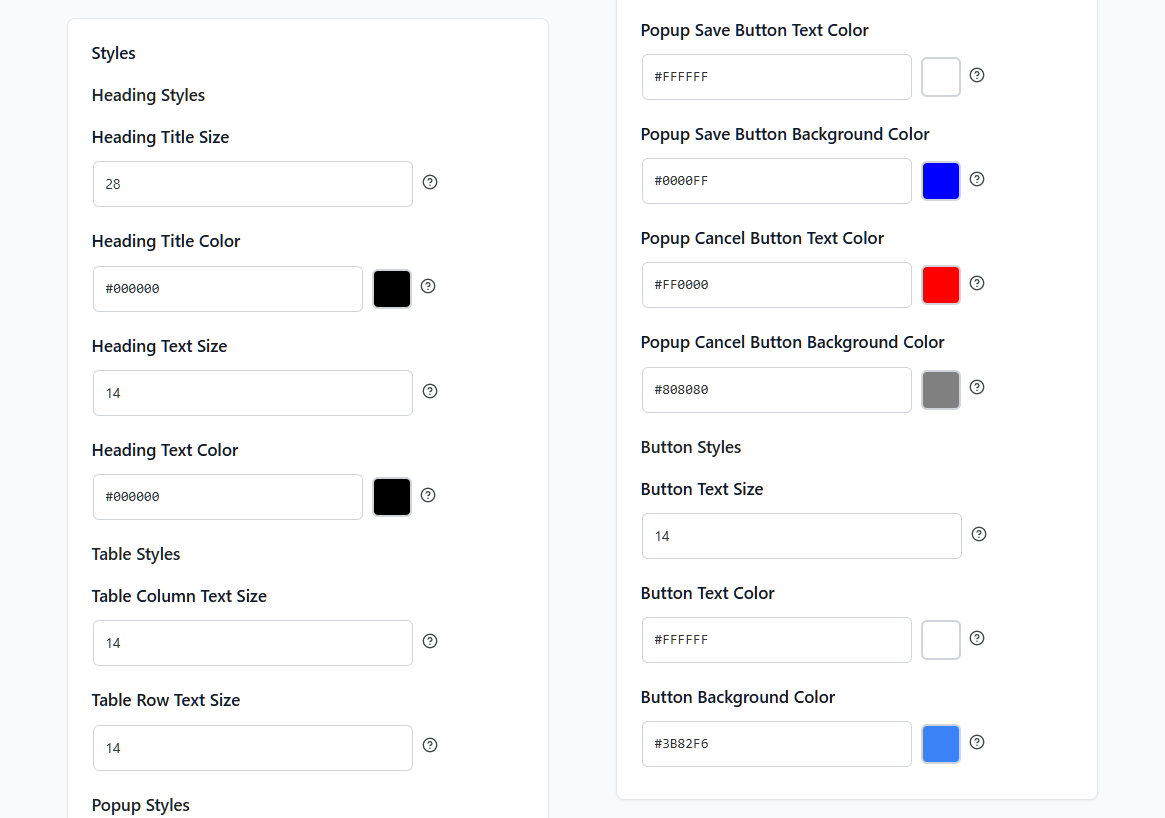
- Headings and text: Pick the exact font size and color for your wishlist titles and descriptions.
- Wishlist tables: Change the text size for your columns and rows so your product lists are crisp and easy to read.
- Popups: Fully style the boxes users see when creating multiple wishlists, including button colors.
- General buttons: Customize the background and text colors for the buttons on your wishlist page using exact color codes.
Use the exact color codes to ensure the wishlist feels like a built-in part of your store’s theme!
🚀 Pro Tip: Match your “Save Button” background color to your store’s primary brand color to build trust and keep your design consistent.
3. The “Fade” Action: Zero Interruptions for Shoppers
Sometimes, the best way to keep a customer shopping is to stay out of their way. Our new Fade option in your Wishlist Action settings provides a completely uninterrupted experience.
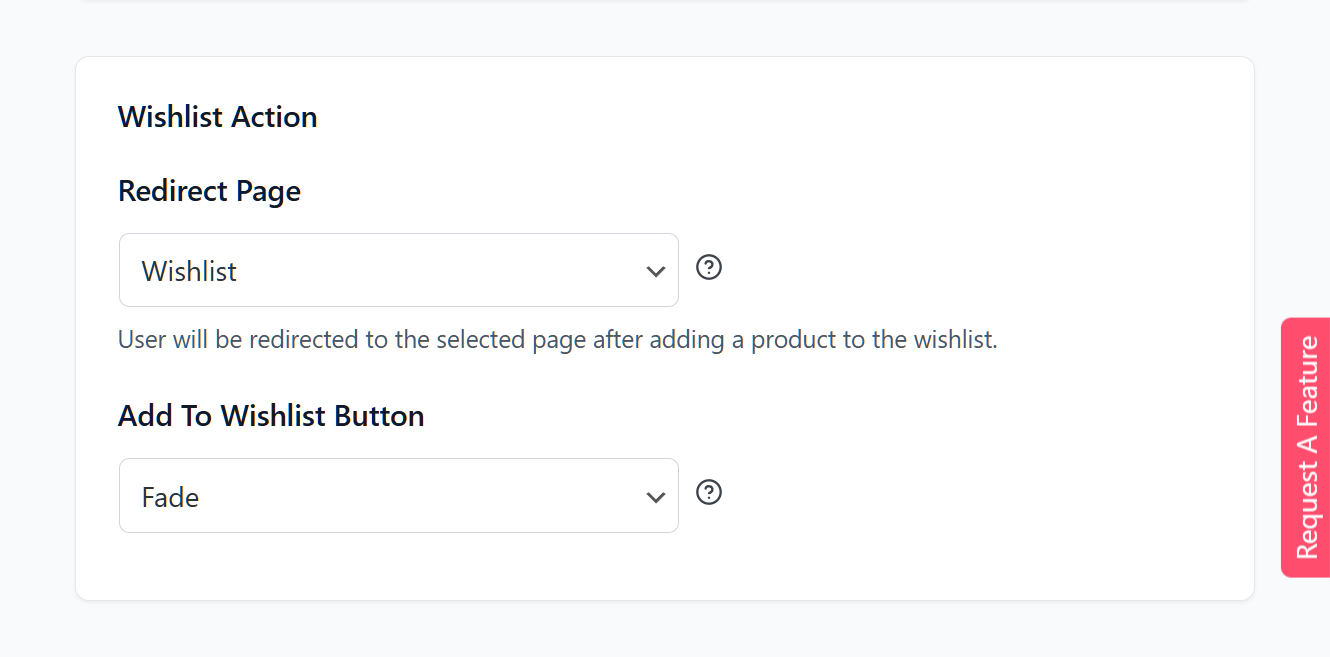
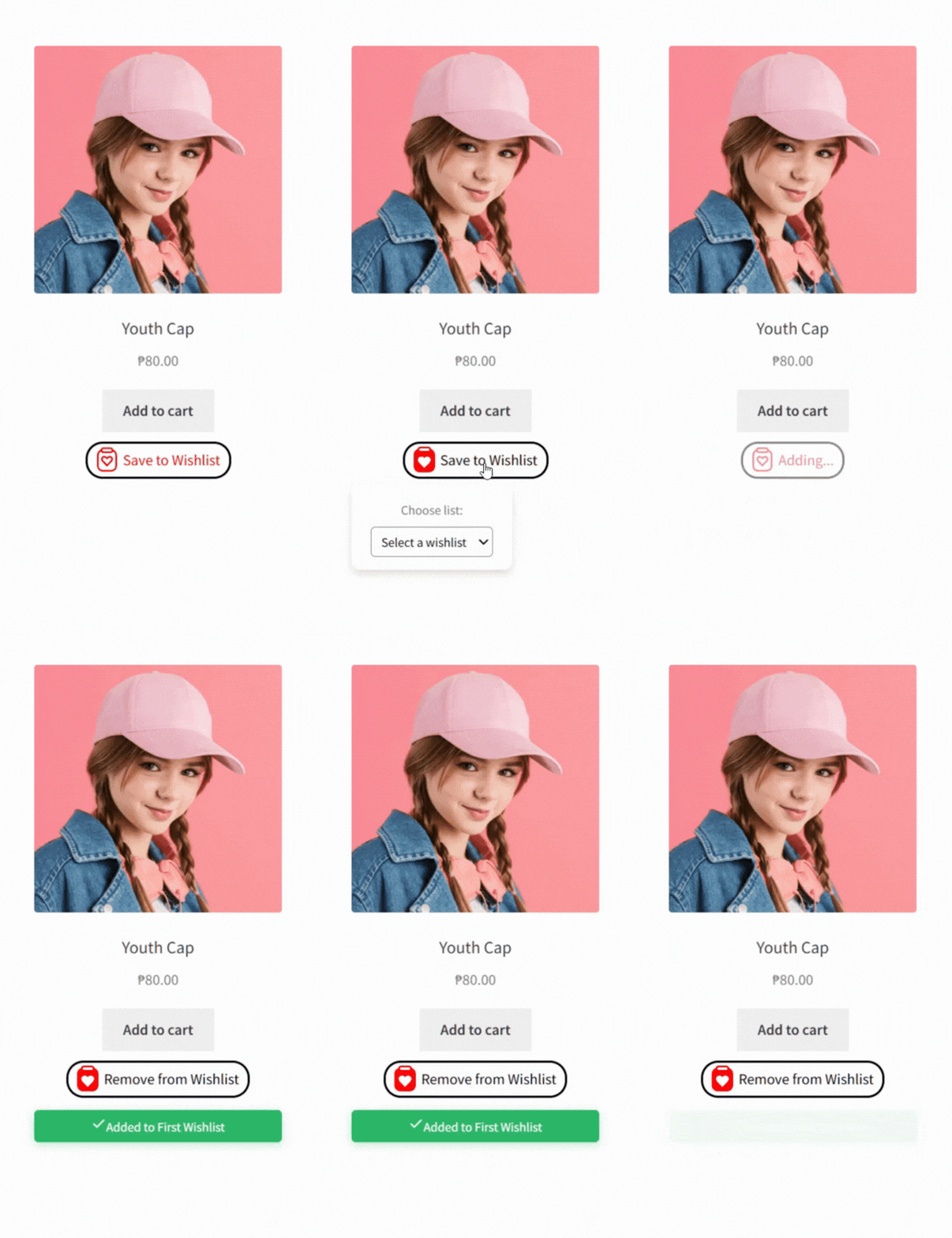
- Sleek animation: The button gently fades out and back in to let the shopper know their click was registered.
- Clear confirmation: A clean, green message reading “Added to [Wishlist Name]” appears right below the button.
- Disappears quickly: The message stays on the screen for two seconds before automatically disappearing.
This subtle change makes saving items feel faster, which helps keep shoppers engaged while they browse.
🚀 Pro Tip: Use the “Fade” action for your Shop and Category pages to allow customers to quickly “heart” multiple items without ever leaving the product list.
Growth Tools & Easy Onboarding
These features are built for the business side of your store. They help you understand what your customers want and make it easier to switch to SaveTo Wishlist and get your data moved over quickly.
1. Automation And Analytics Demo Page: Unlock Your Data
Wishlists are a goldmine of information. To give you a peek behind the curtain, we added a new Automation and Analytics Demo Page that gives you a sneak peek into the advanced features available in SaveTo Wishlist Pro.
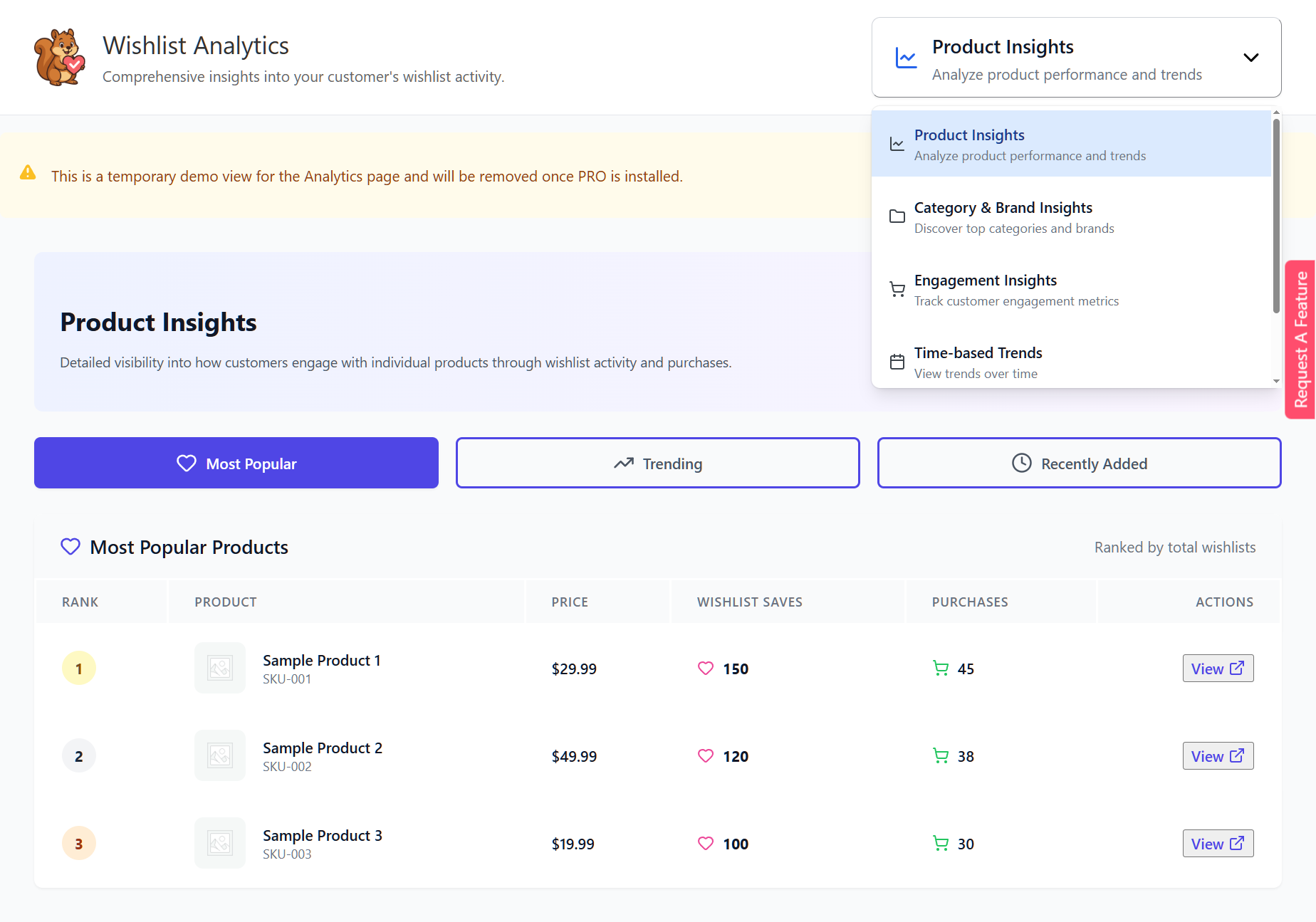
- Analytics previews: Explore interactive mockups showing “Product Insights” and “Customer Behavior.”
- Automation ideas: Discover how targeted campaigns can turn saved items into real revenue.
- Test drive Pro: Use these educational screens to see the powerful tools waiting in the Pro version.
If you like what you see in the demo and want to see how these tools work for real, you can learn all about them in the following guides:
🚀 Pro Tip: Check out the “Product Insights” demo to see which items are saved most often. This is a great way to decide which products to put on sale!
2. Wishlist Importer: Switch Without Losing Data
Moving to a new plugin shouldn’t mean losing your customers’ saved items. Our new Wishlist Importer lets you safely transfer your existing data to SaveTo Wishlist in just a few clicks.
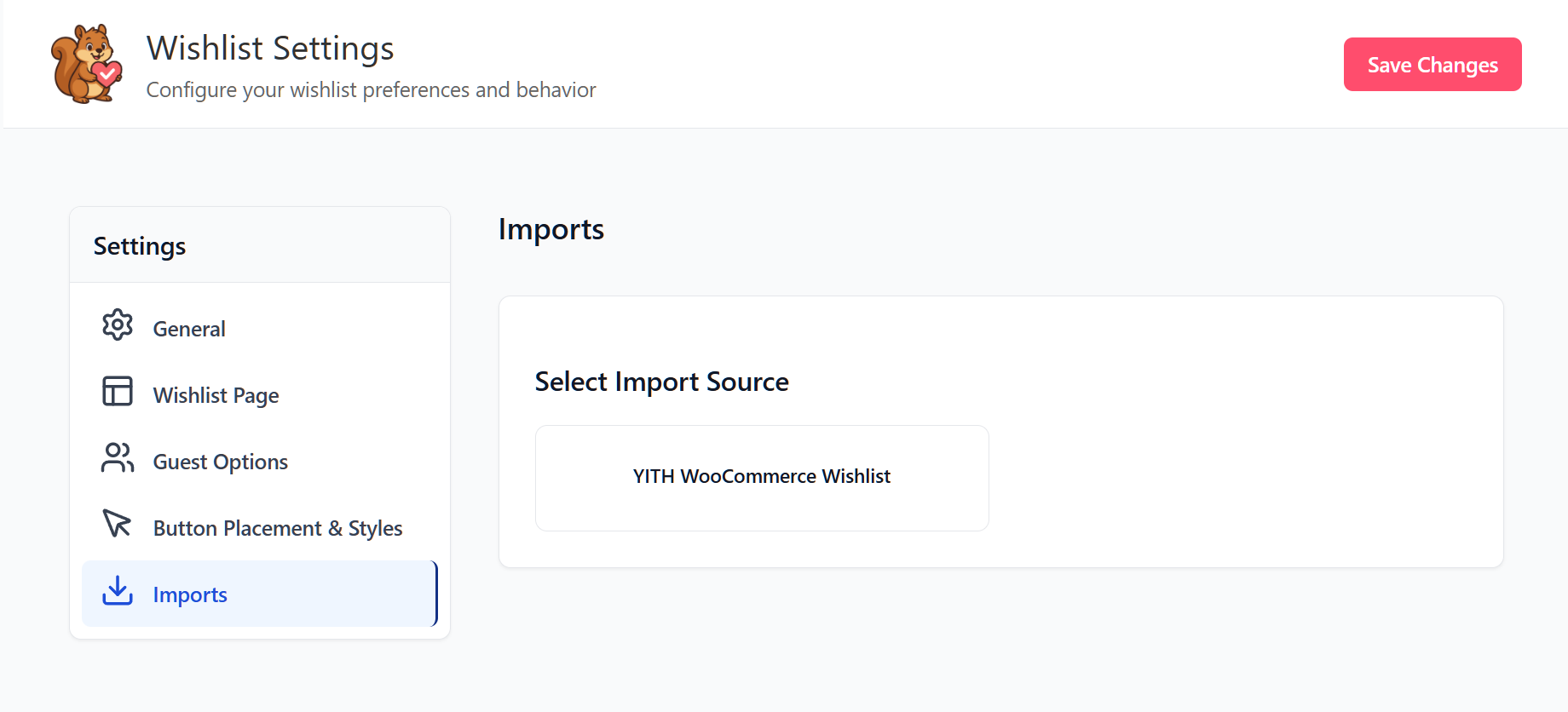
- Easy migration: Seamlessly pull information directly from the YITH WooCommerce Wishlist plugin.
- Clear previews: Review exactly how many wishlists, items, and users will move before starting.
- Keep your settings: Preserve your customers’ default lists and privacy preferences during the move.
- Track progress: Watch the transfer in real-time and get a clear success message when it’s finished.
Upgrading your wishlist plugin is now much more straightforward.
🚀 Pro Tip: Always use the “Preview” screen to double-check your data totals before clicking “Start Import” to ensure a smooth transition.
Conclusion
Choosing a save button shouldn’t be a chore, so we hope these 12 Wishlist Button Templates make your design process much faster. Combined with the Wishlist Importer and other new features, these updates make your shop easier to manage and more enjoyable for your customers.
To recap, we’ve just released five new free features for SaveTo Wishlist:
- Preset Wishlist Button Templates
- Wishlist Page Style
- Fade Action
- Automation and Analytics Demo Page
- Wishlist Importer
Give these new features a try; get SaveTo Wishlist for free today and let us know what you think!
FAQs
What do the new Preset Wishlist Button Templates actually do?
The preset control allows you to quickly apply 12 predefined style templates without having to manually configure colors. You can easily select from designs like “Classic Red,” “Elegant Purple,” or “Minimal White” and apply them directly across your Product Page, Shop Page, and Cart Page.
Is the Wishlist Importer safe to use, and how does it handle my data?
The Wishlist Importer gives you full control over the process. It includes specific import options that allow you to merge existing wishlists and preserve your customers’ default list and privacy settings. Moreover, it helps ensure accuracy by providing a preview showing the exact number of wishlists, items, and users that will be imported before you start the process.
Does the Automation and Analytics Demo Page use my store’s real data?
No, it doesn’t. The update adds “dummy” Automation and Analytics page components that strictly display sample automations with demo data. The page even informs you that the demo view is temporary.


