

 Reviewed by
 If you run a fashion store on WooCommerce, your customers don’t use wishlists the way electronics or home goods shoppers do. They’re not saving a single item to “think about it.” They’re building entire outfits, comparing sizes, tracking seasonal collections, and waiting for that end-of-season markdown before they pull the trigger.
That’s a completely different buying behavior, and it means a generic wishlist setup is leaving money on the table. When your fashion store wishlist WooCommerce configuration doesn’t match how apparel shoppers actually browse, you lose the chance to increase average order value at multiple touchpoints.
This guide covers five fashion-specific wishlist strategies that work with WooCommerce. Each one maps to a real feature in SaveTo Wishlist, and each one targets a different part of the fashion buying cycle.
Table Of Contents
- Why Fashion Shoppers Use Wishlists Differently
- 1: Seasonal Collection Wishlists
- 2: Outfit Builder Lists
- 3: Sale Alert Strategies For Fashion
- 4: Size And Color Variant Wishlists
- 5: Lookbook Integration
- Frequently Asked Questions
- Start Building Fashion-Specific Wishlists Today
Why Fashion Shoppers Use Wishlists Differently
In the world of ecommerce fashion, shopping is emotional, seasonal, and heavily influenced by personal style preferences. A shopper browsing your WooCommerce store isn’t just evaluating one product against a spec sheet. They’re picturing how a top goes with a skirt, whether a jacket works for both work and weekend, and whether they should wait for the price to drop.
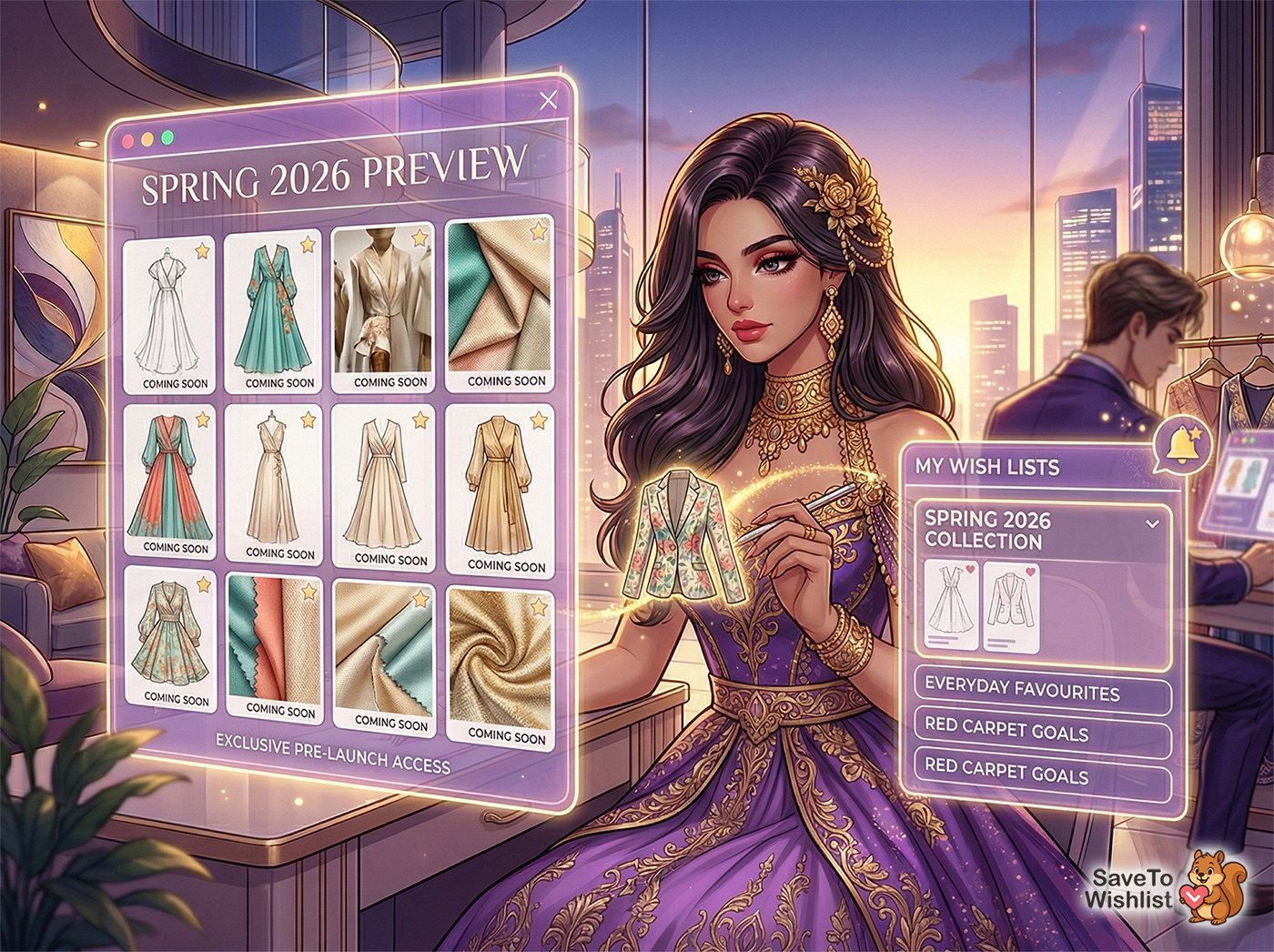
According to Barilliance, personalized product experiences (including wishlists and saved items) can increase average order values by up to 20%. For fashion stores specifically, that uplift tends to be even higher because of how shoppers naturally bundle items.
Wishlists in fashion aren’t just bookmarks. They’re styling tools, planning tools, and price-watching tools. Understanding that distinction is the first step to configuring your wishlist in a way that actually drives revenue.
🔍️ What We’ve Seen: One thing we commonly see with fashion stores: customers create wishlists with 3-4 variations of the same item in different sizes or colors. They’re comparison shopping within your own catalog. If your wishlist doesn’t track the exact variant they saved, they come back to a generic product page and have to start over. That friction kills conversions.
Strategy 1: Seasonal Collection Wishlists
Fashion runs on seasons. Spring/Summer, Fall/Winter, Resort, Pre-Fall. Your customers already think in terms of collections, and your wishlist strategy should match.
How it works
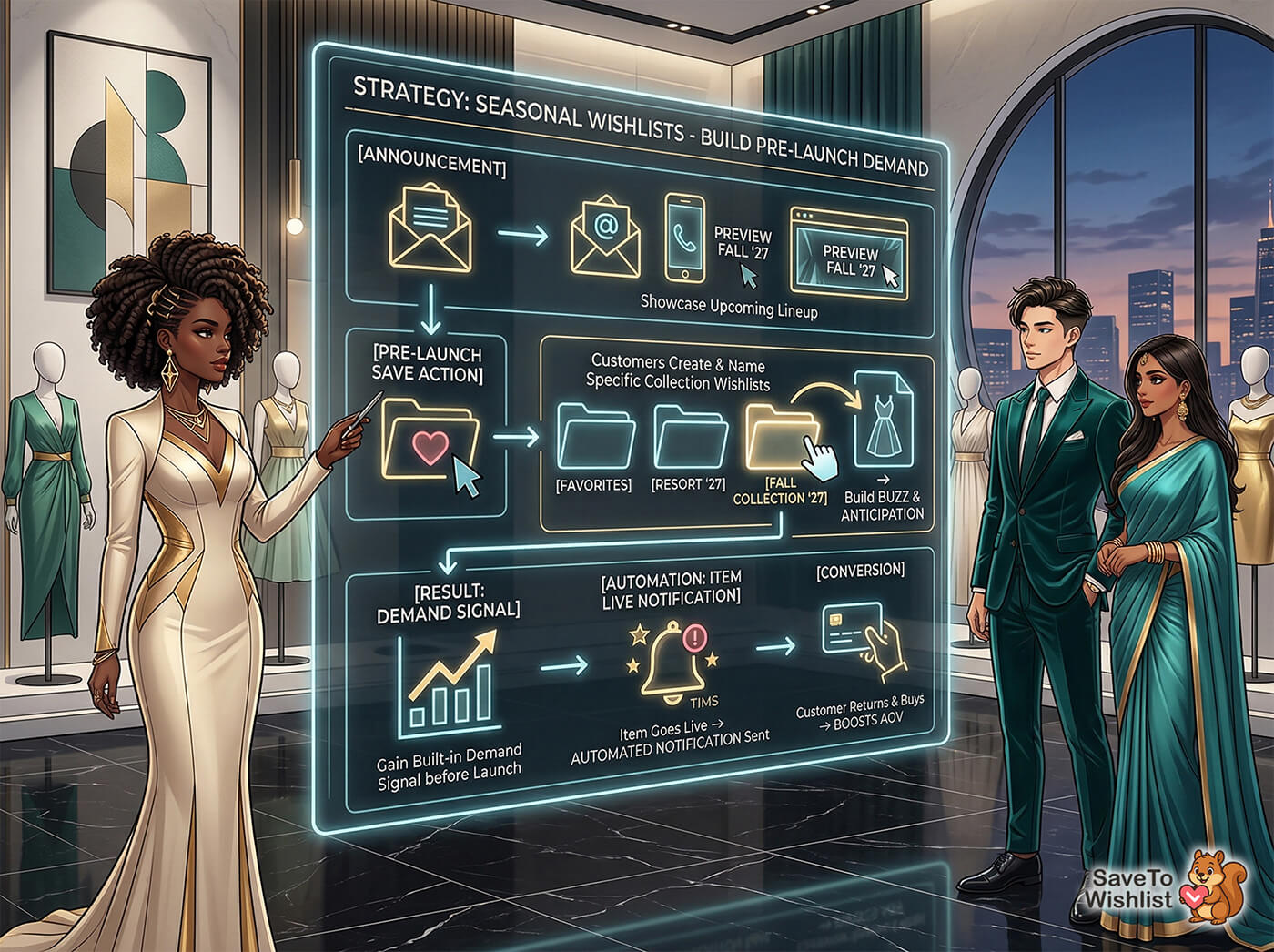
Create a buzz around upcoming collections by letting customers save items before they’re available to purchase. When you announce your next season’s lineup through email, social media, or on-site banners, customers can add items to a “Spring 2026” or “New Arrivals” wishlist. This gives you two things: built-in demand signals before launch and a warm audience you can notify the moment items go live.
Setting this up with SaveTo Wishlist
SaveTo Wishlist’s multiple wishlists feature lets customers create named lists for different purposes. A customer can have a “Fall Collection” list alongside their everyday “Favorites” list.
Pair this with wishlist automations to automatically notify customers when items on their list become available or get restocked. Instead of hoping customers remember to come back, you bring them back with a triggered notification.
The pre-launch wishlist approach works especially well for stores that do seasonal drops or limited-edition releases. You’re converting browsing intent into a commitment before the sale even opens.
Strategy 2: Outfit Builder Lists
Here’s where fashion wishlists diverge most from other product categories. Fashion shoppers don’t buy in isolation. They buy in outfits.
Why outfit grouping increases AOV
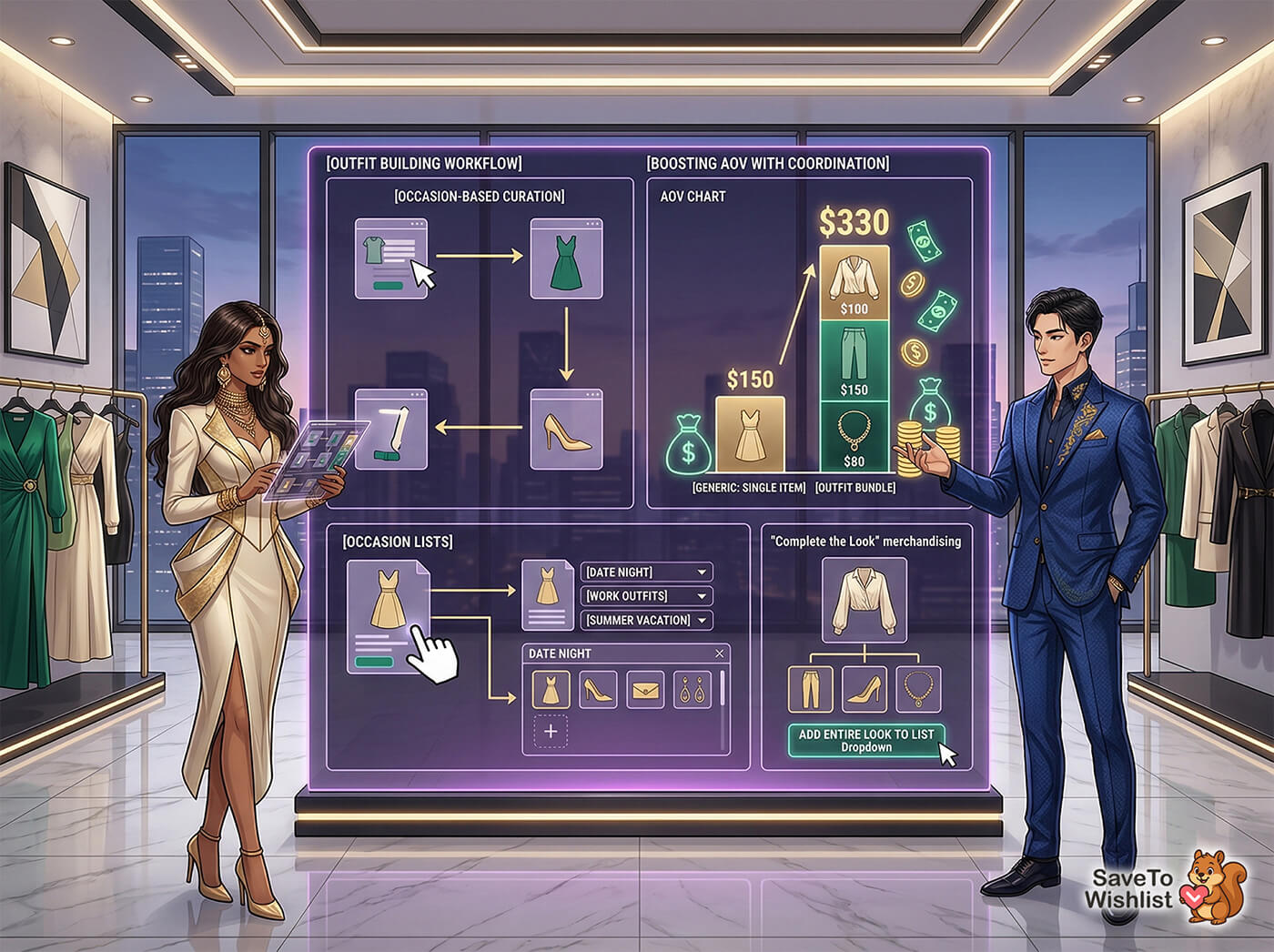
When a customer saves a blouse, a pair of trousers, and a statement necklace to the same list, they’re planning a coordinated purchase. That’s three items instead of one. According to McKinsey & Company, fashion consumers increasingly value curated, outfit-level shopping experiences over single-product browsing.
Multiple wishlists let customers organize saves by occasion. “Date Night.” “Work Outfits.” “Summer Vacation.” Each list becomes a mini shopping cart waiting to convert.
Making it easy for your customers
The key is making list creation frictionless. The SaveTo Wishlist plugin lets customers create and name new lists right from the product page, without navigating away. When you combine this with on-site merchandising that suggests complementary items (“Complete the look”), you nudge customers toward building fuller lists.
Check out the full set of SaveTo Wishlist features to see how outfit-based wishlisting fits into your store’s workflow.
Strategy 3: Sale Alert Strategies For Fashion
Fashion markdowns are predictable. End-of-season clearance in January and July. Black Friday. Mid-season sales. Your customers know these cycles, and many of them are wishlisting items at full price with the specific intention of buying on markdown.
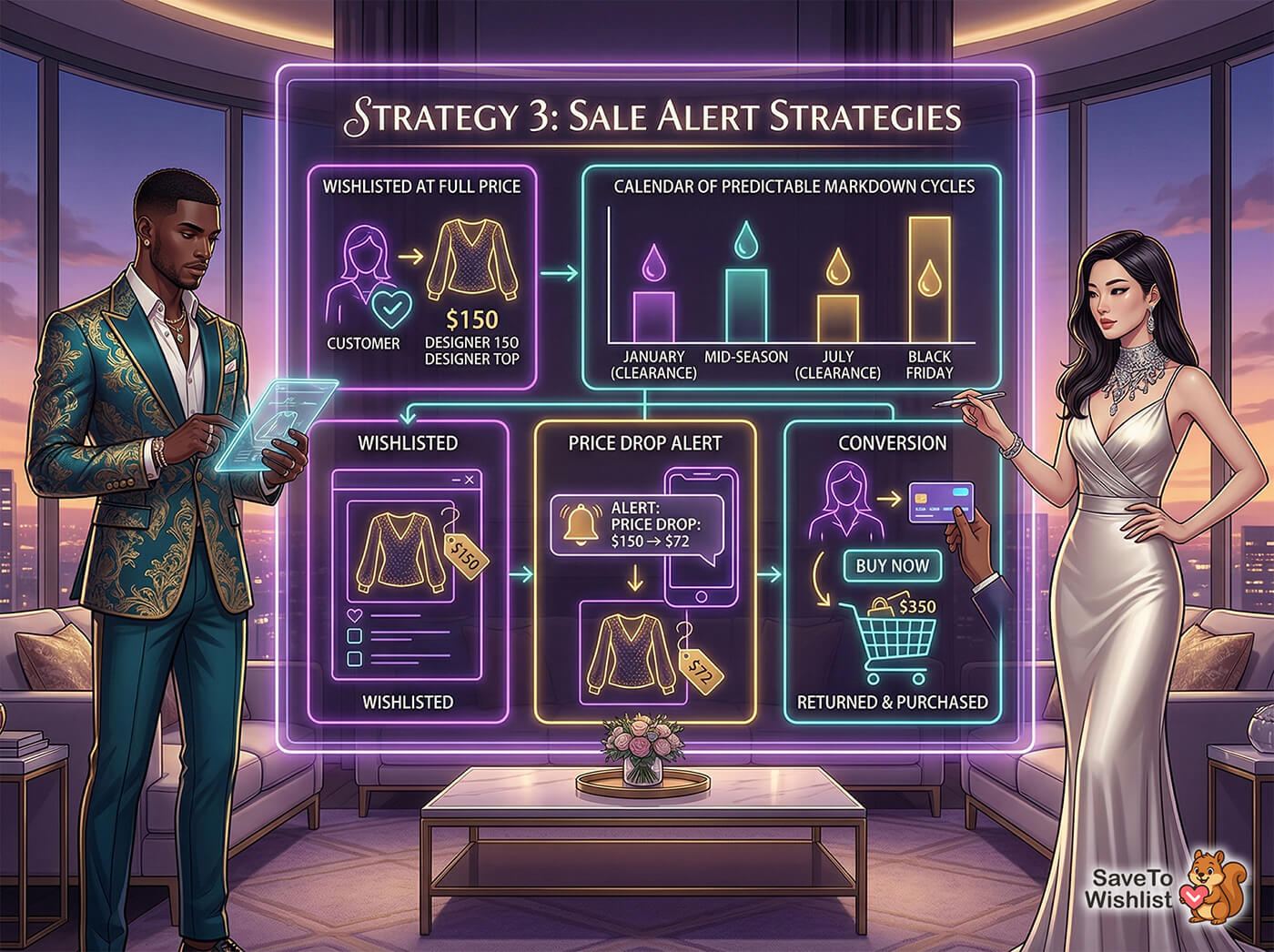
Fashion markdowns are predictable
This isn’t guesswork. Seasonal sale patterns in fashion are well-established, and savvy shoppers plan around them. A customer who wishlists a $120 jacket in October is a perfect candidate for a price drop alert when that jacket hits $72 in January clearance.
Price drop alerts for wishlisted items
SaveTo Wishlist Pro’s price drop alerts automatically notify customers when a saved item’s price decreases. For fashion stores, this is a direct revenue recovery tool. Instead of losing the customer who decided to “wait for the sale,” you bring them back the moment the price drops.
This works for any markdown scenario: seasonal clearance, flash sales, coupon promotions, or inventory reduction. The customer already told you what they want. Price drop alerts let you tell them when it’s time to buy.
According to Salesforce, price sensitivity is one of the top factors driving fashion purchase timing, with shoppers actively waiting for discounts on items they’ve already identified.
Strategy 4: Size And Color Variant Wishlists
This one is specific to fashion and it’s surprisingly underserved by most WooCommerce wishlist plugins.
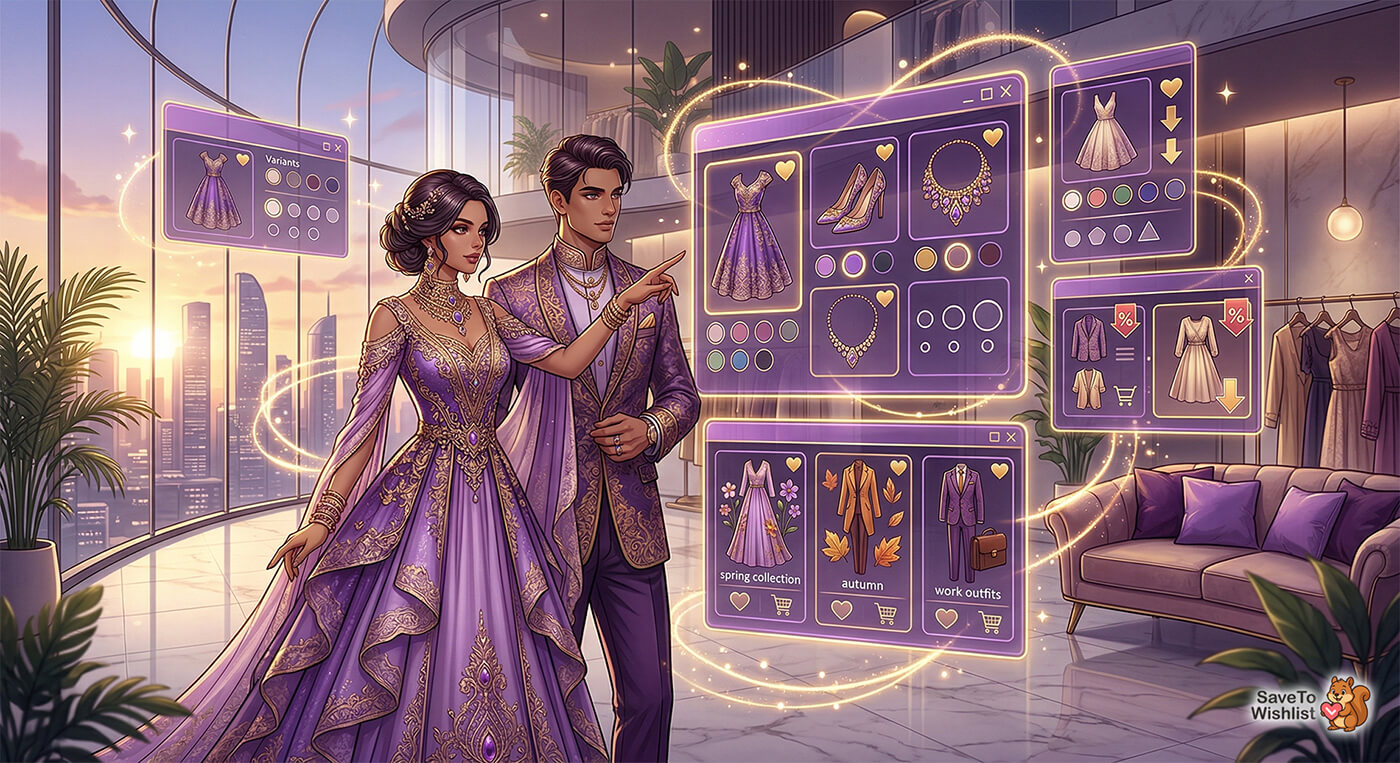
When a customer saves a product to their wishlist, they’re often saving a specific variant. Not just “Blue Linen Shirt” but “Blue Linen Shirt, Size Medium.” If your wishlist only saves the parent product without the variant, the customer comes back and has to re-select their size and color. That extra step creates friction, and friction kills conversions.
SaveTo Wishlist tracks the exact variation the customer selected, seamlessly capturing their clicks from your variation swatches, including size, color, and any other product attribute. When they return to their wishlist, they see “Blue / Medium” right there, ready to add to cart in one click.
Here’s the best part: variation tracking is included in the free version of SaveTo Wishlist. You don’t need to upgrade to Pro for this. For fashion stores where nearly every product has size and color variants, this is a foundational feature that eliminates unnecessary friction from the purchase path.
Strategy 5: Lookbook Integration
Fashion stores invest heavily in editorial content. Lookbooks, styled photoshoots, seasonal campaigns. That content drives engagement, but without a clear path from “I love this outfit” to “I saved it for later,” the purchase intent disappears when the customer closes the tab.
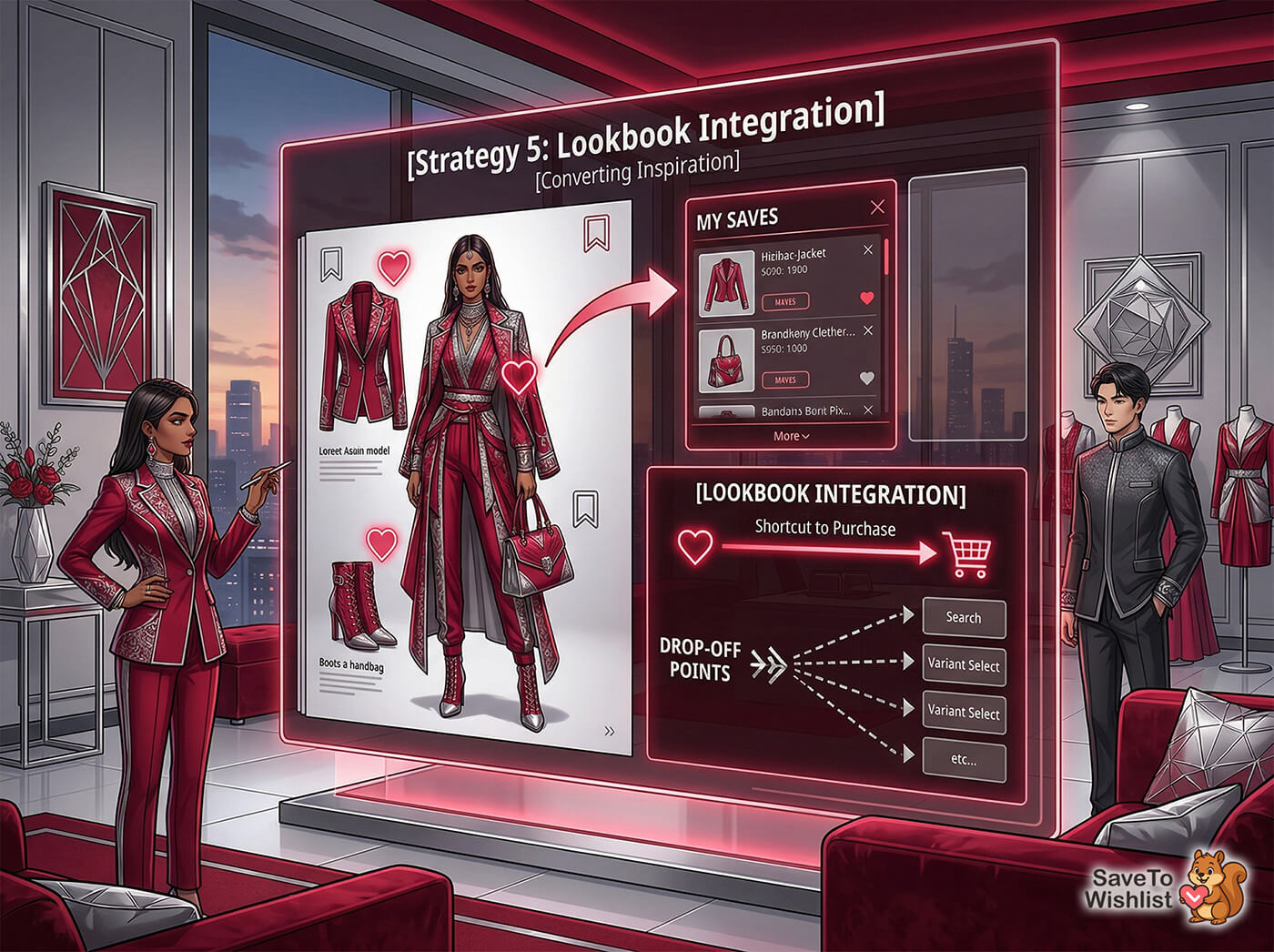
Connecting editorial content to wishlists
Add wishlist buttons to products featured in your lookbook pages. When a customer is browsing a styled editorial spread and sees a jacket they like, they should be able to save it without leaving the page.
SaveTo Wishlist’s customization options let you style the wishlist button to match your lookbook design. This isn’t a clunky “add to wishlist” text link. It’s a heart icon, a bookmark, or whatever fits your brand’s visual language.
From inspiration to purchase
Lookbook browsing is high-intent discovery behavior. Customers are actively engaged with your products, imagining themselves wearing them. A WooCommerce wishlist captures that emotional intent before the customer leaves.
Without it, you’re relying on the customer to remember the product, navigate back to the product page, find the right variant, and add it to their cart in a separate session. Every step in that chain is a drop-off point. Wishlists shortcut the entire process.
Frequently Asked Questions
Does SaveTo Wishlist work with WooCommerce variable products?
Yes. SaveTo Wishlist tracks the exact variant a customer selects, including size, color, and any custom attributes configured in WooCommerce. When a customer adds “Blue / Size M” to their wishlist, that’s exactly what they see when they come back. This is included in the free version.
Can customers share their fashion wishlists with friends?
Yes. Customers can generate shareable links for any WooCommerce wishlist. This is useful for fashion shoppers who want to share outfit ideas, create gift guides, or get opinions from friends before buying. Learn more about sharing and permissions.
Do I need SaveTo Wishlist Pro for price drop alerts?
Yes. Price drop alerts are a Pro feature. SaveTo Wishlist Pro starts at $49.50 for the first year, then $99/year, for a single site (Growth plan) with a 14-day money-back guarantee. The free version includes unlimited wishlists, variation tracking, guest wishlists, and multiple wishlists.
Can guests use wishlists without creating an account?
Yes. SaveTo Wishlist supports guest wishlists in the free version. Shoppers can save items without logging in or creating an account, which reduces friction for first-time visitors.
How many wishlists can a customer create?
There’s no limit. Customers can create as many named wishlists as they want with the free version of SaveTo Wishlist. This is what makes strategies like outfit builder lists and seasonal collection lists practical.
Start Building Fashion-Specific Wishlists Today
Fashion stores that treat wishlists as a generic feature miss the opportunity to match how their customers actually shop. The five strategies above are built around real fashion buying behavior:
- Seasonal collection wishlists to build pre-launch demand
- Outfit builder lists to increase items per order
- Sale alert strategies to recover price-sensitive shoppers
- Size and color variant wishlists to eliminate re-selection friction
- Lookbook integration to capture editorial browsing intent
Most of these strategies work with the free version of SaveTo Wishlist. For price drop alerts and automations, the Growth plan starts at $49.50 for the first year, then $99/year, with a 14-day money-back guarantee.
Don’t settle for a generic layout; optimizing your fashion store wishlist WooCommerce integration ensures you perfectly match how apparel shoppers actually browse. Check out SaveTo Wishlist’s pricing and start turning wishlists into a real revenue driver.



