

 Reviewed by
 I was reviewing data on WooCommerce returns for an online store last year, and one pattern kept jumping out: the products that got returned fastest were the ones bought in the same session the customer first saw them. They landed on the page, added to cart, checked out, and then regretted it a few days later.
When I compared that to purchases where the customer had saved the item first and come back later, the difference was clear. Those considered purchases had fewer returns, fewer “changed my mind” reasons, and fewer sizing complaints.
That got me thinking about returns differently. Most return-reduction advice focuses on what happens after the sale: better packaging, clearer return policies, faster exchanges. But what if you could reduce ecommerce returns before the sale even happens?
That’s where wishlists come in. And it’s not for the reason you’d expect.
Table Of Contents
Why WooCommerce Returns Are So Expensive
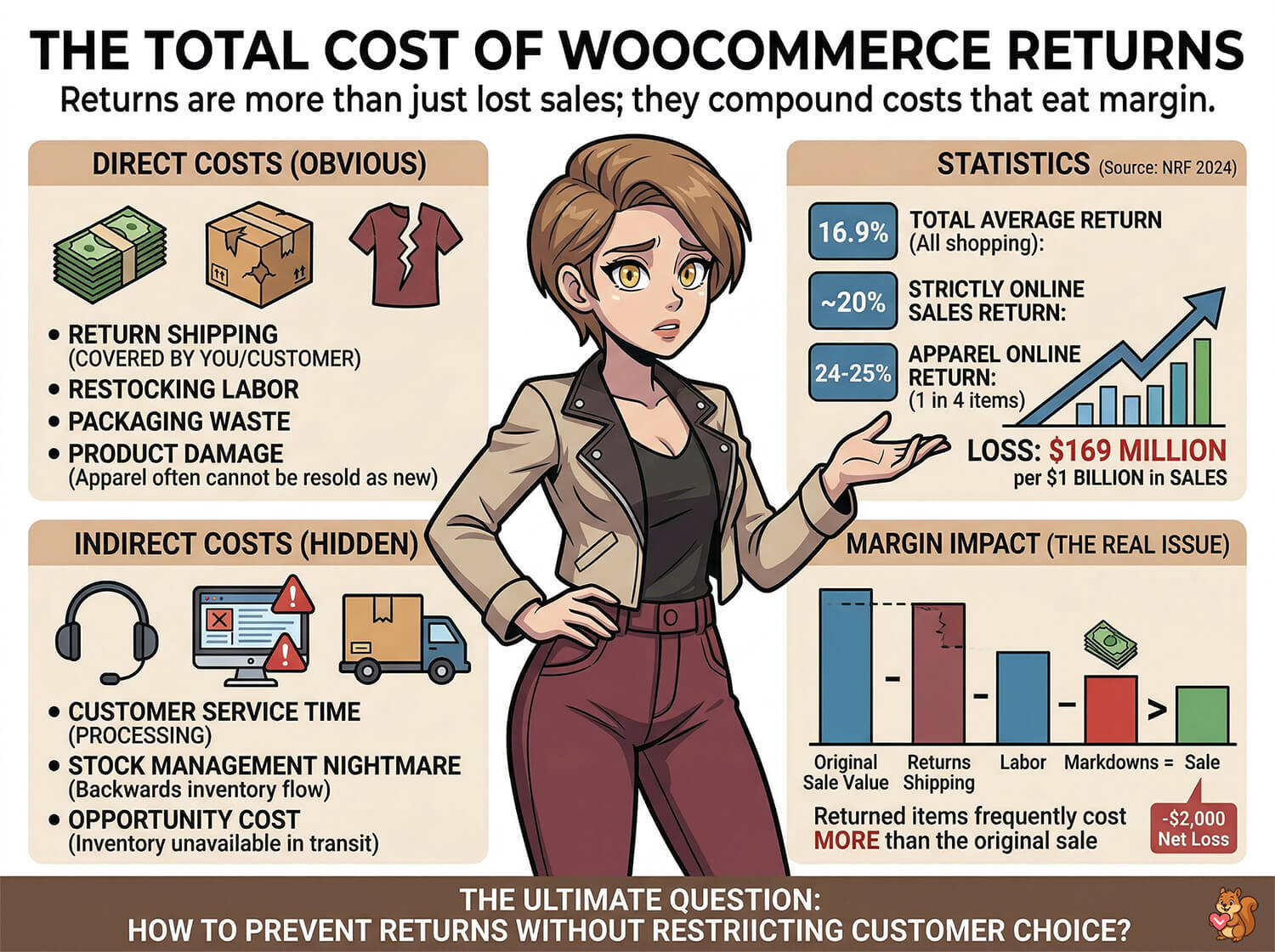
WooCommerce returns aren’t just lost sales. They’re a compounding cost that eats margin from multiple directions at once.
The direct costs are obvious: return shipping (whether you cover it or the customer does), restocking labor, packaging waste, and potential product damage that prevents resale at full price. For apparel and fashion stores, returned items frequently can’t be resold as new.
Then there are the indirect costs that don’t show up as a single line item: customer service time processing the ecommerce return, the nightmare of keeping stock management accurate when items are constantly flowing backward, and the opportunity cost of a product sitting in transit instead of being available for someone who actually wants it.
According to the National Retail Federation’s 2025 returns research, an estimated 19.3% of online sales will be returned this year, with total returns across the retail industry projected to reach $849.9 billion. Tough categories run higher still, with clothing hitting a massive 24% to 25% return rate. That means basically one out of every four clothing items sold online comes right back.
The margin impact is the real issue. Ecommerce returns don’t just cost you sales. They cost you more than the sales when you add up shipping both ways, handling, and potential markdowns on returned inventory.
So the question becomes: how do you prevent ecommerce returns without restricting what customers can buy?
The Impulse Purchase Problem
Not all purchases are created equal when it comes to return risk. Impulse purchases, where a customer buys something in the moment without much deliberation, carry significantly higher return rates than considered purchases.
Think about what happens during an impulse buy. The customer sees a product, feels a rush of excitement, and checks out quickly. Maybe they haven’t read the reviews or compared sizes carefully. It’s even possible they haven’t thought about whether they actually need it or whether it fits their wardrobe, home, or budget.
Then the product arrives, and reality sets in. It’s not quite the shade they expected. It doesn’t fit the way they imagined. They realize they already own something similar. The dopamine hit from the purchase has faded, and now they’re left with a product they don’t really want.
Flash sales and urgency tactics amplify this problem. “Only 3 left!” and countdown timers are designed to short-circuit deliberation and push customers to buy before they think it through. These tactics can boost short-term revenue, but the return rate on urgency-driven purchases tends to be higher than baseline.
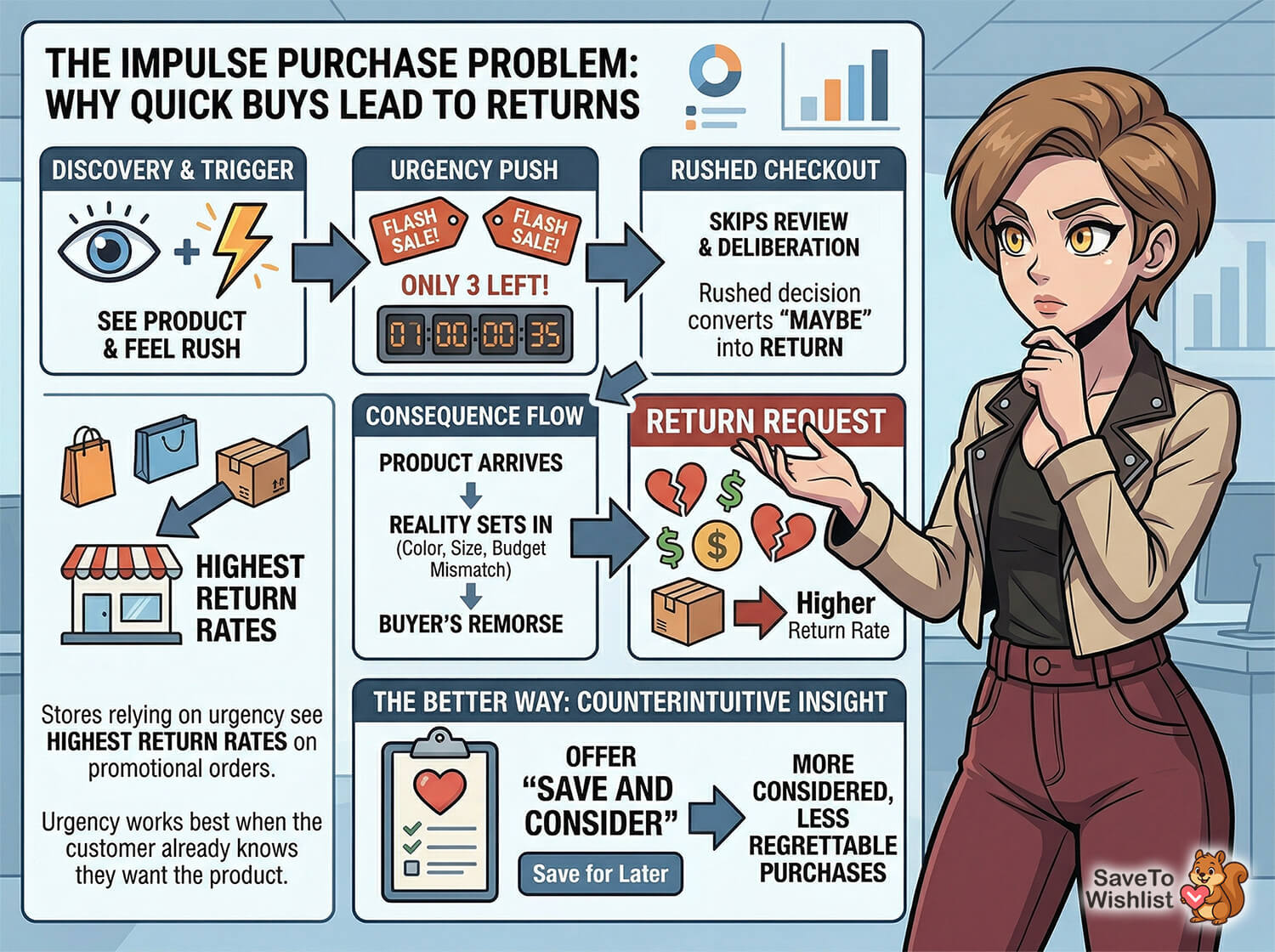
🔍️ What We’ve Seen: Stores that rely heavily on urgency-driven promotions often see their highest return rates on exactly those promotional orders. The tactics that accelerate the purchase decision also accelerate buyer’s remorse. While urgency isn’t bad, it works best when the customer already knows they want the product. When it pushes someone who’s undecided, you’re often just converting a “maybe” into a return.
Here’s the counterintuitive insight: what if, instead of pushing every visitor to buy right now, you gave them a way to save the item and come back when they’re ready?
How Wishlists Reduce WooCommerce Returns (The “Save And Consider” Effect)
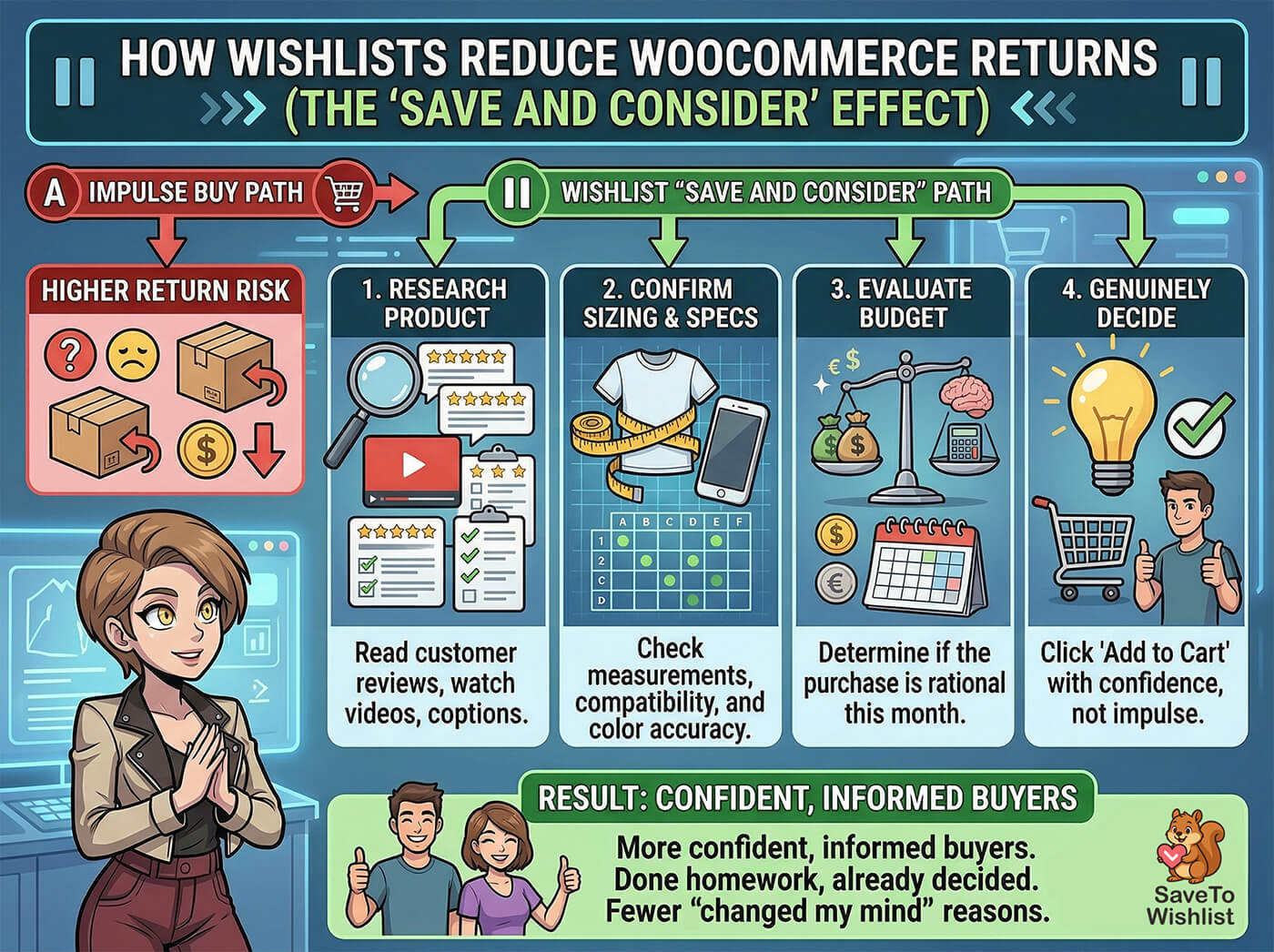
A product wishlist, or simply wishlist, creates a deliberate pause between the moment a customer discovers a product and the moment they buy it. That pause is where the return-reduction magic happens.
When a customer saves an item to a wishlist instead of buying immediately, they do something that impulse buyers skip entirely: they consider the purchase.
During that consideration period, they might:
- Research the product. They take the time to read customer reviews, watch videos, or look for comparisons. By the time they buy, they know what they’re getting.
- Confirm sizing and specifications. They check their measurements, look up compatibility, or verify that the color matches what they need.
- Evaluate their budget. The initial desire fades, and they can make a rational decision about whether this purchase makes sense this month.
- Decide they genuinely want it. When someone returns to a wishlist and clicks “Add to Cart,” that’s a deliberate choice, not a momentary impulse.
The result is that wishlist-to-purchase conversions represent more confident, more informed buyers. They’ve done their homework. They’ve already decided. And confident buyers don’t return products nearly as often as impulse buyers do.
SaveTo Wishlist tracks the specific product variation a customer saves, so if they save a “Navy / Medium” shirt, that’s exactly what appears on their wishlist. This variation tracking matters for ecommerce returns because it means the customer confirms the exact option they want before buying, instead of guessing at checkout and hoping for the best.
Even visitors who haven’t created an account can save items, thanks to guest wishlists. That removes the friction that would otherwise prevent casual browsers from using the save feature.
5 Strategies To Encourage Wishlist Usage Before Checkout
Knowing that wishlists reduce WooCommerce returns is one thing. Actually getting customers to use them is another. Here’s how to encourage wishlist usage across your store.
1. Make the wishlist button prominent on product pages
If your wishlist button is a tiny icon tucked under the product description, nobody’s going to use it. Place it next to or near the Add to Cart button so it’s a natural alternative action. The goal is to make “Save for later” feel like a first-class option alongside “Buy now.”
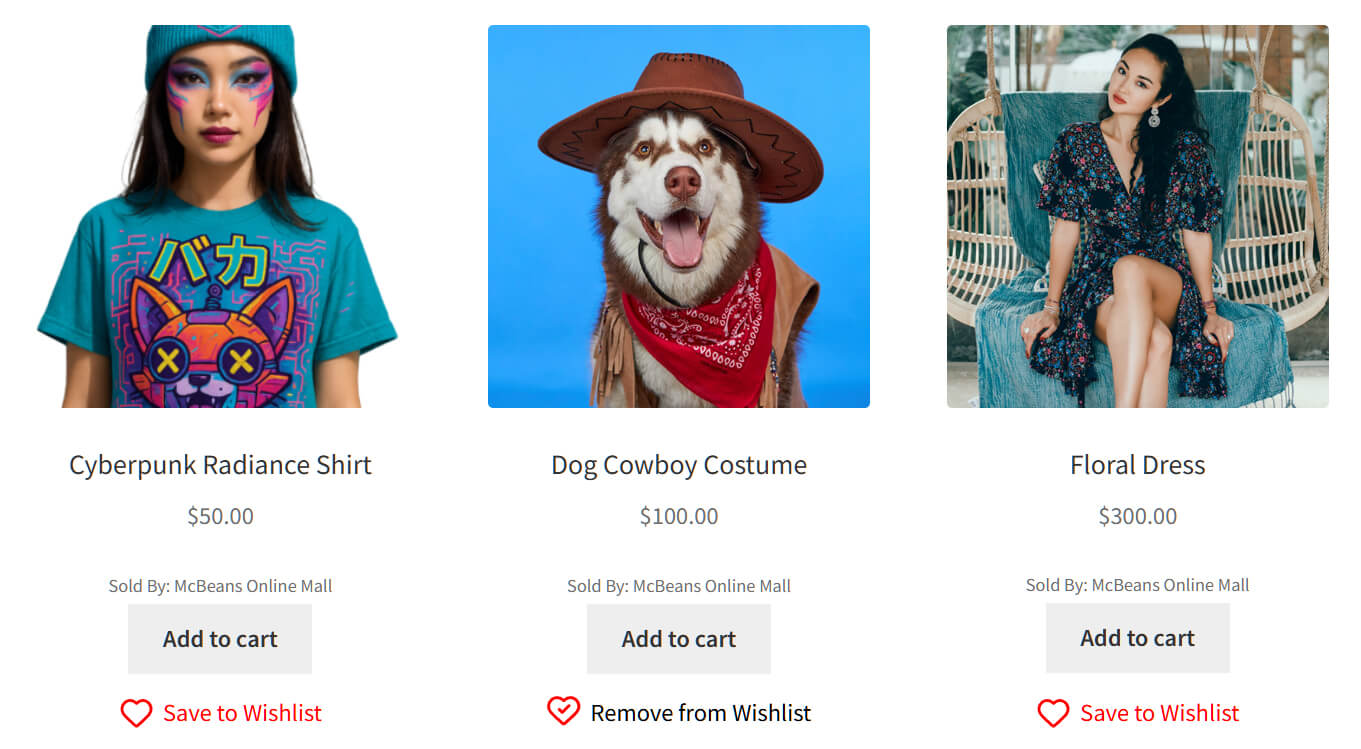
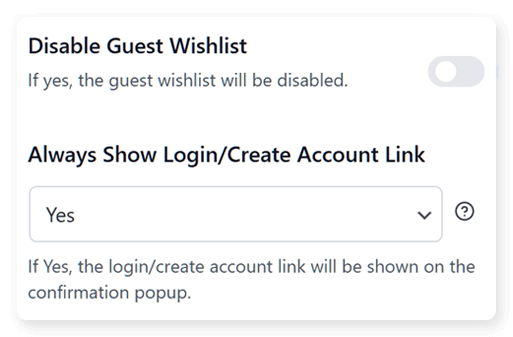
2. Enable guest wishlists so everyone can save items
If you require account creation before a customer can save items, you’ve lost most of your visitors right there. Guest wishlists let anyone save products without signing up, which means first-time visitors, casual browsers, and comparison shoppers can all use the feature. The more people who save items instead of impulse buying, the more considered your purchases become.
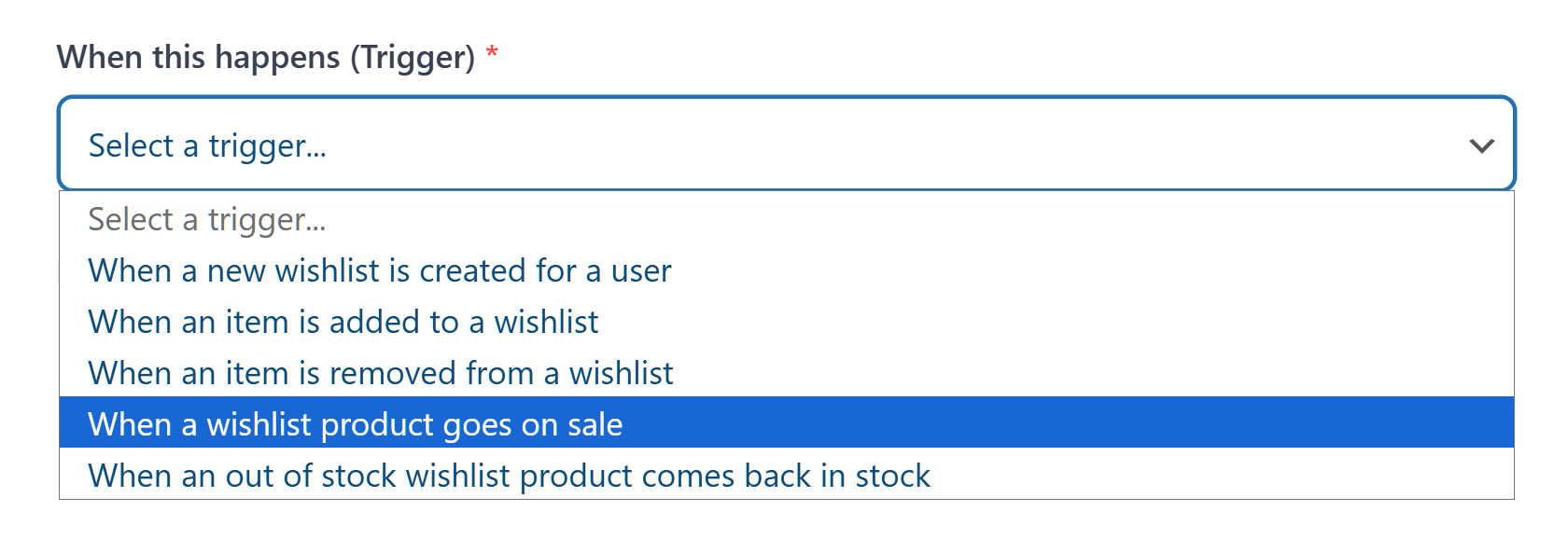
3. Use price drop alerts to bring savers back
A customer who saves an item is interested but hasn’t committed. A price drop notification gives them a concrete reason to return and buy. And because they’ve already had time to consider the purchase, the buy is deliberate, not impulsive.
With SaveTo Wishlist Pro, you can automate price drop alerts so customers get notified when a saved item goes on sale. The conversion rates on these notifications tend to be strong because you’re reaching people who’ve already expressed interest.
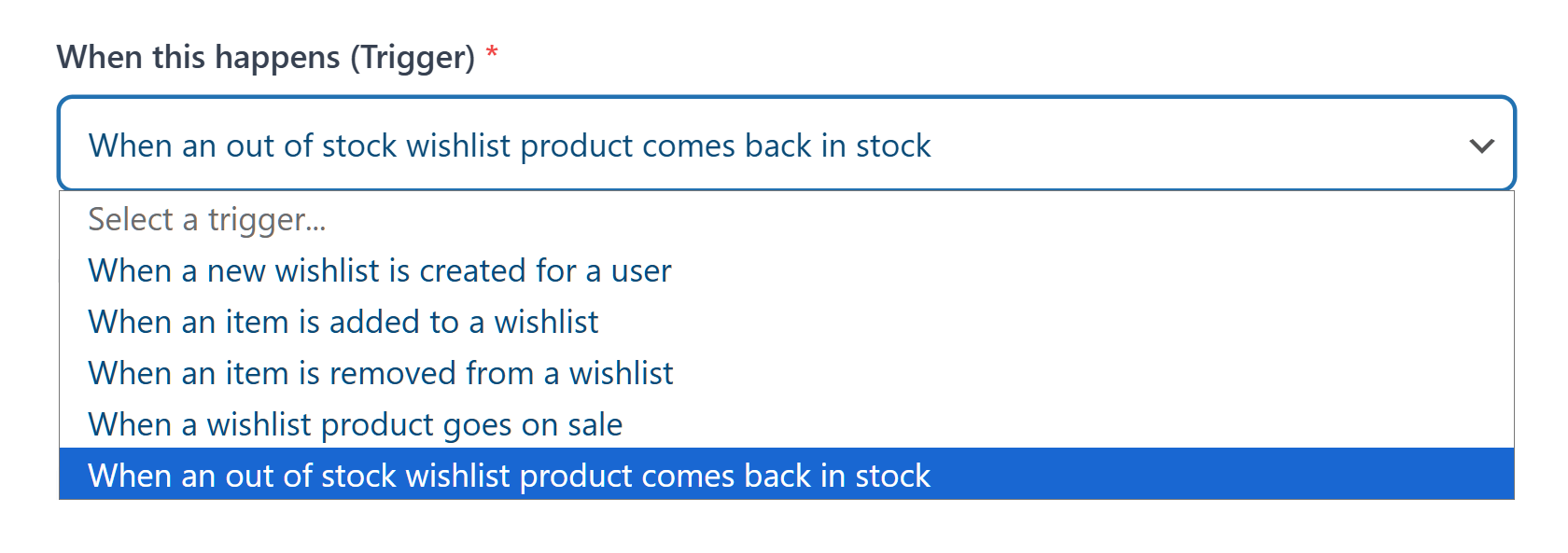
4. Send back-in-stock notifications for out-of-stock saves
When a customer saves an out-of-stock item, they’re telling you exactly what they want to buy. They just can’t buy it yet. A back-in-stock notification captures that demand and converts it when inventory returns.
These are some of the most qualified leads your store can generate. The customer has already chosen the product. They just need to know when it’s available.
5. Let customers create multiple wishlists for different purposes
Birthday lists, gift idea lists, “things I’m saving up for” lists. When customers organize their wishlists by purpose, they’re engaging in deliberate purchase planning. That organized, intentional behavior leads to purchases that stick.
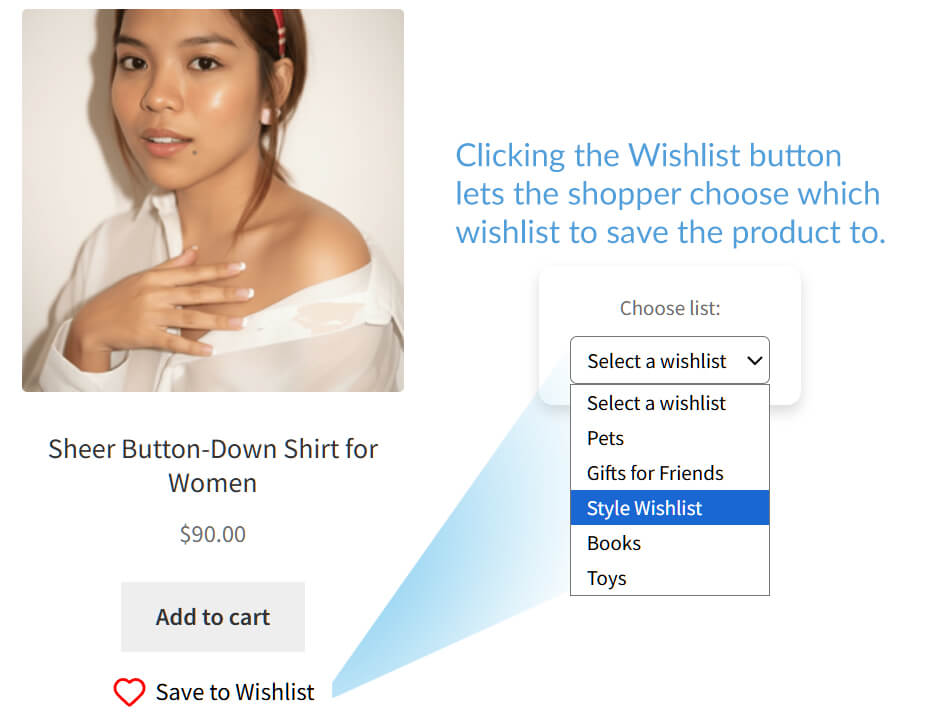
Wishlist automation features tie strategies 3, 4, and 5 together. Automated alerts and notifications turn passive wishlist saves into active, timed purchase triggers that bring customers back when they’re ready to buy with confidence.
Measuring The Impact On Your Return Rate
Adding wishlists is step one. Measuring whether they’re actually reducing Ecommerce returns is step two.
Here’s what to track:
- Segment your return data by purchase origin. Compare the return rate on purchases that originated from a wishlist (the customer saved the item first) against direct purchases (added to cart on the same session). If wishlists are working as a consideration tool, you should see a lower return rate on wishlist-originated orders.
- Look at the return reasons. Ecommerce returns categorized as “changed my mind,” “didn’t match expectations,” or “wrong size/color” are the ones most likely to decrease with wishlist usage. If those categories shrink while “defective product” stays the same, the wishlist effect is working.
- Track time from save to purchase. A longer save-to-purchase window generally correlates with more considered buying. If customers are saving items and buying within hours, that’s closer to impulse behavior. If they’re returning days later, they’ve had time to consider.
- Watch your most-saved products. If a product has high saves and high ecommerce returns, the problem probably isn’t impulse buying. It’s likely a product page issue: misleading photos, unclear sizing, or descriptions that don’t match reality. Wishlist data can help you identify these product-level problems so you can fix the root cause.
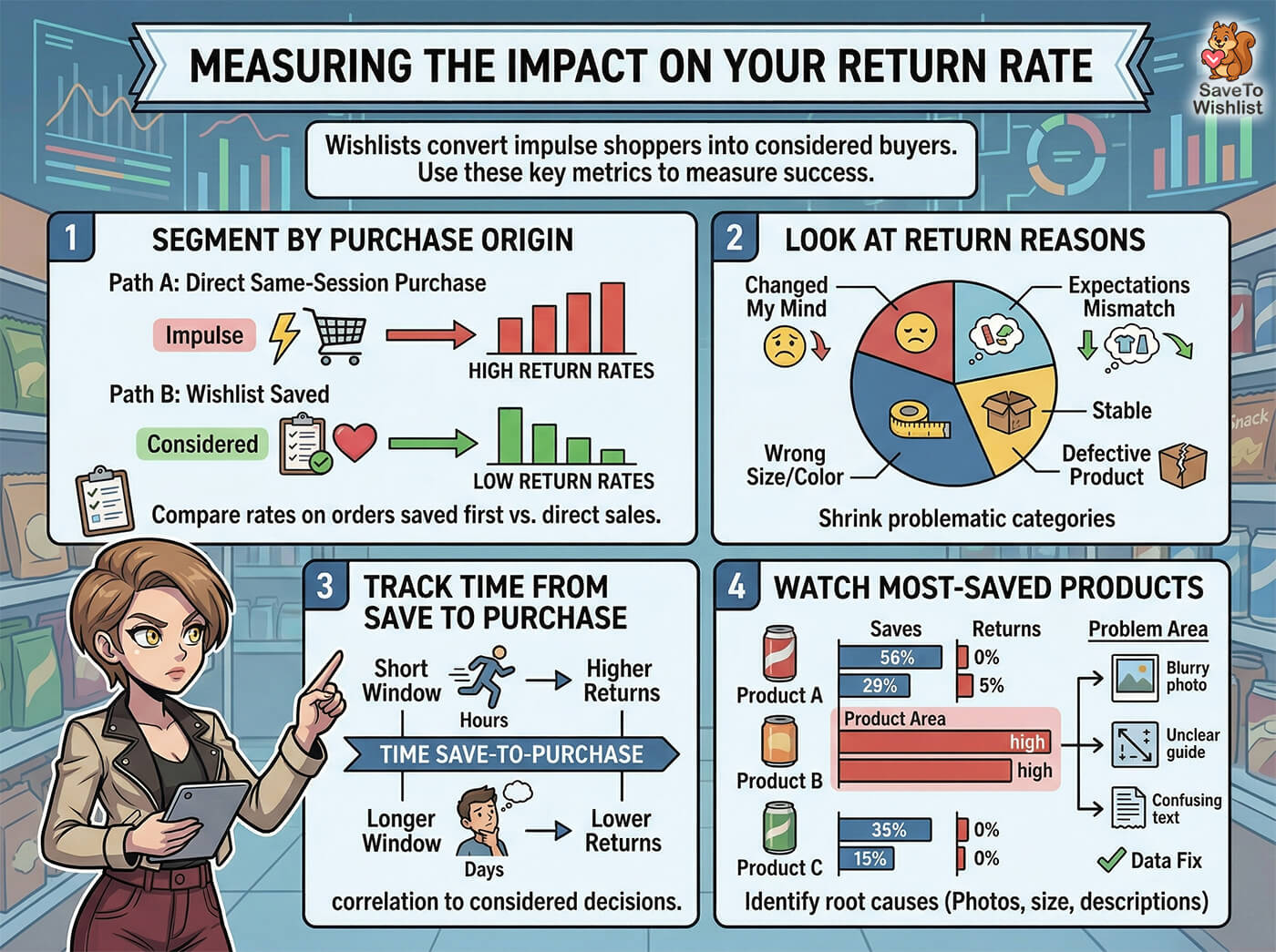
SaveTo Wishlist Pro includes analytics that track wishlist-to-cart conversion rates and most-wishlisted products, which gives you the data foundation for this kind of analysis.
Frequently Asked Questions: WooCommerce Returns
Do wishlists actually reduce ecommerce return rates?
Wishlists create a consideration period between product discovery and purchase. When customers take time to research, confirm sizing, and decide they genuinely want an item before buying, the resulting purchases are more confident and less likely to be returned. The mechanism is indirect but logical: more considered purchases lead to fewer impulse-driven ecommerce returns.
Won’t wishlists just delay purchases and reduce revenue?
Some purchases will be delayed, yes. But a delayed purchase that sticks is worth more than an immediate purchase that gets returned. Ecommerce returns cost you the original sale plus shipping, handling, and restocking. A wishlist converts a “maybe” into a “later yes” instead of converting it into a “buy now, regret later.”
Do I need a paid plugin to add wishlists to WooCommerce?
No. SaveTo Wishlist’s free version includes unlimited wishlists, guest wishlists, variation tracking, multiple wishlists, block theme support, button templates, and translation-ready functionality. The Pro version adds analytics, price drop alerts, back-in-stock notifications, and automation features. You can start with the free WooCommerce wishlist plugin and upgrade if you want the notification and tracking features.
How do guest wishlists help with ecommerce returns?
Guest wishlists let visitors save products without creating an account. This means casual browsers and first-time visitors can use the “save for later” feature instead of impulse buying. The more visitors who save and consider before purchasing, the more considered your overall purchase mix becomes.
What other strategies work alongside wishlists to reduce Ecommerce returns?
Wishlists address ecommerce returns at the decision stage. You should still invest in accurate product photography, detailed size guides, honest product descriptions, and clear shipping expectations. Additionally, suggesting relevant related products can help ensure customers find the exact item that fits their needs before they hit checkout. The combination of better product information (so customers know what they’re getting) and wishlists (so they have time to think about it) covers both sides of the return equation.
How should I handle the returns that still happen?
Even with a highly optimized wishlist strategy, you can’t eliminate buyer’s remorse entirely. When ecommerce returns and warranty requests inevitably come in, the best approach is to make the process as frictionless as possible. A difficult return process might save a single sale today, but it practically guarantees that the shopper will never buy from you again.
Conclusion
WooCommerce returns are expensive, and most of the strategies to reduce them focus on what happens after the customer has already bought. Better descriptions, clearer policies, a streamlined refund system, and faster exchanges. Those all help.
But the most effective return reduction happens before the sale. When customers have time to research, confirm, and decide, they buy with confidence. And confident buyers don’t return products at nearly the same rate as impulse buyers.
Wishlists give your customers that time. They turn “buy now or leave” into “save now and buy when you’re ready.” It’s a subtle shift in how your store works, but the margin impact compounds over every product and every order.
To recap, this guide explored the following concepts about WooCommerce returns
- Why WooCommerce returns are so expensive
- The impulse purchase problem
- How wishlists reduce WooCommerce returns
- 5 strategies to encourage wishlist usage before checkout
- Measuring the impact on your WooCommerce return rate
SaveTo Wishlist’s free version includes everything you need to start: unlimited wishlists, guest wishlists, variation tracking, and multiple wishlists. Download the free plugin and start watching your return data. If the numbers improve the way I think they will, you’ll wonder why you didn’t add wishlists sooner.



