

 Reviewed by
 Writing a review of your own product sounds like it should be easy. But if you’re honest about it, it’s actually harder, because you know every shortcoming, every feature that’s not where you want it yet, and every trade-off you made along the way.
That’s the SaveTo Wishlist review I’m writing today. Not a marketing page dressed up as a review. Not a feature list with checkmarks. An honest look at what SaveTo Wishlist does well, where it falls short, and whether it’s the right fit for your WooCommerce store in 2026.
I’m including real performance data from our independent speed test, actual pricing math, and a genuine pros-and-cons section. If this plugin isn’t right for your store, I’d rather you know that upfront than find out after installing it.
Table Of Contents
- What Is SaveTo Wishlist?
- Free Version Features
- Pro Version Features
- Real Performance Data & Site Speed
- Pricing Breakdown
- Honest Pros & Cons
- Who Should Use SaveTo Wishlist?
- Final Verdict
- Frequently Asked Questions
What Is SaveTo Wishlist?
SaveTo Wishlist is a WooCommerce wishlist plugin built by Rymera Web Co, makers of the renowned plugins Advanced Coupons and Wholesale Suite. It lets customers save products to wishlists, organize items into multiple lists, and share those lists with others.
This SaveTo Wishlist review covers both versions of the plugin:
- SaveTo Wishlist Lite: the free tier that’s available on WordPress.org
- SaveTo Wishlist Pro: the premium version with advanced features
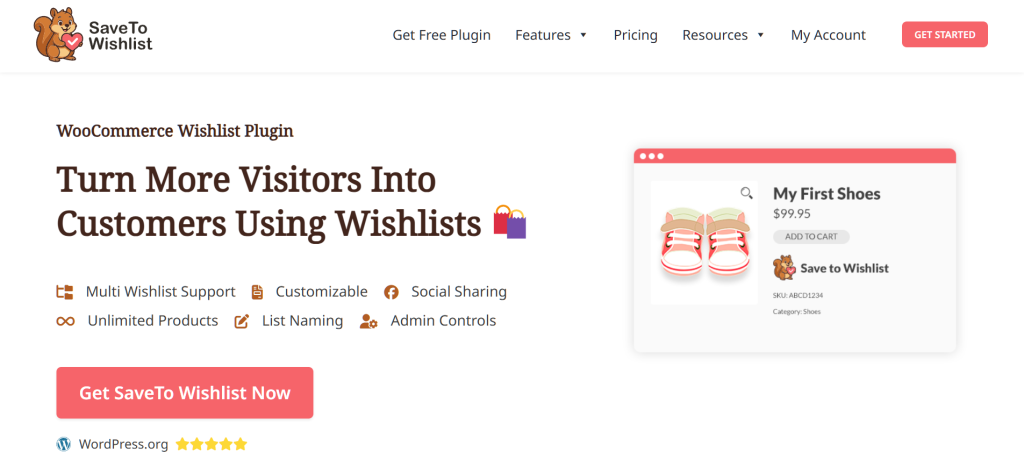
The plugin is designed for WooCommerce store owners who want to give their customers wishlist functionality without slowing down their site or paying a premium for basic features.
The core idea behind SaveTo Wishlist is that features like multiple wishlists and guest wishlists shouldn’t be locked behind a paywall. The free version is meant to be genuinely usable, not just a teaser for the paid upgrade.
Free Version Features
This is where SaveTo Wishlist makes its strongest case. The free tier isn’t stripped down. It’s a fully functional wishlist plugin that covers what most stores actually need.
Here’s what you get at $0/year:
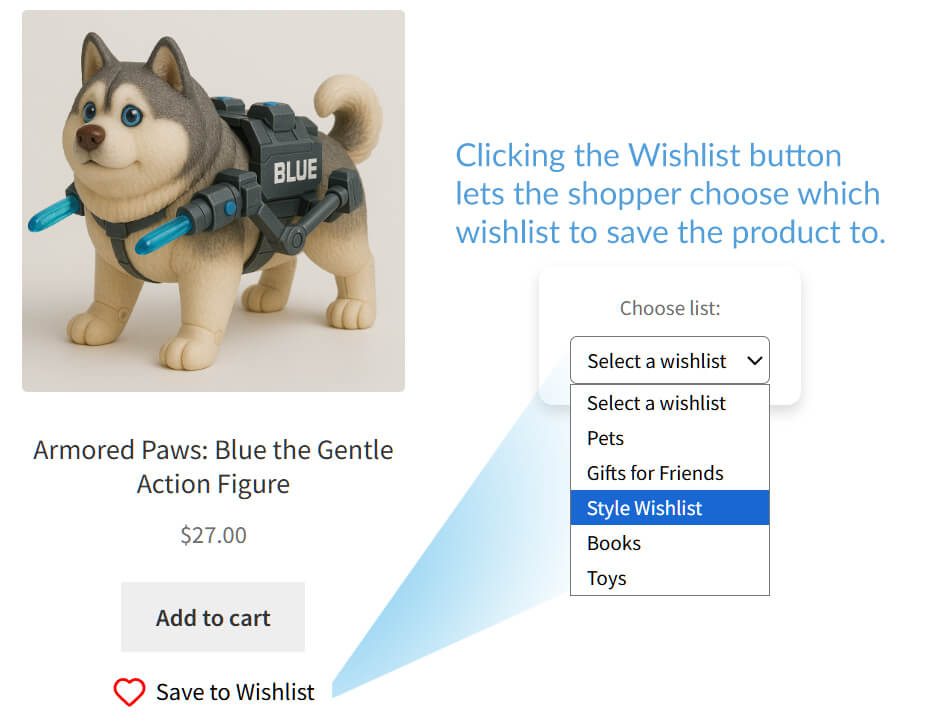
Multiple wishlists per user
I really love that this plugin doesn’t force shoppers to throw all their saved items into one giant, messy list. Instead, they can sort their favorite products into separate categories, like “Birthday Ideas” or “Home Office.”
I’ve noticed a lot of competing plugins lock this level of organization behind a premium paywall, so the fact that SaveTo Wishlist offers it completely for free is a massive plus in my book.
Unlimited wishlists
What makes the multiple wishlist feature even better is that there’s absolutely no cap on capacity.
Some plugins I’ve tested will technically let you create multiple lists, but then cut you off at three and ask you to upgrade. SaveTo Wishlist doesn’t play that game. Whether a user wants to make 5 lists or 500, the free version handles it all seamlessly.
Guest wishlists
Visitors can save products without creating an account first, which I genuinely appreciate. Since SaveTo Wishlist requires no mandatory login to start saving, it removes a major barrier for shoppers right when they find an item they like.”
What impressed me most, however, is the auto-merge feature. When a guest finally registers or logs in, their saved items automatically sync with their new account. It’s a completely seamless transition that ensures no data is lost, letting shoppers pick up exactly where they left off.
Curious about how guest wishlists work? Then check out the following guide:
WooCommerce Guest Wishlist: How To Capture Anonymous Shopper Intent
Variation tracking
Saveto Wishlist handles products with different options. If a shopper picks out a specific size or color and adds it to their wishlist, the plugin actually remembers that exact variation. So, when they finally come back to buy, they don’t have to waste time remembering and re-selecting their choices.
It’s a small touch, but in my experience, it makes the whole shopping process feel incredibly smooth and user-friendly.
Block theme support
SaveTo Wishlist works directly with block-based WordPress themes. It supports WooCommerce Blocks, allowing you to place “Save to Wishlist” buttons inside product grids on shop and archive pages.
It also includes custom Gutenberg blocks and shortcodes, which let you place wishlist displays on any page using the standard WordPress editor without writing any code.

Wishlist button customization and placement
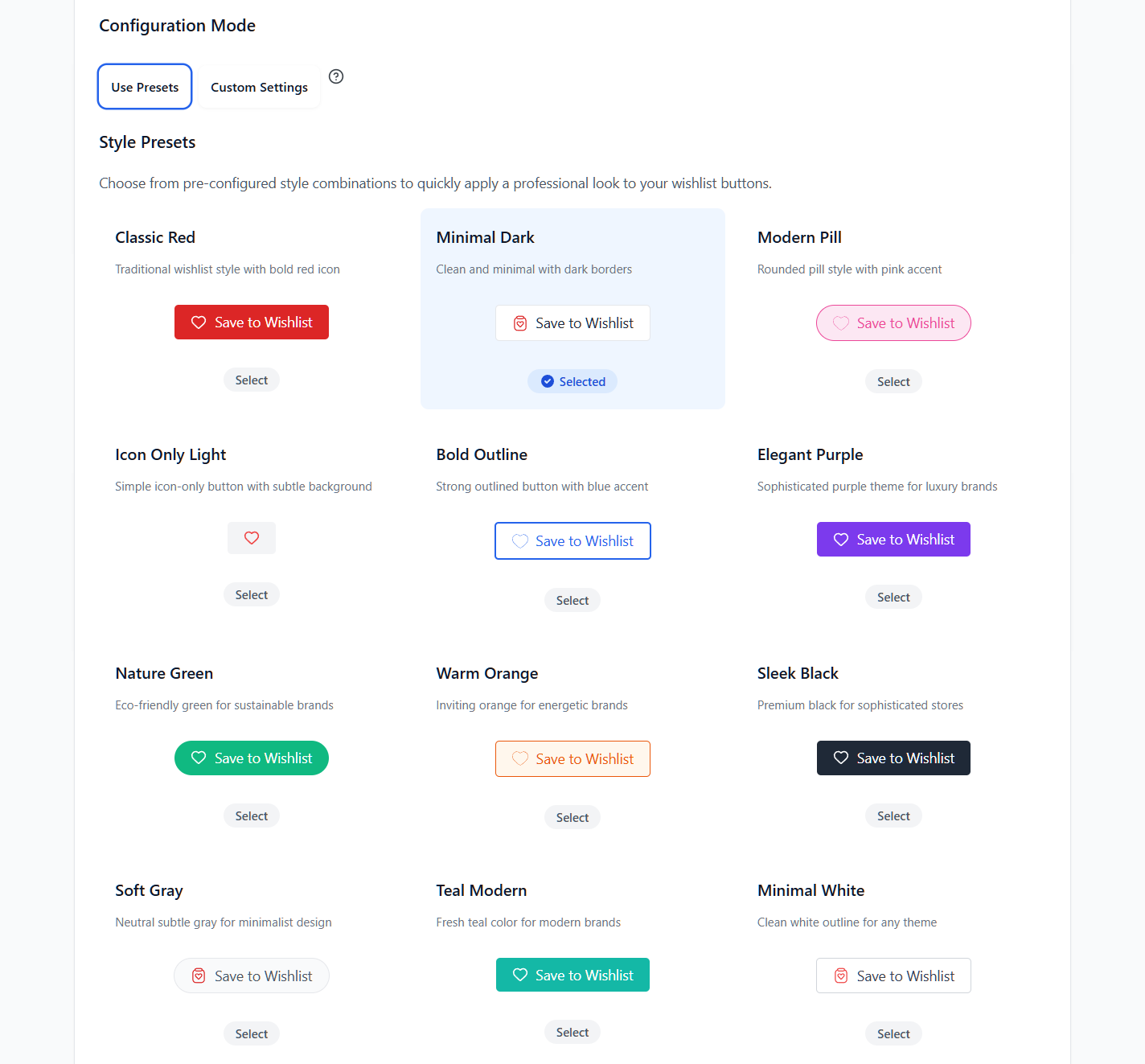
SaveTo Wishlist grants you control over wishlist buttons without writing a single line of code or custom CSS. You can write your own text, change font sizes and colors, and pick styles like simple icons or pill shapes.
You also get the freedom to place buttons wherever you wish. For example, you can drop the wishlist button right on the product image, above “Add to Cart,” or below the title across your Shop, Product, and Cart pages.
For the fastest setup, my favorite shortcut is just clicking one of the 12 built-in design presets for an instantly professional look.
Wishlist page customization
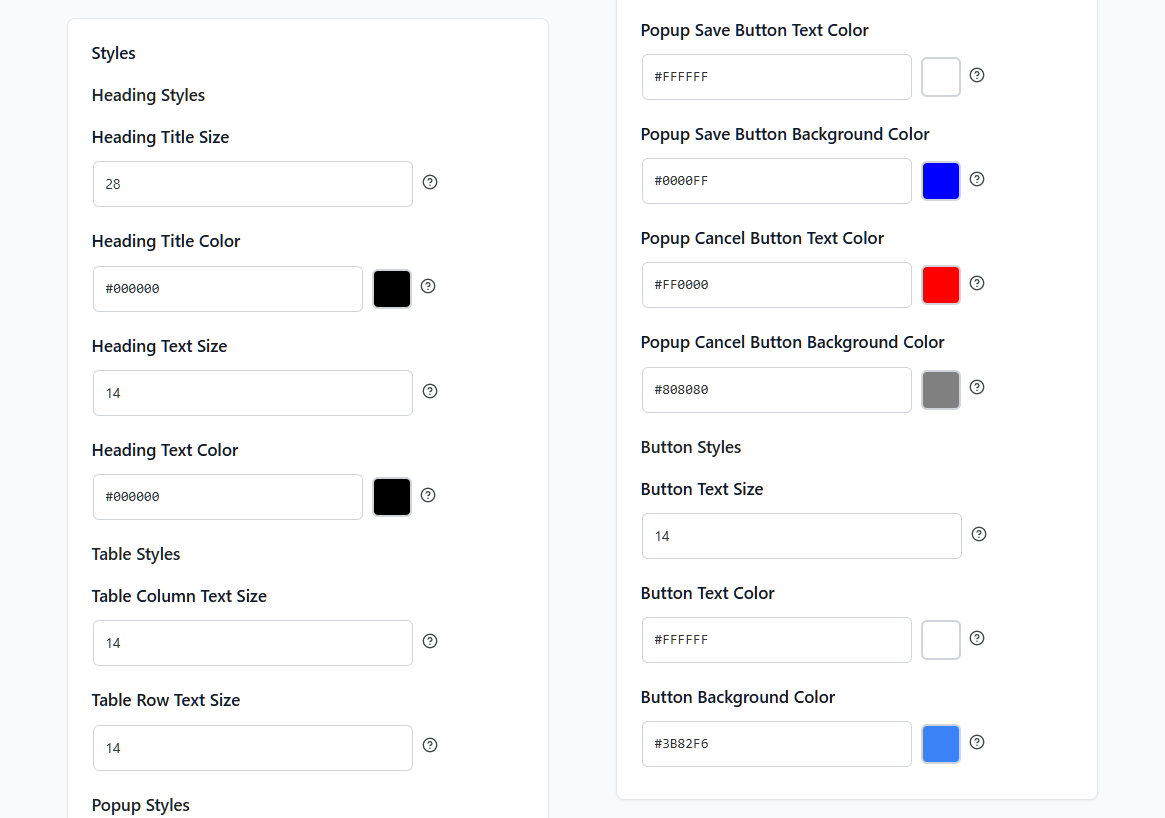
It’s super easy to make the customer-facing wishlist page match your store’s branding. With a simple point-and-click setup, you can tweak font sizes and colors for headings, descriptions, and table rows to keep everything looking crisp. You can even enter your exact hex codes for buttons and popups to seamlessly match your primary colors, all without touching a single line of CSS.
Wishlist management
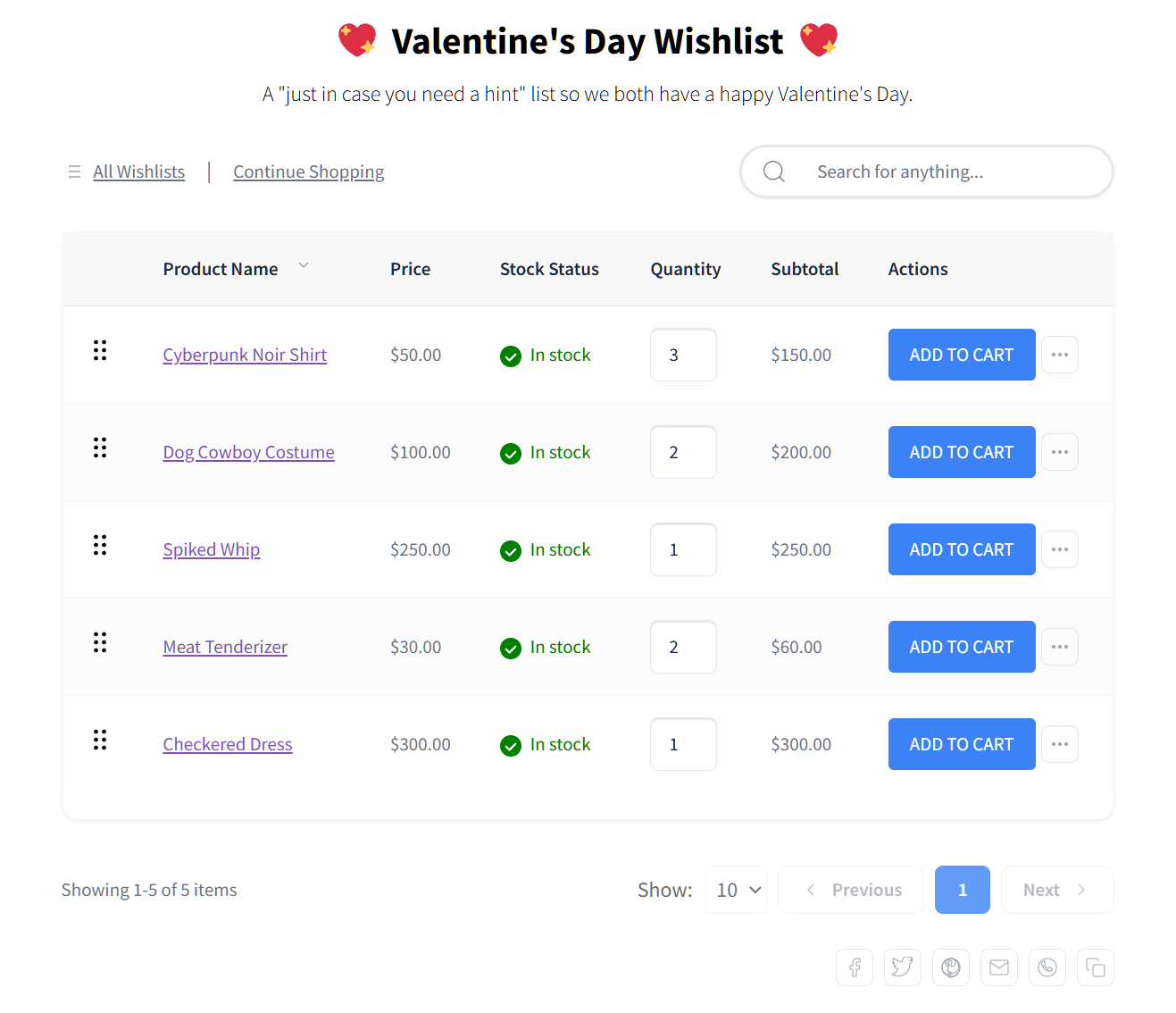
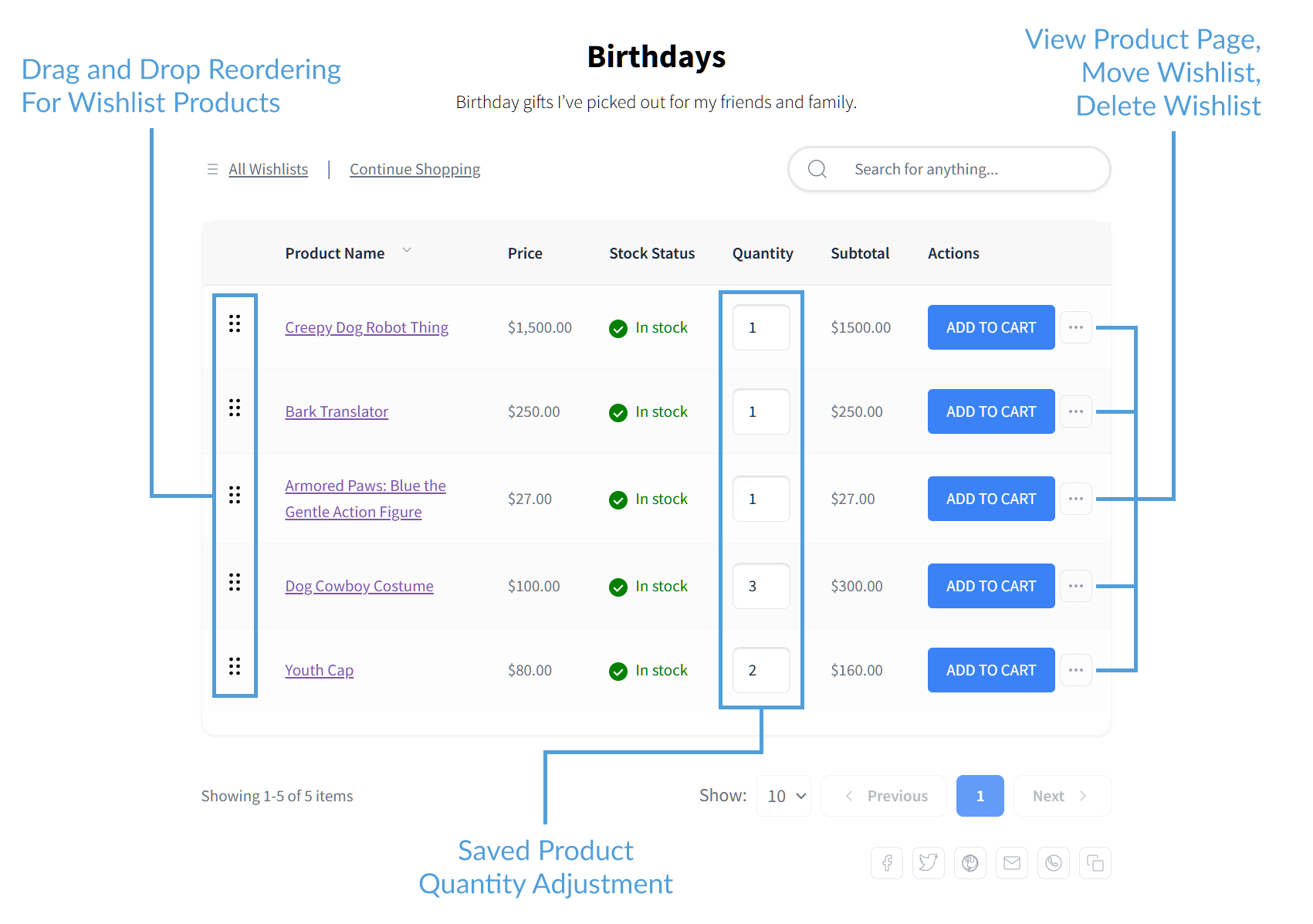
Managing saved items is really simple for customers. For starters, all their user wishlists are located right on the “My Account” page. Customers also have total control to name, rename, or delete their lists however they want. Meanwhile, within the lists, it’s very easy to drag and drop items to sort them or change quantities for specific products.
My favorite part is how quickly you can move every item from your cart back to a wishlist if you aren’t ready to buy yet. You can even move saved items between different wishlists, which makes organizing everything feel much more intuitive than other tools I’ve used.
Sharing and privacy
I really like how much control these features give the customer. Shoppers can set their lists to be Private (just for them) or Public. When a list is Public, it generates a unique URL that they can easily send to anyone.
I also noticed the built-in social buttons for Facebook, X (Twitter), Pinterest, and WhatsApp work perfectly. It’s a seamless way for users to send gift ideas to friends and family without any extra hassle.
Translation-ready
I found it really helpful that this plugin is 100% translation-ready. If you run a store for international customers, you can easily translate every label and message to match your language.
It’s built to work perfectly with major tools like WPML and Polylang. This means you don’t have to worry about “Save to Wishlist” buttons staying in English on a multilingual site.
Admin controls
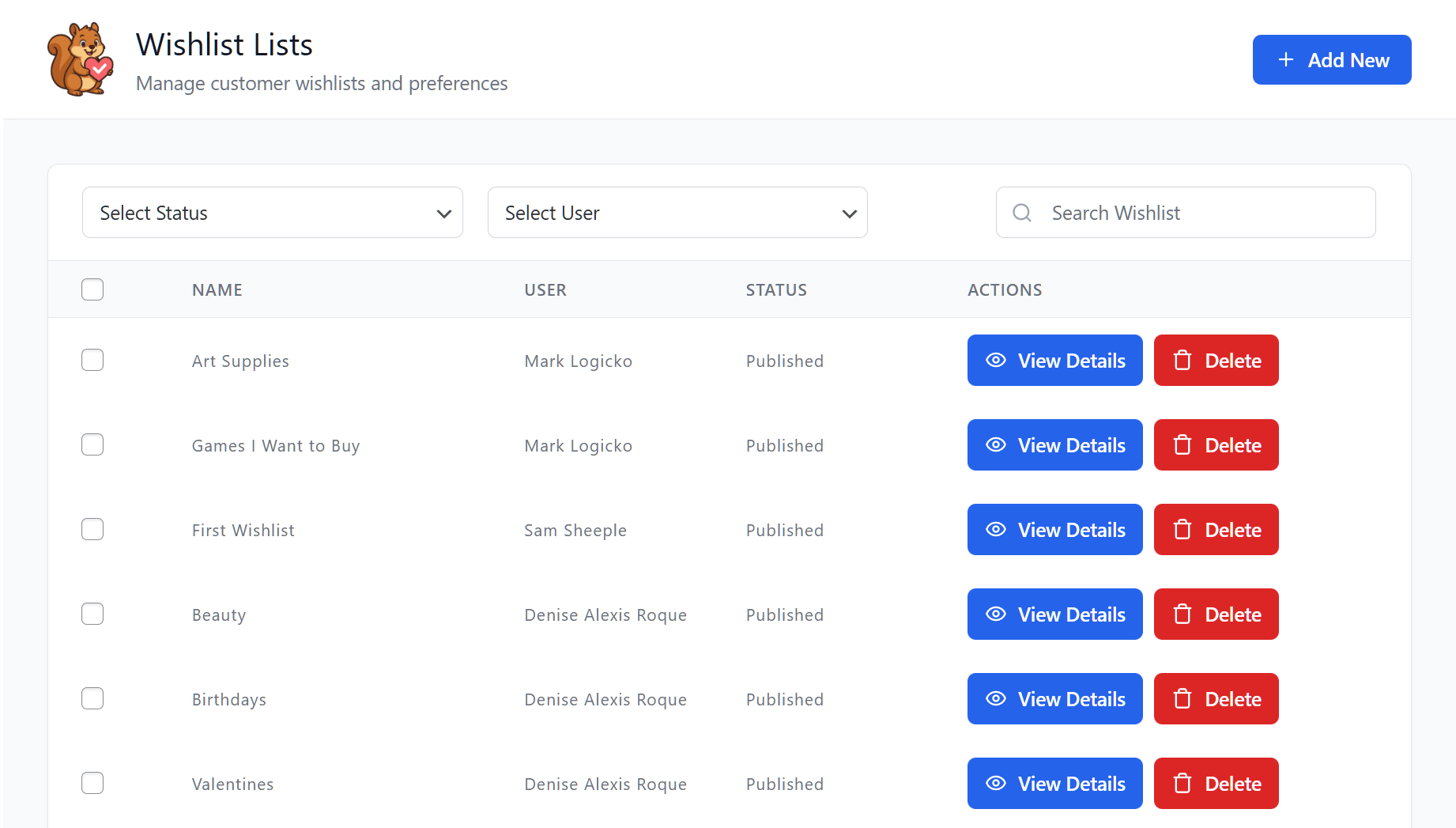
SaveTo Wishlist doesn’t leave you flying blind. The backend Admin Controls let you view, edit, or delete any customer wishlist directly from your dashboard. This is a massive help for customer support if a shopper needs assistance managing their saved items.
Plus, seeing exactly what people are saving gives you great insights for planning sales and restocks.
REST API
If you have a developer or run a more complex store, you get full REST API access. This inclusion grants you total read and write control to seamlessly sync wishlist data into custom mobile apps, external tracking dashboards, or completely headless WooCommerce builds.
Wishlist importer
Switching plugins usually means losing your customers’ saved data, so I was thrilled to find a built-in importer here. If you’re migrating from a tool like YITH Wishlist, it safely transfers all existing wishlists and privacy settings over.
The importer even gives you a preview of exactly what’s being moved before you start. It makes the whole upgrade process completely stress-free.
Want to know more about SaveTo Wishlist’s Wishlist Importer? Then head on to:
How To Migrate From YITH Wishlist To SaveTo Wishlist In 7 Easy Steps
The Verdict on the Free Version
Of everything covered in this SaveTo Wishlist review, the free tier is the most generous I’ve tested. It doesn’t lock essentials behind a paywall, making it a complete solution right out of the box. If you want to give shoppers an easy way to bookmark products to buy later, this delivers exactly what you need.
🔍️ What We’ve Seen: In our testing across client stores, the features that competitors most commonly lock behind paid tiers are multiple wishlists and guest wishlists. These are standard customer expectations, not premium features. The fact that SaveTo Wishlist includes both in the free version is its biggest differentiator, and it’s one of the main reasons stores switch from other plugins.
Pro Version Features
While the free version absolutely helps capture sales, the Pro tier is built to actively maximize that revenue. SaveTo Wishlist Pro adds the advanced tools you need to take wishlists from a passive convenience feature and turn them into an automated sales driver.
For this SaveTo Wishlist review, here’s exactly what the paid tier unlocks in 2026:
Wishlist analytics and reports
The Wishlist Analytics dashboard is a massive help for taking the guesswork out of ordering inventory and planning sales. It gives you clear data on what your customers actually want to buy across four key areas:
- Product Insights track your most-saved items and catches emerging trends early, while the
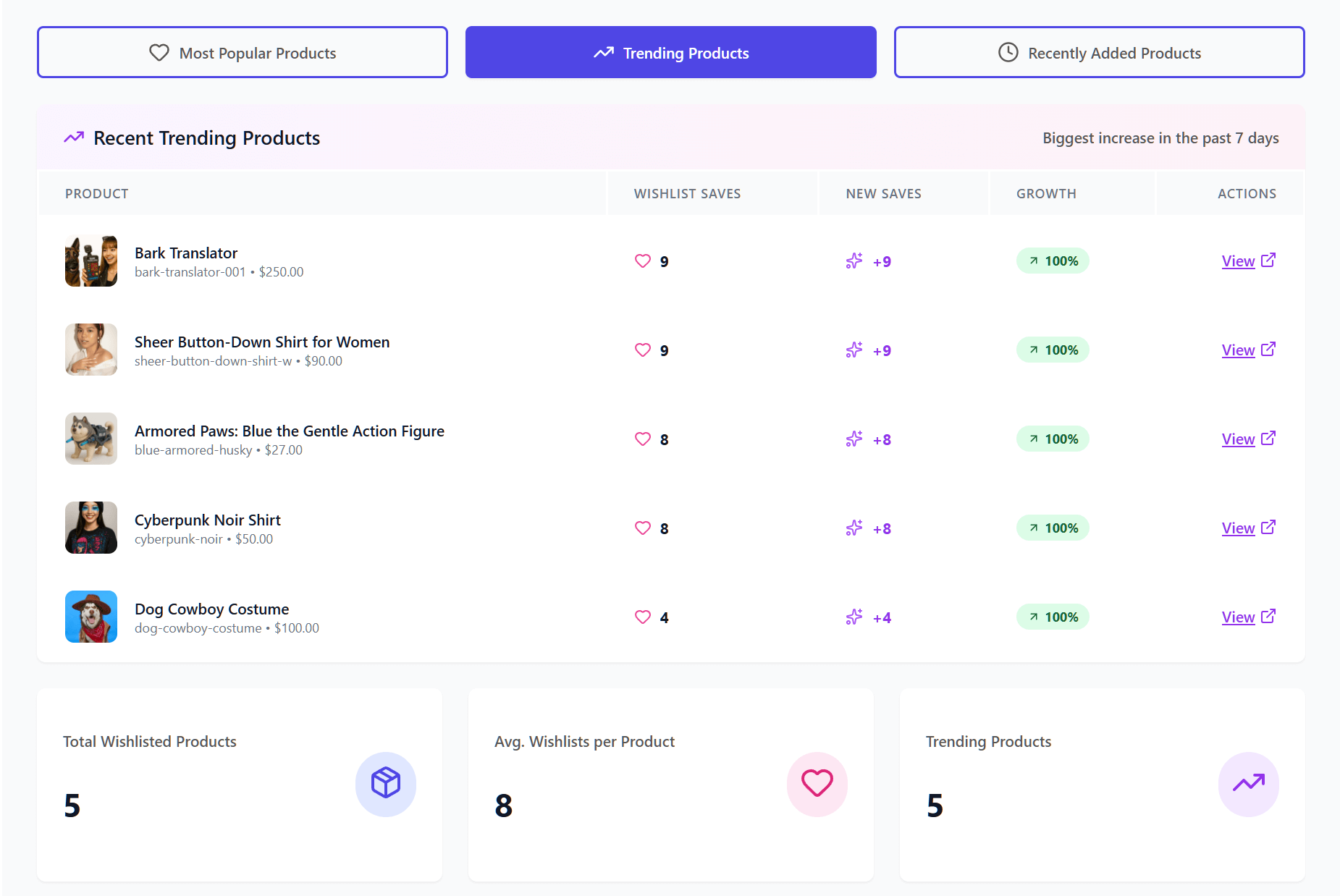
- Category and Brand Insights show if specific labels or styles are driving broader interest.
- Engagement and Conversion Insights highlight products that are constantly saved but rarely bought. Thus, it helps you quickly spot pricing or shipping barriers.
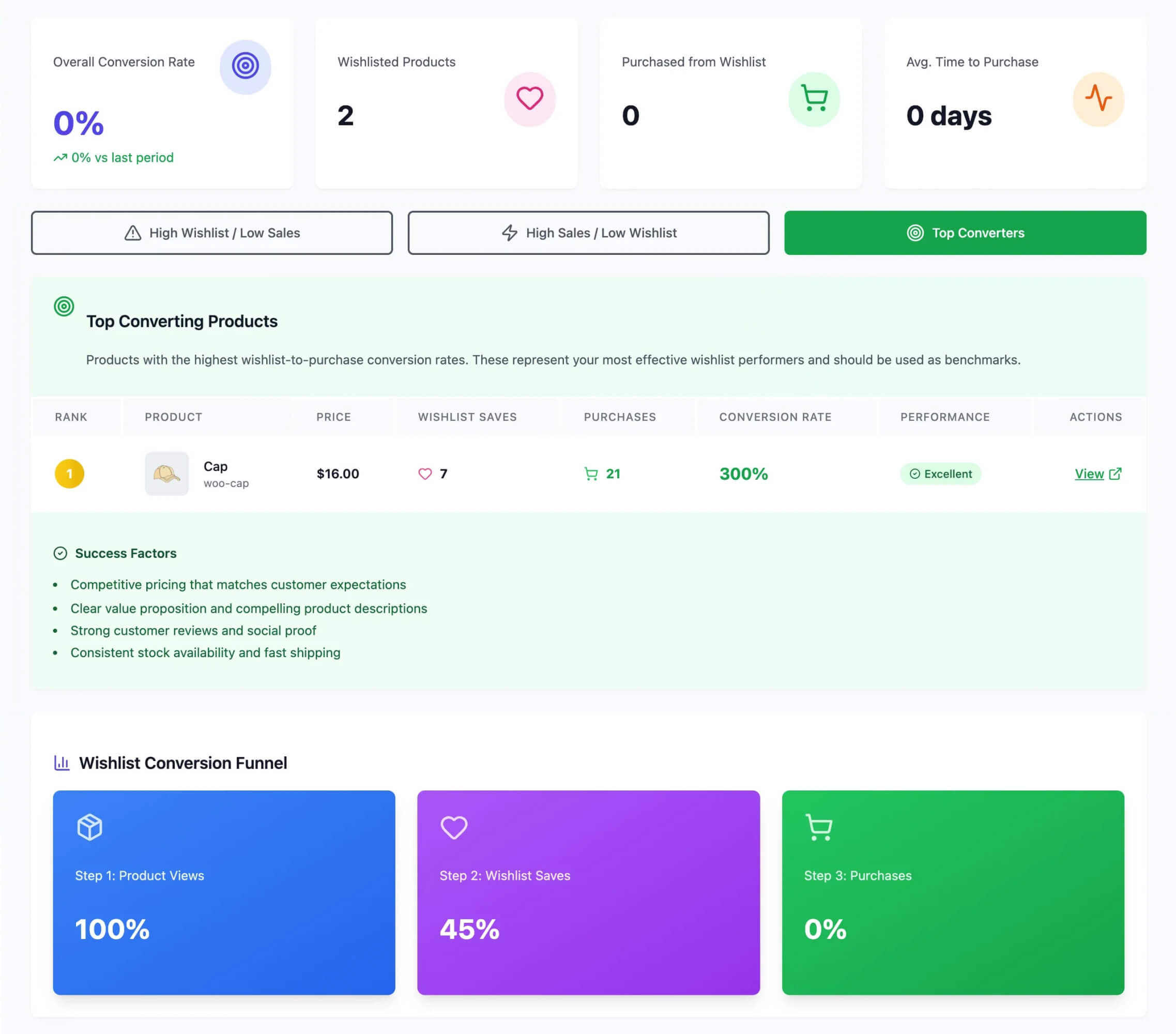
- Time-Based Trends show exactly when shoppers are most active and how many days an item sits in a list before it sells.
Interested in Advanced Wishlist Analytics? Learn more by reading:
Wishlist automations
One of SaveTo Wishlist’s most powerful features is Wishlist Automations. Instead of just hoping customers remember the items they saved, this tool actively works in the background to bring them back to your store.
These automations operate on a simple “trigger and action” system: you pick an event (like an item going on sale), and the plugin automatically performs an action (like sending an email).
The system includes various sub-features that are absolutely essential for recovering lost sales. Some of them include:
- Price drop alerts: This is arguably the highest-converting feature. If a customer saves an item and you later put it on sale, the plugin automatically emails them. It reaches a highly interested shopper the moment the price barrier is lowered.
- Back-in-Stock Notifications: If a popular wishlisted item sells out, customers are automatically notified the second you replenish your inventory. It captures that perfect window of opportunity when they’re eager to buy.
- Webhooks: If you use external marketing tools, the webhooks feature acts as a bridge. They let you send real-time wishlist data directly to apps like Mailchimp, Klaviyo, or Zapier the second a customer interacts with their list.
- User Meta: This is a great behind-the-scenes tool that automatically adds custom tags to a shopper’s profile based on what they save or remove. It helps you quietly organize and segment your audience to distinguish casual window shoppers from serious buyers.
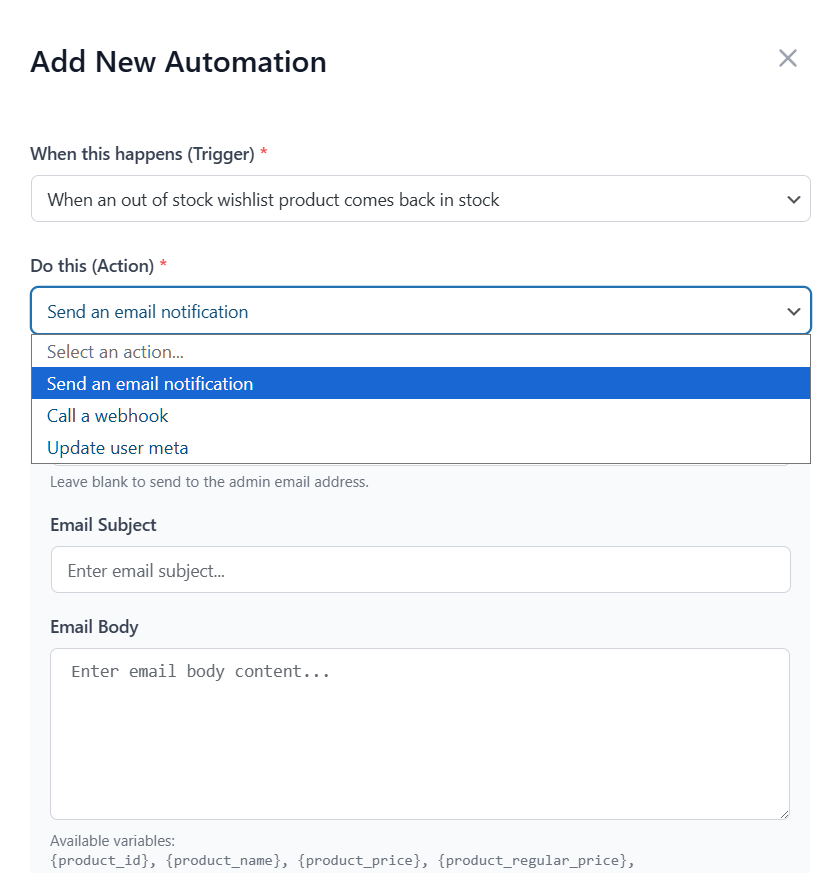
You can fully customize the content of the emails and adjust the exact rules for these automations. It takes all the busy work off your plate and puts your follow-ups on autopilot.
Hungry for more info about Wishlist Automation? Why not explore the following guide?

Wishlist sharing and permissions
This feature does a fantastic job of turning a standard wishlist into a collaborative shopping experience. While customers can still make lists public or keep them completely private, this update lets them securely share lists with specific people via email.
What makes it stand out to me is the level of control it gives the shopper:
- Collaborative lists: Customers can invite friends or family to join their list. This is incredibly useful for planning group gifts, organizing events, or setting up a wedding registry.
- Role-based access: Shoppers don’t just share a link; they can choose exactly who gets to view the list and who has permission to edit and add items to it. It’s perfect for letting a friend help pick out products without giving everyone full access.
- Secure verification: I really appreciate the added security. When an invite is sent, the guest has to verify their email before they can see the list, ensuring private ideas stay private even if a link gets forwarded.
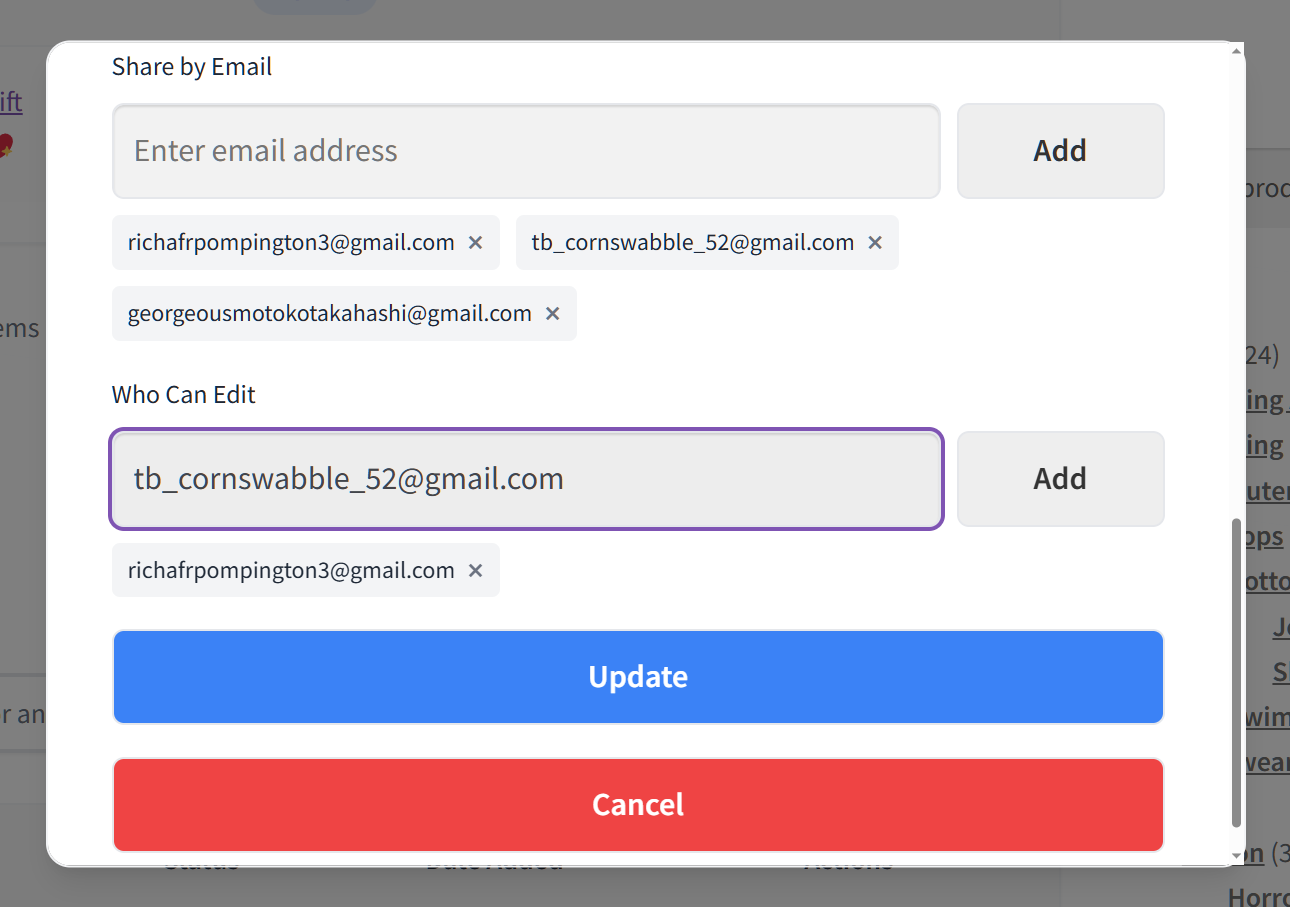
In my experience, when you let customers collaborate securely like this, it naturally drives more traffic to your store through word-of-mouth.
Eager to know more about this feature? Then click on the guide below:

The Verdict on Pro
If this SaveTo Wishlist review has one clear dividing line, it’s this one. The Pro upgrade really only makes sense if you plan to use wishlists as a proactive marketing tool. Thus, if your only goal is to simply let customers save items, stick with the free version. After all, it covers all the basics perfectly.
However, if you want to actively recover abandoned lists and use your shoppers’ intent data to drive targeted sales, Pro is where that happens. I also appreciate that they offer a steep first-year discount ($49.50) so you can test out the ROI before committing to the standard $99 renewal rate.
Real Performance Data & Site Speed
As a store owner, my biggest concern with wishlist plugins is their reputation for negatively impacting page load times and Core Web Vitals. However, the performance data for SaveTo Wishlist is genuinely impressive.
Instead of adding heavy code to your product pages, it introduces just 2.5 KB of JavaScript and requires only 1 extra server request. For perspective, the market leader (YITH WooCommerce Wishlist) adds 311.8 KB and 22 extra server requests. Finding a wishlist tool that adds a mere 15ms of load time while still delivering premium features is rare. If keeping your site fast is a priority, this lightweight footprint is a massive advantage.
| Wishlist Plugin | Extra Load Time | Code Weight (JavaScript) | Extra Server Trips | Database Work (Per Action) |
| SaveTo Wishlist | +15ms | 2.5 KB | +1 | Negligible |
| TI WooCommerce | +95ms | 6.1 KB | +4 | 260 |
| WPC Smart | +60ms | 11.0 KB | +7 | 601 |
| MoreConvert | +140ms | 25.8 KB | +9 | 421 |
| YITH (Market Leader) | +180ms | 311.8 KB | +22 | 1,404+ |
Baseline: Before adding any plugins, our clean test site had a starting code weight of 82.2 KB and made 48 total server requests.
We published a full speed test comparison that measures real page load impact across the major WooCommerce wishlist plugins. I’d recommend reading the full test for methodology and detailed results!
What I can say confidently in this SaveTo Wishlist review: if site speed is a priority for your store (and it should be), the data clearly backs up SaveTo Wishlist as the better choice for performance. It doesn’t add unnecessary bloat, and it plays perfectly with caching plugins and CDNs.
Pricing Breakdown
No SaveTo Wishlist review is complete without the numbers. SaveTo Wishlist offers three paid tiers alongside its generous free version. All three include a 14-day money-back guarantee:
- Growth: $49.50/year (renews at $99). This is the single-site plan. It unlocks the “revenue-driving” side of the plugin: advanced analytics, automations, price drop alerts, back-in-stock notifications, webhooks, and collaborative lists.
- Plus: $99.50/year (renews at $199). Another single-site plan. It includes everything in Growth and adds the Gift Registry Addon, which lets customers turn a wishlist into a shareable registry for weddings, baby showers, and birthdays, along with advanced sharing options.
- Business: $199.50/year (renews at $399). This includes everything in Plus but adds unlimited site activations, multisite support, and priority email support. This is easily the best choice for agencies or developers managing a fleet of client stores.
The Verdict on Value
On value, this SaveTo Wishlist review lands firmly on the positive side. The $49.50 introductory price for the Growth plan is a steal when you consider that it includes features (like price-drop automations and webhooks) that most competitors lock behind $100+ price tags.
The Business plan needs a bit more thought. Unlimited site licensing at $199.50 for the first year, then $399, is still uncommon in the WooCommerce space, but it only beats buying separate Growth licenses once you pass four stores: at five sites you pay $199.50 against $247.50. Below that, individual Growth licenses work out cheaper, unless you want the Gift Registry Addon that Plus and Business include.
Need context on how this pricing compares to YITH WooCommerce Wishlist, TI WooCommerce Wishlist, and WPC Smart Wishlist? Then check out our detailed pricing comparison!
Honest Pros & Cons
Here’s where this SaveTo Wishlist review keeps its promise about transparency.
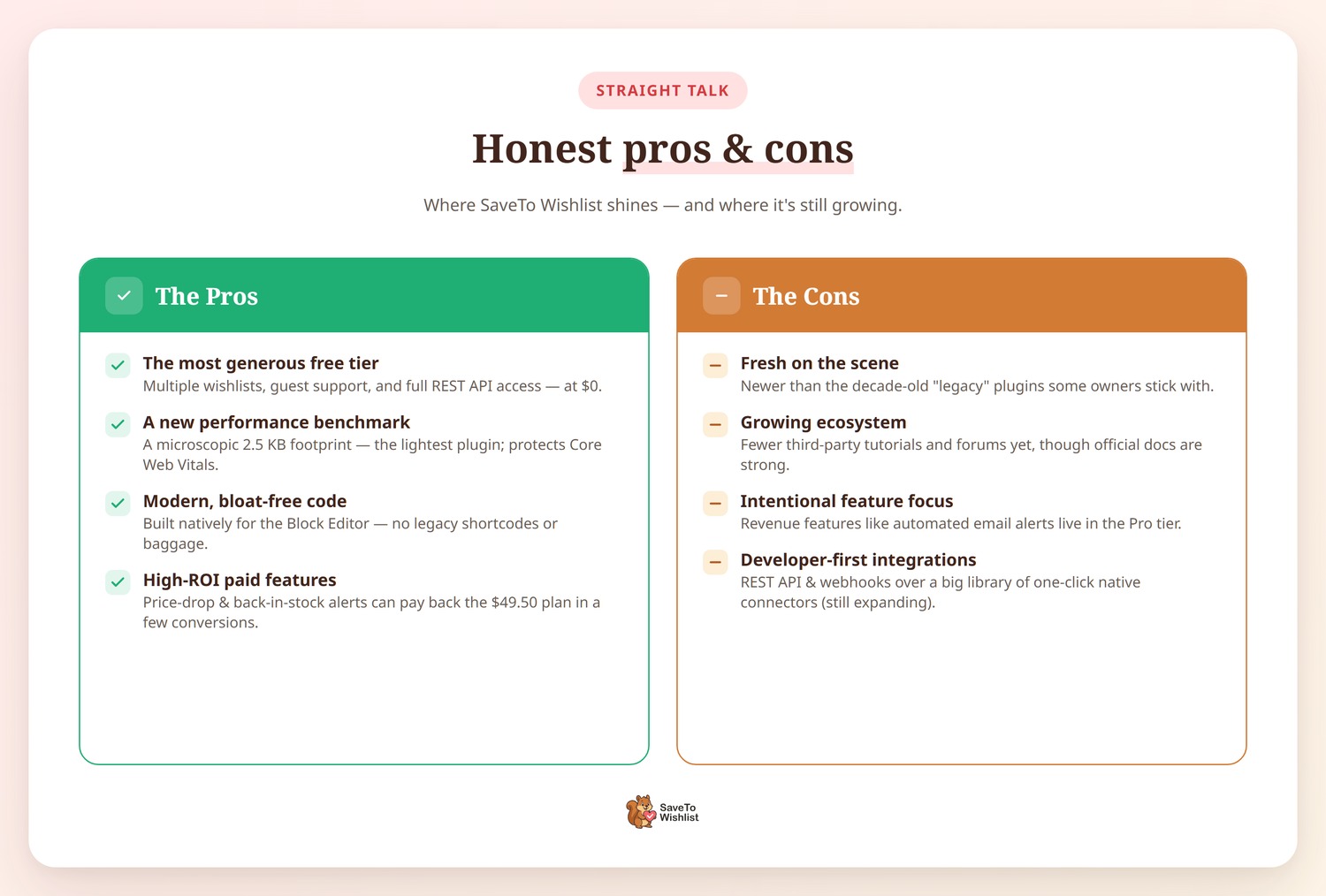
The Pros
- The Most Generous Free Tier in the Space: You get multiple wishlists, guest support, and even full REST API access for $0. It’s rare to find a WooCommerce wishlist plugin that doesn’t paywall these core organizational tools.
- The New Performance Benchmark: With a microscopic 2.5 KB code weight, it’s the lightest wishlist plugin on the market. It’s designed specifically to protect your Core Web Vitals and SEO rankings.
- Modern, Bloat-Free Code: Built natively for the Block Editor. No “legacy baggage” or old shortcodes that slow down modern themes.
- High-ROI Paid Features: The $49.50 Growth plan doesn’t just add features; it adds a sales team. The price-drop and back-in-stock alerts are designed to pay for the license in the first few conversions.
The Cons
- Fresh on the Scene: Since it’s a more modern solution, it doesn’t have the decade-long history of some “legacy” plugins. For store owners who prefer older, established brands, being the “new kid” is its biggest hurdle.
- Growing Ecosystem: While the official documentation is excellent, you won’t find as many 3rd-party YouTube tutorials or community forums yet. It’s an evolving ecosystem rather than a crowded one.
- Intentional Feature Focus: To stay lightweight, the free version focuses strictly on core wishlist functionality. If you want the “revenue-generating” side (like automated email alerts), you’ll need to step up to the Pro tier.
- Developer-First Integrations: While the REST API and Webhooks allow you to connect to anything, the library of “one-click” native integrations is still expanding. It’s currently built for flexibility over “plug-and-play” with every minor CRM.
Who Should Use SaveTo Wishlist?
For the purposes of this SaveTo Wishlist review, I’d break it down this way:
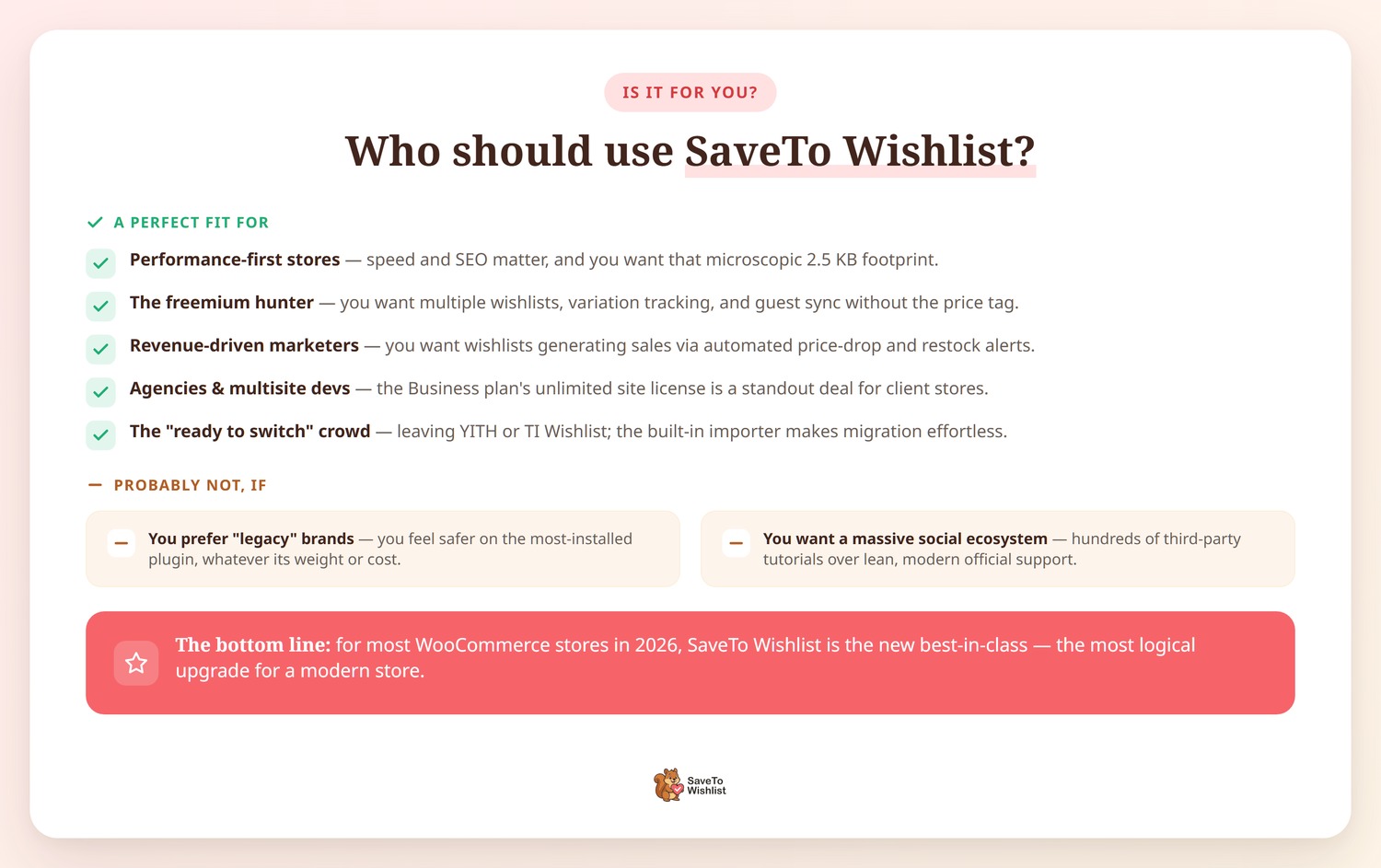
SaveTo Wishlist is a perfect fit for:
- Performance-First Stores: If your SEO depends on fast load times and you want that microscopic 2.5 KB footprint.
- The “Free-mium” Hunter: If you want those “Pro” features like multiple wishlists, variation tracking, and guest sync without the €99.99 price tag.
- Revenue-Driven Marketers: If you want your wishlists to be active revenue generators by sending automated price-drop alerts or restock notices.
- Agencies and Multisites: The Business plan’s unlimited site license is the cost-effective route once you are running five or more client stores.
- The “Ready to Switch” Crowd: If you’re currently on YITH Wishlist or TI Wishlist and want a faster experience, the built-in importer makes the migration practically effortless.
This might not be for you if:
- You Prefer “Legacy” Brands: If you feel safer using the most-installed WooCommerce wishlist plugin regardless of code weight or yearly cost.
- You Need a Massive Social Ecosystem: If you prefer having hundreds of third-party YouTube tutorials and “how-to” blogs over a leaner, modern tool with dedicated official support.
The Bottom Line: For most store owners in 2026, SaveTo Wishlist is the new “best in class.” It’s rare to find a WooCommerce wishlist plugin that balances this much power with such a lightweight design. Unless you have a specific reason to stay with a legacy brand, this is the most logical upgrade for a modern store.
Final Verdict: The New Standard For WooCommerce Wishlists
One last pass over what this SaveTo Wishlist review turned up. If we were back in 2020, “legacy” plugins were the only game in town. But in 2026, when site speed and automated marketing are the difference between a sale and a bounce, SaveTo Wishlist simply outclasses the field.
It’s rare to find a developer who offers this much value—multiple wishlists, guest sync, and a full REST API—entirely for free. Usually, you’d be paying $99 or more just to get those basics. By the time you step up to the Growth plan, you aren’t just getting a “heart button”. You’re getting a performance-optimized sales engine that tracks trends and rescues sales while you sleep.
The Verdict: If you’re starting a new store, don’t even look at the older, heavier alternatives. If you’re currently stuck with a bloated “legacy” plugin, use the migration tool and make the switch. Your site speed and your customers will thank you.
To recap, this SaveTo Wishlist review covered:
- What Is SaveTo Wishlist?
- Free Version Features
- Pro Version Features
- Real Performance Data & Site Speed
- Pricing Breakdown
- Honest Pros And Cons
- Who Should Use SaveTo Wishlist?
Start with the free version and see for yourself. If you want analytics and automations, the Growth plan comes with a 14-day money-back guarantee, so there’s no risk in trying it.
FAQs: SaveTo Wishlist Review
Is SaveTo Wishlist really free?
Yes. The free version, also known as SaveTo Wishlist Lite, isn’t a “lite” trial; it’s a fully functional plugin. It includes features that almost every other competitor charges for, such as unlimited lists, guest-to-account syncing, variation tracking, and even full REST API access. There’s no hidden “feature countdown”; this free WooCommerce wishlist plugin is yours permanently.
What is the biggest benefit of introducing saveto wishlist to my store?
The main advantage is that you get “Pro” features—like multiple wishlists and guest syncing—entirely for free, all while keeping your site speed much faster than traditional “legacy” plugins.
How does SaveTo Wishlist compare to YITH WooCommerce Wishlist?
In short: it’s more modern and much lighter. While YITH Wishlist is a legacy giant, it often requires a €99.99/year upgrade just to give users multiple wishlists. SaveTo Wishlist gives you that for free. Plus, in our benchmarks, SaveTo Wishlist was 124x lighter in terms of code weight, making it the better choice for store owners who care about mobile performance.
Will SaveTo Wishlist slow down my site?
Actually, it’s designed to do the opposite. Most wishlist plugins add a lot of “bloat” to your product pages, but SaveTo Wishlist adds only 2.5 KB of JavaScript and a single server request. It’s virtually invisible to your page load times, consistently adding less than 15ms of overhead in our tests.
Can I migrate from another WooCommerce wishlist plugin?
Yes. You don’t have to worry about your customers losing their saved items. There is a built-in migration tool that ports your data over from YITH and other major plugins in just a few clicks. It’s a seamless process that takes minutes, not hours.
Is the Pro version worth the $49.50?
It depends on your strategy. The free version is a great passive earner; it captures sales by giving shoppers an easy way to return and finish a purchase later. However, the Pro version puts that growth on autopilot. Also, by adding proactive triggers like price-drop and restock alerts, this WooCommerce wishlist plugin invites customers back the second they’re most likely to convert. For most stores, it pays for itself after just a few rescued orders.
Will SaveTo Wishlist work with my theme?
Absolutely. As a new WooCommerce wishlist plugin, SaveTo Wishlist was built natively for modern Block themes. However, it works perfectly with traditional “classic” themes too. You can style the buttons visually to match your brand perfectly without ever touching a line of CSS.



