


 Reviewed by
 Scarcity marketing has a bad reputation in WooCommerce, and often for good reason. You’ve seen the fake countdown timers that reset on refresh. You’ve seen the “only 2 left” banners that never change. And you’ve seen the “sale ends tonight” that somehow runs every night.
Shoppers have seen them too, and most stopped believing any of it. Here’s the trouble with fake urgency. It doesn’t just fail to convert. It chips away at the trust you spent months building.
The fix isn’t more pressure. It’s honest urgency built on signals your shoppers actually gave you. In this guide, we’ll show how wishlists turn real buying intent into ethical scarcity. Think genuine low stock, price-drop windows, and expiry dates that mean something.
Table of Contents
- What Is Scarcity Marketing In WooCommerce?
- Why Wishlists Are The Honest Foundation For Urgency
- Low Stock And Back-In-Stock Alerts That Feel Real
- Price-Drop Windows That Reward Patient Savers
- Strategic Wishlist Expiry: Deadlines With A Reason
- How To Set Honest Urgency Up In WooCommerce
- Frequently Asked Questions
- Turning Real Intent Into Honest Urgency
What Is Scarcity Marketing In WooCommerce?

Scarcity marketing relies on the scarcity principle, which is the psychological idea that people naturally value things more when they are harder to get. It uses limited availability to nudge a shopper toward a decision. That limit can be stock, time, or price. In WooCommerce, it shows up as low-stock notices, sale deadlines, or “back soon” labels.
The problem is that most stores fake it. A countdown resets, a stock number is invented, a deadline never arrives. That works once, and then shoppers catch on. One thing we commonly see is a spike in first-time conversions, then a drop in repeat buyers.
Ethical scarcity is different. The limit is real, and the shopper can verify it. The product genuinely is low on stock. The price genuinely goes back up.
When scarcity is true, urgency stops being a trick. Instead, it becomes useful information that helps someone decide.
Why Wishlists Are The Honest Foundation For Urgency
Think about the difference between a cold sales pitch and a helpful tip from a friend. That’s the exact difference between manipulative marketing tactics and permission-based marketing.
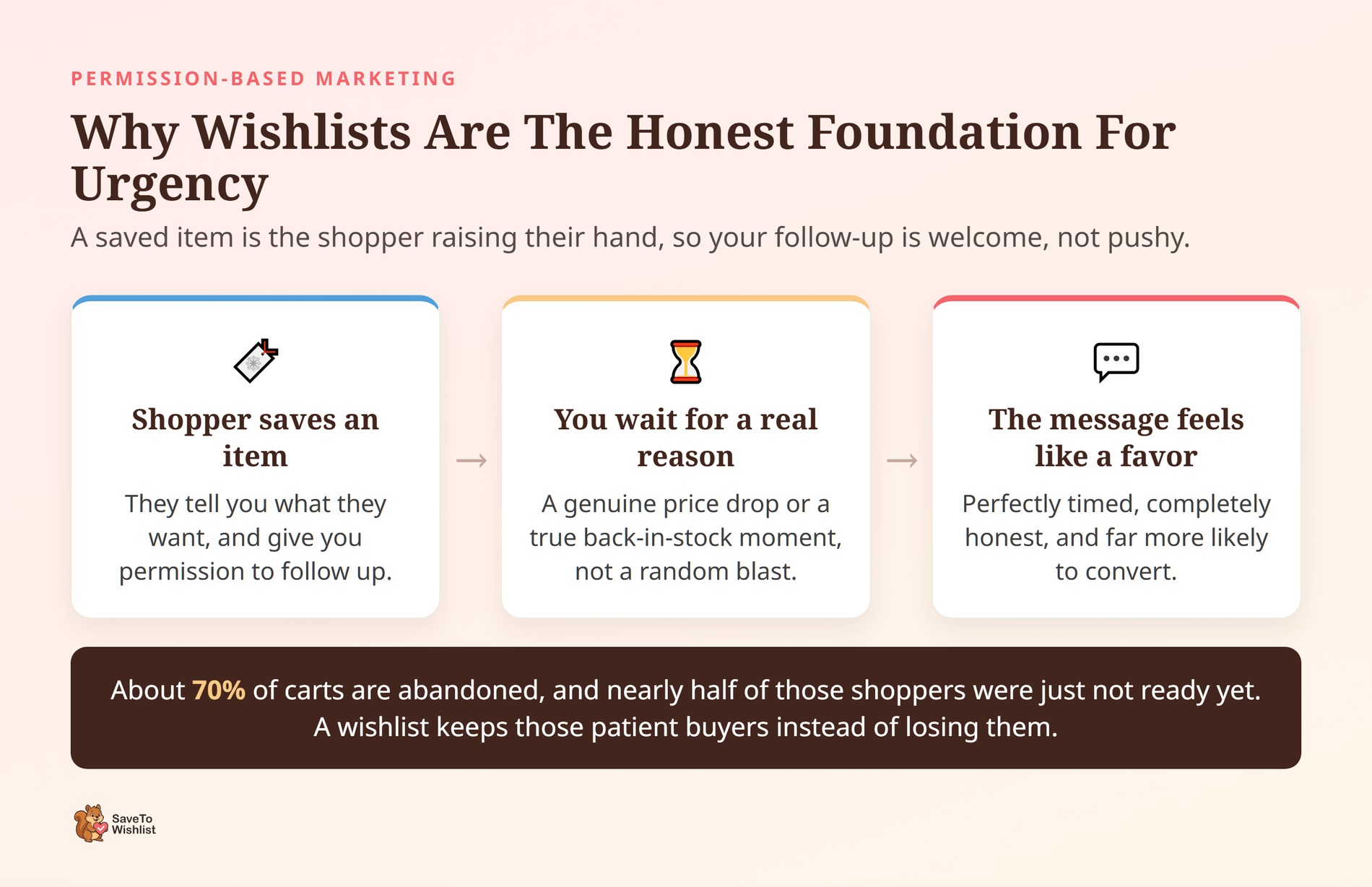
The data shows that shoppers need time to think. According to the Baymard Institute, about 70% of online shopping carts are abandoned. On top of that, nearly half of those shoppers leave simply because they were just browsing or weren’t ready to buy yet. They aren’t lost customers. They’re just patient ones.
A wishlist captures this patient group of browsers before they walk away. When a shopper saves a product to their list, the whole dynamic changes. Instead of leaving an abandoned cart behind, they’re raising their hand and saying, “I want this, but I’m waiting for the right moment.”
They just gave you permission to follow up.
Once a product sits on a list, you have a clear signal of exactly what they want. Now, instead of bothering them with random, fake marketing campaigns, you can wait for a real, honest reason to reach out.
When you finally do send a message about a price drop or a restock, it doesn’t feel like a trick. It feels like a helpful favor. SaveTo Wishlist lets you capture that intent for free, setting the stage for perfectly timed, completely ethical marketing.
Low Stock And Back-In-Stock Alerts That Feel Real
Real scarcity starts with real stock numbers. The most honest version of urgency simply tells a shopper the exact moment a saved item is available again or running low. There are no invented numbers here, just real-time updates.
When a wishlisted product sells out, that customer’s interest doesn’t disappear. It just goes quiet. SaveTo Wishlist Pro back-in-stock alerts wake that interest back up the instant WooCommerce marks the item as available.
To keep this scarcity marketing strategy truly ethical and highly effective, focus on how you phrase your messages:
- Write helpful, insider copy: When an item drops to low stock or returns to the shelves, your email should feel like a VIP heads-up. Try copy like, “Hey, we noticed you had your eye on this. We only have three left in stock, so we wanted to give you first dibs before they are gone!”
- Never manipulate the numbers: If your email says “only 2 left,” make sure your inventory actually reflects that. If a shopper goes to your site and sees 50 items available, you will instantly lose their trust. True restock alerts convert incredibly well because the shopper asked to be told, and you simply told them the truth.
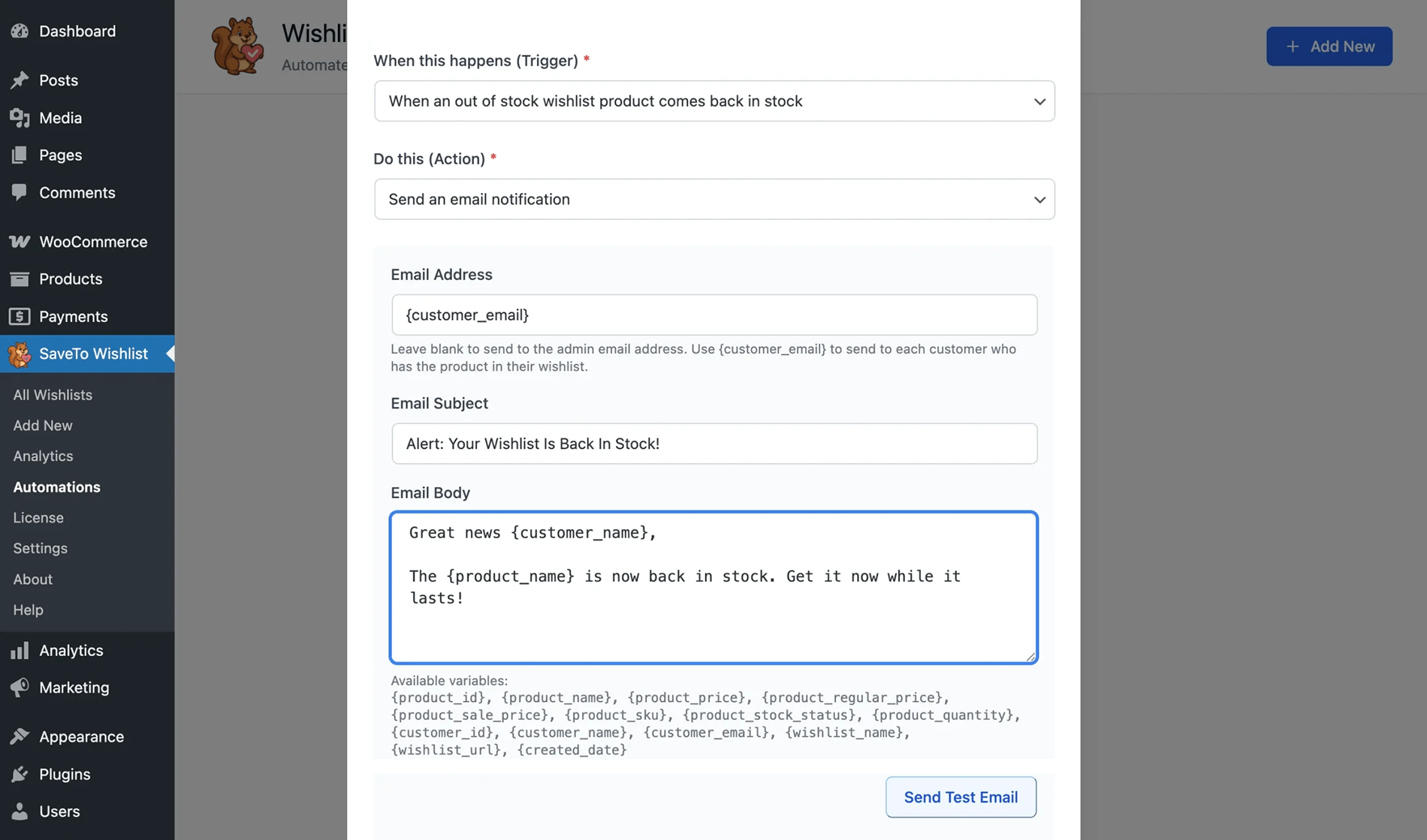
In our experience, restock alerts convert well because there’s no manipulation. The shopper asked to be told, and you told them the truth. Our WooCommerce restock notifications guide walks through the setup.
You can also route these events through Pro’s real-time webhooks to a tool like Zapier. That lets you trigger an SMS, since SaveTo Wishlist hands off the data rather than texting on its own.
Price-Drop Windows That Reward Patient Savers
A price-drop alert creates honest urgency by rewarding the people who waited. It tells them the exact moment a saved item gets cheaper. The scarcity here is the time window itself, since prices shouldn’t stay low forever.
This is one of the cleanest forms of ethical scarcity. The shopper wanted the product but held off because of the price. Then, you told them when the price moved in their favor. SaveTo Wishlist Pro price-drop alerts fire automatically when a wishlisted product goes on sale, meaning you do not have to spend hours chasing individual browsers.
To maximize this window without sounding pushy, pair the alert with a clear deadline:
- State the end date clearly: If you are running a weekend sale, your alert should say exactly when the price goes back up. Use clear phrasing like, “The price on your saved jacket just dropped by 15% for our weekend flash sale. This deal ends Sunday at midnight.”
- Stick to your word: If the sale ends Sunday, the price must go back to normal on Monday. If a customer returns on Tuesday and sees the discount is still active, your urgency becomes meaningless. When deadlines are real, the urgency writes itself.
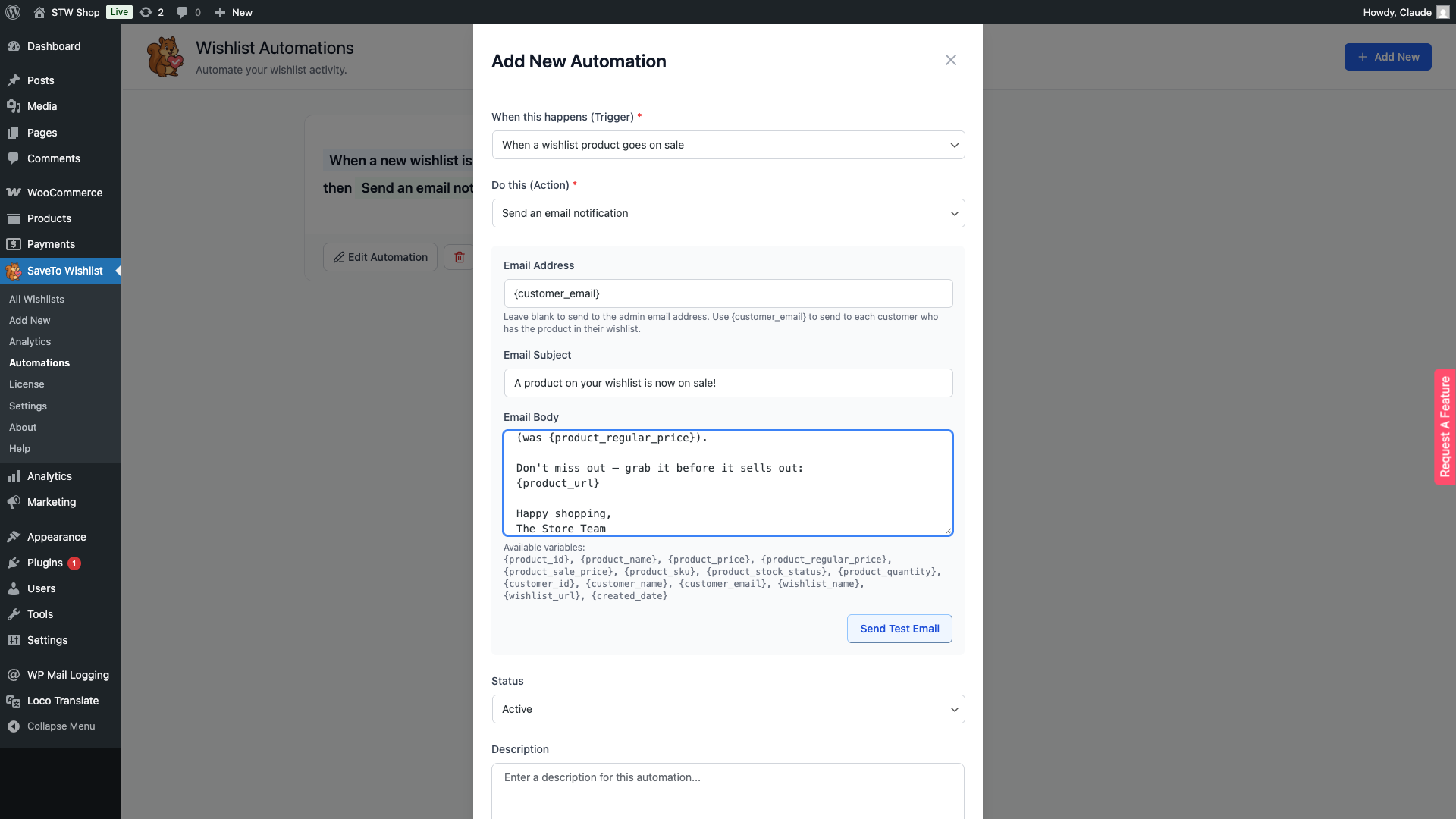
Our wishlist price-drop alerts guide covers the details. The key is honesty. If the price really returns to normal when the sale ends, the urgency is earned.
Strategic Wishlist Expiry: Deadlines With A Reason
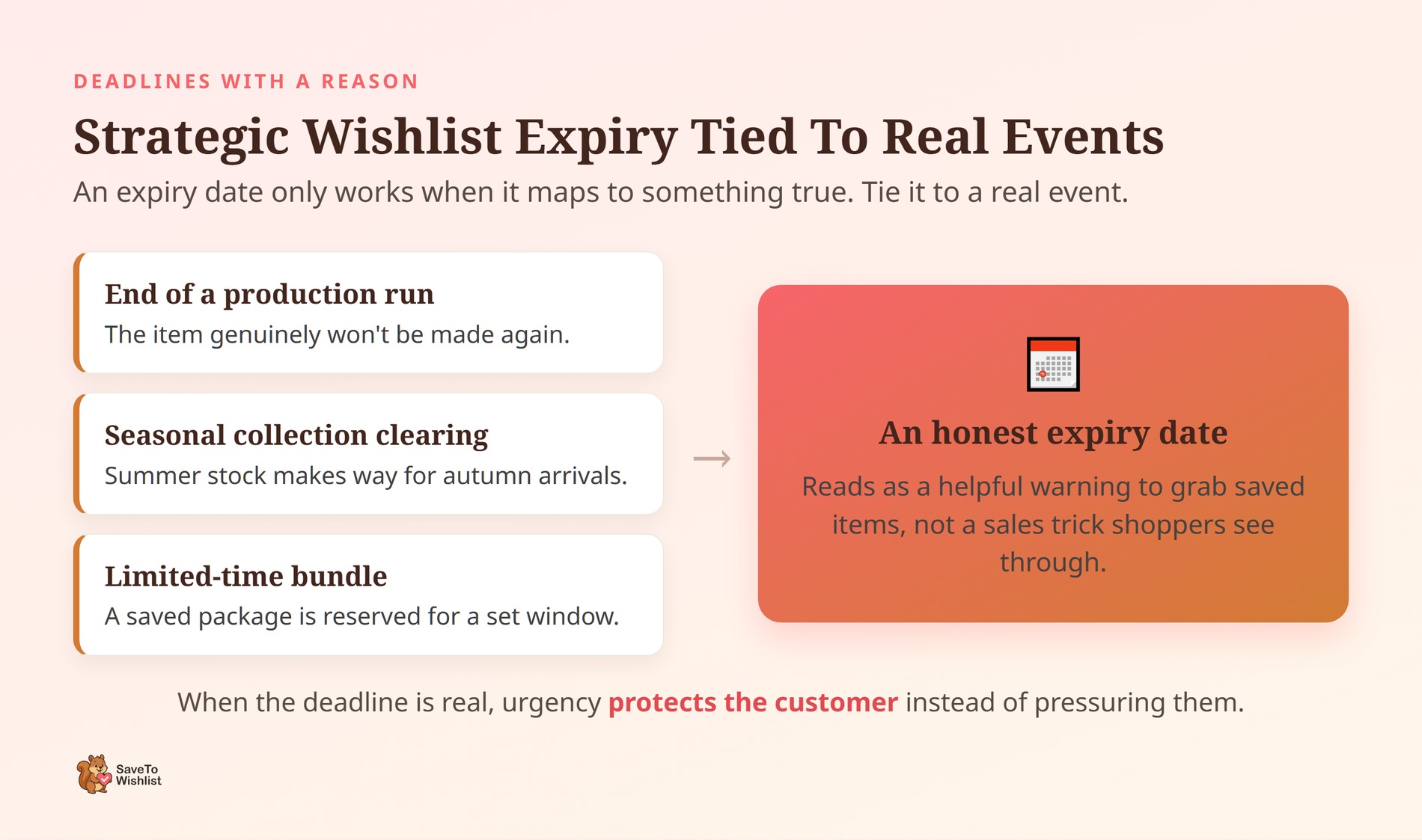
Strategic Wishlist Expiry lets you set a literal expiration date on a wishlist or a specific holiday offer. This gives shoppers a real deadline to make a choice instead of letting an item sit on a vague “someday” list forever.
The honesty comes from the reason behind the expiration date. When the deadline maps to something true, it reads as helpful information rather than a sales trick.
- Tie the expiration to a real event: Don’t just expire a list for the sake of it. Tie the date to something concrete, like the end of a manufacturing run, a seasonal collection clearing out, or a limited-time bundle package.
- Use a sense of urgency that protects the customer: Frame the expiration as a way to help them get what they want. For example, your reminder email could say, “We are clearing out our summer inventory on Friday to make room for autumn arrivals. We want to make sure you grab your saved items before they are archived!” This turns a rigid deadline into a helpful warning.
How To Set Honest Urgency Up In WooCommerce
Building an ethical urgency system is all about layering real limits on top of real customer intent. You should never invent a limit you cannot back up with facts. Following a structured sequence keeps your marketing honest and protects your reputation.
Here is the strategic framework you should use to get started:
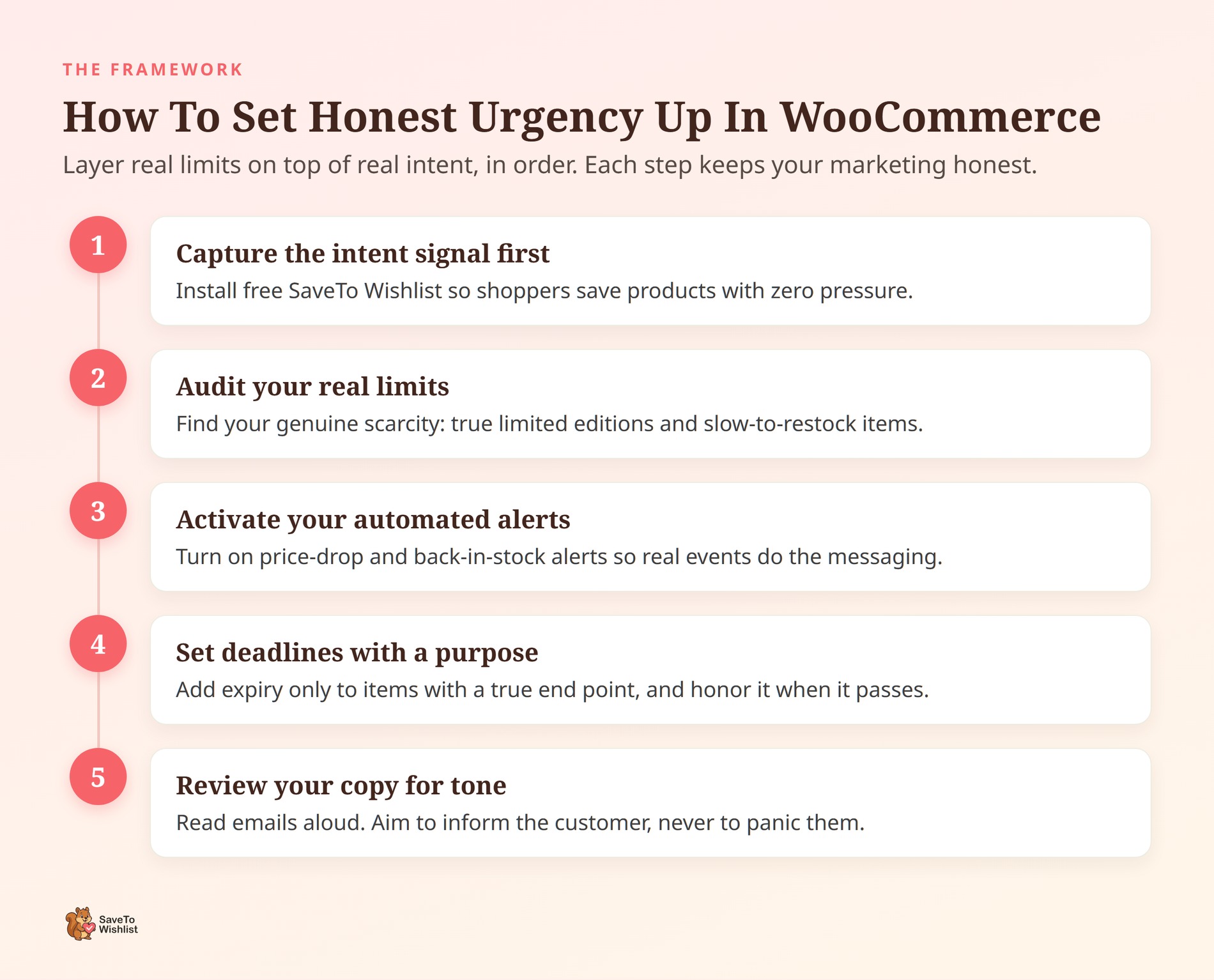
Step 1: Capture the intent signal first
Start by installing the free version of SaveTo Wishlist. This lets your shoppers save products without any pressure, allowing you to quietly gather data on what people actually want to buy before you ever mention a deadline or a stock limit.
Step 2: Audit your real limits
Take a look at your store inventory and production schedule. Which items are truly limited editions? Which products take weeks to restock? Identify your genuine points of scarcity so you know exactly where urgency makes sense.
Step 3: Activate your automated alerts
Upgrade to SaveTo Wishlist Pro to turn on back-in-stock and price-drop notifications. Let your real inventory changes and genuine sales handle the communication. The system will handle the messaging automatically, sending out alerts only when a real event occurs.
Step 4: Set deadlines with a purpose
Use the Strategic Wishlist Expiry feature carefully. Only add expiration dates to items that have a true end point, like a seasonal clearance or a promotional bundle. If a list expires, make sure the offer truly goes away.
Step 5: Review your copy for tone
Before your emails go live, read them out loud. Ensure your language sounds like a helpful notification rather than a desperate sales pitch. Your goal is to inform your customer, not panic them.
The biggest secret to scarcity marketing is restraint. It is tempting to stack every single countdown timer and low-stock banner on the same page, but honest limits work much better when they stand alone. Let your customer’s saved wishlist do the heavy lifting, and only reach out when you have something true to say.
Frequently Asked Questions
Is scarcity marketing ethical?
Scarcity marketing is ethical when the limit is real and the shopper can verify it. A genuine low-stock notice, a real sale deadline, or a true restock all give honest information. It becomes unethical when you invent the limit, like a timer that resets. Keep the scarcity provable, and it stays fair.
Does fake urgency actually hurt sales?
In our experience, fake urgency can lift a first purchase, then cost you the repeat one. Shoppers notice reset timers and never-changing “only 2 left” banners. Once they do, they trust nothing else on your store. The short-term bump rarely covers the long-term loss of trust.
What’s the difference between price-drop and back-in-stock alerts?
A price-drop alert tells a shopper a saved item is now cheaper. A back-in-stock alert tells them a sold-out saved item is available again. Both are automatic in SaveTo Wishlist Pro, and both fire on real events. Use price-drop to reward patient savers and back-in-stock to recover lost interest.
Do I need SaveTo Wishlist Pro for these features?
The free version handles saving products, multiple lists, and shareable links. That’s the intent-capture foundation. Price-drop alerts, back-in-stock alerts, and Strategic Wishlist Expiry are Pro features. They’re the tools that act on the signal, so honest urgency lives in Pro.

Turning Real Intent Into Honest Urgency
Ethical scarcity marketing works because it’s built on things that are actually true. Wishlists give you the intent. Real alerts and real deadlines give you the urgency. No fake countdown required.
Here’s the quick recap:
- What scarcity marketing is in WooCommerce
- Why wishlists are the honest foundation for urgency
- Low stock and back-in-stock alerts that feel real
- Price-drop windows that reward patient savers
- Strategic Wishlist Expiry and deadlines with a reason
If you’re ready to trade fake countdowns for urgency shoppers can trust, SaveTo Wishlist Pro delivers. You get price-drop alerts, back-in-stock alerts, and Strategic Wishlist Expiry. Start with the intent you already collect, then let real events do the nudging.



