

 Reviewed by
 A store owner asked us last month whether they needed a gift registry. They already had a wishlist, and wondered whether it would do the job. It’s the right question, and it usually gets answered badly. Nearly everyone writing about it only sells one of the two.
We sell both. So here’s the honest version of the wishlist vs gift registry decision: they solve different problems. For plenty of WooCommerce stores, the free wishlist is genuinely enough.
The trouble is that the two look almost identical from the outside. Both are lists of saved products, and both can be shared with somebody else. The difference only appears once the list leaves the customer’s hands, and that’s the part worth deciding on.
This guide covers what each one is for and the mechanics that separate them. Then it covers what a registry asks of you in return, and how to tell which your catalogue needs.
Jump to:
- What A Wishlist Is For
- What A Registry Adds
- What Running A Registry Asks Of You
- The Mechanics That Actually Differ
- What Could Stop A Registry Working On Your Store
- Which One Does Your Store Need
- Reading The Answer Out Of Your Own Store Data
- Running Both Together On One Store
- Wishlist Vs Gift Registry FAQ
- Wishlist Vs Gift Registry: The Right Call For Your Store
What A Wishlist Is For
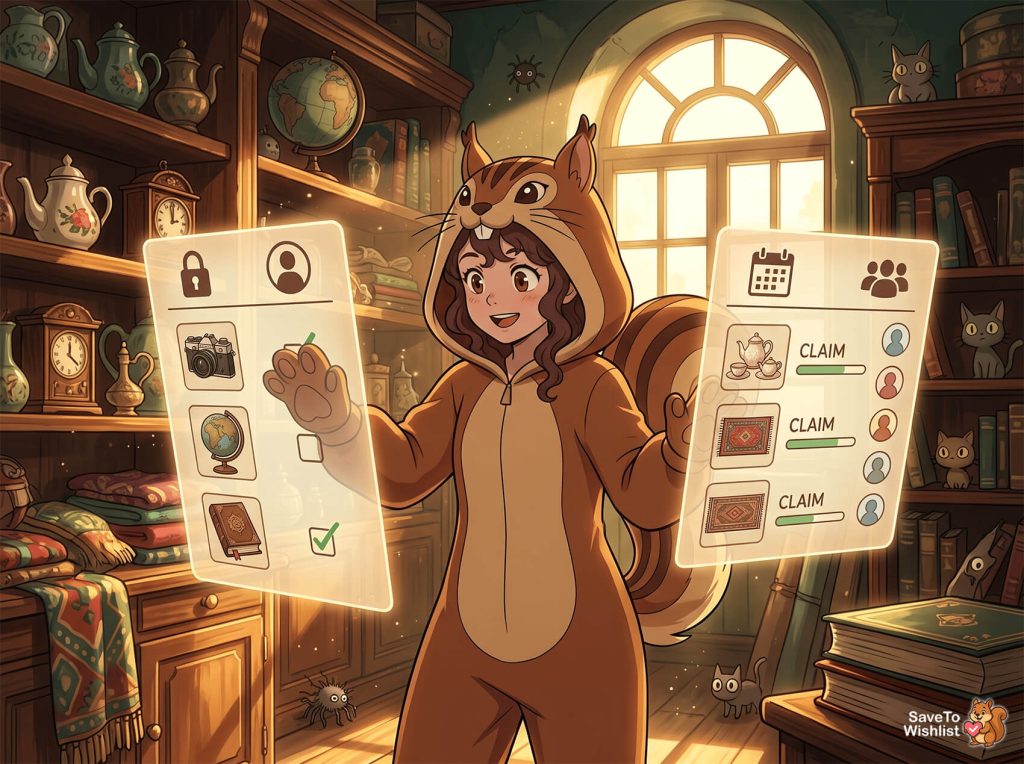
A wishlist is a private holding place for buying intent. Your customer saves a product they aren’t ready to buy, then comes back to it later on their own schedule.
That sounds small. In practice it’s the only record you get of a shopper who looked hard at a product and left empty-handed. That’s the leak behind most browse abandonment.
No cart, no order, no email address, just a page view you can’t act on. A save turns that into something with a name attached.
The behaviour a wishlist supports is one person shopping for themselves:
- Saving across visits: Someone builds a list over three weeks and buys it in one order when payday lands.
- Comparing before committing: Two sofas sit side by side in a list instead of in eleven browser tabs.
- Waiting for a reason: A price drop, a restock, a sale, or simply permission to spend.
- Quiet gift planning: A customer keeps a list of things they’d like and sends the link when a relative asks.
SaveTo Wishlist Lite is the free WooCommerce wishlist plugin that covers all of that. Customers get unlimited named lists. Guest saves are held in the browser and merged into the account on login. Logged-in customers get a shareable link to any list they’ve marked public.
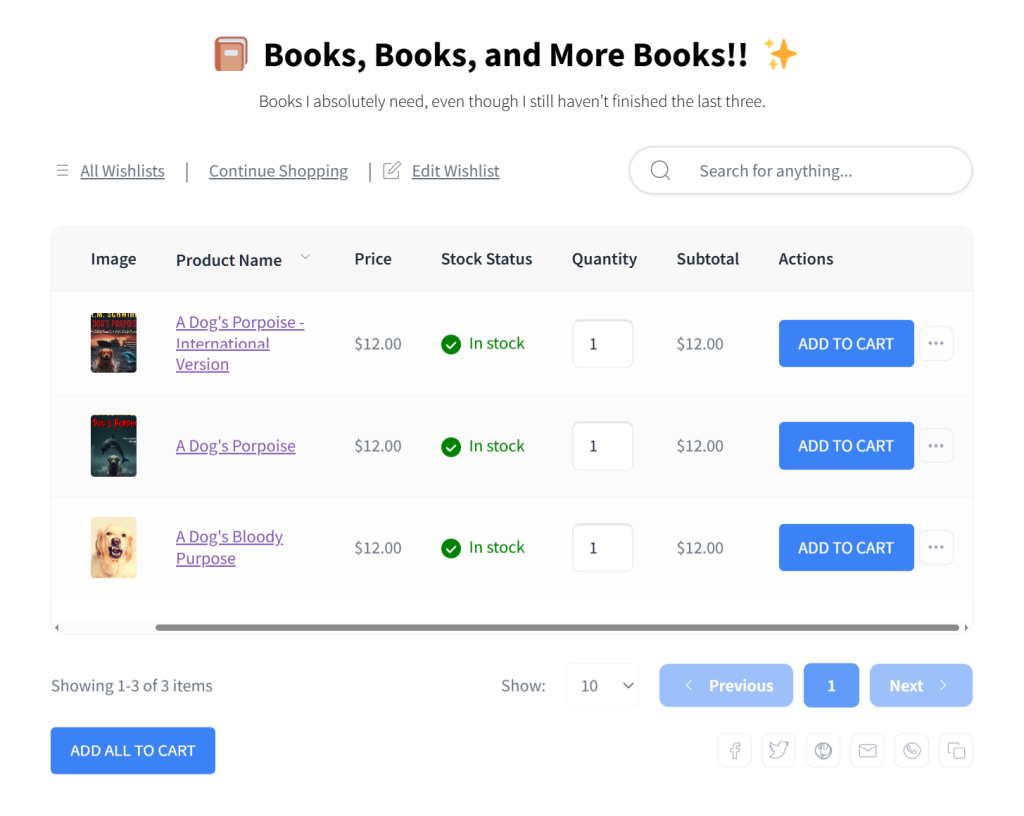
Note the default, though. It’s private. A wishlist assumes the person reading the list is the person who wrote it. Every design decision inside it follows from that.
What A Registry Adds

A gift registry takes the same saved list and rebuilds it for a different reader. That reader is not the person who made it. That single change is what every registry feature exists to handle.
Once other people are buying from a list, four problems show up that a private wishlist never has to solve. Guests need to reach the list without an account, and they need to see what’s already been bought. The owner needs to know who bought what, so the thank-you notes go to the right people. Plus the list needs enough context that somebody who has never visited your store understands what they’re looking at.
The WooCommerce gift registry addon answers those four. A customer converts an existing wishlist into a registry through a short form covering the event details, and from there:
- Purchases record automatically: As soon as an order goes through, the requested item counts adjust. Guests see what’s already claimed instead of a static list.
- Guests check out without an account: They view the list and add items to the cart. Payment runs through your normal WooCommerce checkout.
- A public search page finds the registry: Guests look up the registrant by name and filter by event type. That covers everyone who mislaid the original link.
- The owner gets a private dashboard: Incoming gifts, buyer details and a thank-you-note tracker. Emails go out when a gift is bought, refunded or cancelled.
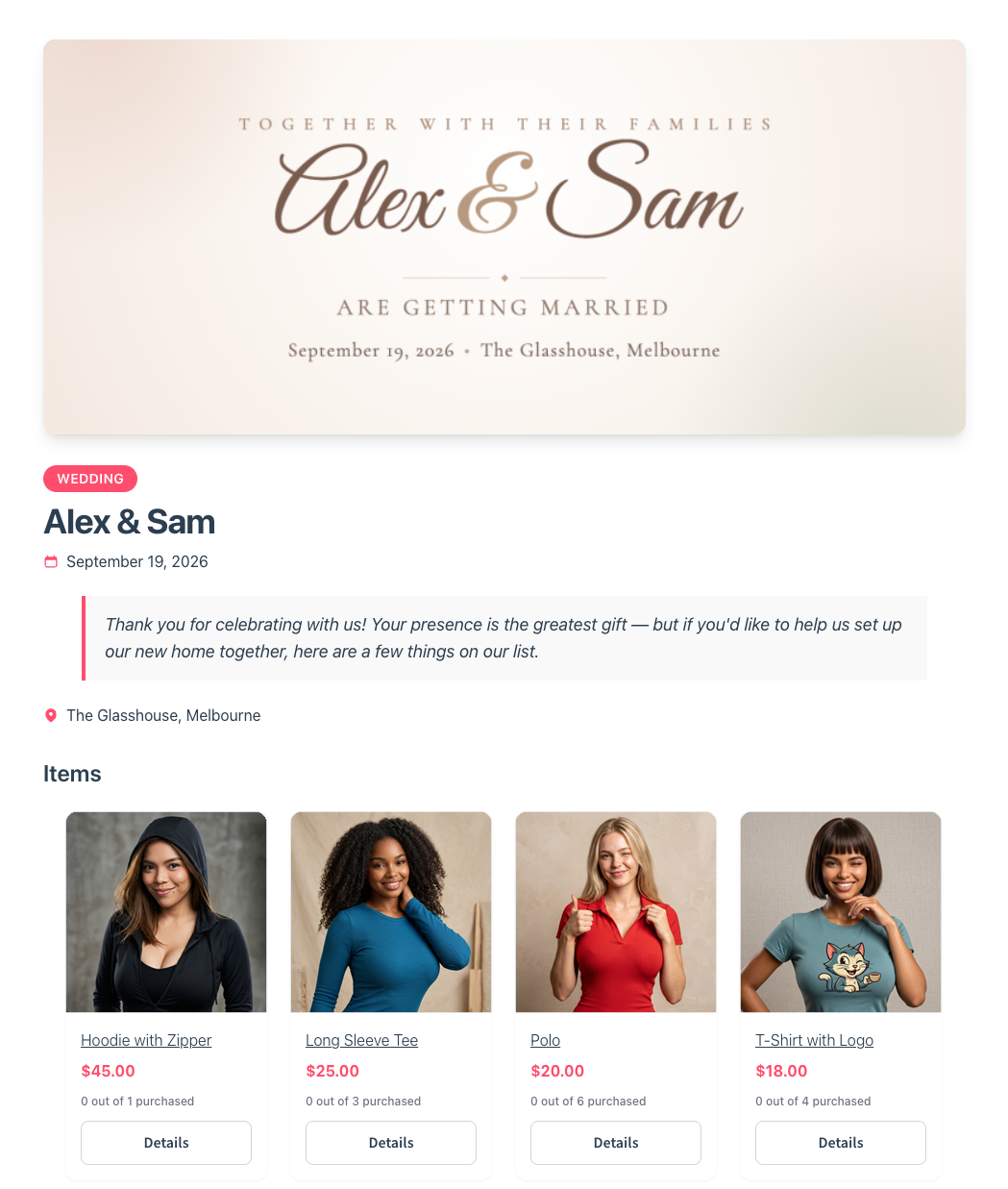
None of that is a better wishlist. It’s a different product for a different reader, which is why the choice between them isn’t really a budget question.
What Running A Registry Asks Of You
A registry is a second thing to look after, and the honest version of this decision includes that. Five behaviours are worth knowing before you commit.
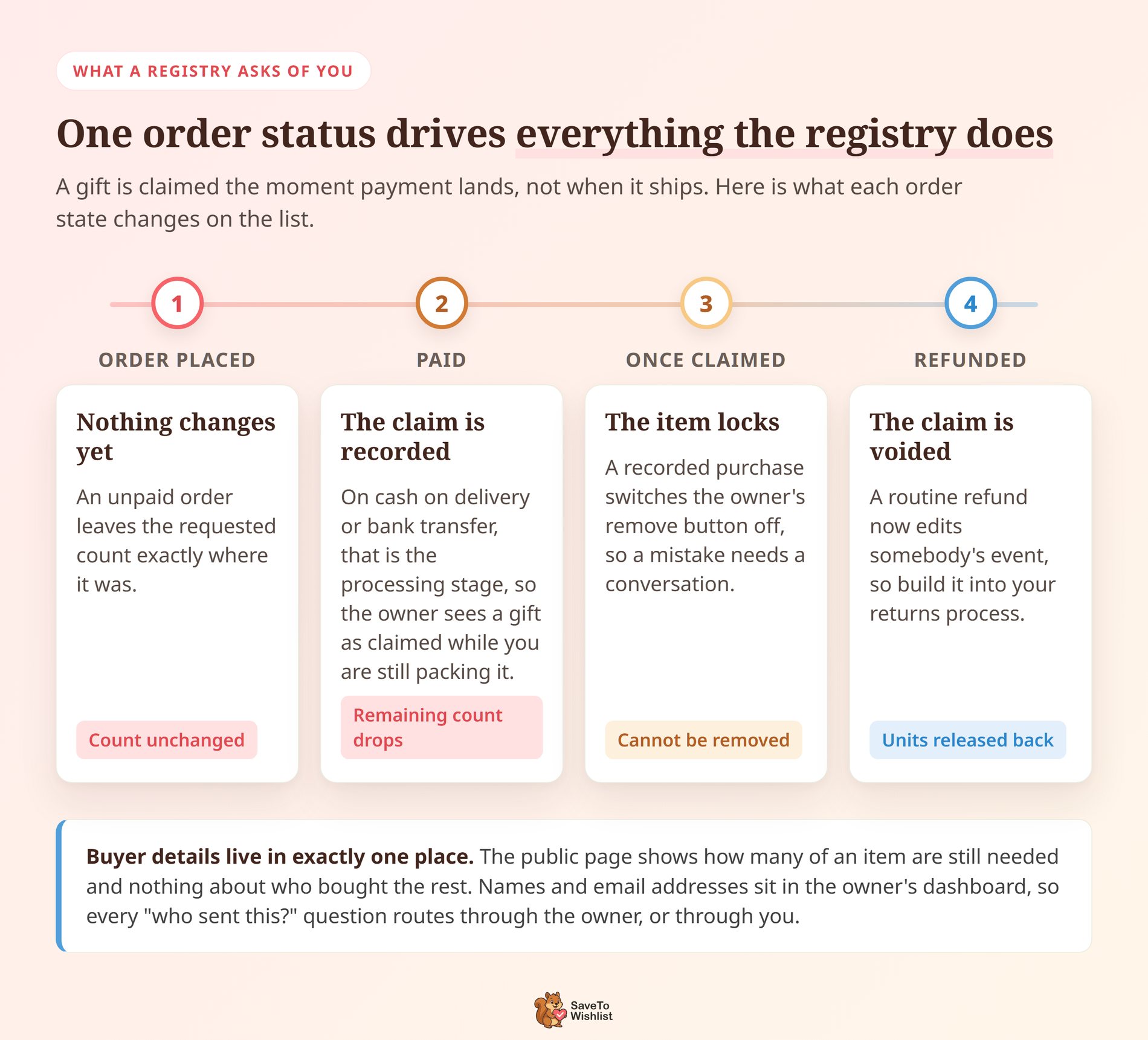
Claims land on payment, not on delivery. A purchase counts against the list as soon as the order reaches a paid status. On stores taking cash on delivery or bank transfer, that’s the processing stage. So the owner sees a gift as claimed while you’re still packing it.
Refunds run backwards through somebody’s event. Refunding a completed order voids the purchase record and puts those units back on the list. That’s the right behaviour. It also means a routine refund now edits a customer’s wedding plans, so it belongs in your returns process.
Items that have been bought can’t be removed. Once a registry item has a recorded purchase, the owner’s remove button switches off. Its tooltip reads “Items with purchases cannot be removed.” That protects the purchase history, and it means an item added by mistake needs a conversation rather than a click.
Buyer details live in exactly one place. The public registry page shows how many of an item are still needed, and nothing about who bought the rest. Buyer names and email addresses sit in the owner’s dashboard. So every “who sent this?” question routes through the owner, or through you.
You inherit a store-wide view. WP Admin gets a Registries page listing every registry on the store. Each row carries the registrant names, event type, event date, status, item count and purchase count. Archiving one after the event runs as a bulk action from that same screen.
🔍️ What we’ve seen: the thank-you tick is where registry owners get caught out. It’s a private tracker sitting in their Gift Registries tab, and it records that they’ve sent a note. It doesn’t actually send anything to the guest. People reasonably assume it does, so say so when you point a new owner at that screen.
The Mechanics That Actually Differ
Feature lists blur the two together because both get described as saved product lists. The behaviours underneath are where they separate.
| Behaviour | Wishlist | Gift registry |
|---|---|---|
| Private by default | Yes | No, built to be shared |
| Guests can buy from it without an account | No | Yes |
| Tracks what has already been bought | No | Yes |
| Has an event date and welcome note | No | Yes |
| Findable by a guest who lost the link | No | Yes |
| Included in the free plugin | Yes | No, Plus and Business plans |
Two of those rows do most of the work. Purchase tracking is the one guests notice. A list that never updates produces duplicate gifts, and refunds you process by hand.
Account-free buying is the one your conversion rate notices. A wedding guest buying from your store exactly once will not create an account to do it.
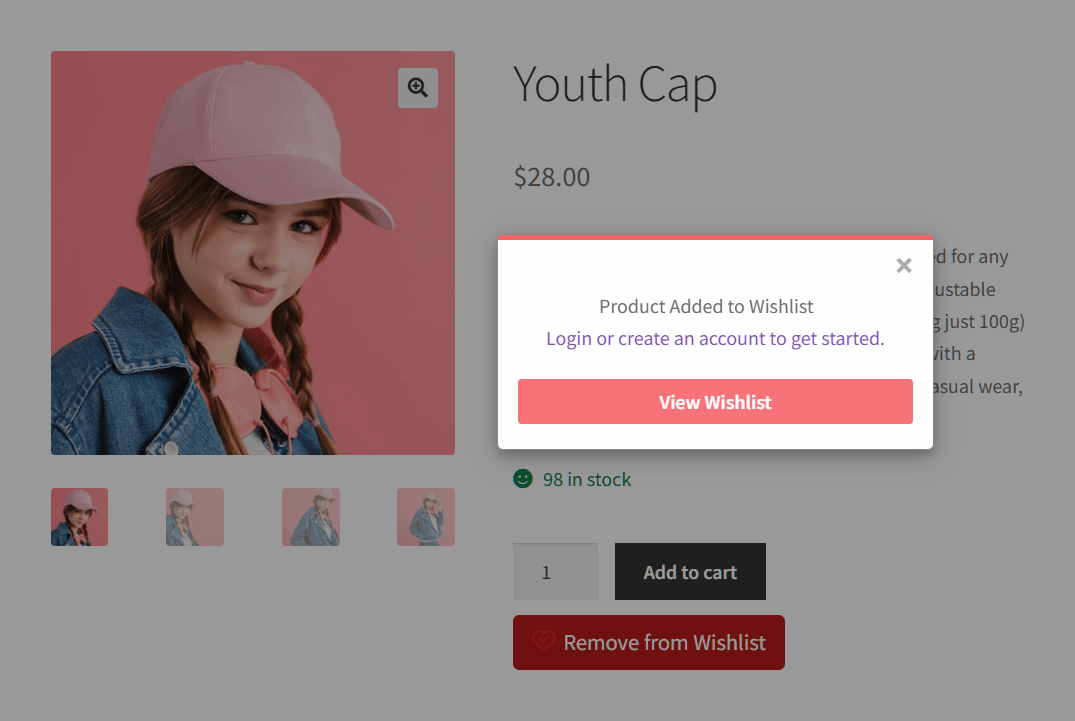
That account question cuts the other way on the wishlist side, and it’s worth seeing. Testing SaveTo Wishlist Lite 1.1.1 on a staging store, I saved a product as a guest. A confirmation popup offered to log in or create an account, alongside a View Wishlist button. Meanwhile the button on the product switched to “Remove from Wishlist”.
A wishlist can afford to ask for an account, because the saver is coming back. A registry can’t, because the buyer isn’t.
🔍️ What we’ve seen: stores switch on a registry when a more visible wishlist was what they needed. The tell is always the catalogue. If nobody buys your products for somebody else, a registry adds pages nobody uses. Meanwhile the save button that would have caught real intent sits three clicks deep in the account menu.
Our guide on how to set up a gift registry for weddings and events walks through both. It covers the definitional version of this difference plus the store-side setup. That leaves this article free to stay on the decision itself.
What Could Stop A Registry Working On Your Store
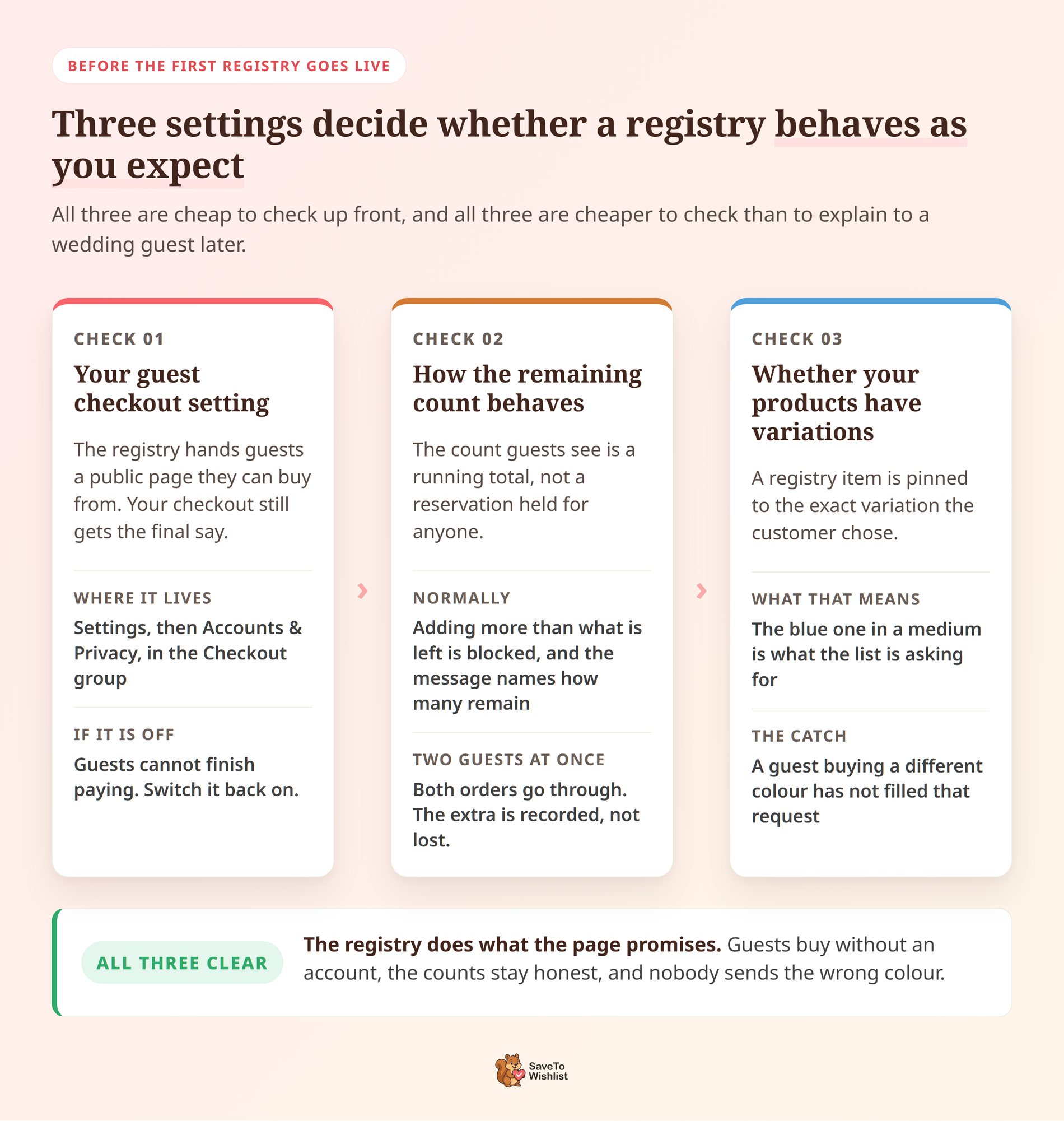
Three things decide whether a registry behaves the way you’re expecting. All three are cheap to check first.
Your guest checkout setting
The registry hands guests a public page they can buy from without an account. Your checkout still gets the final say on that.
The switch sits in WooCommerce under Settings, then Accounts & Privacy. In the Checkout group you’ll find “Enable guest checkout (recommended)”. WooCommerce ships it turned on, and some stores turn it off later for good reasons of their own. If yours is one of them, switch it back on before the first registry goes live.
How the remaining count behaves
The count guests see is a running total, not a reservation. Adding more than what’s left is blocked, and the message names how many remain.
Two guests buying the last unit at the same moment is the exception. Both orders go through, deliberately, because the alternative is declining somebody’s payment at the till. The extra is recorded rather than lost. A refund then releases those units back to the list.
Whether your products have variations
A registry item is pinned to the exact variation the customer chose. The blue one in a medium is what the list is asking for.
So a guest buying the same product in a different colour hasn’t filled that request. That’s correct behaviour for a wedding list, where the colour is usually the point. On a catalogue built mostly of variations, though, say so plainly in your registry page copy.
Which One Does Your Store Need
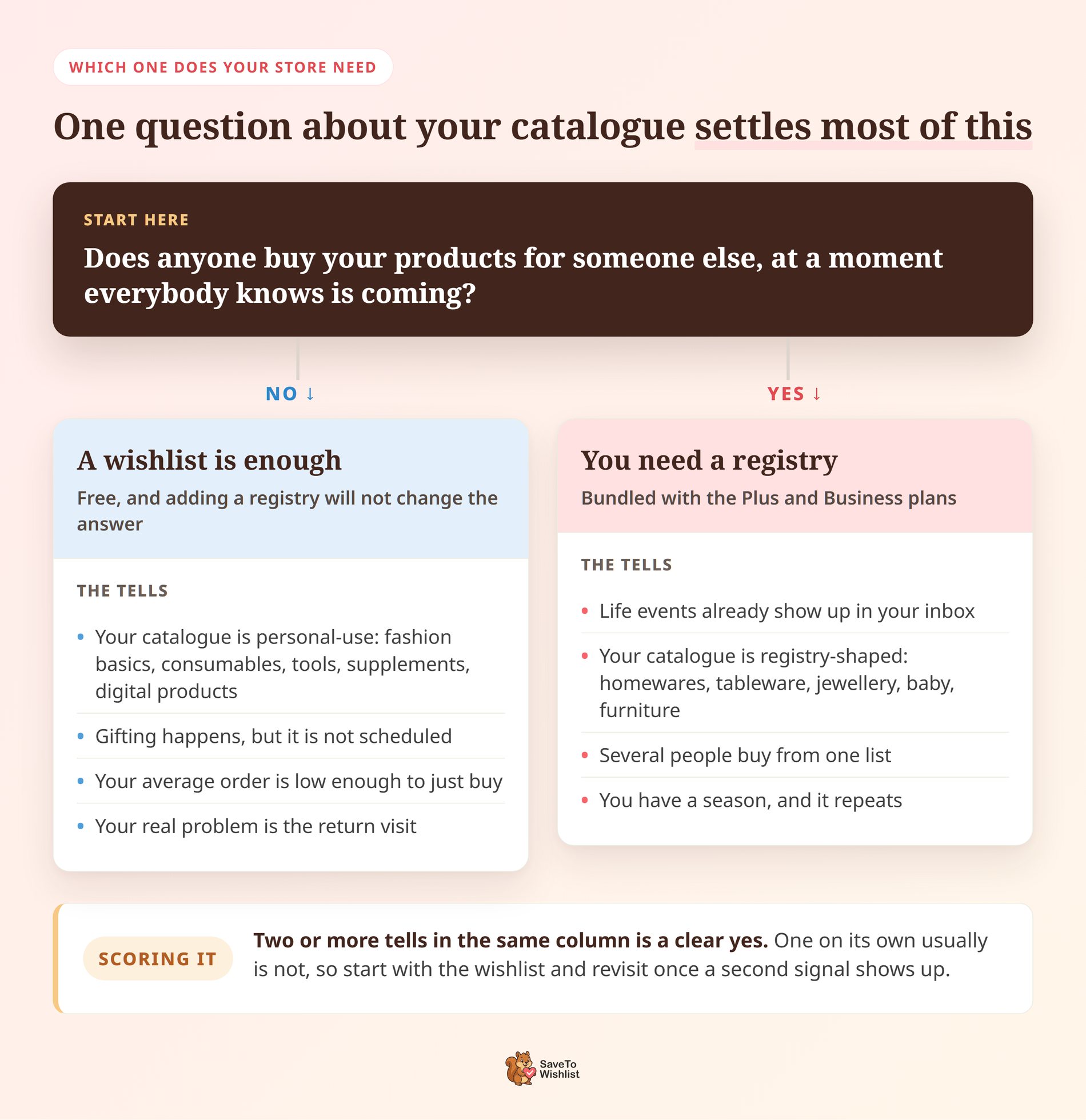
Ask one question about your catalogue. Does anyone buy your products for someone else, at a moment everybody knows is coming? If the answer is no, you need a wishlist, and adding a registry will not change that.
A wishlist is enough if…
- Your catalogue is personal-use. Fashion basics, consumables, tools, supplements, digital products and subscriptions get bought by the person who wants them.
- Gifting happens, but it isn’t scheduled. A one-off birthday present doesn’t need an event page, a guest list or a claim counter.
- Your average order is low enough to just buy. Nobody coordinates four relatives around a $30 item.
- Your real problem is the return visit. If shoppers browse, leave and forget, saved-item alerts fix more revenue than a registry ever will.
That case is more common than the registry marketing suggests, and it costs nothing to serve. The free plugin handles it. The money you’d have spent on registry features goes into making the save button impossible to miss instead.
You need a registry when…
- Life events already show up in your inbox. Customers emailing to ask whether friends can buy something for them is the clearest signal there is.
- Your catalogue is registry-shaped. Homewares, kitchen, tableware, jewellery, baby, furniture and artisan goods all fit the pattern.
- Several people buy from one list. The moment more than one buyer is involved, claim tracking stops being a nicety.
- You have a season. Wedding and baby-shower peaks are predictable, and a store without a registry watches those orders happen somewhere else.
Two or more of those in the same store is a clear yes. One on its own usually isn’t.
Reading The Answer Out Of Your Own Store Data
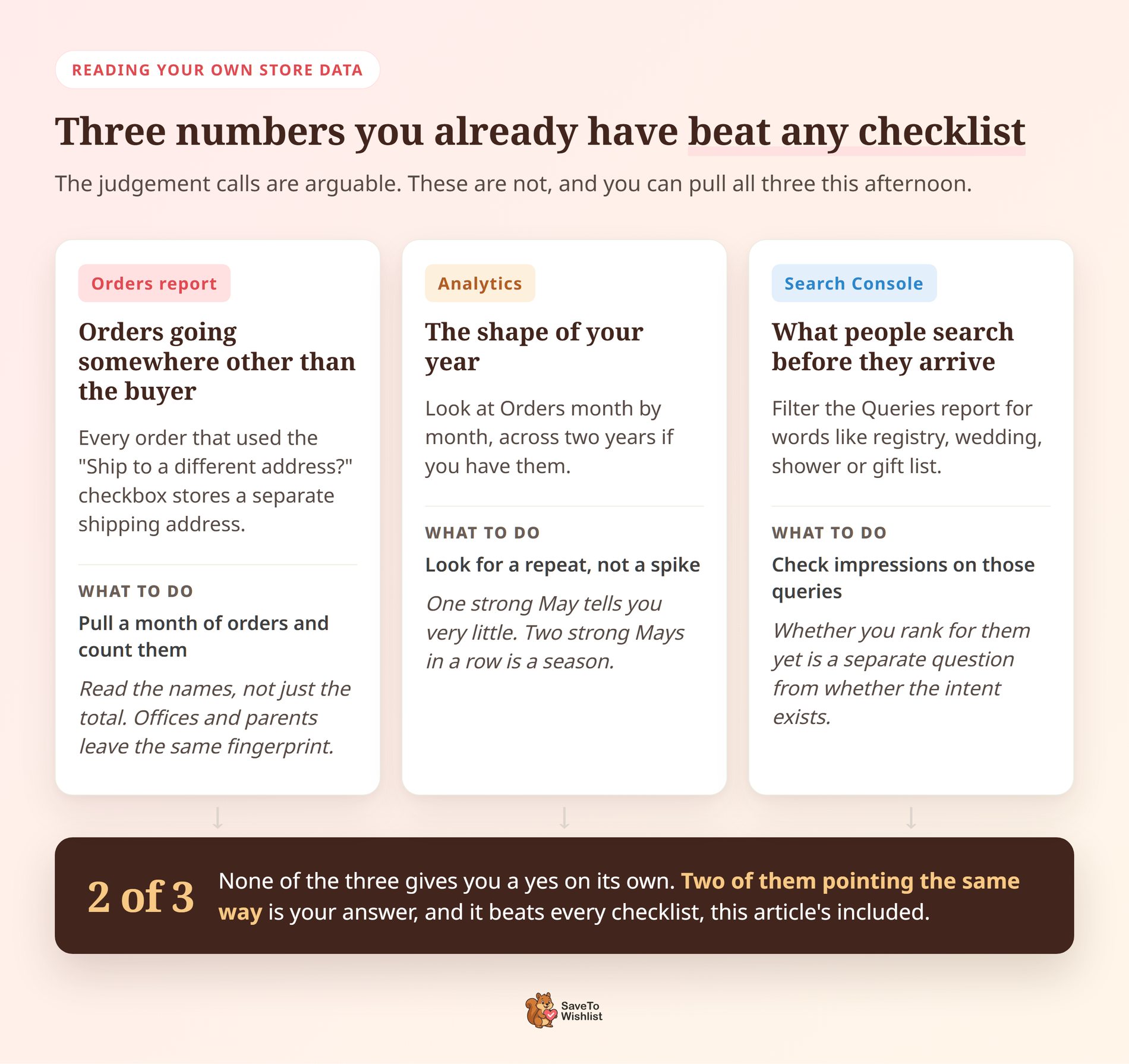
The questions above are judgement calls, and reasonable people land on different sides of them. Three numbers you already have will settle most of it.
Orders going somewhere other than the buyer
WooCommerce puts a “Ship to a different address?” checkbox on the checkout. Every order that used it stores a separate shipping address, and often a different recipient name with it.
Pull a month of orders and count those. Gift buying leaves that fingerprint. If the count is a handful out of hundreds, a registry has very little to attach itself to.
The same pattern also comes from people shipping to an office or to their parents, though. Read the names rather than just the total.
The shape of your year
Open WooCommerce Analytics and look at Orders month by month, across two years if you have them. You’re looking for a repeat, not a spike.
Registry demand is seasonal in a way that shows up more than once. One strong May tells you very little on its own. Two strong Mays in a row is the season that registry marketing is actually talking about.
What people search before they arrive
Google Search Console keeps every query your store already appears for. Filter the Queries report for words like registry, wedding, shower or gift list.
Impressions on those queries mean the intent is already pointed at your catalogue. Whether you rank well for them yet is a separate question. Either way, that’s a very different position from hoping the intent exists.
None of the three gives you a yes on its own. Two of them pointing the same way beats any checklist, this article’s included.
Running Both Together On One Store
You don’t really pick one. A registry is built on top of a wishlist, so the wishlist comes first either way. A store running the addon is running both by definition.
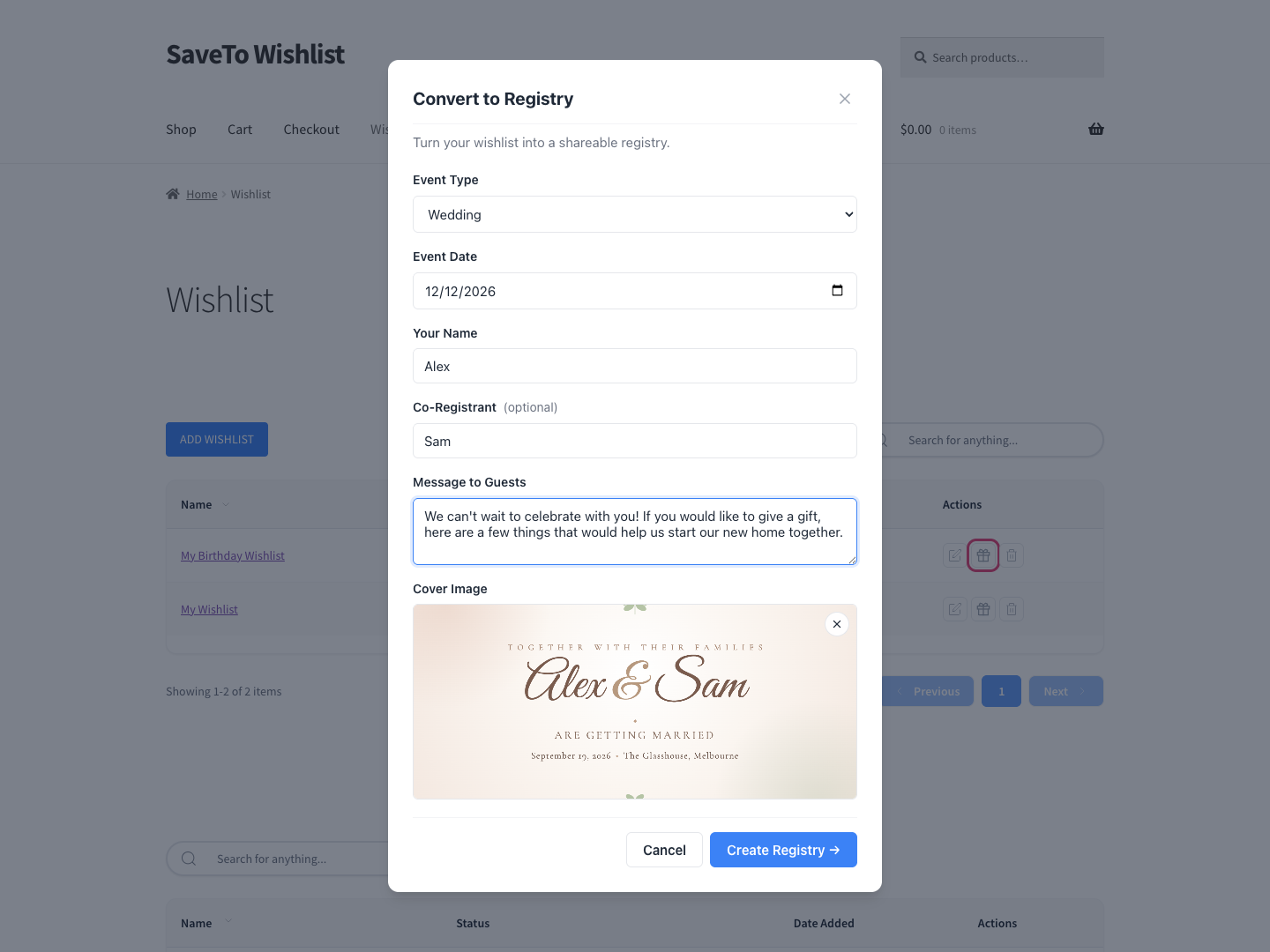
The path is short. A customer saves products the ordinary way, then converts that list into a registry when there’s an occasion for it. A Gift Registries tab appears in My Account directly after the Wishlist tab from the first conversion onward. So the customer keeps their private saved list and their public event list side by side.
Between the two sits a third pattern worth knowing. Collaborative and shared wishlists let several invited people build one list together. That’s the office-collection and friend-group case. It comes from SaveTo Wishlist Pro rather than from the registry addon.
Cost follows the same stack. SaveTo Wishlist Lite is free. SaveTo Wishlist Pro starts on the Growth plan at $49.50 for the first year and $99 on renewal. Growth does not include the registry.
The Gift Registry Addon is bundled with Plus and Business only. Plus runs $99.50 for the first year and $199 on renewal. Business runs $199.50 for the first year and $399 on renewal.
Those first-year figures are a 50% introductory promotion, so budget against the renewal number. Check the SaveTo Wishlist pricing page for current details.
Wishlist Vs Gift Registry FAQ
Can a customer turn a wishlist into a registry?
Yes. With the Gift Registry Addon active, a customer converts an existing wishlist by filling in a short form. It covers the event details, including the event date, a welcome note and a cover image. Nothing is rebuilt, no products are re-added, and a Gift Registries tab then appears in their My Account area.
Do guests need an account to buy from a registry?
Guests can always view a registry and add items to their cart without an account. Whether they finish checkout without one depends on your store’s WooCommerce guest checkout setting, which ships turned on. That removes the biggest drop-off point for somebody buying from your store exactly once. Either way the purchase records against the list, so the requested item counts adjust automatically.
What does a gift registry cost on WooCommerce?
The Gift Registry Addon is bundled with two SaveTo Wishlist plans. Plus is $99.50 for the first year and $199 on renewal. Business is $199.50 for the first year and $399 on renewal. Growth ($49.50, then $99) includes SaveTo Wishlist Pro but not the registry, and wishlists stay free through SaveTo Wishlist Lite.
Can one customer have both at the same time?
Yes, and most do once they’ve run an event. The private wishlist stays private, the registry stays public, and both live in the same My Account area. Customers get unlimited named lists, so a wedding registry and an ordinary saved-items list never have to share a page.
Is the free wishlist plugin enough for a small store?
Often, yes. If your products are bought by the person who wants them, SaveTo Wishlist Lite covers the job at no cost. Move up when several people start buying from one list. That’s the point where claim tracking and account-free guest checkout start preventing refunds rather than just adding features.
Wishlist Vs Gift Registry: The Right Call For Your Store
Here’s the reframe worth taking away. A wishlist is a tool for capturing one shopper’s intent. A registry is a tool for turning one shopper into a room full of buyers. Stores that pick the wrong one aren’t overspending so much as solving a problem their customers never had.
- Start with the wishlist, because it’s free and it’s the layer everything else sits on.
- Check whether anyone buys your products for someone else before paying for registry features.
- Look at the two mechanics that matter: purchase tracking and account-free buying.
- Weigh what a registry asks of you, and confirm guest checkout is switched on, before you buy one.
- Read your own order and search data before trusting any checklist.
- Run both once an occasion exists, and budget against the renewal price rather than the introductory one.
SaveTo Wishlist is the recommendation on both sides of this decision. That’s the advantage of buying from somebody who ships both. Start free with SaveTo Wishlist Lite. When your customers start planning events on your catalogue, add the Gift Registry Addon on the Plus or Business plan.



