


 Reviewed by
 Registry plugins look alike on a feature table. The differences show up in your first wedding season, when guests start asking very specific questions. Can two guests buy the same gift? What happens when someone checks out without an account? And if a guest loses the link, will they still find the registry?
Those answers decide the best WooCommerce gift registry plugin for your store. Feature lists rarely cover them, so this guide compares four plugins on exactly those points.
A quick note on method. We tested SaveTo Wishlist hands-on on a staging store, then rechecked it against the current Lite 1.1.5 release. The other three are described from their own public listings.
Jump to:
- What Makes A Registry Plugin Different From A Wishlist Plugin
- How We Compared The Registry Plugins
- The WooCommerce Gift Registry Plugins Compared
- What Happens When Two Guests Buy The Same Gift
- What Happens To A Registry After The Event
- Which One Fits Which Kind Of Store
- What The Gift Registry Plugins Cost
- How To Test A Registry Plugin Before You Commit
- FAQs: Best WooCommerce Gift Registry Plugin Options
- The Best WooCommerce Gift Registry Plugin For Your Store
What Makes A Registry Plugin Different From A Wishlist Plugin

A registry plugin adds four things a wishlist plugin lacks. Those are claiming, purchase tracking, account-free guest checkout, and an event page guests can find.
That’s because the two products do opposite jobs. A wishlist is one shopper saving things for themselves, usually in private. A registry is one shopper publishing a list so dozens of other people can buy from it. Many of those buyers may never have visited your store.
Here’s what a registry has to handle that a plain wishlist doesn’t:
- Claiming and quantities: The owner asks for six wine glasses, not one. The page shows how many are still needed.
- Purchase tracking: When a guest buys, the list updates so the next guest doesn’t buy the same thing.
- Guest checkout: Many wedding guests buy from your store once. In Baymard’s abandonment survey, 18% of shoppers who abandoned a checkout said the site wanted them to create an account.
- An event page: Registries carry a date, a name and often a photo. Guests need to reach that page months after the invitation went out.
If your store only needs the saving part, a registry plugin is more machinery than you want. Our roundup of the best WooCommerce wishlist plugins is the better starting point. Still deciding between the two? Our guide to wishlists vs gift registries helps you pick.
How We Compared The Registry Plugins
To find the best WooCommerce gift registry plugin, we judged every contender on six criteria, and only six. That way nothing gets credit for a feature nobody uses during a real event.
- Free-tier reality. What you actually get without paying, rather than what the marketing page implies.
- How a registry gets created. Built from a list the customer already has, or created from scratch.
- Purchase tracking. What happens to the list when an order goes through.
- Guest access. Whether guests can create, view and buy without an account.
- Discoverability. Whether a guest who lost the link can search the store and find the registry.
- Price, including renewal. The number you pay in year two, not just year one.

Here’s the honest part about method, because it changes how you should read the rest. We installed SaveTo Wishlist Lite on a staging store on 14 August 2026, so those observations are first-hand. On 28 September 2026, we rechecked them against the Lite 1.1.5 code and the registry addon’s code.
By contrast, we didn’t install any competitor plugin. Those three come strictly from their own listings, feature pages and pricing. We read them on 14 August and again on 28 September 2026. So the competitor cells in the table are vendor claims, not test results.
The WooCommerce Gift Registry Plugins Compared
Four plugins are worth a serious shortlist for WooCommerce registries in 2026. They differ far more in packaging than in raw feature count.
1. SaveTo Wishlist Gift Registry Addon
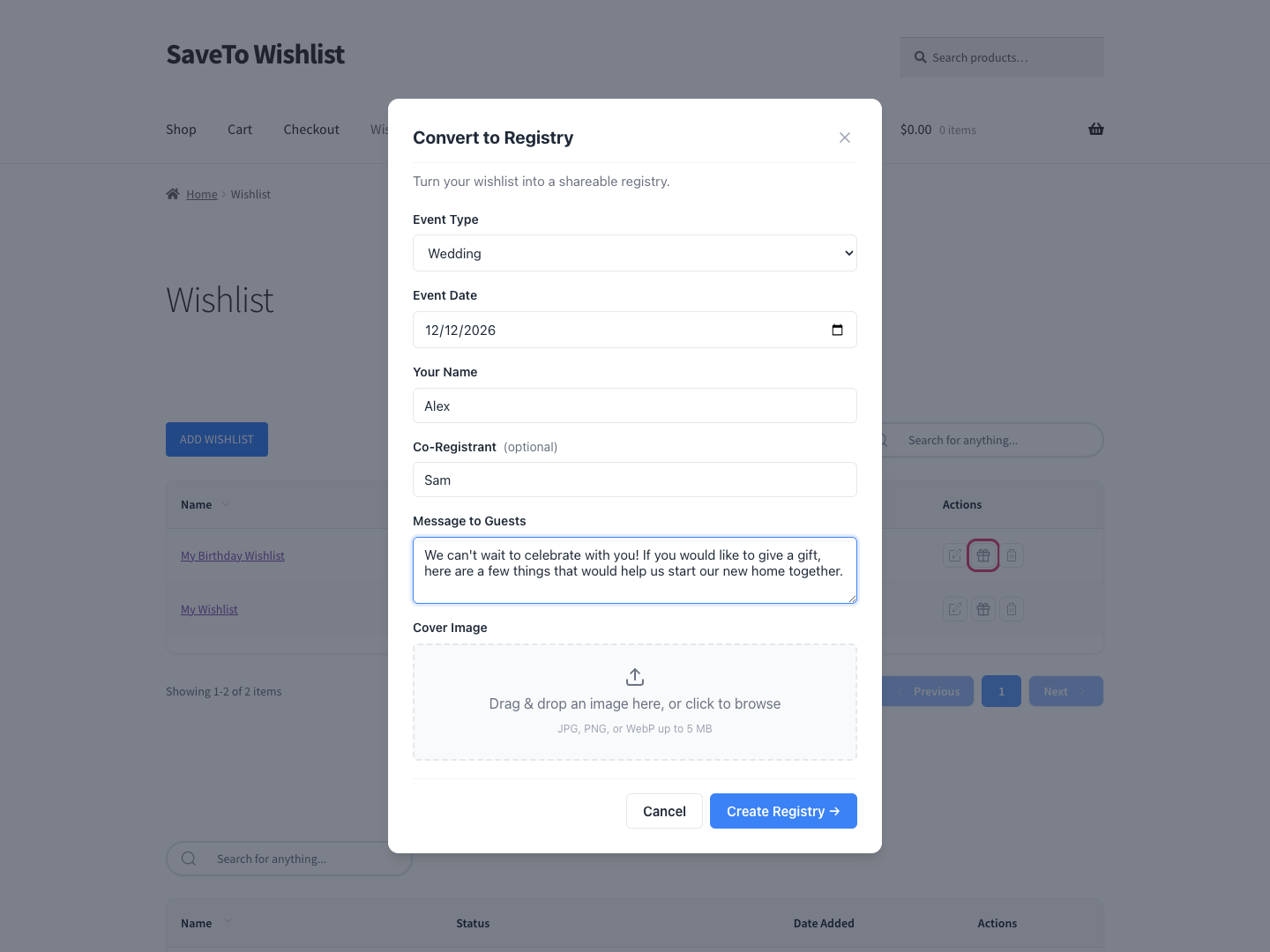
SaveTo Wishlist treats a registry as a wishlist that grew up. The customer saves products the ordinary way with SaveTo Wishlist Lite, the free plugin. Then a Convert to Registry button turns that list into a registry. A short form captures the event details.
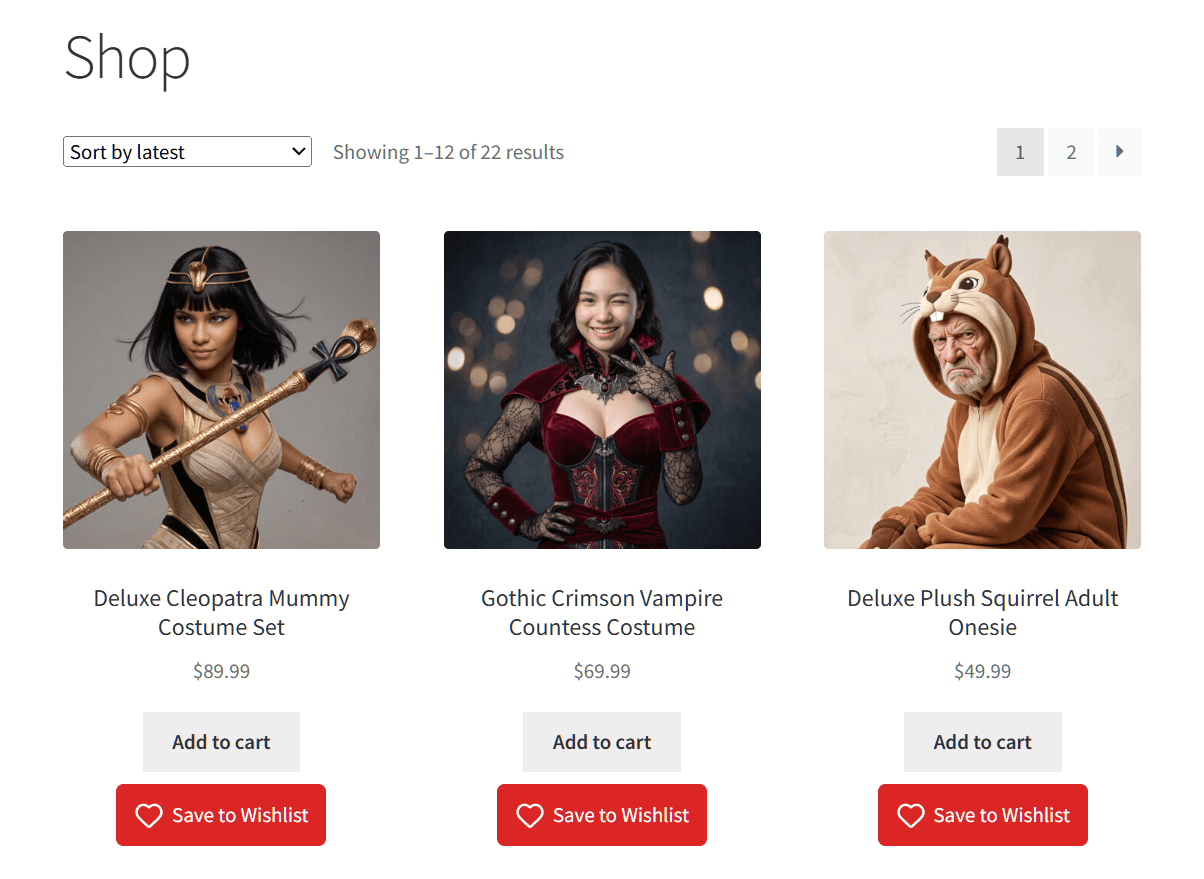
On the staging store, the Save to Wishlist button showed on every product in the shop grid. It wasn’t limited to single product pages. That matters when someone is building a wedding list straight off a category page.
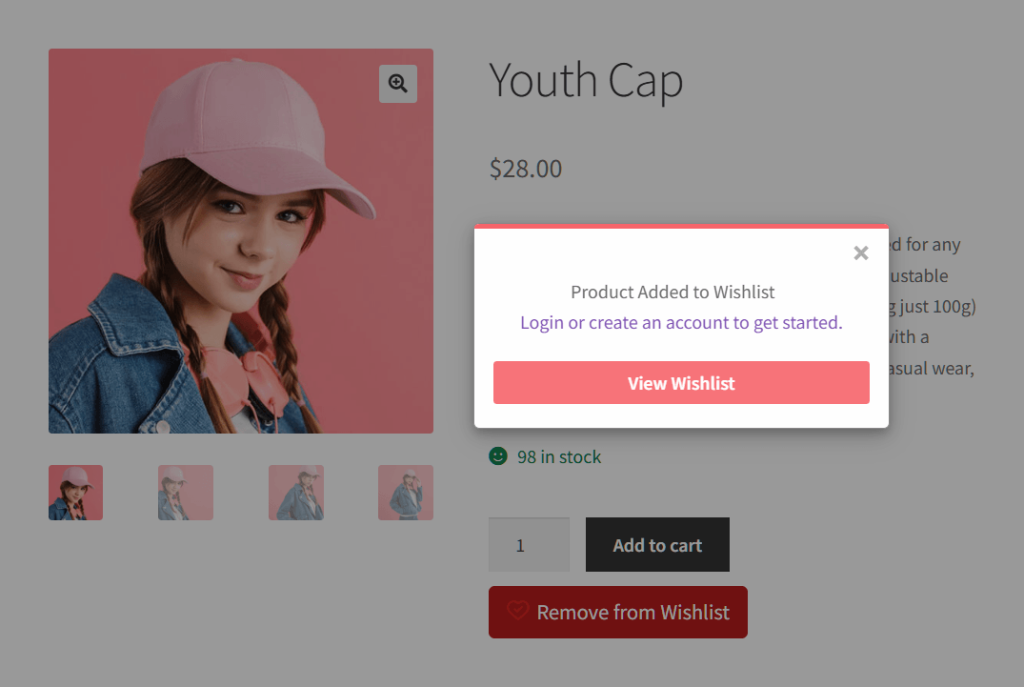
Saving as a guest opened a confirmation popup. It offered a View Wishlist button and a prompt to log in or create an account. The button also switched to “Remove from Wishlist” once the save landed. That prompt matters, because the owner manages a registry from their account.
How Owners And Guests Use The Registry
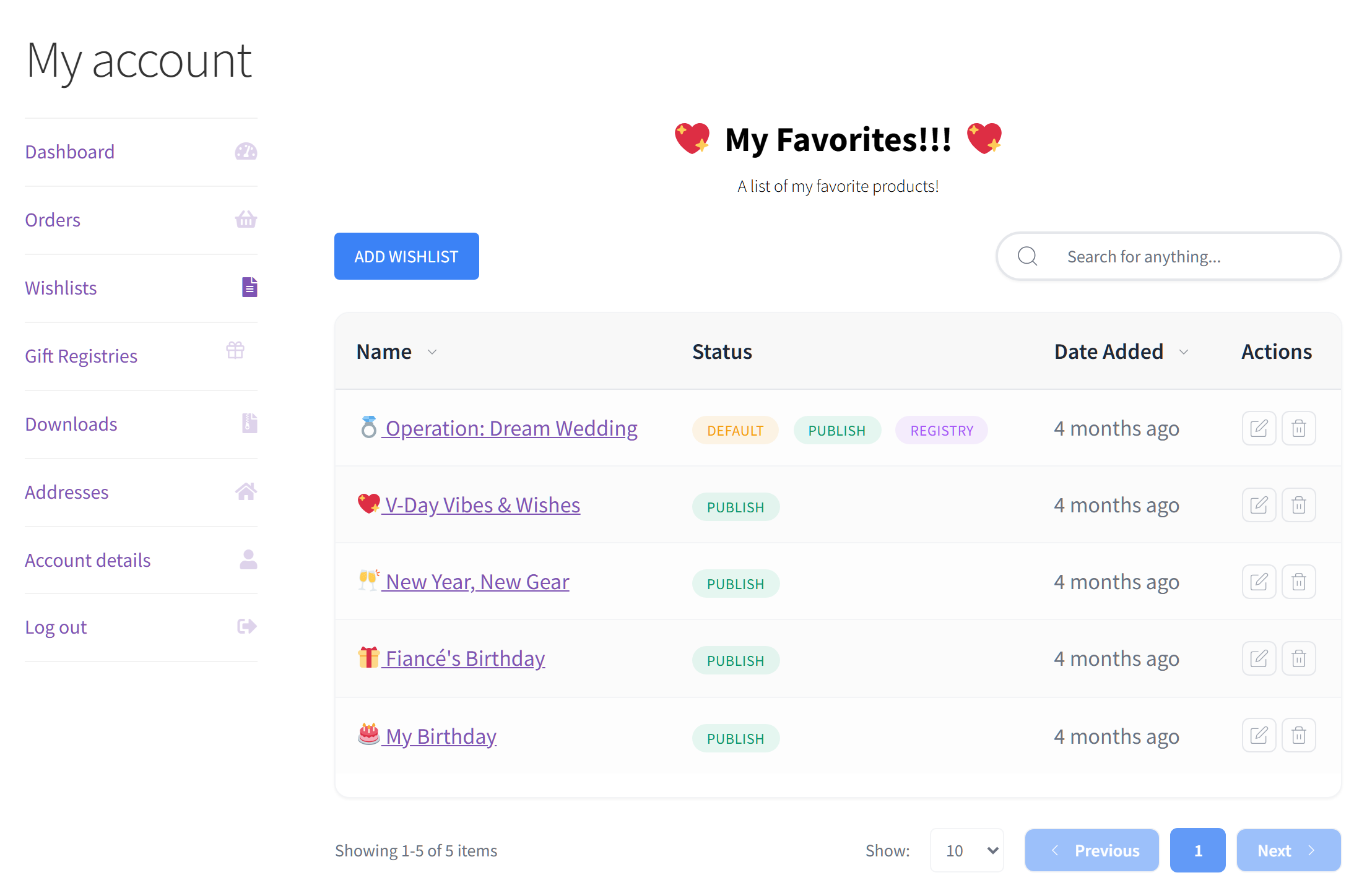
Once the SaveTo Wishlist Gift Registry Addon is active, My Account gets a Gift Registries tab after the Wishlist tab. It shows up once the customer owns their first registry. From there, purchases record automatically and adjust the requested counts, so guests can see what’s still needed.
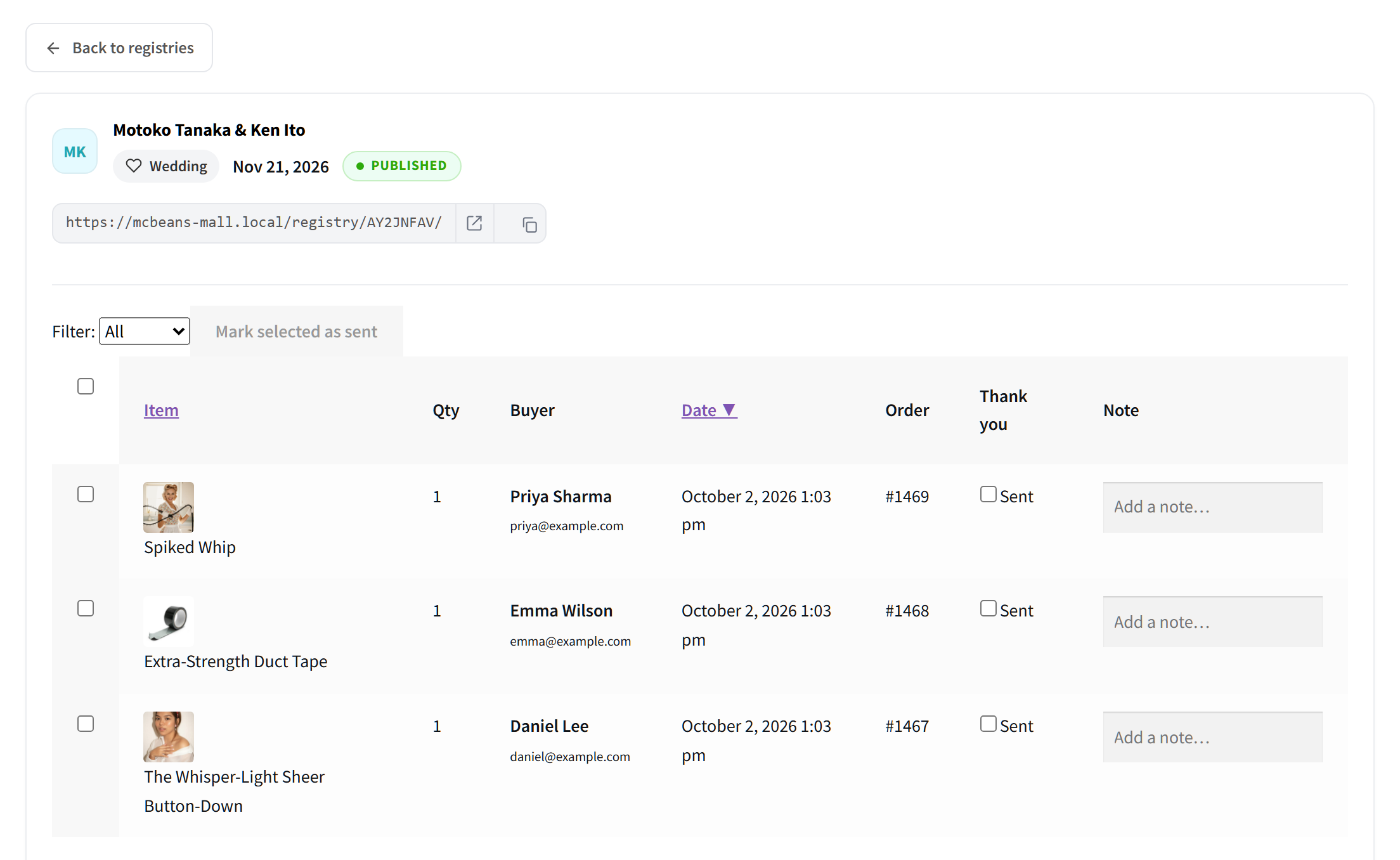
Guests can also check out without creating a store account. Meanwhile, the owner gets a dashboard to track incoming gifts, see buyer details and mark thank-you notes as sent. The owner also gets an email when a gift is bought, refunded or canceled.
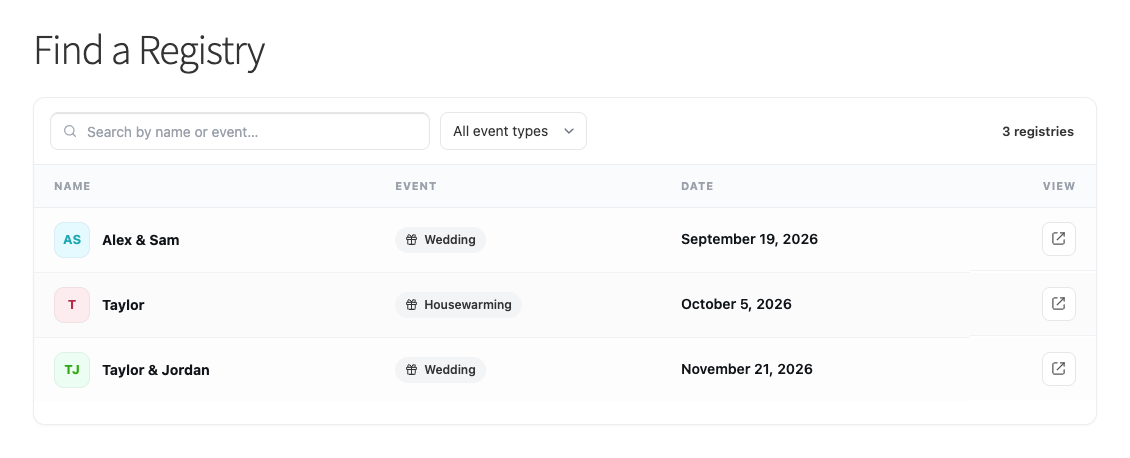
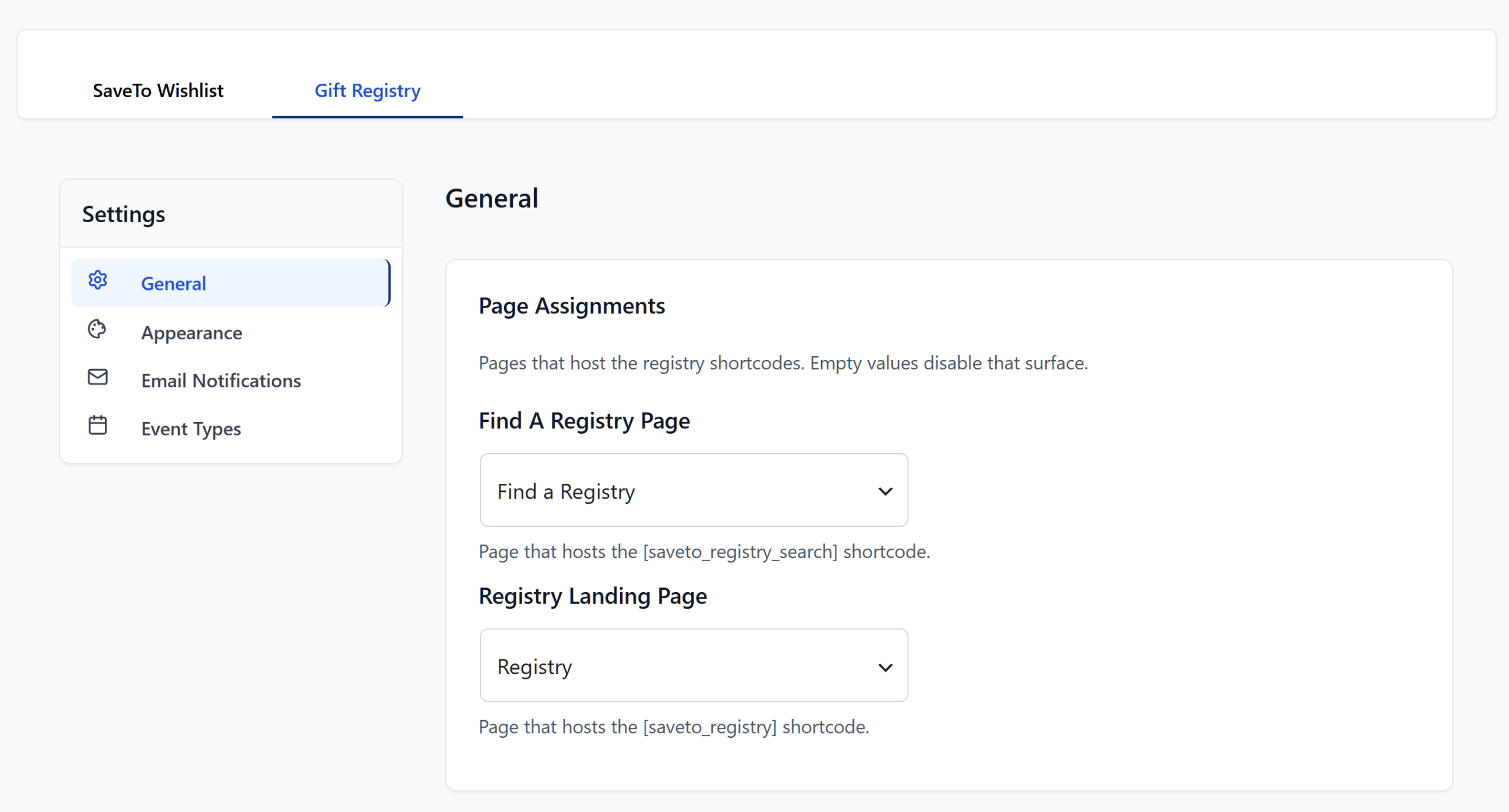
For discoverability, the addon publishes a Find a Registry page using the [saveto_registry_search] shortcode. Guests search by the registrant’s name and filter by event type, so a lost link doesn’t strand a guest.
2. Wishlist & Gift Registry Pro for WooCommerce
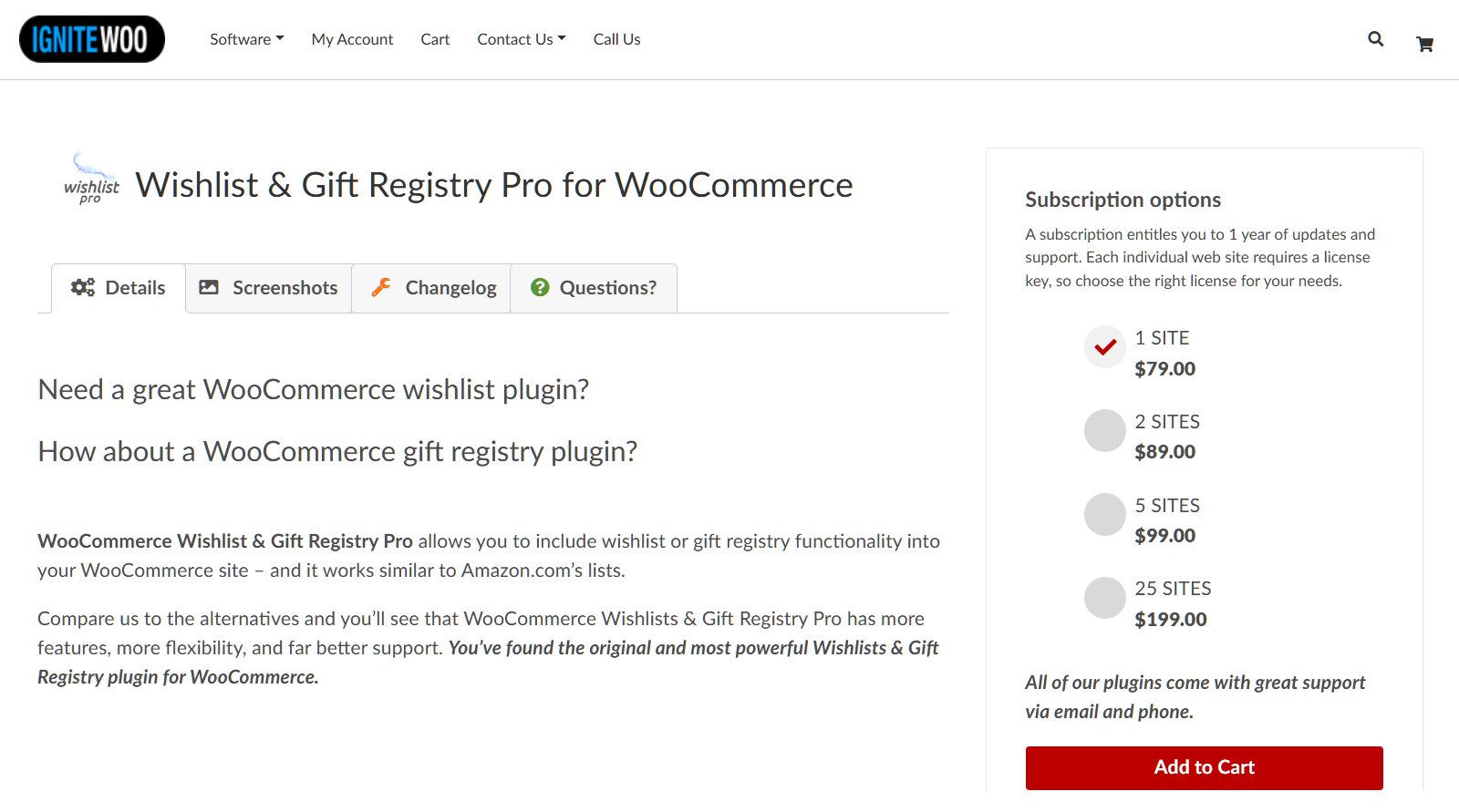
Wishlist & Gift Registry Pro for WooCommerce, from IgniteWoo, packs a lot into one plugin. Its listing covers unlimited lists for customers and guests, and three visibility levels: public, shared and private. It supports simple, variable and external products.
Purchases are tracked and shown to the list owner, and buyers can send the owner a message at checkout. Shortcodes cover list embedding and a list search form. Version 4.5, released on 5 March 2026, added REST API endpoints for creating lists and adding or removing products.
The trade-off is packaging. Everything sits behind one paid license with no free tier. So you can’t add saving now and decide about registries later. Its changelog also shows version 4.4 declared the block-based cart and checkout not compatible. That matters if your store uses them.
3. NM Gift Registry and Wishlist Lite
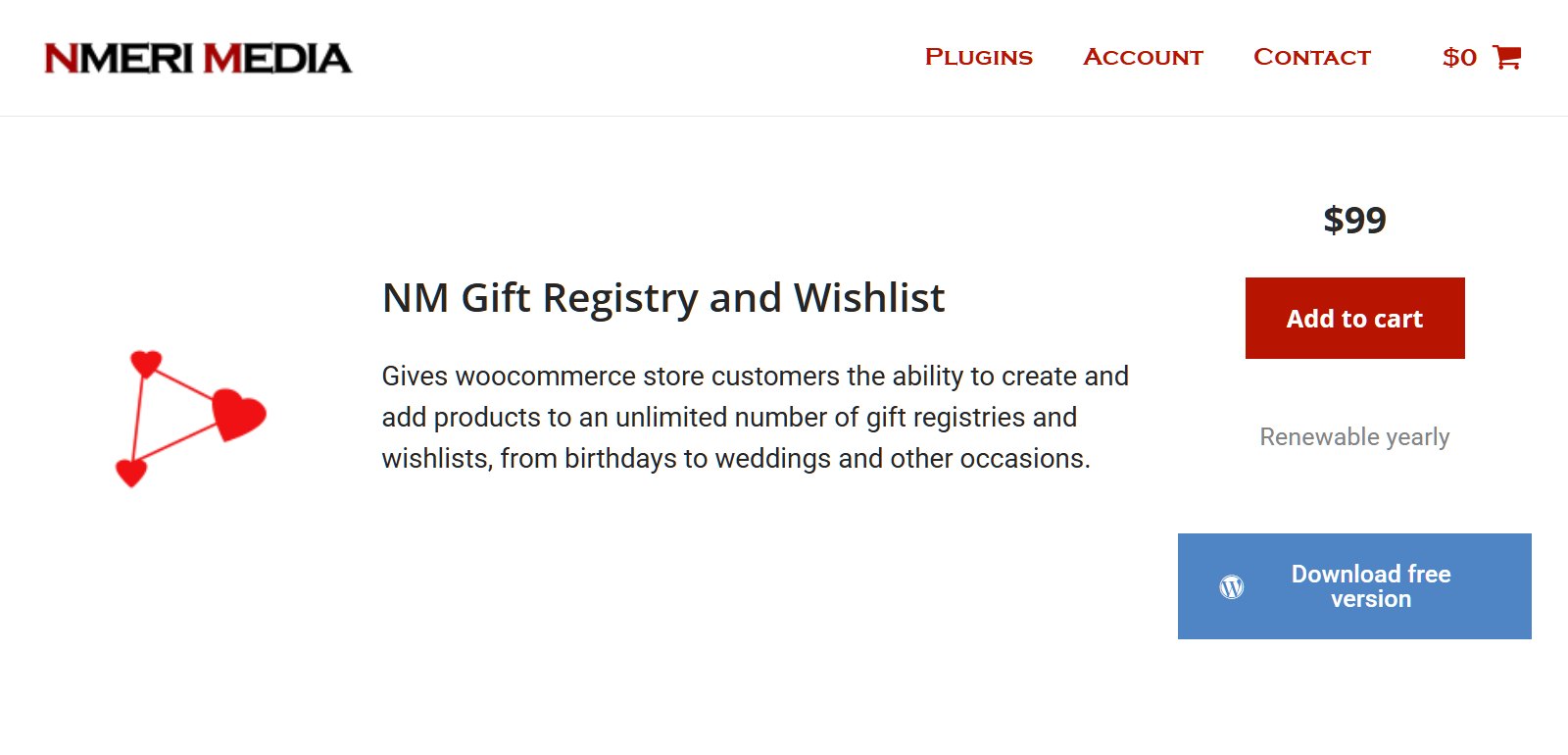
NM Gift Registry and Wishlist Lite, from nmerii, is the only one here with a free registry. The free plugin covers registries and wishlists, guest list creation, event dates and profile details, and desired quantities. It also includes WooCommerce shipping fields, blocks and shortcodes, and a search form covering title, name and email.
The catch is in what’s paid. Letting each customer hold more than one registry is a Pro feature. So are the emails telling an owner an item was ordered, purchased or refunded. Seeing who bought what is paid too. For a wedding list, that last one matters, because the couple needs names to write thank-you notes.
4. Gift Registry for WooCommerce
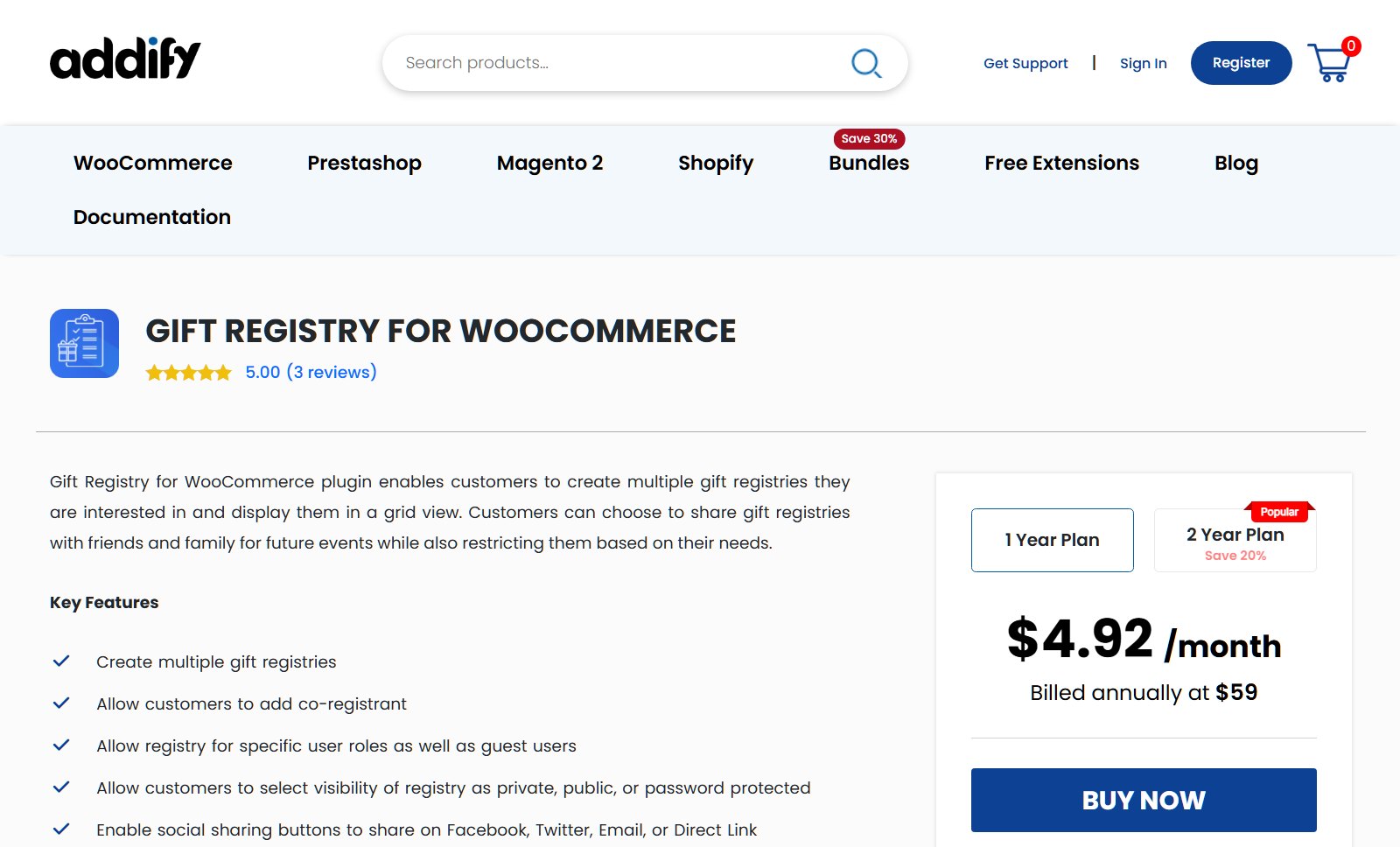
Gift Registry for WooCommerce, from Addify, is sold through the WooCommerce Marketplace. Its listing shows a 1-year plan at $59, a 2-year plan at $94.40, version 1.3.1, and 200+ active installs. It’s rated 4.1 across 7 reviews.
Documented features cover multiple registries per customer, and public, private or password-protected visibility. Admins can allow guests or specific user roles to create registries, and customers can add a co-registrant and event details. Once a gift is in the cart, the registrant’s delivery address is added to checkout automatically.
Two things are worth checking before you commit. First, the listing is inconsistent on quantities. Its description says an item is removed from the registry once ordered, while its FAQ says the quantity is reduced. Second, no public registry search page appears in its feature list, so guests rely on the shared link.
The Four Gift Registry Plugins Side By Side
Here’s how the four line up on the six criteria. Each competitor cell comes from that plugin’s own public listing. The SaveTo Wishlist column also reflects the staging test and code check above.
| Criterion | SaveTo Wishlist (Plus) | Wishlist & Gift Registry Pro | NM Gift Registry and Wishlist Lite | Gift Registry for WooCommerce |
|---|---|---|---|---|
| Free version | Wishlists free in Lite; registry needs Plus | None offered | Yes, registry in the free tier | None offered |
| Starting price | $99.50 first year, $199 renewal (1 site) | From $79/year, single site | Free; Pro version $99 first year | $59 for a 1-year plan |
| How a registry is created | Convert an existing wishlist | Created as a wishlist or registry | Created as a registry or wishlist | Created directly as a registry |
| Purchase tracking | Counts adjust as the order goes through | Tracked and shown to the list owner | Items tracked to the order; buyer details in Pro | Listing says both “removed” and “quantity reduced” |
| Guest access | Guest wishlists yes; account-free checkout yes | Guest lists yes; checkout not stated | Guest lists yes; checkout not stated | Guest registries optional; checkout not stated |
| Registry search page | Yes, Find a Registry shortcode | Yes, list search form shortcode | Yes, advanced search form (free) | Not listed |
Whichever you pick, most setup work is store configuration, not plugin choice. Our guide on how to set up a gift registry for weddings and events covers the pages and settings involved.
What Happens When Two Guests Buy The Same Gift
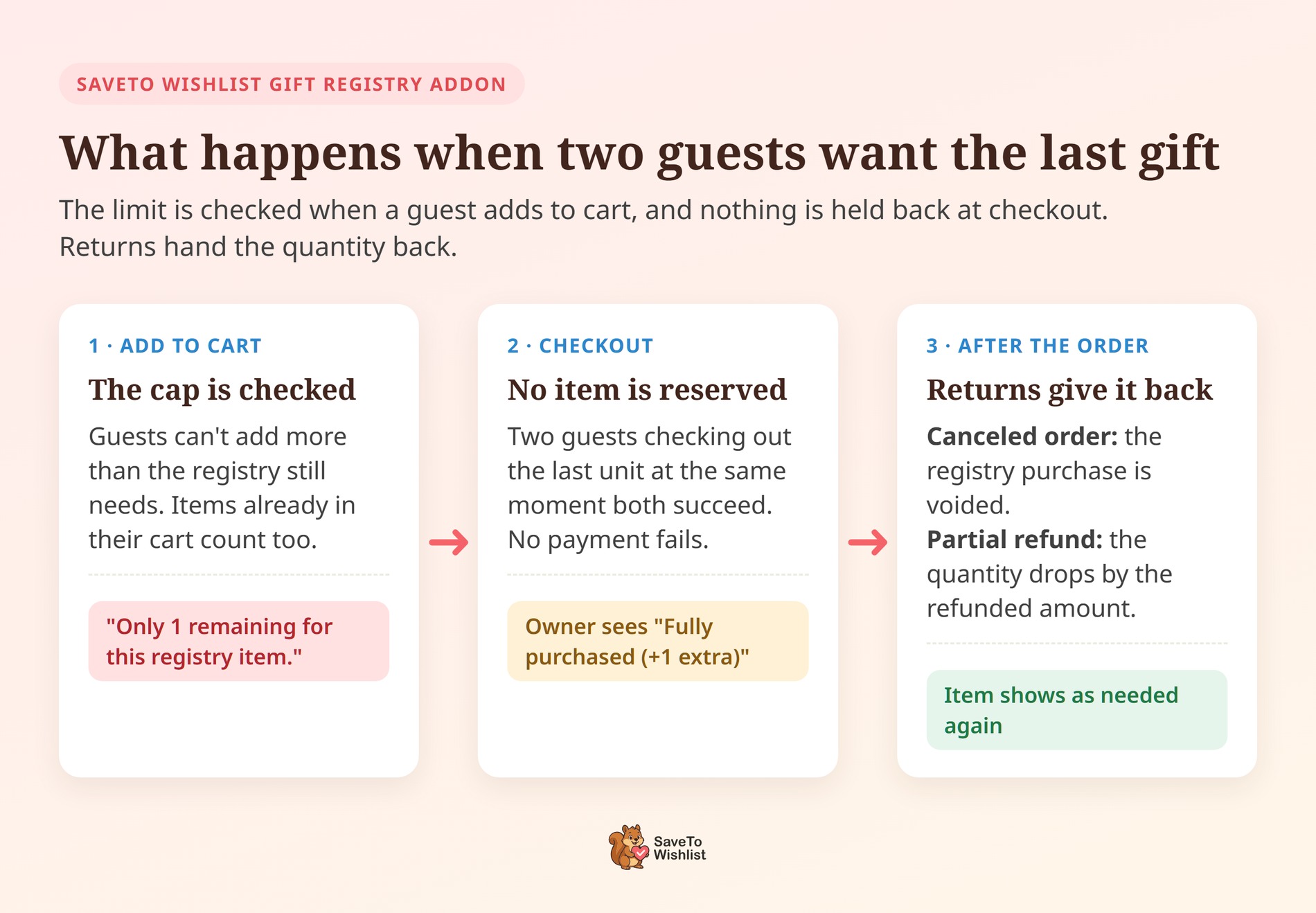
This is the question from the top of this guide, and it’s the one feature tables skip. The answer has two parts: what happens in the cart, and what happens at checkout.
In SaveTo Wishlist, the guard sits at add-to-cart. A guest can’t add more than the registry still needs, and anything already in their cart counts toward that cap. Try to add two when one is left, and the store replies “Only 1 remaining for this registry item.”
The gap is timing. Adding an item to a cart doesn’t reserve it. So two guests checking out the last unit at the same moment both succeed. That’s deliberate, because the alternative is failing someone’s payment at the final step. The owner’s dashboard then marks the item “Fully purchased (+1 extra)”, so the couple knows why a second box arrived.
Returns run the other way. A canceled order voids its registry purchase, and a partial refund lowers the recorded quantity by the amount refunded. Either way, the item shows as needed again for the next guest.
The other three listings say less. IgniteWoo added an alert in version 4.4.1 for shoppers who try to add more than an item still needs. However, none of the three describe what happens when two guests check out the last unit together. So that’s the question to put to each vendor before you buy.
What Happens To A Registry After The Event
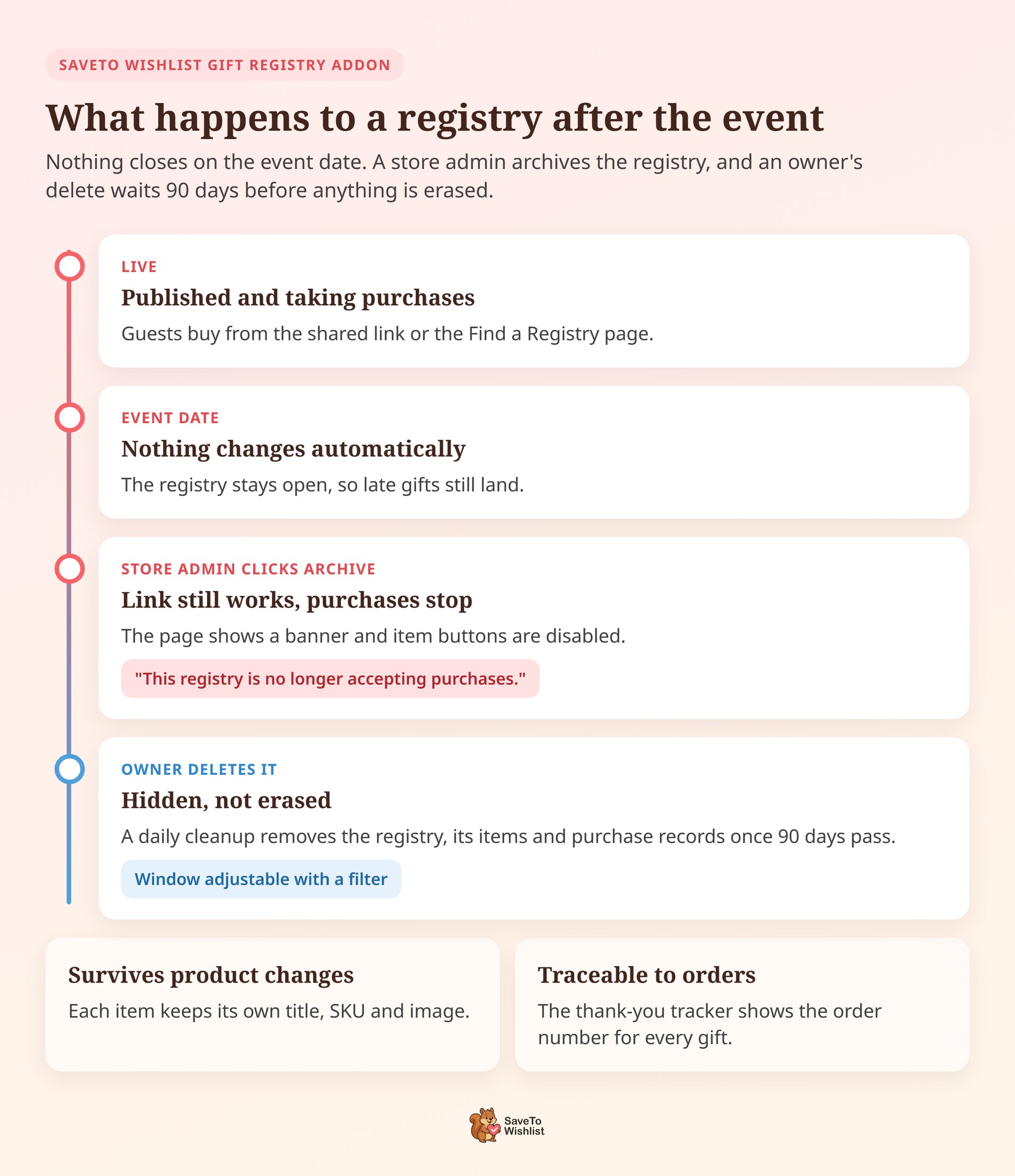
In SaveTo Wishlist, nothing changes automatically on the event date. The registry stays live and keeps taking purchases until someone closes it. That suits the late gifts that always turn up.
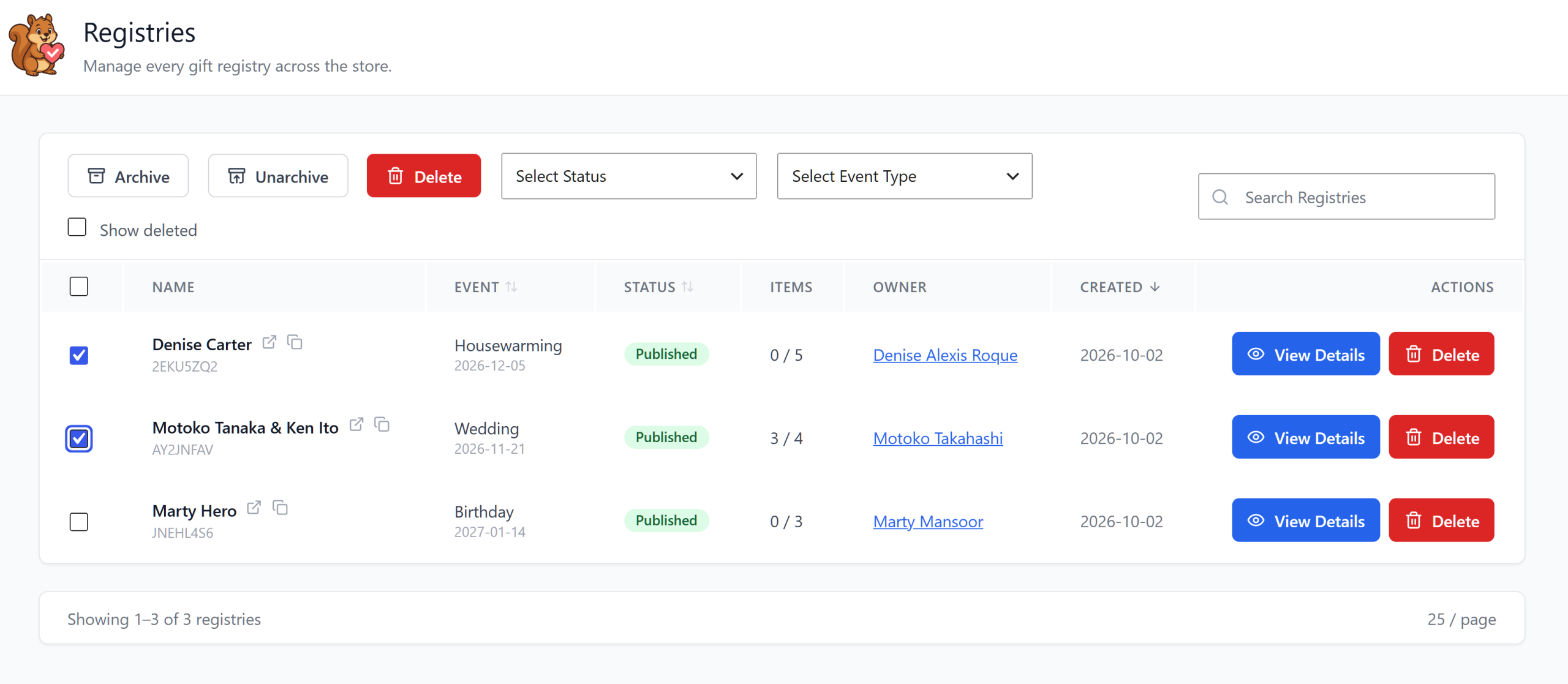
Closing it is a store admin job. On the addon’s Registries screen in WP Admin, tick the registry and click Archive. The public link still works, and the page now opens with a banner reading “This registry is no longer accepting purchases.” The item buttons are disabled, and any add-to-cart attempt is refused with the same message.
That matters because registry links live on in old emails, invitations and wedding websites. A late guest who clicks one sees a clear explanation instead of an error page.
Deleting works differently from archiving. When an owner deletes a registry, it’s hidden first rather than erased. A daily cleanup then permanently removes it, along with its items and purchase records, once 90 days have passed. Developers can change that window with the stwreg_deleted_registry_retention_days filter.
Two details keep the record readable in the meantime. Each registry item stores its own copy of the product title, SKU and image. The list still makes sense if you retire that product. The thank-you tracker also shows the order number beside each gift, so you can match every purchase to its order.
Which One Fits Which Kind Of Store
Fit comes down to how much of your catalog is gift-driven and whether you already run wishlists. Here’s how the four map to common store types.
- Gift, homeware and baby stores with real event seasons. You need claiming, counts that go down, guest checkout and a search page working together on day one. SaveTo Wishlist’s Plus plan ships all four.
- Stores that already run wishlists. Converting an existing list beats asking a customer to rebuild it. SaveTo Wishlist is built around that step, so wishlists and registries share one set of buttons and one settings screen.
- Stores testing whether registries are worth it. Install SaveTo Wishlist Lite free, watch what customers save, then add Plus once the pattern is clear. NM’s free tier is the other low-cost route, though buyer details sit in its paid version.
- Group buys, team gifts and friend pools. These aren’t registries at all, and they’re easy to mix up. SaveTo Wishlist Pro handles them with collaborative and shared wishlists, where friends build and manage one list together.
Some stores also weigh whether to host registries at all or send couples to a standalone registry site. Our comparison of a WooCommerce gift registry vs a registry website covers that choice.
🔍️ What we’ve seen: Store owners often shortlist on the feature table. They only meet the quantity handling during their first real event. A list asking for six of something behaves nothing like a list asking for one. If a plugin removes an item on the first order, the other five requests disappear for the next guest. So ask what happens on the second purchase of the same product before you buy.
What The Gift Registry Plugins Cost
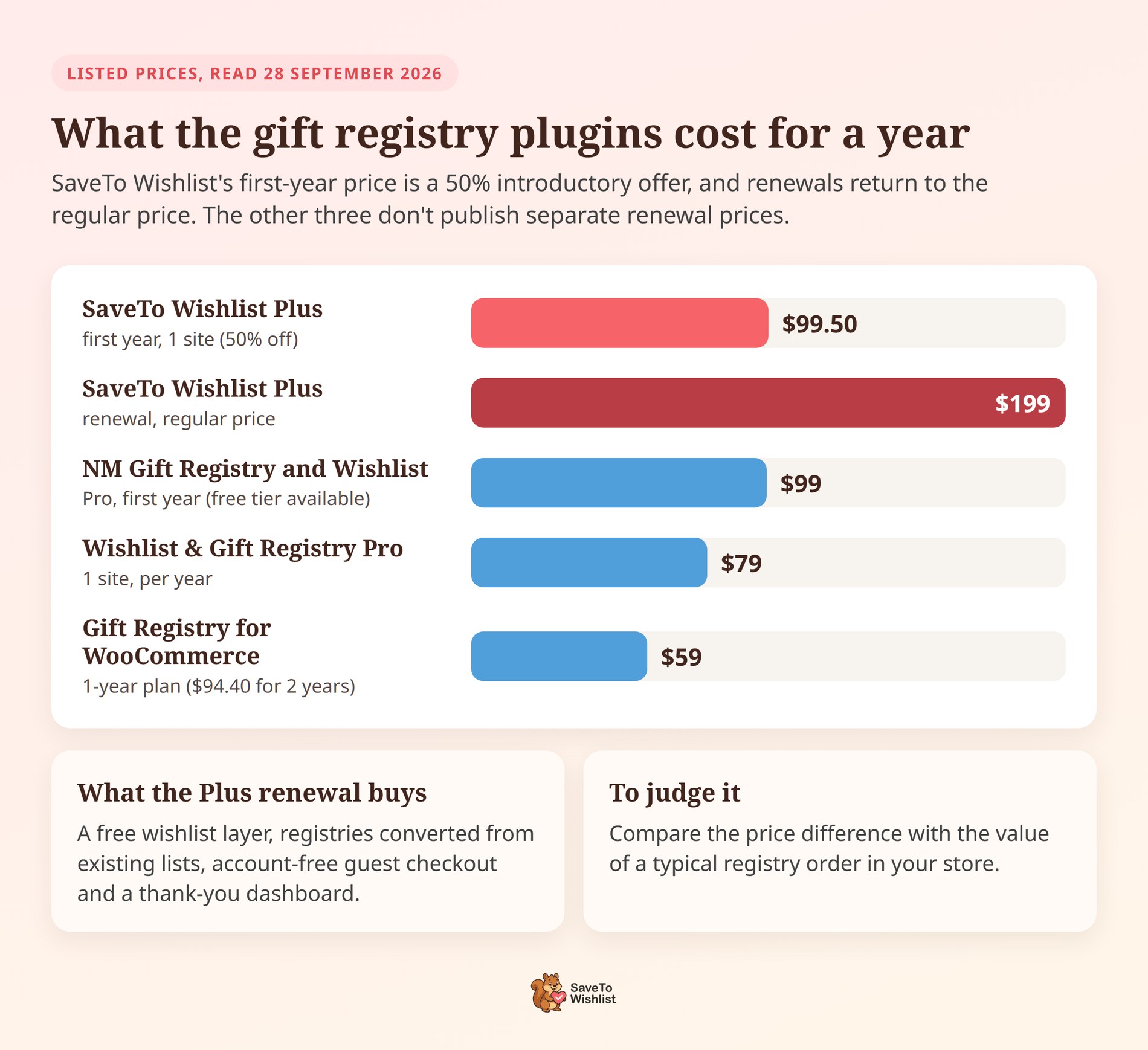
Registry plugins are priced annually, and the number that matters is the renewal, not the first year. Here’s where the four sit.
- SaveTo Wishlist: Lite is free and handles wishlists on its own. Growth is $49.50 first year and $99 on renewal for one site. It includes SaveTo Wishlist Pro but not the registry addon. Plus is $99.50 first year and $199 on renewal for one site, the cheapest plan with the Gift Registry Addon. Business is $199.50 first year and $399 on renewal, for unlimited sites.
- Wishlist & Gift Registry Pro for WooCommerce: $79 a year for one site. Two sites cost $89, five cost $99, and 25 cost $199.
- NM Gift Registry and Wishlist Lite: free. Multiple registries, purchase emails and buyer details need the Pro version, which costs $99 for the first year. Its renewal price isn’t listed.
- Gift Registry for WooCommerce: $59 for a 1-year plan, or $94.40 for a 2-year plan.
Those SaveTo Wishlist first-year prices are a 50% introductory offer, and renewals return to the regular price. So budget against the renewal. Current prices are on the SaveTo Wishlist pricing page, linked at the end of this guide.
Plus renews at $199 a year. The other three list $59 to $99 for a paid year, so SaveTo Wishlist costs more on renewal. That difference buys a free wishlist layer, registries converted from existing lists, account-free guest checkout and a thank-you dashboard. To judge it, compare the difference with the value of a typical registry order in your store.
How To Test A Registry Plugin Before You Commit
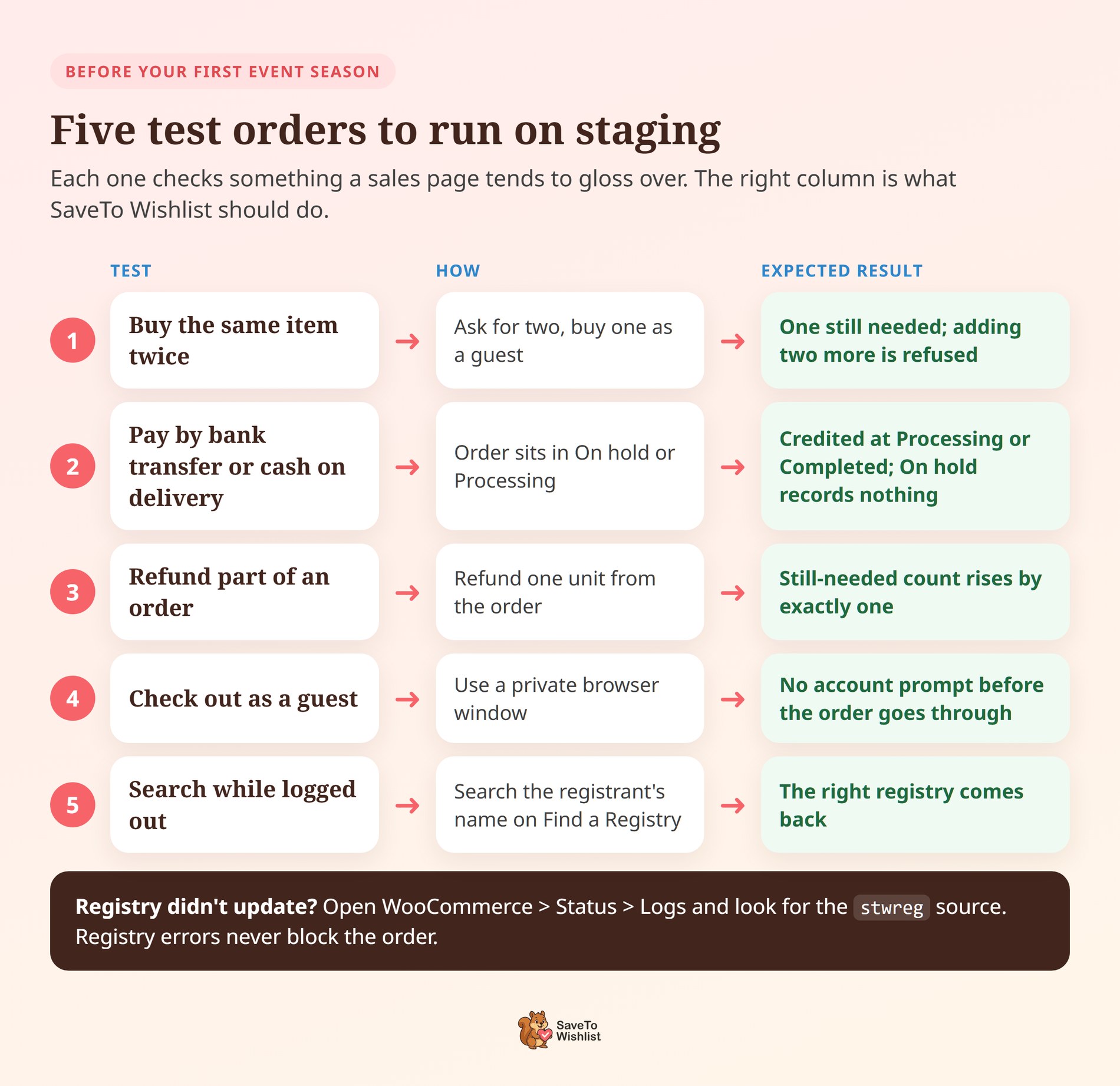
Whichever plugin you shortlist, run five test orders on a staging store before your first event season. Each one checks something a sales page tends to gloss over.
- Buy the same item twice. Ask for two of something, buy one as a guest, and confirm the page shows one still needed. Then try adding two more, which should be refused.
- Pay by bank transfer or cash on delivery. These orders wait in On hold or Processing rather than Completed. SaveTo Wishlist credits a gift once the order reaches Processing or Completed. On hold records nothing until the order moves on. A report filtered to Completed orders alone will undercount registry sales.
- Refund part of an order. The item’s still-needed count should rise by exactly the refunded quantity.
- Check out as a guest in a private window. Nothing should ask the guest to create an account before the order goes through.
- Search while logged out. Open the Find a Registry page, search by the registrant’s name, and confirm the right registry comes back.
Sometimes an order completes but the registry doesn’t update. Open WooCommerce > Status > Logs and look for the stwreg source. The addon logs registry errors there and never lets them block the order. The sale is safe while you find the cause.
FAQs: Best WooCommerce Gift Registry Plugin Options
Do I need a wishlist plugin as well as a registry plugin?
That depends on how the product is built. SaveTo Wishlist starts with the free Lite wishlist plugin and adds the Gift Registry Addon on top. So wishlists and registries share the same buttons and settings. The other three bundle both into one plugin, which means one license but no free saving layer underneath.
Can guests buy from a registry without creating an account?
With SaveTo Wishlist, yes. Guests can add registry items to their cart and check out without creating a store account. That skips the account step, a common reason shoppers abandon checkout. The other three listings document guest list creation but don’t state account-free checkout.
What happens to a registry after the event?
With SaveTo Wishlist, the registry stays live until a store admin archives it. The owner keeps the dashboard showing who bought what and which thank-you notes are outstanding. That window can also bring a second sale, because the buyers are new customers who already know your store.
Is there a genuinely free WooCommerce gift registry plugin?
NM Gift Registry and Wishlist Lite is the closest, with registry creation and a search form in its free tier. Multiple registries, purchase emails and buyer details all sit in its Pro version. SaveTo Wishlist Lite is free for wishlists, and the Gift Registry Addon comes with Plus and Business.
Which SaveTo Wishlist plan includes the Gift Registry Addon?
Plus and Business. Plus costs $99.50 for the first year and $199 on renewal. Business costs $199.50 for the first year and $399 on renewal. Growth ($49.50 first year, $99 renewal) includes SaveTo Wishlist Pro but not the registry addon.

The Best WooCommerce Gift Registry Plugin For Your Store
A registry is the one moment in retail where your customer recruits other buyers for you. So the best WooCommerce gift registry plugin for your store is the one that makes that job easiest for them.
- Know what separates a registry from a wishlist before you shortlist anything.
- Judge on six criteria, starting with what’s actually free.
- Compare the four on claiming, tracking, guest access and search rather than on bullet count.
- Ask what happens when two guests buy the last one, and how a registry closes after the event.
- Publish and link a registry search page so guests who lost the link still reach you.
- Budget against the renewal price, never the introductory one.
- Run five test orders on staging before the first event season.
Of the four, SaveTo Wishlist is our pick, for reasons you can check yourself. It gives you a free wishlist layer for your whole catalog and registries converted from existing lists. Counts go down as orders land, and guests check out without an account. A search page helps them find the registry. Get the Gift Registry Addon on Plus or Business, and run your next event season on your own store.



