

 Reviewed by
 I’ve had store owners ask me whether they need a wishlist plugin or a “save for later” button on their cart. It seems like they do the same thing, right? A customer saves a product, comes back later, and (hopefully) buys it.
After working with both features across dozens of WooCommerce stores, I can tell you they serve very different purposes. One is a cart management tool. The other is a customer engagement strategy. And the difference matters a lot more than most store owners realize.
This article breaks down exactly how wishlists and save-for-later differ, which is better for your WooCommerce store, and when each one makes sense. If you’re new to wishlists entirely, start with our guide on what a wishlist is.
Table Of Contents
What Is A WooCommerce Wishlist?
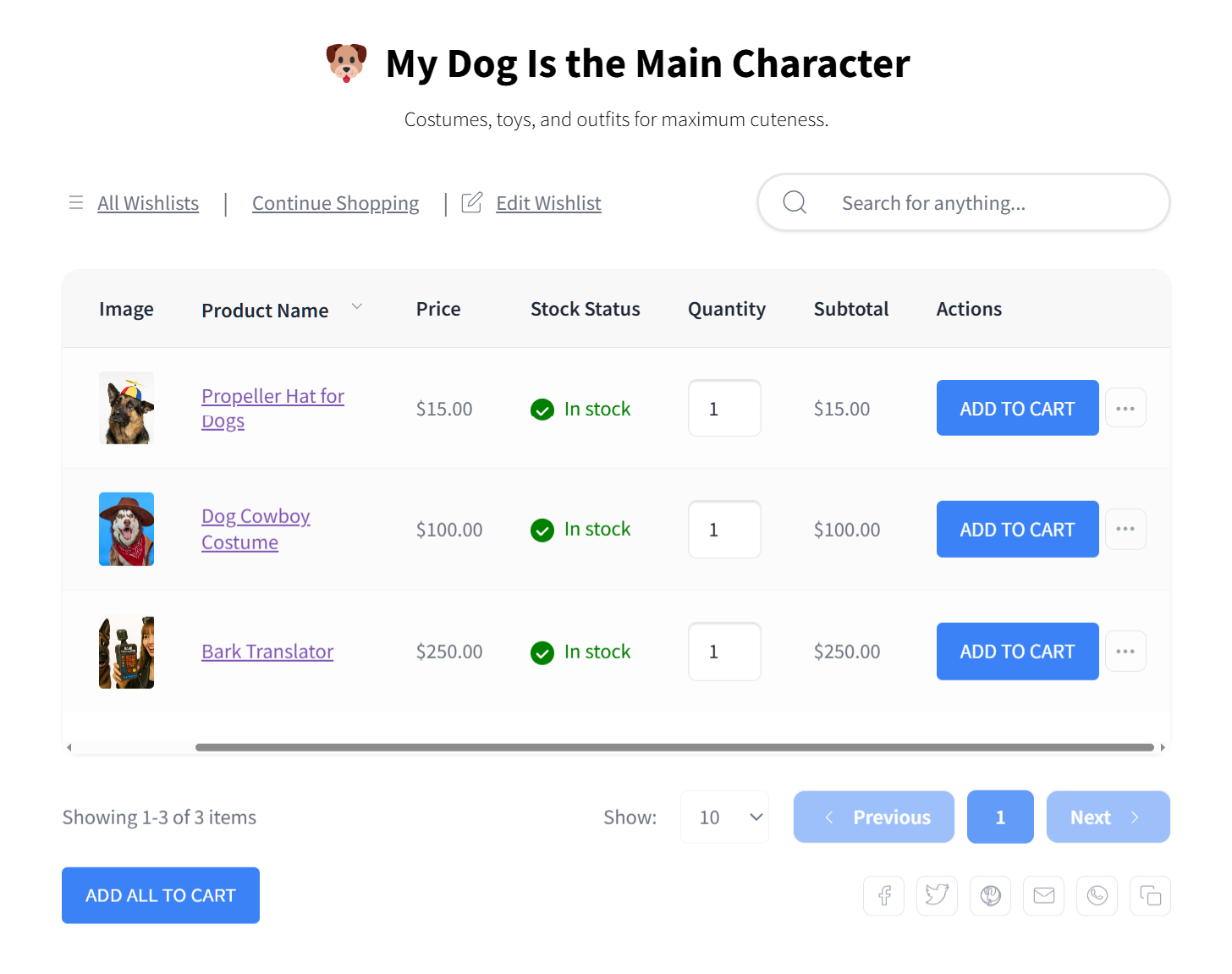
A wishlist is a persistent, account-linked list of products a customer wants to buy in the future. It exists independently of the shopping cart and is designed for long-term product saving.
Here are the defining characteristics:
- Persistent across sessions: A customer’s wishlist doesn’t disappear when they close their browser. It’s there next time they visit, whether that’s tomorrow or three months from now.
- Multi-device access: Wishlists tied to accounts work across phones, tablets, and desktops.
- Shareable: Customers can share wishlists with friends, family, or on social media.
- Data-rich: Every wishlist add gives you product-level demand data, intent signals, and marketing triggers.
Customers use wishlists for all kinds of purposes: birthday and holiday gift lists, tracking products they’re waiting to go on sale, organizing items by category, and creating shared registries. It’s about long-term intent and planning.
Want a deeper look at how customers actually use wishlists? then check out the following guide:
How Customers Create An Online Wishlist (And How It Helps Your Store)
What Is “Save For Later”?
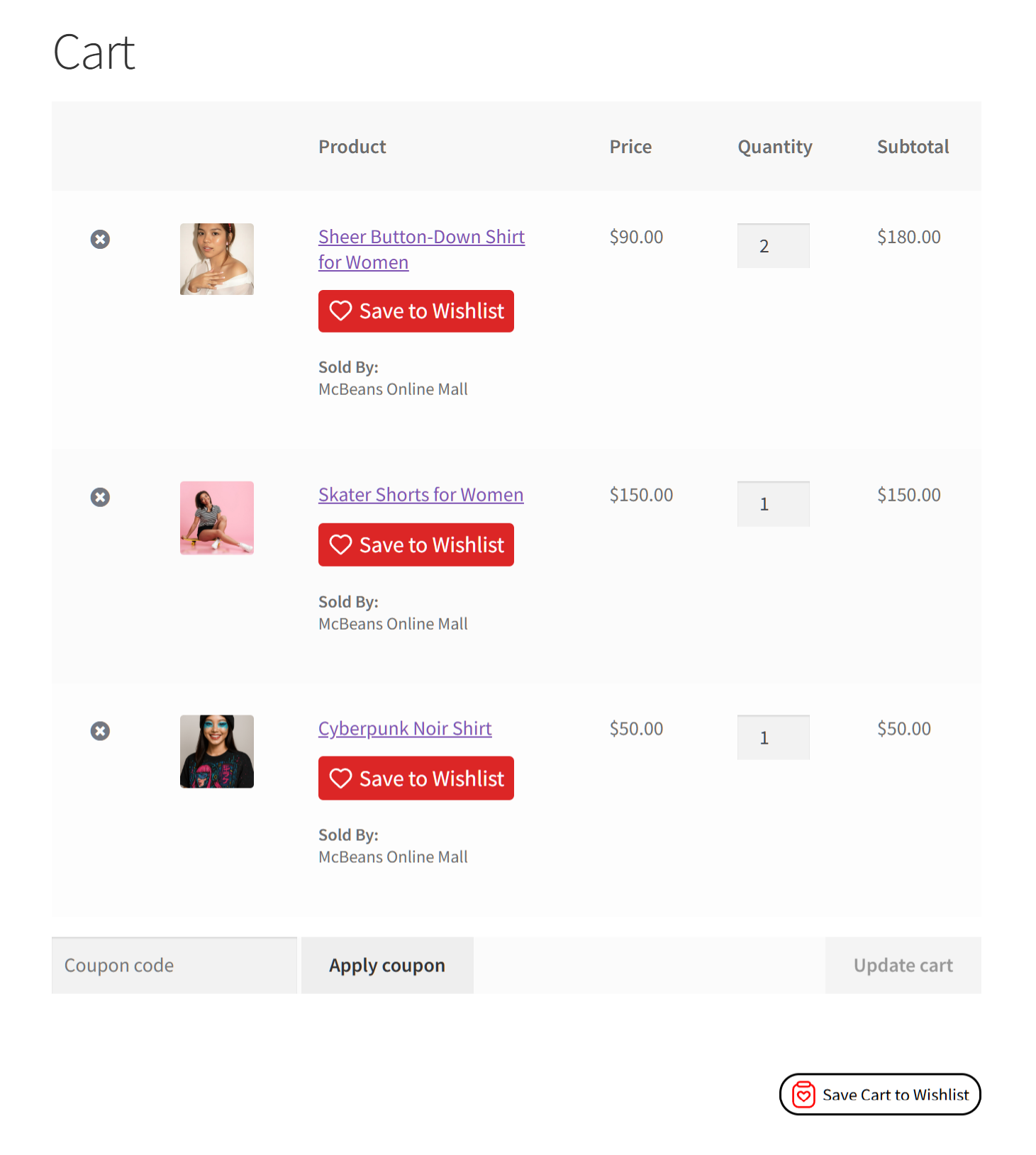
“Save for later” is a cart feature that moves items from the active cart to a holding area. You’ve probably seen it on large retail sites: a button below each cart item that says “Save for later,” which shifts the product out of the cart but keeps it visible on the same page.
The defining characteristics are different from wishlists:
- Session or cart-based: Save-for-later items are typically tied to the cart session, not a persistent account feature. Many implementations lose the saved items when the cart expires or cookies clear.
- Tied to the shopping cart: The saved items live below or beside the active shopping cart, not on a separate page.
- Not shareable: Save-for-later is a private, individual feature. There’s no sharing link or social integration.
- Limited data: It tells you that someone wasn’t ready to check out with that item. That’s about it.
Save-for-later is fundamentally a shopping cart management tool. It helps customers clean up their cart without losing track of items they might want. It’s useful, but it’s not designed for engagement, marketing, or long-term relationship building.
Wishlist Vs Save For Later: The Key Differences
The surface-level similarity hides some important strategic differences.
1. Persistence and data ownership
Wishlists persist across sessions, devices, and logins. A customer who adds a product to their wishlist on Monday can find it there three weeks later when they log in from a different device. SaveTo Wishlist even supports guest wishlists, so this persistence extends to non-logged-in visitors.
Save-for-later is typically session-based. If the shopping cart expires, if cookies clear, or if the customer switches devices, those saved items may be gone. Some implementations persist longer, but it’s not guaranteed.
2. Customer psychology
The psychology behind each action is different:
- Wishlist = long-term intent. “I want this product and I plan to buy it at some point.” It’s aspirational and planning-oriented.
- Save-for-later = short-term cart management. “I’m not ready to check out with this right now, but I might add it back before I’m done shopping.” It’s about the current session.
This distinction matters because it tells you different things about the customer. A wishlist user is telling you what they want. A save-for-later user is telling you they weren’t ready to check out.

3. Marketing and data value
This is where the gap gets wide:
Wishlists generate actionable marketing data. You know which products each customer wants. You can send price drop alerts when those products go on sale and even can trigger back-in-stock notifications. Furthermore, you can build automated email workflows based on wishlist behavior. And you can aggregate the data to understand product demand across your entire customer base.
Save-for-later generates minimal data. You know someone moved an item out of their shopping cart. That’s useful for cart abandonment analysis, but it doesn’t give you the product-level intent data that powers targeted marketing.
4. Sharing and social features
Wishlists are inherently social. Customers share them for gifts, registries, and recommendations. Every shared wishlist is a potential source of new traffic and new customers.
Save-for-later has no social component. It’s a private cart feature.
🔍️ What We’ve Seen: One thing we commonly see: store owners who rely only on save-for-later miss out on the marketing data that wishlists provide. A save-for-later button tells you someone wasn’t ready to check out. A wishlist tells you exactly which products they’re interested in, giving you something to work with.
Which Is Better For Your WooCommerce Store?
Both features have a place, but wishlists offer dramatically more value for store owners.
Here’s the honest assessment:
Wishlists are a conversion tool. They power price drop alerts, back-in-stock notifications, and email automations that directly drive purchases. They generate product demand data that informs inventory decisions and marketing strategy. Moreover, they create shareable links that bring new customers to your store.
Save-for-later is a UX convenience. It helps customers manage their shopping cart during a shopping session. That’s a legitimate function, but it doesn’t generate ongoing value the way a wishlist does.
If you have to pick one, pick wishlists. They do everything save-for-later does (let customers save products for later) while also giving you the data, marketing capabilities, and engagement tools that save-for-later can’t match.
According to Baymard Institute’s research on cart UX, cart abandonment rates sit around 70%. Wishlists help you recapture that lost intent by creating a persistent touchpoint with customers who aren’t ready to buy immediately.
For stores dealing with high cart abandonment, our guide on cart abandonment recovery for WooCommerce covers how wishlists fit into a broader recovery strategy.
When Save For Later Makes Sense
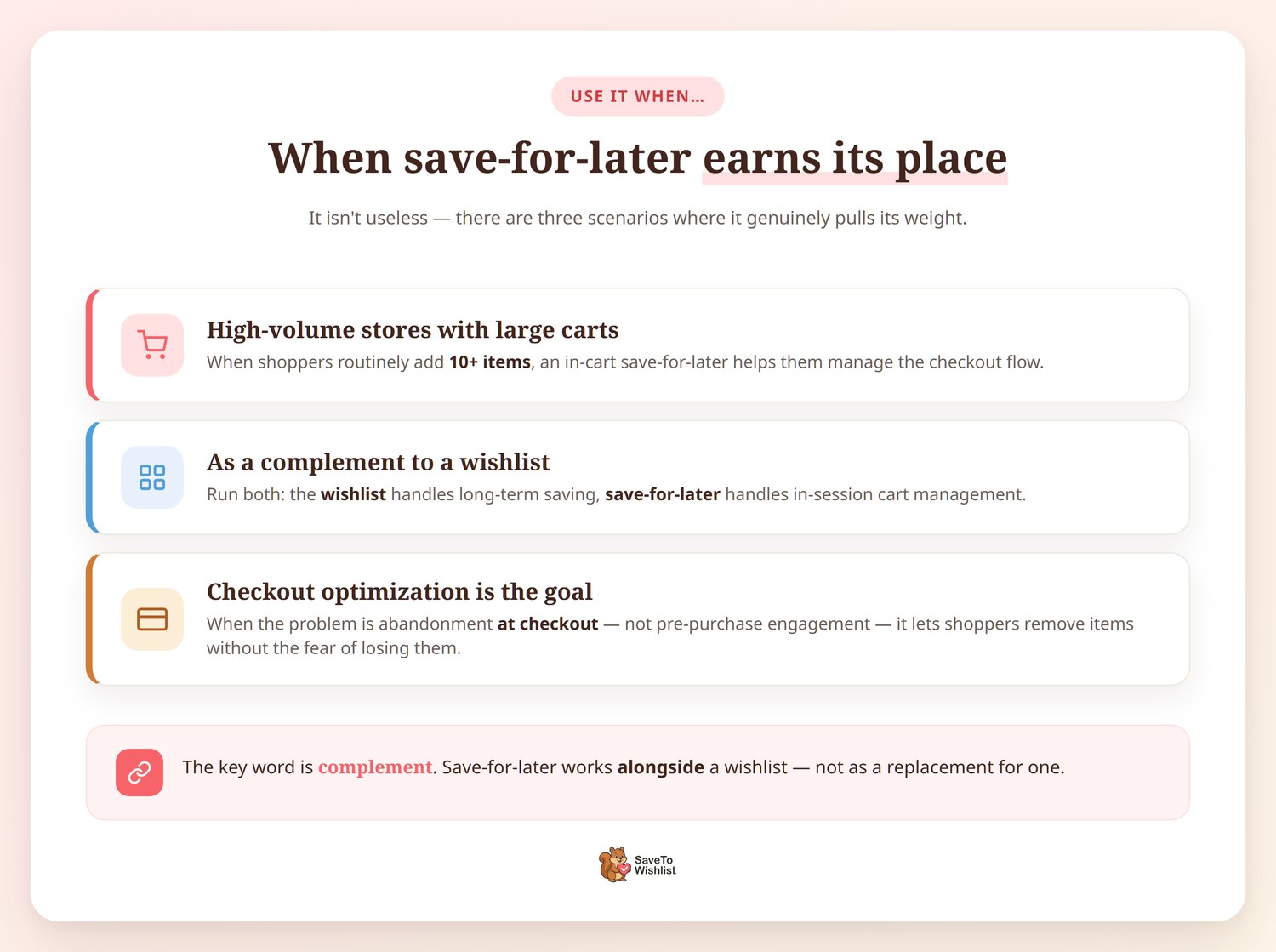
Save-for-later isn’t useless. There are specific scenarios where it earns its place:
- High-volume stores with large carts: If your customers routinely add 10+ items to their cart and need to manage the checkout flow, a save-for-later button within the cart helps with UX.
- As a complement to wishlists: Some stores run both features. The wishlist handles long-term product saving, while save-for-later handles in-session cart management. The two serve different moments in the customer journey.
- When your primary goal is checkout optimization: If your immediate problem is cart abandonment at the checkout step (not pre-purchase engagement), save-for-later can smooth the flow by letting customers remove items without the anxiety of losing them.
The key word here is “complement.” Save-for-later works alongside a wishlist, not as a replacement for one.
FAQs: Wishlist Vs Save For Later
How do I choose between a wishlist vs save for later when I’m browsing?
If you want to share gift ideas with family, use a wishlist. If you just want to clear up your checkout screen to buy your daily essentials right now, use the save for later button to hold onto those extra items.
Can I use both a wishlist and save-for-later on my WooCommerce store?
Yes. They serve different purposes, so running both is a valid approach. The wishlist handles long-term product saving, marketing data, and customer engagement. Save-for-later handles in-session shopping cart management. Just make sure the UX is clear so customers understand the difference between the two actions.
Does WooCommerce have a built-in save-for-later feature?
No. WooCommerce doesn’t include either wishlists or save-for-later out of the box. Both require plugins. SaveTo Wishlist provides full wishlist functionality with a free version that includes unlimited wishlists, guest support, and variation tracking.
Do wishlists work for guest users who aren’t logged in?
They do with SaveTo Wishlist. The free version includes guest wishlist support, so visitors can save products without creating an account. Guest wishlist data can be merged with an account if they register later.
How do wishlists help with email marketing?
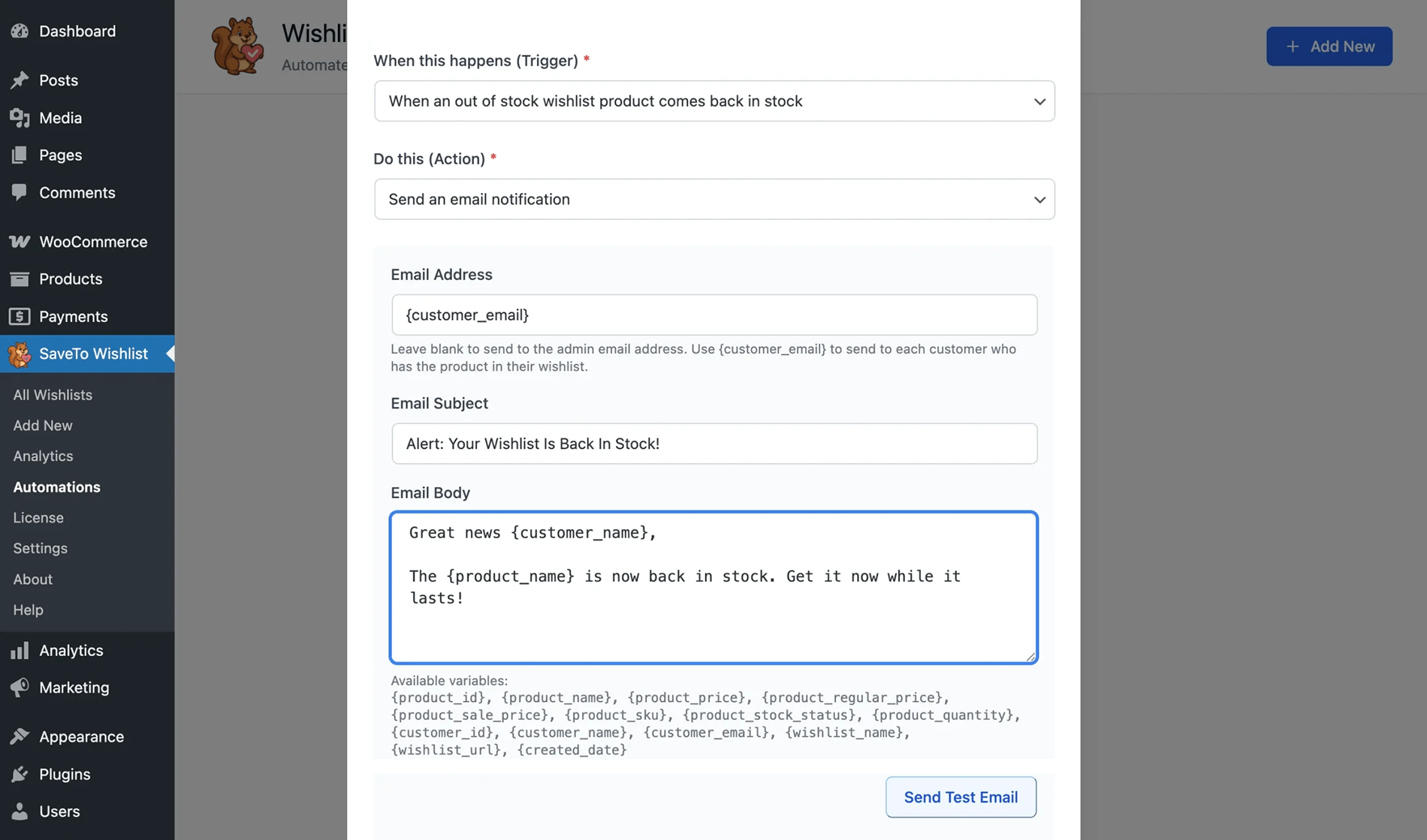
Wishlists provide the product-level intent data that powers targeted email campaigns. With SaveTo Wishlist Pro, you can automatically send price drop alerts when wishlisted items go on sale, back-in-stock notifications when inventory returns, and reminder emails to re-engage customers who haven’t visited their wishlists recently. These targeted emails convert significantly better than generic promotional blasts.
Give Your Customers A Wishlist, Not Just A Cart Workaround
Save-for-later solves a narrow problem: cart management during a single shopping session. Wishlists solve a much bigger one: long-term customer engagement, demand intelligence, and targeted marketing.
If you’re trying to decide between the two, the answer is clear. Wishlists give you more data, more marketing options, and more ways to convert browsers into buyers. Save-for-later can complement a wishlist, but it can’t replace one.
Here’s what to take away:
- What a wishlist actually is and how it differs from cart features
- What save-for-later does and its limitations
- The key differences in persistence, psychology, data, and sharing
- Why wishlists win for long-term store value
- When save-for-later makes sense as a complementary tool
Ready to add a real wishlist to your WooCommerce store? The free version of SaveTo Wishlist includes unlimited wishlists, guest support, variation tracking, and multiple wishlists right out of the box.



