

 Reviewed by
 For years, YITH was the go-to choice for almost every online business that needed a wishlist plugin. Few WooCommerce store owners ever thought to switch from YITH Wishlist because it worked well and had all the right features. Case closed.
But recently, a new question has been popping up in the e-commerce world: “Why is my site running a bit slower after adding a wishlist plugin?”
This question has sparked a lot of performance testing and price checking. When store owners look closely at what they actually need, a clear trend appears. Many WooCommerce stores are shifting from larger, feature-heavy plugins to lighter, simpler options.
YITH WooCommerce Wishlist is still a great tool and has clearly earned its top spot in the market. However, the needs of online stores are changing. If you are trying to choose a wishlist plugin today, it helps to understand why so many people are looking for a more lightweight fit.
Table Of Contents
- YITH WooCommerce Wishlist’s Market Position
- The Performance Problem
- The Cost Of Features That Should Be Free
- The Bloat Problem Beyond Performance
- What To Look For In a Lightweight Alternative
- FAQs: The Switch From YITH Wishlist
- Conclusion
YITH WooCommerce Wishlist’s Market Position
Let’s give credit where it’s due. YITH WooCommerce Wishlist is the most widely installed WooCommerce wishlist plugin, with over 400,000 active installations on WordPress.org. It achieved that position for legitimate reasons.
YITH Wishlist was one of the first dedicated WooCommerce wishlist plugins. That first-mover advantage, combined with consistent updates and a broad feature set, made it the default choice for years. When developers and agencies needed a wishlist solution, YITH Wishlist was the safe pick. It was the answer that wouldn’t get you in trouble.
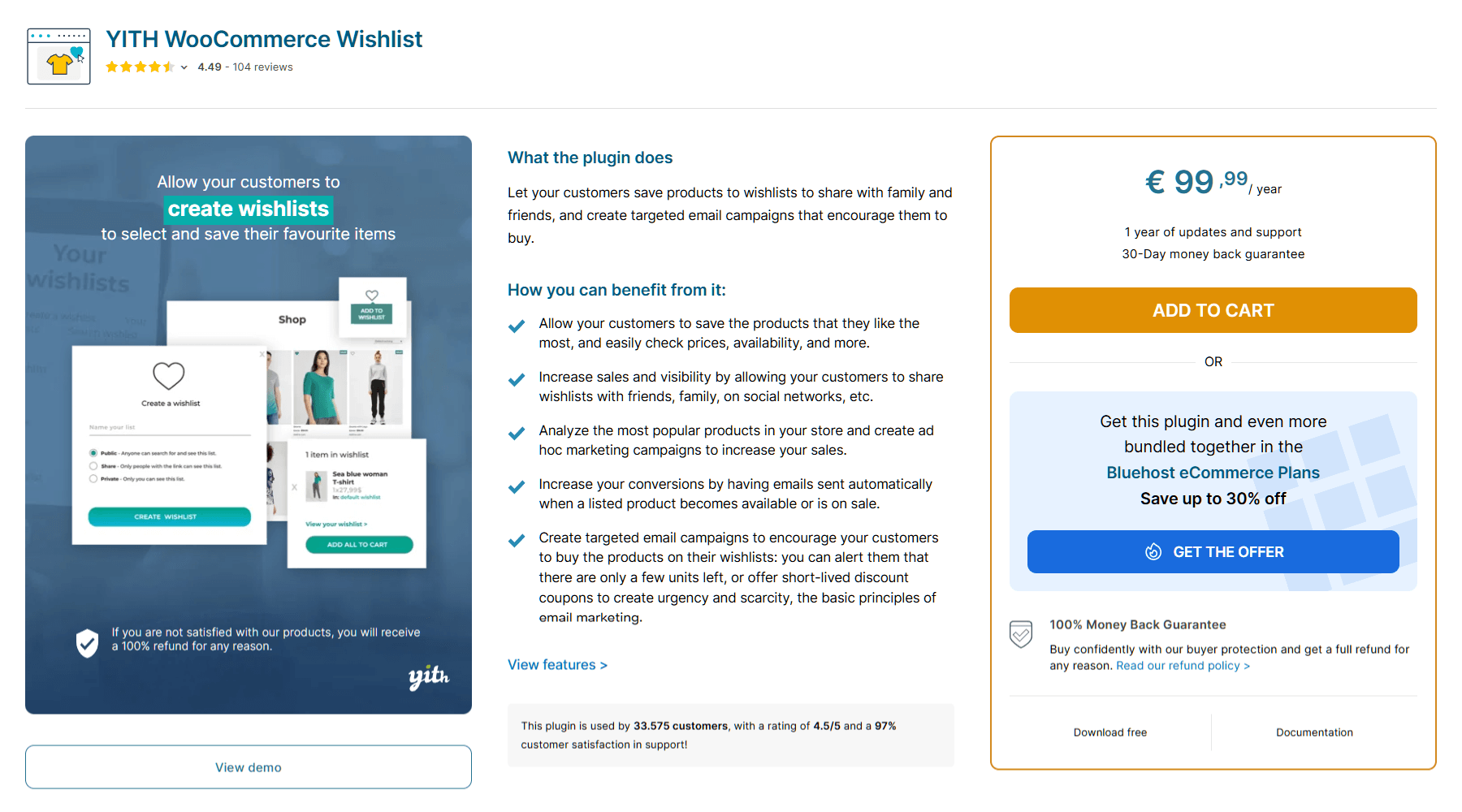
The YITH ecosystem is also a factor. YITH sells dozens of WooCommerce plugins that integrate with each other. If you’re already running YITH plugins for other features, adding YITH WooCommerce Wishlist makes sense from a compatibility perspective. The convenience of staying within that ecosystem is a big draw.
🔍️ What We’ve Seen: YITH WooCommerce Wishlist still works fine for many stores, especially those that are already invested in the YITH ecosystem and aren’t experiencing performance issues. This article is about the growing number of stores where the calculus has changed, where performance, cost, or simplicity concerns are driving a reevaluation.
The Performance Issue
What the speed test data shows
Performance is the biggest driver of the switch from YITH Wishlist to more lightweight alternatives, and the data is clear.
Our WooCommerce wishlist plugin speed test measured the real-world impact of major wishlist plugins on Core Web Vitals. The differences between lightweight and heavyweight plugins are significant, particularly on mobile, where most WooCommerce traffic now originates.
| Wishlist Plugin | Extra Load Time | Code Weight (JavaScript) | Extra Server Trips | Database Work (Per Action) |
| SaveTo Wishlist | +15ms | 2.5 KB | +1 | Negligible |
| TI WooCommerce Wishlist | +95ms | 6.1 KB | +4 | 260 |
| WPC Smart Wishlist | +60ms | 11.0 KB | +7 | 601 |
| MoreConvert Wishlist | +140ms | 25.8 KB | +9 | 421 |
| YITH Wishlist (Market Leader) | +180ms | 311.8 KB | +22 | 1,404+ |
Note: The figures above are illustrative estimates based on controlled testing in a single environment. Your results will vary depending on hosting, theme, other active plugins, and store size. Use these as directional comparisons rather than absolute benchmarks.
When we talk about “lightweight” in technical terms, we’re talking about specific, measurable things:
- Fewer HTTP requests. Every script, stylesheet, and font file a plugin loads is an HTTP request that adds to page load time.
- Smaller asset footprint. The total size of CSS, JavaScript, and other files the plugin adds to each page.
- Conditional loading. Whether the plugin loads its assets only on pages where wishlists are relevant, or on every single page of your site.
- Less DOM manipulation. The amount of JavaScript that runs after page load to modify the page structure.
Heavyweight plugins tend to score poorly on all four metrics. They load assets globally, include JavaScript for features most stores never use, and add DOM elements that increase rendering time.
Why Core Web Vitals matter more than ever
Google’s page experience signals directly influence search rankings. Core Web Vitals, specifically Largest Contentful Paint (LCP), Cumulative Layout Shift (CLS), and Interaction to Next Paint (INP), are measurable factors in how Google evaluates your pages.
According to Google’s own research, a 1-second delay in mobile load time can reduce conversions by up to 20%. For WooCommerce stores where every fraction of a second of load time correlates with revenue, a plugin that adds noticeable weight to every page is a business problem, not just a technical one.
According to Deloitte’s milliseconds research, even 100-millisecond improvements in site speed can increase conversion rates and average order values. When your wishlist plugin is adding hundreds of milliseconds, the math starts working against you.
The compound effect of plugin bloat
WooCommerce stores don’t run in isolation. A typical store has 20 to 40 active plugins: payment gateways, shipping calculators, SEO tools, security plugins, page builders, and more. Each one adds weight.
The problem compounds. A wishlist plugin that adds 200ms to load time might seem minor in isolation. But stack that on top of 30 other plugins, each adding their own weight, and you’re looking at a site that’s meaningfully slower than it needs to be.
The difference between plugins that load conditionally (only on pages where the feature is needed) and plugins that load globally (on every single page) is especially relevant here. If your wishlist plugin’s JavaScript and CSS load on your blog posts, your contact page, and your about page, that’s wasted weight on pages where no one is using wishlists.
If you’re curious about the performance of the top wishlist plugins today, check out this comprehensive comparison guide:
WooCommerce Wishlist Plugin Speed Test: Does Your Wishlist Slow Down Your Store?
The Cost Of Features That Should Be Free
What “premium” actually means in the wishlist space
YITH WooCommerce Wishlist Premium costs €99.99/year for a single site. That’s a legitimate product with legitimate features. But some of the features that require a paid upgrade are basic functionality that other plugins include for free.
Multiple wishlists is the clearest example. The ability for a customer to create more than one wishlist—say a “Birthday” list and a “Home Office” list—isn’t an advanced feature. It’s basic wishlist functionality. With YITH WooCommerce Wishlist, you need the premium version for this. On the other hand, with SaveTo Wishlist’s free version, multiple wishlists are included at no cost.
The same applies to smart guest syncing. Yes, YITH Wishlist’s free version lets guests save items using simple browser cookies. However, if that guest creates an account later, they can easily lose their saved items. In contrast, SaveTo Wishlist’s free version smoothly merges a guest’s list into a new user account. In fact, many older plugins require a premium workaround for this auto-syncing feature.
When basic customer experience features are reserved for a €99.99/year plan, it forces store owners to pay a premium just to get standard functionality.
The free tier comparison
Here’s what you get for $0 with SaveTo Wishlist versus YITH WooCommerce Wishlist Free:
SaveTo Wishlist (Free)
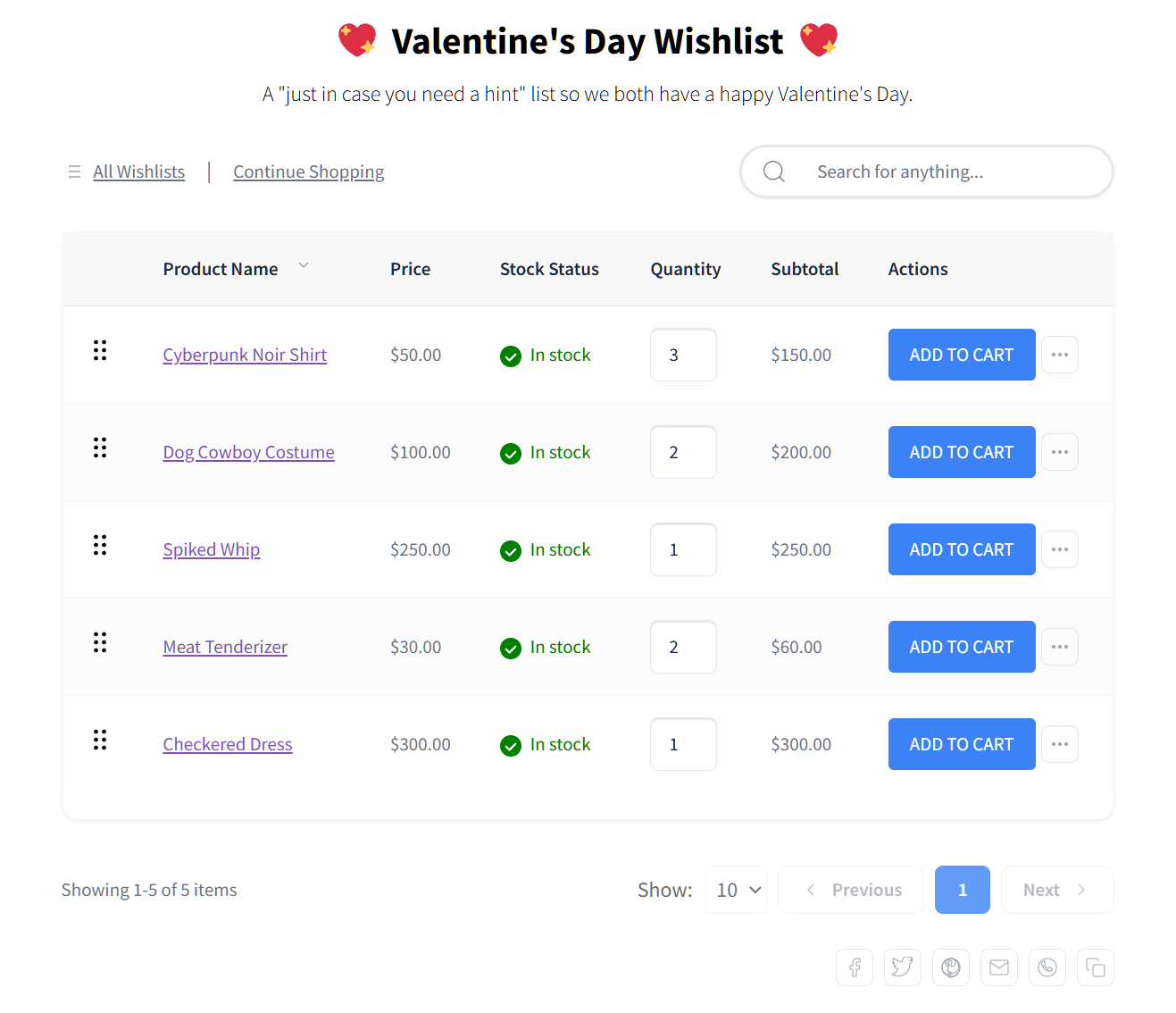
One of SaveTo Wishlist’s greatest strengths is its free tier, which comes with many crucial features that other wishlist plugins reserve for paid plans:
- Unlimited Multiple Wishlists: Customers can create, rename, and delete as many lists as they want.
- Guest Wishlists with Smart Account Sync: Guest shoppers can save items, and their wishlist data automatically merges with their account upon login or registration.
- Advanced Cart Integration: Shoppers can save individual items or their entire cart for later, with dynamic buttons that prevent duplicate saves.
- In-List Item Management: Customers can organize their own favorites using drag-and-drop sorting, moving items between lists, and editing quantities right in the list.
- Wishlist Sharing & Advanced Privacy: Customers can share lists with friends or set strict public/private visibility for each individual list.
- Product Variation Support: The plugin saves specific product colors and sizes chosen by the customer.
- Visual Wishlists: This displays product images directly in the wishlist table.
- Visual Button Customization & Templates: Store owners can customize wishlist button fonts, colors, and icons, or choose from premade templates for quick setup.
- Full Wishlist Page Customization: Store owners can design the look and feel of the wishlist page itself, including fonts and colors.
- Modern Block Theme Support: The plugin is designed specifically for the latest WordPress and WooCommerce standards.
- Custom “First Wishlist” Branding: Store owners can set the default name for new accounts.
- Instant Redirect to Wishlist: This automatically redirects users to their list after adding an item.
- Wishlist Importer: You can easily migrate existing data from older wishlist plugins.
- REST API Access: It provides full access for developers creating custom integrations or headless setups.
- Translation-Ready: The plugin is fully prepared for multilingual stores and localization.
YITH WooCommerce Wishlist (Free)
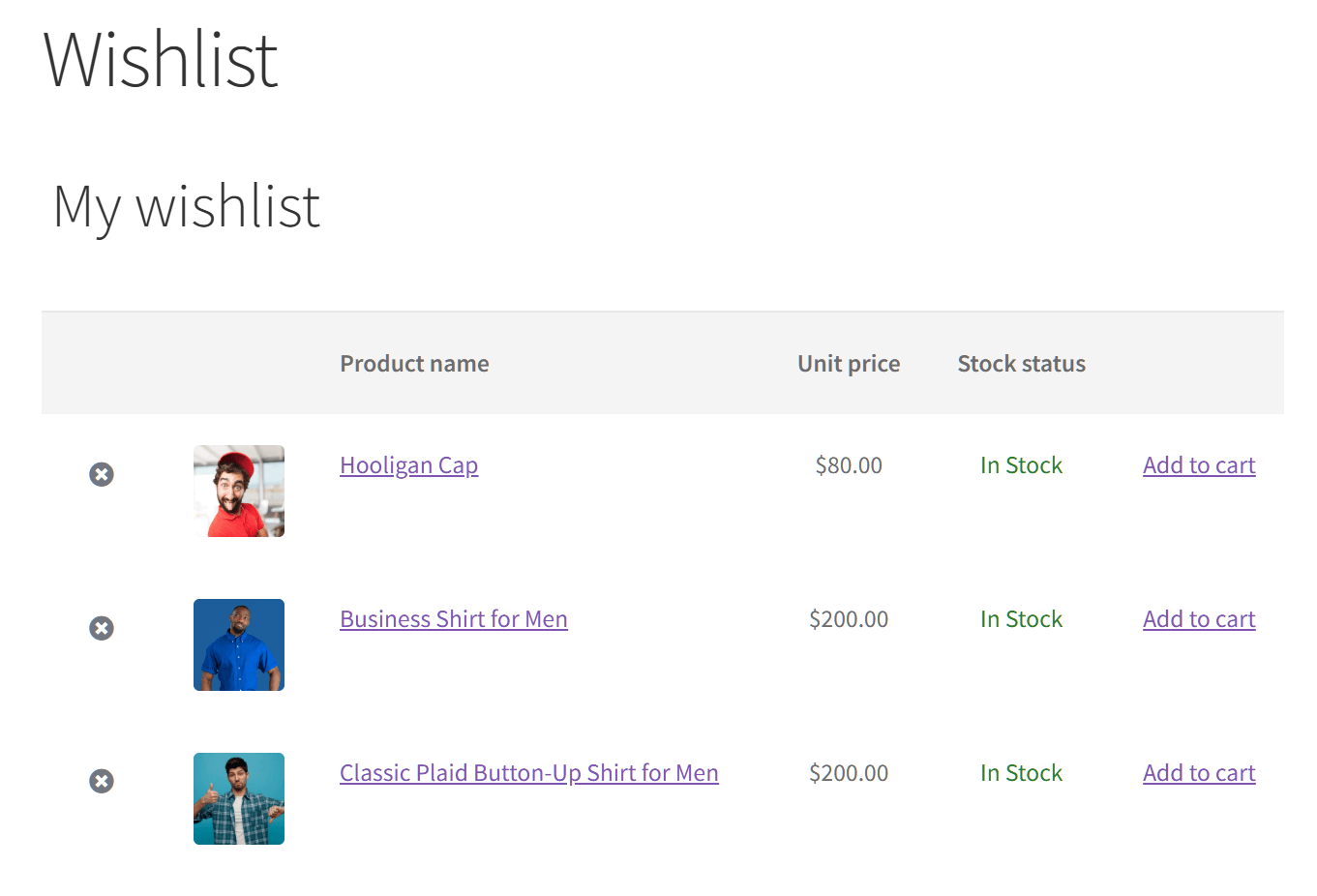
On the other hand, the free version of YITH WooCommerce Wishlist serves as a basic entry point, focusing strictly on the foundational features needed to get a simple wishlist up and running:
- Single Wishlist per User: Customers are limited to one list and cannot rename or delete it.
- Guest Wishlists: These are cookie-based, meaning data doesn’t auto-sync if the user creates a permanent account later.
- Product Variation Support: The plugin successfully saves specific product colors and sizes.
- Social Sharing: Users can share their single list on social media platforms.
- Basic Privacy Controls: This relies entirely on global settings rather than per-list privacy options.
- Basic Customization: It allows editing of wishlist table columns but relies primarily on older shortcodes rather than visual Blocks.
The gap is significant. Features that SaveTo Wishlist includes for free require a paid upgrade with YITH WooCommerce Wishlist.
Now, premium features should cost money. Advanced tools like analytics and reports, email automations, price drop alerts, back-in-stock notifications, collaborative lists, and webhooks are legitimately powerful capabilities that justify a paid tier. SaveTo Wishlist Pro includes all of these for $49.50 your first year (renewing at $99 a year after that). Even at its full renewal rate, it still comes in cheaper than YITH’s €99.99 yearly fee.
For a detailed comparison between the free versions of YITH WooCommerce Wishlist and SaveTo Wishlist, check out the following article:
YITH WooCommerce Wishlist Alternative: How To Get Multiple Lists For Free

Curious about how the free tiers of YITH Wishlist and SaveTo Wishlist fare against other free wishlist plugins? Then check out this plugin roundup:
The Bloat Problem Beyond Performance
Feature creep and the “everything plugin” approach
YITH’s business model is built on an ecosystem of 100+ plugins. This has advantages: tight integration, one vendor for everything, and consistent design language. But it also creates a specific kind of bloat.
The YITH WooCommerce Wishlist plugin is designed to work within this ecosystem. That means it includes code, hooks, and compatibility layers for dozens of other YITH plugins you may not be using. It’s built for the broadest possible use case, which necessarily means it carries weight that your specific store doesn’t need.
The admin interface reflects this. YITH plugins come with extensive options panels because they need to accommodate every possible configuration. For a store owner who just wants a wishlist button that works, navigating those settings can feel like overkill.
Because many YITH plugins share a common “Plugin Framework,” a single core update can trigger a cascade of required updates across your entire site. This means more time spent testing and managing version control for a feature as simple as a wishlist. Each update needs testing, especially in production environments where compatibility matters.
What store owners actually need vs. what they’re paying for
In conversations with store owners who’ve made the switch, a consistent theme emerges: they were using maybe 20-30% of their premium wishlist plugin’s features but paying for 100%.
The case for focused plugins is straightforward. A plugin that does wishlists and does them well, without trying to be a platform for 50 other features, can be lighter, faster, and easier to manage. You’re not paying for code you don’t use, and your site isn’t loading assets for features you’ve never enabled.
What To Look For In A Lightweight Alternative
Performance benchmarks to check before switching
Before committing to any alternative, test it. Don’t take marketing claims at face value, including ours.
Here’s how to evaluate:
- Install on a staging site first. Never test plugins on production.
- Measure Core Web Vitals before and after activation. Google PageSpeed Insights and WebPageTest are free tools that give you real data.
- Check network requests. Open your browser’s developer tools, look at the Network tab, and count how many requests the plugin adds. Filter by JS and CSS to see the asset weight.
- Test on mobile. Mobile performance is always worse than desktop, and most WooCommerce traffic is mobile. If a plugin feels fast on desktop but slow on your phone, that’s your real-world experience.
Our WooCommerce wishlist plugin speed test covers these benchmarks for the major players, but I always recommend running your own tests on your own store with your own plugin stack.
Feature parity without the weight
Switching plugins only makes sense if you’re not giving up features you actually use. Here’s what to check:
Non-negotiable features (should be free)
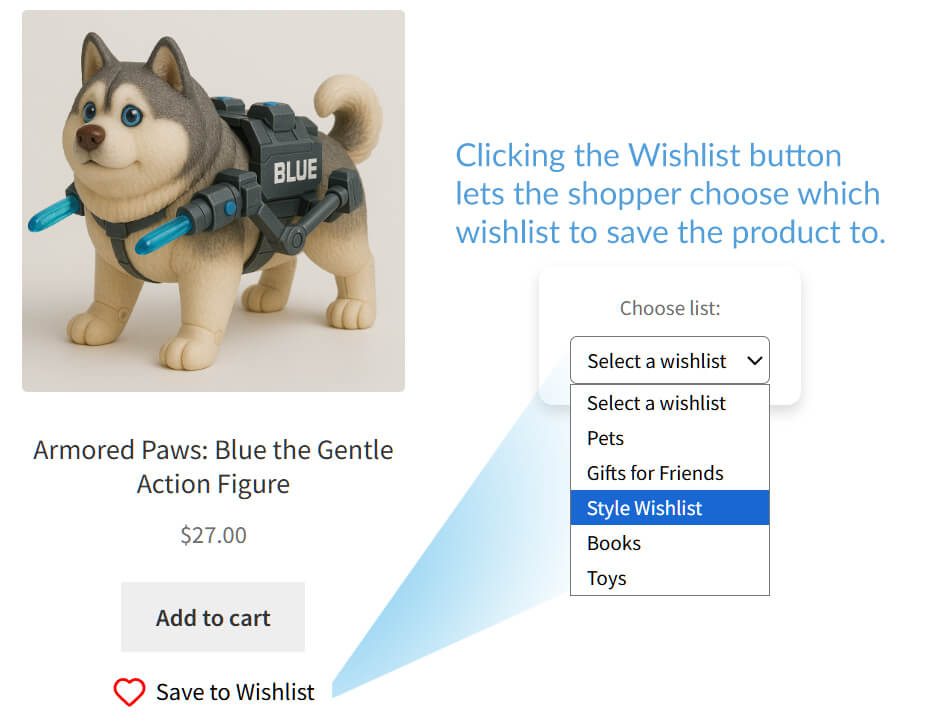
Today’s shoppers expect a seamless, frictionless experience, meaning any modern wishlist plugin you choose should include these core features at absolutely no cost:
- Multiple, unlimited wishlists per user: Let customers organize their own shopping experience.
- Guest wishlist support with smart account sync: Don’t let shoppers lose their items just because they aren’t logged in yet.
- Individual item saving from the cart: A “save for later” tool that helps reduce cart abandonment.
- In-list quantity editing: Reduce friction by letting customers finalize their purchase details directly on the wishlist page.
- Visual wishlist layouts: Product images should be standard so the list is easy to scan.
- Product variation tracking: Support for specific colors, sizes, and styles is a must for modern stores.
- Clean, modern UI that works with block themes: Your plugin should look like part of your site rather than a traditional plugin that feels out of place on a modern Block-based theme.
Premium features that justify a paid tier
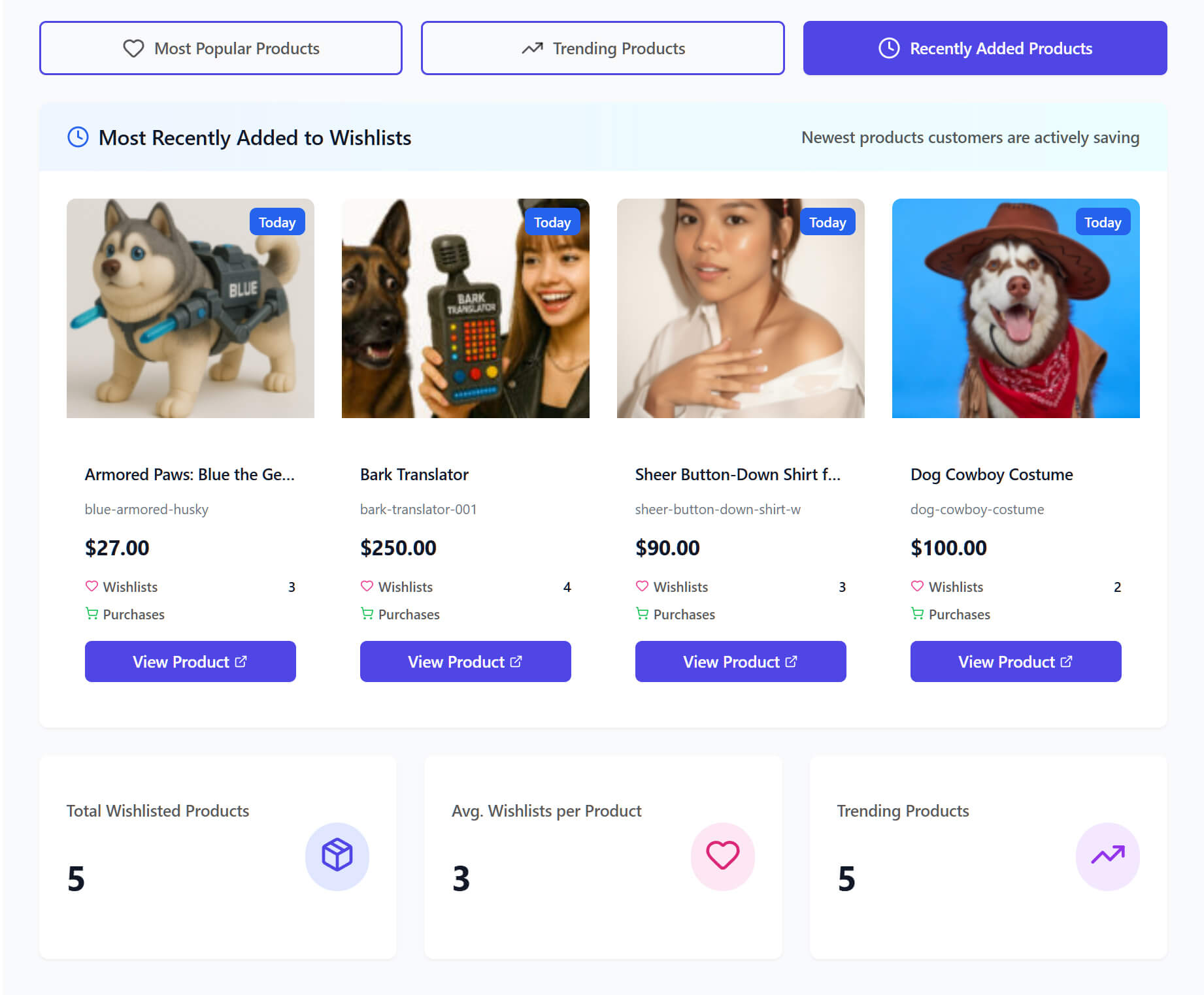
While core wishlist functionality should be free, truly advanced tools that actively generate revenue and automate marketing are well worth a premium investment. A paid tier is justified when it includes:
- Analytics and Reports: Get deep insights into which products are being saved most and how many wishlists are actually turning into sales.
- Advanced Automations: Set up sophisticated email triggers and timed sequences to keep your brand top-of-mind.
- Price Drop & Back-in-Stock Alerts: Automatically notify customers the moment their favorite items become more affordable or available again.
- Collaborative Lists: Allow friends and family to view and edit shared wishlists together—perfect for gift registries.
- B2B Tools & Quote Requests: Let customers submit their wishlists to you for a custom price estimate or wholesale quote.
- External Marketing Integrations: Sync your wishlist data with tools like Klaviyo or Mailchimp to power your existing email marketing.
- Webhooks & Advanced Developer Tools: Use webhooks to trigger custom actions in other apps when a customer interacts with their list.
Migration support
Can the new plugin import existing wishlists from YITH Wishlist? This is a dealbreaker for stores with active customers.
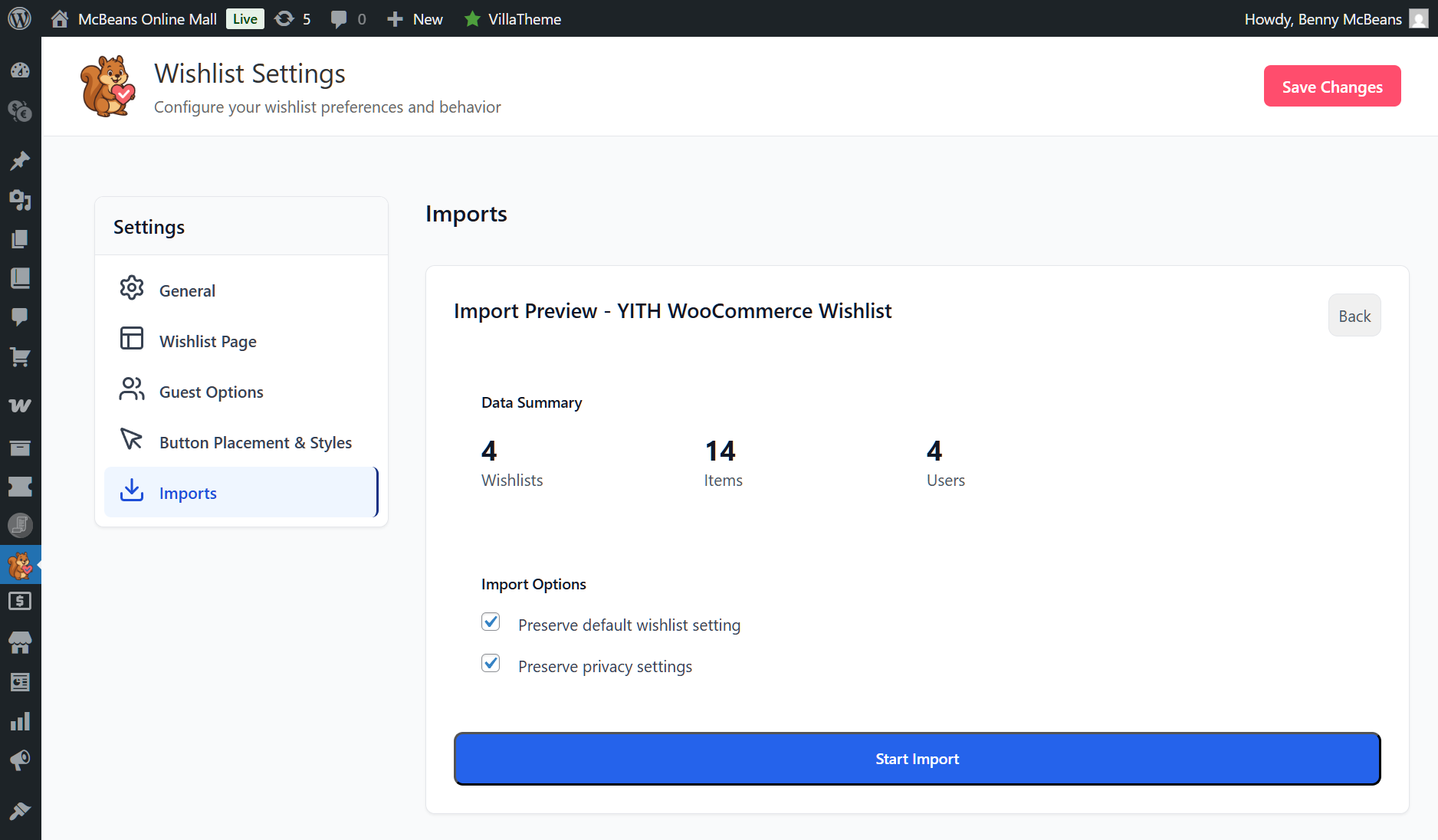
SaveTo Wishlist includes a wishlist importer in its free version, and our migration guide for switching from YITH WooCommerce Wishlist walks through the process step by step.
For a broader view of the options, our best WooCommerce wishlist plugins for 2026 comparison covers the full landscape.
FAQs: Switching From YITH Wishlist
Is YITH WooCommerce Wishlist a bad plugin?
No. It’s a mature, widely used plugin that works for many stores. The question isn’t whether it’s bad, but whether it’s the best fit for your specific needs. If performance, cost, or simplicity are priorities for your store, a lighter alternative may be a better choice.
Will switching wishlist plugins break my existing customer wishlists?
Not if the new plugin supports data migration. In its free version, SaveTo Wishlist includes a wishlist importer that transfers existing wishlist data from YITH WooCommerce Wishlist. See the migration guide for the exact process.
How much faster will my site be if I switch to a lighter wishlist plugin?
It depends on your current plugin stack and hosting. In our speed tests, the difference in page load times between heavyweight and lightweight wishlist plugins ranged from noticeable to significant, particularly on mobile. Check the speed test results for specific benchmarks.
What features do I lose if I switch from YITH WooCommerce Wishlist Premium?
If you switch to SaveTo Wishlist, you gain features at the free tier that YITH charges for (like multiple wishlists and guest-to-user account sync). For premium features like analytics, automations, and price drop alerts, SaveTo Wishlist Pro starts at $49.50 for the first year (renewing at $99/year), making it much more accessible than YITH’s €99.99/year price tag.
Is there a migration tool for switching from YITH WooCommerce Wishlist?
Yes. SaveTo Wishlist includes a built-in wishlist importer that handles YITH WooCommerce Wishlist data migration. It’s included in the free version, so you can test the migration without committing to a paid plan. The full process is documented in our YITH Wishlist migration guide.
Conclusion
The switch from YITH Wishlist to lighter alternatives isn’t a fad. It’s driven by three concrete factors: performance impact on Core Web Vitals, the cost of features that other plugins include for free, and the complexity that comes with an “everything plugin” approach.
That said, YITH WooCommerce Wishlist still works for stores with robust server resources to handle the framework, a budget that comfortably covers €99.99/year, and a need for deep YITH ecosystem integration. This isn’t about one plugin being universally better than another. It’s about fit.
If you’re experiencing slow load times, paying for features you can get free elsewhere, or managing more complexity than you need, it’s worth evaluating alternatives. Start with the speed test data to see how your current plugin compares. Then, check the direct feature comparison between SaveTo Wishlist and YITH WooCommerce Wishlist to see where the feature lines are drawn.
And if you’re ready to switch from YITH Wishlist to SaveTo Wishlist, the migration guide covers the process from start to finish.



