

 Reviewed by
 The newest update for SaveTo Wishlist Lite is officially live!
We designed this absolutely free release to give you better control over your store data. By adding full date tracking and simple migration tools, we’re making it much easier to manage customer wishlists.
Ready to see the new tools in your arsenal? Then read on!
Jump to:
Wishlist Age Tracking And Sorting
SaveTo Wishlist now supports full date tracking. This means you and your shoppers can now easily track exactly when lists are created or updated.
1. Admin date tracking and sorting
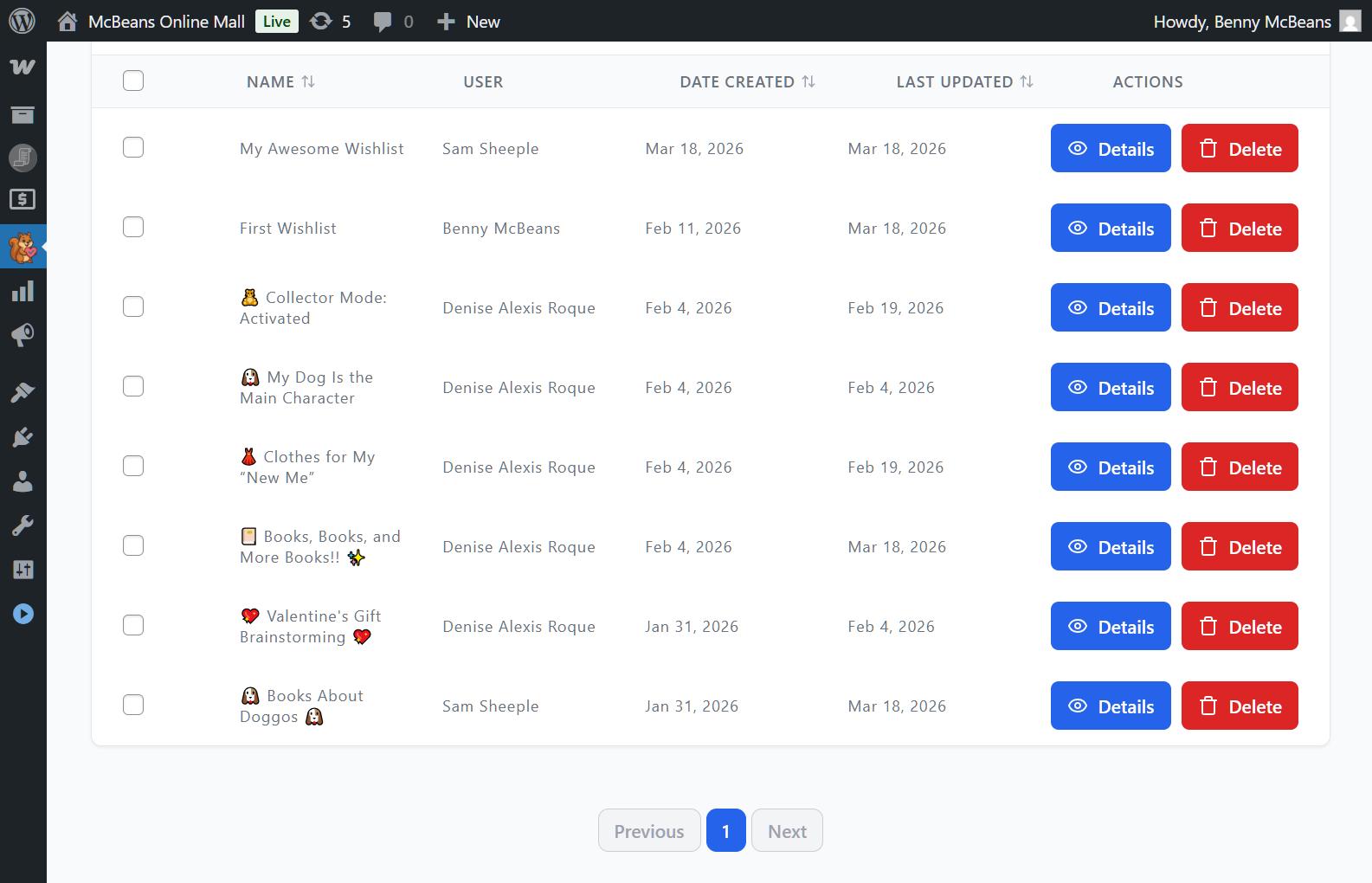
Dashboard date columns
You can now find a “Date Created” column on the “All Wishlists” admin page. We also added a “Last Updated” column for better tracking. This helps you quickly identify stale or inactive wishlists. It also helps you understand when customers are most active so you can prioritize follow-ups.
Sorting and filtering
You can sort your admin list by creation or update dates. For instance, you can arrange them from oldest to newest or newest to oldest. We also included a handy date range filter. Basically, this lets you filter wishlists that were created or updated between specific dates.
2. Customer date tracking and sorting
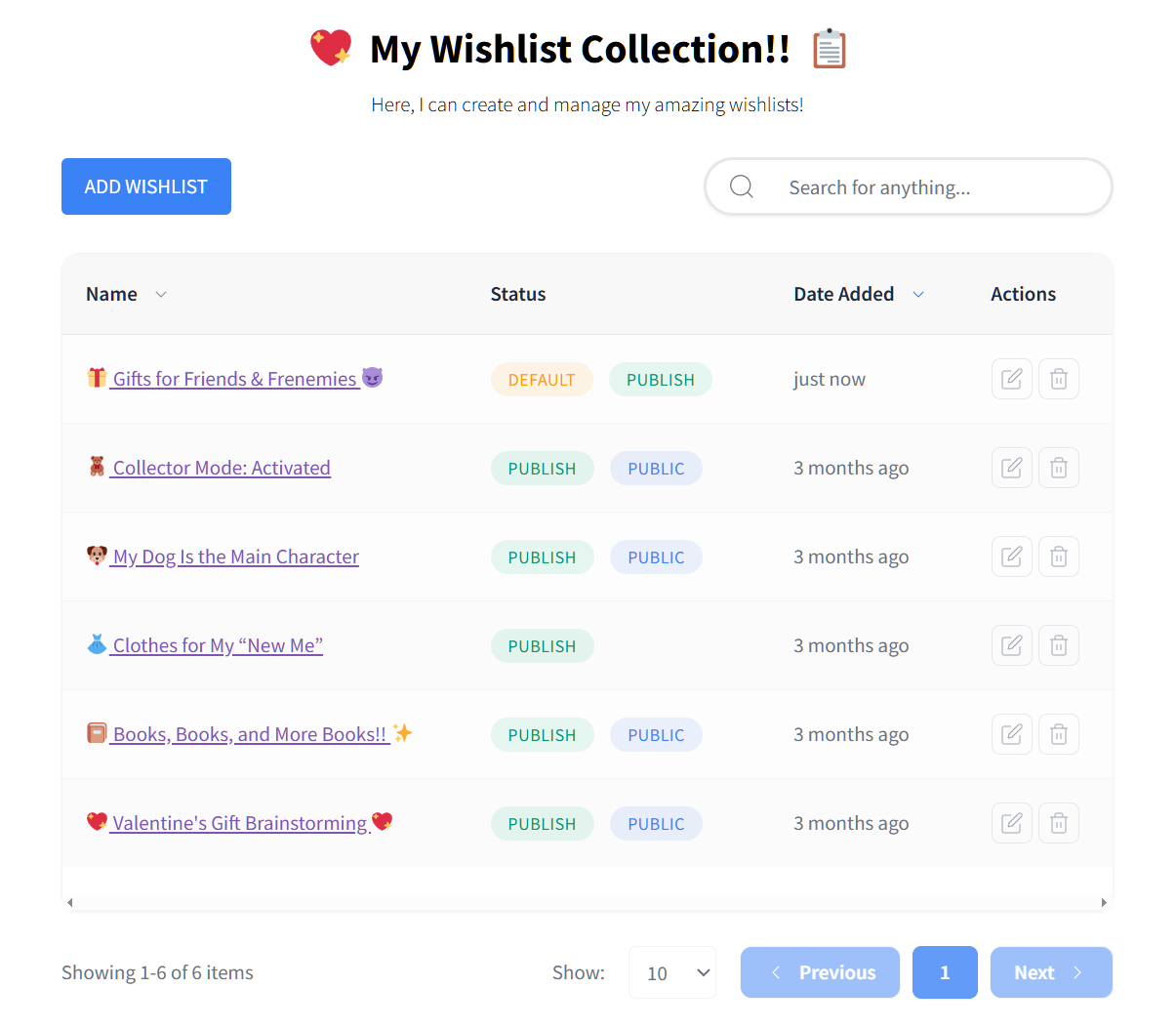
Frontend dates
Shoppers get to see the age of their lists on the frontend wishlist page. The system shows the exact creation date or a relative age. For example, a customer might see that a list was made “3 months ago.”
Frontend sorting
Shoppers can now sort their own wishlists by newest or oldest. Basically, this gives them much better control over their saved items. It specifically helps them manage the various wishlists they have accumulated over time.
These new visual features only change how lists are displayed. They don’t change how wishlists are actually created or stored. Your database remains completely untouched.
New Third-Party Wishlist Importers
Moving your store data to a new plugin should feel safe and simple. Our new importers let you bring over your existing customer data with a single click.
1. Transfer from other plugins
We want to help you switch to our plugin easily. Previously, our wishlist importer only let you move your existing YITH WooCommerce Wishlist data to SaveTo Wishlist. Now, however, you can pull data from three more competitor plugins.
Want to see how simple it is to migrate to SaveTo Wishlist? Then check our the folllowing guide:
How To Migrate From YITH Wishlist To SaveTo Wishlist In 7 Easy Steps
2. Safe merging and collision checks
Safe merging process
Our importer won’t overwrite your existing SaveTo Wishlist wishlists. The tool simply merges the new data with the old data. In short, you won’t lose any current progress.
Smart collision checks
Sometimes a shopper might have the same product on both lists. The importer catches this duplication automatically. As a result, it ensures the item only appears once in the final list.
3. Streamlined admin experience
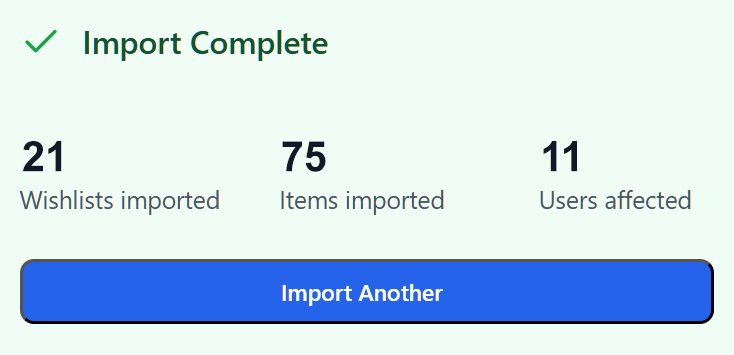
Clear admin summaries
You’ll always know exactly what happened after an import. The system gives you a detailed summary report. Specifically, it tells you exactly how many items were added or skipped.
Guest lists are also handled carefully during the process, merging them upon login.
Conditional importer visibility
We added a smart conditional display for the “Imports” settings menu. Basically, it will no longer show up by default. For security reasons, the importer menu only appears if a supported third-party plugin is currently active.
Furthermore, that plugin must have actual wishlist data available to import. Therefore, if you don’t have another wishlist plugin installed or if it’s empty, the imports menu stays hidden. This keeps your dashboard clean and secure.
Conclusion
That wraps up our latest feature drop! You can try these updates right now. Just update the plugin from your WordPress dashboard.
To recap, we covered the following new features:
If you’re new here, you can download SaveTo Wishlist for free today. It gives you everything you need to let customers start saving their favorite products. If you want advanced tools like wishlist analytics and automation, you should upgrade to SaveTo Wishlist Pro. We hope these tools help you run a better store!



