

 Reviewed by
 If you study what makes online stores successful, you quickly learn one thing: a good WooCommerce wishlist plugin is very important for sales. Store owners don’t need a huge, complex tool that tries to do everything. They need a simple, reliable plugin that actually helps customers return and buy.
To find out which options work best, I recently installed MoreConvert WooCommerce Wishlist and SaveTo Wishlist on a test site to compare them. I found two very different tools.
MoreConvert Wishlist puts wishlists, popups, automatic emails, and waitlists all into one big package. On the other hand, SaveTo Wishlist focuses only on making a great wishlist. It’s fast, easy to change, and works perfectly with WooCommerce.
Both plugins are useful. But depending on what a store actually needs, one will be a much better choice. Let me show you exactly what I found in my tests.
Table Of Contents
Overview Of Each Plugin
MoreConvert WooCommerce Wishlist at a glance
MoreConvert Wishlist for WooCommerce positions itself as an all-in-one conversion optimization toolkit for online stores. Basically, wishlists are only one piece of a larger puzzle that includes popups, email follow-ups, waitlists for out-of-stock products, and analytics dashboards.
The plugin launched in 2021 and has steadily expanded its feature set. Currently, it sits at around 9,000+ active installations on WordPress.org, with a solid average rating. The development team ships regular updates. Furthermore, there’s a clear ambition to be the one plugin you need for on-site conversion work.
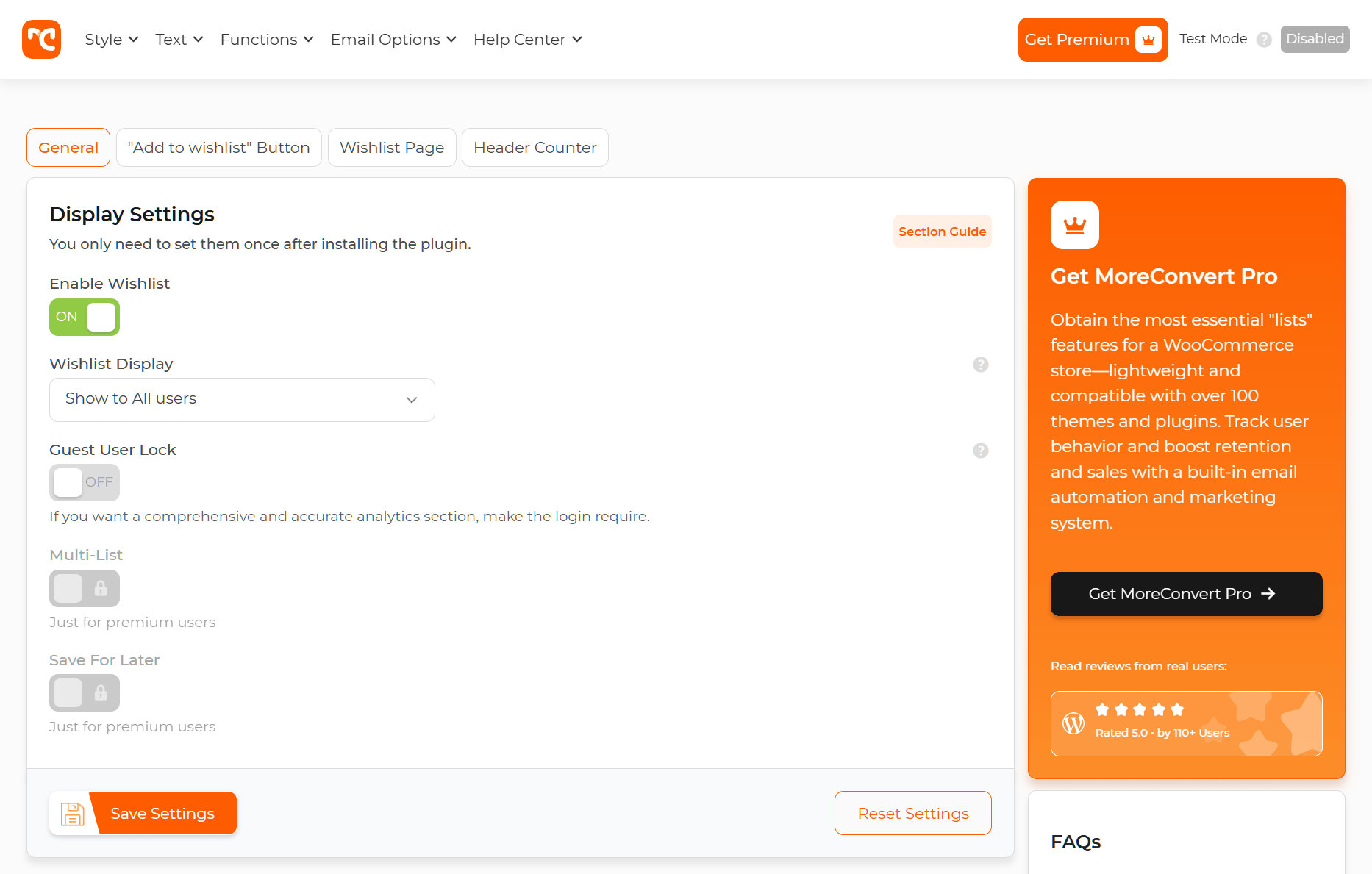
I noticed during testing that the admin interface reflects this breadth. There are a lot of settings panels, and it takes some time to orient yourself. That’s the trade-off with all-in-one tools—power comes with complexity.
SaveTo Wishlist at a glance
SaveTo Wishlist takes the opposite approach. It does one thing with precision: WooCommerce wishlists. Built by Rymera Web Co (the team behind Advanced Coupons), it benefits from years of WooCommerce ecosystem experience.
This MoreConvert WooCommerce Wishlist alternative offers a generous free version on WordPress.org. In addition, its Pro tier unlocks advanced customization, multiple wishlists, and deeper analytics. Setup was quick, and I had a fully styled wishlist page live on my test store almost immediately.
What stood out right away was how lightweight the integration felt. No extra menu items cluttering the admin, no popups I didn’t ask for. Just wishlists, done well.

Wishlist Features Compared
This is where the rubber meets the road. Here’s a side-by-side breakdown of core wishlist functionality across both plugins and their pricing tiers:
| Feature | MoreConvert Wishlist (Free) | MoreConvert Wishlist Premium ($89/yr) | SaveTo Wishlist (Free) | SaveTo Wishlist Pro ($49.50 on first year, $99/yr thereafter) |
|---|---|---|---|---|
| Add to Wishlist button | Yes | Yes | Yes | Yes |
| Wishlist page | Yes | Yes | Yes | Yes |
| Multiple wishlists | No | Yes | Yes | Yes |
| Guest wishlist support | Yes | Yes | Yes | Yes |
| Social sharing | Yes | Yes | Yes | Yes |
| Wishlist customization | Basic | Moderate | Basic | Advanced |
| Variable product support | Yes | Yes | Yes | Yes |
| Product quantity in wishlist | No | Yes | Yes | Yes |
| Drag-and-drop sorting | No | Yes | Yes | Yes |
| Shortcode support | Yes | Yes | Yes | Yes |
| Wishlist analytics | Basic | Yes | Basic | Yes |
| AJAX add-to-wishlist | Yes | Yes | Yes | Yes |
A few things jumped out during testing.
First, SaveTo Wishlist’s guest support on the free tier is genuinely useful. According to Baymard Institute, roughly 70% of online shopping carts are abandoned, and a significant chunk of those visitors are not logged in. Letting guest users save items without forcing account creation reduces friction where it matters most. It keeps their favorite products safely stored until they’re finally ready to move them to the purchase cart.
Second, MoreConvert’s free tier feels functional but basic. The premium version unlocks much more, but you’re paying $89 a year to get there. Meanwhile, SaveTo Wishlist Pro gave me much better control over the design. With its great first-year discount of $49.50, you get amazing customization right away, including button styling, placement, and layout flexibility.
Third, both plugins make it easy for shoppers to share their saved items on social media. Letting customers send their wishlists to friends and family is a fantastic, free way to bring new traffic to your store.
Automation And Email Features
This is where the Swiss army knife analogy really comes into play.
Moreconvert Wishlist’s email automation suite
MoreConvert Wishlist for WooCommerce includes built-in email automation for wishlist items, including price drop alerts, back-in-stock notifications, and low-stock urgency emails. You don’t need a separate email marketing plugin for basic wishlist-triggered campaigns.
I set up a price drop alert during testing, and it worked as expected. The email templates are customizable, and the workflow builder is straightforward. For store owners who don’t already have a tool like Klaviyo or Mailchimp handling this, it’s a genuine time saver.
Handling out-of-stock products is a big deal for store owners. Both plugins offer a great solution for this. MoreConvert WooCommerce Wishlist includes a waitlist feature, but SaveTo Wishlist Pro perfectly matches it with built-in “Back-in-Stock” emails. Shoppers can save sold-out items, and SaveTo Wishlist will automatically email them the moment you add more inventory, helping you capture sales you would have otherwise lost.
Out-of-stock situations are a well-documented reason shoppers leave ecommerce sites, and according to IHL Group, stockouts cost retailers over $1 trillion globally per year, so capturing that demand has real value.
SaveTo Wishlist’s integration approach
SaveTo Wishlist takes a very flexible approach. Just like MoreConvert WooCommerce Wishlist, SaveTo Wishlist Pro includes built-in email tools right from the start. You can easily set up price drop alerts and back-in-stock emails. Each of these acts as a highly effective one-shot email to quickly grab a shopper’s attention and bring them back. These are sent directly from your WordPress dashboard, and you can even add your own brand colors.
However, where SaveTo Wishlist really shines for larger stores is how it connects to outside tools. Instead of using your website to send emails, your wishlist data can easily flow into the marketing software you already use (like Klaviyo or Mailchimp). In my experience, this is the better approach for stores doing serious email marketing. You want one main hub for customer emails, not two systems fighting each other.
In the end, both plugins give you a choice. You can use their built-in email tools for a simple setup, or you can connect them to your outside software for heavier lifting.
Performance And Page Speed
Page speed isn’t optional anymore. Google has made Core Web Vitals a ranking factor, and according to Portent’s site speed study, site conversion rates drop by an average of 4.42% with each additional second of load time between seconds 0-5.
To see which plugin is truly faster, I tested both on the exact same staging site. It was a standard WooCommerce setup with 50 products, running PHP 8.2 and a basic Starter theme.
Here is what I found when I ran the numbers:
| Plugin | Added JavaScript (Code Weight) | Added Server Requests |
| SaveTo Wishlist | +2.5 KB (Winner) | +1 Added Request (Winner) |
| MoreConvert Wishlist | +25.8 KB | +9 Total Requests |
Note: Data was gathered using GTmetrix Lighthouse Performance on a clean WooCommerce storefront. The base site’s JavaScript was 82.2KB with 48 requests.
Key takeaways from the test
SaveTo Wishlist is 10x lighter
In our tests, MoreConvert WooCommerce Wishlist added an extra 25.8KB of code weight, bringing the total JavaScript page size to 108KB:

Meanwhile, SaveTo Wishlist adds almost no extra code to your site, keeping the total JavaScript page size at a lean 84.7KB. Because our plugin is around 10 times lighter than MoreConvert Wishlist, your product pages can load instantly. This keeps shoppers engaged and helps protect your sales.

SaveTo Wishlist requires 8 fewer server calls
Every time a page loads, it has to “ask” your server for files, otherwise known as requests.
MoreConvert WooCommerce Wishlist adds 9 extra calls for its wishlist features to run. As a result, it requires the page to make 57 total page requests:

In contrast, SaveTo Wishlist adds only 1 extra call to your baseline, keeping the total to just 49 page requests. This keeps your server from working overtime, ensuring your site stays fast during high-traffic sales.

Neither plugin broke anything. But if your store is already fighting to keep load times under three seconds, every kilobyte matters. The focused plugin, SaveTo Wishlist, has a natural advantage here.
Pricing Comparison
Let’s talk money. Here’s the full breakdown.
| Plan | MoreConvert Wishlist | SaveTo Wishlist |
|---|---|---|
| Free version | Basic wishlists, limited popups | Full core wishlist features |
| Entry paid plan | Starts at $89 per year | Starts at $49.50 for the first year, then $99 per year |
| What paid unlocks | Advanced wishlists, full popup suite, email automation, waitlists, priority support | Multiple wishlists, advanced customization, social sharing, analytics, priority support |
| Multi-site pricing | Starts at $109 per year (5 sites) | Starts at $199.50 for the first year, then $399 per year |
| Money-back guarantee | 14 days | 14 days |
The value equation depends on what you’re replacing.
Do you currently have no wishlist plugin, popup tool, and email automation? Moreover, are you a smaller store? Then MoreConvert Wishlist’s $89 per year could replace multiple plugins. That’s genuinely good value.
But here’s the thing: most stores I work with already have an email platform. Furthermore, many already run a popup plugin. In that scenario, paying $89 per year for an all-in-one where you only use the wishlist features doesn’t make sense.
SaveTo Wishlist Pro costs just $49.50 for the first year thanks to a special 50% discount. After that first year, it renews at $99 per year. MoreConvert WooCommerce Wishlist stays at a flat $89 per year. While MoreConvert Wishlist is technically a few dollars cheaper in the long run, SaveTo Wishlist’s faster speed and highly focused tools offer a much better return on your investment over time.
Check the full SaveTo Wishlist pricing breakdown for current plans and multi-site options.
Ease Of Use
Installation and setup
Both plugins install from the WordPress.org repository like any other plugin. No issues there.
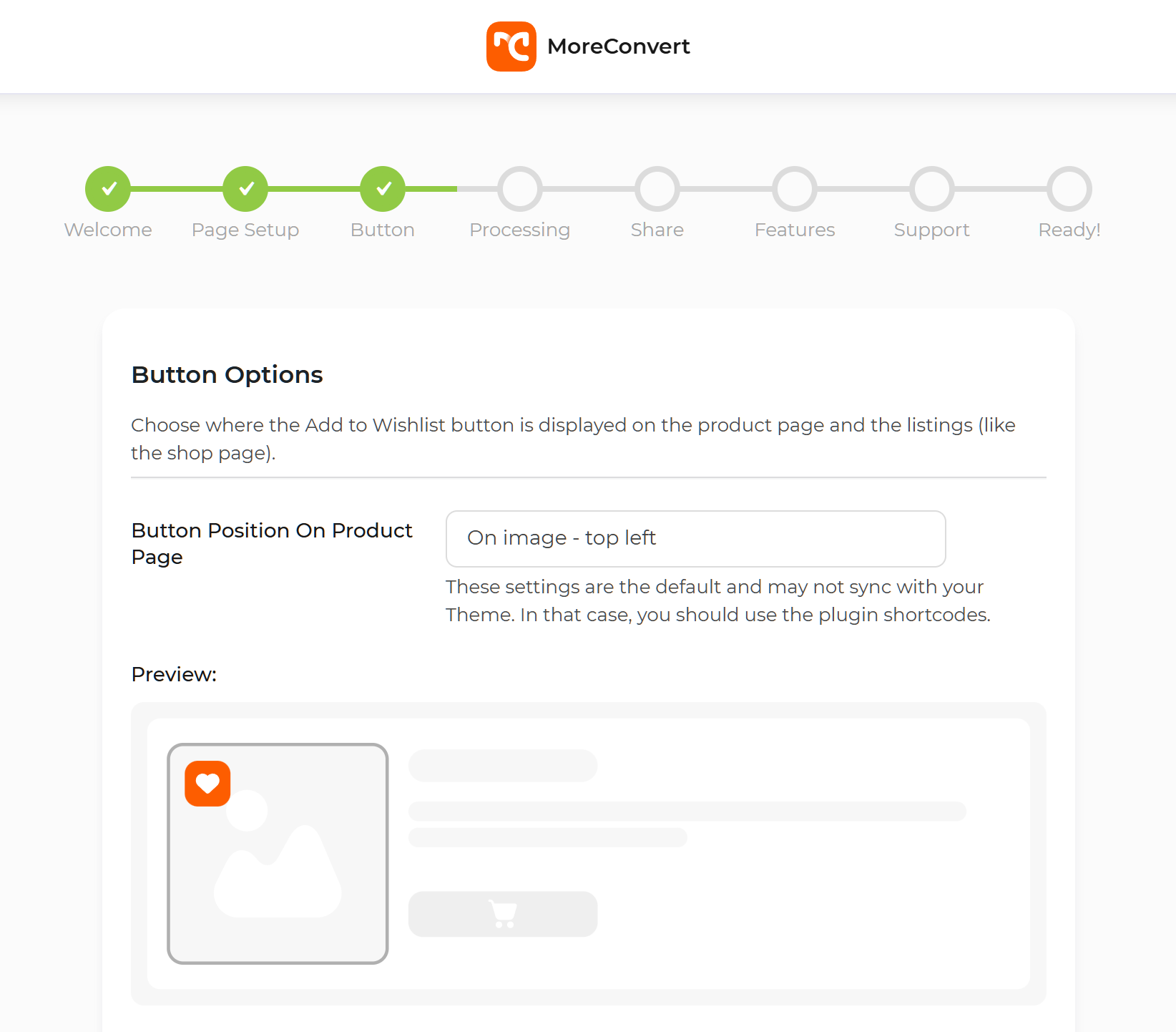
MoreConvert WooCommerce Wishlist’s setup wizard walks you through enabling each module, including wishlists, popups, and emails. It’s helpful, but the sheer number of options can feel overwhelming on first run. I counted over 15 distinct settings pages during my review. For someone new to WooCommerce, that’s a lot to digest.
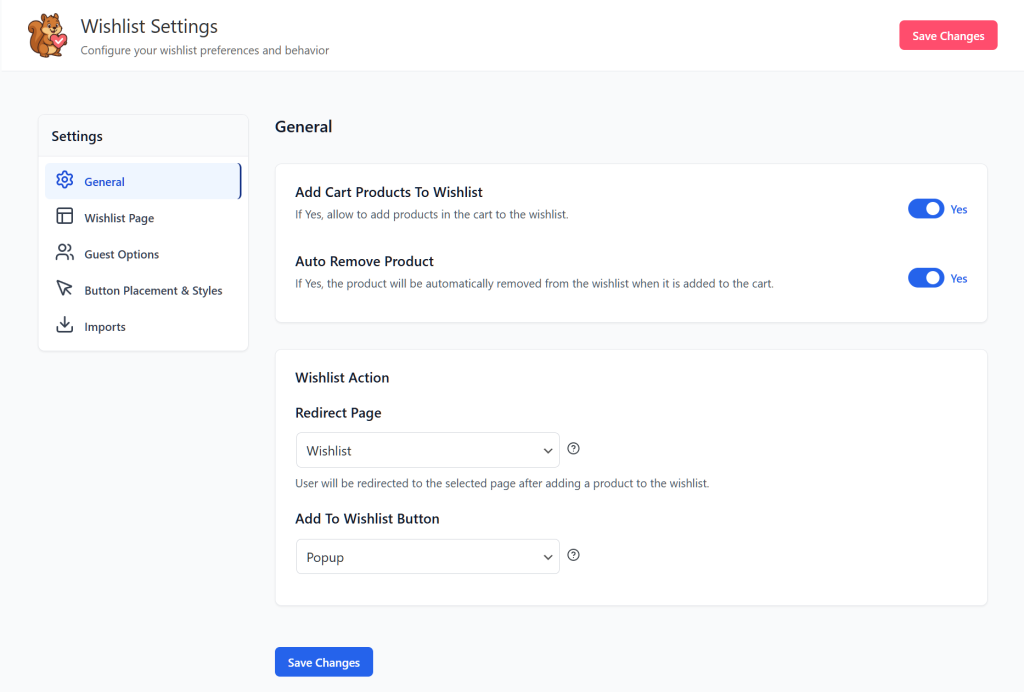
On the other hand, SaveTo Wishlist’s onboarding is more streamlined. Basically, you install, activate, and your wishlist is essentially working. The default settings are also sensible. For instance, Add to Wishlist buttons appear on product pages and the catalog, a wishlist page is auto-created, and the styling matches most themes out of the box. I made a few tweaks in the customizer and was done in minutes.
Day-to-day management
MoreConvert’s admin requires more regular attention because you’re managing multiple systems. Popup campaigns need monitoring. Email sequences need reviewing. Wishlists are just one tab among many.
With SaveTo Wishlist, the admin experience is focused and uncluttered, mirroring its frontend. Wishlist data, settings, and analytics can all be easily found. When a client’s team needs to check wishlist performance, they can find what they need without a training session.
The Verdict: Which Plugin Should You Choose?
Here’s my honest recommendation after testing both plugins extensively.
Choose MoreConvert WooCommerce Wishlist if:
- You’re starting from scratch with no existing email, popup, or wishlist tools.
- You want a single plugin to handle multiple conversion functions.
- You don’t mind a slightly slower website in exchange for having all your marketing tools bundled together.
- You prefer an all-in-one approach and are comfortable with a larger admin footprint.
Choose SaveTo Wishlist if:
- You want the best possible wishlist experience for your customers.
- You already use email marketing tools like Klaviyo, Mailchimp, or similar.
- Page speed and frontend performance are priorities.
- You prefer a cleaner, more focused admin experience.
- You want advanced wishlist customization without paying for features you won’t use.
- Budget matters. SaveTo Wishlist Pro offers a great first-year discount of $49.50, though it does renew at $99 a year. MoreConvert costs a steady $89 a year.
The overall better option
For most WooCommerce stores I work with, SaveTo Wishlist is still the stronger choice. The wishlist tools are highly focused, and the plugin is lightning-fast. While it does cost about $10 more per year in the long run, the extra speed and clean design easily pay for themselves by helping you win more sales.
So, what stores would benefit more from MoreConvert? Typically, they’re smaller operations that genuinely need an all-in-one solution and that don’t already have an email marketing stack.
The Swiss army knife has its place. But when the job is specifically “build the best possible wishlist experience that gets browsers to finalize their purchase cart,” the precision tool wins.
Want to know how the free version of SaveTo Wishlist fares against other zero-cost options on the market? Then explore this article:

If you’d rather explore a full comparison of the best wishlist tools, we suggest reading out the following guide:
The Best WooCommerce Wishlist Plugins Compared (2026 Edition)
FAQs
Is MoreConvert Wishlist better than SaveTo Wishlist for WooCommerce?
It depends on your needs. MoreConvert Wishlist for WooCommerce is a good fit for stores that want an all-in-one suite, offering extra features like popups and waitlists. On the other hand, SaveTo Wishlist is the better choice if you specifically need a high-quality, lightning-fast wishlist plugin that connects to your existing marketing tools. In short, for pure wishlist functionality, SaveTo Wishlist offers more depth, better speed, and an unbeatable first-year price.
Can I use MoreConvert WooCommerce Wishlist and SaveTo Wishlist together?
Technically, you could install both, but it’s not recommended. After all, running two wishlist plugins simultaneously will create conflicts. For example, you could end up with duplicate Add to Wishlist buttons, competing scripts, and confused customers seeing two different wishlist systems. Therefore, you should pick the one that best fits your store and commit to it.
Does MoreConvert Wishlist slow down my WooCommerce store?
Because MoreConvert tries to be an all-in-one tool, it loads more files on your website than a focused wishlist plugin. In our tests, MoreConvert added 25.8KB of extra JavaScript and 9 extra server requests to the page. While a highly optimized site might handle this okay, those extra files can slow things down during high-traffic sales. If page speed is a top priority, SaveTo Wishlist is the clear winner. It’s 10 times lighter, adding only 2.5KB of code and just 1 single server request.
Which plugin offers better value for money?
SaveTo Wishlist Pro is a great deal at $49.50 for the first year. It does renew at $99 per year, which is about $10 more than MoreConvert’s $89 flat rate. However, SaveTo Wishlist is well worth it: even if its faster speed and cleaner design bring in just one extra sale a year, it easily pays for itself. Plus, you aren’t paying for bulky extra tools you don’t need, like popups. You’re simply investing in the best possible wishlist.
Final Verdict: SaveTo Wishlist Is The Better Choice For Most WooCommerce Stores
After testing both plugins extensively, SaveTo Wishlist is our clear recommendation for the majority of WooCommerce store owners.
The case is straightforward: SaveTo Wishlist delivers a fast, highly refined, and customizable wishlist experience. It offers a great first-year discount of $49.50, though it does renew at $99 a year (compared to MoreConvert Wishlist’s steady $89 per year). It also has a very generous free tier to help you get started. The focused architecture means a lighter frontend footprint, which directly benefits your Core Web Vitals and page speed scores. And because it integrates with your existing email marketing stack rather than replacing it, SaveTo Wishlist fits cleanly into the tools you already use.
MoreConvert WooCommerce Wishlist is a solid option if you genuinely need an all-in-one suite and have no existing email or popup tools. But for most stores already running Klaviyo, Mailchimp, or a similar platform, paying for extra bundled features you won’t use doesn’t make sense. SaveTo Wishlist gives you exactly what you need without the added bloat.
The bottom line: if wishlists matter to your store’s revenue strategy (and they should), our MoreConvert Wishlist alternative, SaveTo Wishlist, gives you the best foundation to build on. Start with the free version today, and upgrade to SaveTo Wishlist Pro when you’re ready for multiple wishlists, advanced customization, and deeper analytics.



