

 Reviewed by
 If you run Iconic’s Wishlists for WooCommerce, you may have noticed its website now opens a Liquid Web page. In May 2026, Liquid Web stopped selling Iconic’s plugins as standalone products. Their features now live inside Kadence Shop Kit.
Your saved lists still work today, and Liquid Web says switching plans is optional. So the useful question is whether a Kadence Shop Kit wishlist alternative is a better long-term home for that feature. We rounded up the wishlist plugins worth considering after Iconic’s change when the news broke. This article goes one step further and looks at Shop Kit itself.
We tested SaveTo Wishlist Lite on a staging store in August 2026, so our plugin observations are first-hand. We haven’t installed Kadence Shop Kit. Everything said about it comes from Liquid Web’s own published pages. Where those pages are silent, I’ll say so instead of guessing.
Jump to:
- What Actually Happened To Iconic Wishlists
- What Moving Into A Bundle Changes For You
- The Update Cadence Question
- What A Standalone Wishlist Plugin Gives You Instead
- Getting Your Saved Lists Off Iconic
- Frequently Asked Questions About Leaving Iconic Wishlists
- Choosing Your Kadence Shop Kit Wishlist Alternative
What Actually Happened To Iconic Wishlists
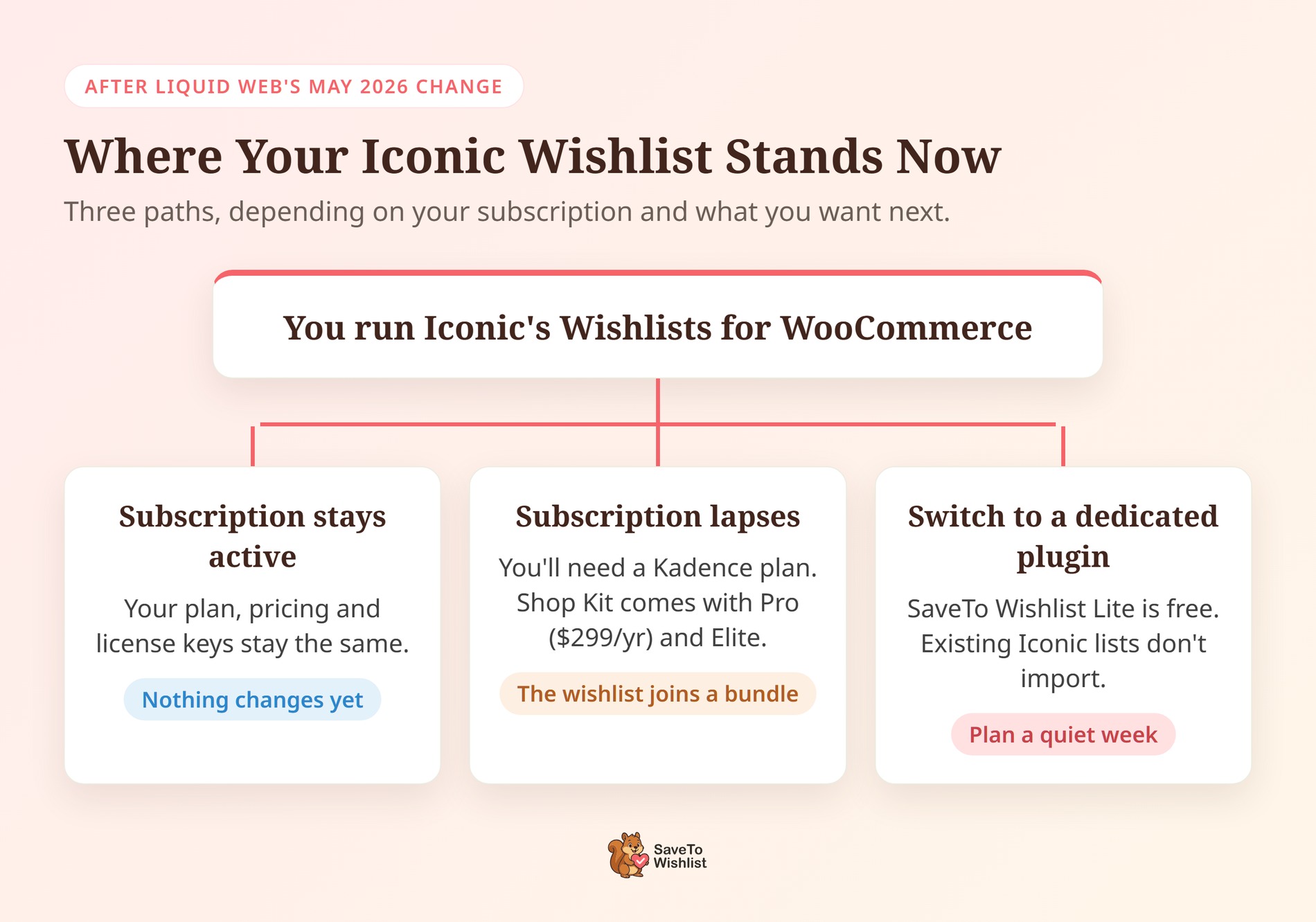
Liquid Web stopped selling Iconic’s plugins as standalone products in May 2026. Their features, including the wishlist, now sit inside Kadence Shop Kit. Existing Iconic customers keep their plan, pricing and license keys while their subscription stays active. That change is why many Iconic customers are now weighing a Kadence Shop Kit wishlist alternative.
The change, in order
Liquid Web owns IconicWP and announced the change on its blog. By May 12, 2026, iconicwp.com was redirecting to Liquid Web’s Kadence add-ons page, and it still does. There’s no separate Iconic storefront anymore, and new customers now find these tools inside Kadence.
What existing customers keep
Liquid Web describes this as optional, not a forced migration. If you stay on your current plan, your pricing, renewals and tools stay the same. However, if your subscription lapses, you’ll need one of the new Kadence plans to get access back. Customers who upgrade will find most of their Iconic settings under the Shop Kit menu in WordPress.
Where the wishlist went
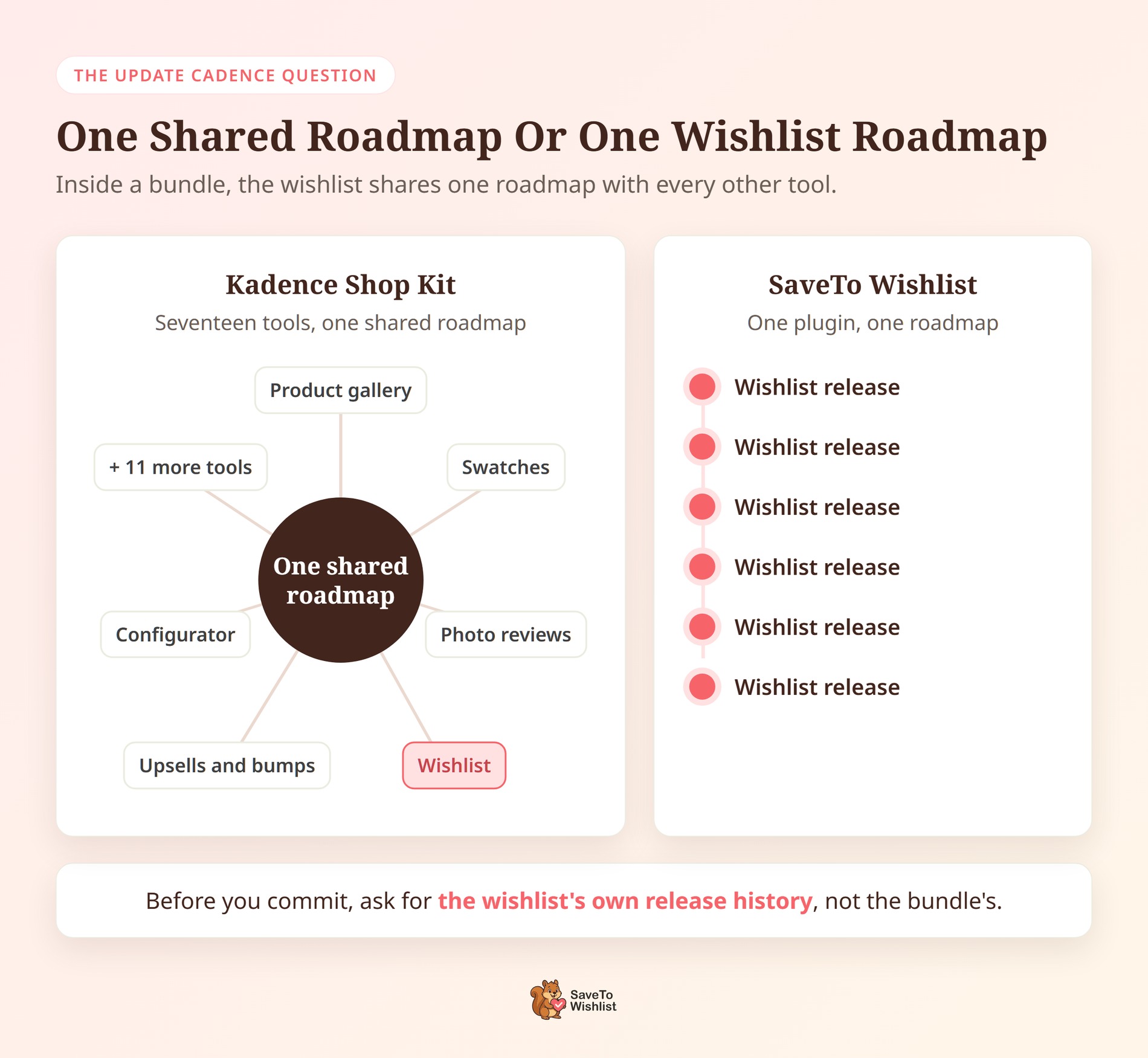
Liquid Web describes Kadence Shop Kit as seventeen WooCommerce tools in one suite. Its published list includes an advanced product gallery with video and variation images, plus visual color, image and size selectors. It also covers product reviews with photos and verified badges, a product configurator, and upsells, cross-sells and order bumps. Delivery slot options and a customer wishlist round it out.
Shop Kit comes with the Kadence Pro and Elite plans, and Pro starts at $299 a year. Read that list again with your own store in mind. The wishlist is one line item on it.
What Liquid Web documents about the wishlist
Shop Kit lists its wishlist as Wishlists for WooCommerce, the same name Iconic used. Liquid Web describes it in one line: it lets guests and registered users save and share favorite items.
Its public pages don’t go further than that. They don’t say whether a guest’s list carries over when that shopper signs up. They also don’t say how many lists one customer can keep. So this article won’t guess at its settings or screens.
What Moving Into A Bundle Changes For You
In the short term, nothing changes unless you switch plans or your subscription lapses. The bigger shift is longer term: your wishlist now belongs to a seventeen-tool suite with one shared roadmap. That’s worth thinking through before your next renewal date.
What a bundle genuinely gets right
Bundles solve a real problem, and they deserve credit for it.
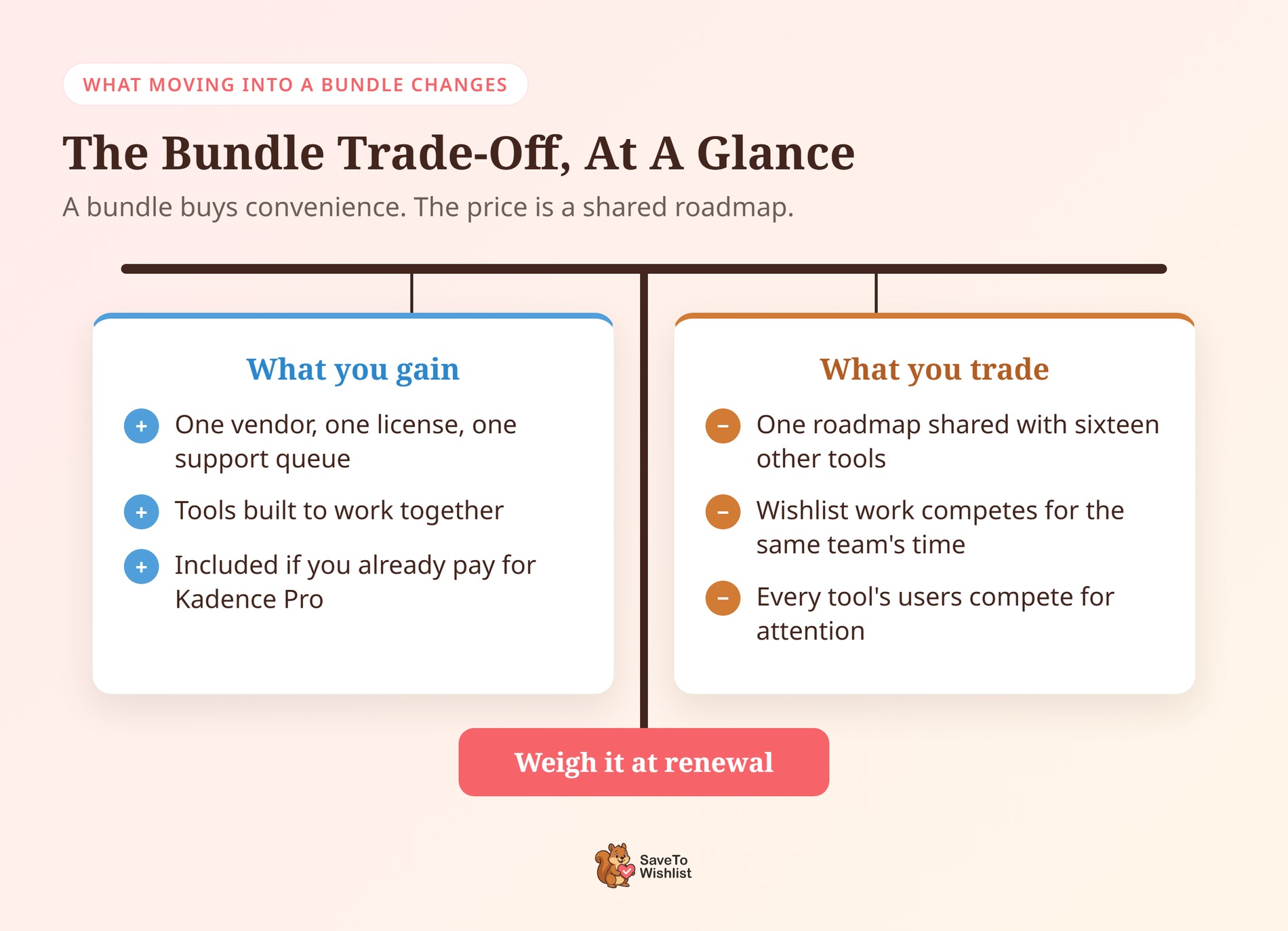
- One vendor, one license, one support queue. When the gallery and the variation selector disagree about a product template, you file one ticket.
- Compatibility becomes somebody else’s job. Tools built to ship together tend to work together, and Liquid Web leads with that point for Shop Kit.
- It can feel free at the point of use. If you already pay for Kadence Pro, the wishlist arrives with a plan you’re already renewing.
Those are honest advantages. For a store owner who doesn’t want to audit plugin conflicts on a Friday afternoon, they’re worth money.
What changes over the long run
The trade is focus. Your wishlist now shares a roadmap and a team’s time with sixteen other tools. Each of those tools has its own users asking for improvements too.
If you picked Iconic for a focused wishlist tool, that’s a real shift. It isn’t anyone’s fault, and Liquid Web has said existing customers keep what they have. Still, it’s a decision worth making at renewal time rather than after a lapse. If that review points elsewhere, renewal is the cleanest moment to try a Kadence Shop Kit wishlist alternative.
The Update Cadence Question
Software inside a bundle is planned on the bundle’s roadmap, not its own. That’s the most useful thing to hold onto while you decide. It’s true of every bundle and doesn’t depend on any claim about this one.
Think about how any bundle roadmap gets set. The gallery, configurator, reviews, checkout tools and wishlist all draw on the same team’s time. Naturally, the team prioritizes the tools generating the most requests. As a result, a quiet feature that keeps working can go longer between updates.
That’s how bundles work in general, not a criticism of the Shop Kit team. In fact, Liquid Web says its tighter product focus is meant to speed up development. A standalone wishlist plugin has one roadmap, and every release on it is a wishlist release.
🔍️ What we’ve seen: store owners often judge a bundled feature by the bundle’s changelog, which usually looks busy. The detail that matters is when the feature you rely on last changed. Ask for the wishlist’s own release history, and you’ll usually get your answer quickly.
What to ask before you commit
Three questions tell you most of what you need. When did the wishlist itself last change, as opposed to the bundle around it? Does a guest’s list survive when that shopper creates an account? Can a customer keep more than one named list?
Get those answered in writing before you plan a busy season around the feature. If the answers come back vague, test a Kadence Shop Kit wishlist alternative on staging first.
What A Standalone Wishlist Plugin Gives You Instead
SaveTo Wishlist is the Kadence Shop Kit wishlist alternative we build, a dedicated WooCommerce wishlist plugin. The wishlist is the whole product, not one tool in a suite. There’s the free Lite version, and a paid extension called SaveTo Wishlist Pro. You install only the wishlist, with nothing else bundled in.
Lite covers the core job. Customers get unlimited named wishlists, and guests can save without an account. Those guest lists merge into the customer’s account when they log in or register. Lite also includes four importers, for YITH Wishlist, TI WooCommerce Wishlist, MoreConvert and WPC Smart Wishlist.
| Feature | SaveTo Wishlist (Free) | SaveTo Wishlist (Pro) | Kadence Shop Kit |
|---|---|---|---|
| How you get it | Standalone free plugin | Paid standalone extension | One of seventeen tools in Kadence Pro and Elite |
| Unlimited named wishlists per customer | Yes | Yes | Not publicly documented |
| Guest saving without an account | Yes | Yes | Yes, per Liquid Web |
| Guest lists merge on login | Yes | Yes | Not publicly documented |
| Wishlist sharing | Yes | Yes | Yes, per Liquid Web |
| Import from other wishlist plugins | Yes, four importers | Yes | Not publicly documented |
| Price-drop and back-in-stock alerts | No | Yes | Not publicly documented |
| Wishlist analytics and reports | No | Yes | Not publicly documented |
| Real-time webhooks | No | Yes | Not publicly documented |
| Role-based restrictions | No | Yes | Not publicly documented |
The right-hand column isn’t a scorecard. “Not publicly documented” means Liquid Web’s pages don’t mention it, not that Shop Kit lacks it.
What we saw when testing SaveTo Wishlist Lite
Here’s what running Lite on staging showed. The Save to Wishlist button appeared across the whole shop grid, not only on single product pages. That matters, because browsing the grid is often where shoppers decide to save something. After a save, the label switched to “Remove from Wishlist”, so shoppers could see their saves without leaving the page.
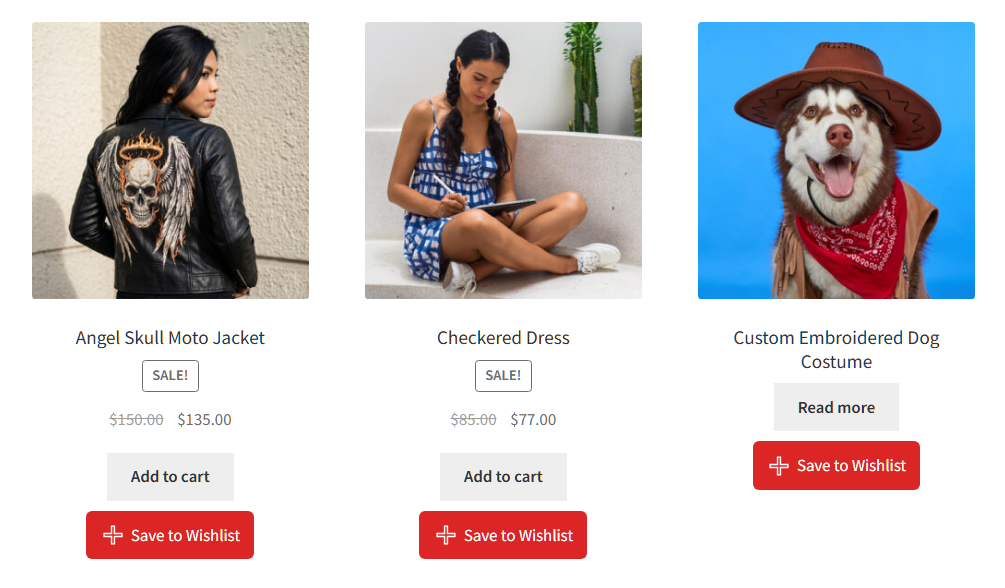
Guest behavior is the other detail worth sharing with your support team. When a product is saved, Lite fires a browser event and sets a 30-day cookie. Popup and email tools on your site can react to that save before you know who the shopper is.
A confirmation popup then offers “Login or create an account to get started” next to a View Wishlist button. In other words, the account prompt comes after the save rather than in front of it.
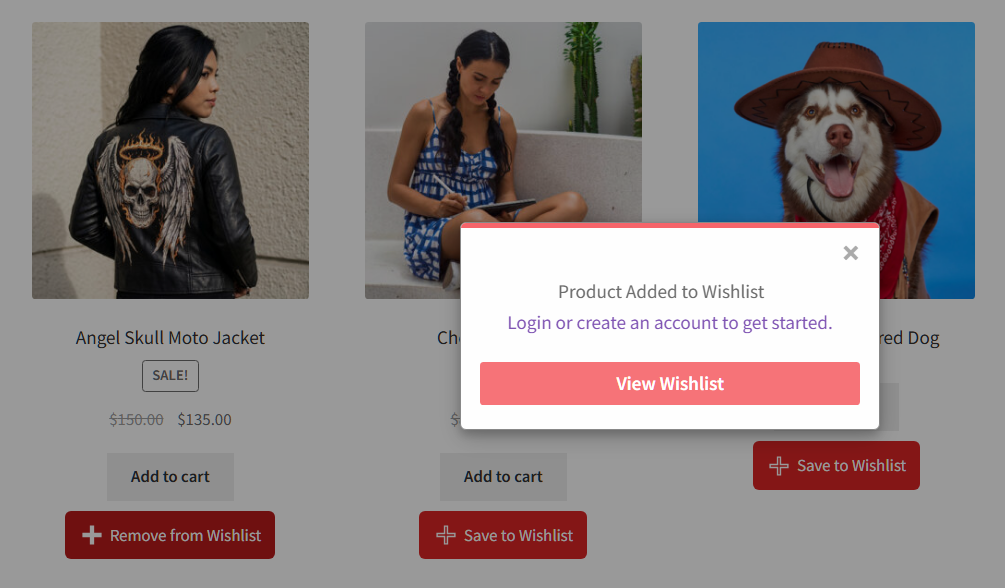
🔍️ What we’ve seen: teams moving off a bundled wishlist often test the logged-in flow and miss the guest flow. A month later, saves look lower and it’s hard to tell why. Save one product while logged out, close the browser, then come back. If the list is still there, the guest flow is working.
What SaveTo Wishlist Pro adds
SaveTo Wishlist Pro is the paid layer. It adds wishlist analytics, automations, real-time webhooks, role-based restrictions and advanced sharing. Growth is $49.50 for the first year, then $99 on renewal. Plus is $99.50, then $199, and Business is $199.50, then $399.
The Gift Registry Addon comes with Plus and Business, not Growth.
Comparing the wider field instead? Our roundup of the best WooCommerce wishlist plugins covers what former Iconic customers tend to shortlist.
Getting Your Saved Lists Off Iconic
Right now, there’s no automatic way to move existing Iconic wishlists into SaveTo Wishlist. Knowing that up front makes switching to a Kadence Shop Kit wishlist alternative a planned job, not a surprise.
Lite’s four importers cover YITH Wishlist, TI WooCommerce Wishlist, MoreConvert and WPC Smart Wishlist. Iconic’s plugin isn’t one of them, so existing Iconic lists won’t carry across on their own. If some lists came from one of those four plugins, our guide to importing your existing wishlists covers that route.
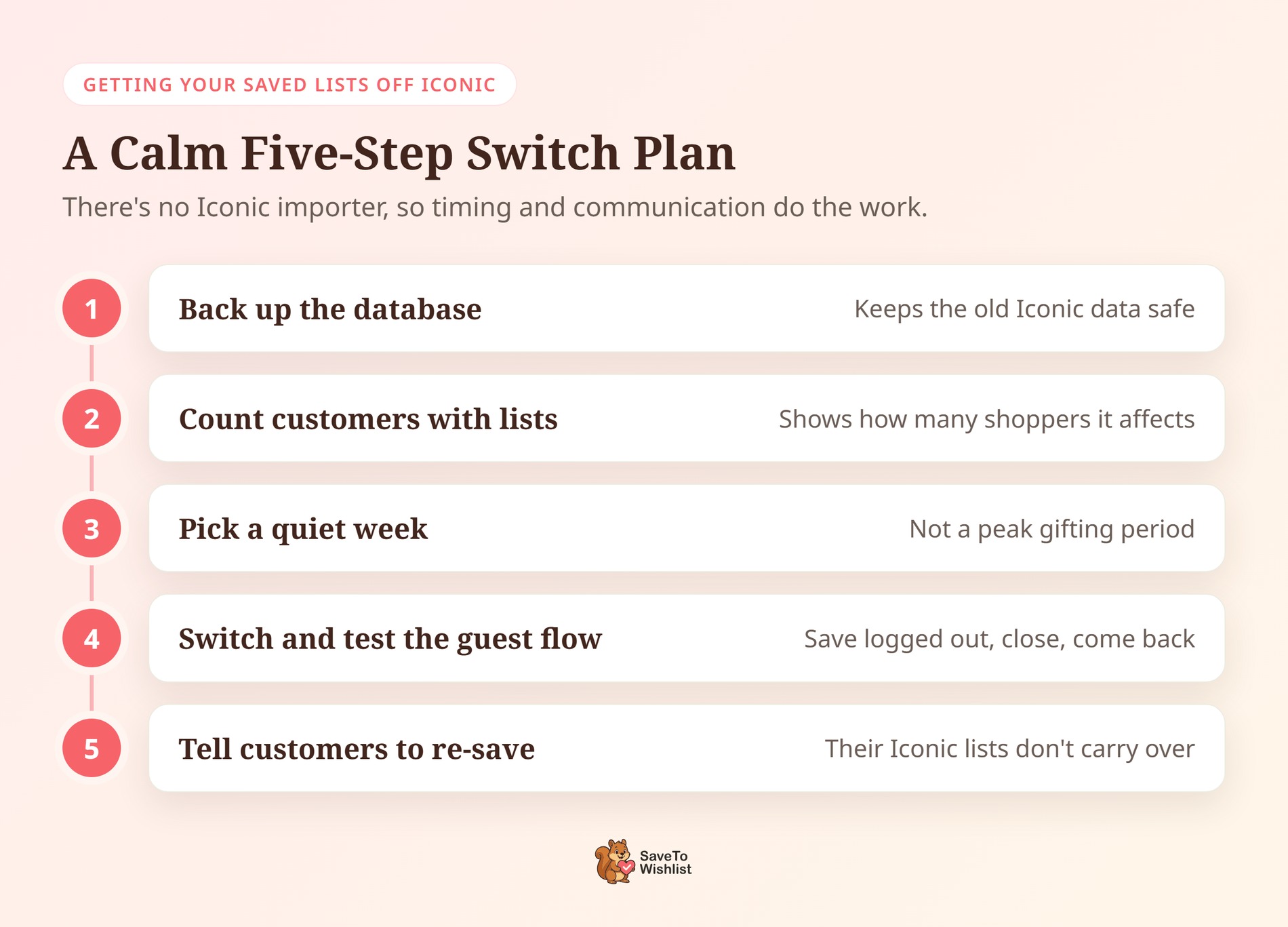
That makes timing and communication the real work. Pick a quiet week rather than a peak gifting period. Then let customers know their wishlist has moved, so regular savers know to add their favorites again.
Back up the database first, and note how many customers have saved lists. That number tells you how many shoppers the change affects, and the backup keeps the old data safe.
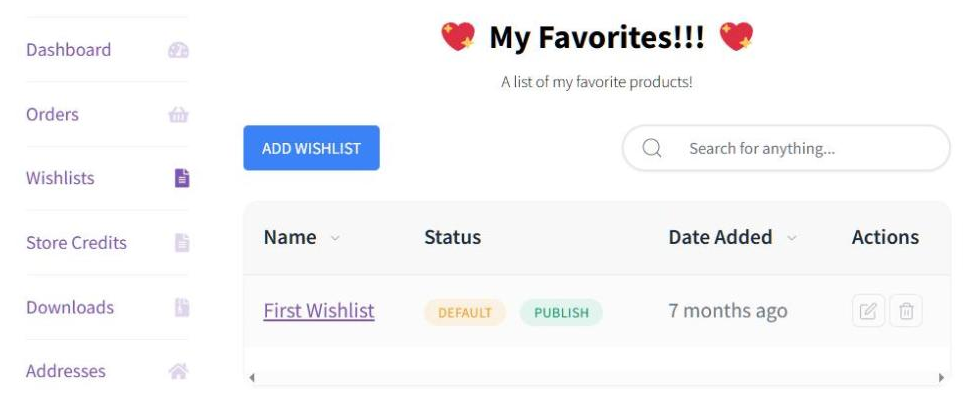
Once you’ve switched, new saves start building straight away. As our guide to guest wishlists in WooCommerce explains, guest lists are stored in the shopper’s browser. When that shopper logs in or registers, the list merges into their account.
Frequently Asked Questions About Leaving Iconic Wishlists
Is Iconic Wishlists gone for good?
As a standalone product, yes. Liquid Web stopped selling Iconic’s plugins separately in May 2026. Today, iconicwp.com redirects to its Kadence add-ons page, and the wishlist lives on inside Kadence Shop Kit. Existing Iconic customers keep their current plan and pricing while their subscription stays active.
Do I have to buy the whole bundle to keep a wishlist?
Not while your current Iconic subscription is active, since Liquid Web says existing plans stay the same. If it lapses, you’ll need a Kadence plan, and Shop Kit comes with Pro and Elite. A dedicated plugin is the other route. SaveTo Wishlist Lite is free, so you can try it on a staging site first.
Will my customers lose saved items if I switch?
Their existing Iconic lists won’t move across automatically, because SaveTo Wishlist doesn’t have an Iconic importer. Back up your database first so the old data stays safe. Then switch in a quiet week and let customers know their wishlist has moved. New saves, including guest saves, work from day one.
Is SaveTo Wishlist Lite really free?
Yes, and it isn’t a time-limited trial. Unlimited named wishlists, guest wishlists that merge on login, and the four importers are all in the free plugin. SaveTo Wishlist Pro is the paid extension for analytics, automations, webhooks, role-based restrictions and advanced sharing.
Can I keep Kadence Shop Kit installed?
Yes. Its other tools have nothing to do with wishlists. Running Shop Kit next to a dedicated wishlist plugin is a normal setup. Make sure only one wishlist is active, though. Otherwise, shoppers may see two save buttons on the same product.
Choosing Your Kadence Shop Kit Wishlist Alternative
The useful question was never which product has more features. Seventeen tools will always outnumber one, and that’s fine, because you’re not shopping for seventeen tools. You’re deciding who maintains the feature your repeat shoppers use most.

Do wishlists drive return visits, gift-giving or save-for-later behavior on your store? Then SaveTo Wishlist is the Kadence Shop Kit wishlist alternative I’d move to. It’s a dedicated plugin with its own roadmap and a free tier that covers the core job. SaveTo Wishlist Pro is there for when you want alerts and analytics.
Here’s what to do next:
- What Actually Happened To Iconic Wishlists: check your subscription status and renewal date
- The Update Cadence Question: ask for the wishlist’s own release history, not the bundle’s
- What A Standalone Wishlist Plugin Gives You Instead: decide whether alerts and analytics matter to your store
- Getting Your Saved Lists Off Iconic: back up, pick a quiet week, and tell your customers
Install SaveTo Wishlist Lite free and run it on a staging copy of your shop for a week. Or go straight to SaveTo Wishlist pricing if you already want price-drop alerts and analytics from day one.



