

 Reviewed by
 I started paying attention to wishlist conversion rate data after noticing something odd in a client’s analytics. Customers who used the wishlist were converting at noticeably higher rates than those who didn’t. That wasn’t a coincidence. It was a pattern I’ve now seen across dozens of WooCommerce stores.
The problem is that most store owners never measure this. They install a wishlist plugin, see some saves happening, and assume it’s working. But without tracking conversion rates, you have no idea whether your wishlist is actually driving revenue or just collecting digital dust.
This article breaks down what wishlist conversion rate means, how to benchmark your store’s performance, and specific strategies to improve your wishlist-to-purchase rates. If you’re new to wishlists entirely, our guide on what a wishlist is is a good starting point.
Table Of Contents
What Is Wishlist Conversion Rate?
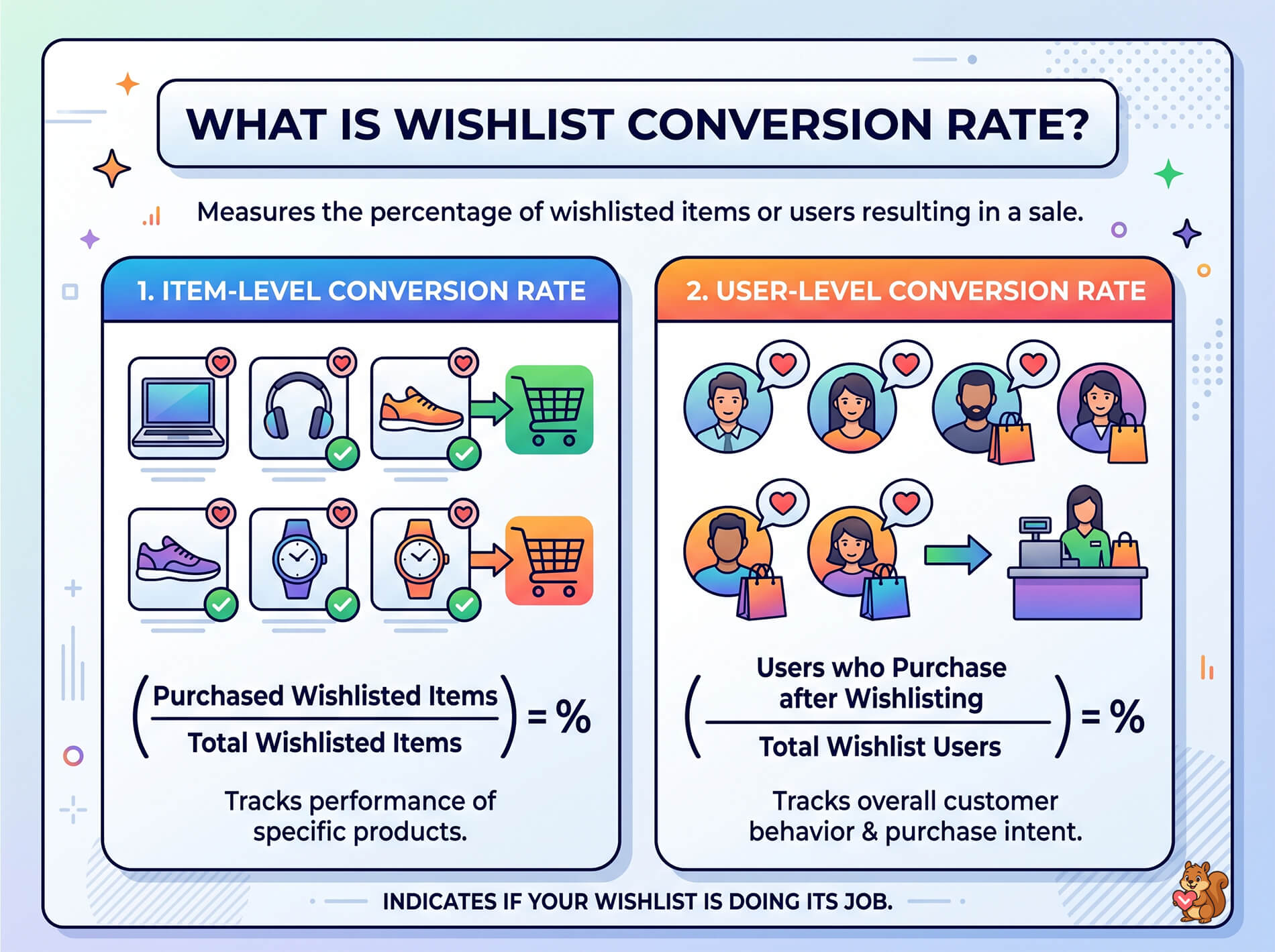
In simple terms, your wishlist conversion rate WooCommerce metric measures the percentage of wishlisted items or wishlist users that result in a final sale. It’s the clearest indicator of whether your wishlist is actually doing its job.
There are two ways to calculate it:
1. Item-level conversion rate: How many individual wishlisted items eventually get purchased, divided by the total number of items wishlisted.
2. User-level conversion rate: How many customers who use the wishlist eventually make a purchase, divided by total wishlist users.
Here’s what this looks like in practice (example data):
- 500 customers add items to their wishlists in a month
- 85 of those customers purchase at least one wishlisted item
- User-level wishlist conversion rate: 17%
Both metrics are useful, but they tell different stories. Item-level conversion shows you which products perform best from wishlist to cart. User-level conversion shows you how effective the wishlist is at driving overall purchase behavior.
The reason this metric matters more than raw wishlist count: a store with 10,000 wishlist saves and a 2% conversion rate is underperforming compared to a store with 2,000 saves and a 15% conversion rate. Volume without conversion is just data sitting in a database.
Why Wishlist Users Convert Differently
Wishlist users aren’t average browsers. The act of saving a product changes the customer’s relationship with your store in measurable ways.
1. Intent signaling
Adding a product to a wishlist is an explicit signal of purchase intent. It’s a step beyond browsing, beyond viewing a product page, and beyond even adding to cart in some cases. The customer is saying, “I want this, just not right now.”
That’s fundamentally different from someone who lands on a product page, scrolls for three seconds, and leaves. Wishlist users have self-selected as interested buyers.
2. Return visit behavior
Wishlists give customers a reason to come back. Without a wishlist, a customer who leaves your store has to remember what they were looking at and actively search for it again. With a wishlist, they have a saved, organized list waiting for them.
According to Baymard Institute’s research on ecommerce UX, providing a save-for-later feature is critical for keeping shoppers around. But there’s a huge catch: you must let guests save items without making an account! Baymard found that forcing customers to create an account causes 26% of them to abandon your store entirely. Letting unauthenticated guests save items smoothly removes this friction and saves the sale.
3. Price sensitivity and timing
Many wishlist users are waiting for a specific trigger before purchasing. Sometimes that’s a price drop. Sometimes it’s payday. And sometimes, it’s a holiday or special occasion.
This is actually good news for store owners, because it means the intent is there. The customer has already made the decision to buy. They’re just waiting for the right moment. And with the right tools, you can create that moment through price drop alerts and back-in-stock notifications.
🔍️ What We’ve Seen: One thing we commonly see: store owners assume a high wishlist count means high demand. But a product that gets wishlisted hundreds of times and never purchased is telling you something different. Often it’s a pricing signal. The product is appealing enough to save, but the price isn’t compelling enough to buy. That’s actionable intelligence, not just a vanity metric.
How To Benchmark Your Store’s Wishlist Performance
Measuring wishlist conversion requires tracking the right metrics and setting realistic expectations.
Metrics that matter
Focus on these four numbers:
- Wishlist-to-purchase rate: The percentage of wishlisted items that get purchased. This is your primary conversion metric.
- Time-to-purchase: How long items sit on wishlists before being bought. Shorter cycles indicate stronger intent. Longer cycles suggest price sensitivity or indecision.
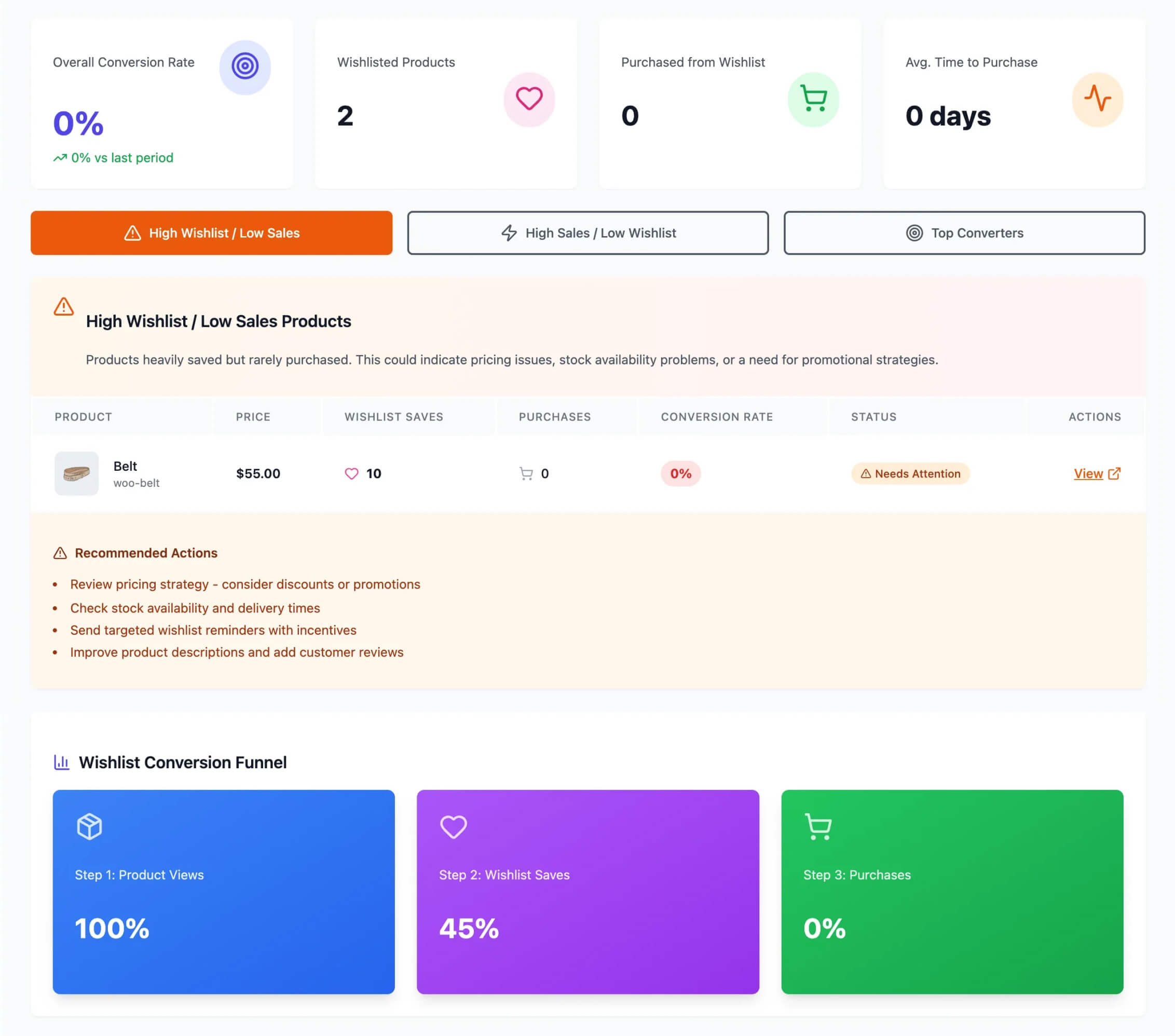
- Most-wishlisted products: Which items generate the most saves? High-wishlist, low-purchase products need attention.
- Wishlist abandonment: How many customers create wishlists but never return? This tells you whether your re-engagement strategy is working.
Setting realistic baselines
General ecommerce conversion rates provide useful context. According to Statista’s global ecommerce data, the average online conversion rate across industries sits between 2-3%.
Wishlist users should convert meaningfully higher than your general traffic, because they’ve already expressed specific product interest. If your wishlist conversion rate is at or below your overall site conversion rate, something is broken in your re-engagement funnel.
Every store is different, so you need to measure your own baseline. Global ecommerce conversion rates usually sit between 1.65% and 2.91%. A highly optimized wishlist strategy can push conversion rates up to 5% to 20%, but only if you actively use strong discounts and smart product recommendations. Keep in mind, mobile shoppers usually convert a bit less than desktop shoppers, and your specific industry will change your numbers.
These are illustrative ranges, not guarantees. Your actual numbers will depend on your product category, price points, and how actively you re-engage wishlist users.
The important thing is to measure your own baseline and then improve from there. SaveTo Wishlist Pro includes built-in analytics to help you track WooCommerce wishlist conversion rates automatically.
Strategies To Improve Wishlist-To-Purchase Rates
Once you have a baseline, here’s how to move the numbers.
1. Price drop alerts
This is consistently one of the highest-impact strategies for converting wishlisted items. When a product goes on sale, every customer who wishlisted it gets an automatic notification.
The reason it works: you’re reaching a customer who already wants the product with exactly the incentive they were waiting for. There’s no guessing involved. They told you they want it, and you’re telling them it’s now cheaper.
SaveTo Wishlist Pro handles price drop alerts automatically. When you discount a product, the system identifies all customers who have it wishlisted and sends the notification.
Want to know more about how to automatically notify customers when their wishlisted items go on sale? Then check out the following guide:
How To Set Up Wishlist Price Drop Alerts In WooCommerce (Complete Guide)
2. Wishlist-triggered automations
Beyond price alerts, you can build full email workflows around wishlist behavior:
- Wishlist reminder sequences: A gentle nudge 7 days after a customer adds an item, with a stronger follow-up at 14 days
- Personalized recommendations: “You wishlisted X, you might also like Y”
- Abandoned wishlist recovery: Similar to cart abandonment emails, but for customers who haven’t visited their wishlist in a while
Eager for more details about SaveTo Wishlist Pro’s advanced automation systems? Then exploring our guide:
Check out our wishlist automation guide for implementation details.
3. Inventory-based triggers
Two scenarios where inventory changes create natural conversion moments:
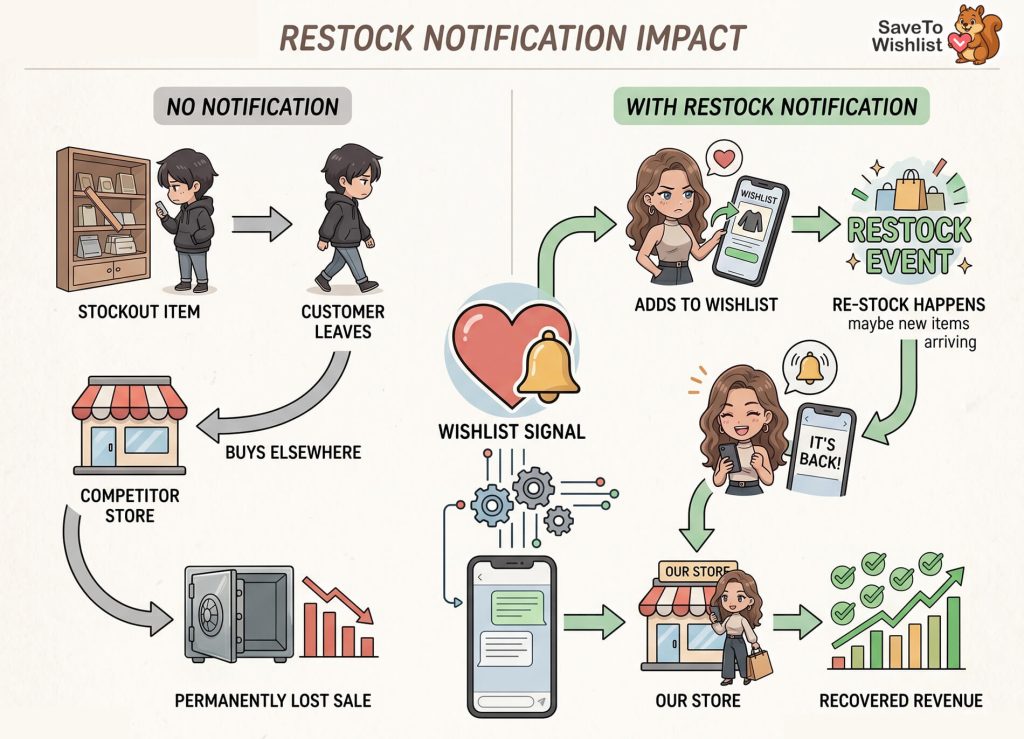
- Back-in-stock notifications: A customer wishlisted something that went out of stock. When it returns, they get an immediate alert. This recovers sales that would otherwise be lost forever.
- Low-stock alerts: “Only 3 left in stock” creates urgency for customers who have been sitting on a wishlist decision.
Curious about how to automate back-in-stock alerts? Then head on over to the following comprehensive guide:
WooCommerce Restock Notifications: The Complete Setup And Strategy Guide
4. Social proof and sharing
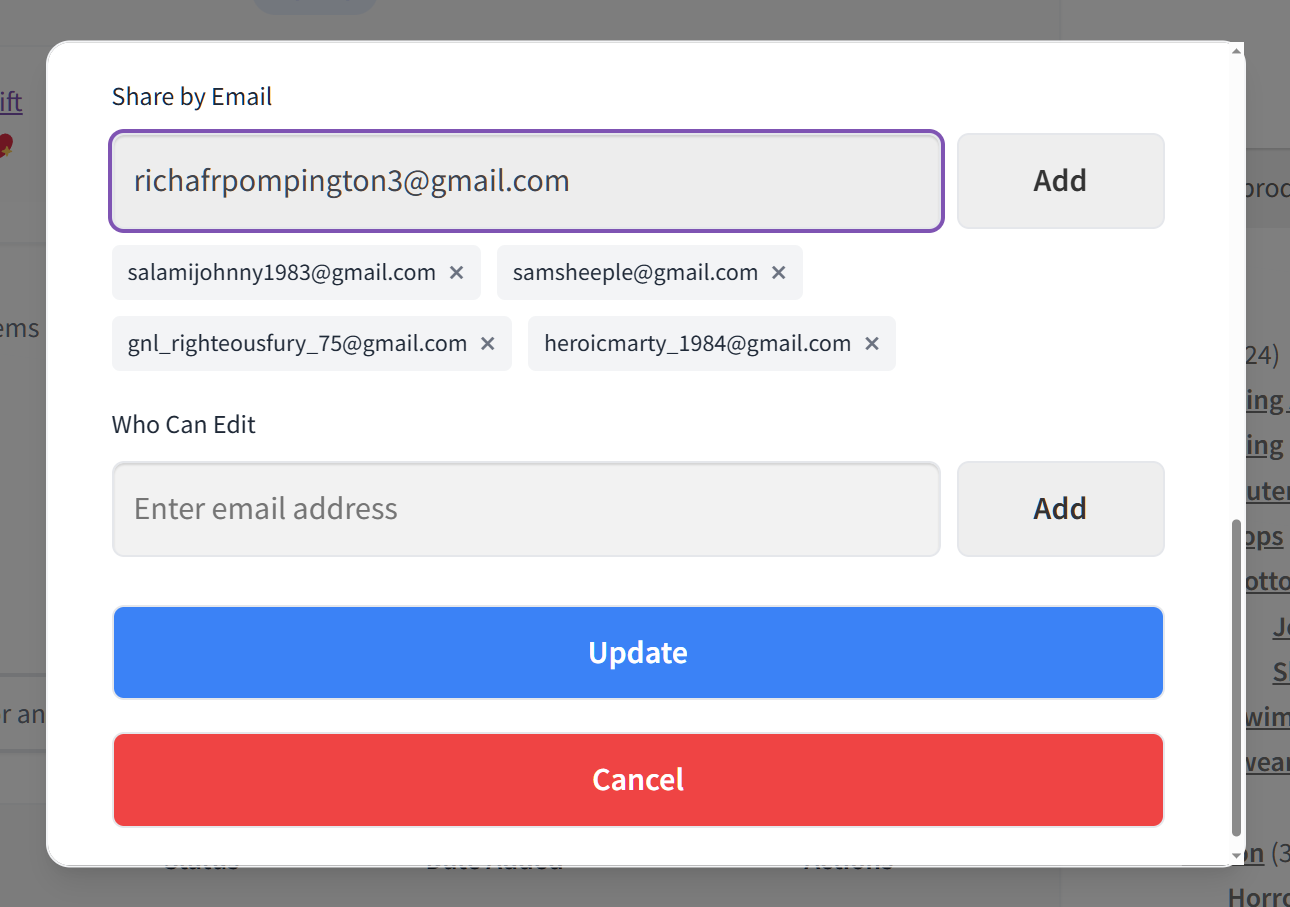
When customers can see that a product is popular on other shoppers’ wishlists, it validates their own interest. And when they share their wishlists with friends and family, you get free referral traffic from people who are already primed to buy.
What We’ve Seen: A mistake we’ve seen repeatedly is sending the same generic promotional email to all customers instead of using wishlist data to personalize it. A customer who wishlisted a specific product responds much better to a targeted price drop alert than a blanket “10% off everything” email. The data is right there. Use it.
Using Wishlist Analytics To Track Conversions
You can’t improve what you don’t measure. A proper wishlist analytics setup shows you the full picture of how wishlists contribute to your store’s revenue.
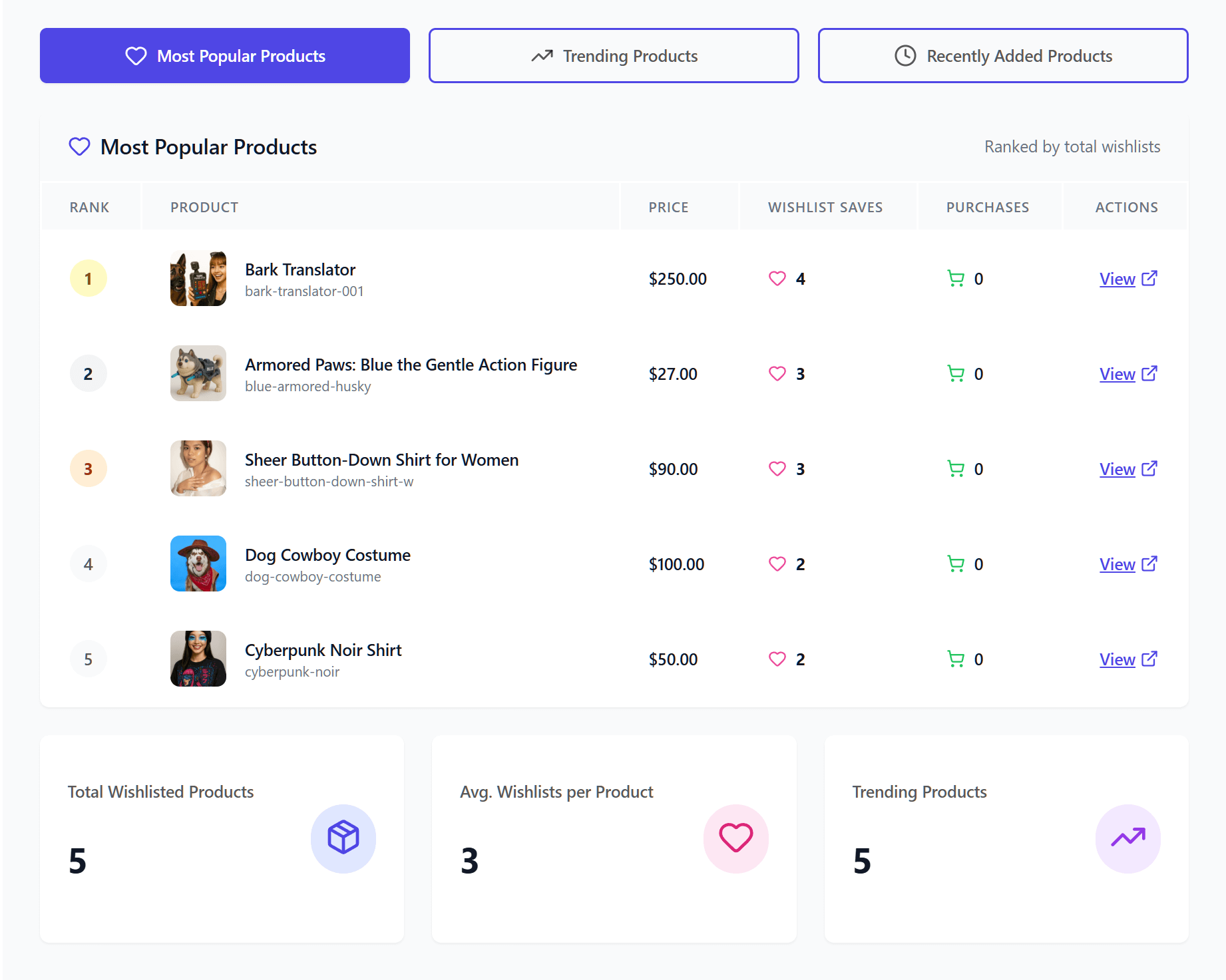
At a minimum, you want to track:
- Product-level performance: Which items have the highest wishlist-to-purchase rate and which are stalling
- Conversion funnel: From wishlist add, to return visit, to cart, to purchase
- Email campaign impact: How many conversions come from price drop alerts vs. reminder emails vs. organic return visits
- Cohort behavior: Do customers who create wishlists in Q4 (holiday season) convert differently than Q2 shoppers?
SaveTo Wishlist Pro includes a built-in analytics dashboard that tracks wishlist activity across your store. You can monitor most-wishlisted products, conversion patterns, and customer engagement without configuring anything extra.
For stores that want deeper analysis, Pro’s REST API and webhooks let you pipe wishlist data into your existing analytics tools for custom reporting.
Want more information on SaveTo Wishlist Pro’s analytics feature? Why not check out the guide below?
Frequently Asked Questions
What is a good wishlist conversion rate?
There’s no single “perfect” number, because the wishlist conversion rates WooCommerce store owners see will vary based on industry, price point, and how actively you re-engage your customers. However, wishlist users should convert significantly higher than your general site traffic. If your overall conversion rate is 2-3%, a healthy wishlist conversion rate would be several multiples of that. Track your own baseline and focus on improvement over time.
How do I track wishlist conversion rates in WooCommerce?
To track any wishlist conversion rate in WooCommerce, you need a wishlist plugin with built-in analytics. SaveTo Wishlist Pro includes conversion tracking, product-level performance data, and customer engagement metrics in its analytics dashboard. You can also use webhooks to send wishlist data to external analytics tools.
Do wishlists increase sales?
Industry data and general ecommerce patterns strongly suggest that wishlists increase revenue per customer. Wishlist users demonstrate higher purchase intent, return to your store more frequently, and respond well to targeted marketing (price drop alerts, back-in-stock notifications). The key is actively using wishlist data for re-engagement, not just passively collecting saves.
What’s the best way to convert wishlist items into purchases?
Price drop alerts are consistently the most effective strategy. When a wishlisted product goes on sale, the customer has both the intent and the incentive. Beyond that, wishlist reminder emails, back-in-stock notifications, and personalized recommendations all contribute to moving items from wishlist to cart.
Turn Your Wishlist Conversion Rate Data Into Revenue
Wishlists aren’t a passive feature. They’re an active conversion channel. The stores that get the most from wishlists are the ones that measure performance, automate re-engagement, and use the data to make better marketing and inventory decisions.
Here’s your action plan:
- Understand what wishlist conversion rate actually measures and how to calculate it
- Recognize why wishlist users convert differently so you can leverage that intent
- Set up proper benchmarking to track your baseline
- Apply high-impact strategies like price drop alerts and automation sequences
- Use analytics to monitor progress and iterate
Ready to start tracking and improving your wishlist conversion rate? SaveTo Wishlist Pro includes the analytics, automations, and price drop alerts you need to turn wishlist data into revenue. If you’d like to give wishlists a try first, download the plugin for free!



