

 Reviewed by
 Every year the big sales events sneak up on WooCommerce store owners. Black Friday lands, and you’re scrambling to build a promo, write emails, and pick discounts. All in the same week. The result is rushed campaigns and thinner margins.
Meanwhile, plenty of shoppers wander off because nothing told them the sale was coming. An ecommerce holiday sales calendar fixes that. It maps every key event across the year so you can prep early. Plus, it gives you a plan for building demand before each sale goes live.
This guide walks through the calendar quarter by quarter. You’ll get prep timelines and a simple way to warm up buyers ahead of each event.
Jump to:
- Why You Need An Ecommerce Holiday Sales Calendar
- The Full 2026 & 2027 Ecommerce Holiday Sales Calendar
- Q1 Sales Events: January To March
- Q2 Sales Events: April To June
- Q3 Sales Events: July To September
- Q4 Sales Events: October To December
- Five Events Most WooCommerce Calendars Miss
- How Far Ahead To Start Each Event
- Setting A Shipping Cutoff Customers Can See
- How Wishlists Build Demand Before Every Sale
- FAQs: Ecommerce Holiday Sales Calendar For WooCommerce
- Your Ecommerce Holiday Sales Calendar Game Plan
Why You Need An Ecommerce Holiday Sales Calendar

A sales calendar gives you a month-by-month map of every major shopping event. That lets you prepare promotions, stock, and emails weeks ahead instead of days. The head start is where the margin lives.
Rushed sales tend to lean hard on discounts because there’s no time to build anticipation first. When you plan ahead, you can warm up your audience before the price ever drops.
Baymard Institute research puts cart abandonment at about 70.22%. In the same research, 42% of US shoppers said they were just browsing, or not ready to buy. Those people aren’t lost. They’re early.
A calendar helps you catch that early interest and give it somewhere to sit until the sale starts.
The Full 2026 & 2027 Ecommerce Holiday Sales Calendar
Here is every major event across both years, with the dates already worked out. Copy the rows that fit your niche into your own planner. These first rows cover January to June.
| Event | 2026 | 2027 | Who it matters to |
|---|---|---|---|
| New Year sales | Jan 1 to 15 | Jan 1 to 15 | Clearance, resolution buyers |
| Valentine’s Day | Sat, Feb 14 | Sun, Feb 14 | Gifts, jewelry, food |
| Mothering Sunday (UK) | Sun, Mar 15 | Sun, Mar 7 | UK gifting |
| Easter Sunday | Sun, Apr 5 | Sun, Mar 28 | Food, kids, home decor |
| Mother’s Day (US, AU, NZ) | Sun, May 10 | Sun, May 9 | Gifts, flowers, beauty |
| Father’s Day (US, UK) | Sun, Jun 21 | Sun, Jun 20 | Gifts, tools, apparel |
| End of financial year (AU) | Tue, Jun 30 | Wed, Jun 30 | AU clearance, B2B buyers |
The second half of the year, July to December
| Event | 2026 | 2027 | Who it matters to |
|---|---|---|---|
| Prime Day (Amazon) | Usually mid-July | Usually mid-July | Deal-hunting traffic |
| Back to school | Mid-Jul to early Sep | Mid-Jul to early Sep | Bundles, value packs |
| Father’s Day (AU, NZ) | Sun, Sep 6 | Sun, Sep 5 | AU and NZ gifting |
| Labor Day (US) | Mon, Sep 7 | Mon, Sep 6 | Early autumn promotions |
| Halloween | Sat, Oct 31 | Sun, Oct 31 | Costume, decor, themed niches |
| Singles’ Day | Wed, Nov 11 | Thu, Nov 11 | Global and APAC-facing stores |
| Thanksgiving (US) | Thu, Nov 26 | Thu, Nov 25 | Cyber Week opens |
| Black Friday | Fri, Nov 27 | Fri, Nov 26 | Almost every store |
| Small Business Saturday | Sat, Nov 28 | Sat, Nov 27 | Independent retailers |
| Cyber Monday | Mon, Nov 30 | Mon, Nov 29 | The biggest online day |
| Green Monday | Mon, Dec 14 | Mon, Dec 13 | Last big December push |
| Christmas Day | Fri, Dec 25 | Sat, Dec 25 | Shipping cutoffs bite here |
| Boxing Day | Sat, Dec 26 | Sun, Dec 26 | Clearance in AU, UK, CA |
The dates that move between 2026 and 2027
One shift is worth circling now. Easter falls eight days earlier in 2027, moving from April 5 to March 28.
That drags the whole spring gifting window into March. UK Mothering Sunday moves with it, from March 15 to March 7. If you ship to the UK, your spring campaign starts a week earlier than muscle memory suggests.
🔍️ What we’ve seen: Stores often build one calendar and reuse it the following year without checking the moving dates. Easter, Mothering Sunday and the Thanksgiving-to-Cyber-Monday run all shift every year. Rebuilding the dates each January takes ten minutes and saves a mistimed campaign.
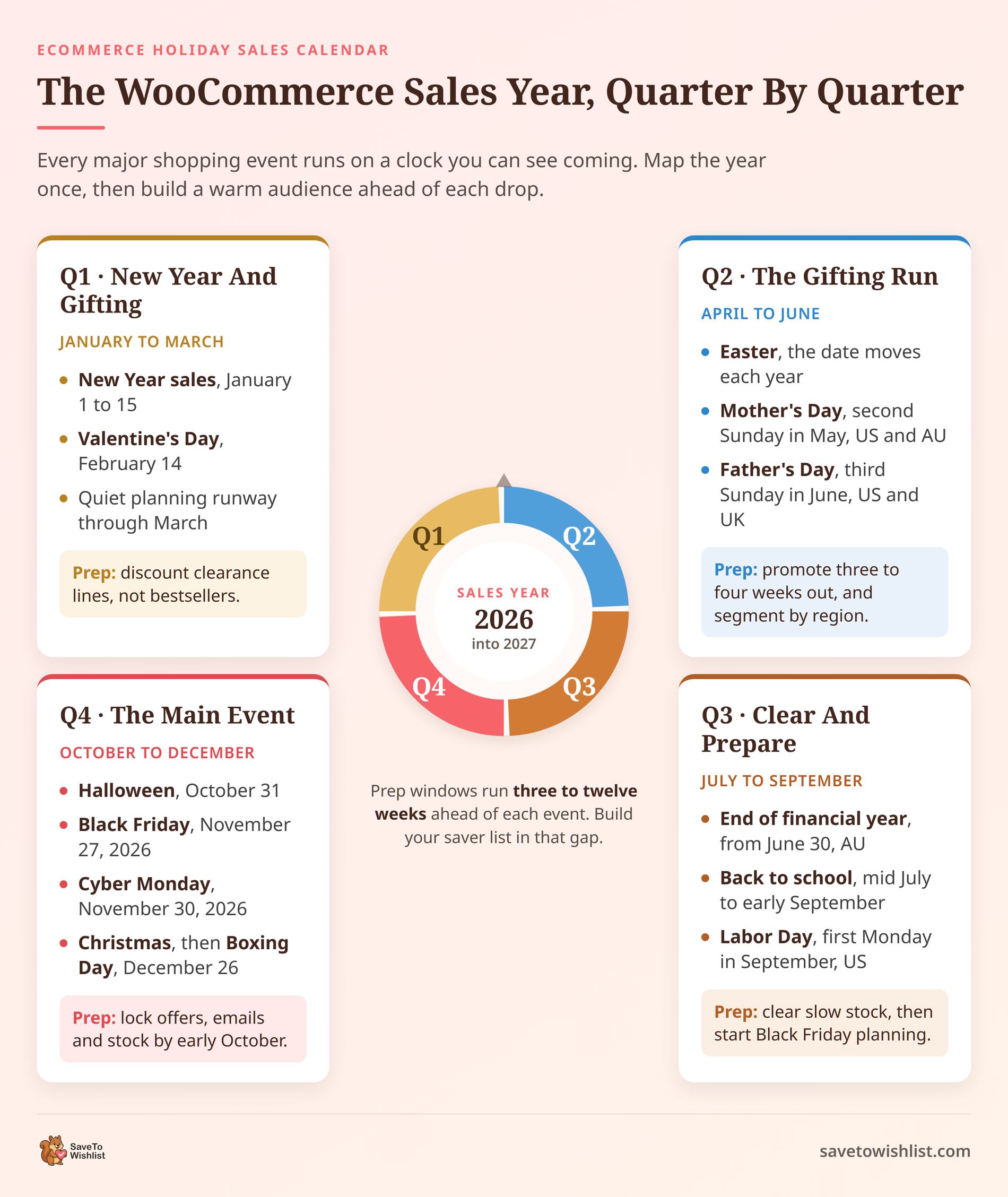
Q1 Sales Events: January To March
Q1 opens with New Year clearance in January and builds to Valentine’s Day in mid-February. After that, you get a quieter runway to plan the rest of the year.
New Year sales (roughly January 1 to 15) are your chance to move leftover holiday stock and catch resolution-driven shoppers. Keep discounts on clearance lines rather than your bestsellers. Valentine’s Day falls on February 14, so start promoting gift ideas in late January. This is a strong window for gift guides, bundles, and “for him” or “for her” collections.
Tag those products early. Then use the slow weeks in March to sketch out your Q2 and Q4 promos while you have breathing room.
Q2 Sales Events: April To June
Q2 revolves around gifting holidays. Easter arrives in spring, Mother’s Day in May, and Father’s Day in June. It’s also when the first planning for your mid-year sale should happen.
Easter dates move each year, so check the calendar and start promoting three to four weeks out. Mother’s Day usually falls on the second Sunday of May in the United States and Australia. The United Kingdom celebrates Mothering Sunday in March instead, so segment by region if you ship internationally. Father’s Day lands on the third Sunday of June in the US and UK, though Australia marks it in September.
Build gift guides for each event. Then begin lining up your mid-year sale stock so nothing is left to the last minute.
Q3 Sales Events: July To September
Q3 is your mid-year and clearance window. Think end-of-financial-year sales, back-to-school shopping in August, and Labor Day in early September.
For Australian stores, end of financial year (June 30) bleeds into early July and is a genuine sales peak. Back-to-school runs from mid-July through early September and rewards bundles and value packs. Labor Day in the US falls on the first Monday of September and often kicks off early autumn promotions.
Use this whole quarter to clear slow stock and free up cash before the Q4 rush. It’s also the right time to start your Black Friday prep in earnest.
Q4 Sales Events: October To December
Q4 is the main event. Halloween leads into Black Friday and Cyber Monday in late November, then Christmas, then Boxing Day sales through the end of December.
In 2026, Black Friday falls on November 27 and Cyber Monday on November 30. These two days plus the weekend between them are the biggest revenue window of the year for most stores. Plan your offers, emails, and stock by early October. AdTribes has a Black Friday checklist for getting your product feeds ready. Halloween on October 31 is a nice warm-up for costume, decor, and themed niches.
Christmas shopping ramps through December, with a shipping-cutoff deadline you should publish clearly. Boxing Day on December 26 then carries clearance sales into the new year. This quarter is where a warm pre-sale audience pays off most.
Five Events Most WooCommerce Calendars Miss
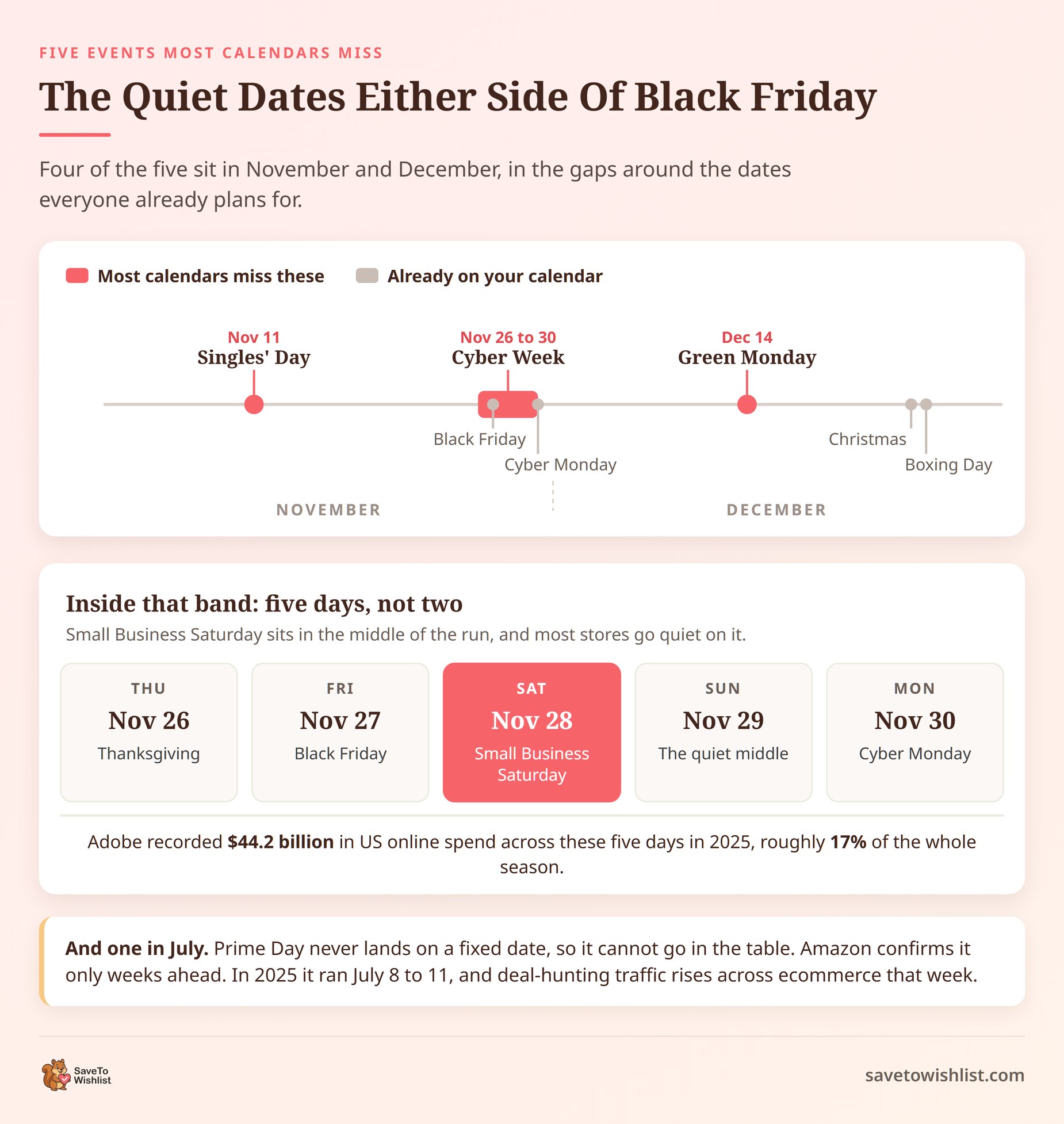
The four quarters above cover the events almost every store already knows. These five get skipped, and several of them carry real volume.
Cyber Week, not two separate days
Black Friday and Cyber Monday get planned as two events. Shoppers treat the whole stretch as one sale.
In 2025, Adobe Analytics measured $44.2 billion in US online spend across Cyber Week. That is the five days from Thanksgiving to Cyber Monday, up 7.7% year over year. Adobe put the full November and December season at $257.8 billion. So Cyber Week carried roughly 17% of the season in five days. Plan one campaign with a five-day arc, not two disconnected offers.
Singles’ Day, November 11
Singles’ Day began in China and now draws sellers well beyond it. The date never moves, so it is easy to plan around.
It lands about two weeks before Black Friday. That makes it a useful early window if you sell into Asia-Pacific markets. It also works as a soft launch for the offer you push harder later that month.
Prime Day and the July traffic lift
Amazon confirms Prime Day dates only a few weeks ahead, so you cannot lock it into a calendar. In 2025 it ran July 8 to 11 across 26 countries.
Deal-hunting traffic rises across ecommerce during that window, not just on Amazon. Running your own mid-year offer in mid-July catches shoppers who are already in a buying mindset.
Small Business Saturday
This is the Saturday wedged between Black Friday and Cyber Monday, November 28 in 2026. It exists specifically to point shoppers at independent retailers.
If you are a small store competing against much larger discounts, this day works in your favor. Your size becomes the selling point rather than the handicap. Lead with the maker story, not the deepest percentage off.
Green Monday, the second Monday of December
Green Monday falls on December 14 in 2026 and December 13 in 2027. It is the last significant push before shipping cutoffs start closing the window.
Shoppers here are late, aware they are late, and sensitive to delivery promises. A clear shipping cutoff does more work than a bigger discount this late in December.
🔍️ What we’ve seen: Picking up two or three of these is usually more profitable than discounting harder on Black Friday. You are reaching buyers on days your competitors left quiet, and you keep your margin intact.
How Far Ahead To Start Each Event
Knowing the date is only half of it. The useful question is when to start, and there are two answers for every event.
Planning is the quiet work: picking the offer, checking stock, writing emails, and tagging the products. Promoting is when shoppers first hear about it. Here is a working guide for both.
| Event | Start planning | Start promoting |
|---|---|---|
| Valentine’s, Mother’s and Father’s Day | 6 to 8 weeks out | 3 to 4 weeks out |
| Easter | 6 weeks out | 3 to 4 weeks out |
| Back to school | 8 weeks out | 4 to 6 weeks out |
| Black Friday and Cyber Week | September to early October | 2 to 3 weeks out |
| Christmas | Early October | 4 to 6 weeks out |
| Boxing Day and New Year clearance | Early December | 1 week out |
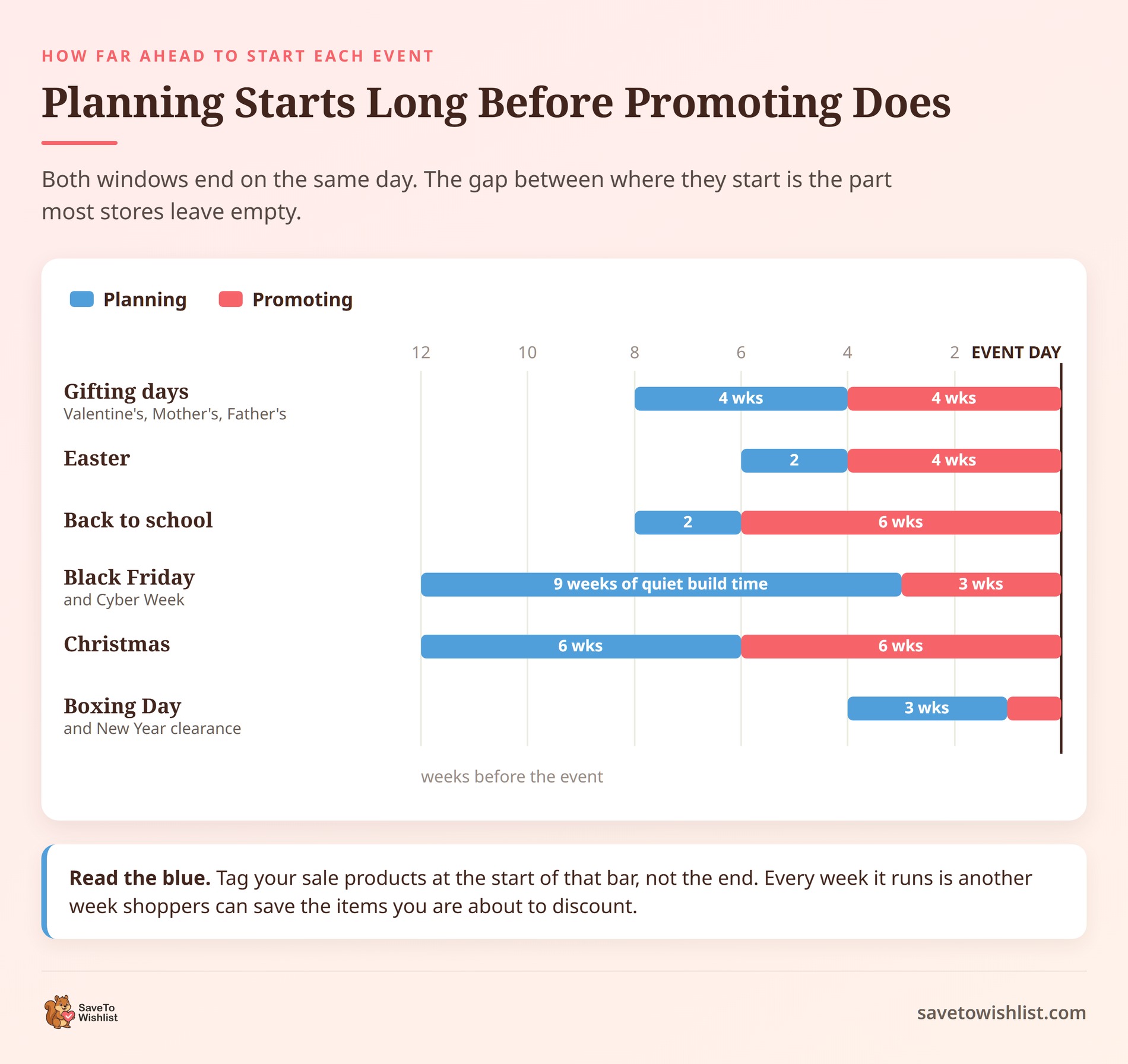
Notice how far apart those two columns sit for the big events. Black Friday wants roughly eight weeks of planning but only two or three weeks of noise.
That gap is the part most stores waste. It is not dead time. It is when you build the audience you will email on the day. The products are already tagged and live, but the price has not moved yet. The section below covers how to turn that window into a list.
🔍️ What we’ve seen: Stores tend to start promoting too early and planning too late. Six weeks of Black Friday emails wear an audience out before the offer lands. Six weeks of quiet preparation, then a short sharp run, works better and costs less.
Setting A Shipping Cutoff Customers Can See
Your December cutoff is not Christmas Day. It is the carrier’s deadline, minus the time it takes you to pick and pack.
Carriers publish their December dates each autumn. Within the contiguous US in 2025, USPS recommended sending by December 17 for Ground Advantage and First-Class Mail. Priority Mail closed on December 18, and Priority Mail Express on December 20. Treat those as the shape of a normal year. Then confirm the current dates with your own carrier.
Work backward, then publish it in three places
Take the carrier deadline and subtract your handling time. If you pick and pack within two business days, your cutoff is two business days earlier than theirs.
Then put that date where a shopper actually looks:
- On the product page, near the add-to-cart button
- In the cart and at checkout, where hesitation happens
- In the order confirmation email, so it sets expectations after the sale
A banner on the homepage alone is not enough. Most shoppers land on a product page from search or an email, and never see it.
What to do once the cutoff passes
Change the message rather than removing it. Silence reads as a broken store, and shoppers keep ordering anyway.
Say plainly that orders now arrive after Christmas. Then offer what still works: a digital gift card, a printable gift note, or local pickup. Late shoppers are still buyers, and they are usually happy to be told the truth about timing. Expect more order status questions in that window as well.
🔍️ What we’ve seen: The cutoff is easy to publish once and then forget to update. Diarize the switch-over message for the morning after your cutoff. The change then happens even during your busiest week.
How Wishlists Build Demand Before Every Sale
Wishlists turn casual browsers into a warm list you can alert the moment a sale starts.
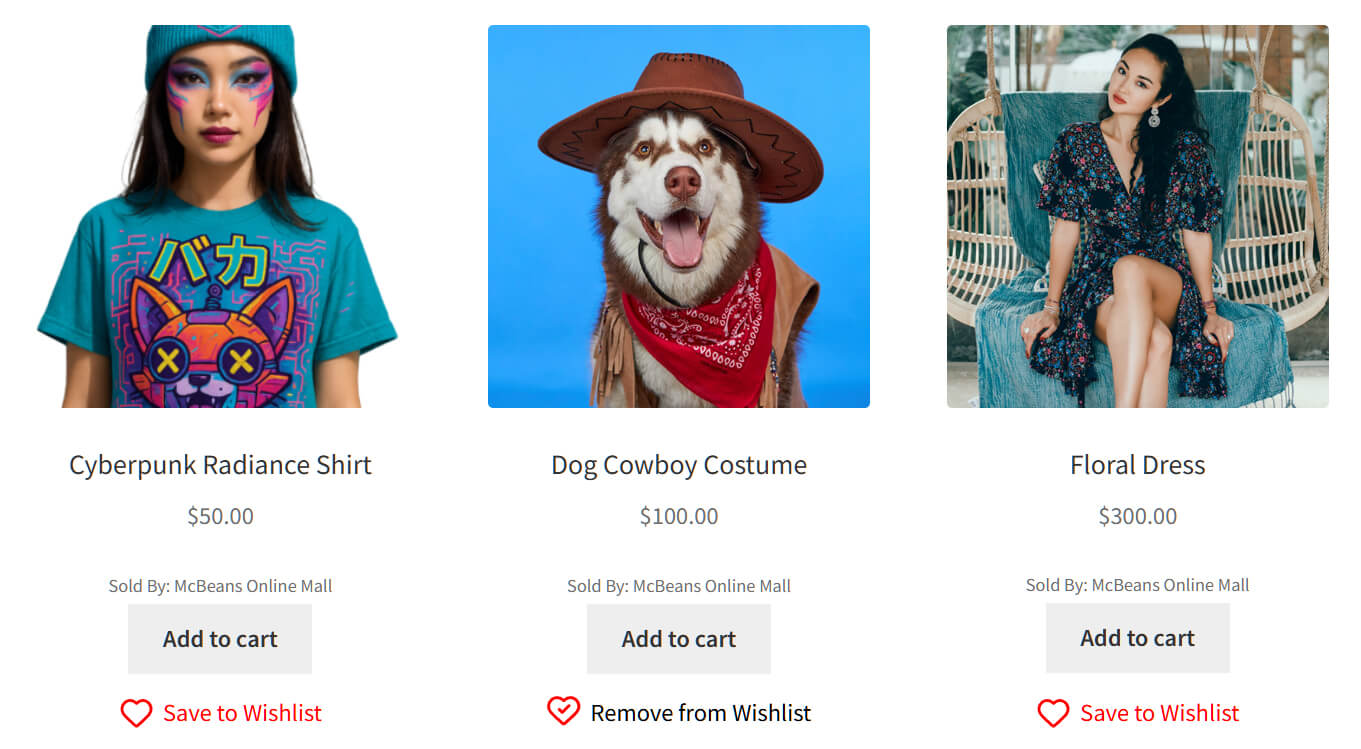
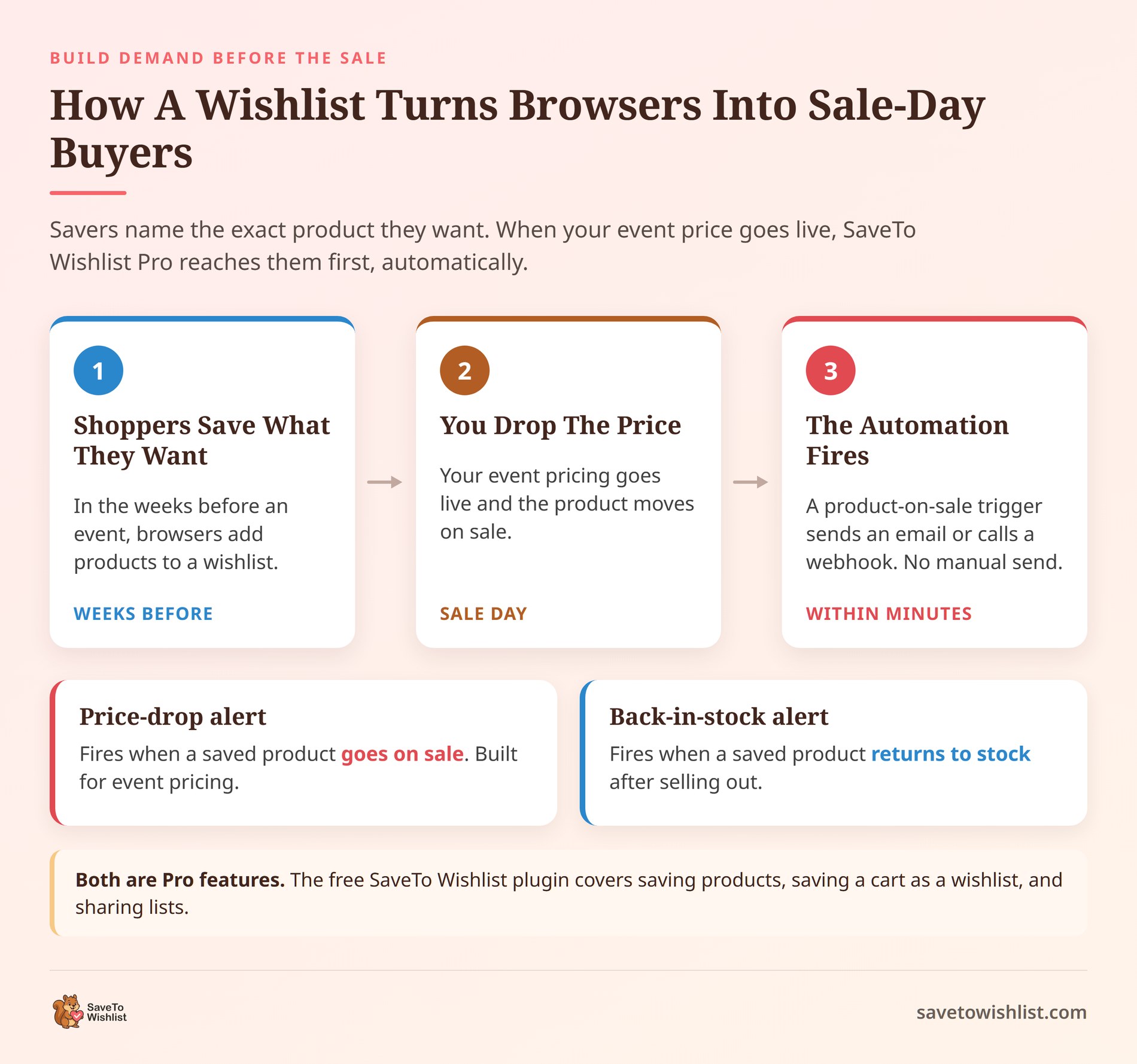
Here’s the flow. In the weeks before an event, shoppers save the products they want to a wishlist. That gives you a segment of people who have already told you the exact item they’re interested in. SaveTo Wishlist Lite (the free version) lets shoppers save products, save a cart as a wishlist, and share their lists.
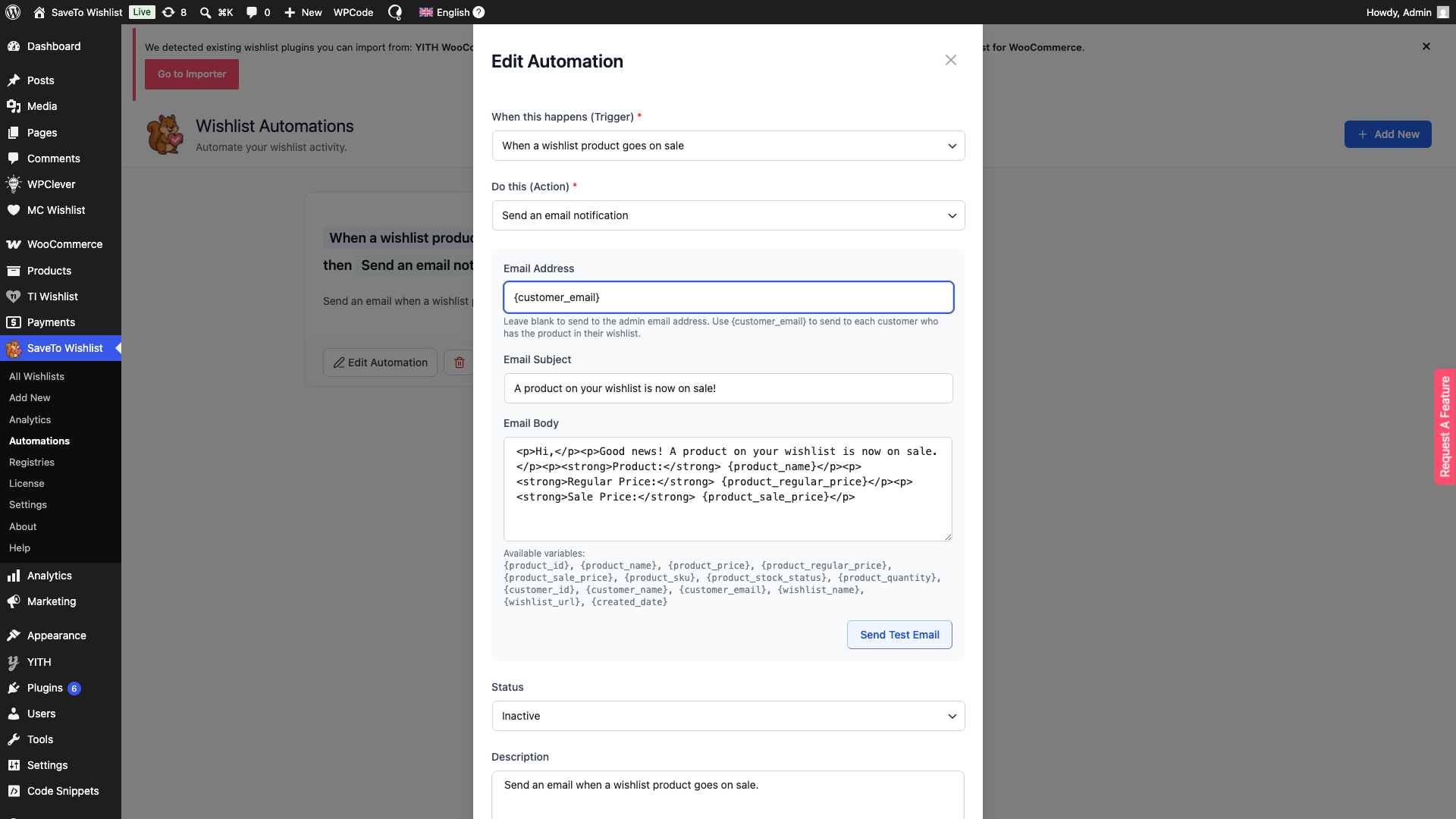
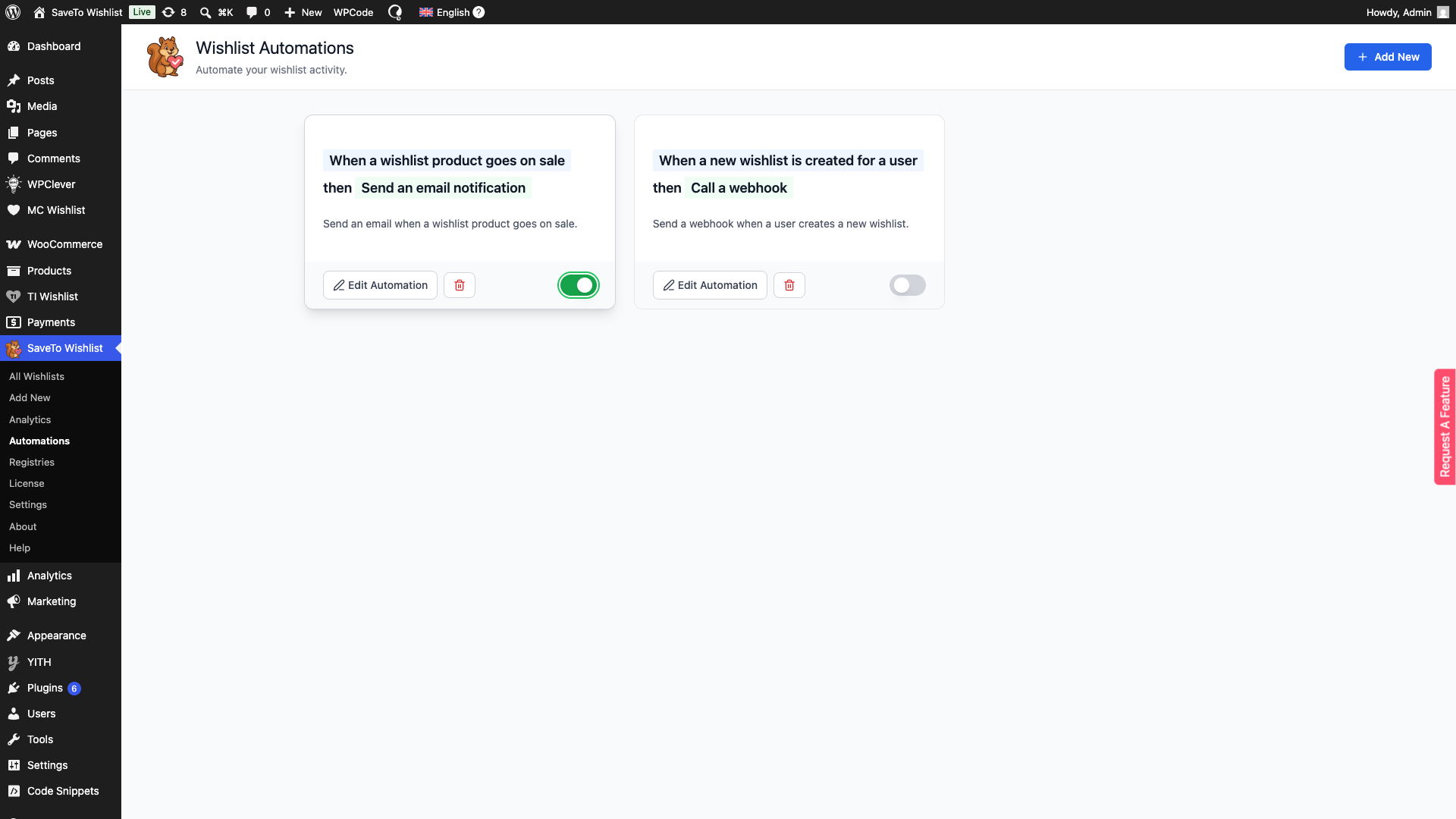
SaveTo Wishlist Pro adds price-drop alerts and back-in-stock notifications. Its automations fire when a product goes on sale, sending an email or calling a webhook, so when your Black Friday price goes live savers get notified without you lifting a finger. Pair that with a broader wishlist email marketing plan for shoppers who prefer a nudge over an instant alert.
🔍️ What We’ve Seen: One thing we commonly see is stores treating wishlist savers as a nice-to-have list. In our experience, they’re one of the warmest segments you have, because they’ve already named the product they want. Alerting them first when a sale starts often beats blasting your whole list.
A simple way to run it: tag the products for your next sale, then let the price-drop automation fire the moment you lower prices. The savers hear about it before anyone else does.
FAQs: Ecommerce Holiday Sales Calendar For WooCommerce
When should I start planning for Black Friday?
Start in September or early October. That gives you time to decide your offers, order or reserve stock, and write your email sequence. It also leaves room to run a wishlist campaign, so shoppers can save the products they want before prices drop. The stores that scramble in November almost always leave money on the table. There was no time to build anticipation first.
How do wishlists help with holiday sales?
Wishlists capture buying intent early. A shopper who saves a product has told you exactly what they want. That turns a cold audience into a warm, pre-qualified list. Before a sale, you build that list. When the sale starts, you alert those savers first. It’s a simple way to convert the many shoppers who are interested but not ready to buy yet.
Can I notify customers automatically when a sale goes live?
Yes. SaveTo Wishlist Pro includes price-drop alerts, back-in-stock alerts, and automations that trigger when a product goes on sale. The action can send an email or call a webhook. SaveTo Wishlist does not send SMS itself. However, you can route a webhook to Zapier and on to a text service if you want SMS alerts in the mix.
Which holidays matter most for a WooCommerce store?
It depends on your niche. Still, Black Friday and Cyber Monday are the biggest for most stores, followed by the Christmas run-up. Gifting holidays like Valentine’s Day, Mother’s Day, and Father’s Day matter a lot for jewelry, apparel, and specialty gifts. The point of a calendar is to pick the three or four events that fit your products. Then prepare properly for those.
What’s the difference between price-drop and back-in-stock alerts?
Price-drop alerts tell a saver when a product they wishlisted goes on sale, which is ideal for event pricing. Back-in-stock alerts tell them when a sold-out item they saved returns. Both are Pro features, and both fire automatically based on wishlist data. You’re reaching people who already raised their hand for that specific product.

Your Ecommerce Holiday Sales Calendar Game Plan
The winning move is simple. Map your events early, build a wishlist audience before each one, and alert those savers the moment your sale goes live. Here’s where to jump back if you want a refresher:
- Why you need a sales calendar
- The full 2026 and 2027 calendar
- Q4 sales events
- Five events most calendars miss
- How far ahead to start each event
- Setting a shipping cutoff
- How wishlists build demand
- Frequently asked questions
Pick your key events for the year and tag the products that fit each one. Start collecting savers now, so you have a warm list ready when prices drop. When you’re set to automate the alerts, SaveTo Wishlist Pro handles the rest. It gives you the price-drop alerts, back-in-stock alerts, and automations to make it run on its own.



