
 Reviewed by
Most registry comparisons stop at the free plugin. That’s the half of the decision that costs nothing. Six months in, what matters is the paid tier in front of you and what it buys.
If you’re weighing an NM Gift Registry alternative, that question is easy to reason about. NM Gift Registry and Wishlist Lite and SaveTo Wishlist share one commercial shape. Each is a free plugin on the directory with a paid tier behind it. Where each one draws the line between free and paid is quite different.
On method: we tested SaveTo Wishlist Lite 1.1.1 on a staging store on 14 August 2026. Then we rechecked every claim against the current 1.1.5 code. We didn’t install NM Gift Registry and Wishlist Lite. Everything about it comes from its public listing (version 6.0.0, read 28 September 2026).
Jump to:
Two Plugins Built The Same Way

Both plugins lead with a free version and sell an upgrade behind it. So the useful comparison isn’t free versus paid. It’s which upgrade you’ll end up buying, and what that upgrade covers.
SaveTo Wishlist comes in three pieces. The free plugin is SaveTo Wishlist Lite. On top of it, SaveTo Wishlist Pro adds wishlist analytics, automations, real-time webhooks and role-based access. The registry layer is the Gift Registry Addon, bundled with the Plus and Business plans only, never with Growth.
NM Gift Registry and Wishlist Lite follows the same two-step pattern. Its listing splits its features into a free version and a Pro version. This comparison looks at where each plugin puts that line, feature by feature.
When two products share this shape, the free tiers are the shop window and the paid tiers are the product. Free feature lists tell you which plugin is quicker to switch on. They say far less about which one you’d rather pay for a year later. By then, customers have habits and your calendar has a gifting season.
Still deciding whether your store needs a registry at all? Our guide to wishlist vs gift registry walks through that choice first.
What Each Free Tier Actually Covers
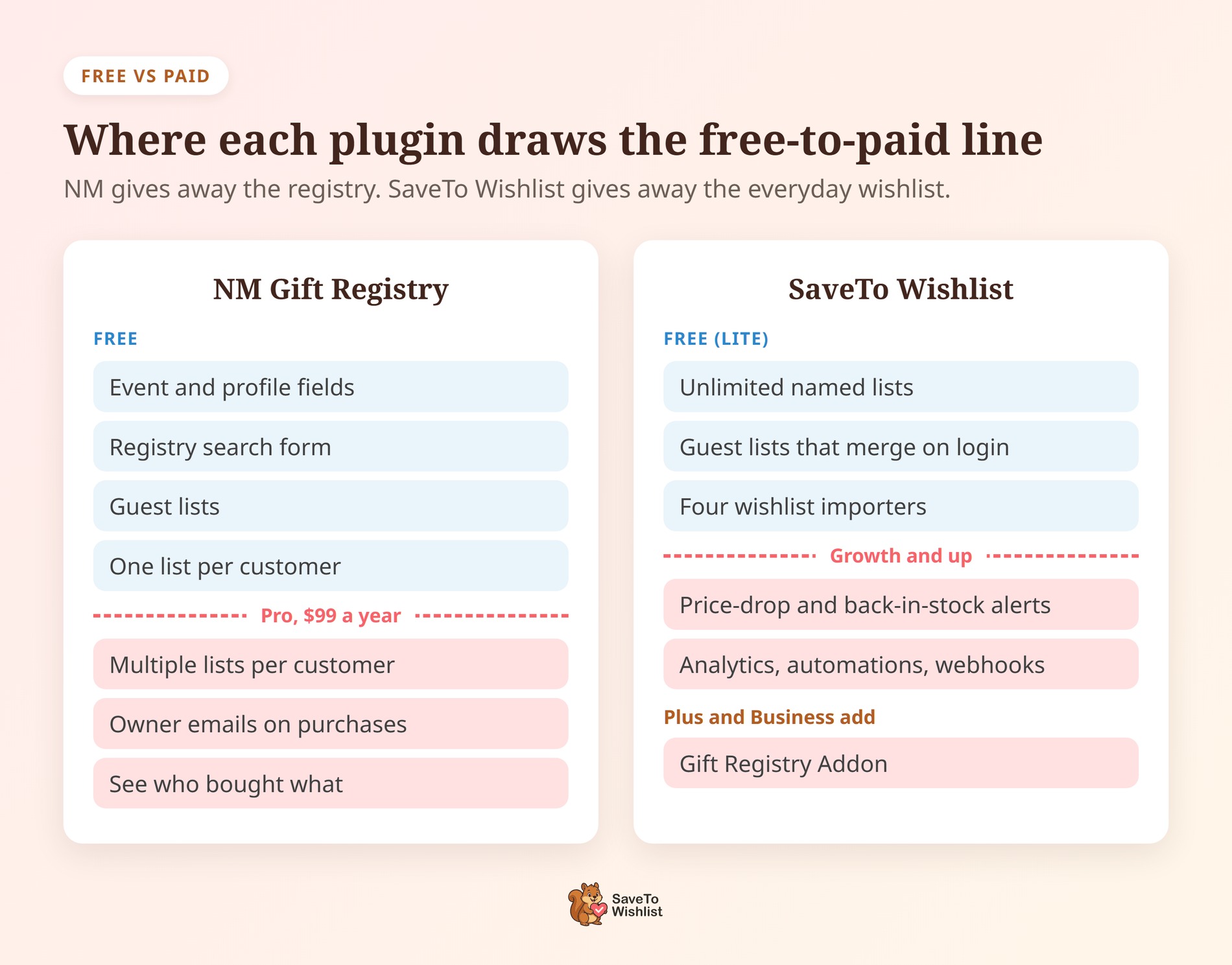
The two free tiers aren’t two versions of the same product. NM Gift Registry and Wishlist Lite gives away a registry. SaveTo Wishlist Lite gives away an everyday wishlist.
NM’s published free-version list is generous for this category, and that’s worth saying plainly:
- Event and profile fields: event date, description, partner’s details and other profile information, so a wedding list reads like one.
- Shipping details on the list: it reuses WooCommerce’s own shipping fields, so address setup matches the rest of the store.
- Product coverage with quantities: simple, variable and grouped products, each with a desired quantity.
- A gift-aware cart: items from several lists share one cart with normal products, tracked individually through to the order.
- An advanced search form: shoppers can find lists by title, name, email and other fields.
Guests can also create and manage lists without an account. The button and the items table are both customizable, and social sharing is included. A free search form is a real plus, because guests can find a list without being sent the direct link.
What SaveTo Wishlist Lite gives away
SaveTo Wishlist Lite trades in the other direction. Every customer gets unlimited named lists. Guest lists live in the browser and move into the customer’s account when they log in or register. Four importers are included, for YITH WooCommerce Wishlist, TI WooCommerce Wishlist, MoreConvert Wishlist and WPC Smart Wishlist.
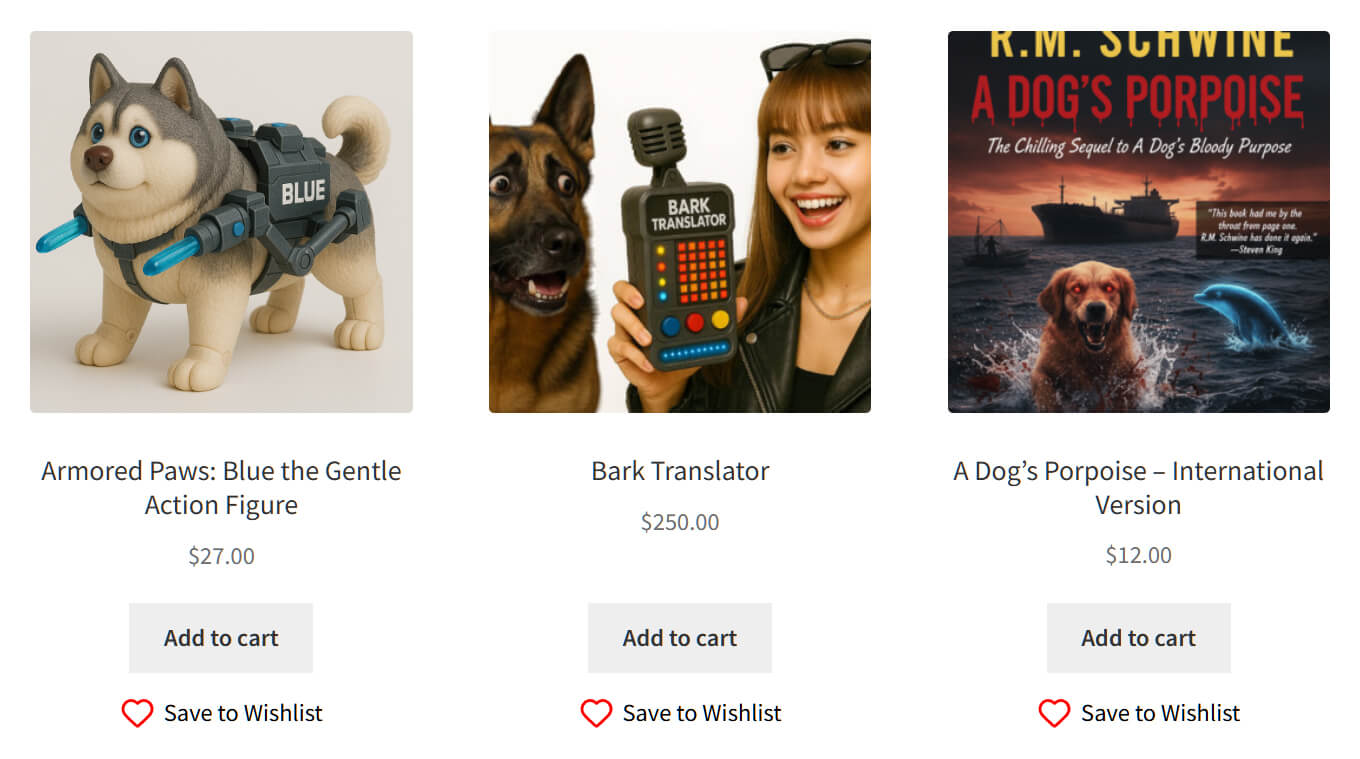
On staging, the Save to Wishlist button rendered across the shop product loop, not only on single product pages. As a result, a shopper building a list from a category page never has to open a product first.
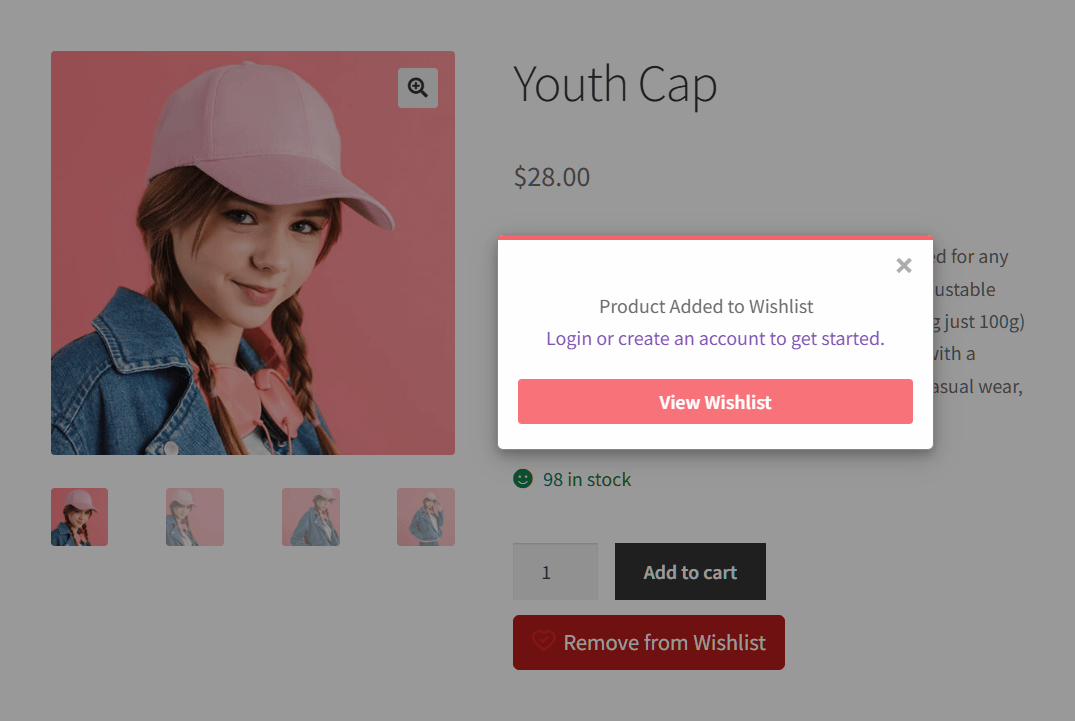
For the test, we set the button action to Popup instead of the default Redirect. A guest save then opened a popup with a View Wishlist button and a sign-up prompt. Meanwhile, the button label switched to “Remove from Wishlist”. Each save also fires a browser event and sets a 30-day cookie, which an exit-intent tool can read.
To be equally plain about our own free tier, Lite has no event fields or registry search page. It has no purchase tracking either. All three live in the Gift Registry Addon, on the paid side.
What The Paid Upgrade Buys On Each Side
This is where the two products separate. NM’s paid version goes deeper into the registry itself. By contrast, SaveTo Wishlist’s paid tiers add tools for the everyday wishlist. The registry layer sits on the top two plans.
NM’s listing names 16 Pro features, from extra emails to checkout messages and shipping to the list owner’s address. Four of them matter most for this decision:
- More than one list per customer: “Ability for each customer to have multiple gift registries or wishlists” sits under Pro.
- Owner notifications: emails when a list is created, fulfilled or deleted, and when an item is ordered, purchased or refunded.
- Knowing who bought what: list owners can see the details of who bought items for them.
- Visibility controls: frontend visibility settings, plus the option to exclude a list from search results.
Read as an upgrade path, one line stands out. With a second list gated, the trigger to buy is a returning customer asking for another list. That isn’t a wedding-season event. It’s ordinary save-for-later behavior that happens every week of the year.
SaveTo Wishlist’s paid plans and pricing
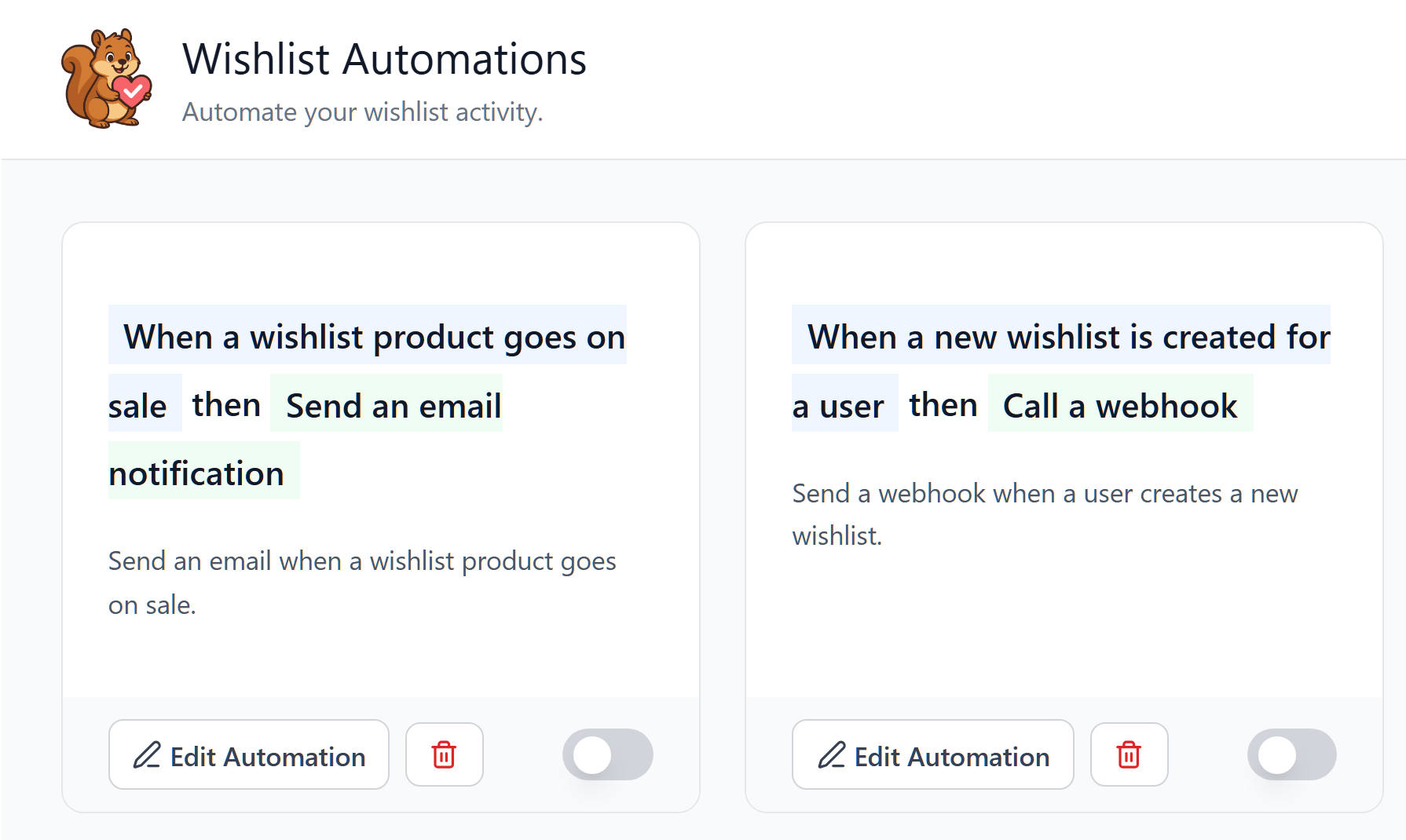
SaveTo Wishlist gates something different. Pro adds price-drop and back-in-stock alerts, wishlist analytics, automations, real-time webhooks and role-based access. None of that is in the free tier. The Gift Registry Addon sits above it on Plus and Business, alongside advanced sharing options.
Pricing is introductory in the first year, and every plan renews at the regular rate. Growth is $49.50, then $99. Plus is $99.50, then $199. Business is $199.50, then $399.
NM sells its Pro version on its own store for $99, renewed yearly. It doesn’t publish a separate renewal price. So after year one, NM Pro costs less than Plus. The difference is scope: NM’s $99 buys its registry, while Plus adds Pro’s alerts, analytics and automations.
🔍️ What we’d check first: which trigger will your store hit first? It might be a customer asking for a second list, or a registry owner asking who bought their gift. On NM Gift Registry, both sit in Pro. On SaveTo Wishlist, the second list is free and the buyer view comes with the Gift Registry Addon.
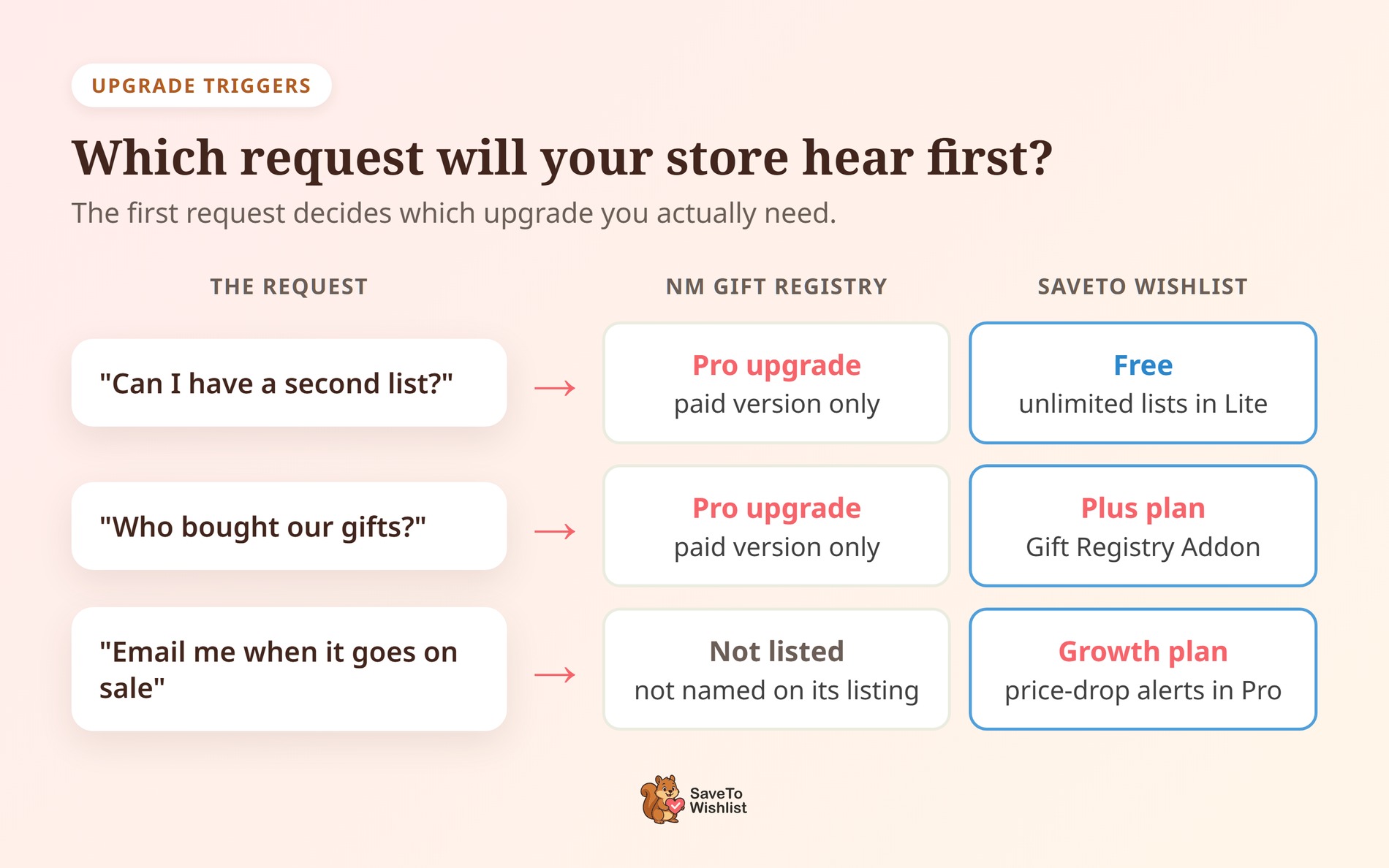
Both upgrades compared plan by plan
Here’s the same picture by plan. It draws on each product’s published feature list plus our staging test of Lite.
| Capability | SaveTo Wishlist Lite (free) | SaveTo Wishlist Plus (Pro and Gift Registry Addon) | NM Gift Registry and Wishlist |
|---|---|---|---|
| Multiple named lists per customer | Unlimited | Unlimited | Pro only |
| Guest lists without an account | Yes, held in the browser and merged on login | Yes | Yes, free |
| Event details on the list | Not in Lite | Yes, Gift Registry Addon | Yes, free |
| Public search for finding a registry | Not in Lite | Yes, Find a Registry page | Yes, free advanced search form |
| Owner sees who bought what | Not in Lite | Yes, Gift Registry Addon | Pro only |
| Owner emails when gifts are bought or refunded | Not in Lite | Yes, Gift Registry Addon | Pro only |
| Price-drop and back-in-stock alerts | No | Yes, Pro | Not named on its listing |
| Wishlist analytics | No | Yes, Pro | Not named on its listing |
| Automations and real-time webhooks | No | Yes, Pro | Not named on its listing |
| Import from YITH, TI, MoreConvert and WPC | Yes, four importers | Yes | Not named on its listing |
Look at the alerts, analytics and automation rows. None of them are registry features. Instead, they follow up on saved items all year, including the months when nobody on your list is getting married. That’s most of what the SaveTo Wishlist upgrade buys.
The Registry Capabilities That Decide It
Four things decide whether an NM Gift Registry alternative holds up with real guests. It needs event details, purchase tracking, account-free buying and a way to be found.
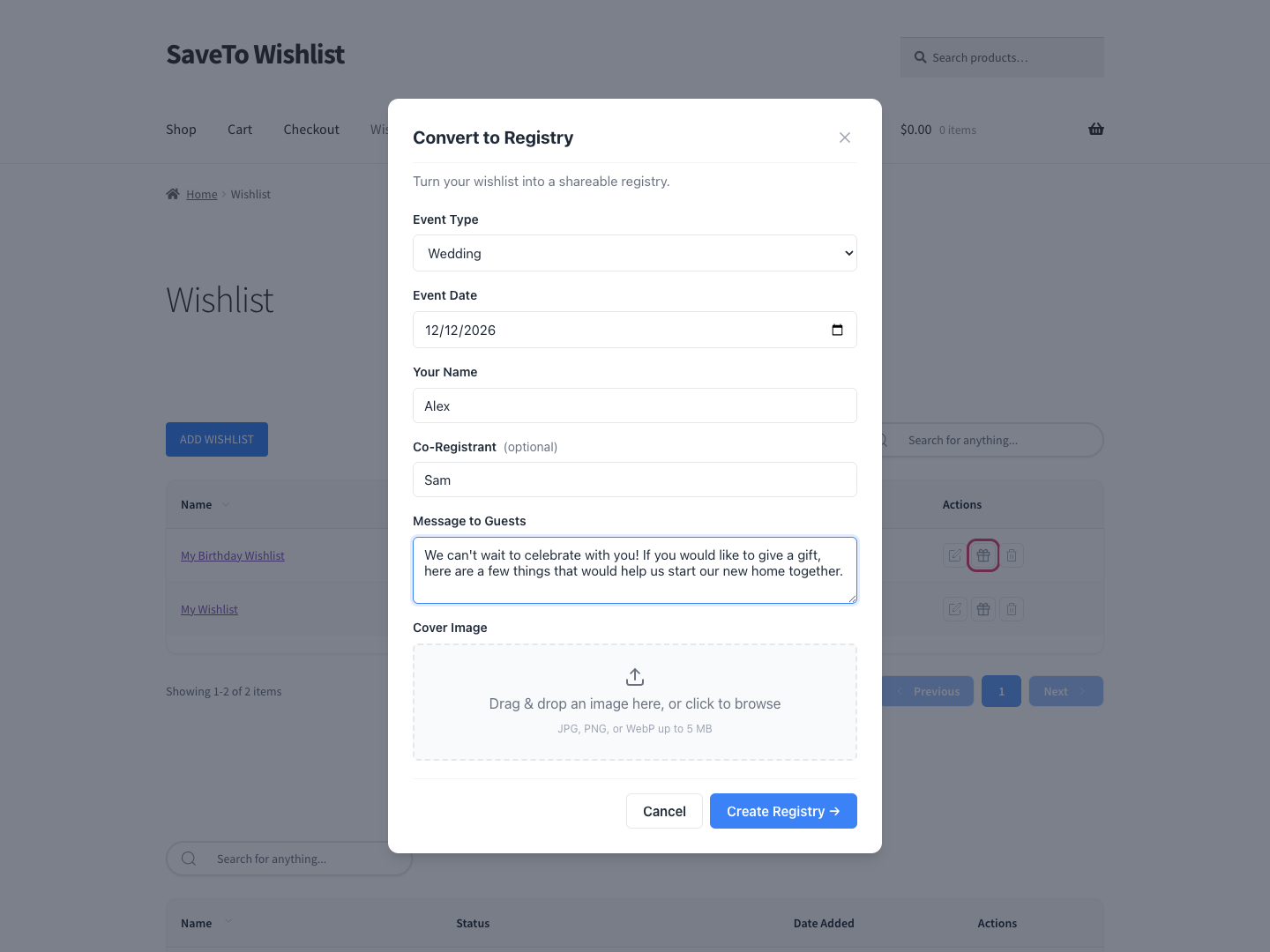
With the Gift Registry Addon, a customer converts an existing wishlist into a registry through a short event-details form. A Gift Registries tab then appears in My Account, right after the Wishlist tab. Purchases record as the order goes through and reduce the still-needed counts. That way, two guests are far less likely to buy the same gift.
It lowers the risk rather than ruling it out. If two guests check out the last unit at the same moment, both orders go through. The owner’s dashboard then flags the extra, so the store can sort out an exchange.
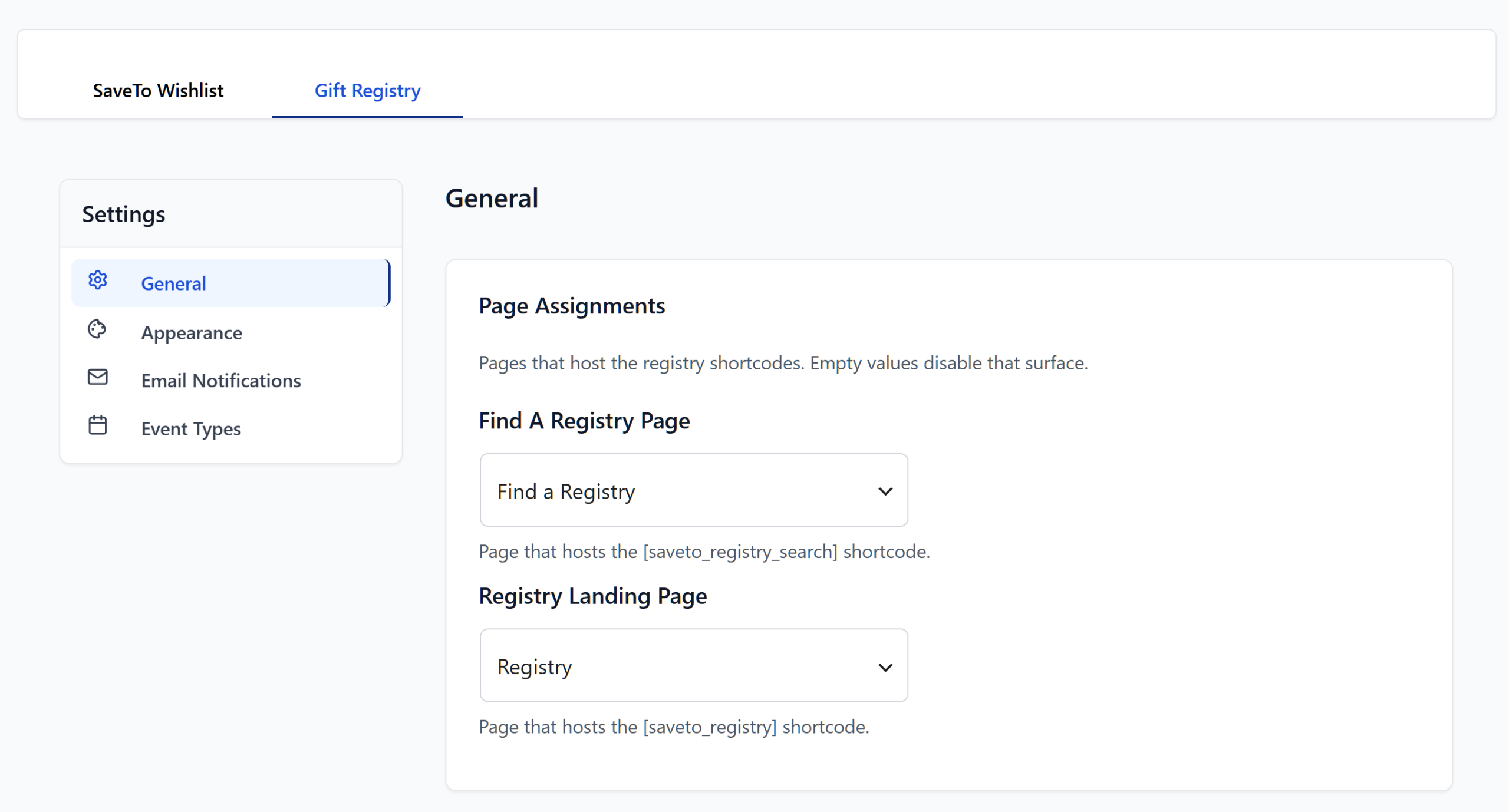
Guests can buy from a registry without creating an account, as long as guest checkout is switched on in WooCommerce. A public Find a Registry page carries the [saveto_registry_search] shortcode. There, people search by the registrant’s name and filter by event type.
After the sale: who bought what
Credit where it’s due: NM’s free advanced search form covers findability without an upgrade. Its cart also tracks items from several lists into the order. The gap is in what happens after the sale. Showing the owner who bought what is a Pro feature, and so are the ordered, purchased and refunded emails.
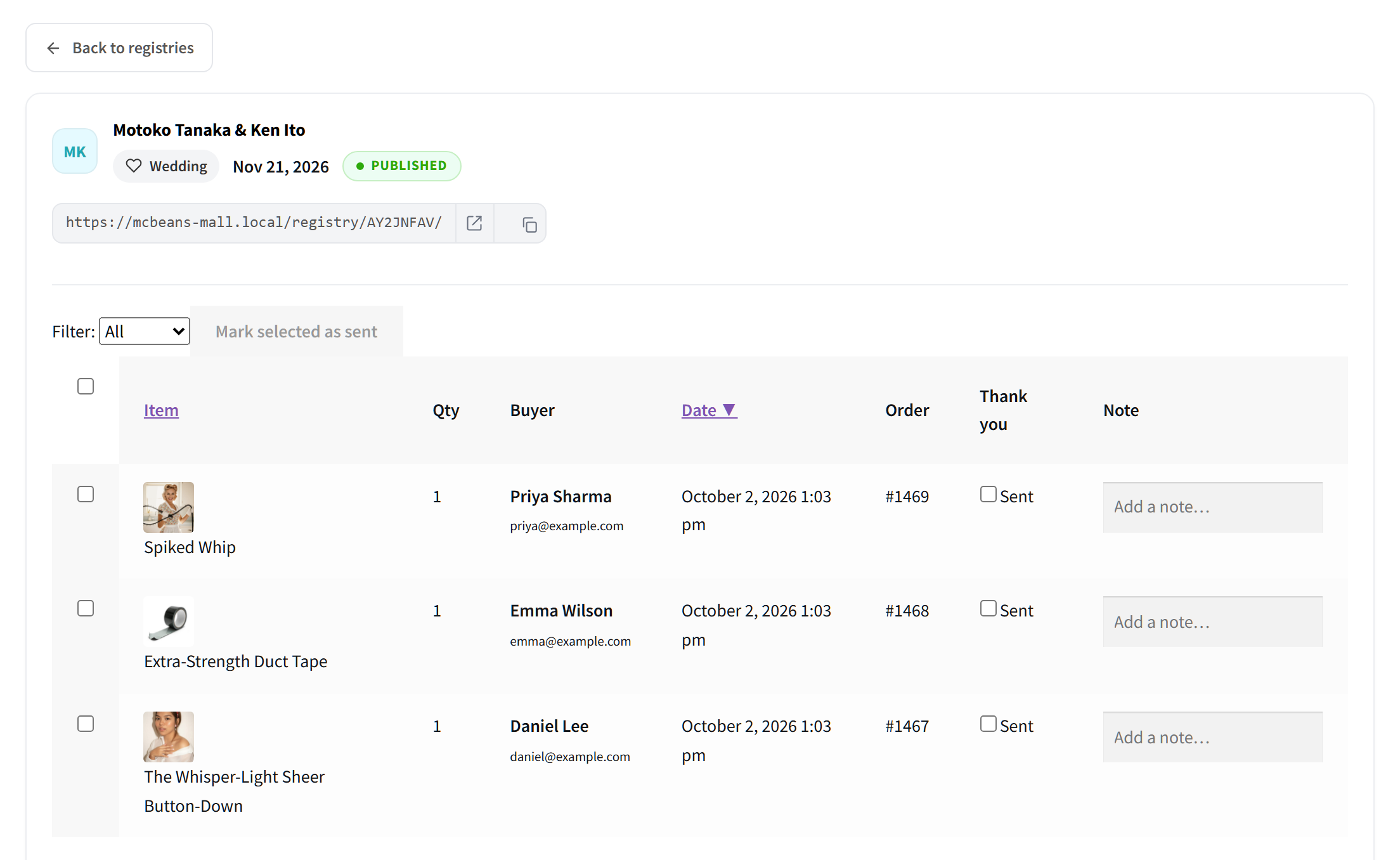
Without that view, a couple has to ask the store who sent each gift before writing thank-you notes. On SaveTo Wishlist, the owner’s dashboard lists the item, quantity, buyer and order number for every purchase. That order number is what ties each gift to your order exports.
🔍️ What we’ve seen: store owners often ask to switch the registry on first and sort out the everyday wishlist later. We suggest the other way round. A registry covers one event, while an everyday list runs all year. The saving habit underneath gives registry visitors a reason to come back once the event is over.
For group buying rather than a gift list, SaveTo Wishlist Pro handles collaborative and shared wishlists by email invitation. For the store-side build, see our guide on how to set up a gift registry for weddings and events.
Which Upgrade Path Suits Your Store
Pick the tier by what your store does for the rest of the year. Then check that the registry layer is included at that level, rather than assuming it.
- Everyday saving is the point: start on SaveTo Wishlist Lite for free. Move to Growth ($49.50, then $99) when you want alerts and analytics. Growth doesn’t include the Gift Registry Addon.
- You run gifting seasons: Plus ($99.50, then $199) is the real entry point. It’s the first plan that bundles the Gift Registry Addon.
- Several stores or client builds: Business ($199.50, then $399) adds an unlimited-sites license and multisite support. Growth and Plus each cover a single site.
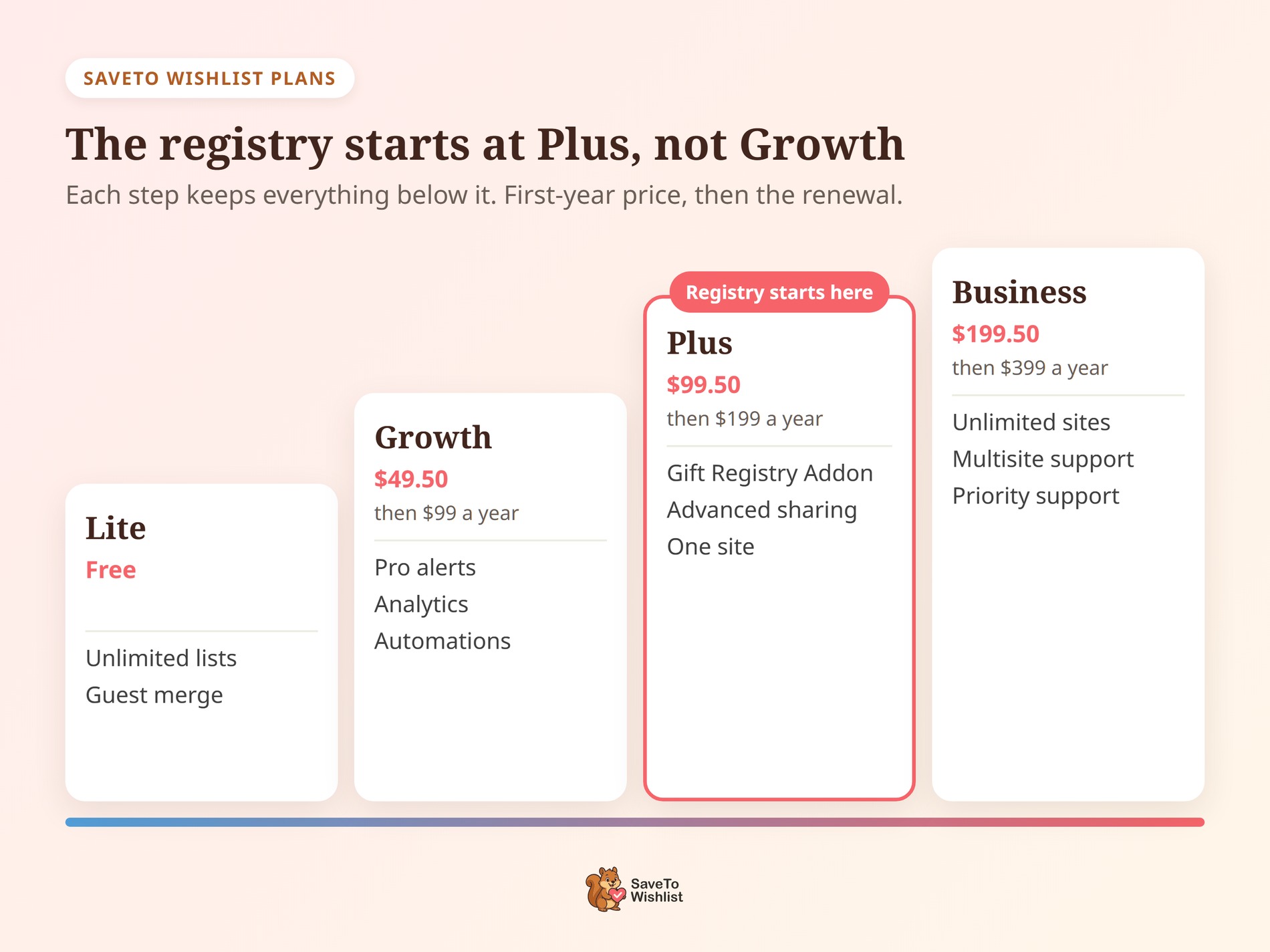
Full plan details sit on the SaveTo Wishlist pricing page. Choose by the addon, not by site count, so you don’t buy Growth and find the registry missing.
There’s one limit to plan around before you move to an NM Gift Registry alternative. The SaveTo Wishlist importer reads four sources, and NM Gift Registry isn’t one of them. So those lists get rebuilt rather than imported.
In practice, that costs less than it sounds. Registries are tied to an event, so a wedding list becomes a record once the wedding is over. Let any live event finish, start the everyday wishlist fresh underneath, then switch the registry on before the next season.
Running one of the four supported plugins? Our knowledge base explains how to import your wishlists from another plugin. The importer shows a summary of what will move before anything runs.
NM Gift Registry Alternative FAQ
Can I start free and upgrade later?
Yes, and that’s the intended path. SaveTo Wishlist Lite is free and gives every customer unlimited named lists. So you can run everyday saving for a season before spending anything. Upgrading to Pro keeps the lists your customers already built and adds alerts, analytics, automations and webhooks.
What happens at renewal?
The first-year price is introductory, and each plan renews at the regular rate. Growth is $49.50 for the first year and $99 after that. Plus is $99.50 and then $199, and Business is $199.50 and then $399. Budget on the renewal figure, since that’s the number you’ll pay from year two.
Do I need the wishlist plugin as well as the registry addon?
Yes. The Gift Registry Addon is a layer on top of SaveTo Wishlist, not a standalone registry product. That’s why customers convert an existing wishlist into a registry instead of starting from scratch. It’s bundled with the Plus and Business plans and isn’t part of Growth.
Can I import my existing NM Gift Registry lists?
No. The SaveTo Wishlist importer reads YITH WooCommerce Wishlist, TI WooCommerce Wishlist, MoreConvert Wishlist and WPC Smart Wishlist. NM Gift Registry isn’t one of those four.
Let live registries finish on your current setup, then build the ongoing wishlists fresh. Past events are records rather than live lists, so there’s rarely much worth carrying across.

The NM Gift Registry Alternative Worth Upgrading Into
Free tiers get chosen in an afternoon, and paid tiers get lived with for years. The upgrade you’ll actually buy tells you more about a registry plugin than the one you install today.
On that test, SaveTo Wishlist is the NM Gift Registry alternative to pick. Its free tier gives every customer unlimited named lists rather than one. Its paid tiers add alerts, analytics, automations and webhooks for everyday saving. Then the Gift Registry Addon brings conversion, purchase tracking, guest buying and a public search page when the events arrive.
- Compare the two products by shape before any feature list.
- Check what each free tier covers against weekly customer behavior.
- Work out which upgrade you’d buy and what triggers it.
- Test the four registry capabilities against a real event.
- Pick the tier by the addon, not by site count.
Install SaveTo Wishlist Lite for free and watch a month of real saves. Then move up to the Plus plan before your next gifting season. That way, the Gift Registry Addon is ready when the first couple asks. For the wider category, our WooCommerce wishlist plugins comparison covers the other options.