

 Reviewed by
 I’ve spent years optimizing WooCommerce stores, and I used to focus exclusively on the usual CRO playbook: faster pages, better product photos, fewer checkout steps. All those ecommerce conversion optimization strategies matter. But I kept hitting the same wall.
Most visitors just aren’t ready to buy on their first visit.
You can have the fastest-loading product page in the world, and it won’t matter if the visitor needs three more days to make up their mind. The real question isn’t always how to convert them right now. It’s how to make sure they come back when they’re ready.
That’s where wishlists changed my approach to ecommerce conversion optimization. Not as a “nice to have” feature, but as a genuine conversion tool that captures purchase intent and creates a path back to your store.
This guide covers the psychology behind why wishlists work, how they impact every stage of your conversion funnel, and the specific tactics you can use to turn wishlist activity into revenue. If you’ve been thinking about wishlist features as a convenience for customers, it’s time to start thinking about them as part of your CRO strategy.
Table Of Contents
The Conversion Problem Most Stores Ignore
Here’s a number that should reframe how you think about ecommerce conversion optimization: the vast majority of visitors to your store won’t buy on their first visit.
According to Statista, the average conversion rate for global ecommerce is about 2-3% (while a good conversion rate is 4% or higher). That means 97-98% of visits to your store don’t end in a sale.
The typical response when applying standard conversion rate optimization strategies is to optimize for that first visit: improve page speed, write better product descriptions, add trust badges, simplify checkout. All of those are good investments. But they’re all focused on the same assumption: that the visitor should convert right now, in this session.
What about the visitors who are interested but need more time? The ones who are comparison shopping across three stores, or waiting for payday, or not sure about the size, or just not in a buying mood today?
Without a save mechanism, those visitors have exactly one option: leave. They might bookmark the page (they probably won’t). They might remember the product name (they probably won’t). Or they might come back on their own (most won’t).
How wishlists change the equation
A wishlist gives interested-but-not-ready visitors a low-friction action they can take right now that creates a concrete path back to your store later. Instead of “buy or leave,” the choice becomes “buy, save, or leave.” And that middle option captures an enormous amount of intent that would otherwise disappear.
Research from the Baymard Institute shows that around 70.22% of online shopping carts are abandoned. A significant portion of those aren’t failed conversions. They’re shoppers who weren’t ready yet but had no other way to save their interest. A wishlist gives them that mechanism before they even get to the cart.
The Psychology Of Saving vs. Buying
Understanding why wishlists work requires understanding the psychology of how customers make purchase decisions.
Why saving feels different from buying
Buying a product triggers loss aversion. You’re spending money, which feels like losing something. Even when you want the product, the payment step creates friction and hesitation. That’s the core tension in every purchase decision.
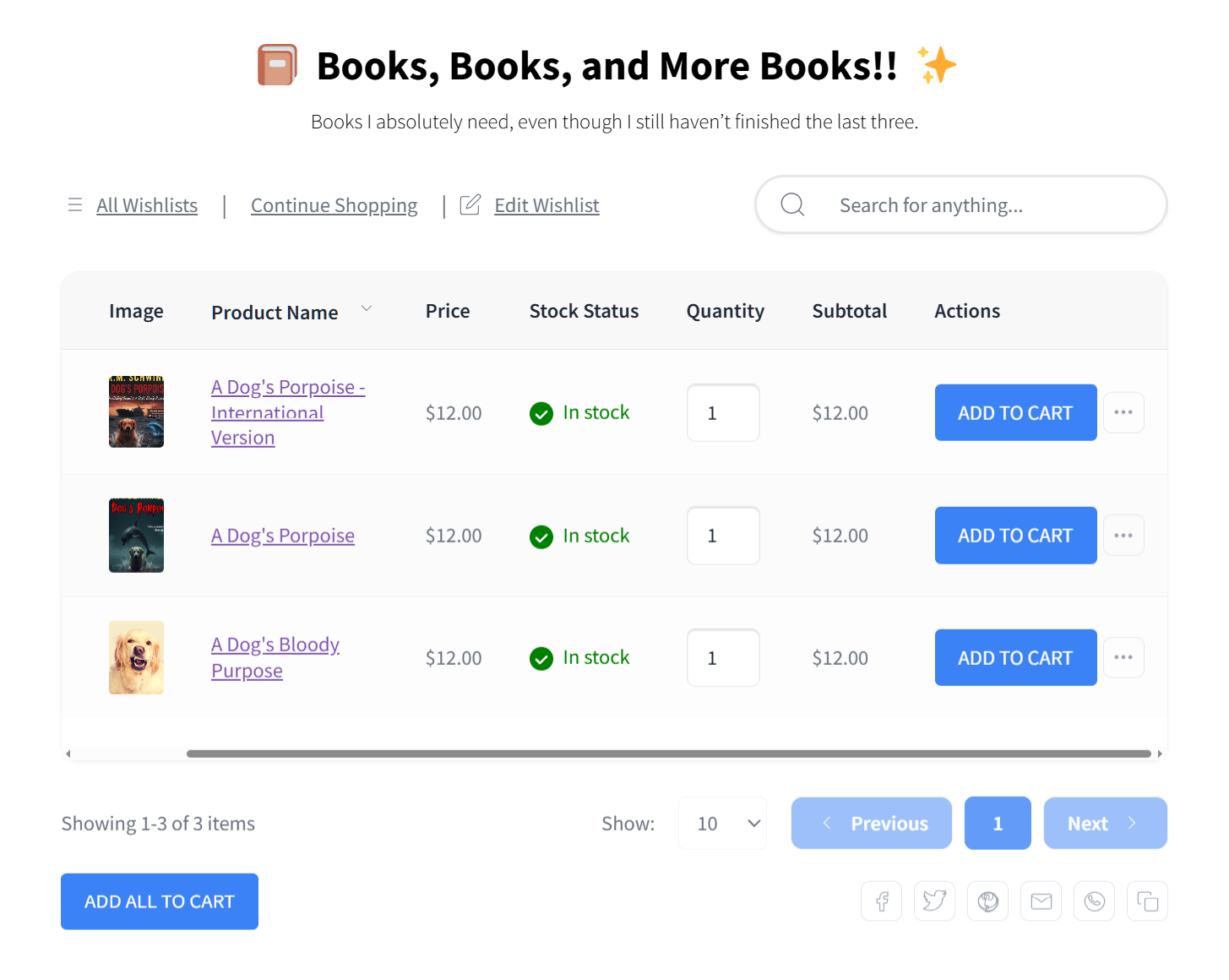
Saving a product to a wishlist triggers something very different: anticipation. There’s no cost, no risk, no commitment. You get the pleasant feeling of “claiming” a product without any of the anxiety that comes with paying for it. It’s all reward, no sacrifice.
This is why the Save button often gets clicks from visitors who would never click Add to Cart. The psychological cost of saving is essentially zero. And every save is a captured intent signal that you can act on later.
The endowment effect and wishlists
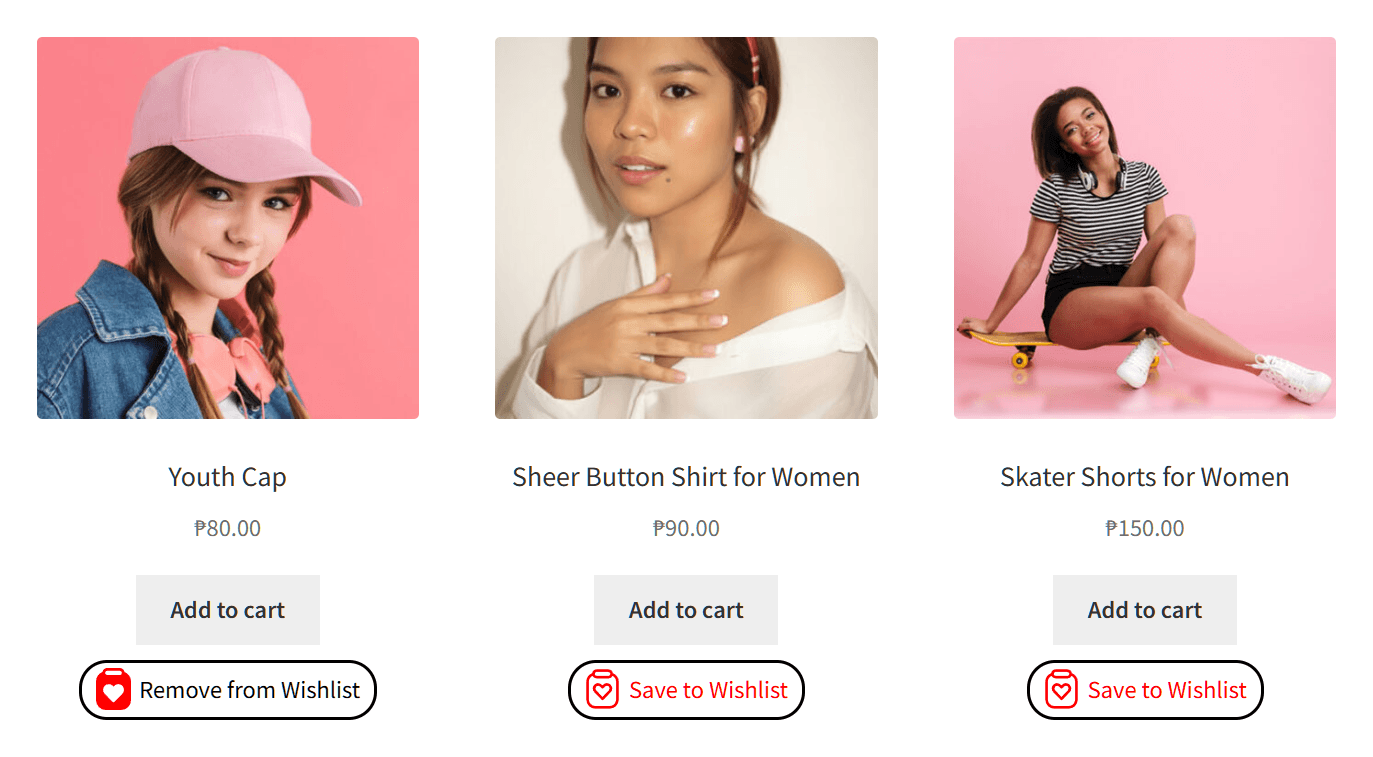
Once someone saves a product to their wishlist, something subtle shifts in their brain. They start to feel a sense of ownership over that item, even though they haven’t bought it. Psychologists call this the endowment effect: we value things more once we perceive them as “ours.”
A product on your wishlist feels different from a product on a store page. It’s your saved item. You chose it. And that psychological ownership makes you more likely to return and complete the purchase.
The longer an item sits on a wishlist, the more it becomes part of the customer’s mental inventory. Removing it starts to feel like giving something up. That’s why wishlisted items convert over time. They’re not forgotten. They become embedded in the customer’s plans.
Reducing decision fatigue
Shoppers who are overwhelmed by choices often do the worst possible thing for your conversion rate: nothing. They freeze and leave.
Wishlists serve as a decision-making tool. Instead of forcing a choice between “buy this one” or “look at more options,” the customer can save favorites as they browse and narrow down later. The wishlist becomes a personal shortlist.
This curation process leads to more confident purchases. By the time the customer comes back and picks an item from their wishlist, they’ve already compared, considered, and decided. That’s a fundamentally different buyer than someone who impulsively clicks Add to Cart on the first product that looks good.
🔍️ What We’ve Seen: Stores that add a wishlist button to their product pages often see overall conversion rates increase, not just wishlist saves. This seems counterintuitive at first. You’d expect a “save for later” option to cannibalize immediate purchases. But what actually happens is that undecided visitors, the ones who would’ve bounced without taking any action, now have something to do. The wishlist reduces exit rates by giving fence-sitters a low-commitment action. Some of those saves convert to purchases within days. The net effect is positive.
How Wishlists Impact Your Conversion Funnel
Wishlists don’t just add a feature to your store. They’re a powerful tool for ecommerce conversion optimization. After all, they change how your entire funnel works by creating a new path between “browsing” and “buying.”
Top of funnel: capturing browse intent
First-time visitors are the least likely to buy and the most likely to be lost forever. A wishlist gives them a reason to engage with your store beyond just looking.
Guest wishlists are critical at this stage. If you require account creation before someone can save an item, you’ve put a wall between “interested” and “engaged.” Most first-time visitors won’t create an account just to save a product. SaveTo Wishlist’s guest wishlist feature lets any visitor save items without signing up, which means your wishlist captures intent from everyone, not just registered customers.
Mid-funnel: nurturing saved intent
Once a visitor has saved items, you have something powerful: explicit purchase intent data. And there are multiple ways to act on it.
- Price drop alerts re-engage wishlist users with a specific, relevant reason to buy. A generic promotional email might get opened. A notification that says “that jacket you saved just dropped 20%” gets clicked.
- Back-in-stock notifications capture demand for products that weren’t available when the customer wanted them. These are some of the highest-converting notifications in ecommerce because the customer has already chosen the product. They’re just waiting for availability.
- Email marketing integration turns wishlist data into targeted campaigns. Instead of sending everyone the same promotion, you can segment by what customers saved, build campaigns around popular wishlisted products, and time outreach based on wishlist activity.
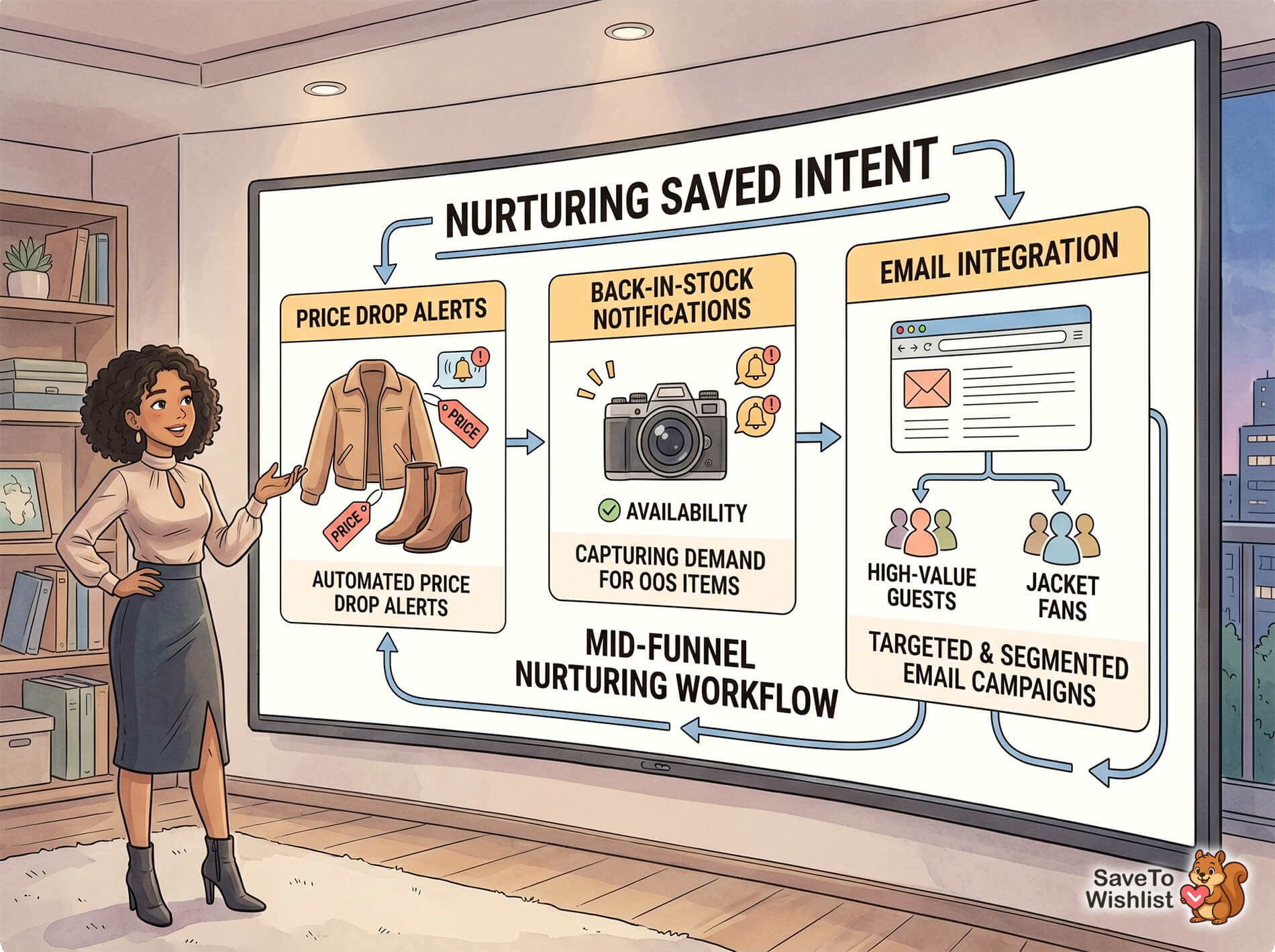
Wishlist automation ties these nurturing tactics together. Automated price drop alerts, back-in-stock notifications, and webhook integrations mean you can respond to wishlist activity in real time without manual intervention.
Bottom of funnel: converting wishlist users
When it comes to ecommerce conversion optimization, wishlist users who return to your store are among your highest-value visitors. After all, they’ve already expressed interest in specific products. In other words, they’re not browsing—they’re deciding.
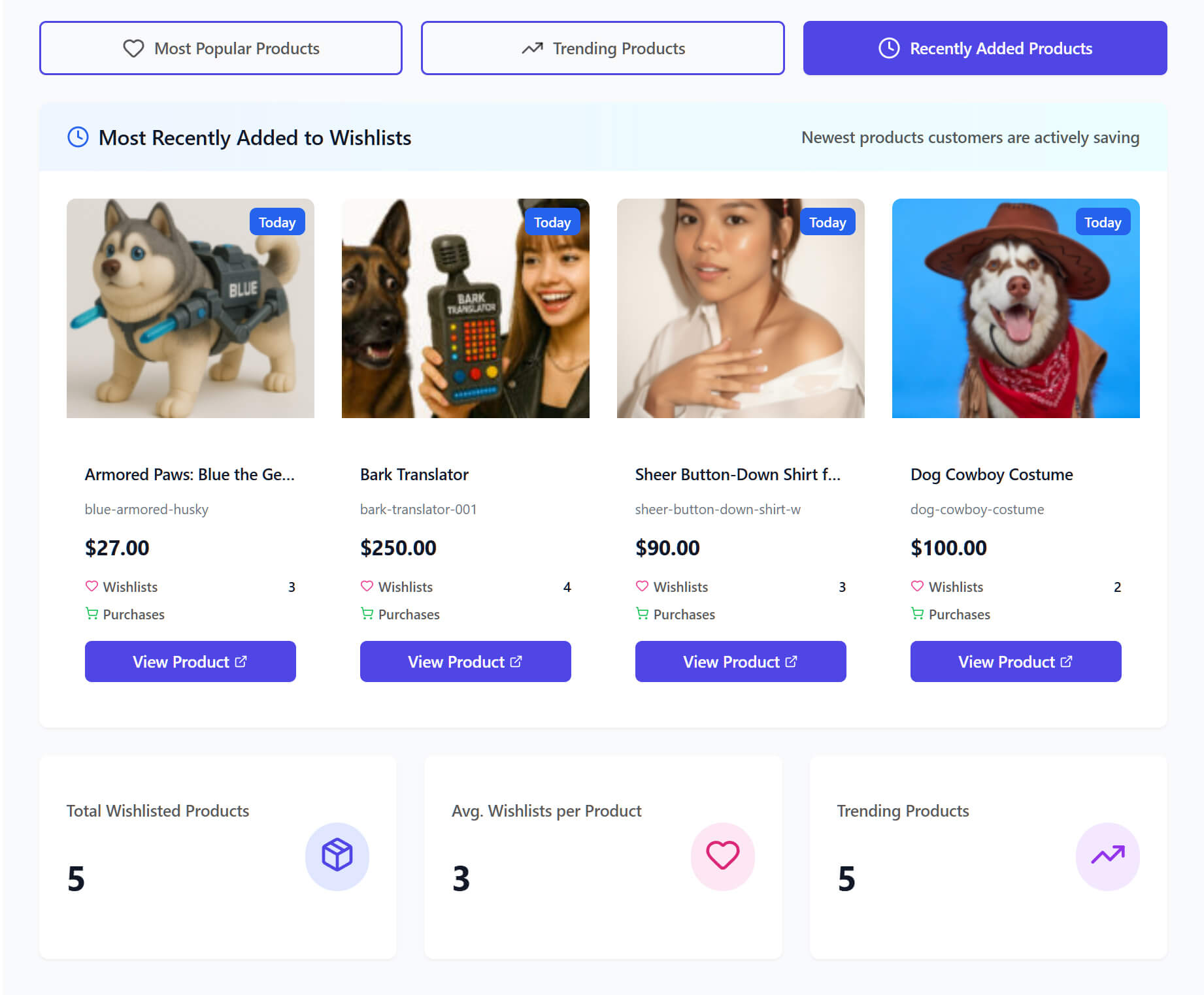
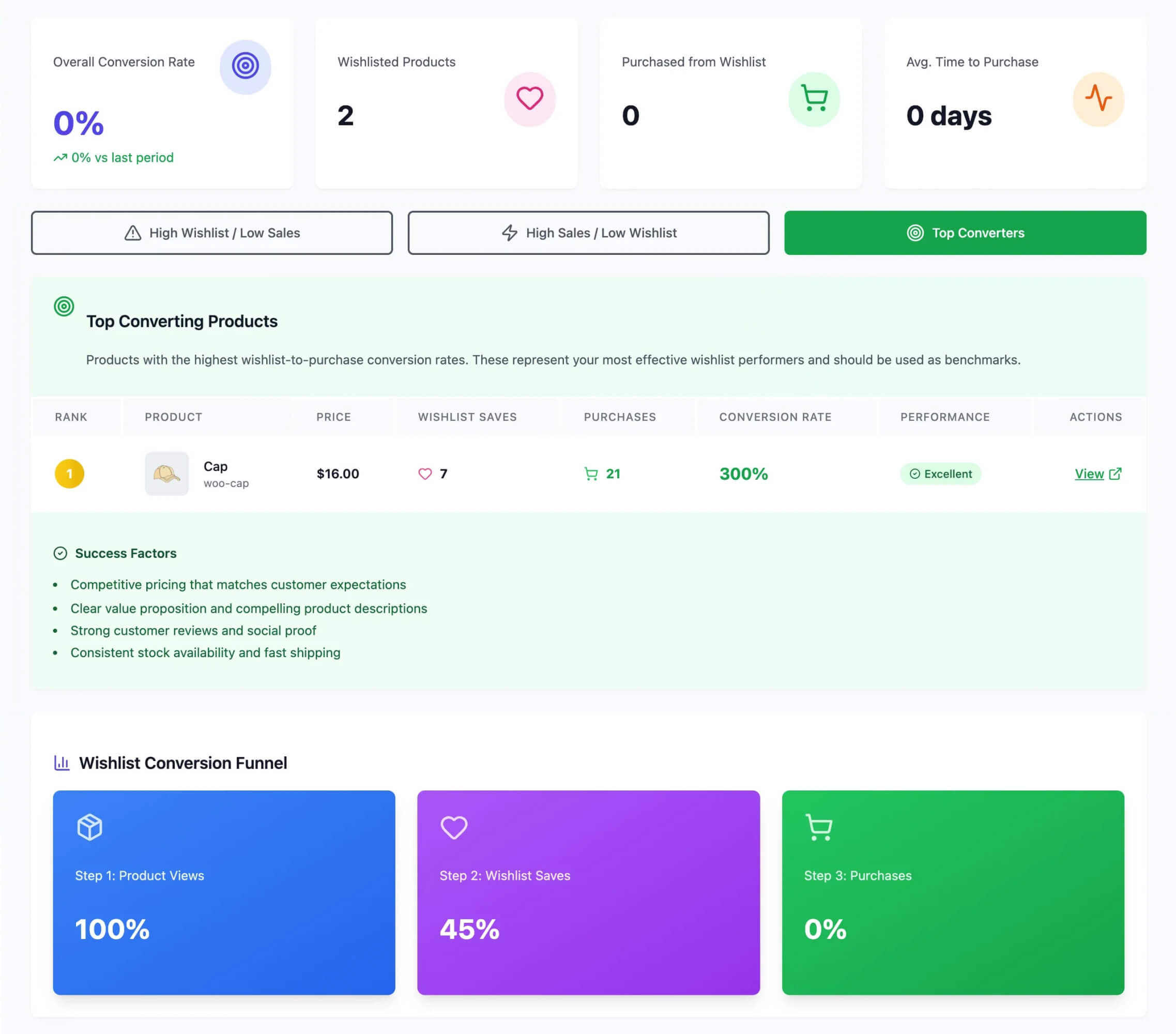
Wishlist-to-cart conversion tracking shows you which products successfully convert from saves. Advanced wishlist analytics let you see the full picture: which products get saved most, which ones actually convert, and how long the save-to-purchase cycle takes.
That data tells you where to focus. If a product has high saves but low conversions, there might be a pricing issue, a product page problem, or a competitor offering something better. If a product converts strongly from wishlists, it’s a candidate for more prominent placement and promotion.
Post-purchase: the retention loop
Wishlists aren’t a one-time feature. Customers who use wishlists tend to maintain ongoing lists as they discover new products. That means they have a built-in reason to return to your store between purchases.
This creates a retention loop that most ecommerce stores lack. Without a wishlist, the customer’s relationship with your store ends at the last purchase and doesn’t resume until they need something again. With a wishlist, there’s an ongoing connection. They check back on saved items, add new ones, and eventually convert again.
Wishlists complement cart abandonment recovery strategies. Cart recovery targets customers who were at the point of purchase and left. Wishlist nurturing targets customers who haven’t gotten to the cart yet. Together, they cover the full spectrum of intent.
7 Tactics To Turn Wishlist Activity Into Revenue
Understanding why wishlists improve your sales is the first step in ecommerce conversion rate optimization. Here’s how to make them work in practice.
1. Make the wishlist button impossible to miss
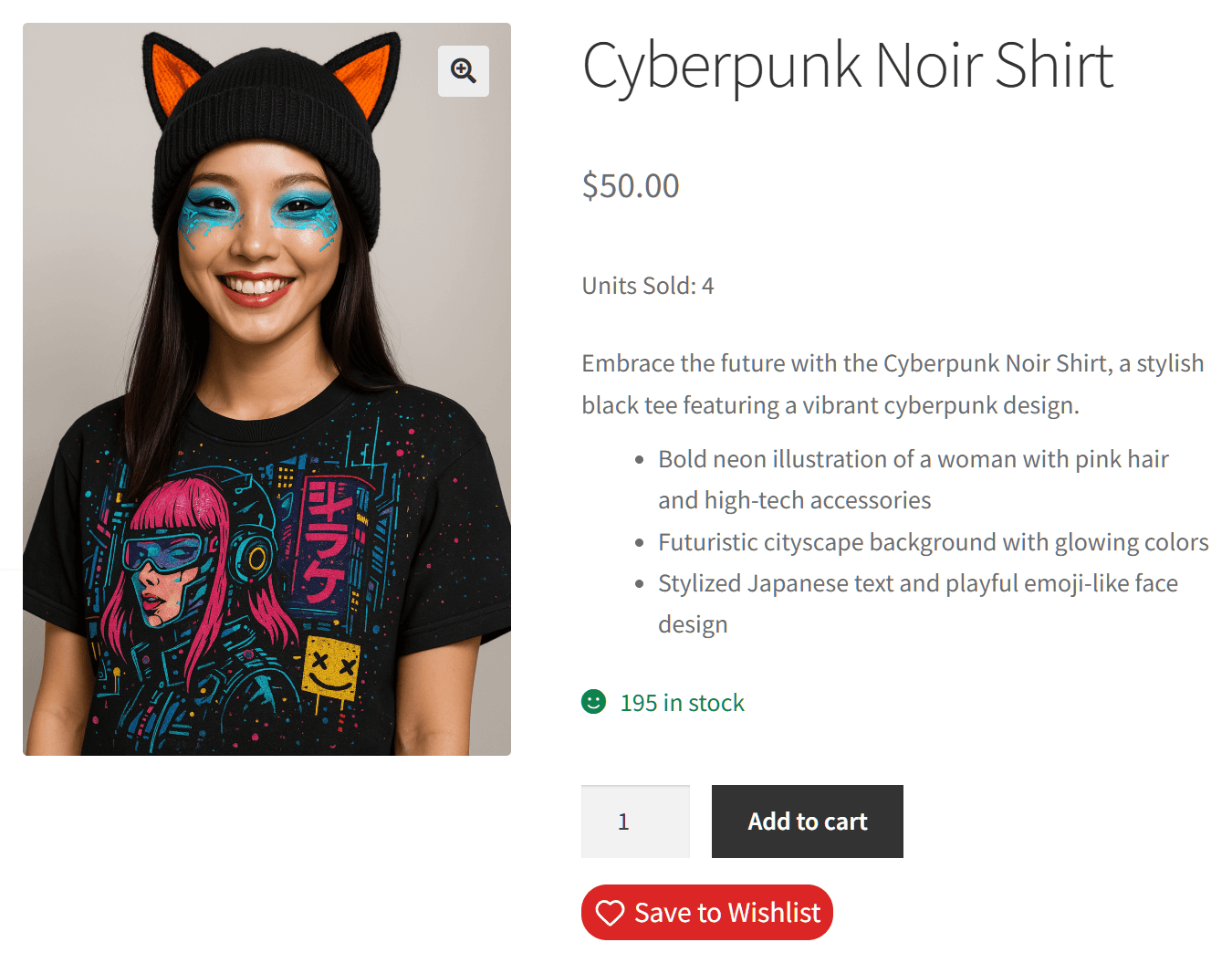
The wishlist button should be positioned next to the Add to Cart button, not buried below the product description or hidden behind an icon. It needs to feel like a first-class alternative action, not an afterthought.
Test placement on both individual product pages and shop/archive pages. Some stores see strong results from wishlist buttons on category pages, where customers are browsing and comparing multiple products.
2. Remove the account requirement
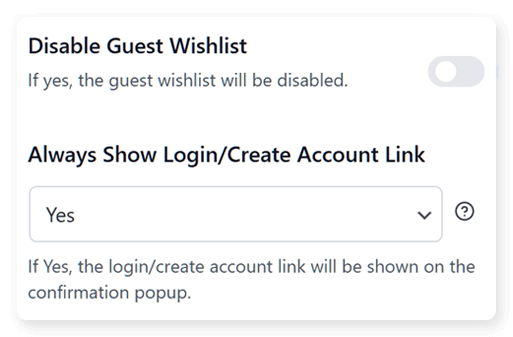
This is the single biggest friction point for wishlist adoption. If visitors have to create an account to save items, the vast majority won’t bother. They’ll just leave.
Guest wishlists eliminate this barrier entirely. Any visitor can save products immediately, no signup required. SaveTo Wishlist includes guest wishlists in its free version, so there’s no reason not to enable them from day one.
3. Send price drop alerts automatically
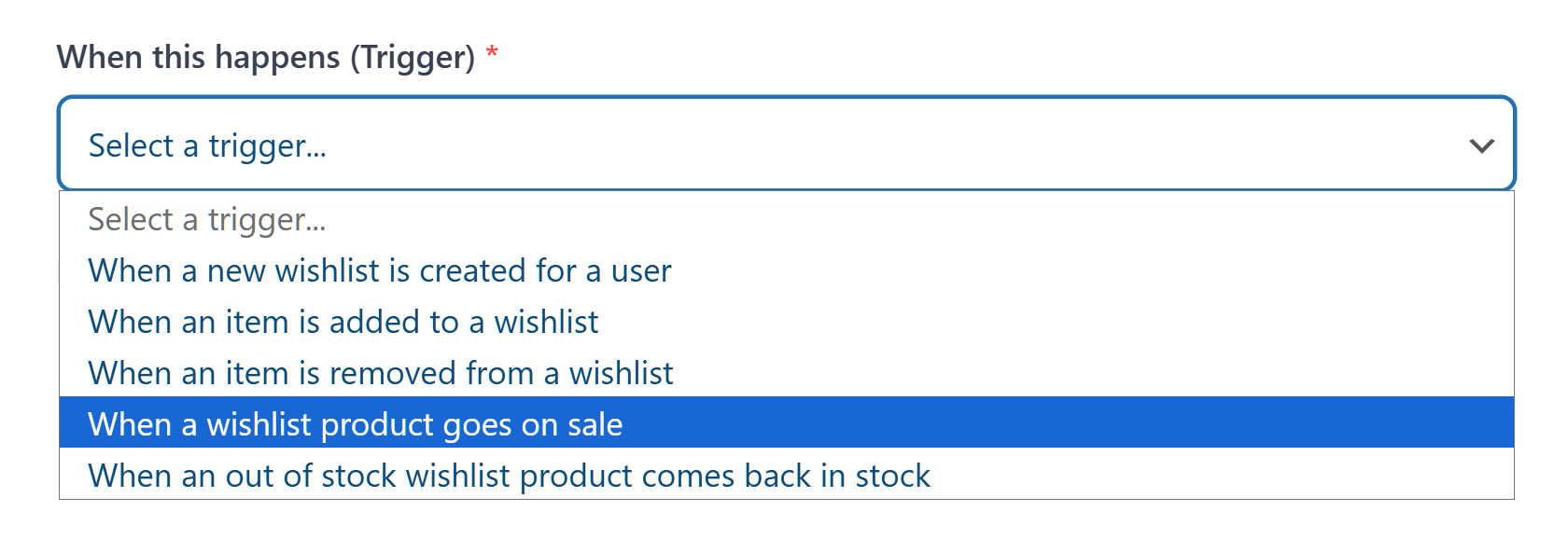
When a product on someone’s wishlist goes on sale, that’s a high-conversion moment. The customer has already expressed interest. A price reduction is often the nudge they need to convert.
Automated price drop alerts mean you don’t have to manually identify who saved what and send targeted emails. The system handles it. These notifications consistently rank among the highest-converting email types in ecommerce because they’re perfectly targeted: the right product, to the right person, at the right time.
4. Use back-in-stock notifications for out-of-stock saves
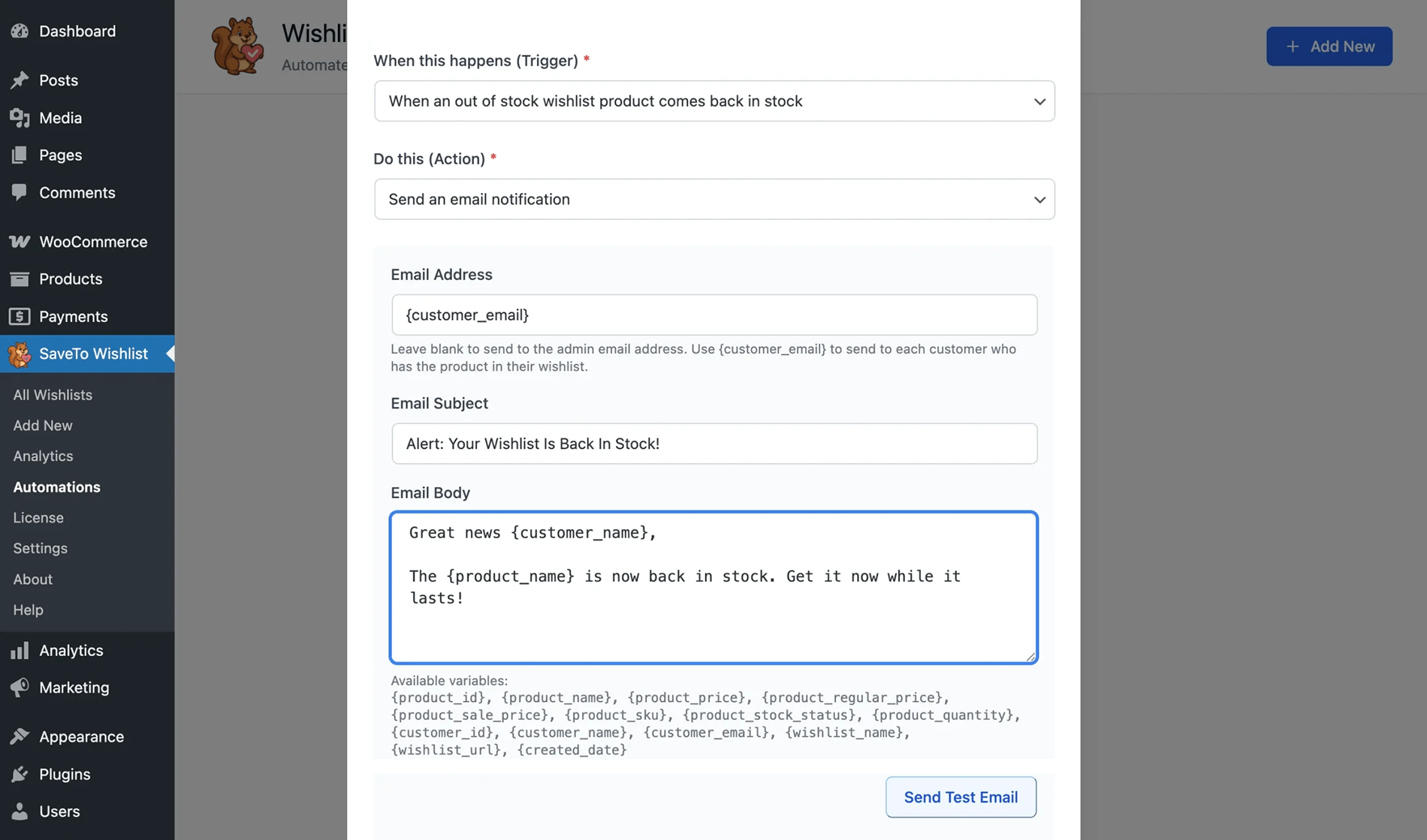
Customers who save out-of-stock items are telling you something specific: “I want this, and I’ll buy it when it’s available.” That’s pre-qualified demand.
Automated back-in-stock notifications capture that demand the moment inventory returns. The conversion rates on these notifications are typically strong because there’s zero guesswork about what the customer wants.
5. Build email campaigns around wishlist data
Your wishlist data is a goldmine for email segmentation. You know exactly what each customer is interested in. Use that.
Build campaigns that reference specific saved products. Segment by wishlist size (customers with 10+ items are deeply engaged), by product category, or by save recency. A customer who saved three pairs of running shoes last week is a very different prospect than someone who saved a lamp six months ago.
6. Track wishlist-to-cart conversion rates
Not all wishlisted products are equal. Some convert at high rates. Others get saved but rarely purchased.
Tracking wishlist-to-cart conversion rates tells you which products are effectively converting intent into sales and which ones have a gap between interest and purchase. High saves plus low conversions usually signals a product page issue: pricing, descriptions, or images that don’t match what attracted the customer in the first place.
Use wishlist analytics to identify these patterns and optimize the products that are getting saved but not bought.
7. Enable collaborative wishlists for gift-giving
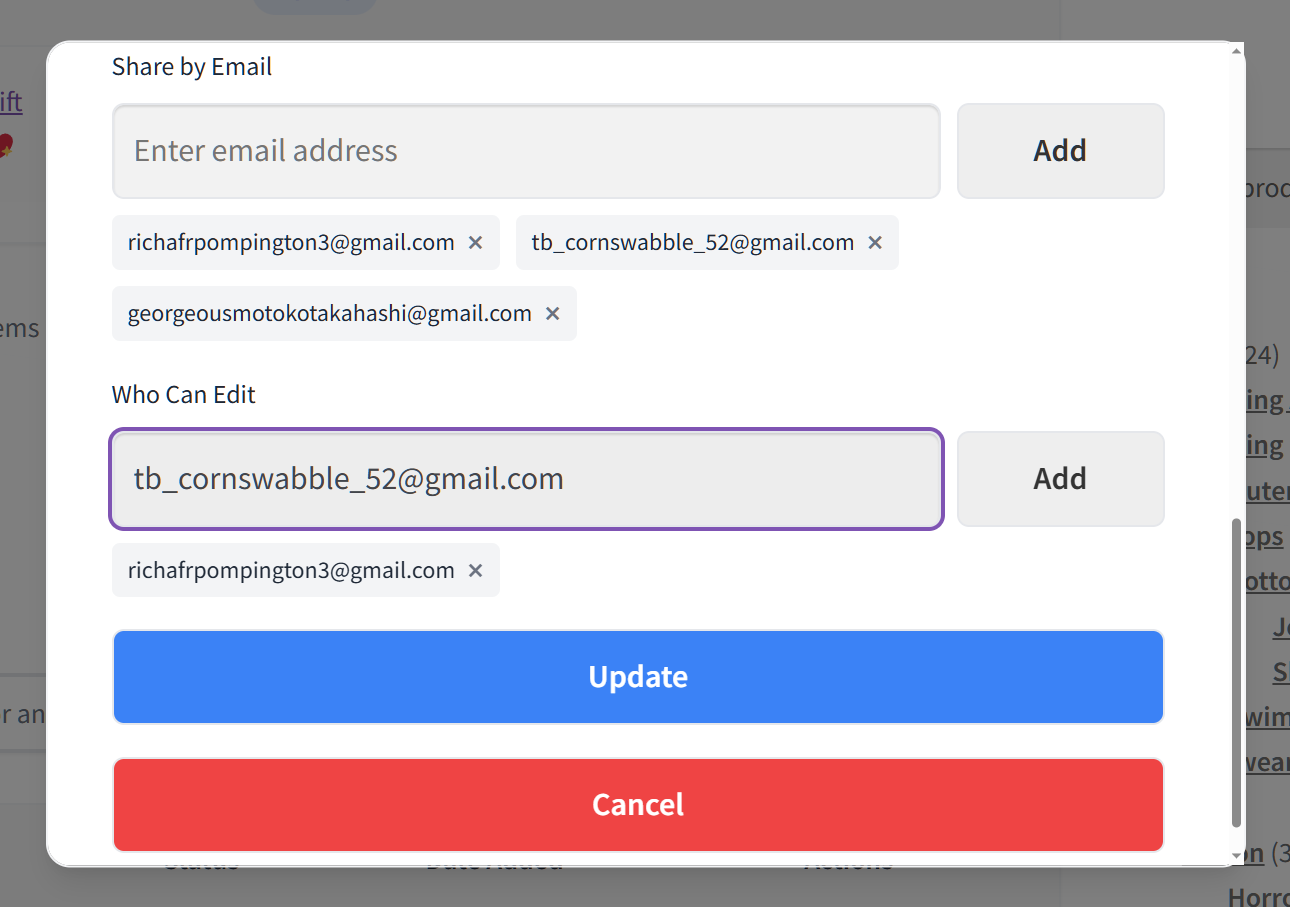
Shared wishlists bring new visitors to your store. When a customer shares their wishlist with friends and family for birthdays, holidays, or weddings, every person who views that list is a potential new customer.
Gift-giving occasions drive natural wishlist sharing. Making it easy to create and share lists expands your reach organically. Each shared list is essentially a curated, personalized product recommendation page hosted on your store.
Measuring Wishlist Impact On Conversions
You can’t improve what you don’t measure. Here are the key metrics to track once you’ve added wishlists to your ecommerce conversion optimization strategy.
- Wishlist creation rate. What percentage of your visitors create a wishlist or save at least one item? This tells you how visible and accessible your wishlist feature is. Low creation rates usually mean the button isn’t prominent enough or the friction to save is too high.
- Wishlist-to-cart conversion rate. Of the products that get saved, what percentage eventually make it into a cart? This is your core wishlist effectiveness metric. Track it over time to see how your nurturing tactics (price drop alerts, emails, etc.) are working.
- Average time from save to purchase. Understanding the typical save-to-buy cycle helps you time your outreach. If most wishlist conversions happen within 7 days, you know to focus your email nurturing in that window.
- Revenue attributed to wishlist-originated purchases. This is the bottom line. How much revenue comes from orders that started with a wishlist save? When you track this data, you can properly calculate conversion success rates and the actual ROI of your wishlist feature to justify further investment.
- Return visit rate: wishlist users vs. non-wishlist users. Wishlist users should return to your store at higher rates than non-wishlist users. If they don’t, your nurturing isn’t working. If they do, you have proof that wishlists are driving engagement.
SaveTo Wishlist Pro’s analytics provide most of these metrics, including wishlist-to-cart conversion tracking and most-wishlisted product reports. For revenue attribution, you’ll want to combine wishlist data with your Google Analytics or WooCommerce analytics setup.
FAQs: Ecommerce Conversion Optimization
Do wishlists actually increase ecommerce conversion rates?
Yes, though the mechanism is indirect. For effective ecommerce conversion optimization, remember that wishlists don’t just convert visitors who were going to buy anyway—they capture those who need more time. In other words, they capture visitors who were interested but not ready, give them a reason to return, and convert them over time. The net effect is that your store converts a larger total percentage of visitors, just not all in the first session.
What’s the difference between a wishlist and a cart for conversion purposes?
A cart signals “I’m ready to buy.” A wishlist signals “I’m interested but not committed.” They serve different stages of purchase intent. Cart abandonment recovery targets people at the point of purchase. Wishlist nurturing targets people earlier in the decision process. Both are valuable, and they complement each other.
Do I need a paid plugin to add wishlists to WooCommerce?
No. SaveTo Wishlist’s free version includes unlimited wishlists, guest wishlists, variation tracking, multiple wishlists, block theme support, button templates, and translation-ready functionality. The Pro version (starting at $49.50/year) adds analytics, price drop alerts, back-in-stock notifications, automations, and webhook integrations for stores that want to go deeper.
How do wishlists compare to cart abandonment recovery for capturing lost sales?
They’re complementary. Cart abandonment recovery catches people who got all the way to checkout and left. Wishlist nurturing catches people much earlier, before they’ve even added anything to a cart. Most of the intent your store loses happens before the cart stage, which is exactly where wishlists operate.
Can wishlists work for stores with small product catalogs?
Absolutely. Wishlists work for any store where customers might need time to decide. Even a store with 20 products benefits from letting customers save items for later. The conversion lift comes from capturing intent, not from catalog size.
How long does it take to see the conversion impact from adding wishlists?
You should start seeing wishlist saves within the first week. Conversion impact takes longer because it depends on the save-to-purchase cycle, which varies by product and price point. Give it 30-60 days to accumulate enough data to see meaningful patterns. The impact compounds over time as more customers build and return to wishlists.
How do wishlists fit into broader ecommerce conversion rate optimization?
Wishlists are a crucial piece of the puzzle. While standard ecommerce conversion rate optimization tactics often focus on immediate checkout improvements, wishlists secure future sales by keeping undecided shoppers actively engaged with your brand until they are ready to buy.
Conclusion
Wishlists aren’t a nice-to-have feature. They’re a conversion tool that fills a gap most ecommerce stores don’t even realize they have: what happens when someone is interested but not ready to buy.
The psychology is clear. Saving a product creates psychological ownership, reduces decision fatigue, and builds anticipation. The data backs it up: wishlist users return at higher rates, convert more predictably, and tend to make more confident purchases.
If your ecommerce conversion optimization efforts have been focused exclusively on converting first-time visitors in a single session, you’re missing the larger opportunity. Most of your traffic isn’t ready to buy today. Give them a way to save their interest, and you create a path back to your store that didn’t exist before.
The good news is that most of what makes wishlists effective is available for free. SaveTo Wishlist’s free version includes unlimited wishlists, guest wishlists, variation tracking, and multiple wishlists. That’s the full foundation.
For stores ready to go deeper, SaveTo Wishlist Pro adds analytics, price drop alerts, back-in-stock notifications, and automation capabilities starting at $49.50 for the first year, then $99/year thereafter, with a 14-day money-back guarantee. Download the free plugin, start tracking your wishlist data, and see how it changes your conversion numbers.



