

 Reviewed by
 You’ve got products people want, but shoppers don’t always buy on the first visit. They browse, they leave, and they forget. That’s where the best WooCommerce wishlist plugins come in. A wishlist lets customers save products and come back when they’re ready to buy.
However, the problem is picking the wrong plugin. Some are bloated and slow down your online store. Some lock every useful feature behind a pricey subscription. And some look great on paper but don’t actually help you recover lost sales.
According to Baymard Institute, the average online cart abandonment rate is 70.22% across 50 different studies. That’s a lot of potential revenue walking away, and a wishlist is one of the simplest tools to bring some of it back.
In this article, I’ve tested and compared four of the most popular WooCommerce wishlist plugins side by side. I’ll show you what each one does well, where each one falls short, and which one I’d recommend for most stores in 2026.
Jump to:
- What To Look For In A WooCommerce Wishlist Plugin
- Quick Comparison Of The Best WooCommerce Wishlist Plugins
- 2026 Head-To-Head: Performance Comparison
- A Closer Look At The 4 Best WooCommerce Wishlist Plugins
- Which Of The Best WooCommerce Wishlist Plugins Is Right For Your Store?
- FAQs: Best WooCommerce Wishlist Plugins
- Which WooCommerce Wishlist Plugin Should You Choose In 2026?
What To Look For In A WooCommerce Wishlist Plugin
Not all wishlist plugins are built the same. Before you install anything, here are six things worth checking.
- Performance impact: A wishlist plugin that slows your store hurts more than it helps. Look for lightweight code, AJAX loading, and cache-friendly design. Page speed affects conversions and search rankings.
- Block theme compatibility: WordPress has moved toward block themes (Full Site Editing). If your plugin doesn’t support block themes, you’ll run into display issues or need workarounds to get the add wishlist button to appear correctly.
- Multiple wishlists: Some shoppers want to organize by occasion, by recipient, or by timeline. Multiple wishlist support is a premium feature in most plugins, but it’s worth having for stores with diverse product ranges.
- Guest wishlist support: Not every shopper creates an account. If your plugin only works for logged-in users, you’re locking out a big chunk of your audience before they’ve even saved a product.
- Revenue automation: The most valuable wishlist features aren’t just “save for later.” Price drop alerts and back-in-stock notifications turn passive wishlists into active sales tools. These features pay for themselves quickly.
- Total cost over time: The sticker price is rarely the whole story. Some of the best WooCommerce wishlist plugins advertise a discounted first-year rate that renews higher. Others sell a one-time license with only 12 months of support attached. Work out what you’ll pay in year two before you commit.

🔍️ What we’ve seen: Store owners often install a wishlist plugin and assume the work is done. But the most common mistake we see is activating the plugin without setting up any follow-up automation. A wishlist by itself is a passive feature. Price drop alerts and back-in-stock emails are what turn it into a revenue tool. According to Omnisend, automated emails account for just 2% of email sends but drive 30% of email revenue. If your plugin can’t send those emails, you’re leaving money on the table every time a customer walks away.
Quick Comparison Of The Best WooCommerce Wishlist Plugins
Here’s how all four plugins stack up on the features that matter most.
| Plugin | Free Version | Pro Price | Block Theme Compatible | Price Drop Alerts | Active Installs |
|---|---|---|---|---|---|
| SaveTo Wishlist | Yes (multiple wishlists included) | From $49.50 first year, then $99 renewal | Yes (Native) | Yes (all paid plans) | Growing |
| YITH WooCommerce Wishlist | Yes (single wishlist only) | ~$99.99/year | Partial (Requires tweaking) | Yes (Pro) | 500,000+ |
| TI WooCommerce Wishlist | Yes (single wishlist only) | ~$79/year | Legacy/Shortcode | Yes (Pro) | 100,000+ |
| WPC Smart Wishlist for WooCommerce | Yes (single wishlist only) | $29 – $99 (Lifetime) | Yes (Native) | No | 100,000+ |
Note: Competitor pricing is approximate based on publicly available information as of early 2026. Check each plugin’s official website for current rates.
2026 Head-To-Head: Performance Comparison
Choosing the right wishlist tool is a simple math problem: How much does this plugin cost me in speed?
The Speed Test: How We Found These Numbers
Adding new features can sometimes slow down your online store. To find out which wishlist plugin is truly the most efficient, we ran a detailed test. Instead of looking at basic load times—which can change depending on your web host—we measured the exact amount of background code each plugin adds to a clean WooCommerce website.
The Methodology:
We used GTmetrix Lighthouse Performance on a clean WooCommerce storefront.
- The Baseline: Our test site started with a JavaScript (the background instructions that run your site) size of 82.2 KB and 48 total requests.
| Plugin | Added JavaScript (Code Weight) | Added Server Requests |
| SaveTo Wishlist | +2.5 KB (Winner) | +1 Request (Winner) |
| TI WooCommerce Wishlist | +6.1 KB | +4 Requests |
| WPC Smart Wishlist | +11.0 KB | +7 Requests |
| YITH WooCommerce Wishlist | +311.8 KB | +22 Requests |
The “Fastest Plugin” Math
If you’re wondering how we crowned a winner, here’s the simple math. We looked at the total “weight” each plugin added to our baseline site:
- SaveTo Wishlist: Only 2.5 KB added. Total site size: 84.7 KB.
- TI Wishlist: 6.1 KB added. Total site size: 88.3 KB.
- WPC Smart: 11.0 KB added. Total site size: 93.2 KB.
- YITH Wishlist: 311.8 KB added. Total site size: 394 KB.
The Result: SaveTo Wishlist is the clear winner because it’s the leanest. It’s 124 times lighter than YITH and less than a quarter of the weight of WPC. In the world of web speed, SaveTo Wishlist keeps your product pages loading instantly so your shoppers don’t get frustrated and leave.

SaveTo Wishlist Requires Fewer Server Check-ins
Every element on a webpage requires a separate “request” to your server. Think of a request like a trip to the grocery store. If a plugin needs 22 requests, it’s making 22 separate trips to get data.
- SaveTo Wishlist only makes 1 extra trip.
- TI Wishlist makes 4 extra trips.
- WPC Smart makes 7 extra trips.
- YITH Wishlist makes 22 extra trips.
This tiny detail is crucial. If your server is making 22 extra trips every time a customer looks at a product, it’s going to get overwhelmed fast, especially during huge shopping events like Black Friday or holiday sales. Thus, by making only 1 extra trip, SaveTo Wishlist stops your server from working overtime.

To understand how different wishlist plugins affect your website’s performance, see our full speed comparison!
A Closer Look At The 4 Best WooCommerce Wishlist Plugins
Now that we’ve seen how these tools impact your site’s speed and performance, it’s time to look at what they actually do.
A wishlist plugin should do more than just add a “save” button to your product pages; it should fit seamlessly into your theme, offer your customers a great experience, and actively help you recover lost sales.
Here’s a detailed breakdown of how each of these four popular plugins performs, what features you get for free, and what you unlock when you pay for the premium versions.
1. SaveTo Wishlist: Our Pick for Performance and Automation
Built for modern WooCommerce stores, SaveTo Wishlist is lightweight by design and works with block themes out of the box. Furthermore, it includes many useful features that most competitors put behind higher-priced tiers.

Free version features
The free version of SaveTo Wishlist covers more ground than most free tiers on this list. You get multiple wishlists, custom wishlist names, social sharing, and full compatibility with block themes. It also supports WPML and TranslatePress, which matters if you’re running a multilingual store. Other plugins typically reserve these crucial features for paid plans, but SaveTo Wishlist offers them all for free.
Admin controls are included in the free version too, so you’re not flying blind on what customers are saving. Guest wishlists automatically merge when a shopper creates an account, so nothing gets lost. You can see the full feature breakdown on the SaveTo Wishlist site.
- Multiple wishlists per user (free)
- Custom wishlist names and drag-and-drop sorting
- Social sharing built in
- Works with all themes, including block themes
- Compatible with WPML and TranslatePress
- Admin controls and guest wishlist merge included
- Wishlist button and My Wishlist page customization
- Wishlist data migration
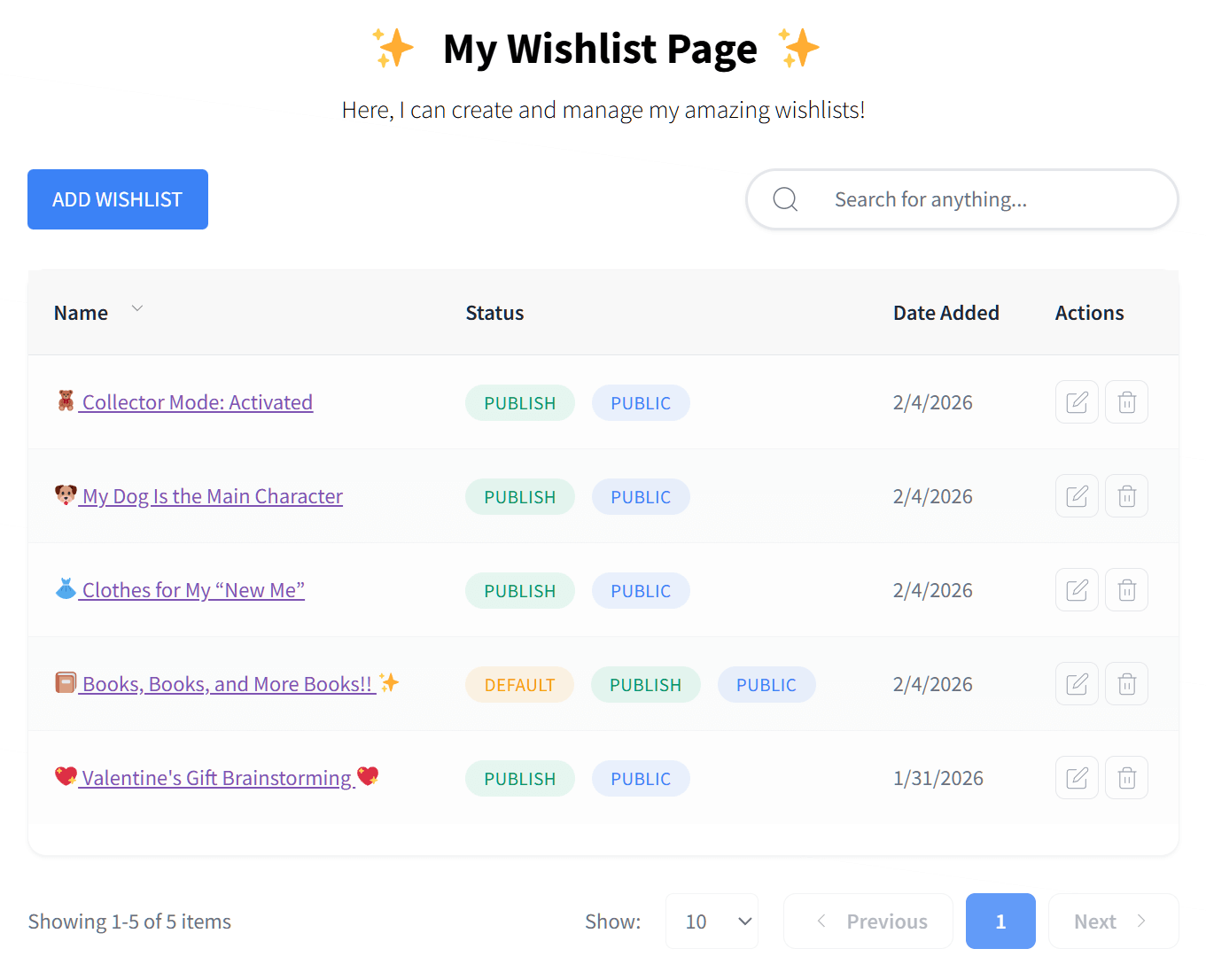
Want to see a complete list of every feature included at no cost? Then check out our guide to the best free wishlist plugin!

Pro features
SaveTo Wishlist Pro’s Growth, Plus, and Business plans are where the tool pulls ahead of the free alternatives. The two standout features are automated price drop alerts and back-in-stock notifications. These run automatically. When a product drops in price or comes back into stock, the WooCommerce plugin emails customers who saved it. You don’t have to do anything after the initial setup.
Every paid plan also includes wishlist analytics and reports, group collaborative lists, role-based access control, real-time webhook support, and full ownership of your customer data (it all stays on your server). You can learn more about the automation features on the wishlist automation page.
- Automated price drop alerts
- Back-in-stock notifications
- Wishlist analytics and reports
- Group collaborative lists
- Role-based access control
- Real-time webhook support (connects to 5,000+ apps)
- Full data ownership (stored on your server)
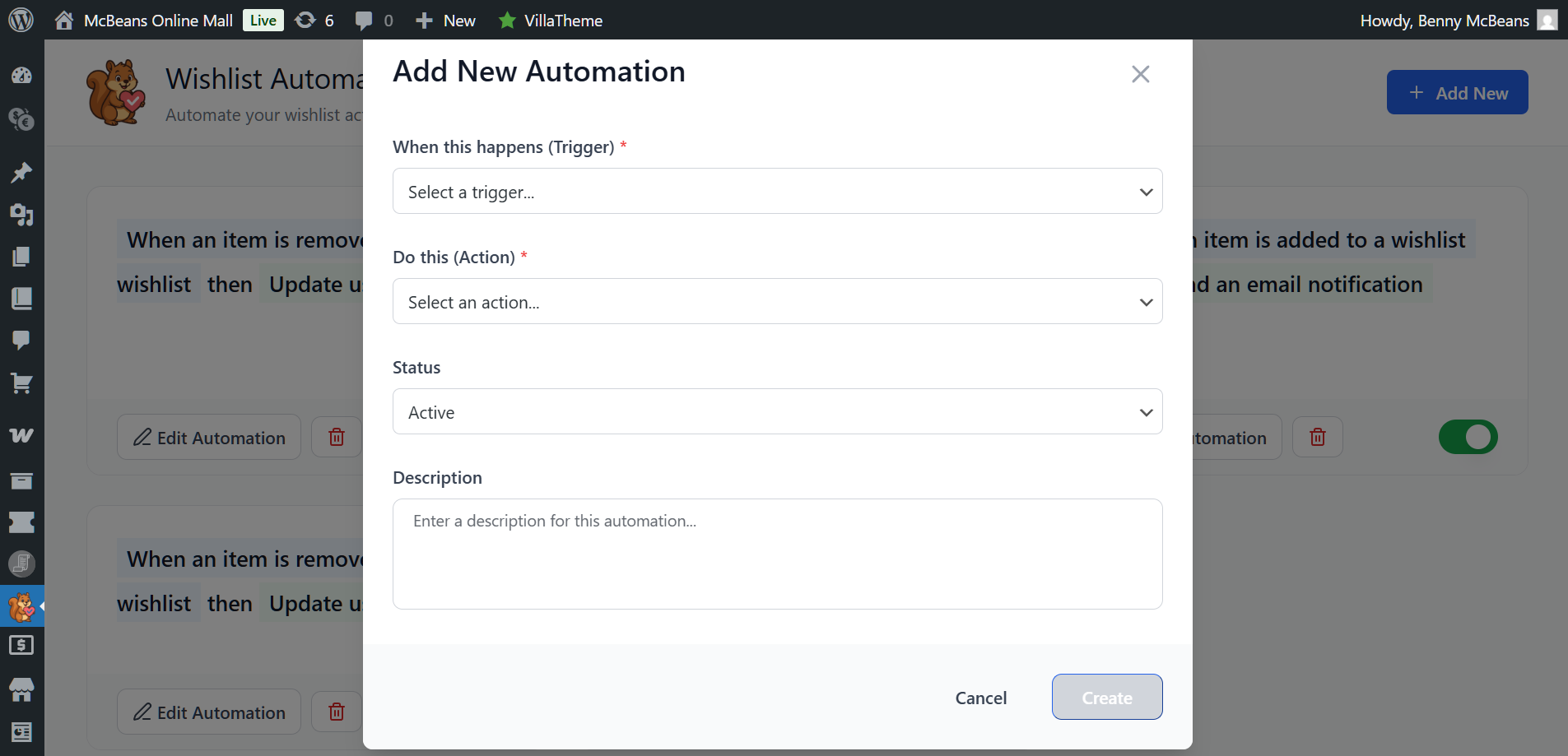
To see how these features can turn passive browsers into repeat buyers, see our deep dive into advanced wishlist marketing automation, analytics, and permissions!
Pricing
The Growth plan runs for a single site at $49.50 for the first year, then renews every year for $99. The Plus plan is $99.50 for the first year (regularly $199), also for a single site, and adds the Gift Registry Addon so shoppers can turn a wishlist into a shareable event registry. The Business plan is $199.50 for the first year (regularly $399) and covers unlimited sites with WooCommerce Multisite support and priority support. All three plans include a 14-day money-back guarantee.
For what you get, especially the automation features, those prices are competitive. You can check current pricing on the SaveTo Wishlist pricing page.
What we noticed in testing
When I set this up on a test store, the block theme integration worked exactly as advertised. The “Add to Wishlist” button showed up correctly in the product template without any custom CSS or workarounds. That’s not always the case with other plugins on block-based themes.
I also tested the price drop alert workflow. When I reduced a product price on the backend, the alert email went out to the test address that had saved it. The setup took only a few clicks in the plugin settings, and once it’s running, it’s fully hands-off. That’s the kind of automation that quietly earns revenue while you focus on other things.
One thing worth noting: While the free version of SaveTo Wishlist offers generous styling options, it doesn’t let you upload your own custom icon, unlike TI WooCommerce Wishlist’s free tier.
YITH WooCommerce Wishlist
As the most widely used wishlist plugin in the WordPress ecosystem, YITH WooCommerce Wishlist has over 500,000 active installs on WordPress.org. This is the largest install base of any plugin on this list. That popularity comes from years on the market and a genuinely deep feature set.
Free version features
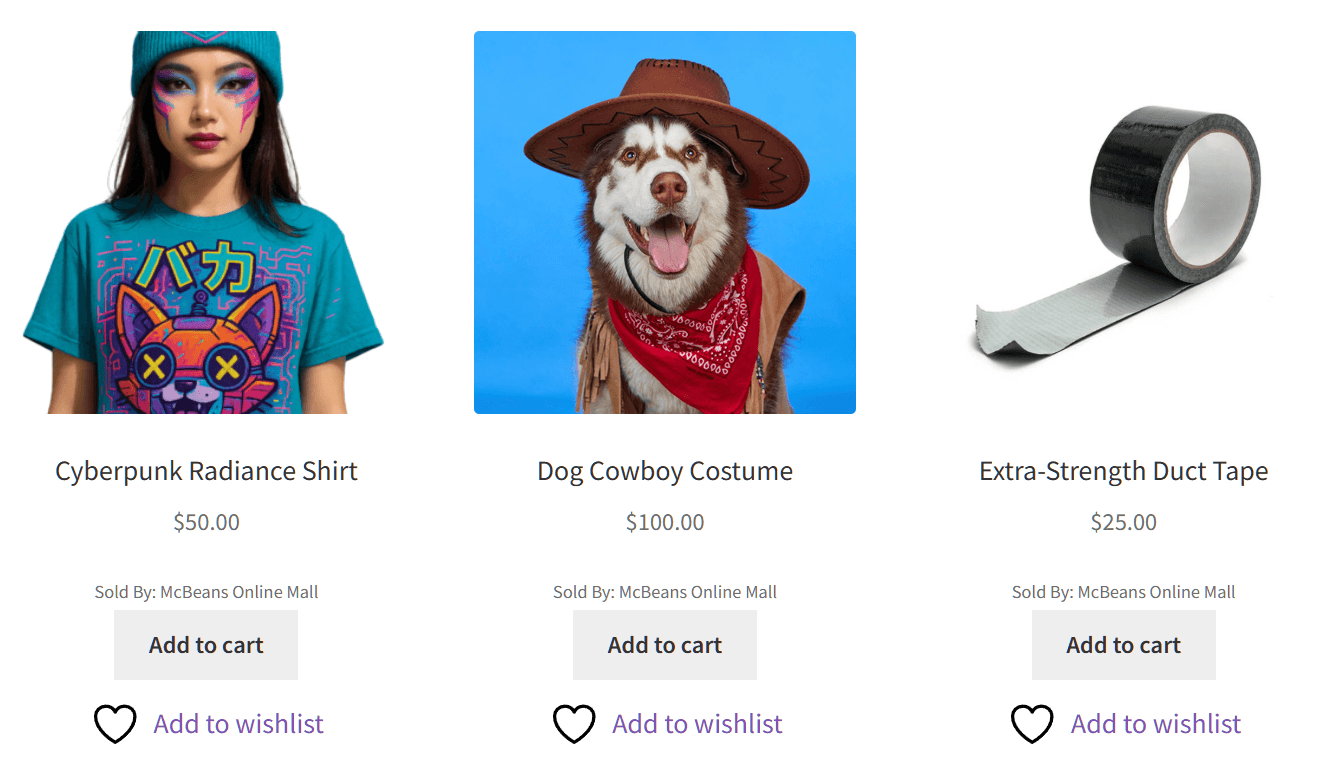
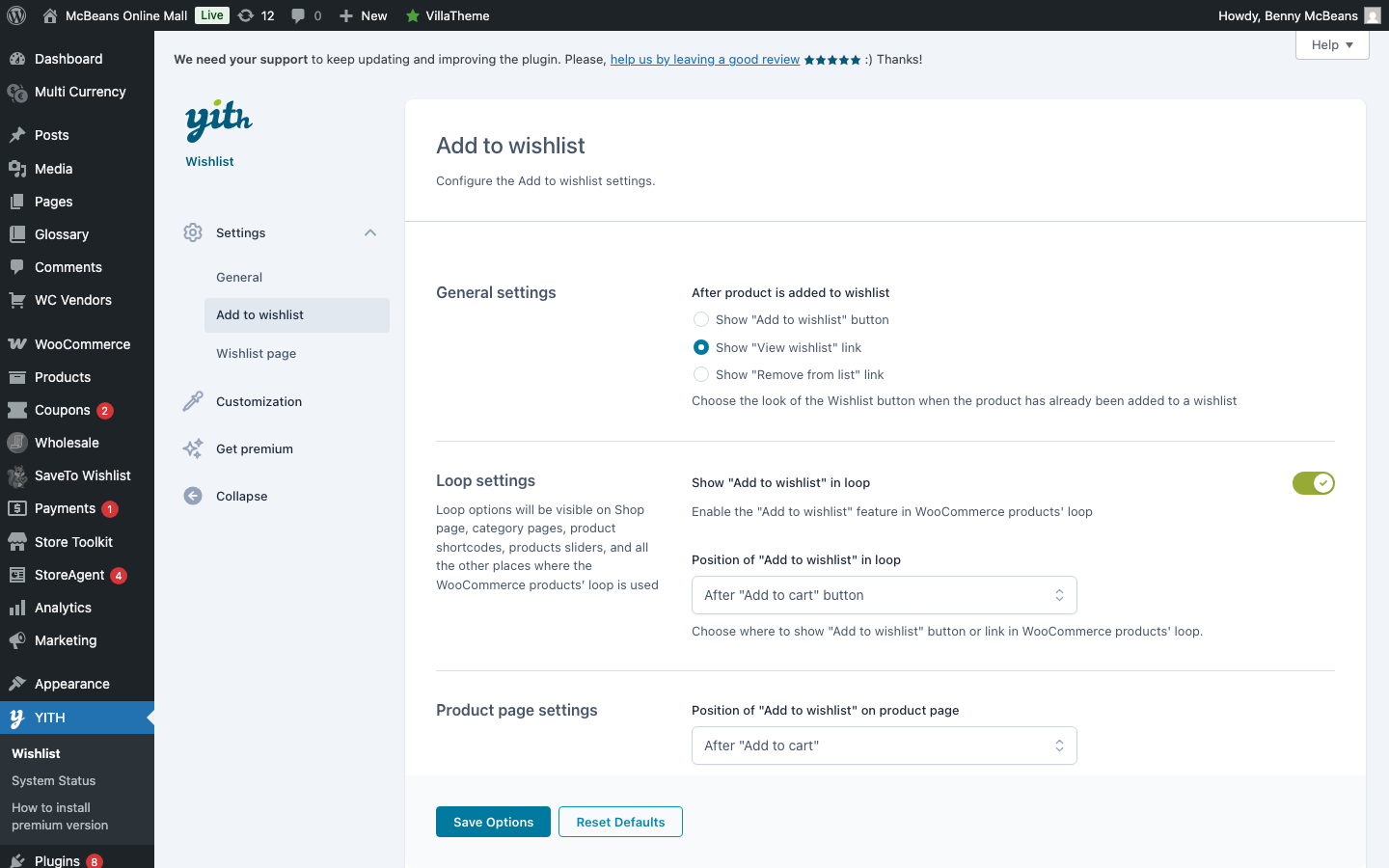
The free version is fairly basic. It lets shoppers add products to a wishlist from both product pages and the shop page. It even includes standard variation support and social sharing. But if you want multiple wishlists, guest wishlist syncing, generous wishlist customization, and other features that can enhance the shopping experience, you’ll have to upgrade to the paid plan.
- Add to Wishlist button on product and shop pages
- Product variation support
- Basic social sharing
- Basic customization (custom CSS, button colors, and custom icon uploads)
Pro features
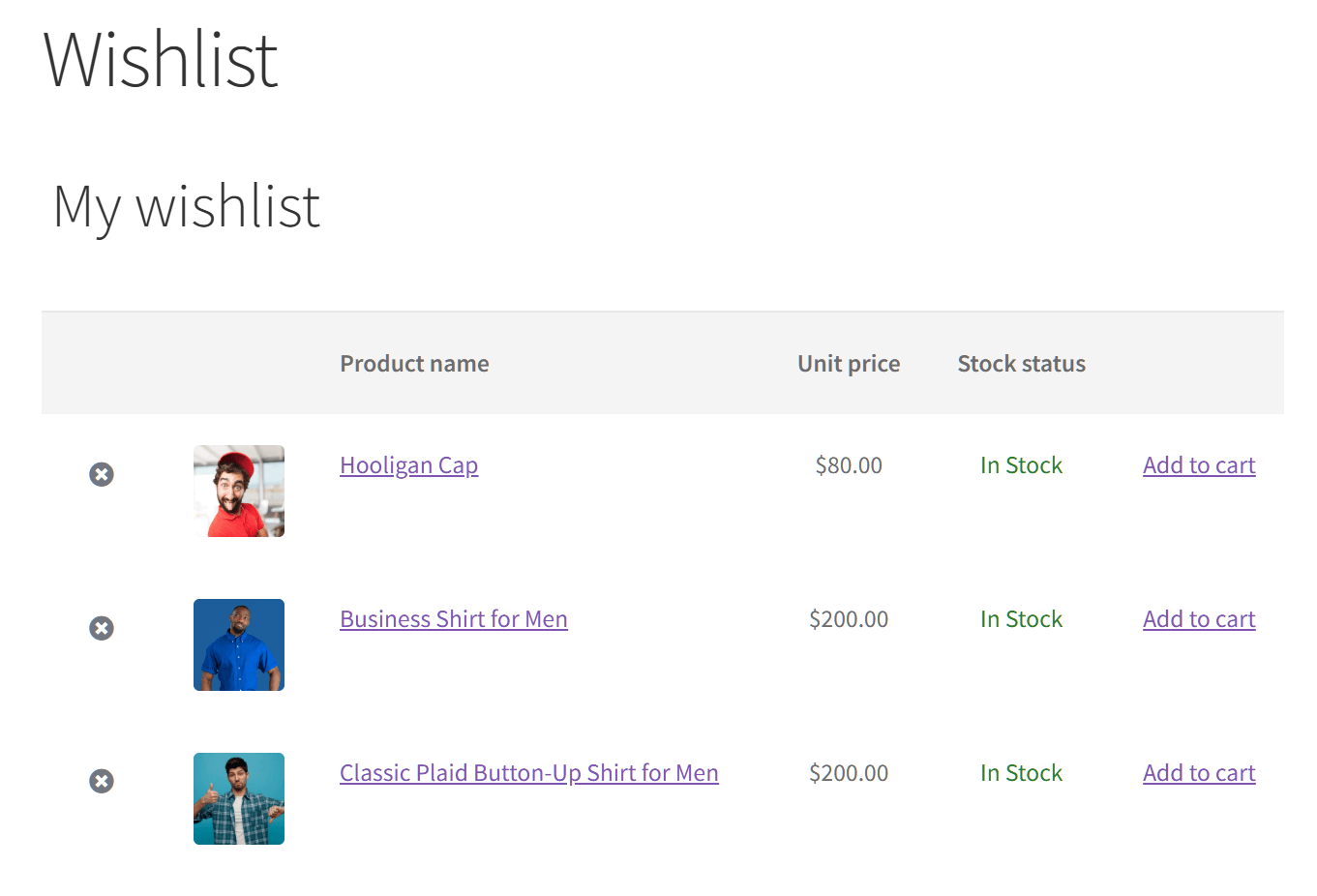
YITH WooCommerce Wishlist’s premium tier has the most extensive feature list of any plugin in this comparison. If a wishlist feature exists, YITH WooCommerce Wishlist probably has it. It includes multiple wishlists per user, privacy settings for each list (letting shoppers make their lists Public, Private, or Shared via a secret link), a wishlist widget for your shop’s header, admin access to customer wishlists, and promotional emails.
You also get an ask-for-estimate tool, Amazon-style price variation displays, the ability to download a PDF version of the wishlist, drag-and-drop product sorting, multiple layout options, and a popular products report.
If raw feature count is your main decision factor, YITH WooCommerce Wishlist wins this comparison. That’s worth saying plainly.
- Multiple wishlists per user with per-list privacy settings
- Admin can view and manage customer wishlists
- Promotional emails for saved products
- B2B “Ask for an Estimate” workflow (lets customers request quotes and add custom notes)
- Price variation display (Amazon-style)
- Drag-and-drop product sorting
- Multiple wishlist layout options
- Popular products report
YITH WooCommerce Wishlist Premium costs about $99.99 a year. While it’s pricier than other choices, it offers a 100% money-back guarantee. Plus, it comes included with certain enterprise hosting plans like Bluehost eCommerce, so check your host before you buy.
What we noticed in testing
When I tested YITH WooCommerce Wishlist on a mid-size store, the admin wishlist view was genuinely useful. The “Populars” dashboard lets you see exactly which products are trending across all user wishlists. This gives you the hard data you need to plan promotions and make smart choices about what inventory you need to stock up on.
Some users report that the plugin creates extra URLs with ?add_to_wishlist= at the end. Google crawls these but doesn’t index them. This can trigger “thin content” warnings or waste your “crawl budget” (which is the limited amount of time Google spends scanning your site). If SEO is a priority, check your Google Search Console after you install the plugin to make sure your setup is clean.
Block theme compatibility was also less smooth than I expected. Even though YITH version 4.0.0 added React rendering (a faster, more modern way to code and display the button), getting it to fit perfectly in a Full Site Editing layout still takes more manual tweaking compared to SaveTo Wishlist. For stores already using block themes, this is worth testing on a staging site before going live.
Finally, you have to consider the performance cost. Because YITH is packed with features, it’s incredibly heavy. In our speed tests, it added a massive 311.8 KB of JavaScript and 22 extra server requests to the page. If you run a high-traffic store, that can significantly slow down your site.
Curious to see how SaveTo Wishlist compares against this industry giant? Read a more detailed breakdown in our YITH Wishlist alternative comparison!
If you’re weighing the two head-to-head, we also put the free versions side by side in SaveTo Wishlist vs YITH: the full comparison.
TI WooCommerce Wishlist
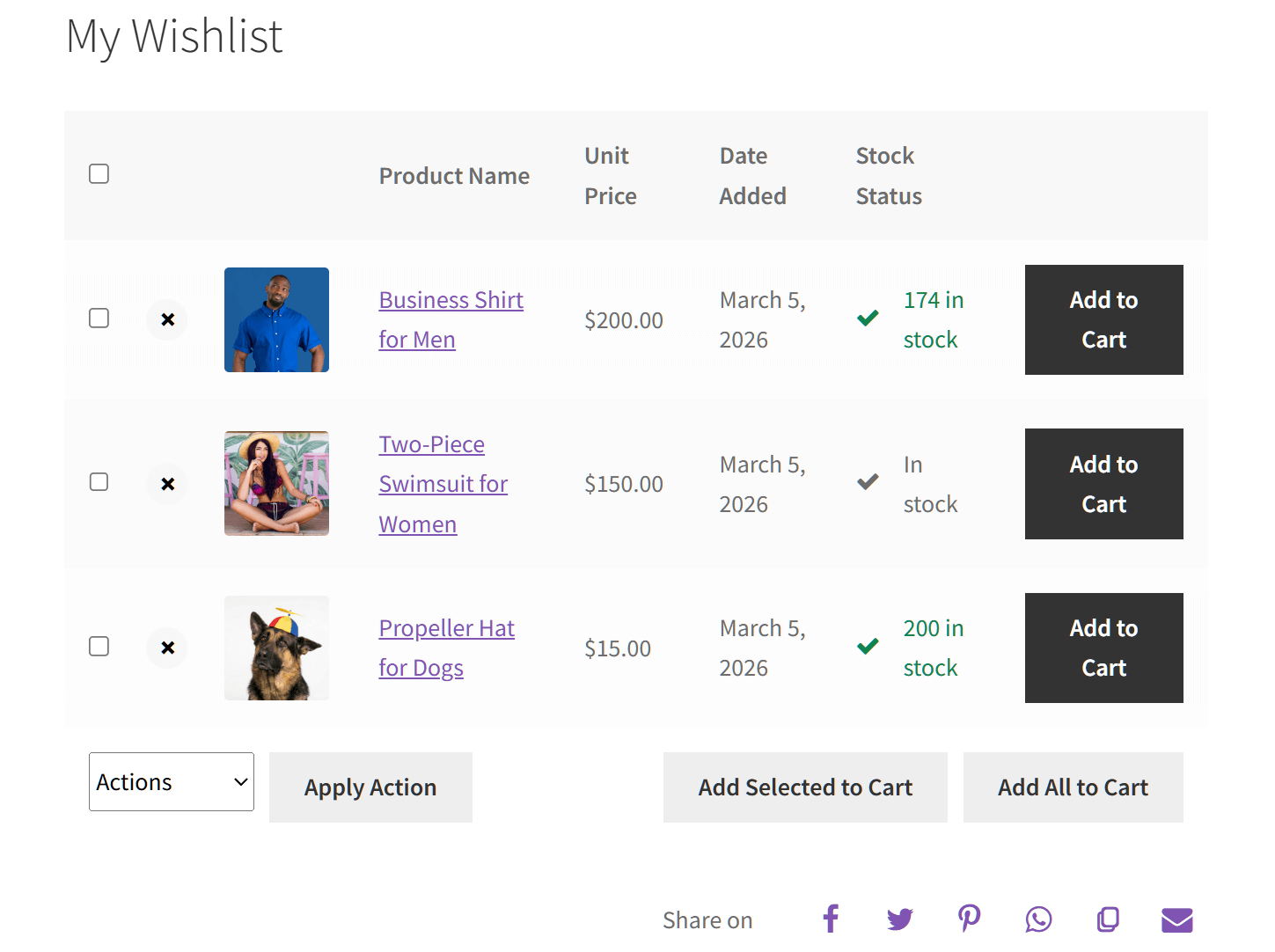
TI WooCommerce Wishlist has a strong reputation for appearance customization. According to WordPress.org, it has over 100,000 active installs and a 4.7-star rating across nearly 500 reviews. It’s a solid option, especially for stores where visual styling matters a lot.
Free version features
TI WooCommerce Wishlist used to be extremely generous with its free styling tools. But if you look at the free version today, those 60+ appearance settings for colors, fonts, and borders are gone. Now, your only free options are to use your theme’s default style or write your own custom CSS.
The plugin also includes cache-friendly AJAX interactions, a REST API (a digital bridge that lets different software talk to each other), custom CSS support, and integrations with 61 other plugins.
- Basic theme styling and custom CSS support
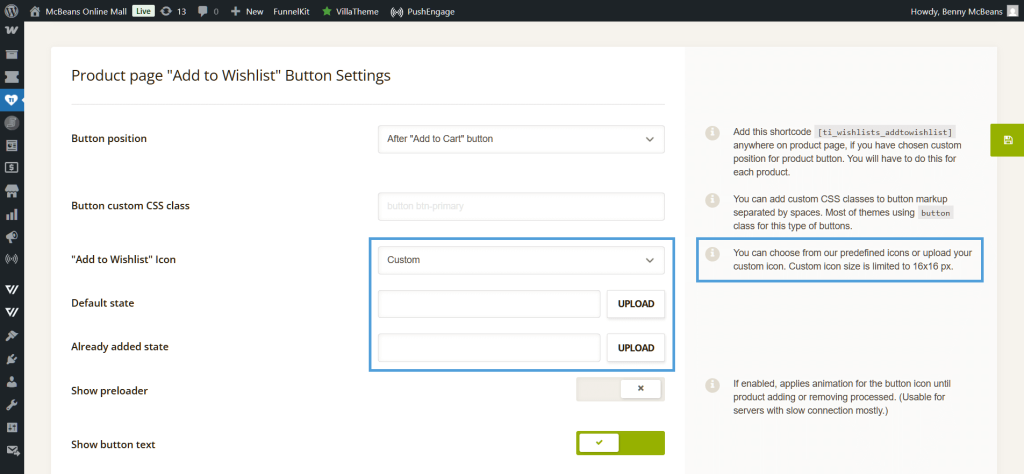
- Custom icon upload
- Social sharing: Facebook, Twitter, Pinterest, WhatsApp, email, and a “Copy to clipboard” link
- Cache-friendly AJAX interactions
- REST API access
- Setup wizard included
- 61 plugin integrations
Pro features
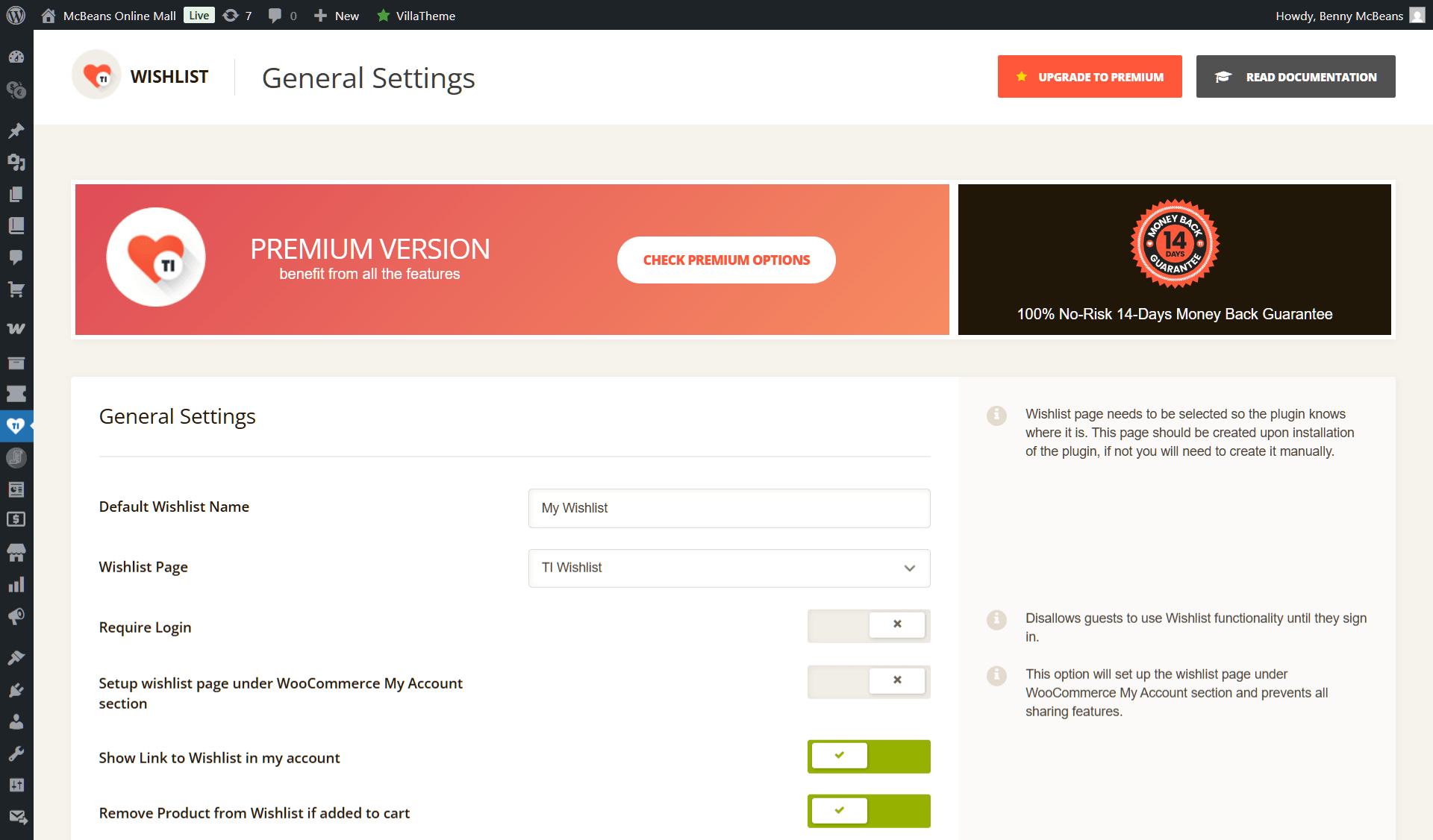
In contrast, the premium version unlocks those advanced appearance options, along with multiple wishlists per user, privacy settings, and product analytics for admins. Pricing starts at about $79 a year, and it includes a 14-day money-back guarantee. You should still check their official website for current rates.
You can read a side-by-side breakdown in our TI WooCommerce Wishlist detailed comparison.
What we noticed in testing
When I set up TI WooCommerce Wishlist, the setup wizard made the initial configuration faster than expected. Unfortunately, the appearance settings panel in the free version is a letdown now. Because they moved all the easy styling tools to the paid tier, you have to write your own custom CSS if you want to change how things look. If your store has a strict brand style guide, you’ll probably need to upgrade to Pro to get that easy control back.
The 61 integrations list also held up in testing. The plugin connected cleanly with several popular WooCommerce add-ons without any conflict issues, which is a good sign for stores running complex plugin stacks.
🔍️ What we’ve seen: There are some recent complaints about billing and renewals from premium users, including cases where people were charged multiple times in a year without getting a quick refund. Some users are also upset that free features are now locked behind a “Pro paywall.” Make sure to read the latest reviews before you buy.
WPC Smart Wishlist For WooCommerce
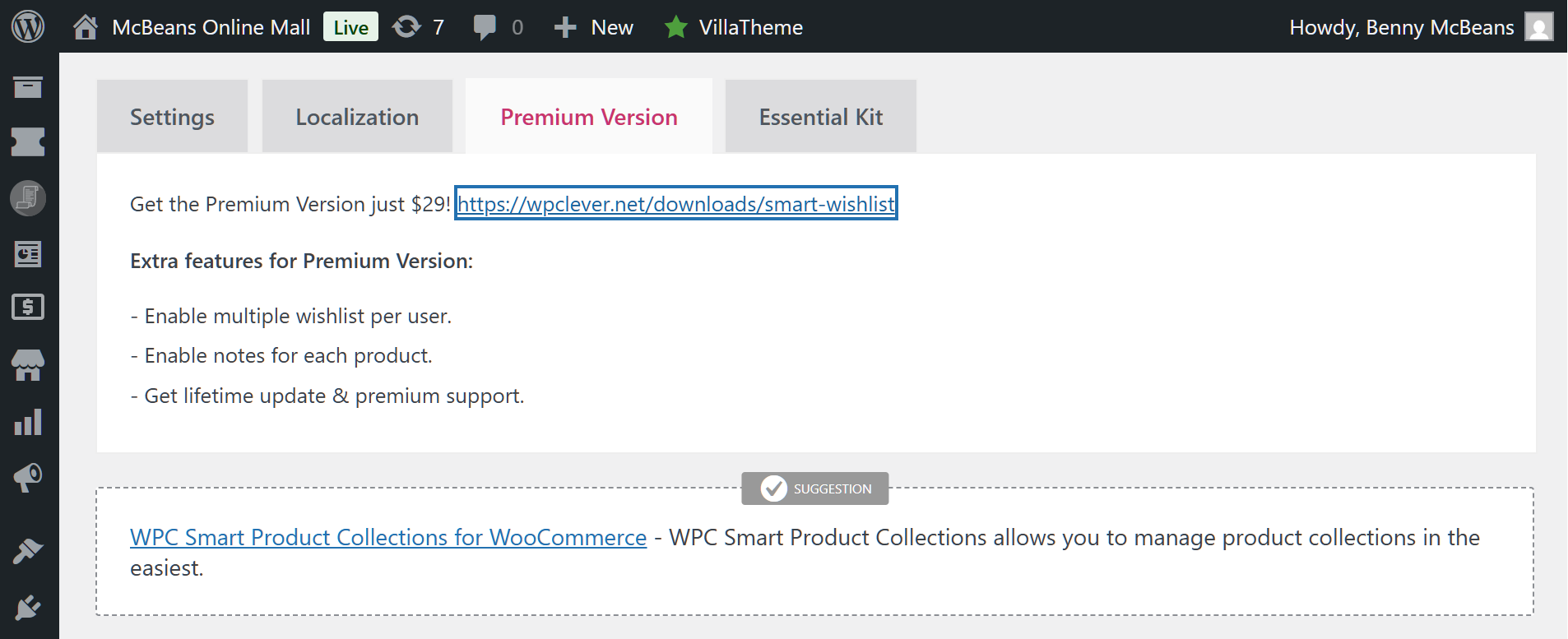
WPC Smart Wishlist for WooCommerce is a great choice if you want to keep things simple. According to WordPress.org, it has over 100,000 active installs. Unlike some other options, it offers a Premium version with a one-time “lifetime” price for software updates. Just keep in mind that premium support is only included for one year, so you might face a new bill later if you need ongoing technical help.
Features
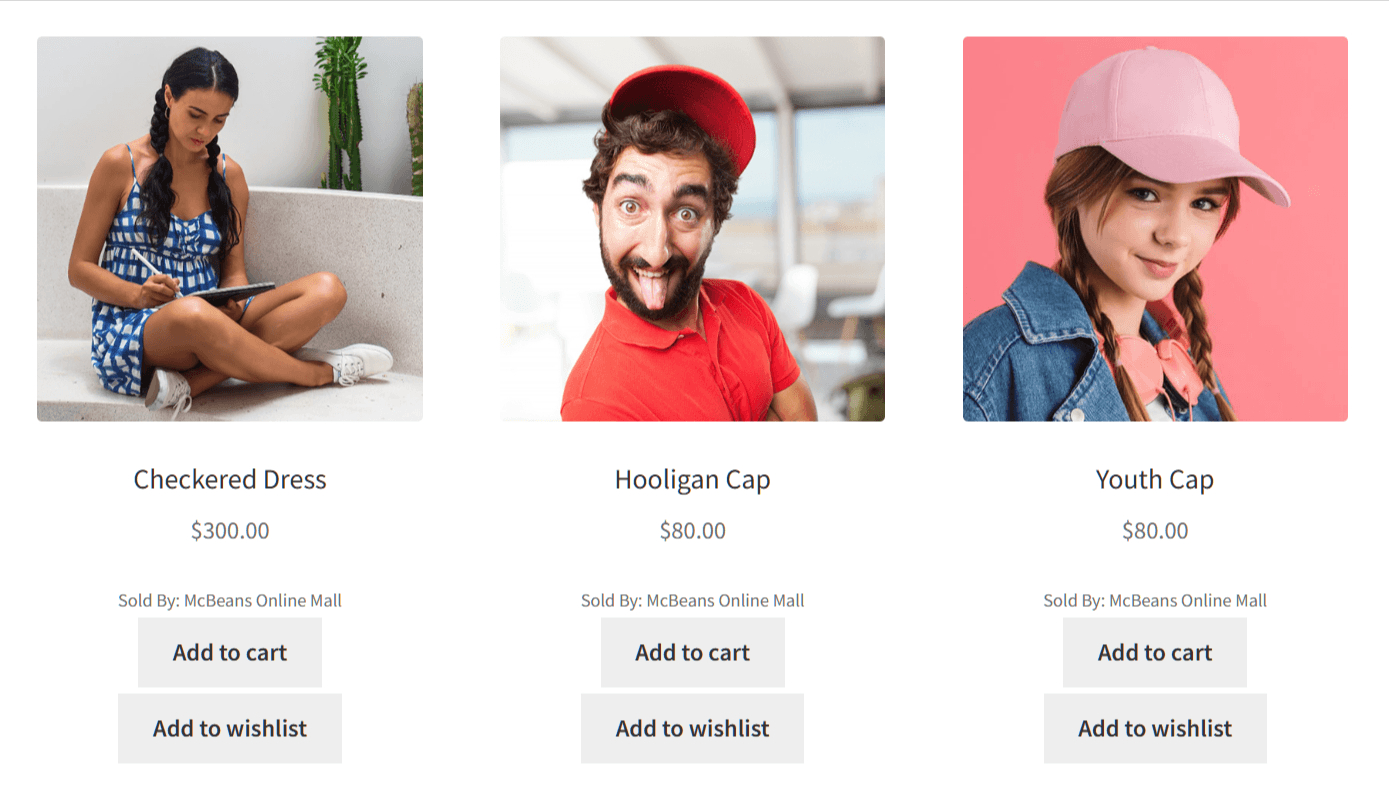
WPC Smart Wishlist for WooCommerce covers the basics well. Shoppers can add products to a wishlist from both the product page and the shop page. Moreover, you can use the wishlist page to promote your other items, making it especially useful for cross-selling and upselling.
With the free version, you get some limited menu options. However, if you upgrade to Premium, you can cleanly place a wishlist count right in your primary header menus so customers can track what they’ve saved. Guest wishlist support means shoppers don’t need an account, which removes friction at the top of the funnel.
- Add to Wishlist on product and shop pages
- Limited menu integration (full header display requires Premium)
- Guest wishlist support
- AJAX interactions
- Block theme compatible
- Shortcode support
- Product recommendations
You can read more about these features in our WPC Smart Wishlist for WooCommerce review.
What we noticed in testing
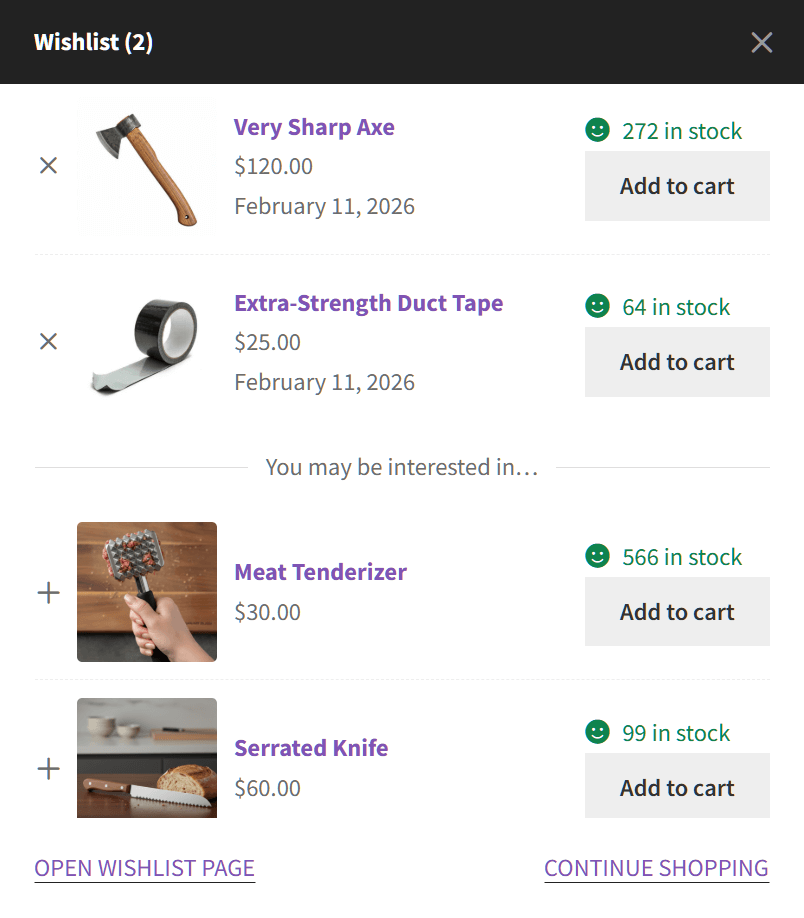
When I installed WPC Smart Wishlist for WooCommerce, it was up and running in a few clicks. It actually comes with a large settings panel right out of the box. You can dive in and tweak everything from where your buttons show up to how your popups act and what social sharing links you want to include. In addition, block theme compatibility was solid. The button appeared correctly without any extra steps.
🔍️ What we’ve seen: The free version is a bit limited and doesn’t have automation or price drop alerts. However, if you upgrade to the Premium version, you unlock extra tools like usage analytics, unlimited wishlists for users, and a neat feature that lets shoppers add personal notes to their saved items.
Which Of The Best WooCommerce Wishlist Plugins Is Right For Your Store?
Here’s a quick breakdown based on what each plugin does best.
- Choose SaveTo Wishlist if: You want a fast, modern plugin that works cleanly with block themes and includes built-in revenue automation. It’s the best fit for stores that want their wishlist to actively recover sales, not just store them.
- Choose YITH WooCommerce Wishlist if: You absolutely need every enterprise feature possible and aren’t worried about speed. It has the deepest feature set, but it’s also the heaviest plugin on this list by far (adding 124 times more code than SaveTo Wishlist). Just make sure your web host can handle the extra load, and keep an eye on your SEO crawl budget.
- Choose TI WooCommerce Wishlist if: Your store has a specific visual style and you need fine-grained control over how the wishlist looks. Just remember you’ll need the Pro tier for those settings, and be sure to read through the recent support forum before buying.
- Choose WPC Smart Wishlist for WooCommerce if: You want to pay once and own the plugin forever. It’s a great budget pick, though keep in mind it doesn’t offer automated price drop alerts, and it’s about four times heavier than SaveTo Wishlist (adding 7 extra server requests to your page).
Overall, for most WooCommerce store owners in 2026, SaveTo Wishlist is the strongest pick. The free tier is genuinely useful, the Pro pricing is fair, and the automation features do work that other plugins can’t match without significant extra effort or cost. If you’re weighing the free options only, the free plugin comparison guide on this site can also help you think through the decision.
FAQs: Best WooCommerce Wishlist Plugins
Do WooCommerce wishlist plugins work with block themes?
Most modern wishlist plugins support block themes, but not all of them do it cleanly. SaveTo Wishlist and WPC Smart Wishlist for WooCommerce both handle block themes well out of the box. YITH WooCommerce Wishlist, on the other hand, may need some manual adjustment to display correctly in a Full Site Editing context. Always test on a staging site before going live with a block theme.
Can guests use a wishlist without creating an account?
Yes. Several plugins support guest wishlists. WPC Smart Wishlist for WooCommerce, TI WooCommerce Wishlist, and SaveTo Wishlist all allow guests to save products without logging in. Guest wishlists are usually stored in browser cookies or session data, so they may not persist across devices or after clearing cookies. SaveTo Wishlist also merges guest wishlists into the user’s account when they register.
What’s the difference between a free and paid wishlist plugin?
Free versions typically cover the basics: an Add to Wishlist button, a saved products page, and social sharing. Paid versions add features like multiple wishlists, privacy settings, admin analytics, and automated emails. Price drop alerts and back-in-stock notifications are almost always paid features, and they’re the ones that directly drive revenue. If you want your wishlist to do more than collect saved products, you’ll likely want a paid plan.
Will a wishlist plugin slow down my WooCommerce store?
It absolutely depends on the plugin. As our GTmetrix tests showed, heavy plugins (like YITH) can add over 300 KB of code and 20+ server requests to your page, which will noticeably slow down your store. On the flip side, lightweight plugins built with modern code (like SaveTo Wishlist) add just 2.5 KB and a single request. If speed is a priority, you have to check the plugin’s “code weight” before installing. Look for plugins that use AJAX for wishlist interactions and confirm they’re cache-compatible. Running a page speed test before and after installing any plugin is always a good idea.
Are price drop alerts available on free wishlist plugins?
No. Price drop alerts and back-in-stock notifications are premium features across all the plugins in this comparison. WPC Smart Wishlist for WooCommerce doesn’t offer them at all, even if you upgrade to their Premium version. SaveTo Wishlist and YITH WooCommerce Wishlist include both of these features in their premium tiers. TI WooCommerce Wishlist includes price drop alerts, but you’ll need to buy a separate extension to get back-in-stock emails.
Which WooCommerce Wishlist Plugin Should You Choose In 2026?
All four of the best WooCommerce wishlist plugins on this list let customers save products. The real question is whether you want your wishlist to just store items or to actively bring customers back and help you recover sales.
YITH WooCommerce Wishlist has the most features. WPC Smart Wishlist for WooCommerce has the lowest cost. TI WooCommerce Wishlist wins on visual styling if you upgrade to Pro.
But for most stores that want a fast, modern plugin with built-in automation at a fair price, SaveTo Wishlist is the clear choice for 2026. The free tier gives you more than competing free versions (including multiple wishlists at no cost), and the Pro tier’s price drop alerts and back-in-stock emails can pay for themselves after just a handful of recovered sales.
- Want the biggest feature set? YITH WooCommerce Wishlist is your go-to. Just be sure to monitor those extra URLs so you don’t hurt your site’s crawl budget.
- Want extensive appearance customization? TI WooCommerce Wishlist wins on visual styling, but remember you have to pay for the Pro version to get those easy, code-free controls.
- Want a simple setup with a one-time fee? WPC Smart Wishlist for WooCommerce is the best choice if you want to avoid yearly subscriptions, thanks to its lifetime Premium tier.
- Want performance, automation, and modern WooCommerce compatibility? SaveTo Wishlist is the pick for most stores in 2026.
Want to know more about how the best WooCommerce wishlist plugins can benefit your store? Discover how to boost your revenue by using wishlists as a cart abandonment recovery strategy!



