

 Reviewed by
 Email is still the channel you own. Social reach rises and falls with the algorithm, and ad costs only climb. Your email list, by contrast, is a direct line to people who already raised their hand.
Knowing how to build an email list full of genuinely interested shoppers pays off hugely. It’s one of the highest-return things you can do for a WooCommerce store.
The problem is that most stores build their list the lazy way. They run a single popup offering 10% off, show it to everyone, and capture mostly discount hunters. That list looks fine in a dashboard, yet it converts poorly in practice. The addresses just don’t represent real buying intent.
In my experience, the highest-intent signups rarely come from a generic popup. They come from the moment a shopper saves a product they want. So this guide covers how to build an email list for WooCommerce the right way. That includes turning wishlist activity into your best source of subscribers.
Table Of Contents
Why List Quality Beats List Size
A big list of disengaged addresses is worse than a small list of interested ones. Engagement, not raw size, drives revenue. Plus, inactive subscribers drag down your deliverability over time.
This is why the source of a signup matters so much. Someone who hands over their email for a one-time discount has told you very little. By contrast, someone who saves three products and then subscribes has told you exactly what to send them.
Segmentation magnifies that advantage. In practice, segmented campaigns earn far higher open and click rates than generic broadcasts, according to Mailchimp. A list built around known interests is far easier to segment well.

5 Proven Methods To Build A High-Intent Email List
Instead of relying on aggressive popups that only capture low-intent discount hunters, the secret to a profitable email list lies in timing and relevance.
You want to ask for a shopper’s email right when their interest is at its peak, offering them a genuine, value-driven reason to stay connected to your brand. When you make the opt-in process seamless and tie it to your customers’ actual shopping behavior, you’ll naturally collect addresses from people who are genuinely eager to buy.
With that in mind, here are five highly effective methods to build a WooCommerce email list packed with engaged subscribers:
1. Capture emails at the moment of intent
A wishlist creates the perfect moment naturally. A guest can save a product with the free SaveTo Wishlist plugin for WooCommerce, which gives you a friendly, natural reason to ask for their email address right when they’re showing real interest.
Most stores just slap a generic popup on their homepage before a visitor even looks around. That usually catches discount hunters who won’t ever come back.
However, when you ask for an email after they click “Save to Wishlist,” everything changes. They aren’t handing over their email for a vague discount. They’re giving it to you to protect something they actually care about.
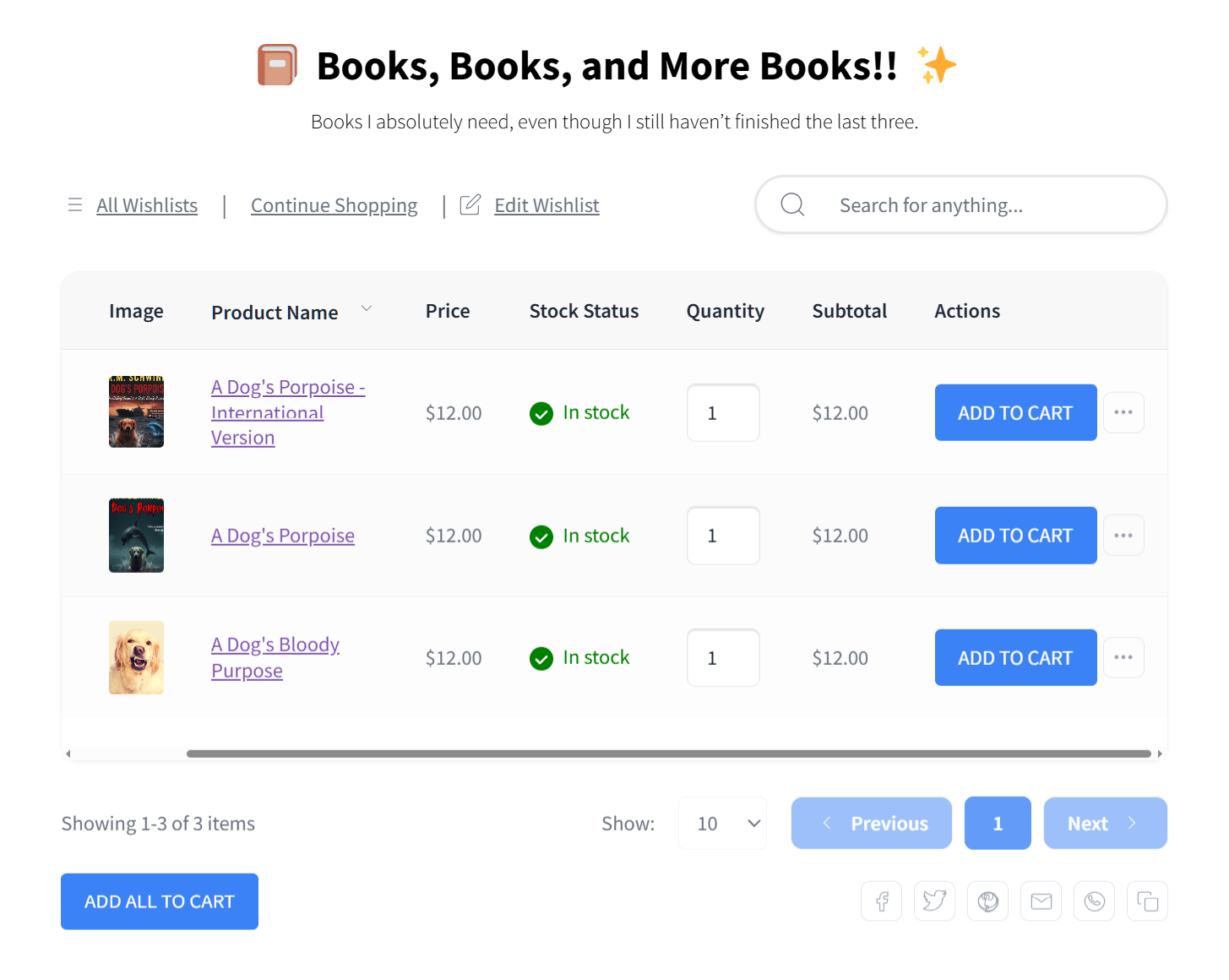
To make this work, your copy needs to sound helpful, not pushy.
- Don’t use boring default text: A button that just says “Enter email to save” feels like a data grab.
- Frame it as a helpful service: Instead, try something warm and useful like, “Don’t lose your favorites! Enter your email so we can save your list for later and let you know if the price drops.”
This simple swap turns a boring form into a free, helpful service your customers will gladly sign up for.
2. Use guest wishlists to lower the barrier
Asking for an account upfront kills signups. If you force a shopper to register before they can even save a single item, most of them will just leave. Instead, you want to let people act first, and then invite them to save their progress.
SaveTo Wishlist supports guest wishlists, meaning a shopper can save items without logging in. This relies on a simple psychological trick: micro-commitments. Once they’ve spent a few minutes picking out their favorite things, they won’t want to lose that list.
When they’re finally ready, you simply prompt them to keep their list safe by entering an email. Their saved items then merge into their new account automatically.
📝 Note: You can learn more about SaveTo Wishlist’s guest wishlist feature here and here.
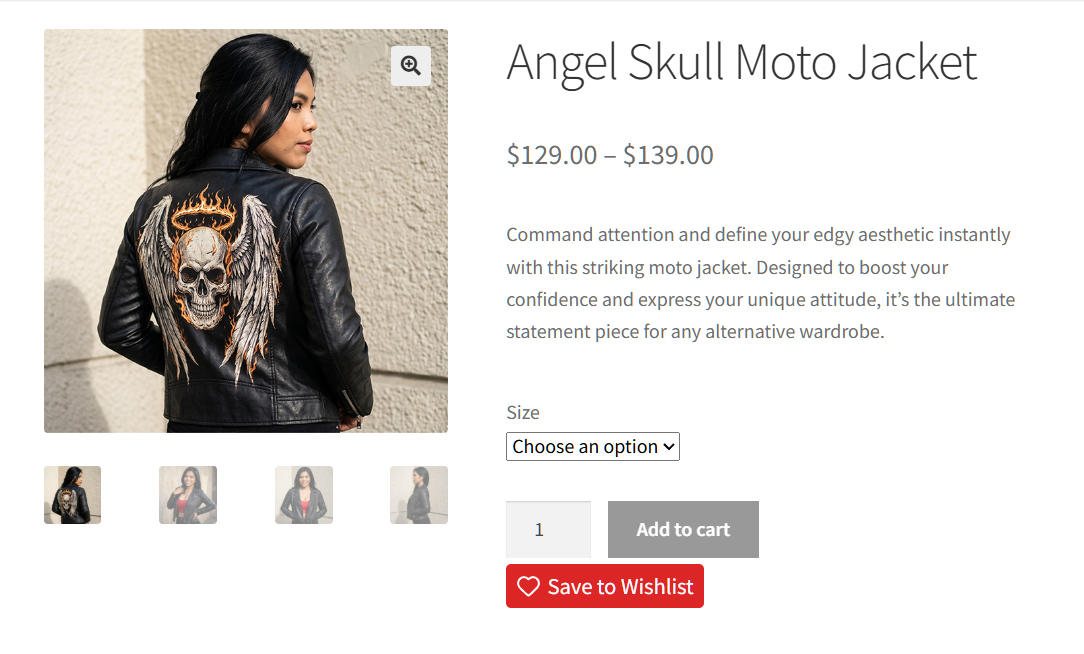
Here’s how to make this work perfectly:
- Remove the roadblocks: Double-check your store settings to make sure guest wishlists are actually turned on. Never hide your “save” button behind a login wall.
- Time your prompt: Don’t aggressively ask for the email on the very first click. Let them add an item or two first so they feel invested. Then, gently offer to save their progress before they leave.
This approach respects how people actually shop. They commit a little bit, get real value, and only then create an account. It’s a far easier “yes” than demanding registration at the door.
3. Offer a genuine reason to subscribe
People give up their email when there’s a clear, honest benefit. You have to spell out exactly what they’ll get. Don’t rely on a vague “Subscribe for updates” button, as that doesn’t give anyone a real reason to act.
Strong incentives include wishlist notifications, early access to big sales, and a first-order discount. For example, you can pair a signup with a coupon created in Advanced Coupons. That gives hesitant shoppers a push to opt in, but it doesn’t train your whole audience to just sit around waiting for markdowns.
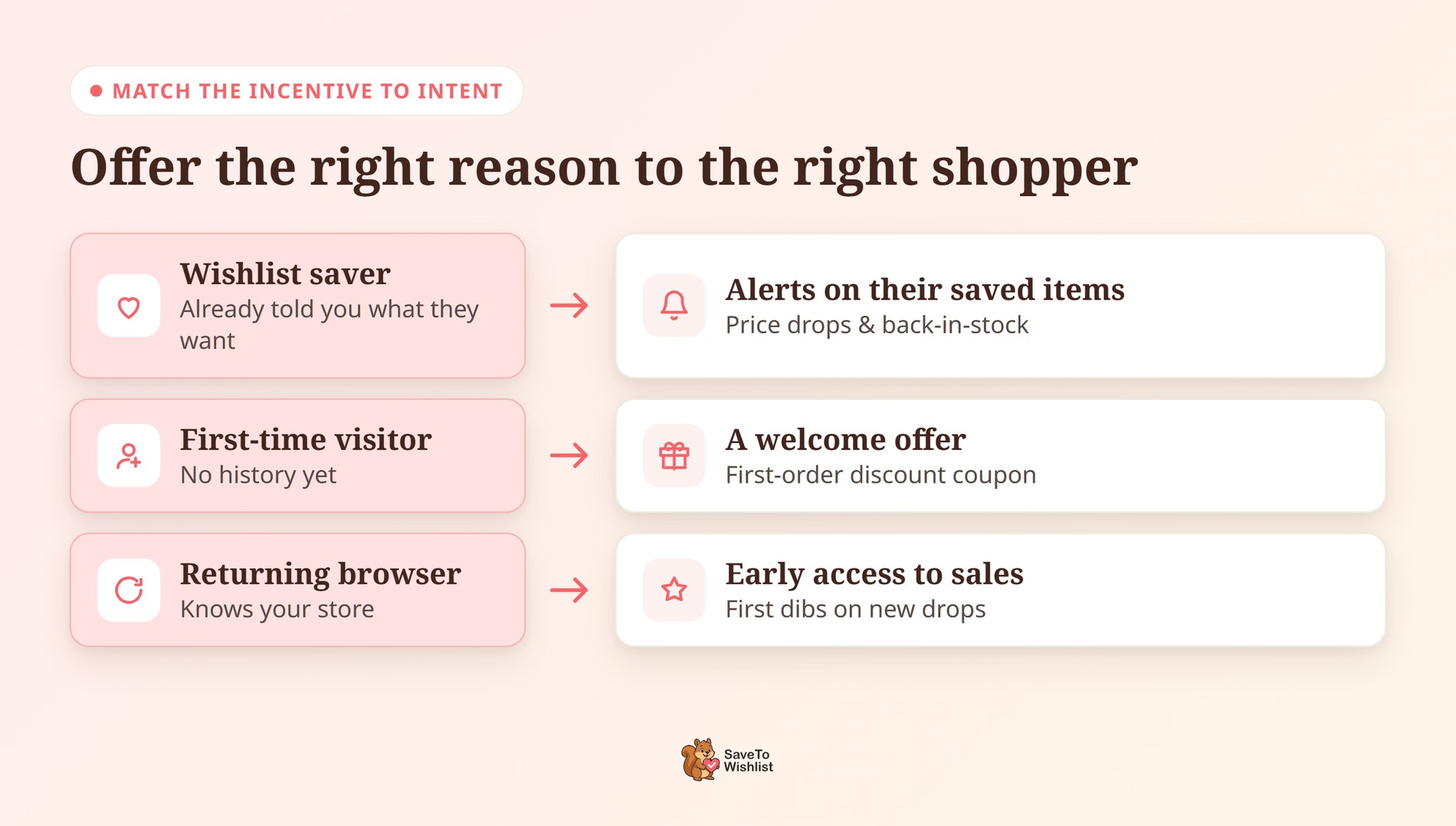
The secret is matching your incentive to the shopper’s intent with sharp, specific copywriting:
- The Bad CTA: “Join our newsletter.” (This is boring and vague. Nobody wants more generic emails.)
- The Good CTA for a new visitor: “Get 15% off your first order today when you join the VIP club.”
- The Good CTA for a wishlist saver: “Enter your email so we can ping you the second your saved items go on sale.”
When you offer the exact right thing to the right person, they’re much more likely to subscribe.
4. Add capture points that don’t annoy
You don’t need an aggressive popup to grow your list. Actually, hitting a customer with a giant form the second they land on your site is a great way to annoy them into leaving. A few well-placed, low-friction capture points will easily outperform one intrusive one.
It’s all about timing and placement. Instead of interrupting your visitors, try these smarter capture strategies:
- Use exit-intent and scroll delays: If you’re going to use a popup, wait until the shopper has actually looked around. Set it to trigger only after they’ve scrolled halfway down the page, or use an exit-intent popup that appears right when they’re about to close the tab.
- Add a save-and-notify prompt: Put this right on your product pages, tying it directly to their wishlist.
- Use a checkout opt-in: Ask them if they want order and restock updates right when they’re completing a purchase.
- Nudge them after they save: Trigger an account-creation prompt immediately after a guest saves their favorite items.
- Run a targeted competition: A well-timed giveaway works wonders for engagement.
📝 Note: Advanced Coupons has a great guide on growing your list with competitions.
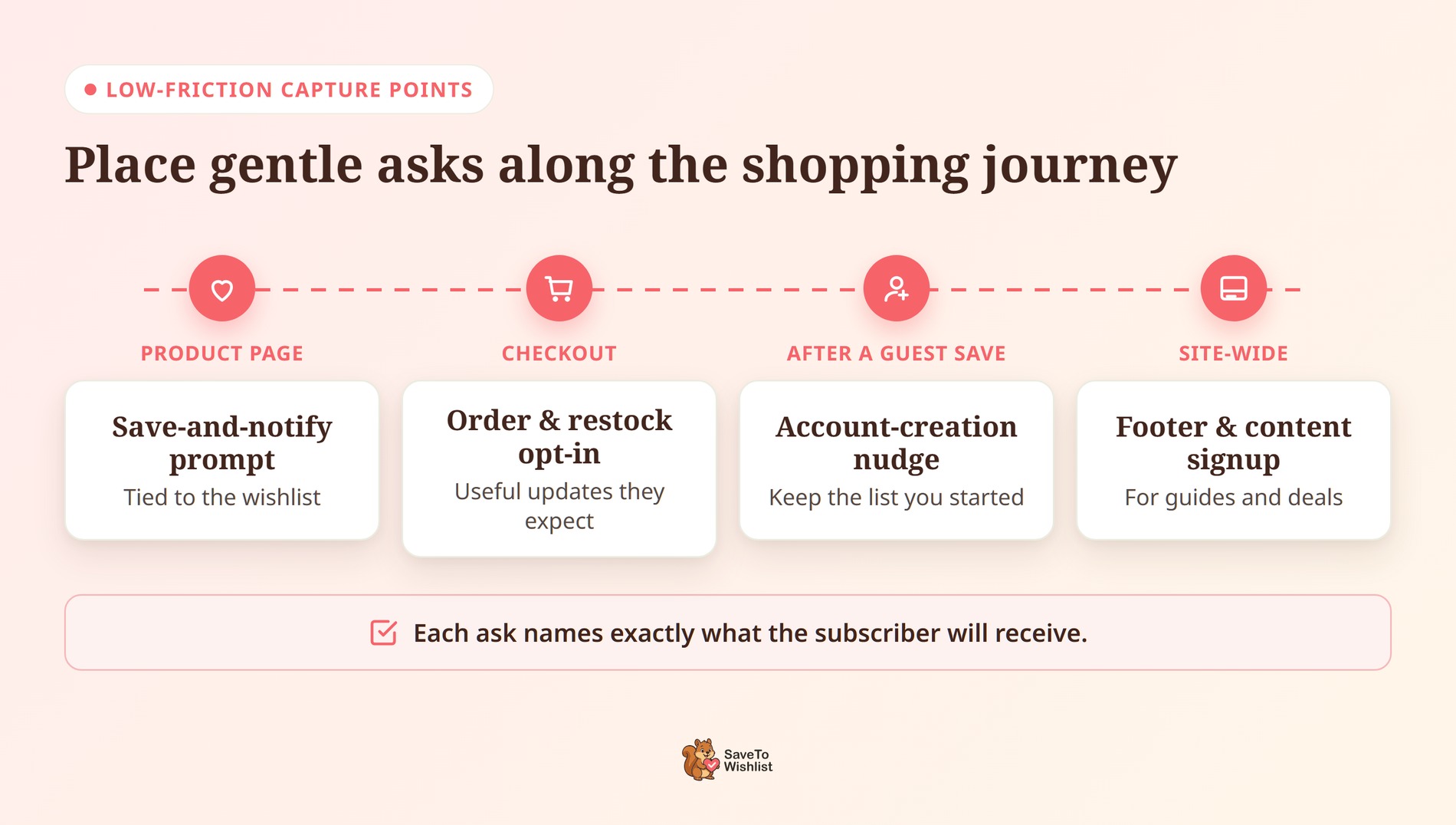
Spread these low-friction points across the shopping journey. Keep each ask specific about what the subscriber will get, because clear value is what actually earns the signup.
5. Keep the list engaged so it keeps converting
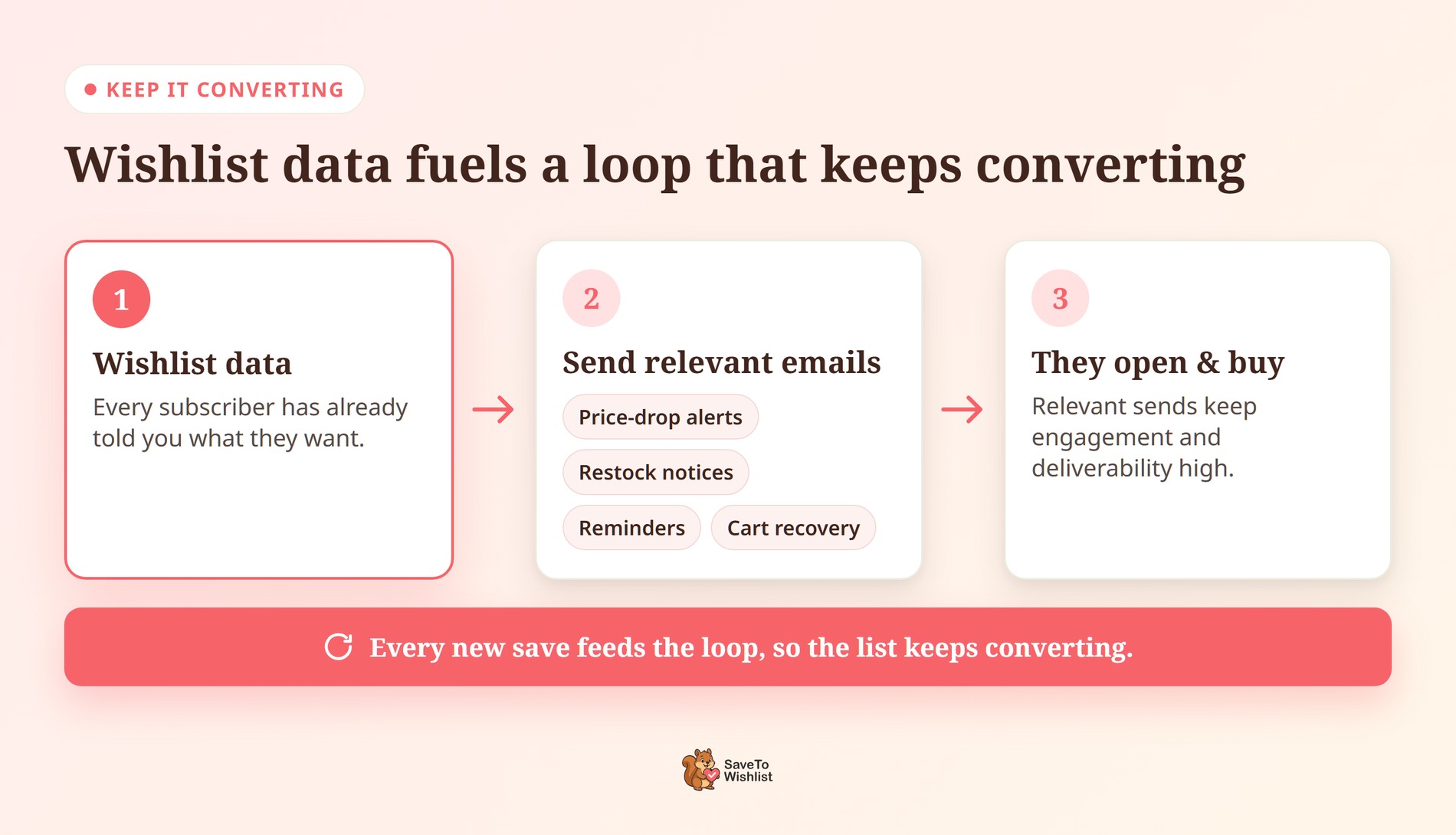
Successfully learning how to build an email list is only half the job. A list you never use, or use only to blast discounts, decays fast. Engagement keeps it valuable.
Wishlist data makes ongoing engagement easy because every subscriber has told you what they want. Reminder emails, price-drop alerts, and restock notifications give you relevant reasons to show up in the inbox. Those automated price-drop and back-in-stock alerts are part of SaveTo Wishlist Pro, so they run without manual effort once configured.
Feeding those signals into your customer records keeps your sends personal as the list grows. We walk through that in how wishlist data feeds your WooCommerce CRM. For the campaign side of using wishlists in email, see how wishlists power email marketing.
Recovering lost sales also keeps a list earning its keep. Roughly 70% of carts are abandoned before purchase, according to the Baymard Institute. So a subscriber base you can re-engage is one of your most reliable recovery tools.
Your Email List Building Checklist
- Capture emails at the save moment, not with a blanket popup.
- Enable guest wishlists so saving comes before signup.
- Offer a specific, honest reason to subscribe.
- Add a few low-friction capture points across the store.
- Use wishlist data to keep the list engaged and segmented.

Build A List That Actually Converts
Knowing how to build an email list isn’t about collecting the most addresses. It’s about capturing the right people at the right moment. Then you give them reasons to stay engaged. Wishlists do both jobs well.
They turn the point of genuine interest into a signup. They also give you relevant things to send afterward. Here’s the short version:
- Capture emails at the moment of intent, not with a blanket popup.
- Use guest wishlists to lower the barrier.
- Offer a genuine reason to subscribe.
- Add capture points that don’t annoy.
- Keep the list engaged with wishlist-driven emails.
Ready to capture higher-intent subscribers? Download SaveTo Wishlist for free and turn saved products into signups!
FAQs: How To Build An Email List
What’s the fastest way to build an email list for WooCommerce?
Capture emails where intent is highest. Let shoppers save products to a wishlist, then invite them to keep their list. That brings in higher-intent subscribers faster than a generic discount popup. The signup is tied to something they actually want.
Are popups bad for list building?
Not inherently. Still, a single blanket popup shown to everyone tends to capture low-intent discount hunters. Targeted, value-specific asks usually produce a more engaged list. Saving a wishlist or opting in for restock alerts are good examples.
How do wishlists help build an email list?
A wishlist gives shoppers a concrete reason to share their email. They save their list and get notified about price drops and restocks. That ties the signup to real product interest. As a result, the subscriber is more likely to open and buy.



