

 Reviewed by
 Upsell and cross-sell get used interchangeably, but they’re two different moves. They have different timing, and mixing them up costs you sales. Getting the upsell vs cross-sell distinction right means offering the upgrade or the add-on at the right moment. You make the offer when a shopper is actually receptive, instead of throwing both at them and hoping. Done well, it lifts revenue from customers who are already buying.
The good news is WooCommerce supports both natively. Plus, you don’t need to be pushy to use them. The difference comes down to one question. Are you helping the customer get a better version of what they want, or something that goes with it?
In our experience, what shoppers save and buy is a great guide for which offer to make. We’ve found those signals tell you a lot about intent. This guide explains upsell vs cross-sell clearly. It shows how each works in WooCommerce, and how wishlist data helps you pick the right one.
Table Of Contents
- Upsell Vs Cross-Sell: The Core Difference
- How Upselling Works In WooCommerce
- How Cross-Selling Works In WooCommerce
- When To Use Upsell Vs Cross-Sell
- How Wishlist Data Tells You Which Offer Fits
- Common Upsell And Cross-Sell Mistakes
- Your Upsell And Cross-Sell Checklist
- Make The Right Offer At The Right Time
- FAQs: Cross-Selling And Upselling
Upsell Vs Cross-Sell: The Core Difference
An upsell encourages a customer to buy a better, higher-value version of the item they’re already considering. A cross-sell encourages them to add a complementary product alongside it.
When comparing upselling vs cross-selling, Both raise your average order value. However, they pull entirely different levers.
Here’s the distinction at a glance:
| Upsell | Cross-sell | |
|---|---|---|
| What it offers | A better or upgraded version | A complementary add-on |
| Example | A larger or premium model | A case for the phone |
| Customer mindset | “Should I get the better one?” | “What else do I need with this?” |
| Best timing | While choosing the product | At or near the cart |
The simplest way to remember the upsell vs cross-sell dynamic is this: an upsell replaces the choice with a better one, while a cross-sell adds to it. Either way, both should feel helpful, not pushy.

How Upselling Works In WooCommerce
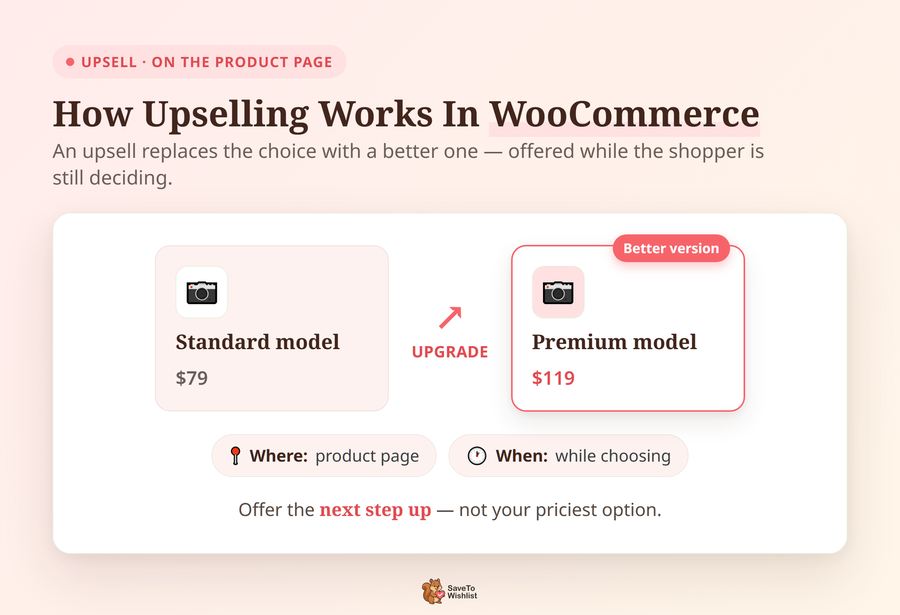
Upselling in WooCommerce usually happens right on the product page. This is where you suggest a higher-value alternative before the customer actually clicks “Add to Cart.” WooCommerce lets you link these upsell products natively, and they’ll show up right below the main product description.
The secret to a good upsell is relevance and a strict price boundary. If someone’s looking at a standard coffee maker, show them the premium version with a built-in grinder.
But here’s the catch: you have to use the 25% Rule. Never try to upsell a customer to an item that’s more than 25% more expensive than their original choice. If the price jump is too high, it won’t feel like a helpful upgrade—it’ll just feel like a cash grab.
🔍️ What we’ve seen: The upsell that backfires hardest is the one that jumps way too far in price. A shopper considering a $100 mid-range product is rarely swayed by your $300 top-tier option. Offering the very next step up, not the top of the range, converts a whole lot better.
How Cross-Selling Works In WooCommerce
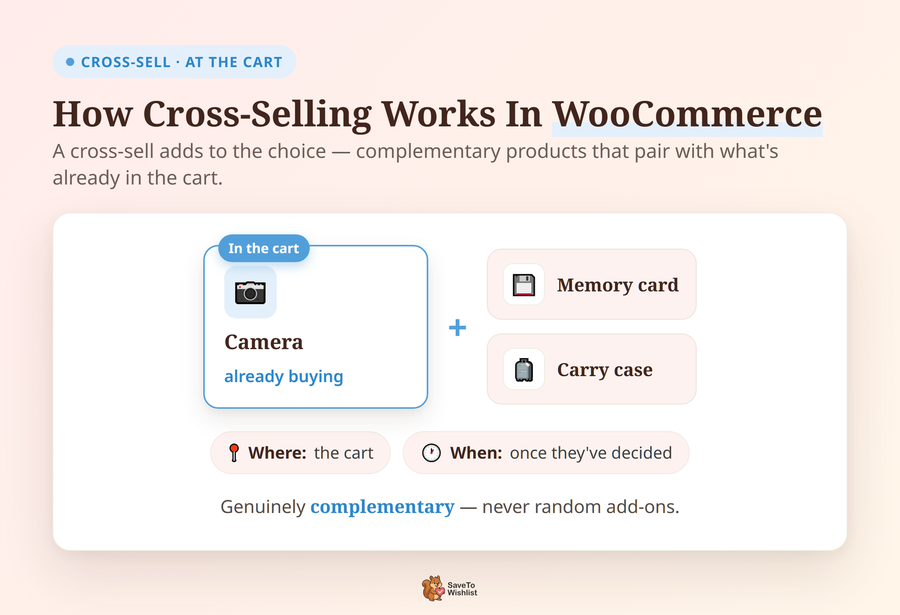
Cross-selling typically happens at the cart page. This is where you suggest products that perfectly pair with what the shopper is already buying. WooCommerce natively supports cross-sell products, surfacing them right before checkout as natural add-ons.
Good cross-sells answer one simple question: “What else do I need to make this work?” If a customer is buying a camera, they’re going to need a memory card and a case. Pitching those items feels like great customer service because it anticipates a real need while they’re already in a buying mood.
But don’t just dump random products on the cart page. You have to make it incredibly easy to say yes. Instead of making them click away to another product page, use “Frequently Bought Together” bundles or simple one-click add-ons right inside the cart. When you remove the friction and keep the add-ons highly relevant, your average order value will naturally shoot up.
When To Use Upsell Vs Cross-Sell
Timing is everything. You have to match your offer to the customer’s mindset. Use an upsell while the customer is still choosing, right when an upgrade is top of mind. On the flip side, use a cross-sell once they’ve already decided, when adding an accessory feels like a natural next step.
Here’s a simple framework so you don’t cross your wires:
- Early on the product page: Upsell to a better version while they’re still deciding.
- At the cart: Cross-sell complementary items (remember the Rule of One!).
- Post-purchase: Cross-sell related products for next time through automated follow-up emails.
You can absolutely run both across the shopping journey, as long as each appears exactly where it makes sense.
How Wishlist Data Tells You Which Offer Fits
The hardest part of upselling and cross-selling isn’t the technical setup. It’s knowing exactly what to offer and when. That’s where your wishlist data comes in. It shows you exactly what a shopper is considering before they even hit the checkout page.
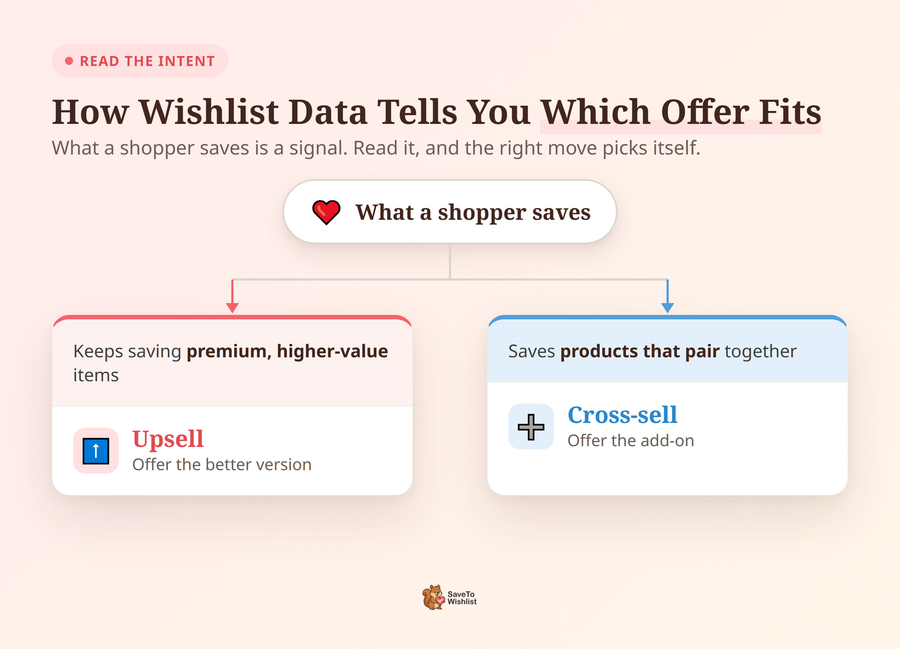
If someone keeps saving premium items to their wishlist, they’re signaling that they’re ready for an upsell. If they save a bunch of complementary products in the exact same list, you’ve got a cross-sell waiting to happen.
Here’s how you put that into action: don’t just wait for them to come back to your site. Send an automated email! For example, if a customer saves a camera body, use that data to trigger an automated cross-sell email offering 15% off the matching lens.
SaveTo Wishlist Pro analytics track these exact patterns so your offers reflect real interest, not just blind guesswork.
Note: Our guides on how wishlist data feeds your WooCommerce CRM and how wishlists boost conversion cover exactly how to set this up. Plus, you can use tools like Advanced Coupons to trigger these deals automatically the second their cart qualifies.
Common Upsell And Cross-Sell Mistakes
A few simple errors in how you execute your upsell vs cross-sell strategy will quietly drain your store’s revenue. Here’s exactly what you need to avoid:
- Breaking the “Rule of One” at checkout: This is the biggest mistake you can make. According to the Baymard Institute, roughly 70% of online carts are abandoned before purchase. If you stack an upsell and three different cross-sells at a shopper right when they’re trying to pay, you just add friction at the worst possible moment. Stick to one highly relevant offer at the cart so you don’t overwhelm them into abandoning the purchase entirely.
- Pushing at the wrong moment: Pitching a cross-sell accessory on the main product page distracts from the primary purchase. Wait until they’re at the cart!
- Jumping too far in price: Remember the 25% Rule! An upsell to your priciest option rarely lands with a mid-range shopper. Keep the upgrade sensible.
- Making irrelevant suggestions: Random add-ons that don’t actually fit the main product just get ignored and make your store look spammy.
Avoid these traps by keeping your offers highly relevant, perfectly timed, and strictly limited. One great suggestion will always beat five mediocre ones.
Your Upsell And Cross-Sell Checklist
- Upsell on the product page: Offer a better version before they click add to cart.
- Follow the 25% Rule: Keep your upsell upgrades sensible. Don’t jump too far in price.
- Cross-sell at the cart: Add complementary items using easy, one-click bundles.
- Follow the Rule of One: Limit your cart offers so you don’t overwhelm the path to checkout.
- Use wishlist data: Base both of your offers on what shoppers actually save and buy together.
Make The Right Offer At The Right Time
Upsell vs cross-sell isn’t really a competition. It’s about using each at the moment it fits. Upsell while the customer is choosing, and cross-sell once they’ve decided. Let what they’ve saved guide which offer to make, so both cross-selling and upselling feel like service while lifting your order value.
Here’s the short version:
- Know the difference: upsell upgrades, cross-sell adds.
- Use each at the right moment in the journey.
- Let wishlist data guide the offer you make.
- Avoid the common mistakes that cost sales.
Want to base your offers on real interest? Use SaveTo Wishlist Pro analytics to see what your shoppers are saving.
FAQs: Cross-Selling And Upselling
What is the difference between upselling and cross-selling?
Upselling offers a better or upgraded version of what a customer is considering. On the other hand, cross-selling offers a complementary product to go alongside it. In short, an upsell replaces the choice with a better one, while a cross-sell adds to it.
Which is better, upselling or cross-selling?
When weighing cross-selling vs upselling, neither is universally better, since they suit different moments. Upsells work best while the customer is still choosing a product. Meanwhile, cross-sells work best once they’ve decided and are near the cart. Most stores benefit from using both at the right points.
Does WooCommerce support upsells and cross-sells?
Yes. WooCommerce lets you link upsell products that appear on the product page. It also supports cross-sell products that appear at the cart. So you can set up both natively without extra tools.
How do wishlists help with upselling and cross-selling?
Wishlists show what shoppers are considering. Saving premium items signals readiness for an upsell. Meanwhile, saving complementary products together signals a cross-sell. That lets you make relevant offers instead of guessing.
What’s the biggest upsell and cross-sell mistake?
Offering too much at once. After all, stacking an upgrade and several add-ons at checkout overwhelms shoppers and can reduce conversions. One relevant, well-timed offer almost always outperforms a pile of suggestions.



