
If you sell memberships, boxes, or services on a schedule with Flexible Subscriptions, shoppers can save those products to their wishlist like any other product. SaveTo Wishlist shows each subscription’s recurring price on the wishlist and lets shoppers pick a plan before they add it to the cart. Below, you can see what shoppers see and what to check if something looks off.
Before you start
- Flexible Subscriptions installed and active.
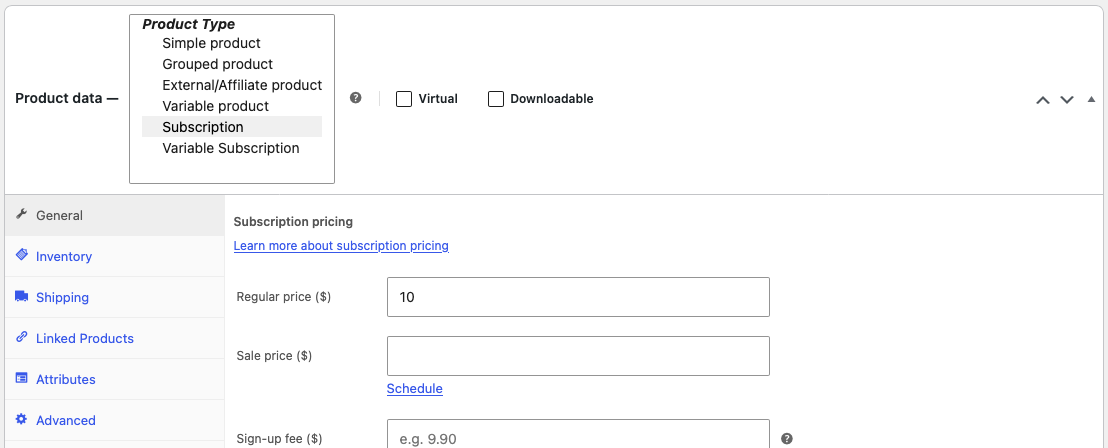
- One or more products with the product type Subscription or Variable Subscription.
- SaveTo Wishlist active. The integration runs automatically. There are no settings to configure.
- SaveTo Wishlist 1.1.8 or later if you sell variable subscriptions.
How it works
Subscription products
A Subscription product shows on the wishlist like any simple product. The Price column shows the price text from Flexible Subscriptions, such as “$10.00 every month”. If the product has a free trial, a set length, or a sign-up fee, the price text includes those too.
Shoppers click Add to Cart on the row to move the subscription to the cart.

Variable Subscription products
A Variable Subscription product gets a dropdown on its wishlist row for each attribute, such as a plan or a box size, the same way a regular variable product does. Shoppers choose a plan and click Add to Cart, and the plan they chose goes into the cart.
A plan is always selected. If the shopper saved a specific plan, the row opens with that plan. Otherwise, it opens with the first option in each dropdown.
The Price column shows the starting price of the product, such as “From $15.00 every month”. With SaveTo Wishlist Pro 1.0.4 or later and an active licence, it shows the price of the chosen plan instead, such as “$25.00 every month”. The Subtotal column follows the chosen plan in both cases.

Adding several items at once
Subscription rows work with the Add All to Cart and Add Selected to Cart buttons. A Variable Subscription row goes into the cart with the plan chosen on that row. This works on guest wishlists too.
Troubleshooting
A Variable Subscription product shows no plan dropdown on the wishlist.
Update SaveTo Wishlist to 1.1.8 or later. Then make sure Flexible Subscriptions is active, and that the product type is Variable Subscription with at least one plan set up as a variation.
Frequently asked questions
Why don’t the Subtotal and Total show “every month” or the sign-up fee?
The Subtotal column and the wishlist Total add up the recurring price of each plan as a plain amount. They leave out the billing period, the free trial, and the sign-up fee. The Price column shows the full subscription terms.
Can I email shoppers when a subscription on their wishlist drops in price?
Yes, with SaveTo Wishlist Pro. Use the When a wishlist product goes on sale trigger in a wishlist automation. It runs when you give a subscription product, or one of its plans, a sale price lower than its regular price. Lowering the regular price without a sale price does not start it.
Do simple subscriptions need SaveTo Wishlist 1.1.8?
No. Subscription products work on the wishlist in earlier versions too. Version 1.1.8 adds the plan dropdown and the correct cart behaviour for Variable Subscription products.
Does this change how my other products work on the wishlist?
No. The integration only affects Variable Subscription products. Everything else shows and adds to the cart as usual.
Need help?
If you have a question or run into any issues, we’re here to help.
- Premium users: Open a support ticket
- Free users: Visit our community forum

