

 Reviewed by
 Here’s the thing about WooCommerce coupons: most stores send them to everyone. 20% off site-wide, free shipping for all, buy-one-get-one on everything. It works, but it’s expensive. You’re giving discounts to customers who would have bought at full price anyway.
What if you could send targeted discounts only to customers who’ve already told you exactly what they want?
That’s what happens when you combine WooCommerce wishlist data with coupon strategy. SaveTo Wishlist tells you which customers want which products. Advanced Coupons gives you the tools to create targeted, conditional discounts. Together, they let you send the right offer to the right customer for the right product, instead of blasting your entire list with the same generic code.
Both plugins are built by Rymera Web Co, and they have a dedicated integration designed to make them work together. This article covers four strategies for using that combination to drive sales without destroying your margins.
Table Of Contents
- Why Wishlists + Coupons Is a High-Conversion Combination
- 1st Strategy: Exclusive Coupons For Wishlist Users
- 2nd Strategy: Time-Limited Discounts To Convert Wishlisted Items
- 3rd Strategy: Wishlist-Triggered Promotions Based on Thresholds
- 4th: Cart Recovery With Wishlist-Aware Coupons
- Getting Started With SaveTo Wishlist + Advanced Coupons
- FAQs: WooCommerce Wishlist Coupon Discount
Why Wishlists + Coupons Is A High-Conversion Combination
The logic is simple once you see it.
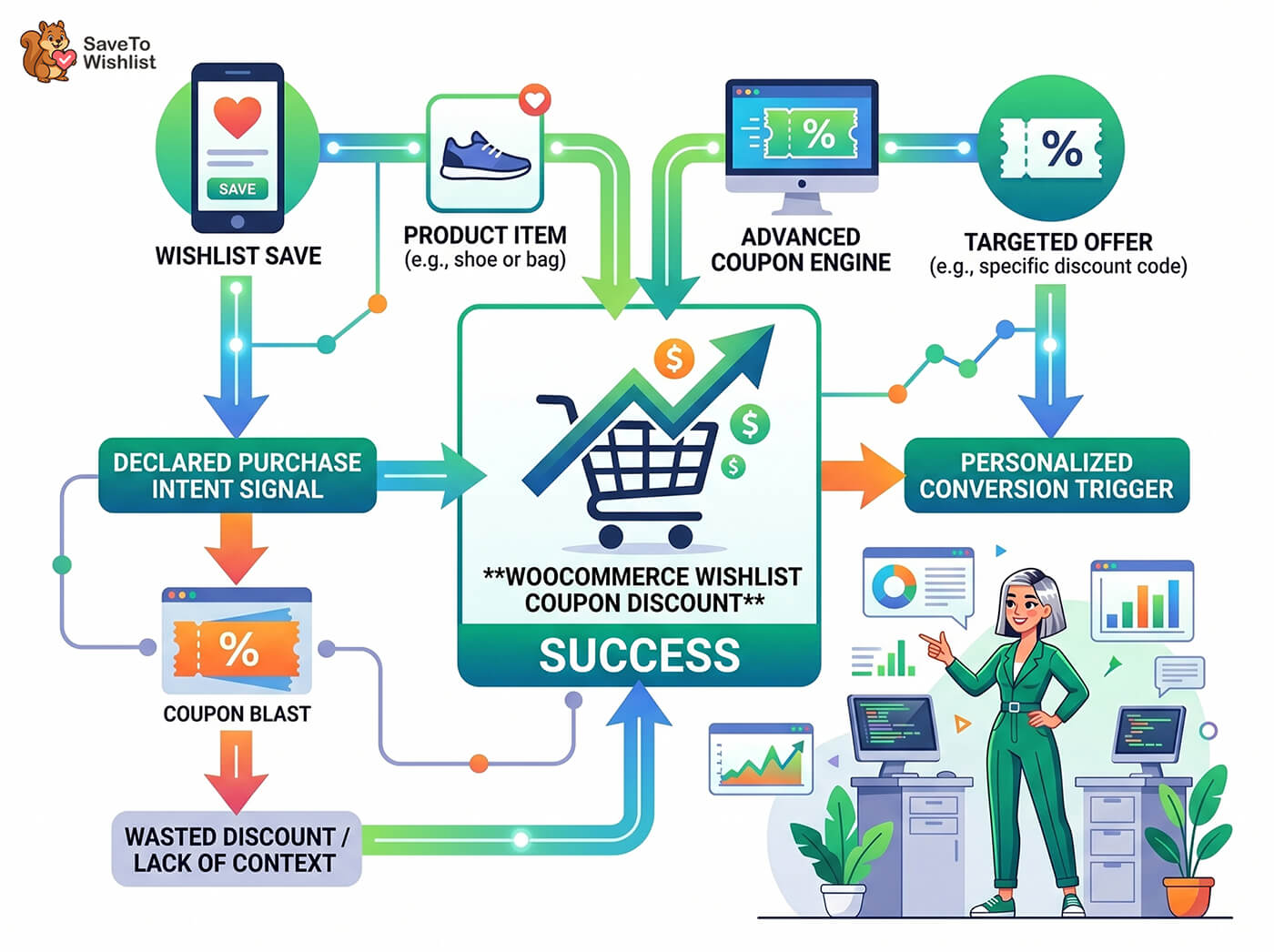
A wishlist save is a customer telling you: “I want this product, but I’m not buying it right now.” That’s declared purchase intent. Not inferred from browsing behavior. Not guessed from demographics. The customer explicitly said “I want this.”
A coupon is a conversion trigger. It’s the nudge that moves a customer from “I want this” to “I’m buying this.”
When you combine the two, you get something most WooCommerce stores don’t have: targeted WooCommerce wishlist coupon discounts backed by actual customer intent data.
Compare that to a typical coupon strategy where you blast 15% off to your entire email list. Some of those customers were going to buy anyway (you just lost margin). Some aren’t interested in anything you sell right now (wasted send). And a few might convert who wouldn’t have otherwise (the only group where the coupon actually worked).
Wishlist-targeted coupons flip that equation. Every recipient has already told you they want a specific product. The coupon isn’t a shot in the dark. It’s a direct response to expressed demand.
According to Epsilon’s research on personalization, 80% of consumers are more likely to make a purchase when brands offer personalized experiences. Wishlist-targeted coupons are about as personalized as it gets.
Strategy 1: Exclusive Coupons For Wishlist Users
The concept
Create coupons that are only available to customers who have wishlisted specific products or product categories. Instead of a store-wide discount, you’re rewarding customers for engaging with your wishlist plugin feature while keeping the discount limited to people who actually want the product.
When to use this strategy
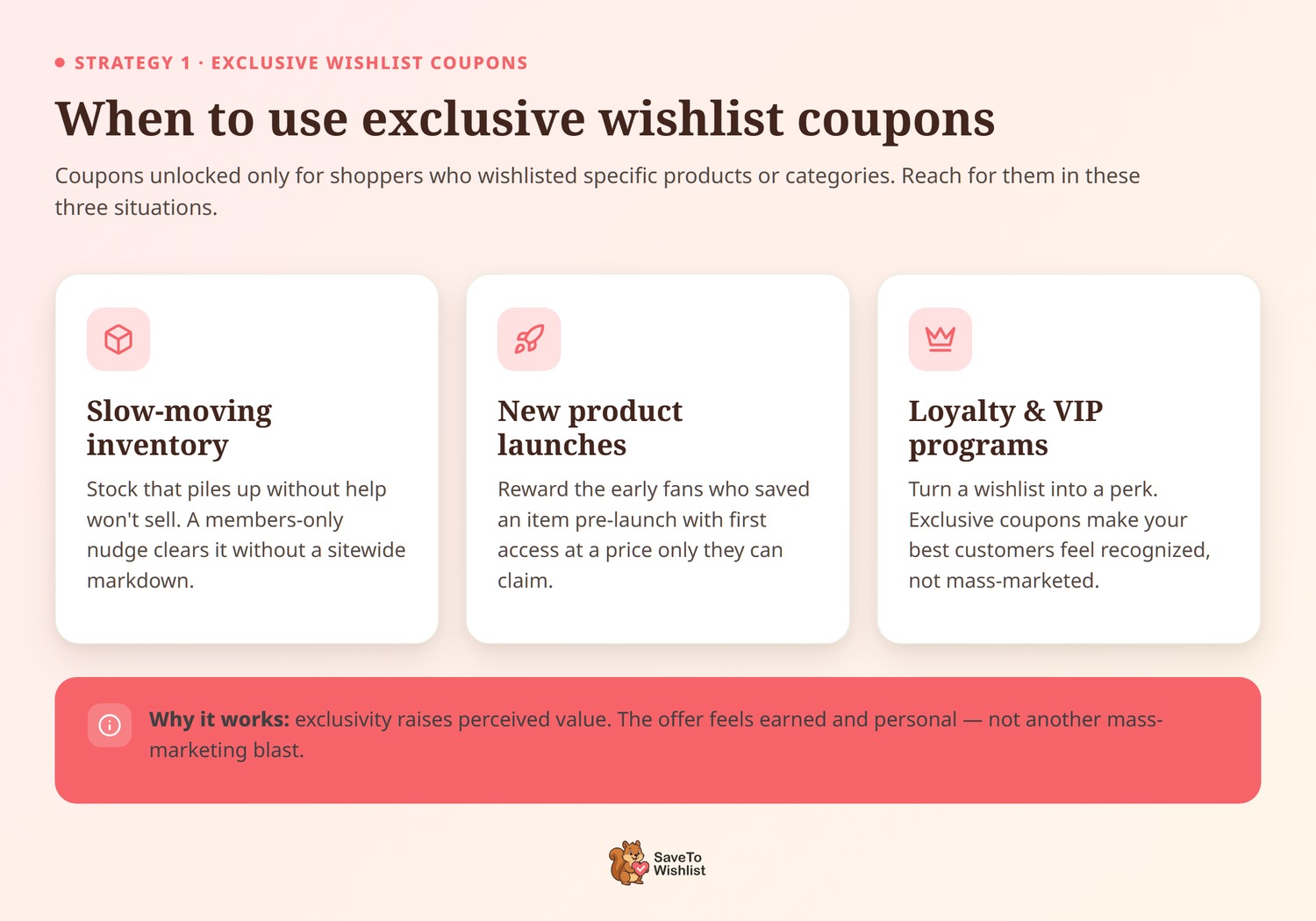
- Slow-moving inventory with strong wishlist numbers. If a product has lots of wishlist saves but few purchases, an exclusive coupon for those wishlist users can unlock the conversions without discounting the product for everyone.
- New product launches. Customers who wishlisted pre-launch or early-launch products are your most interested audience. An exclusive early discount rewards that interest and drives first sales.
- Loyalty and VIP programs. Wishlist engagement is a signal of your most engaged customers. Exclusive coupons based on wishlist activity reward the behavior you want to encourage.
Why it works
Exclusivity increases the perceived value of the discount. “Here’s 10% off something you saved” feels different from “Here’s 10% off everything for everyone.” The customer feels seen, and the discount feels earned rather than random.
From a margin perspective, you’re limiting this specific WooCommerce wishlist coupon discount to a targeted group. You’re not training your entire customer base to wait for sales. You’re giving a conversion nudge specifically to customers who need it.
Wishlist email marketing through SaveTo Wishlist Pro lets you reach these customers directly with the offer.
Strategy 2: Time-Limited Discounts To Convert Wishlisted Items
The concept
Send a time-limited coupon to customers who wishlisted a product more than a certain number of days ago but haven’t purchased it. You’re adding urgency on top of existing intent.
When to use this strategy
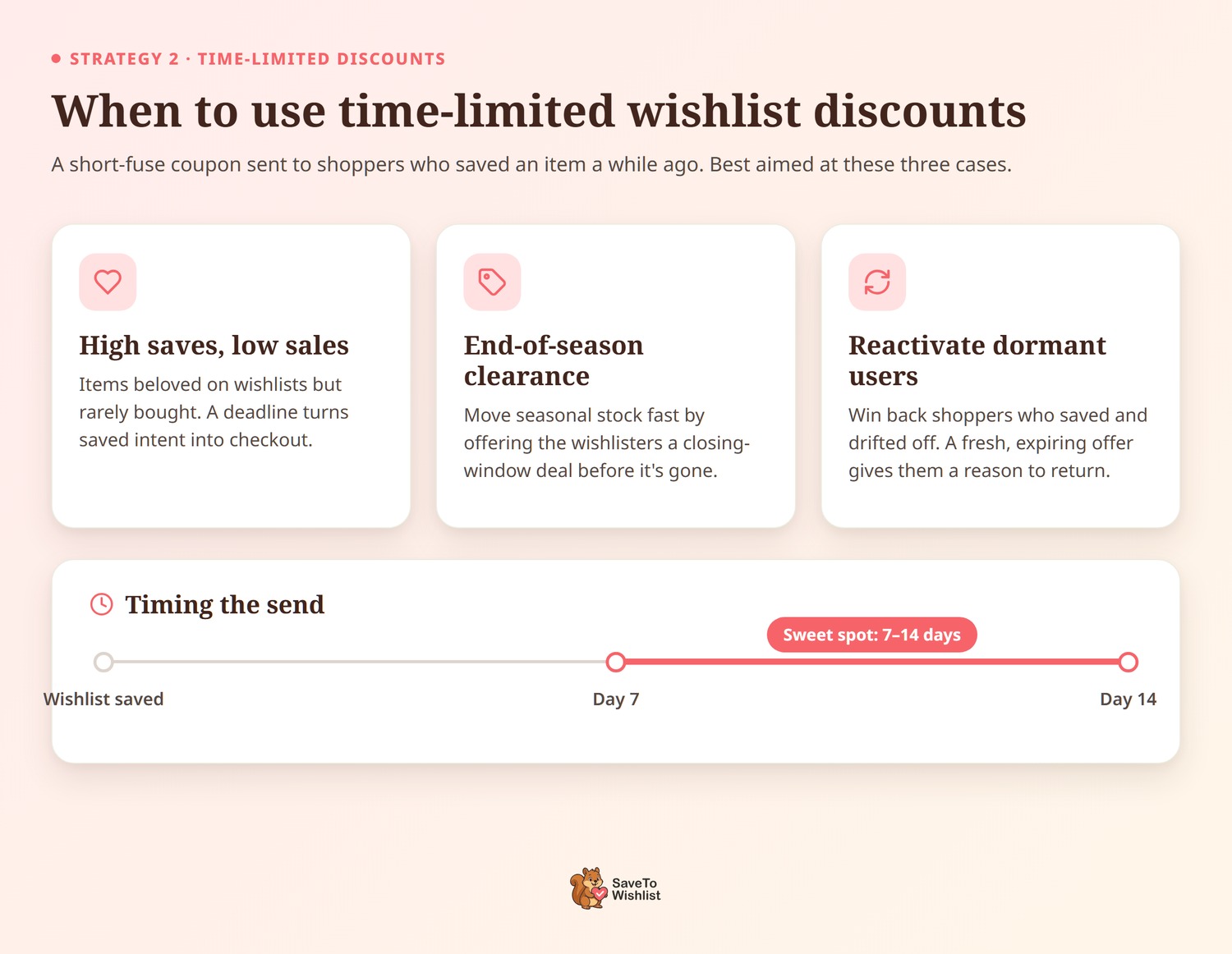
- Products with high wishlist saves but low conversion. This is a classic price sensitivity signal. The customer wants the product but hasn’t pulled the trigger. Offering a time-limited WooCommerce wishlist coupon discount adds the necessary urgency to act.
- End-of-season clearance. Before you markdown products store-wide, send targeted coupons to customers who wishlisted those items. You’ll clear inventory faster and preserve full-price perception for non-wishlisters.
- Reactivating dormant wishlist users. Customers who haven’t visited in 30+ days but have active wishlists are at risk of buying elsewhere. A time-limited offer brings them back.
The timing sweet spot
Timing matters with this strategy. Too soon after the initial save, and the coupon feels pushy. The customer just bookmarked something. They don’t want a sales pitch 24 hours later.
Too late, and the customer has either moved on, bought from a competitor, or forgotten about the product entirely.
For most product categories, 7-14 days after the initial wishlist save is a reasonable window. That gives the customer time to decide on their own, and the coupon arrives right when the initial excitement might be fading but the interest is still there.
Price drop alerts through SaveTo Wishlist Pro automate this process. When you reduce a price, customers who wishlisted the product get notified automatically.
🔍️ What We’ve Seen: Time-limited offers sent to wishlist users consistently outperform generic sales emails in conversion rate. The reason is straightforward: the customer already has intent. They’ve already decided they want the product. The time-limited coupon doesn’t create interest. It converts existing interest by adding urgency and removing the price barrier. Stores that combine price drop alerts with time-limited coupons see their strongest response from the wishlist channel.
Strategy 3: Wishlist-Triggered Promotions Based on Thresholds
The concept
Instead of deciding when to run a promotion based on the calendar, use wishlist data as a demand signal. When a product or category reaches a threshold of wishlist saves, that’s your cue to launch a targeted promotion.
Example scenarios
- Product-level threshold. A product hits 50 wishlist saves. You create a limited-time 10% off coupon and notify everyone who wishlisted it. The demand is proven, and the promotion is self-targeting.
- Category-level signal. Wishlist saves in your outdoor furniture category spike 30% month-over-month. That’s your signal to launch the spring outdoor promotion, instead of waiting for an arbitrary May start date.
- Seasonal validation. Your winter accessories start accumulating wishlist saves in September. That tells you your customers are already planning for cold weather. Launch your seasonal promotion when demand is real, not when a retail calendar says to.
The mechanics of this strategy rely on wishlist automations and webhooks from SaveTo Wishlist Pro connecting to your coupon system through Advanced Coupons. Wishlist events trigger actions, and those actions can include generating and delivering targeted coupons.
This approach turns your promotion calendar from a guess into a data-driven system. You’re not hoping customers are ready for a sale. You know they are because they told you.
Strategy 4: Cart Recovery With Wishlist-Aware Coupons
The concept
When a customer abandons a cart that contains a product they previously wishlisted, the recovery email can reference that wishlist context. “Still thinking about (product name)? Here’s 10% off” is a different message than a generic “You left something in your cart.”
Why wishlist context improves cart recovery
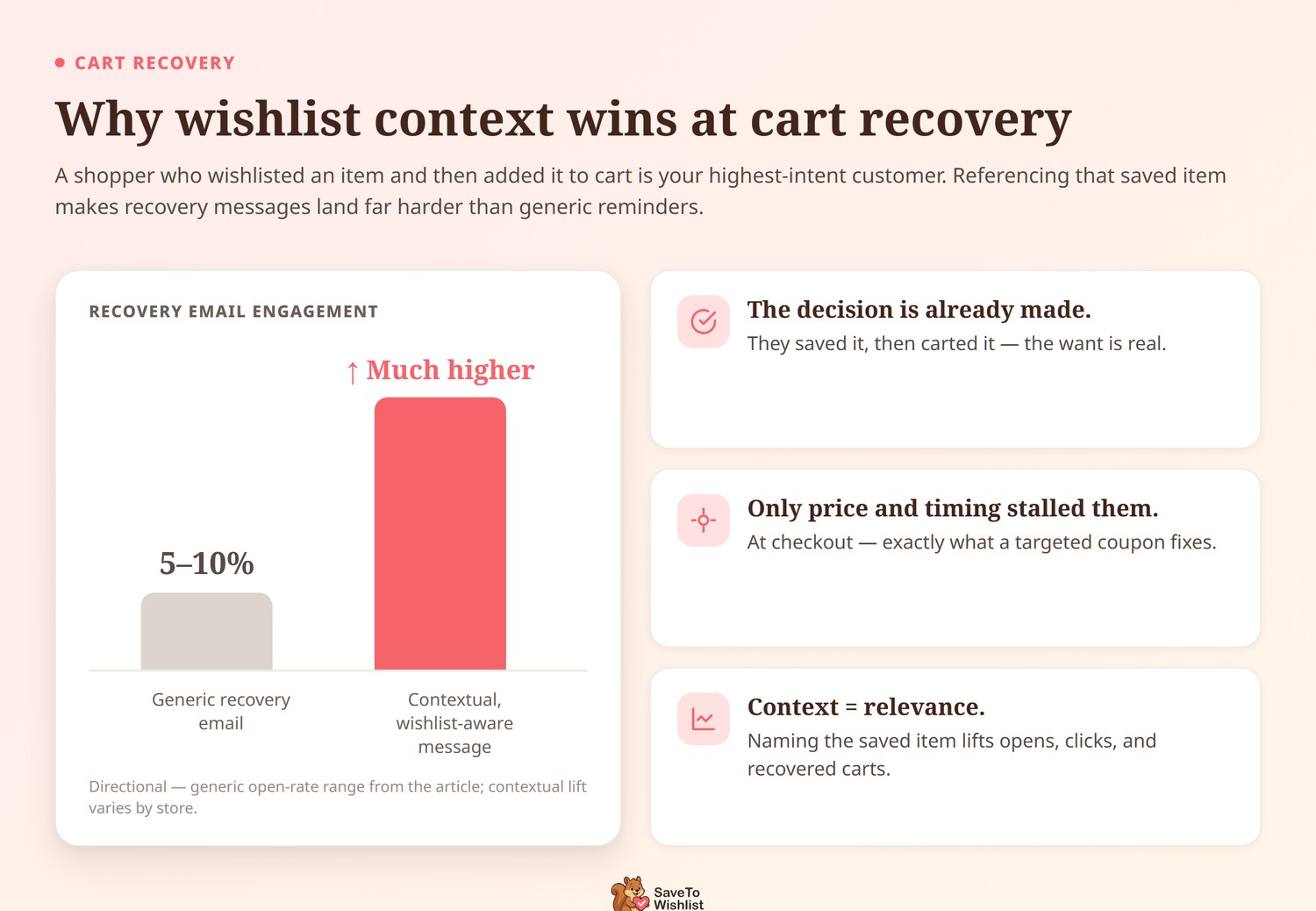
A customer who wishlisted a product and then added it to their cart is your highest-intent customer. They did two separate actions indicating they want it. Something stopped them at checkout, and in most cases, that something is a combination of price and timing.
A generic cart recovery email might get a 5-10% open rate. But a cart recovery email that references a wishlisted product and includes specialized WooCommerce wishlist coupon discounts speaks directly to the customer’s stated interest. The customer doesn’t feel like they’re getting a mass email. They feel like the store remembered what they wanted and made it easier to buy.
Even a small discount (5-10%) can be enough to tip the balance for these customers because the purchase decision is already 90% made. They want the product. They put it in their cart. A small nudge is all they need.
Combining wishlist email marketing with cart recovery flows creates a multi-touchpoint system where every customer interaction builds toward conversion.
Getting Started With SaveTo Wishlist + Advanced Coupons
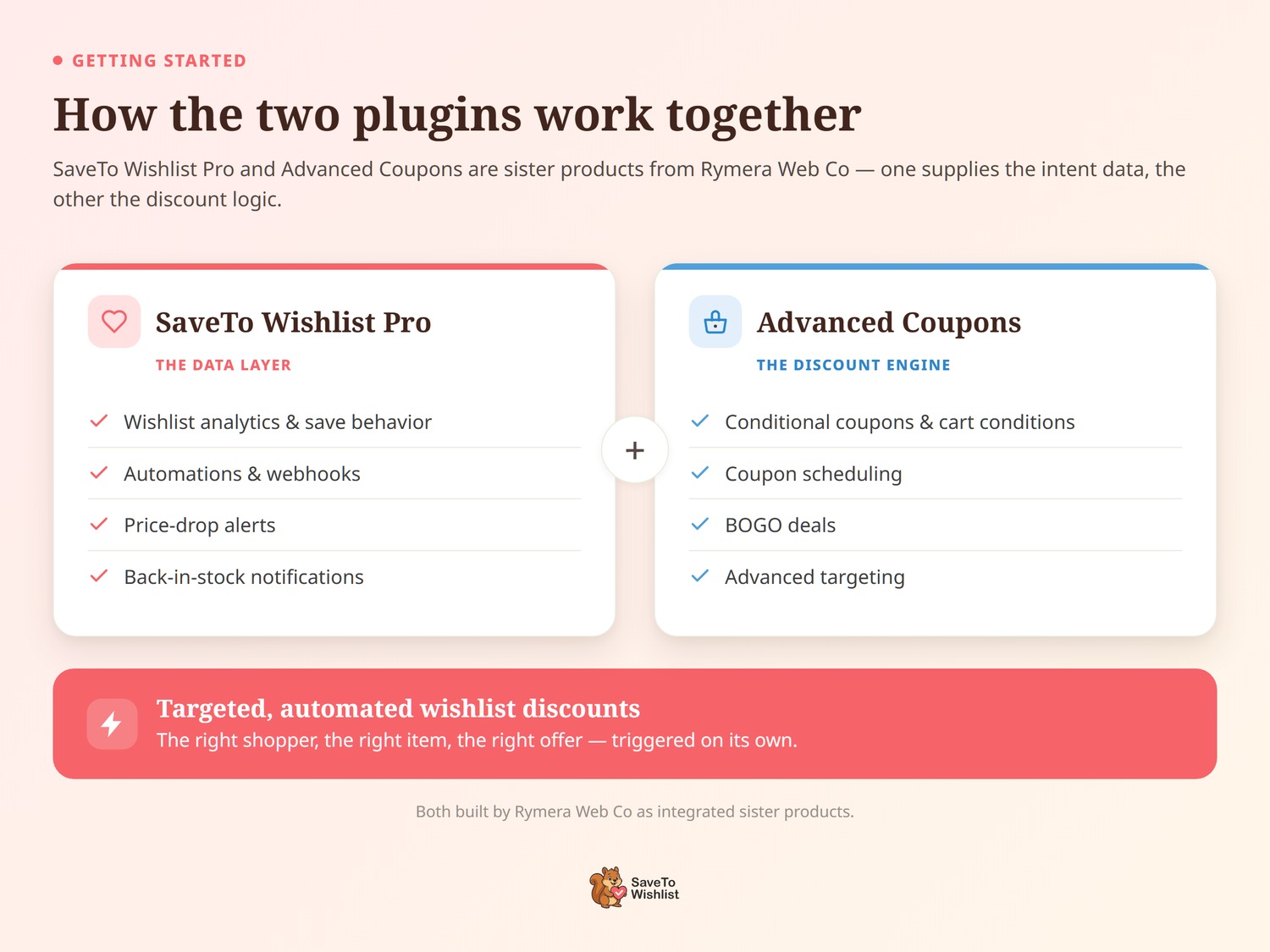
SaveTo Wishlist and Advanced Coupons are both built by Rymera Web Co, so the integration between them is first-party. Not a third-party bridge, not a Zapier workaround. It’s a direct connection designed by the same team.
Here’s what each plugin brings to the table:
- SaveTo Wishlist Pro provides the data layer: wishlist analytics, customer save behavior, automations, webhooks, price drop alerts, and back-in-stock notifications. It tells you who wants what.
- Advanced Coupons provides the discount engine: conditional coupons, cart conditions, scheduling, BOGO deals, and advanced targeting. It lets you create offers with precise rules.
The SaveTo Wishlist + Advanced Coupons integration page covers the specifics of connecting the two plugins and setting up wishlist-aware coupon conditions. Start there for implementation details.
SaveTo Wishlist Pro plans start at $49.50/year (Growth, single site), with Plus at $99.50/year and Business at $199.50/year (unlimited sites), all with a 14-day money-back guarantee.
FAQs: WooCommerce Wishlist Coupon Discount
Do I need SaveTo Wishlist Pro for these strategies?
Yes. The automations, webhooks, and analytics features that power wishlist-targeted coupon strategies are part of SaveTo Wishlist Pro. The free version of SaveTo Wishlist provides core wishlist functionality but doesn’t include the automation and data features needed to connect with Advanced Coupons at a strategic level.
Does Advanced Coupons work with the free version of SaveTo Wishlist?
The basic wishlist functionality works alongside Advanced Coupons, but the integration features that enable wishlist-targeted coupons, automated delivery, and behavior-based triggers require SaveTo Wishlist Pro. Check the integration page for specifics.
Can I automate coupon delivery based on wishlist activity?
Yes. SaveTo Wishlist Pro’s automations and webhooks let you trigger actions based on wishlist events, such as a new save, a price drop on a wishlisted item, or a back-in-stock notification. These triggers can connect to Advanced Coupons to automatically generate and deliver targeted coupons.
Are SaveTo Wishlist and Advanced Coupons made by the same company?
Yes. Both plugins are built by Rymera Web Co. They’re sister products designed to work together, which is why the integration is first-party rather than relying on third-party connectors.
What other integrations does SaveTo Wishlist support?
Beyond Advanced Coupons, SaveTo Wishlist Pro includes webhooks and a REST API that let you connect wishlist data to email marketing platforms, CRMs, analytics tools, and other parts of your WooCommerce stack. Check the SaveTo Wishlist Pro features page for the full integration list.
Can I use these strategies with any WooCommerce wishlist plugin?
While the general concepts apply to ecommerce, the specific automations, deep targeting, and conditional coupon logic mentioned in this article require the first-party integration between SaveTo Wishlist Pro and Advanced Coupons.
Conclusion
The four strategies in this guide all follow the same principle: wishlists tell you who wants what, and coupons give you the tool to convert that intent into purchases.
Exclusive coupons reward wishlist engagement. Time-limited discounts add urgency to existing intent. Threshold-based promotions turn demand data into campaign triggers. And wishlist-aware cart recovery speaks directly to your highest-intent customers.
The combination works because it’s targeted. You’re not discounting for everyone. You’re sending the right offer to the customer who already told you they want the product. That’s better for conversion rates and better for your margins.
SaveTo Wishlist and Advanced Coupons are built by the same team at Rymera Web Co, and the integration between them is designed to make these strategies practical to implement. Start with the strategy that fits your store’s biggest opportunity, and build from there.



