

 Reviewed by
 If you’re wondering how to increase online sales in WooCommerce without pouring more money into ads, you’re not alone. Traffic keeps coming, yet most visitors browse, shortlist a few things in their head, and leave without buying.
Meanwhile, ad costs climb and margins get thinner. The shoppers who seemed interested never come back.
The good news is that you already have most of what you need. This guide walks through four practical levers: intent capture, recovery, higher order value, and intent-based marketing.
None of these need a bigger ad budget. In fact, most build on tools you can add in an afternoon.
Table of Contents
- Capture Buying Intent Before Shoppers Leave
- Recover Shoppers Who Almost Bought
- The Frictionless Return Rule (Nailing the Landing)
- Raise Your Average Order Value
- The Viral Loop Rule (Turning Shoppers into Your Marketing Team)
- Turn Wishlist Data Into Your Next Move
- Frequently Asked Questions: How To Increase Online Sales
- Your Next Steps To Grow WooCommerce Sales
Capture Buying Intent Before Shoppers Leave
The absolute biggest missed opportunity in WooCommerce is letting high-intent shoppers walk away without leaving a trace.
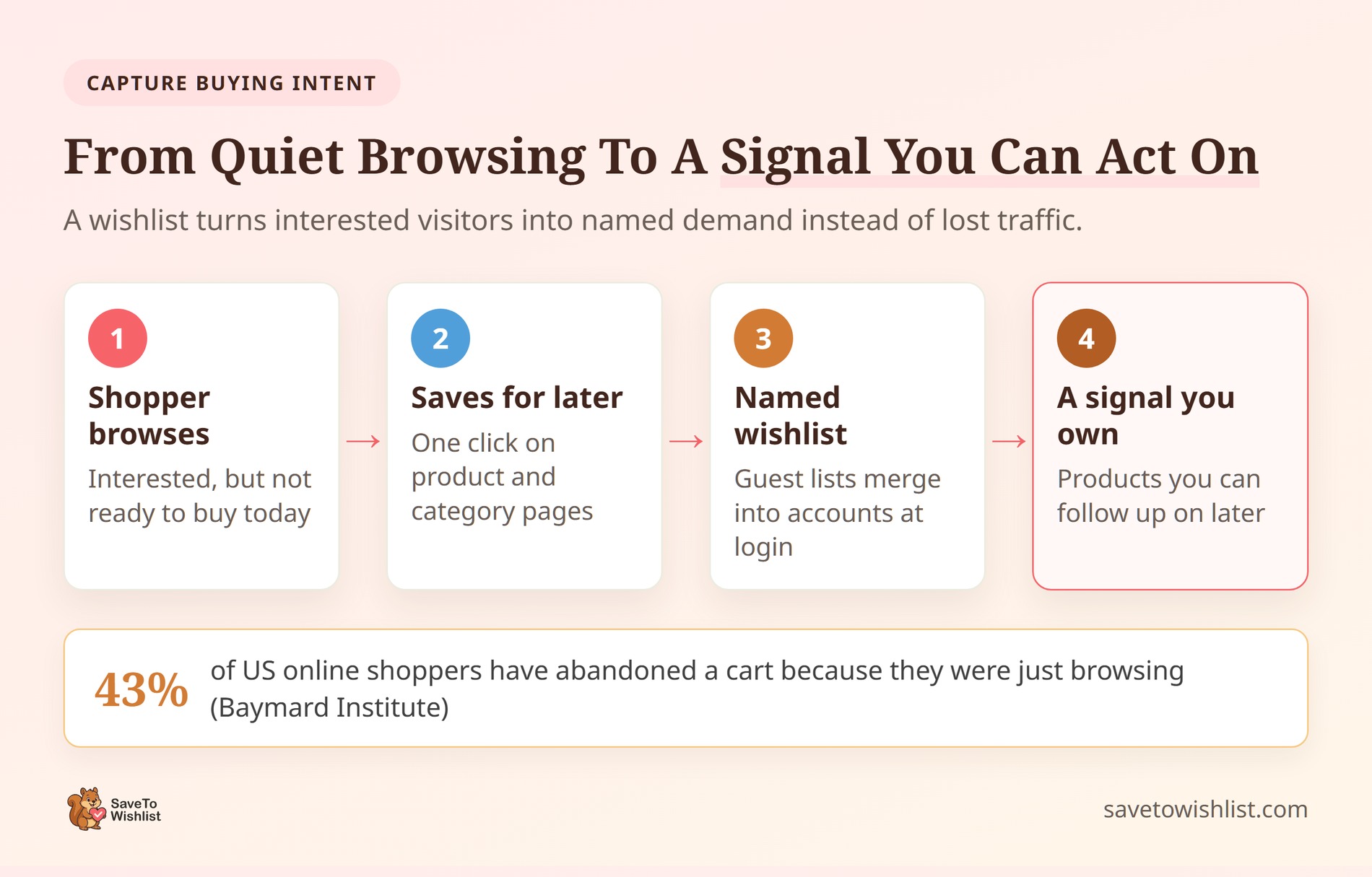
Not every visitor is ready to pull out their credit card on the first visit. In fact, Baymard Institute data shows that 43% of US online shoppers abandon their sessions simply because they were just browsing.
To fix this, you must apply the Always-On Capture Rule. You need to give those “not ready yet” shoppers a frictionless way to park the products they want. A wishlist does exactly that, transforming anonymous page views into a concrete, followable signal.
- Make it one-click: Don’t force shoppers to create an account just to save a product. Use the free version of SaveTo Wishlist to let guest shoppers build lists instantly. When they eventually log in, those items seamlessly merge into their profile.
- Put it everywhere: Drop a high-contrast “Save for later” button on every single product page and category grid.
Instead of burning cash on retargeting ads to guess what they might have liked, you now have a literal, trackable list of exactly what they intend to buy.
📝 Note: If you want to go deeper on the conversion side, our guide on how wishlists increase ecommerce conversion breaks down where saved intent turns into orders.
Recover Shoppers Who Almost Bought
Recovering shoppers who almost bought is the absolute highest-ROI work you can do. These visitors didn’t just browse; they showed high purchase intent but stalled at the finish line.
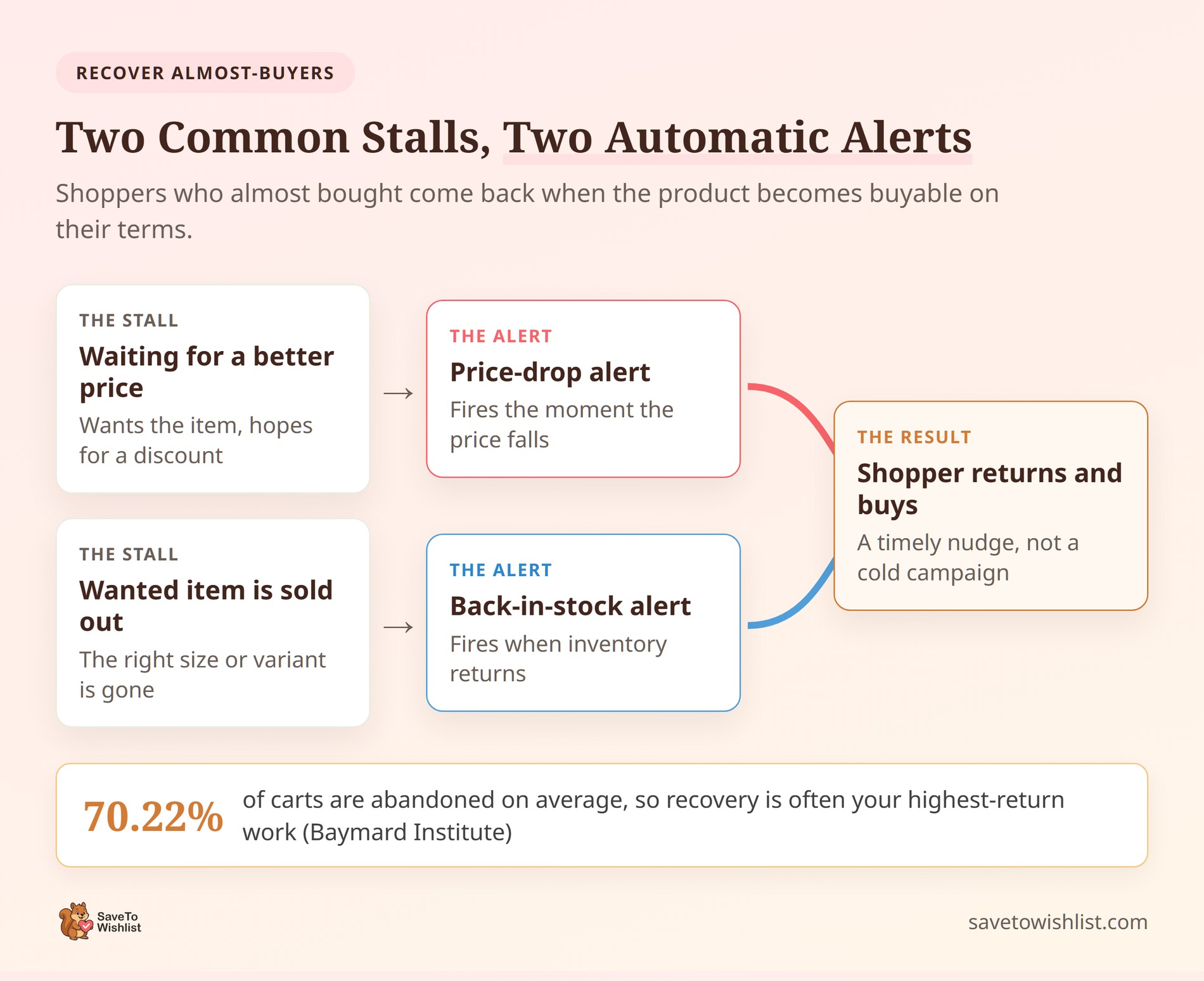
According to the Baymard Institute, 70.22% of shopping carts are abandoned. Seven out of ten interested buyers walk away. They don’t leave because they hate your products. They leave because of temporary friction like high prices or out-of-stock variations.
Instead of letting those sales die, you must apply the Double-Trigger Recovery Strategy:
- Trigger 1: Price-Drop Alerts. Many shoppers use a wishlist as a “waiting room” for sales. The second you discount an item, SaveTo Wishlist Pro automatically fires a highly personalized alert directly to everyone who saved it. You aren’t guessing what they want—you’re offering a deal on the exact product they already shortlisted.
- Trigger 2: Back-in-Stock Alerts. If a specific size or color is sold out, shoppers will abandon their session. When you restock, SaveTo Wishlist Pro automatically pings the exact customers who saved that specific variation. This turns supply chain gaps into instant injection points for revenue.
To supercharge this, don’t let this data sit idle. Use real-time webhooks to push wishlist events through Zapier straight into tools like Klaviyo. This lets you drop high-intent savers into tailored email automation flows that convert at a much higher rate than any generic promo blast.
The Frictionless Return Rule (Nailing the Landing)
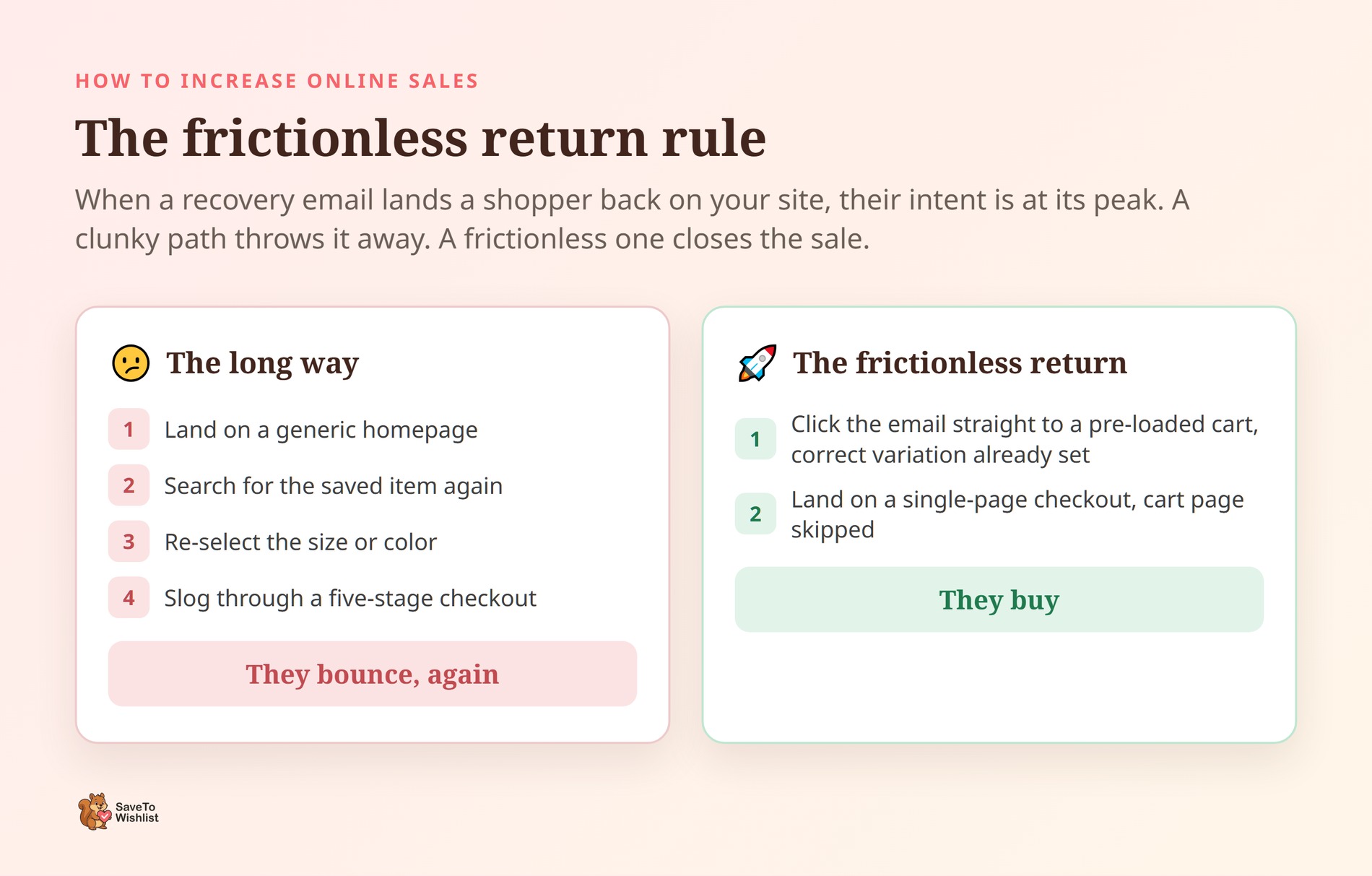
If you successfully execute your “Double-Trigger” strategy and convince a shopper to click back to your site via a price-drop or back-in-stock email, their buying intent is at an all-time high. Don’t ruin it with a clunky user experience.
If they click your email link and land on a generic homepage, or have to manually search for the item, select their size again, and navigate a tedious five-stage checkout, they will bounce. Again.
To prevent this, apply the Frictionless Return Rule:
- Direct-to-Cart Links: Ensure the CTA link in your automated recovery email doesn’t just point to the product page. It should lead directly to a pre-loaded cart with their saved item and correct variation (like size or color) already selected.
- One-Click Checkout: If possible, bypass the cart page entirely for returning wishlist savers. Send them straight to a simplified, single-page checkout. The fewer clicks between the email inbox and the order confirmation page, the higher your conversion rate.
Raise Your Average Order Value
Earning more from the customers you already have is the fastest way to expand your profit margins. You pay exactly $0 in extra ad spend to increase an existing order.
Instead of treating a wishlist as just a “maybe later” bin, you need to use it to build a basket in your customer’s head before they even hit the checkout page. To make this happen, apply the Pre-Cart Bundle Rule.
You must allow shoppers to save complex products, bundles, and variations to their lists, and give them the tools to plan larger purchases:
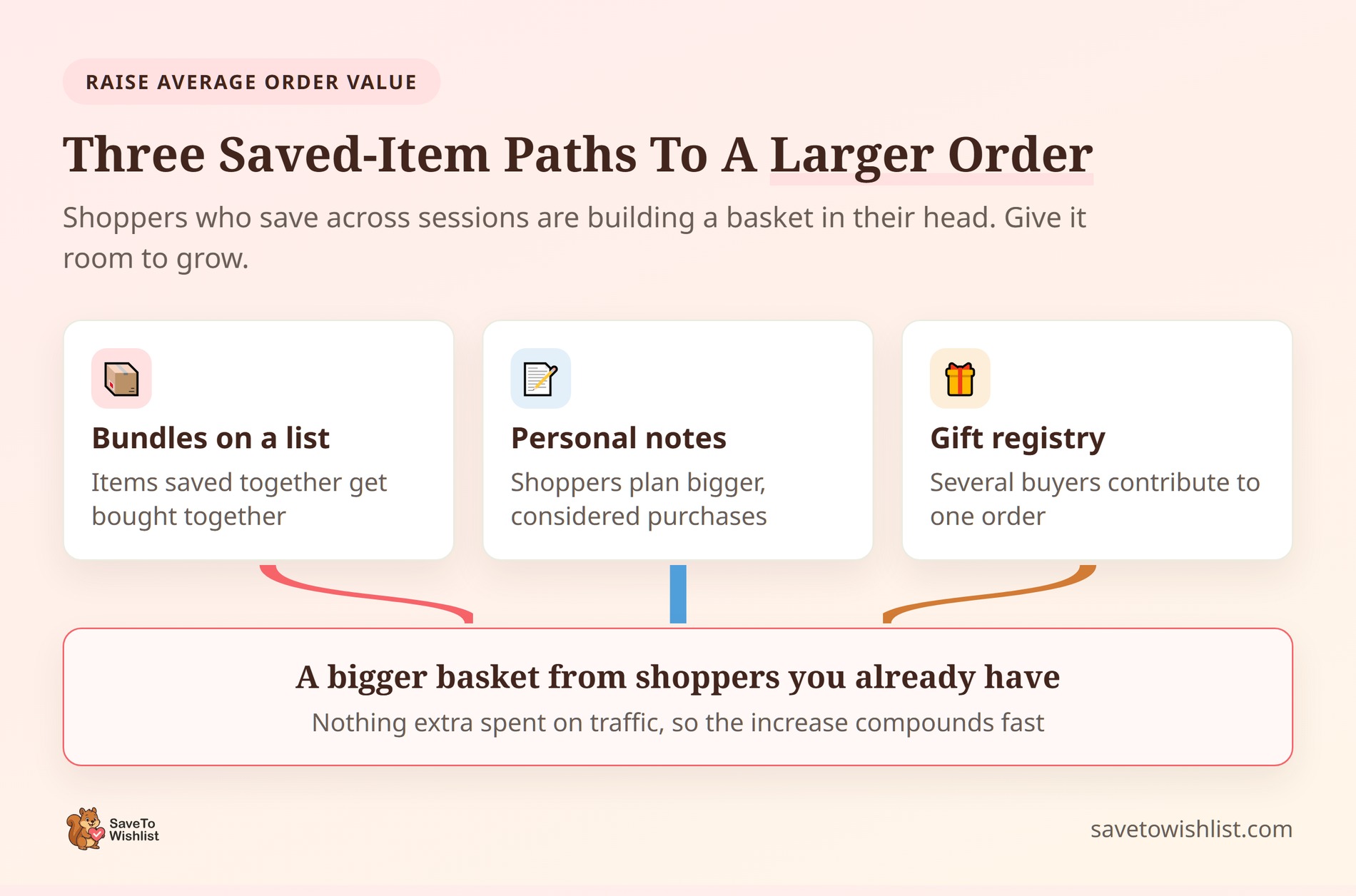
- Composite & Bundle Saves: If a customer is planning a major purchase (like a full outfit or a room setup), they need to be able to save the entire group of items to a single list.
- Collaborative Gift Registries: Let users share their lists with friends and family. This shifts the acquisition cost from you to your customer, bringing highly motivated, pre-qualified buyers straight to your online store to purchase multiple high-value items.
- Product Notes: Allowing shoppers to write personal reminders on their saved items keeps them organized and pushes them closer to buying the entire collection.
🔍️ What we’ve seen: Most online store owners treat the wishlist as a static graveyard for single products. The most successful WooCommerce stores actively analyze co-saving behavior, tracking which products get added to the same wishlists. They then feature those exact pairings as bundles on their product pages and follow-up emails, letting their shoppers’ natural saving patterns write their product bundling strategy.
The Viral Loop Rule (Turning Shoppers into Your Marketing Team)
E-commerce brands spend fortunes on affiliate platforms and referral software, completely ignoring the most organic referral tool already sitting on their site: the shared wishlist.
When a shopper creates a gift registry, a holiday wishlist, or a birthday lineup, they aren’t just saving products for themselves. They’re compiling a list of pre-validated recommendations and sending them directly to highly motivated, warm buyers (their friends and family).
To leverage this, you must apply the Viral Loop Rule:
- Make Sharing Brainless: Your wishlist shouldn’t just live as a private page. Ensure there are prominent, one-click sharing buttons for WhatsApp, Facebook, and direct email right next to the list.
- Zero-Friction for the Giver: When a friend clicks a shared wishlist link, they shouldn’t have to register or guess what’s already been bought. The registry must update in real-time to show which items have already been purchased to prevent double-gifting.
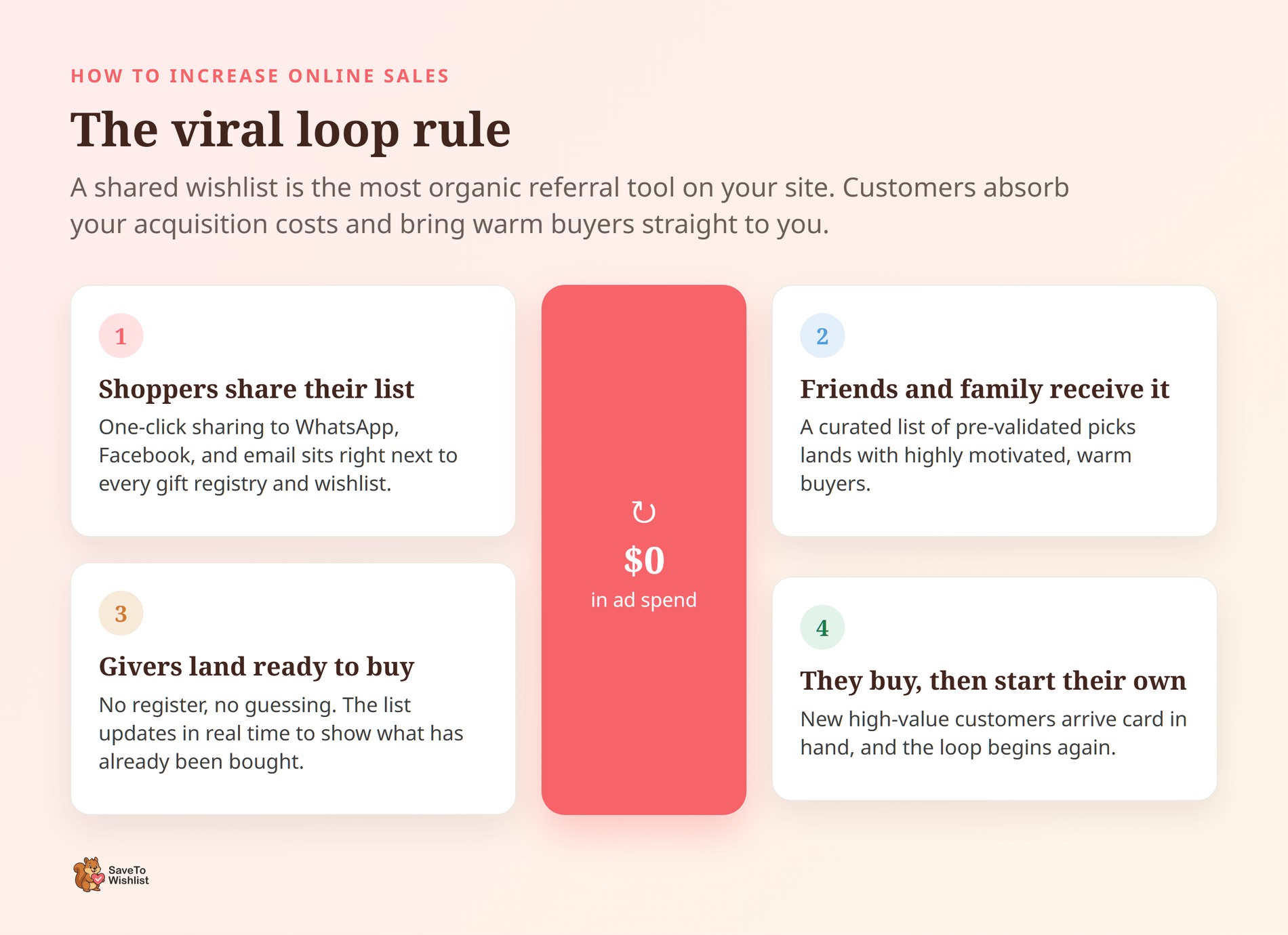
By letting your customers share their curated lists, they absorb your customer acquisition costs for you. You get high-value, highly motivated new customers landing on your site with credit cards in hand—all for $0 in ad spend.
Turn Wishlist Data Into Your Next Move
The most underused asset in your WooCommerce store is the pile of data sitting on your servers right now. Every time a shopper saves a product, they’re giving you a literal vote for your next inventory run. If you aren’t reading those votes, you’re flying completely blind on stock, promos, and campaigns.
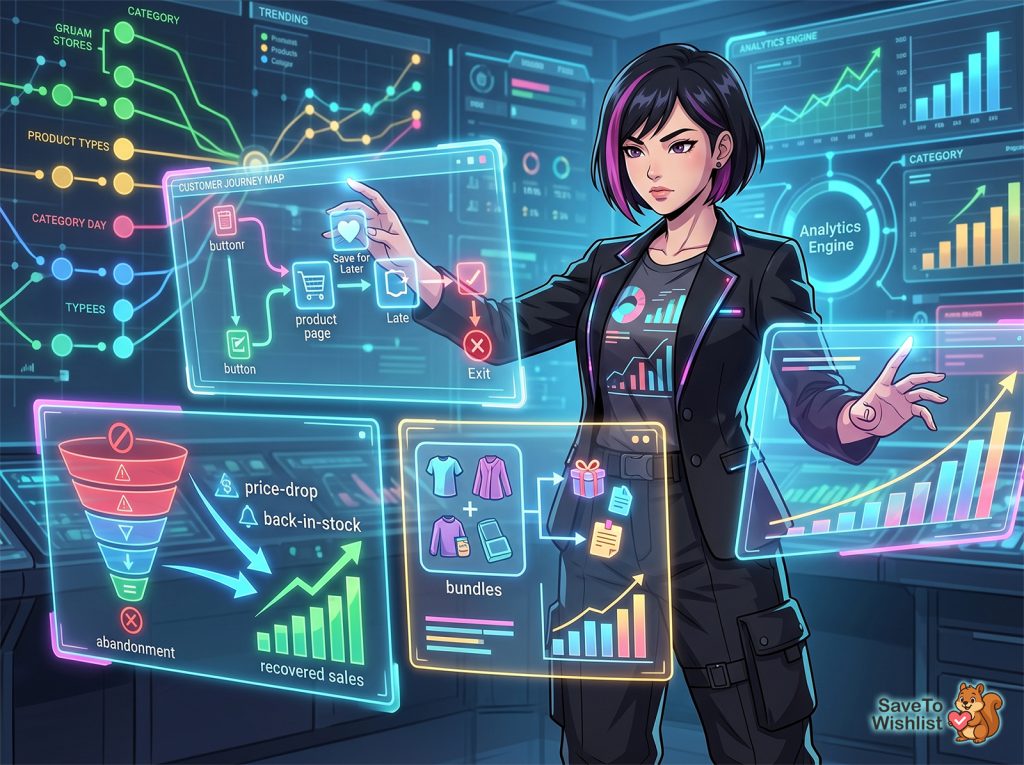
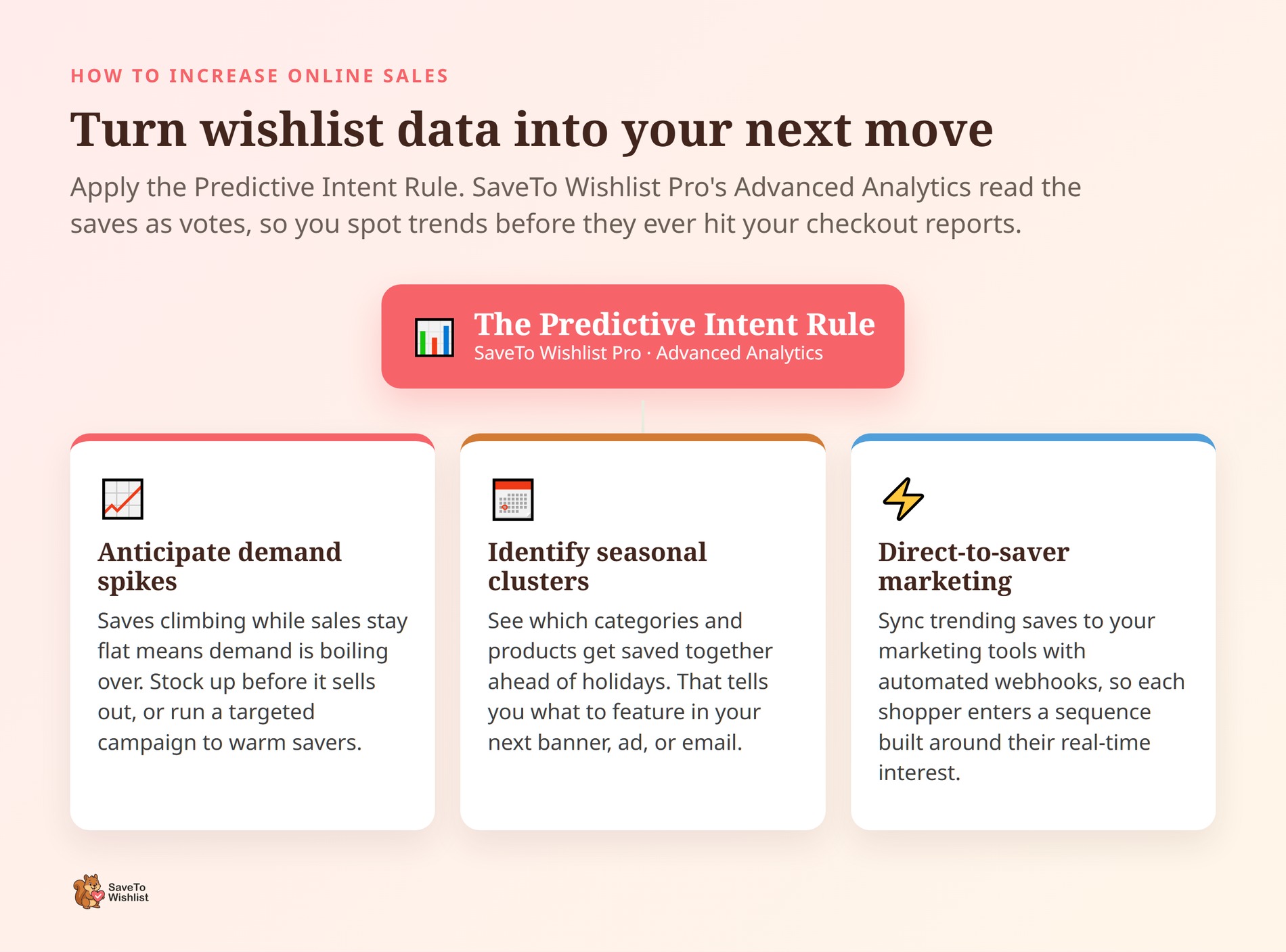
You need to apply the Predictive Intent Rule using SaveTo Wishlist Pro’s Advanced Analytics to spot trends before they hit your checkout reports:
- Anticipate Demand Spikes: If saves for a specific product are skyrocketing but sales are flat, it means demand is boiling over. This is your cue to stock up on that item before it sells out, or run a targeted campaign to convert those warm savers.
- Identify Seasonal Clusters: See exactly which categories and products are saved together ahead of major holidays. This data tells you exactly what to feature in your next homepage banner, social media ad, or promotional email.
- Direct-to-Saver Marketing: Don’t just analyze the data—act on it. Use automated webhooks to sync your trending wishlist items with your marketing platforms. The moment a shopper adds an item to their list, they enter a highly personalized marketing sequence built specifically around their real-time interest.
Stop guessing what will sell next. Let your customers’ wishlist data write your business playbook for you.
Frequently Asked Questions: How To Increase Online Sales
What’s the fastest way to increase online sales in WooCommerce?
The fastest wins usually come from converting the intent you already have rather than buying more traffic. Add a wishlist so browsing shoppers can save products, then follow up when prices drop or stock returns. Because these shoppers already showed interest, response rates are typically higher than cold campaigns. Most of it can launch in a day or two without touching your ad spend.
Do wishlists actually increase sales?
Wishlists capture shoppers who are interested but not ready to buy. Baymard Institute ties that group to 43% of US online shoppers who abandoned a cart while just browsing. A saved item is a clear buying signal you can act on later with reminders and alerts. On their own, wishlists don’t force a sale. Paired with timely follow-up, they recover demand that would otherwise walk away.
How do I recover abandoned carts in WooCommerce?
Start by capturing intent, then trigger relevant follow-ups. SaveTo Wishlist lets shoppers save a cart as a wishlist. SaveTo Wishlist Pro then sends price-drop and back-in-stock alerts when a saved product becomes buyable. With roughly 70.22% of carts abandoned on average, even small recovery gains add up quickly.
Can SaveTo Wishlist send price-drop emails automatically?
Yes. SaveTo Wishlist Pro includes price-drop alerts and back-in-stock alerts. It also has an automation system where a price-drop trigger can fire a send-email action.
You set the conditions once. Shoppers who saved the item then hear from you when it makes sense to buy. No manual list building required.
Does SaveTo Wishlist integrate with Klaviyo?
Not natively, but you can connect it. SaveTo Wishlist Pro sends real-time webhooks that can reach over 5,000 apps. So you can route wishlist events through Zapier into Klaviyo, Mailchimp, or an SMS tool. The plugin provides the trigger and the data, and your marketing platform handles the send.
How do I raise average order value without discounts?
Focus on relevance rather than markdowns. Let shoppers save bundles and related products to a wishlist. Add gift registries so several buyers contribute to one order. Then use wishlist data to feature items people tend to save together.
Each of these encourages larger baskets built around what shoppers already want. You grow order value without eroding your margins.

Your Next Steps To Grow WooCommerce Sales
The clearest path to more revenue is stacking a few of these levers rather than chasing one big fix. Pick the ones that match where your online store is stalling and build from there:
- Capture buying intent with a wishlist so interested shoppers don’t slip away.
- Recover shoppers who almost bought using price-drop and back-in-stock alerts.
- Ensure frictionless returns: route returning shoppers straight to pre-loaded carts with their exact product variations pre-selected.
- Raise your average order value with bundles, notes, and gift registries.
- Unlock viral acquisition: let shoppers share registries to turn friends and family into buyers for $0 in ad spend.
- Turn wishlist data into your next move using analytics and automations.
Start with intent capture, because it feeds everything else. Once shoppers are saving products, the other levers have something to work with. If you’re ready to add alerts, automations, and analytics, SaveTo Wishlist Pro gives you the tools to act on every saved product. Grab it and turn browsing into orders.



