

 Reviewed by
 SaveTo Wishlist is the best free YITH WooCommerce Wishlist alternative for stores that want unlimited wishlists, guest support, and WooCommerce Blocks compatibility without paying €99.99/year. It’s 124x lighter than YITH Wishlist, loads with 21 fewer server calls, and is featured as a top recommendation by WPBeginner for adding wishlists to WooCommerce. Plus, it includes custom button styles, social sharing, and REST API access—completely free.
Table Of Contents
- Why We Built A YITH Wishlist Alternative
- Why Consider A YITH WooCommerce Wishlist Alternative?
- SaveTo Wishlist: A Modern Wishlist Plugin
- YITH Wishlist VS. SaveTo Wishlist: Free Feature Comparison
- 1. Multiple wishlists per user
- 2. Naming and deleting wishlists
- 3. Changing product quantities within the wishlist
- 4. Drag and drop item sorting
- 5. Moving items between lists
- 6. Save current cart to wishlist
- 7. Guest wishlist handling and account sync
- 8. Modern "Block" Support
- 9. Privacy controls for every list
- 10. Instant redirection control
- 11. Button customization
- 12. Smart "guest-to-customer" nudges
- The Performance Face-Off: Measuring True Site Speed
- Which Free Wishlist Plugin Is Right For You?
- How To Switch From YITH To SaveTo Wishlist
- Pricing Comparison Of Premium Versions
- Upgrade To SaveTo Wishlist Pro
- Other YITH WooCommerce Wishlist Alternatives Worth Considering
- Conclusion
- FAQs: YITH WooCommerce Wishlist Alternative
Why We Built A YITH Wishlist Alternative
If you’re a WooCommerce store owner, you already know how helpful wishlists are. Chances are, you’ve also heard of the YITH WooCommerce Wishlist plugin, one of the oldest solutions for saving products for later.
As developers who build tools to help online stores grow, we often hear the same complaint from customers. YITH charges €99.99 every year just to let customers create multiple wishlists.
We believe helping customers stay organized should be a standard feature, not a paid add-on. Thus, we built SaveTo Wishlist—a fast, modern YITH WooCommerce Wishlist alternative that gives you key tools for free.
In this guide, we take an honest look at how the free versions of YITH Wishlist and SaveTo Wishlist plugins compare. So let’s start!
Why Consider A YITH WooCommerce Wishlist Alternative?
YITH WooCommerce Wishlist has been a leader in the WooCommerce world for a long time. However, because it was built many years ago, some store owners are looking for a tool that fits better with modern websites and smaller budgets.
Here are a few reasons why people are looking for a change:
1. Higher costs for small businesses
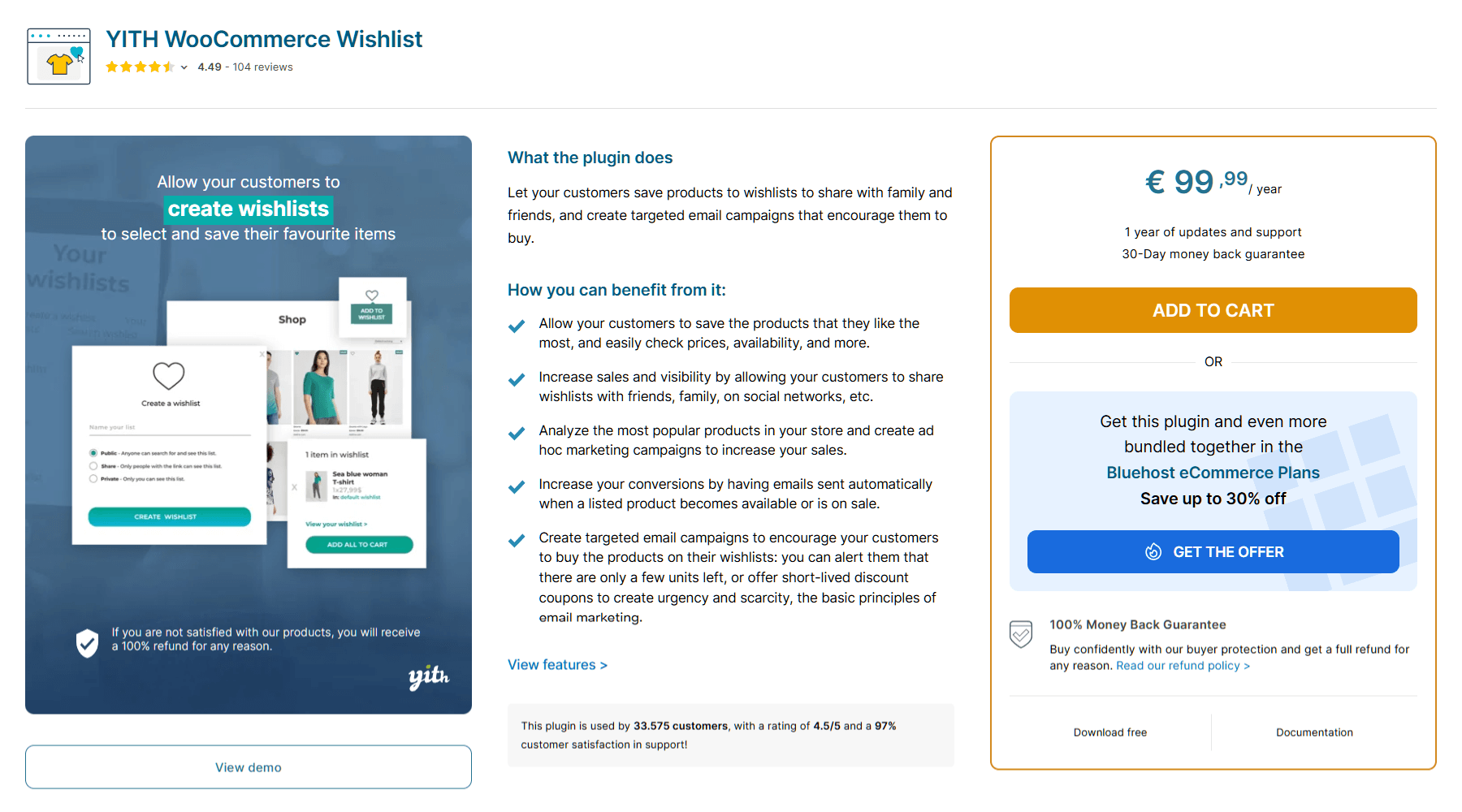
YITH WooCommerce Wishlist costs €99.99 every year. For a small business or one just starting out, that’s a big investment for a single feature. Most store owners would rather spend that money on marketing or new products.
2. Features reserved for “Premium”
The free version of YITH is designed to be very simple. It only allows for one wishlist. Moreover, your customers can’t adjust item quantities in their list. To give them more choices, you have to upgrade to the paid version.
3. Older design and “Legacy” code
Because YITH has been around so long, it was built using older website technology. This can sometimes make a website feel heavier or slower. In today’s world, a fast website is one of the best ways to keep customers happy.
SaveTo Wishlist: A Modern Wishlist Plugin
SaveTo Wishlist is a WooCommerce plugin that lets store owners add wishlist functionality to their stores. While it has a Premium edition, many of the most effective features already come packaged with the free version (a.k.a. SaveTo Wishlist Lite). This is because we wanted to build a tool that helps your business grow without costing you a fortune.
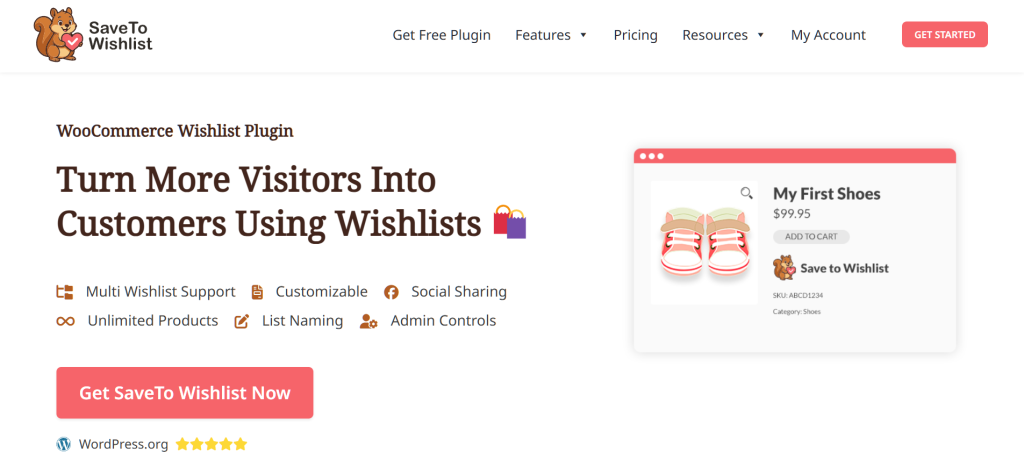
SaveTo Wishlist is a modern, lightweight plugin designed specifically for the latest version of WooCommerce. While other plugins try to do a hundred different things (often slowing down your site in the process), our plugin focuses on being fast, easy to use, and fair to store owners.
The best part: multiple wishlists for $0
One of the standout differences is simple: SaveTo Wishlist offers multiple lists entirely for free. Your customers can build as many collections as they need at the same time, whether they’re planning for birthdays, holidays, wedding anniversaries, or simply keeping track of their favorite things.
Now that we have a clear picture of both plugins, let’s take a closer look at how they stack up side-by-side.
YITH Wishlist VS. SaveTo Wishlist: Free Feature Comparison
Looking for the ideal free wishlist tool for your store? Then we need to look at the facts.
Both YITH WooCommerce Wishlist and SaveTo Wishlist help customers save products. However, they do so in very different ways. While one focuses on being an established, all-in-one solution, the other focuses on speed and giving you more for free.
In this section, we’ll break down the features that differ the most in the free versions of both plugins. This way, you can clearly see what you get with each option.
Here’s a quick comparison table:
| Feature | SaveTo Wishlist (Free) | YITH Wishlist (Free) |
|---|---|---|
| Multiple Wishlists | ✅ Unlimited lists | ❌ One list only |
| Custom List Names | ✅ Rename or delete anytime | ⚙️ Can rename but not delete |
| In-List Quantity Edit | ✅ Change quantity on the list | ❌ Only at checkout |
| Drag & Drop Sorting | ✅ Easy drag-and-drop handles | ❌ No reordering option available |
| Move Items Between Lists | ✅ Transfer items in a few clicks | ❌ No extra lists to move to |
| Save Cart to Wishlist | ✅ Snapshot entire cart for later | ❌ Only individual products |
| Guest to Account Sync | ✅ Automatic merge on login | ❌ Cookie-based (basic) |
| Modern Block Support | ✅ Full Native Drag-and-Drop Blocks | ⚙️ Primarily uses older shortcodes |
| Privacy Controls | ✅ Advanced public/Private per list | ⚙️ Global settings only |
| Instant Redirect | ✅ Auto-redirect to list | ❌ Stays on product page |
| Button Styling | ⚙️ Visual block editing | ⚙️ Global menu settings |
| Smart Guest Nudge | ✅ Smart login popup | ❌ Static text confirmation |
Now, for a more detailed exploration of these differences:
1. Multiple wishlists per user
As previously stated, the biggest difference between these two plugins is how many lists a customer can have.
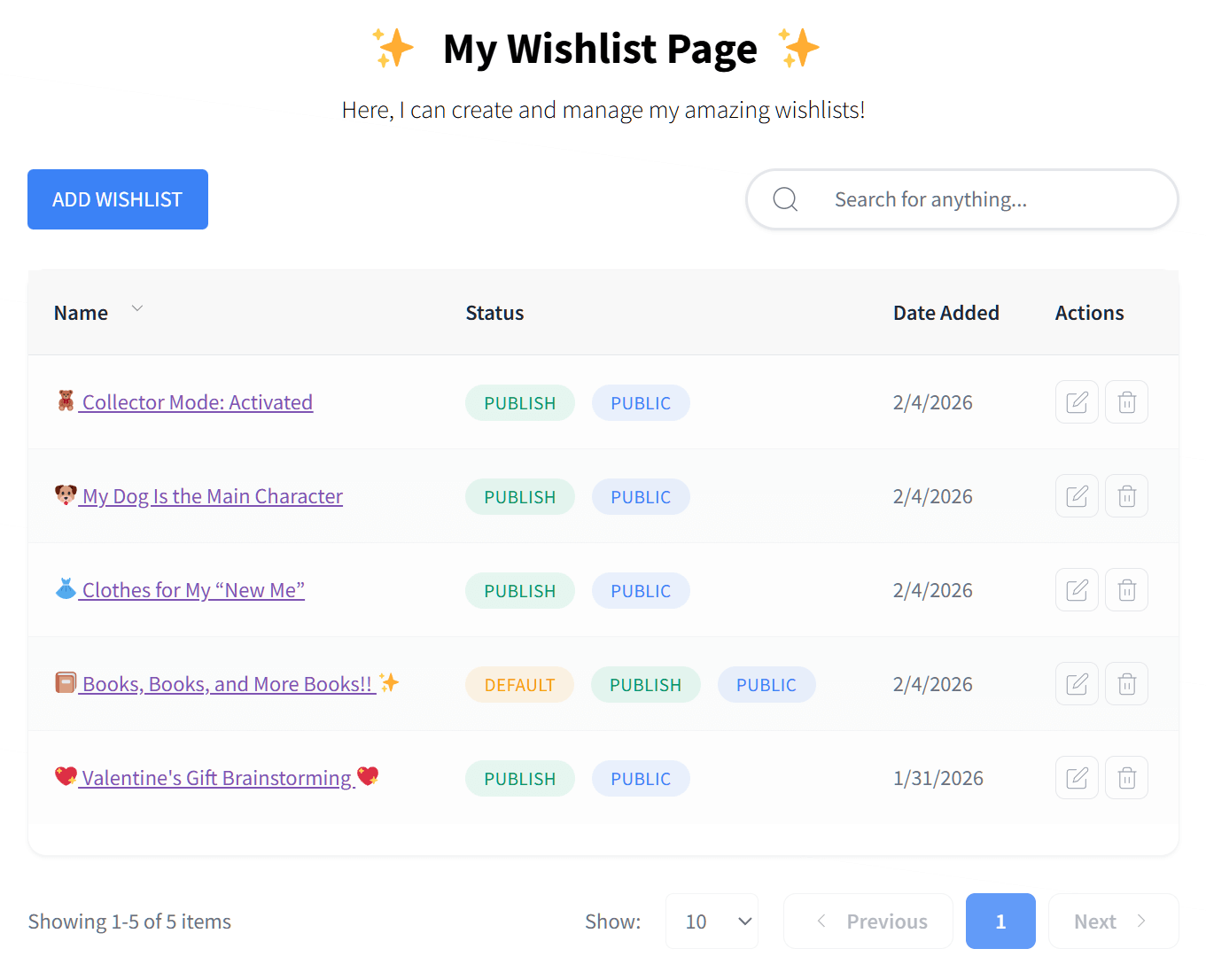
With SaveTo Wishlist Lite, your customers can create as many separate lists as they want for free. For example, they might have one list for “Pet Supplies” and another for “Summer Vacation Ideas.”
With the free version of YITH WooCommerce Wishlist, users are limited to a single list. Thus, if you want your customers to stay organized with multiple lists, you have to pay for the €99.99 Premium version. This can make the shopping experience feel limited and cluttered for users of the free version.
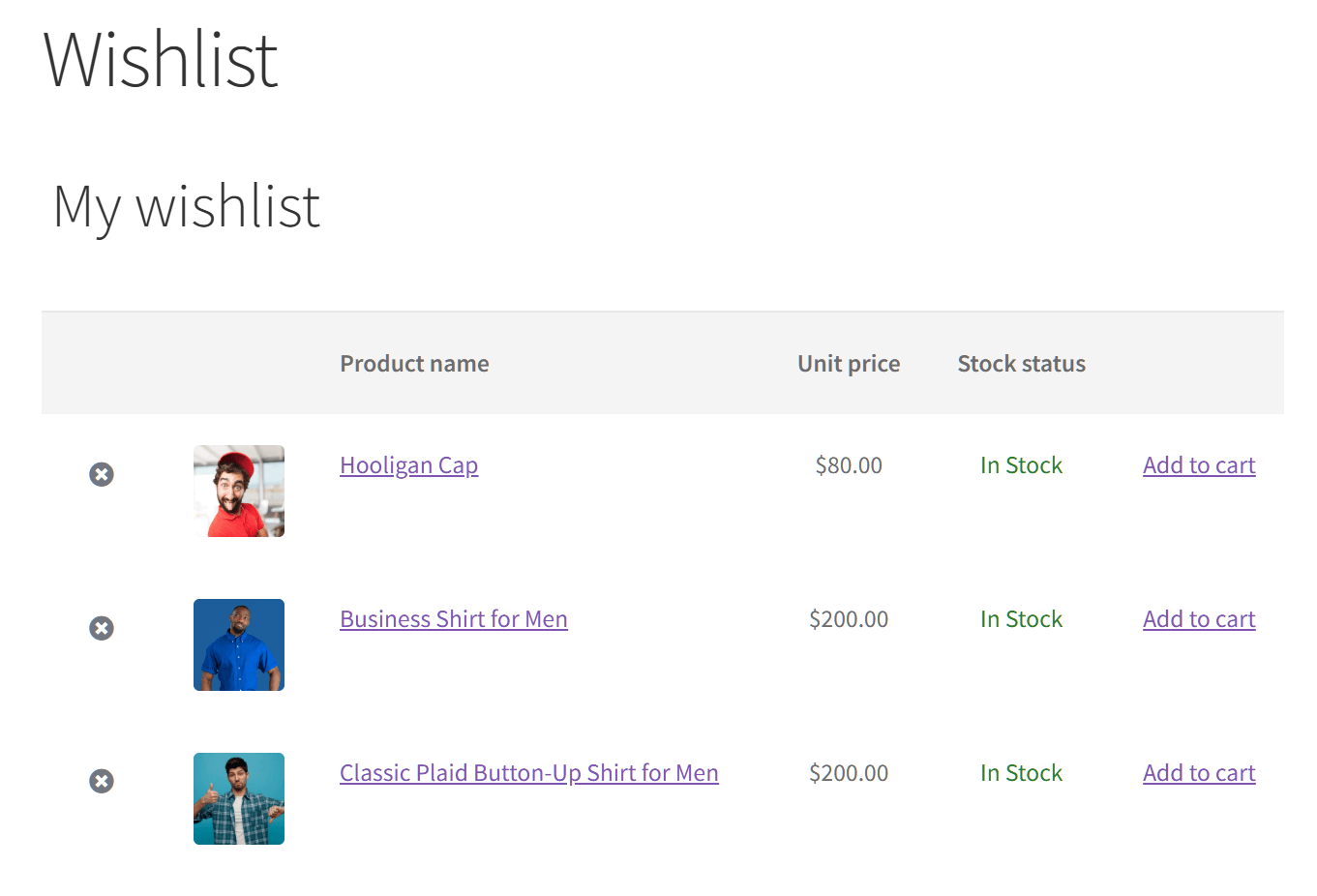
2. Naming and deleting wishlists
Organization is key to a good shopping experience.
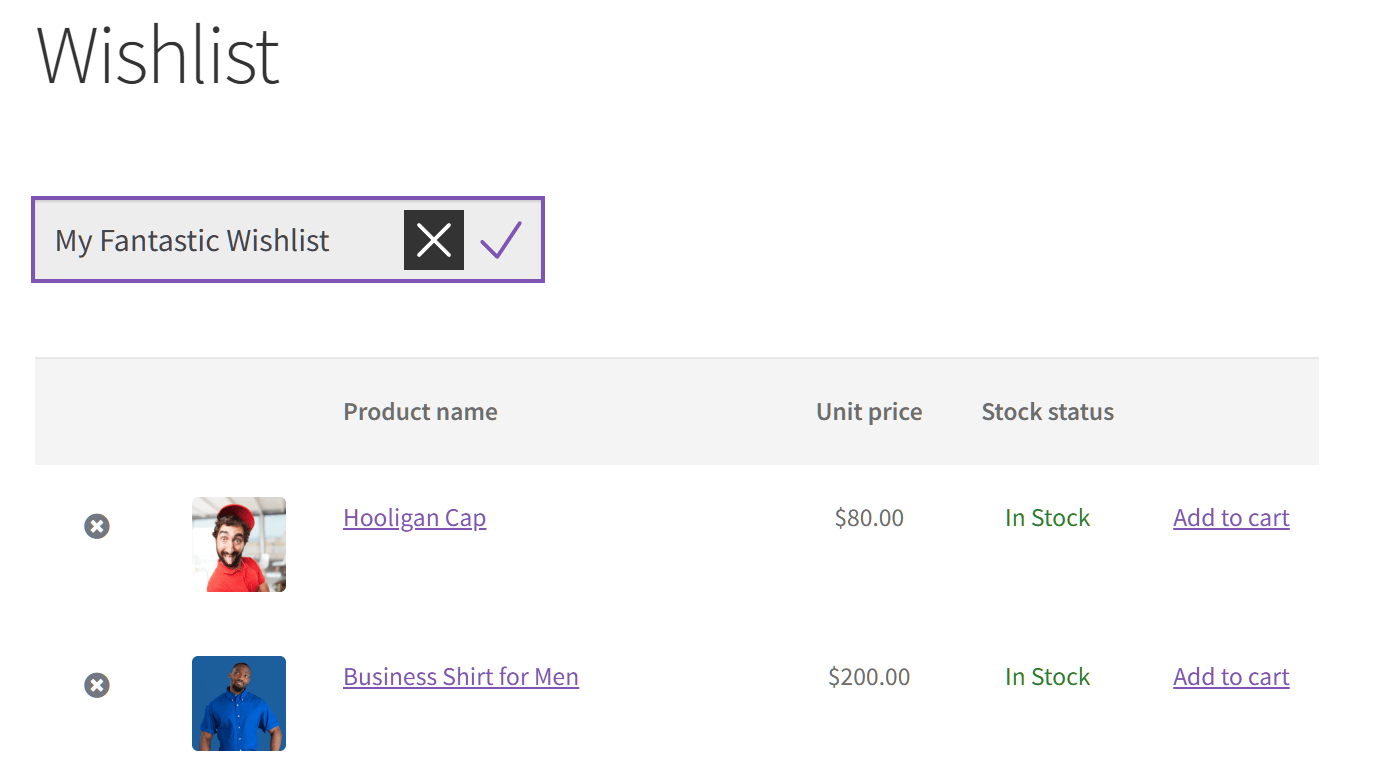
The free version of SaveTo Wishlist lets customers name and rename their lists. Furthermore, they can delete lists they no longer need. These features allow shoppers to stay highly organized.
The free version of YITH lets customers rename their wishlist. However, because they only get one list, they can’t delete it.
3. Changing product quantities within the wishlist
Sometimes a customer wants to buy more than one of a saved item.
SaveTo Wishlist Lite lets users change the quantity (like picking three shirts instead of one) directly on the wishlist page.
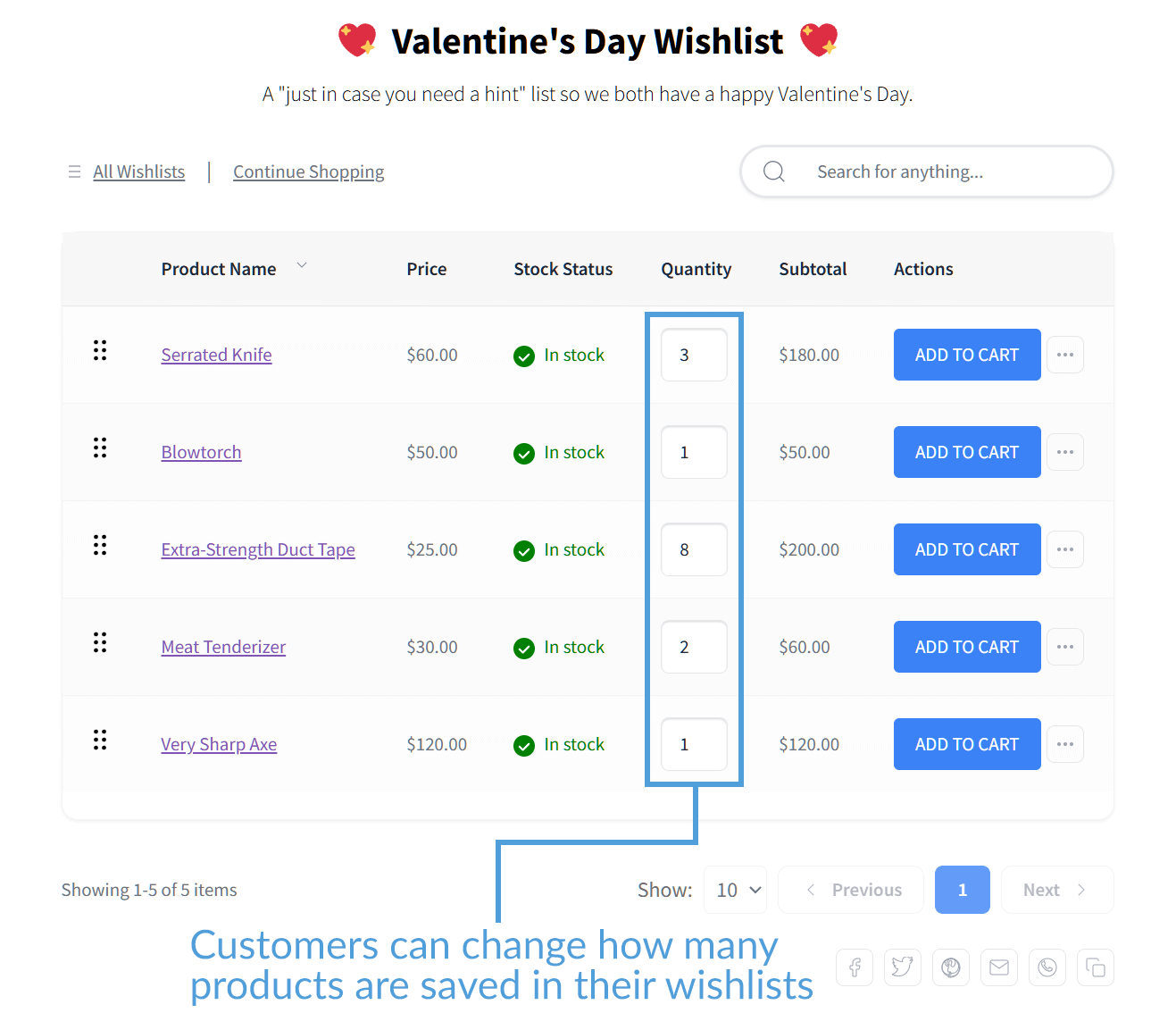
In the free tier of YITH WooCommerce Wishlist, users can only see the product. If they want to change how many they’re buying, they have to wait until they get to the checkout page. The ability to change quantities on the list is a Premium-only feature in YITH.
4. Drag and drop item sorting
A great wishlist should be easy to organize.
The free tier of SaveTo Wishlist includes a “Drag and Drop” handle. This lets customers move their items anywhere on the list just by clicking and dragging. Allowing them to rearrange their list as they please is a huge boon for organization.
YITH doesn’t offer any sorting tools for free. In other words, the items just stay in the order they were added (or alphabetical, depending on your preferred settings). Do you want your customers to be able to reorder their favorite products? Then you need to pay €99.99 for the Premium version.
5. Moving items between lists
Because SaveTo Wishlist Lite allows for multiple lists, it also makes it easy to move items. For example, if a customer saves a pair of shoes to their “Footwear Favorites” list but decides to move them to a “Birthday Gift Ideas” list, they can do so in a few quick clicks.
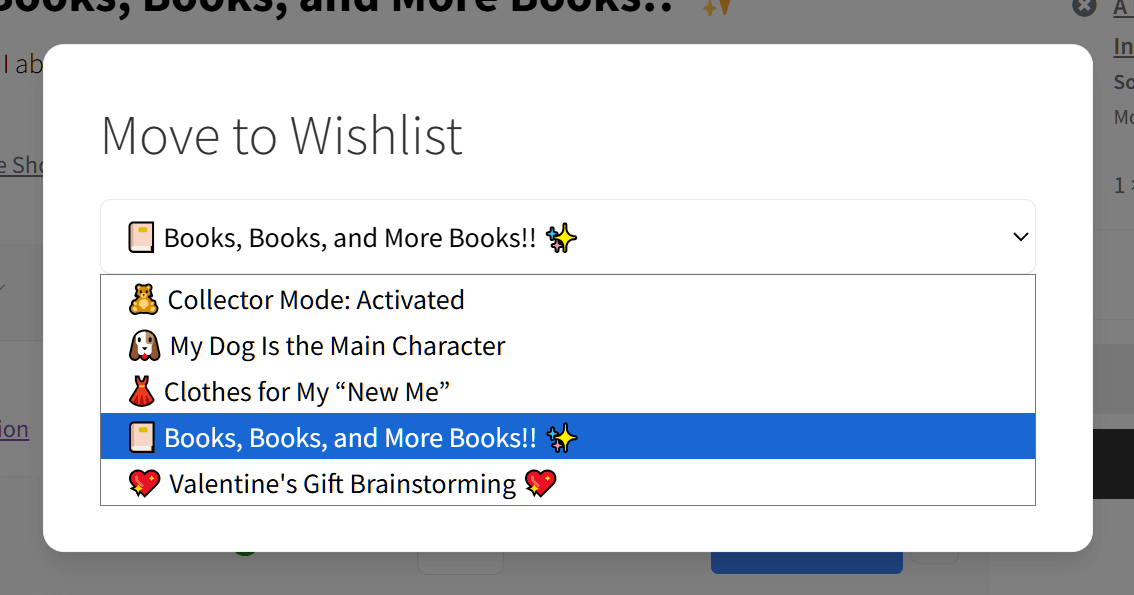
Since YITH only allows one list in the free version, there’s no “Move” feature available, making it harder for customers to categorize their saved items.
6. Save current cart to wishlist
This is an effective tool for making more sales.
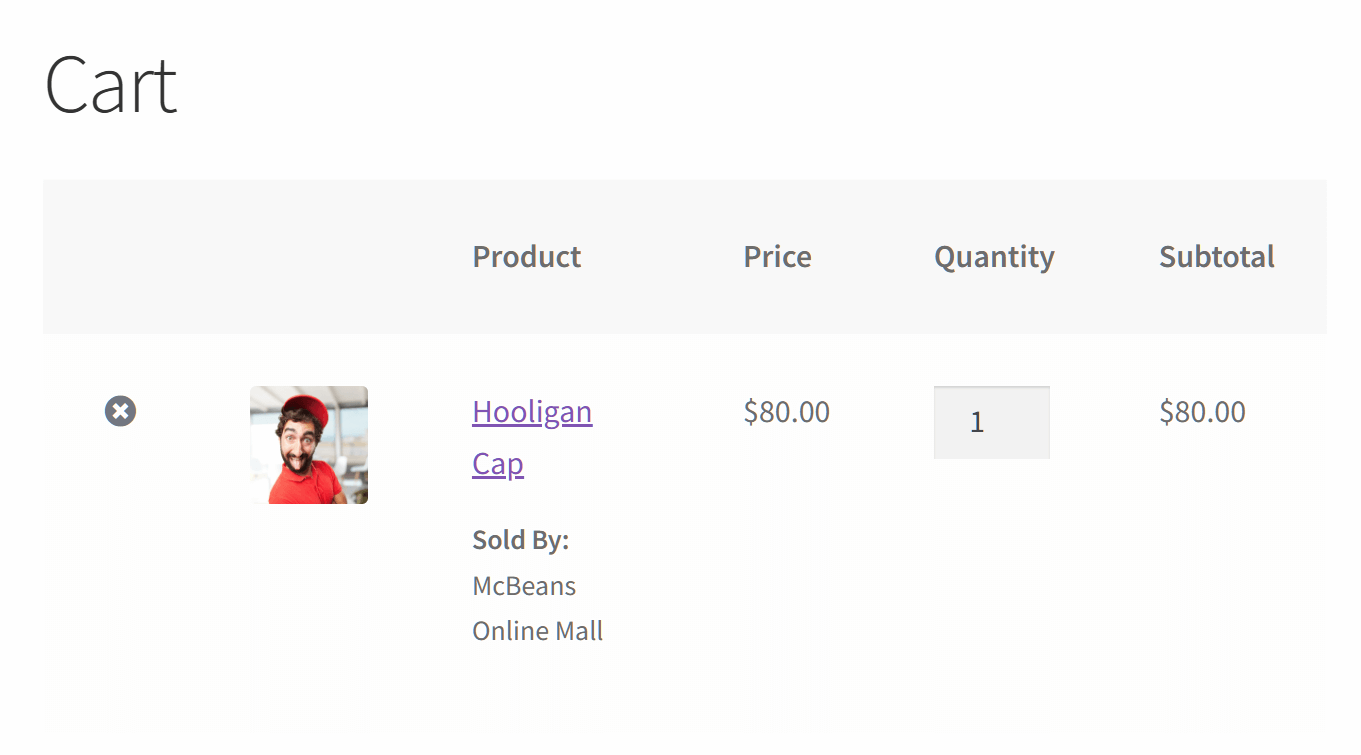
Sometimes a customer fills their cart but isn’t ready to pay yet. SaveTo Wishlist Lite lets them save their entire cart as a wishlist so they can come back and buy it later.
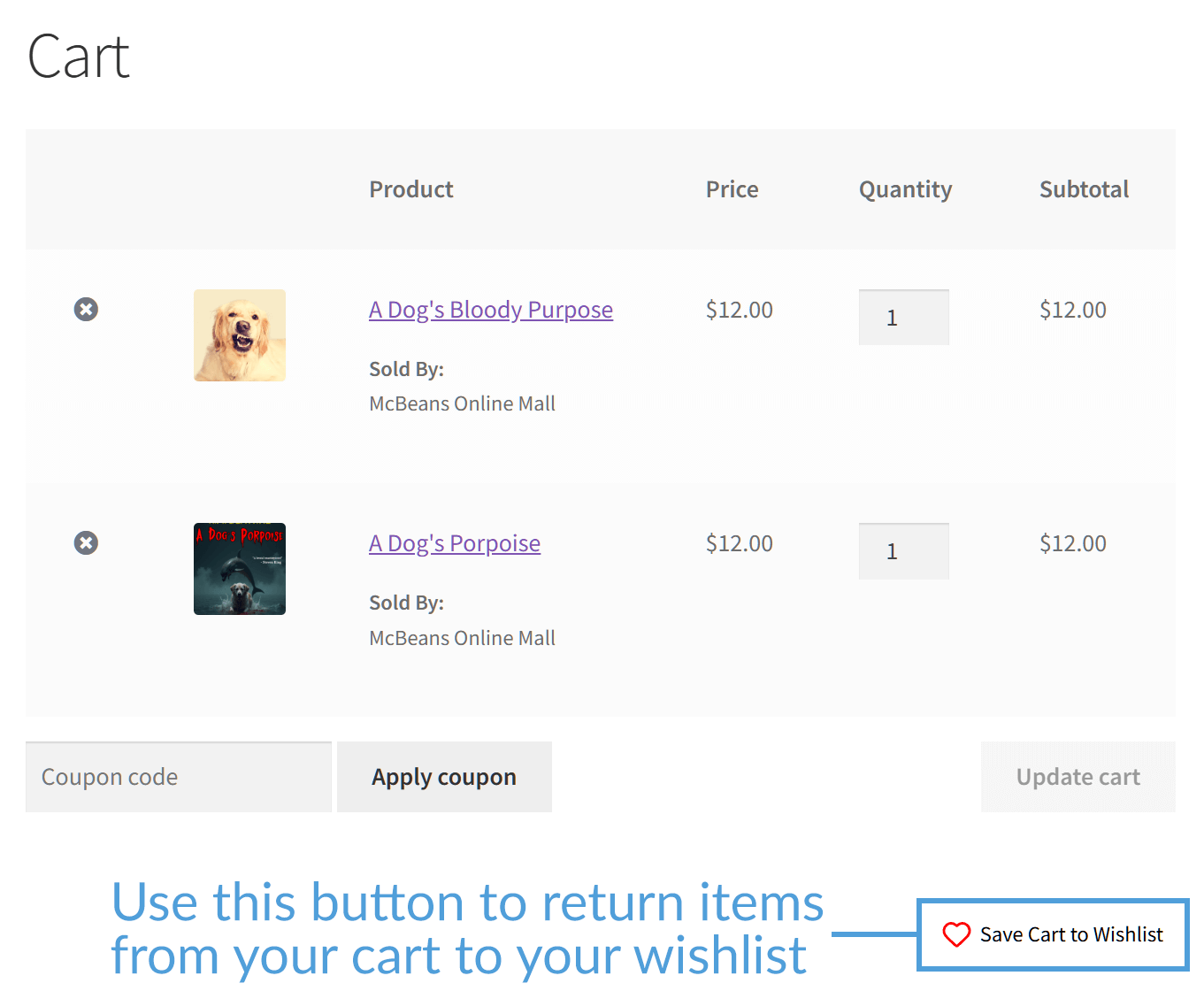
YITH offers no such feature for free. It focuses only on adding items one by one, which means you might lose a customer who isn’t ready to purchase right away.
7. Guest wishlist handling and account sync
Both plugins let “guest” shoppers (people who aren’t logged in) save items to a list. However, there’s a big difference in how they remember those items.
The free version of YITH uses “cookies” to remember a guest’s list. The problem? Cookies are tied to a specific browser. Therefore, if a shopper clears their history or switches from their phone to a computer, their wishlist is gone.
Basically, if a user clears their browser cache, all of their saved products are instantly lost.
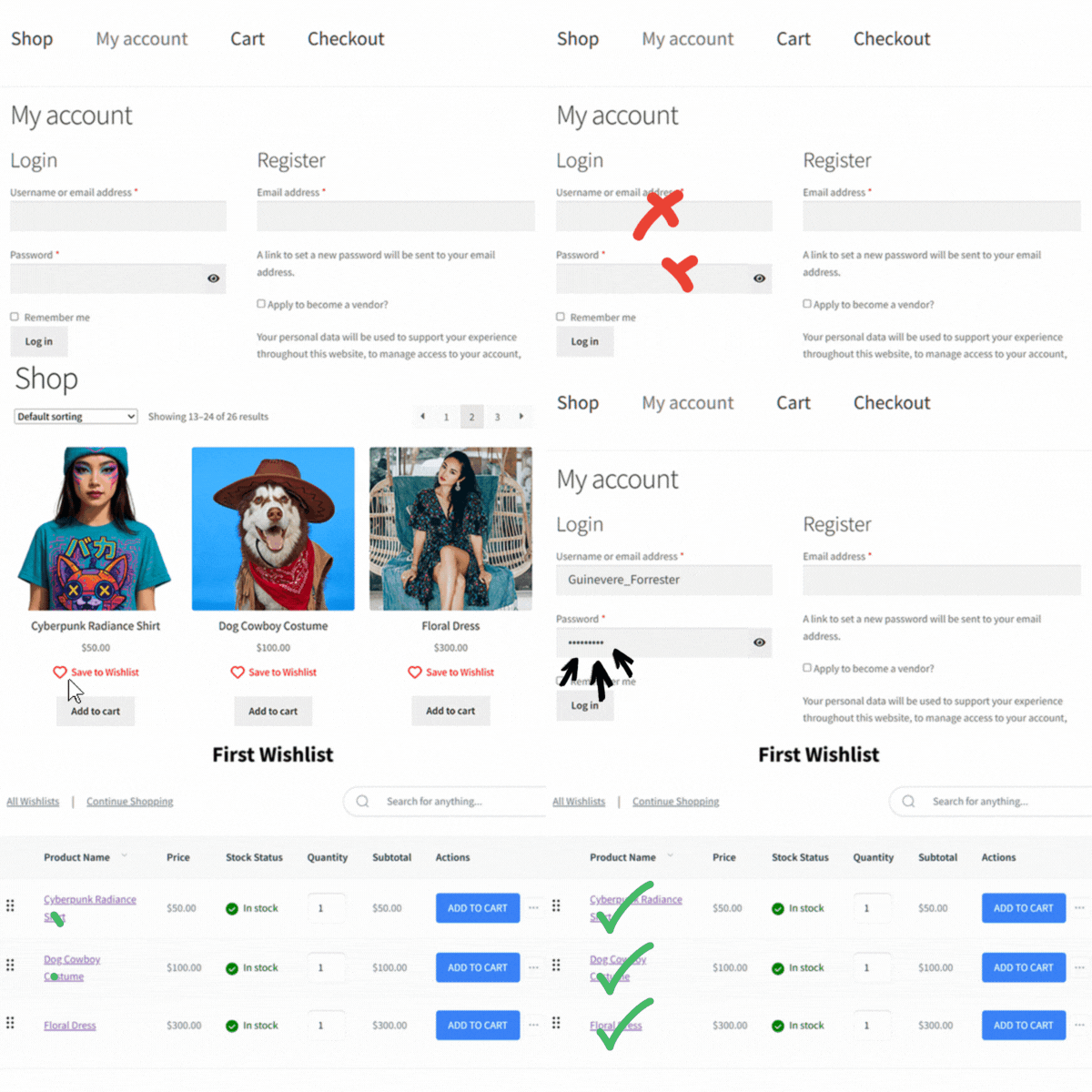
SaveTo Wishlist Lite is much smarter about this. It uses a “seamless merge” system. If a guest saves items on their phone and later logs into their account on a laptop, the plugin automatically moves those items into their permanent account. Nothing gets lost, and the customer doesn’t have to do anything.
Thus, SaveTo Wishlist makes it much easier for people to actually come back and buy what they saved, no matter what device they are using.
8. Modern “Block” Support
Most store owners now use “Blocks” to build their websites. This allows you to drag and drop elements exactly where you want them.
Because SaveTo Wishlist was built for this modern era, it has Full Native Block Support. You can easily place an “Add to Wishlist” button anywhere on your page without knowing how to code.
YITH is an established plugin, which means it still relies mostly on an older technology called “shortcodes.” While these still work, they can be harder to style and move around if you aren’t a web developer.
9. Privacy controls for every list
Giving customers control over their privacy makes them feel safer while shopping.
SaveTo Wishlist Lite allows users to set each list as “Public” or “Private” for free. This means a shopper can have a private “Personal Wishlist” and a public “Birthday Ideas” list to share with family at the same time.
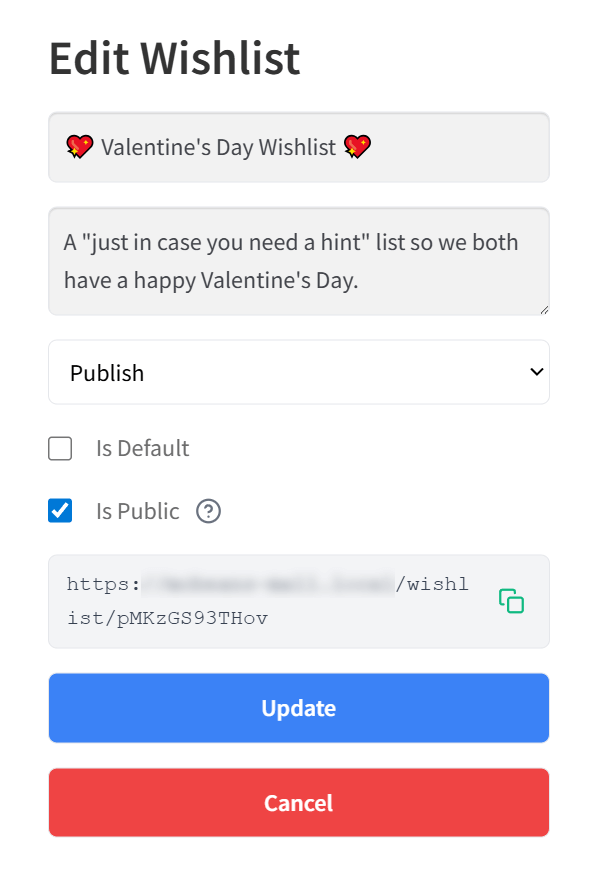
In the free version of YITH, these privacy options are basic. To give your customers the ability to manage different visibility settings for each list, YITH requires an upgrade to the Premium version.
10. Instant redirection control
Sometimes, you want to change the shopping flow. For example, if you’re running a gift registry or a B2B quote system, you might want customers to go straight to their wishlist page as soon as they save an item.
SaveTo Wishlist Lite gives you a “Redirect Page” setting. This lets you automatically send users to their wishlist (or another custom page) the moment they click the “Save” button.
YITH (Free) assumes you want the customer to stay on the product page. While it has a setting to redirect users to the Cart (if they click “Buy”), it doesn’t offer a simple dropdown to redirect users to the Wishlist immediately after saving an item.
11. Button customization
How much control do you have over how the button looks?
The free YITH WooCommerce Wishlist offers a detailed “Global Settings” panel where you can change icons and colors. However, these changes apply everywhere on your site at once. If you want the button to look different on your Homepage vs. your Product Page, you’re out of luck unless you know how to code.
SaveTo Wishlist Lite takes a “Modern” approach. Its real power is in its Native Block Support. You can add the “Add to Wishlist” button to any page using the standard WordPress Block Editor and style it visually, just like you would any other button. This gives you the flexibility to have a big, bold button on your landing page and a subtle, minimal icon on your shop page, all without writing a single line of code.
12. Smart “guest-to-customer” nudges
Getting a visitor to add an item is great, but getting them to create an account is even better.
SaveTo Wishlist Lite includes a built-in “Conversion Nudge.” Inside the settings, you can enable an option called “Always Show Login/Create Account Link.” When a guest adds an item, a modern popup appears confirming the action and immediately giving them a friendly link to sign in or register. This simple nudge helps you capture more leads effortlessly.
The free YITH WooCommerce Wishlist allows guests to use wishlists, but it relies on static text labels (like “Product Added!”) rather than interactive popups. It lacks a specific setting to actively encourage sign-ups during the “Add to Wishlist” process, meaning you might miss out on turning those guests into real customers.
The Performance Face-Off: Measuring True Site Speed
Wishlist plugins are famous for slowing down WooCommerce websites. While many people test speed by looking at “load time,” that number can change depending on how busy your internet server is. Instead, we looked at the hard, unchangeable facts: the exact amount of code each plugin forces your product page to load.
Here is how much “weight” each plugin added to a clean test site:
| Free Plugin | Added JavaScript (Code Weight) | Added Server Requests |
| SaveTo Wishlist | +2.5 KB (Winner) | +1 Request (Winner) |
| YITH WooCommerce Wishlist | +311.8 KB | +22 Requests |
Note: Data was gathered using GTmetrix Lighthouse Performance on a clean WooCommerce storefront. The base site’s JavaScript was 82.2KB with 48 requests.
Key takeaways from the test
SaveTo Wishlist is 124x lighter.
In our tests, YITH added an extra 311.8KB of code weight, pushing the total JavaScript page size to 394KB:

Meanwhile, SaveTo Wishlist adds almost no extra code to your site, keeping the total JavaScript page size at a lean 84.7KB. Because our plugin is 124 times lighter than YITH, your product pages can load instantly. This keeps shoppers engaged and helps protect your sales.

SaveTo Wishlist requires 21 fewer server calls.
Every time a page loads, it has to “ask” your server for files (these are called requests).
YITH adds 22 extra calls for its wishlist features to run, thus requiring the page to make 70 total page requests:

In contrast, SaveTo Wishlist adds only 1 extra call to your baseline, keeping the total to just 49 page requests. This keeps your server from working overtime, ensuring your site stays fast during high-traffic sales.

The Bottom Line: If a fast, smooth shopping experience is your goal, SaveTo Wishlist is the clear winner. While YITH has a larger file size and more server requests, SaveTo Wishlist keeps things fast and lightweight. It’s an easy switch that protects your site’s speed, lowers the strain on your servers, and keeps your customers happily shopping.
Which Free Wishlist Plugin Is Right For You?
Choosing between these two tools? It all depends on what your store needs right now.
When to choose (or stay with) YITH Wishlist
- You already use YITH: If you already pay for a large “bundle” of YITH plugins and everything is working perfectly, you might not want to change your setup.
- You like the “Traditional” way: Are you comfortable using older tools and don’t mind the €99.99 annual fee? Then YITH is an established choice that’s been around for a decade. It’s a solid option for people who prefer a classic approach to building their store.
When to choose (or switch to) SaveTo Wishlist
- You want to save money: Do you want professional features—like multiple lists—without the high yearly cost? SaveTo Wishlist gives you those tools for free.
- You want to capture more leads: Do you want to turn “guest” shoppers into registered customers? SaveTo’s smart “Guest Nudge” feature helps you grow your email list automatically.
- You want design freedom: Do you want to style your buttons visually without coding? SaveTo’s “Block-based” design lets you easily place buttons anywhere and customize them instantly.
- You want a faster site: Are you worried about your site slowing down? Switching to a modern, lightweight plugin helps your pages load more quickly for your customers.
Wondering how SaveTo Wishlist Lite measures up to other free options? Then read this article:

If you prefer a full comparison of the top wishlist tools on the market, we recommend checking out the following guide:
The Best WooCommerce Wishlist Plugins Compared (2026 Edition)
How To Switch From YITH To SaveTo Wishlist
Ready to make the switch? Moving your store from YITH WooCommerce Wishlist to SaveTo Wishlist is easy. You don’t need to be a developer to get started!
Here is a quick overview of how to do it:
- Deactivate YITH: To prevent your website from getting confused by having two wishlist tools running at the same time, make sure to deactivate your old YITH plugin.
- Install SaveTo Wishlist: Go to your WordPress dashboard, click on Plugins, and select Add New. Search for “SaveTo Wishlist” and click Install.
- Activate the Plugin: Once the plugin finishes installing, hit the Activate button.
That’s it! In just a few minutes, you can upgrade your store with a faster, lighter tool and start giving your customers Premium features for free.
Want more info on adding a wishlist feature to your online store? Then check out the following extensive guide:
How To Add Wishlist Functionality To Your WooCommerce Store (Easy Starter Guide)

Pricing Comparison Of Premium Versions
Thinking about the future is a smart move when picking a plugin. As your store grows, you might eventually want advanced tools like email reminders or detailed analytics. Let’s break down what the paid versions of these plugins will actually cost you.
If you decide to upgrade with YITH, their premium version costs €99.99 every year to keep the plugin updated and to get help from their support team.
SaveTo Wishlist Pro approaches things differently by giving you a big discount right away. Your first year costs only $49.50. This introductory deal makes it easy to grab advanced features without draining your budget. Just keep in mind that when it’s time to renew the following year, the subscription returns to the standard $99.00 rate.
| Plugin | First Year Price | Renewal Price |
| YITH WooCommerce Wishlist | €99.99 (~$116 USD) | €99.99 (~$116 USD) |
| SaveTo Wishlist Pro | $49.50 | $99.00 |
While SaveTo Wishlist Pro’s renewal price is closer to YITH’s, you should consider what’s already included for free. Remember, many of the basic organization features that YITH charges €99.99 for are completely free in SaveTo Wishlist Lite.
When you look at the total value, SaveTo Wishlist is a strong choice. You get to start for a much lower price and enjoy professional organization tools for free from day one.
Upgrade To SaveTo Wishlist Pro
While SaveTo Wishlist Lite gives you more for free to make it an effective YITH Wishlist alternative, SaveTo Wishlist Pro comes with even more advanced tools.
Here’s a sampling of the Premium features the Pro version includes:
- Advanced analytics: Stop guessing and start knowing. See exactly which products are trending on wishlists and which brands your customers are watching most.
- Wishlist automations: Put your sales on autopilot. Automatically trigger emails or admin alerts when a high-value item is added or when a saved product goes on sale.
- Shared wishlists (co-authoring): Take sharing to the next level. Allow friends or family to not only view a list but actually add or remove items together. This is perfect for wedding registries and group planning.
- Webhooks for marketing: Connect your wishlist data to over 5,000+ apps like Klaviyo, Mailchimp, or Zapier to sync customer interests with your email marketing in real-time.
- Role-based restrictions: Control exactly who can use specific wishlist features based on their user role (like Wholesale vs. Retail). In other words, you get complete authority over your store’s experience.
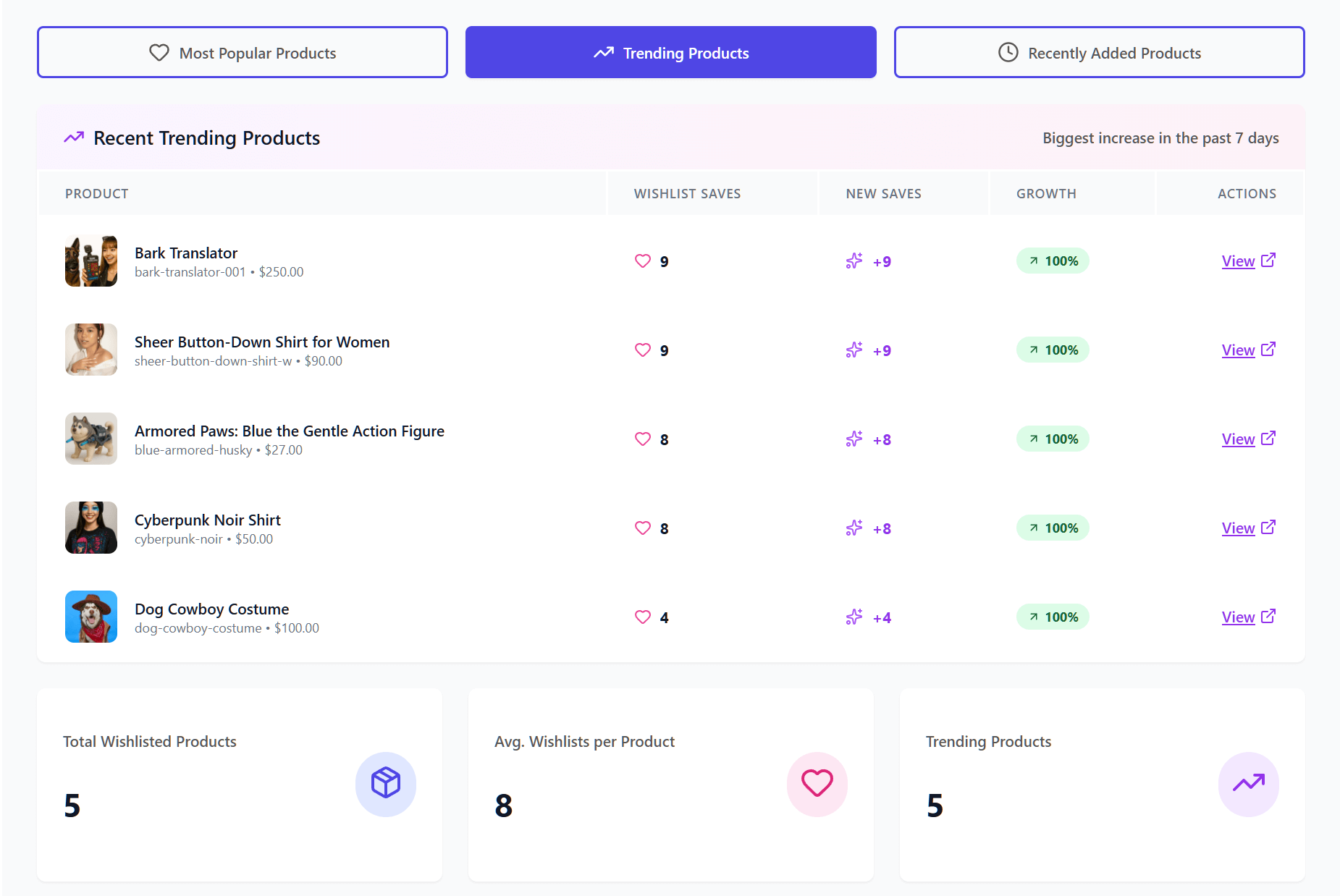
Would you like to know more about SaveTo Wishlist Pro? Then check out the following article:
SaveTo Wishlist Pro: How To Turn Saved Items Into A Growth Engine
Other YITH WooCommerce Wishlist Alternatives Worth Considering
SaveTo Wishlist isn’t the only plugin store owners evaluate when looking for a YITH WooCommerce Wishlist alternative. Here are two other options worth knowing about, along with how they compare.
TI WooCommerce Wishlist
TI WooCommerce Wishlist is a solid mid-range option. Its free version includes a single wishlist per user, social sharing, and customizable button styles. The premium version unlocks multiple wishlists and product analytics at $79 per year.
In our performance testing, TI WooCommerce Wishlist added approximately 6.1 KB and 4 additional server requests per page load. That’s lighter than YITH WooCommerce Wishlist (311.8 KB and 21 requests) but still heavier than SaveTo Wishlist (2.5 KB and 1 request).
🔍️ One thing we commonly see: Store owners who switch from YITH WooCommerce Wishlist to TI WooCommerce Wishlist gain a noticeable speed improvement. However, they still end up paying for multiple wishlists since TI WooCommerce Wishlist locks that feature behind its premium plan. SaveTo Wishlist is the only option that includes unlimited multiple wishlists for free.
TI WooCommerce Wishlist also relies on shortcodes rather than native Gutenberg blocks, so if you’re building with a modern block theme, layout flexibility will be limited. For a full side-by-side breakdown, see our SaveTo Wishlist vs. TI WooCommerce Wishlist comparison.
WPC Smart Wishlist for WooCommerce
WPC Smart Wishlist for WooCommerce is the developer’s choice. It provides extensive hooks, filters, and an AJAX-powered interface that technical users can customize deeply. The premium version starts at $32.48 per year [verify current pricing], making it one of the cheapest paid upgrades in this category.
On the performance side, WPC Smart Wishlist for WooCommerce added approximately 11 KB and 7 server requests in our testing. It’s a significant improvement over YITH WooCommerce Wishlist’s 311.8 KB, but still noticeably heavier than SaveTo Wishlist’s 2.5 KB footprint.
Like YITH WooCommerce Wishlist and TI WooCommerce Wishlist, WPC Smart Wishlist uses shortcodes rather than native blocks, and multiple wishlists require the paid version. For a detailed comparison, see our SaveTo Wishlist vs. WPC Smart Wishlist breakdown.
How SaveTo Wishlist compares to all YITH WooCommerce Wishlist alternatives
Here’s a quick snapshot of how the main YITH WooCommerce Wishlist alternatives stack up:
| Feature | SaveTo Wishlist | TI WooCommerce Wishlist | WPC Smart Wishlist |
|---|---|---|---|
| Frontend payload | +2.5 KB | +6.1 KB | +11 KB |
| Server requests | +1 | +4 | +7 |
| Free multiple wishlists | Yes (unlimited) | No (premium only) | No (premium only) |
| Free guest-to-account sync | Yes (automatic) | No | No |
| Gutenberg block support | Yes (native) | No (shortcodes) | No (shortcodes) |
| Premium price/yr | $49.50 first yr | $79/yr | $32.48/yr |
All prices should be verified on each plugin’s official website, as they may change.
SaveTo Wishlist is the lightest, most feature-rich free option and the only alternative that offers unlimited multiple wishlists, automatic guest-to-account sync, and native Gutenberg blocks without a premium upgrade.
Conclusion
Adding a wishlist to your store is a proven way to boost sales and customer loyalty. However, you shouldn’t have to pay €99.99 for basic organization features.
SaveTo Wishlist Lite offers a modern, fast, and free YITH WooCommerce wishlist alternative. By providing multiple wishlists, guest syncing, and Full Native Block Support at no cost, we help you grow your business without the unnecessary overhead.
To recap, this article explored the following concepts:
- Why we built a YITH Wishlist alternative
- Why consider a YITH WooCommerce Wishlist alternative?
- SaveTo Wishlist: a modern wishlist plugin
- YITH Wishlist vs. SaveTo Wishlist: feature comparison
- The performance face-off: measuring true site speed
- Which free wishlist plugin is right for you?
- How to switch from YITH to SaveTo Wishlist
- Pricing comparison of premium versions
- Upgrade to SaveTo Wishlist Pro
- Other YITH WooCommerce Wishlist alternatives
Whether you’re starting fresh or looking to optimize your store’s performance, SaveTo Wishlist is the modern choice for a faster, more affordable shopping experience. Download it for free and discover how it can help your WooCommerce business today!
FAQs: YITH WooCommerce Wishlist Alternative
What are the best free alternatives to YITH WooCommerce Wishlist?
The best free alternatives to YITH WooCommerce Wishlist are SaveTo Wishlist (unlimited wishlists, guest support, Blocks compatibility—all free), TI WooCommerce Wishlist (60+ customization options, free), and WPC Smart Wishlist (popup-based wishlists, free). SaveTo Wishlist offers the most premium features in its free version.
Why should I switch from YITH WooCommerce Wishlist to SaveTo Wishlist?
YITH Wishlist limits free users to one wishlist and charges €99.99/year for premium. SaveTo Wishlist gives you unlimited wishlists, guest auto-merge, WooCommerce Blocks support, and REST API access—all free. It’s also 124x lighter, meaning faster page loads and better Core Web Vitals.
What are the main reasons to consider switching to a YITH WooCommerce Wishlist alternative?
Many store owners are switching because YITH charges a high annual fee of €99.99 for basic features, has limited free functionalities, and can slow down websites due to older technology. A YITH Wishlist alternative like SaveTo Wishlist offers similar or better features for free and is more modern and lightweight.
What features does SaveTo Wishlist offer for free that YITH WooCommerce Wishlist charges for?
SaveTo Wishlist allows multiple wishlists per user, renaming and deleting lists, changing product quantities directly on the list, drag-and-drop sorting, moving items between lists, saving the current cart as a wishlist, automatic guest account merging, Full Native Block Support, and detailed privacy controls, all at no cost.
When is it a good idea to switch to SaveTo Wishlist from YITH WooCommerce Wishlist?
Switching is a good idea if you want to save money, improve website speed, access modern features like Full Native Block Support, multiple wishlists, and better guest handling. Furthermore, it’s recommended if you’re starting a new store and want a lightweight, feature-rich wishlist plugin without the €99.99 annual fee. Plus, if you need professional tools, SaveTo Wishlist Pro is available starting at just $49.50 for your first year.
What are the best YITH WooCommerce Wishlist alternatives in 2026?
The top YITH WooCommerce Wishlist alternatives are SaveTo Wishlist, TI WooCommerce Wishlist, and WPC Smart Wishlist for WooCommerce. SaveTo Wishlist offers the most value with unlimited multiple wishlists, guest-to-account sync, and native Gutenberg blocks in the free version. TI WooCommerce Wishlist is a good, budget-friendly premium option. WPC Smart Wishlist is best for developers who need extensive customization hooks.
Is SaveTo Wishlist lighter than YITH WooCommerce Wishlist?
Yes, significantly. SaveTo Wishlist adds just 2.5 KB and 1 server request to your product pages. YITH WooCommerce Wishlist adds 311.8 KB and 21 server requests. That makes SaveTo Wishlist approximately 124 times lighter on the frontend. This difference directly affects your Core Web Vitals scores and page load times.
Can I migrate from YITH WooCommerce Wishlist to SaveTo Wishlist?
Yes. Both plugins work with standard WooCommerce product data, so the migration is straightforward. Install SaveTo Wishlist, configure your settings, use its YITH Wishlist Importer, then deactivate YITH WooCommerce Wishlist. Your customers will be able to start building new wishlists immediately. Since SaveTo Wishlist includes multiple wishlists and guest saving for free, you won’t lose any functionality your customers rely on.



