
 Reviewed by
Picture a customer emailing your store to ask for a copy of their data, then asking you to delete it. Handling GDPR wishlist customer data in WooCommerce sounds routine until you check what that customer saved.
Orders and account details are records most store owners have handled before. Saved lists sit outside that habit. Meanwhile, a gift registry adds a second layer: purchase records from guests who never created an account.
I’ve written this as an operational guide, not legal advice. It covers what a wishlist and a registry hold, and how WordPress handles export and erase requests. It also shows where SaveTo Wishlist fits, and how to handle a deletion without breaking a live event.
Jump to:
- What Personal Data A Wishlist Actually Holds
- What A Registry Adds
- How WordPress Privacy Requests Work
- Why Ordinary Wishlists Are Missing From The Export
- What The Registry Exporters Return
- What The Registry Erasers Remove And Keep
- Handling A Deletion Request Without Breaking A Live Registry
- The Store Settings That Shape An Erase Request
- GDPR And Wishlist Data FAQ
- Get Ahead Of Your Next Wishlist Data Request
What Personal Data A Wishlist Actually Holds

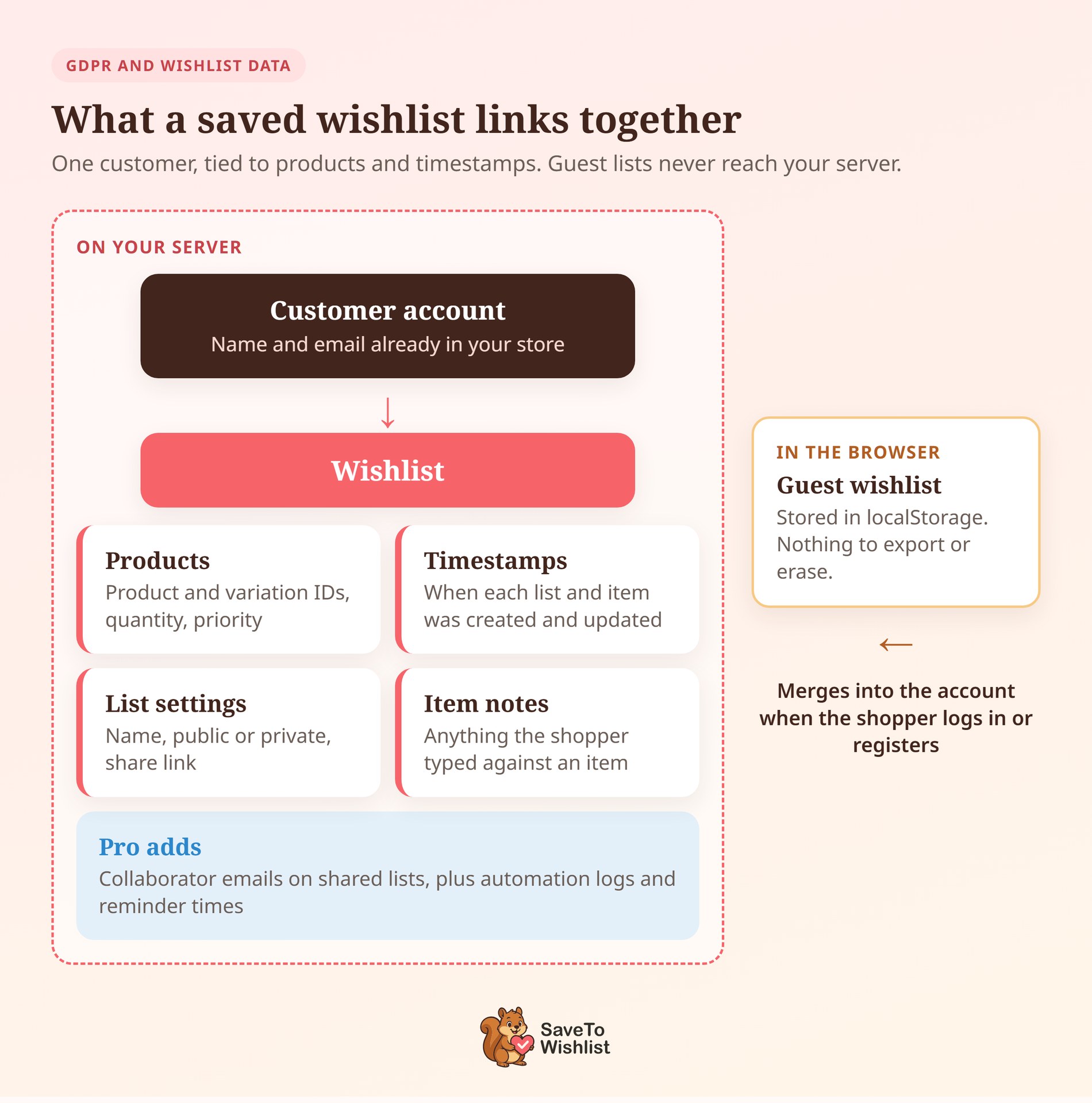
A wishlist links a person to a set of products, with timestamps attached. That link is the personal data.
A saved list in SaveTo Wishlist holds:
- Who saved it: the account the list belongs to, tied to a name and email already in your store.
- What they saved: product and variation IDs, plus a quantity and priority for each item.
- When they saved it: creation and update timestamps, often the most revealing fields.
- How the list is set up: the list name, its public or private setting, and any share link.
- Anything layered on top: item notes, plus a few extra records on Pro.
On SaveTo Wishlist Pro, a shared list can also store the email addresses of people allowed to edit it. So a collaborator’s email can sit on someone else’s list. Pro’s wishlist automations also log their runs and record when each item reminder went out.
Guest saves are the exception. When a shopper saves a product without logging in, SaveTo Wishlist Lite keeps the list in that browser’s localStorage. It never touches your site’s database.
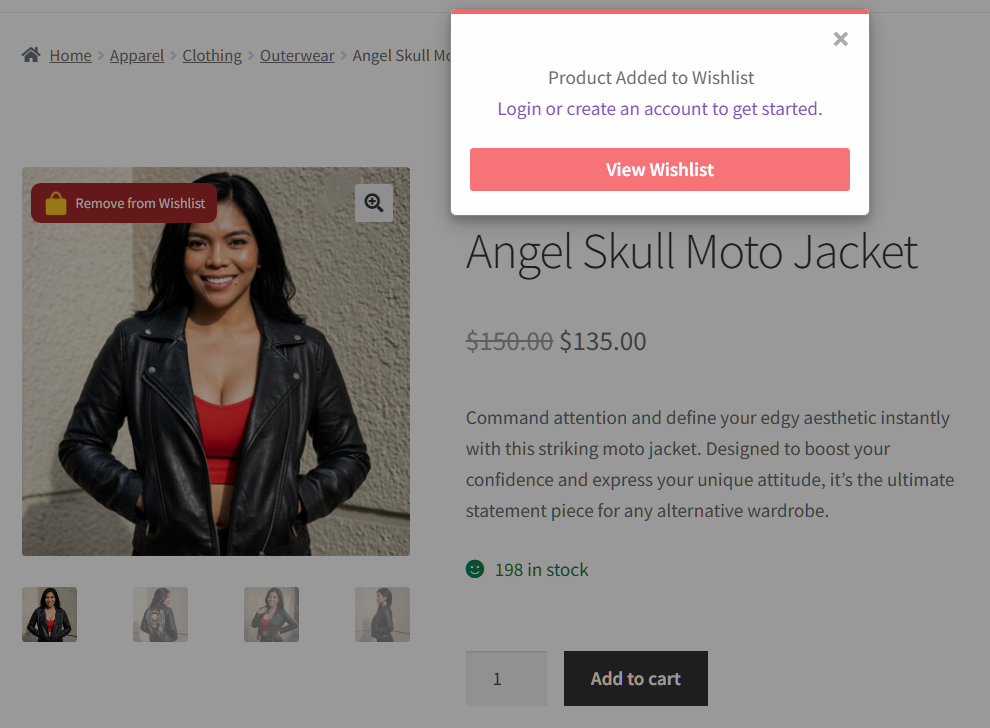
That distinction matters when you answer a request. A guest wishlist lives on one device, so there’s no server-side copy to hand over and nothing to erase. Once the shopper logs in or registers, the saved items merge into their account. From then on, they’re ordinary server-side data.
That’s also why browse abandonment follow-ups can’t reach a guest’s list until they sign in.
What A Registry Adds
A gift registry attaches other people to the list, and that’s the whole difference for a data request. One customer’s saved products become a page built for an audience of buyers.
On top of the wishlist fields, a registry built with the Gift Registry Addon brings in:
- Event details: event type and date, both registrant names, a location, and an optional welcome message and cover image.
- A public presence: a registry page and a lookup entry so guests can find it. That deliberately reverses the wishlist sharing and privacy setup of a normal list.
- Purchase records: who bought which item from the registry, and when.
- Contribution records: who chipped in toward an item, how much, and any message they left.
Those last two are where things get tricky. Your registry owner is a customer and can ask you for their data. However, a guest who bought a blender from that registry may have checked out without an account. Their name and order now sit attached to somebody else’s registry.
Group events make that normal rather than rare. Our guide to collaborative and shared wishlists notes that weddings tend to spread one list widely. If you’re still deciding which one your store needs, our wishlist vs gift registry comparison walks through it.
How WordPress Privacy Requests Work
WordPress has built-in export and erase tools, and plugins add their data to them. That’s the machinery you’ll use for most requests.
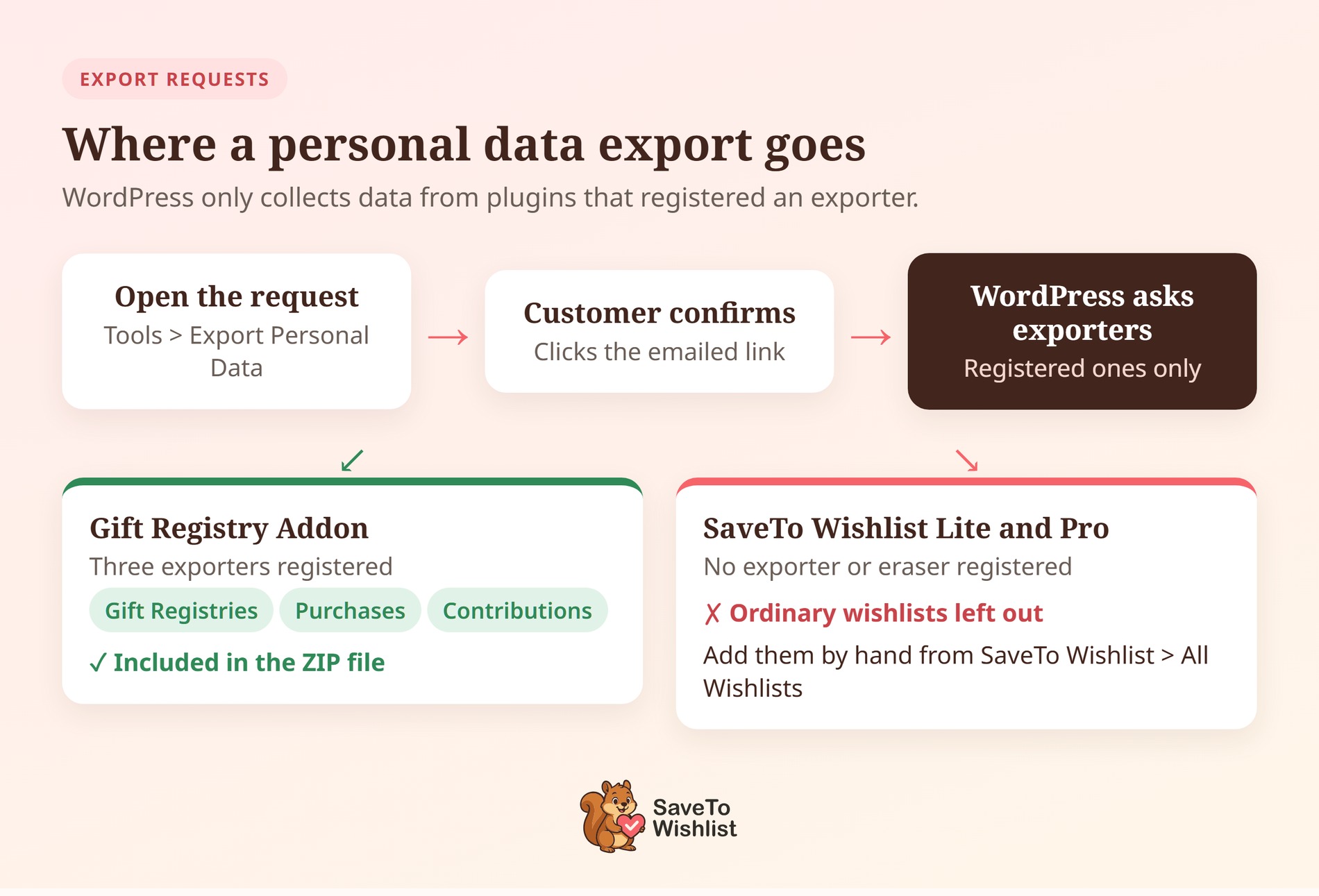
The flow runs in four steps:
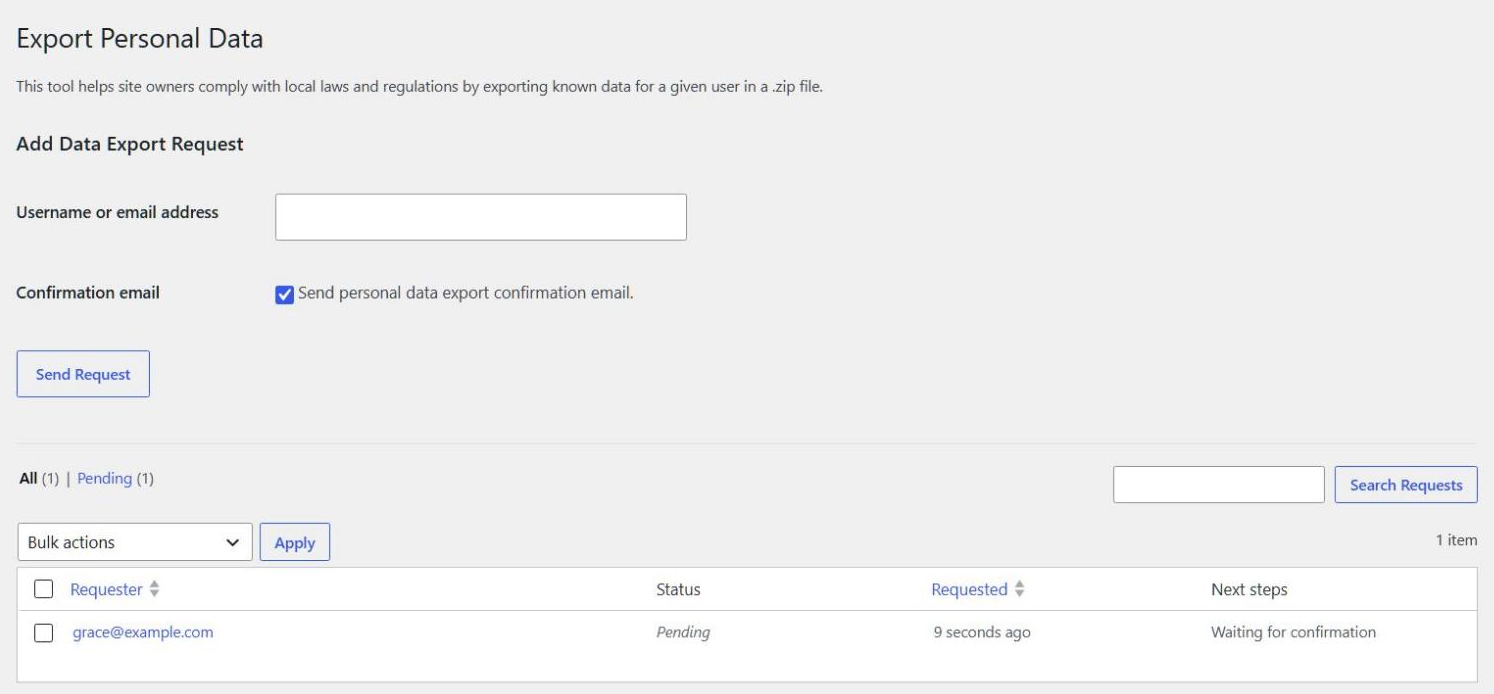
- Open the request: go to Tools > Export Personal Data (or Erase Personal Data) and enter the customer’s email.
- Wait for confirmation: by default, WordPress emails that address a link. The request stays pending until the person clicks it.
- Run the export: WordPress asks every registered exporter for that person’s data, then builds one downloadable ZIP file.
- Run the erase: every registered eraser removes or anonymizes its own records, then reports what it removed and kept.
Here’s the part that’s easy to miss. WordPress doesn’t know what a wishlist is. It only knows which plugins registered an exporter or an eraser. So your response is only as complete as what those plugins declared, and nothing warns you about a gap.
Why Ordinary Wishlists Are Missing From The Export
A customer’s ordinary wishlists won’t appear in the export file. SaveTo Wishlist Lite and Pro don’t register a personal data exporter or eraser, so WordPress never asks them.
The erase tool passes them by for the same reason. An erase request leaves every saved list in place, and the eraser report won’t mention them.
Instead, deleting the account is what removes them. When a WordPress user is deleted, SaveTo Wishlist deletes that person’s wishlists and every item saved inside them.
Two edge cases are worth knowing:
- Deleted while the plugin is off: their wishlist rows stay behind, because the cleanup runs from the plugin itself.
- Multisite: removing a user from one site keeps their wishlists. Deleting them from the whole network clears their lists on every site.
For now, cover them by hand:
- For an export, open SaveTo Wishlist > All Wishlists and find that customer’s lists. Add their names and products to your reply.
- For an erase, delete those lists from the same screen. Or delete the account, if that’s what the customer asked for.
What The Registry Exporters Return
The Gift Registry Addon registers three named exporters with WordPress. As a result, a registry export is predictable, and you can tell a customer exactly what they’ll receive.
| Exporter ID | Friendly name | What it returns |
|---|---|---|
stwreg-registries | Gift Registries | The registries that person owns |
stwreg-purchases | Gift Registry Purchases | Purchases they made from a registry |
stwreg-contributions | Gift Registry Contributions | Contributions they made toward a registry item |
Each of the three has a matching eraser, so you can remove that data as well as hand it over. The addon also hooks into account deletion. So deleting the user outright reaches the same registry cleanup as an erase request.
🔍️ What we’ve seen: Stores often answer a data request with the order history alone. That’s the export they’ve run before. Then the customer writes back asking about the registry they shared with family. Run an export against your own test account once, so you know what comes back.
On availability: SaveTo Wishlist Lite is free, and SaveTo Wishlist Pro is the paid upgrade. The Gift Registry Addon comes with the Plus plan ($99.50 first year, $199 on renewal). It’s also in the Business plan ($199.50 first year, $399 on renewal), but not in Growth.
What The Registry Erasers Remove And Keep
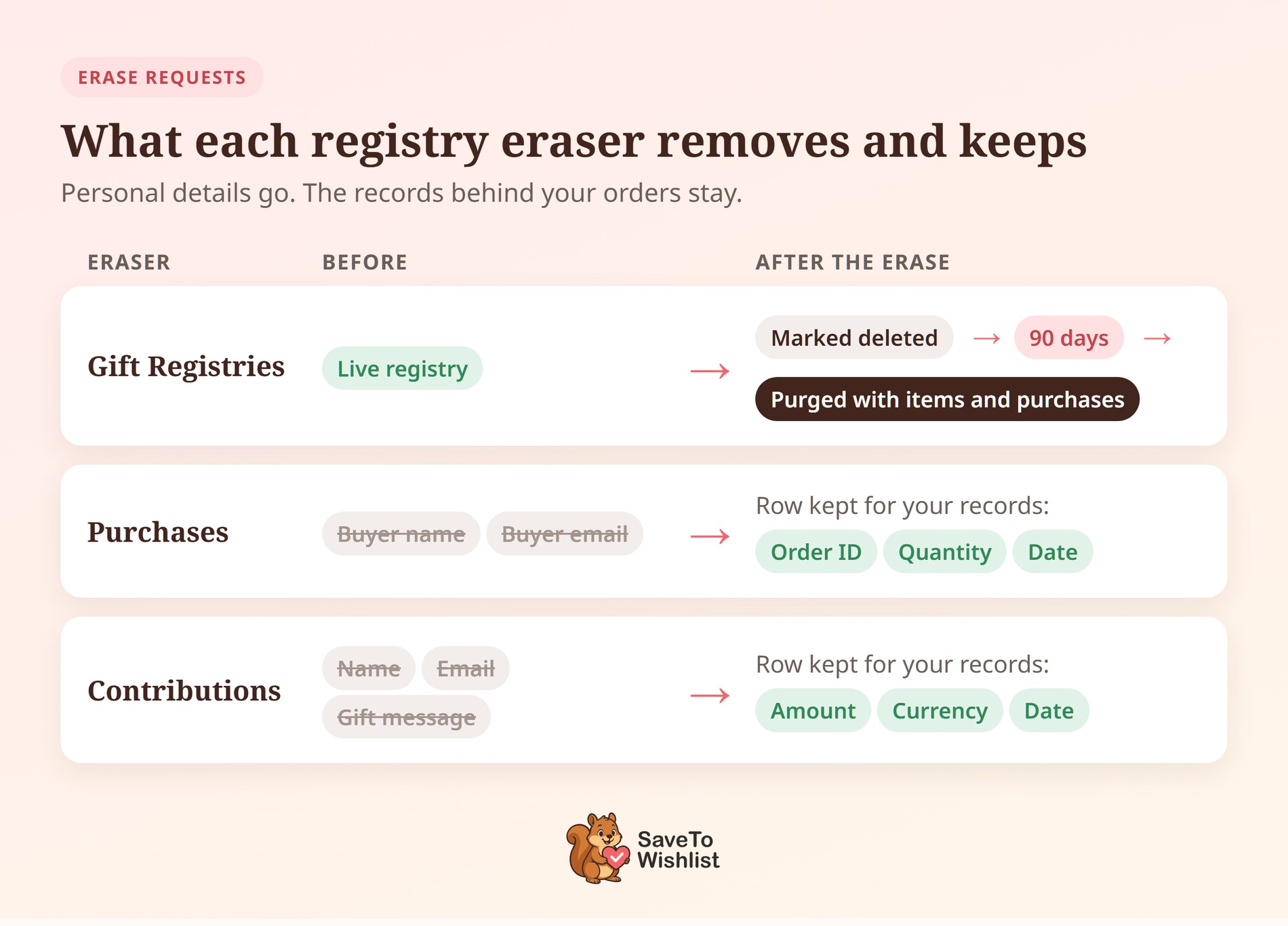
Erasing registry data isn’t the same as deleting it. Each eraser treats its records differently, and the report WordPress shows you reflects that.
| Eraser | What it removes | What stays |
|---|---|---|
| Gift Registries | Marks the person’s registries as deleted, so guests can no longer reach them | The registry rows, for 90 days. A daily cleanup then removes them with their items and purchases. |
| Gift Registry Purchases | Blanks the buyer’s name and email | The purchase row, with its order ID, quantity and date |
| Gift Registry Contributions | Blanks the contributor’s name, email and gift message | The contribution row, with its amount, currency and date |
Purchases and contributions are matched by email address, not by account. So a guest who bought from a registry without an account is still found by both the exporters and erasers.
Registries themselves work the other way around. That exporter and eraser look up a customer account by the email. So they only find registries a registered customer owns.
🔍️ Heads-up: After an erase, a fresh export can still list the registry, marked as deleted. That’s the 90-day holding period working as designed, not a failed erase.
Handling A Deletion Request Without Breaking A Live Registry
Sequence matters more than speed on a deletion. Erasing a registry owner mid-event takes down the page guests are buying from.
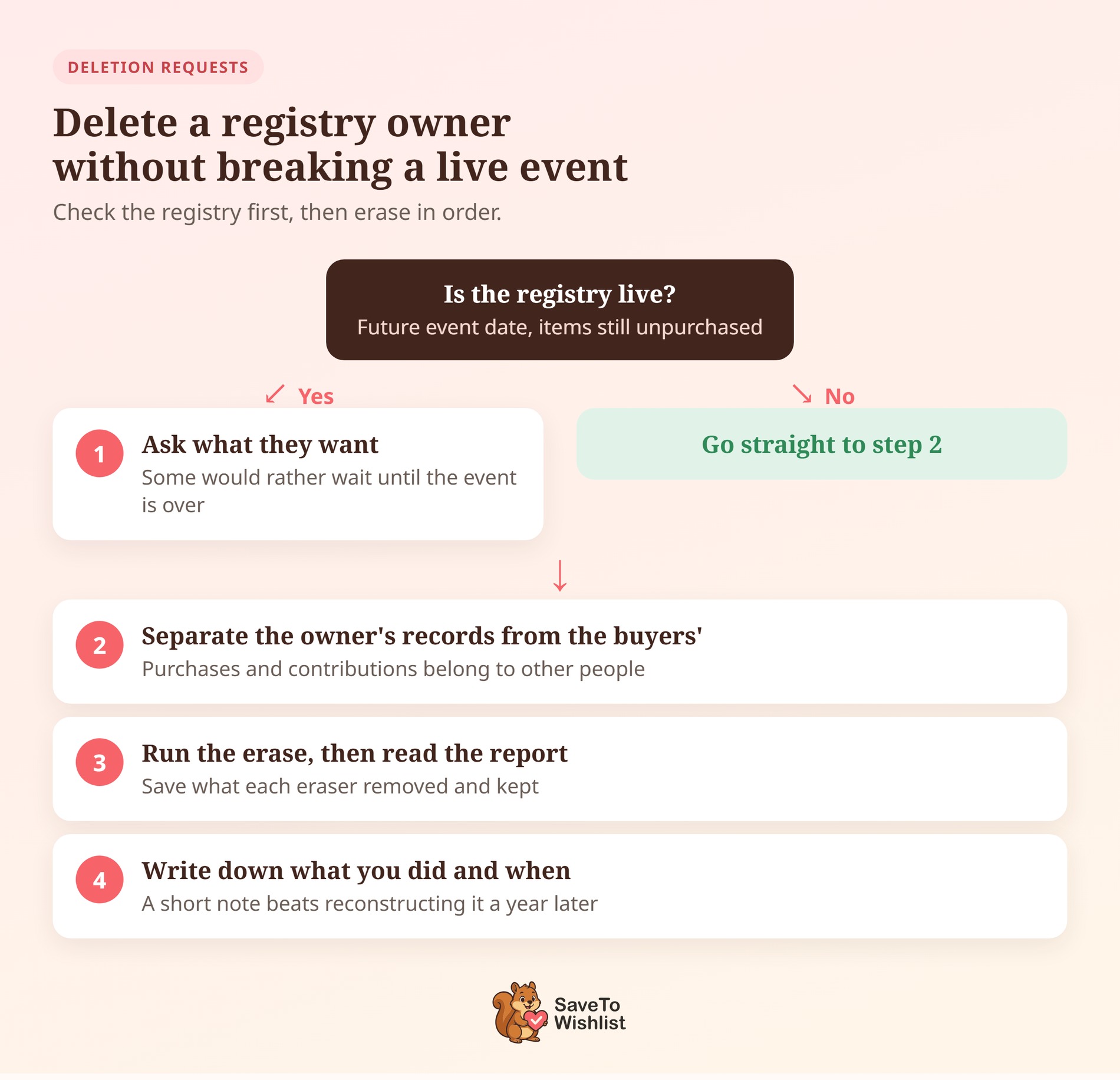
A workable order of operations looks like this:
- Check whether the registry is live. A future event date with items still unpurchased means an active registry, not an archive.
- Ask the requester what they actually want. Many people asking to “delete my account” haven’t thought about the event page. Some would rather wait until the event is over.
- Separate the owner’s records from the buyers’. Purchases and contributions made by other people are their data, not the requester’s.
- Run the erase, then read the report. WordPress shows what each eraser removed and kept, and that report is worth saving.
- Write down what you did and when. A short internal note beats reconstructing the decision a year later.
None of this makes your store compliant on its own, and it isn’t advice about your obligations. Take that part to whoever handles data protection for your business. What it does give you is a repeatable answer instead of an improvised one.
The Store Settings That Shape An Erase Request
Two settings outside the privacy tools decide what an erase leaves behind. Both are worth checking before your first real request arrives.
Start with WooCommerce > Settings > Accounts & Privacy. There, Remove personal data from orders on request is off by default. With it off, an erase leaves the name and address on that customer’s orders.
That box matters for registries too. An anonymized purchase row still carries its order ID, so the order is where the buyer’s details remain.
The same screen has Retain inactive accounts, which is blank by default. Set a duration and WooCommerce deletes customer accounts with no login or order in that time.
Each of those deletions runs the same cleanup as a manual one. The customer’s wishlists are deleted, and any registries they own are marked deleted.
On the consent side, SaveTo Wishlist has an Enable wishlist add signal cookie setting under SaveTo Wishlist > Settings. Set it to No and saving a product stops writing the stwlite_wishlist_added cookie.
Popups built on that save signal stop opening too. Our post on the wishlist cookie privacy control walks through the switch.
GDPR And Wishlist Data FAQ
Does deleting a customer account delete their gift registry?
Yes, unless you hand their content to another user. Deleting the WordPress account marks their registries as deleted, the same result as an erase request. Their ordinary wishlists are deleted too.
If you attribute their content to another user during deletion, the registries move to that user instead. If the event is still live, decide what happens to the registry page first.
What happens to guest wishlists in a data request?
Nothing, because there’s nothing on your server to act on. A guest save is written to the shopper’s own browser storage. It only reaches your database if that person logs in or registers. If someone asks about a list built while logged out, clearing their browser data removes it.
Do I need consent to store a customer’s wishlist?
That’s a question for whoever advises your business on data protection. The answer turns on how you use the data, not on the plugin. What we can tell you is what the data is: a record linking an identifiable customer to products and timestamps. If you email people about those saved items, that use is part of the picture.
What does a registry data export actually look like?
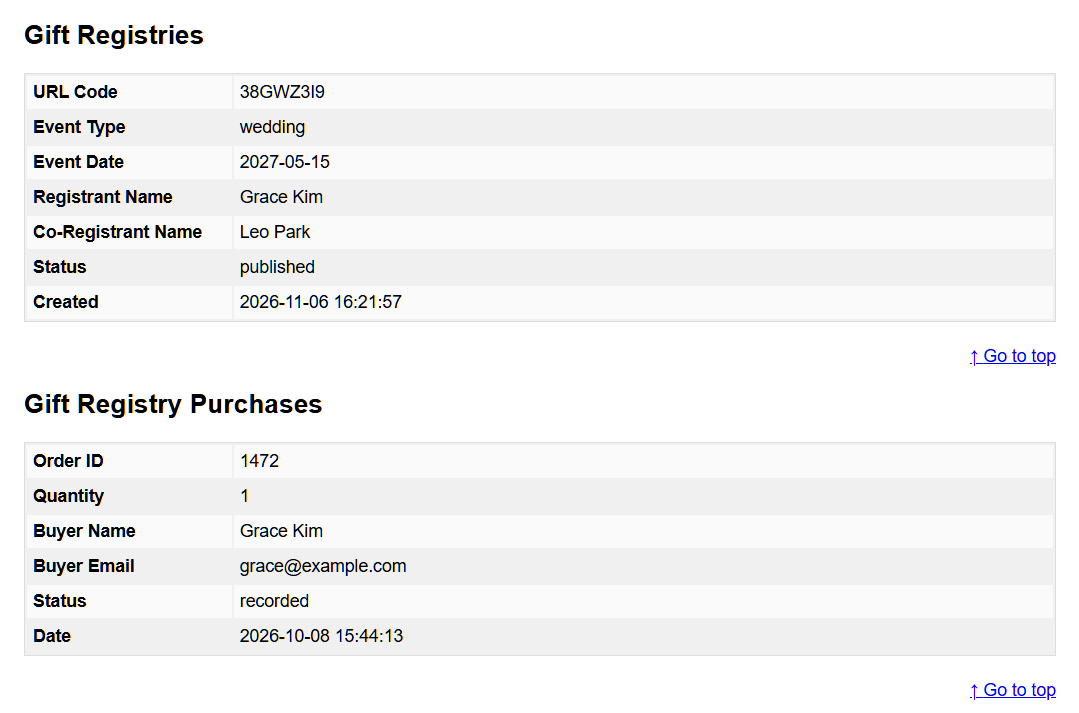
WordPress delivers a ZIP file containing a readable HTML report. Registry information appears in it under the group names Gift Registries, Gift Registry Purchases and Gift Registry Contributions.

Get Ahead Of Your Next Wishlist Data Request
A data request tests your records, not your intentions. The stores that answer well usually just know where their saved lists live.
- Write down what your wishlists hold, field by field.
- Treat registry records as multi-party data, because buyers and contributors are on there too.
- Run a test export through the WordPress privacy tools before a real request arrives.
- Cover ordinary wishlists by hand, because the privacy tools don’t include them yet.
- Check which exporters your registry data uses, and what each eraser keeps.
- Agree on a deletion sequence in advance that doesn’t break a live event.
- Review your Accounts & Privacy settings so erase requests reach your orders the way you intend.
SaveTo Wishlist Pro starts at $49.50 for the first year on the Growth plan, then $99 a year. The Gift Registry Addon, with its three exporters and erasers, comes with the Plus and Business plans. Compare what each plan includes on the SaveTo Wishlist pricing page.