

 Reviewed by
 The WooCommerce wishlist sits at the intersection of two big ecommerce realities. Most shoppers don’t buy on their first visit. Many who add to cart never check out.
The average online cart abandonment rate is 70.22%, per Baymard Institute. Wishlists capture intent that would otherwise vanish. They give you a way to bring shoppers back.
In our experience, store owners are consistently surprised by what a wishlist unlocks. Customers who save products come back more often. They engage with marketing emails and convert at higher rates than passive browsers.
This guide pulls together everything we’ve learned about WooCommerce wishlists into one place. Whether you’re adding one for the first time or fine-tuning an existing setup, you’ll find what you need below.
Jump to:
- What Are WooCommerce Wishlists And Why Do They Matter?
- How Wishlists Work In WooCommerce
- Key Features To Look For In A WooCommerce Wishlist Plugin
- Setting Up A Free WooCommerce Wishlist
- Advanced Wishlist Features With SaveTo Wishlist Pro
- Wishlist Analytics: Understanding What Your Customers Want
- Email Marketing With WooCommerce Wishlists
- Guest Wishlists: Don't Lose Non-Logged-In Customers
- Multiple Wishlists And Organization
- Wishlist Optimization Tips
- Frequently Asked Questions
- Start Building Better WooCommerce Wishlists Today
What Are WooCommerce Wishlists And Why Do They Matter?
A wishlist lets customers save products they want to buy later. It’s that simple on the surface. But for store owners, wishlists unlock something more valuable: a direct window into customer demand and purchase intent.
If you’re new to the concept, our guide on what a wishlist is covers the fundamentals in detail.
Here’s why wishlists matter for your WooCommerce store:
- Return visit driver: Customers who save products have a concrete reason to come back. They’re not just browsing. They’ve committed interest to specific items.
- Purchase intent signals: Every product added to a wishlist is a data point. It tells you what customers want, what they’re waiting on, and what’s generating the most demand.
- Marketing fuel: Wishlists power targeted email campaigns, price drop alerts, and back-in-stock notifications. You can reach customers who already want specific products, instead of blasting the whole list.
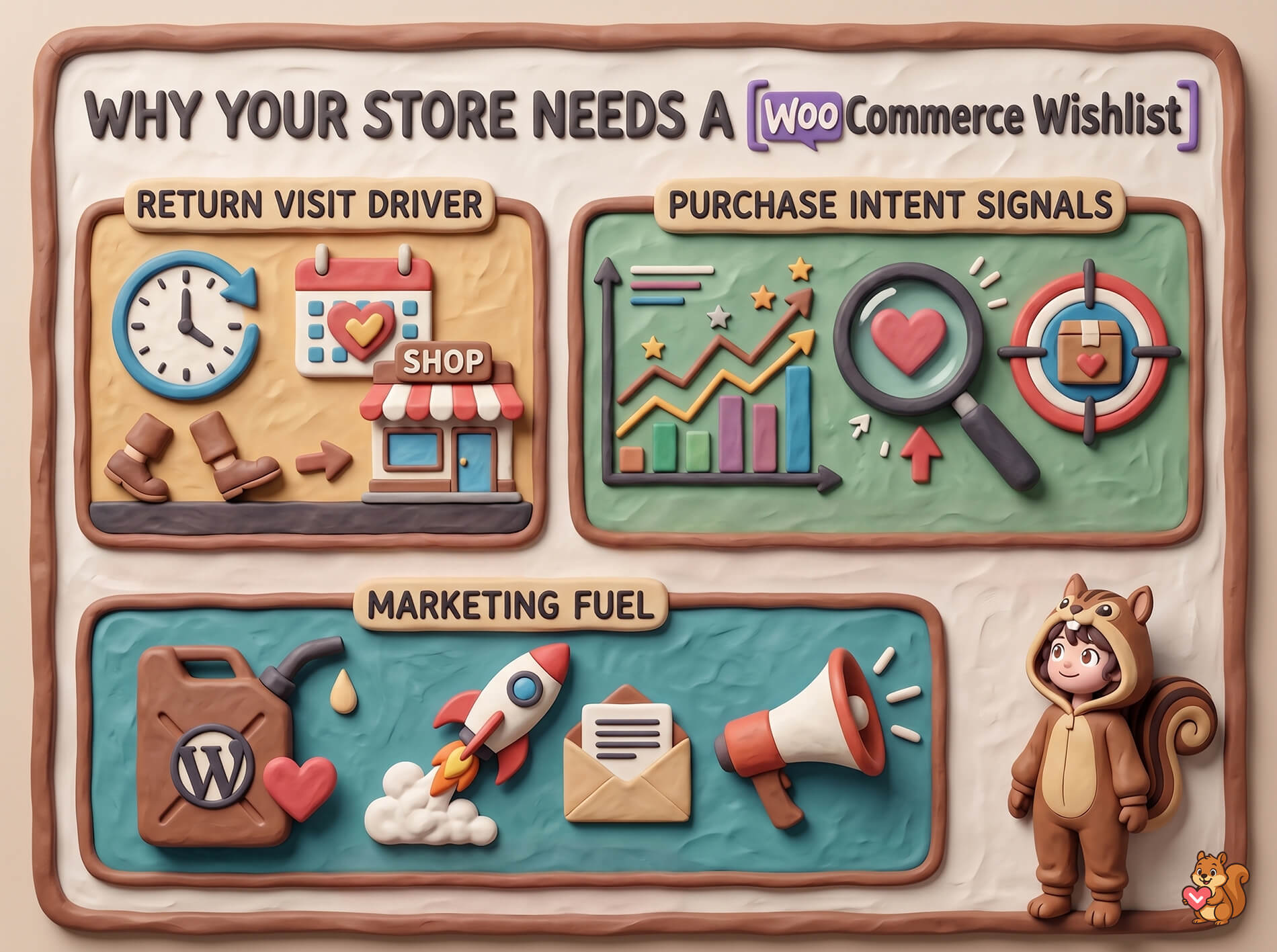
That 70% cart-abandonment baseline means most intent is already being lost. Wishlists help you capture and re-engage some of it before it disappears.
🔍️ What we’ve seen: store owners often add a wishlist plugin and then never look at the data it generates. The wishlist itself is just the starting point. The real value comes from acting on the insights it provides.
How Wishlists Work In WooCommerce
WooCommerce doesn’t include wishlist functionality out of the box. So you need a plugin to add it.
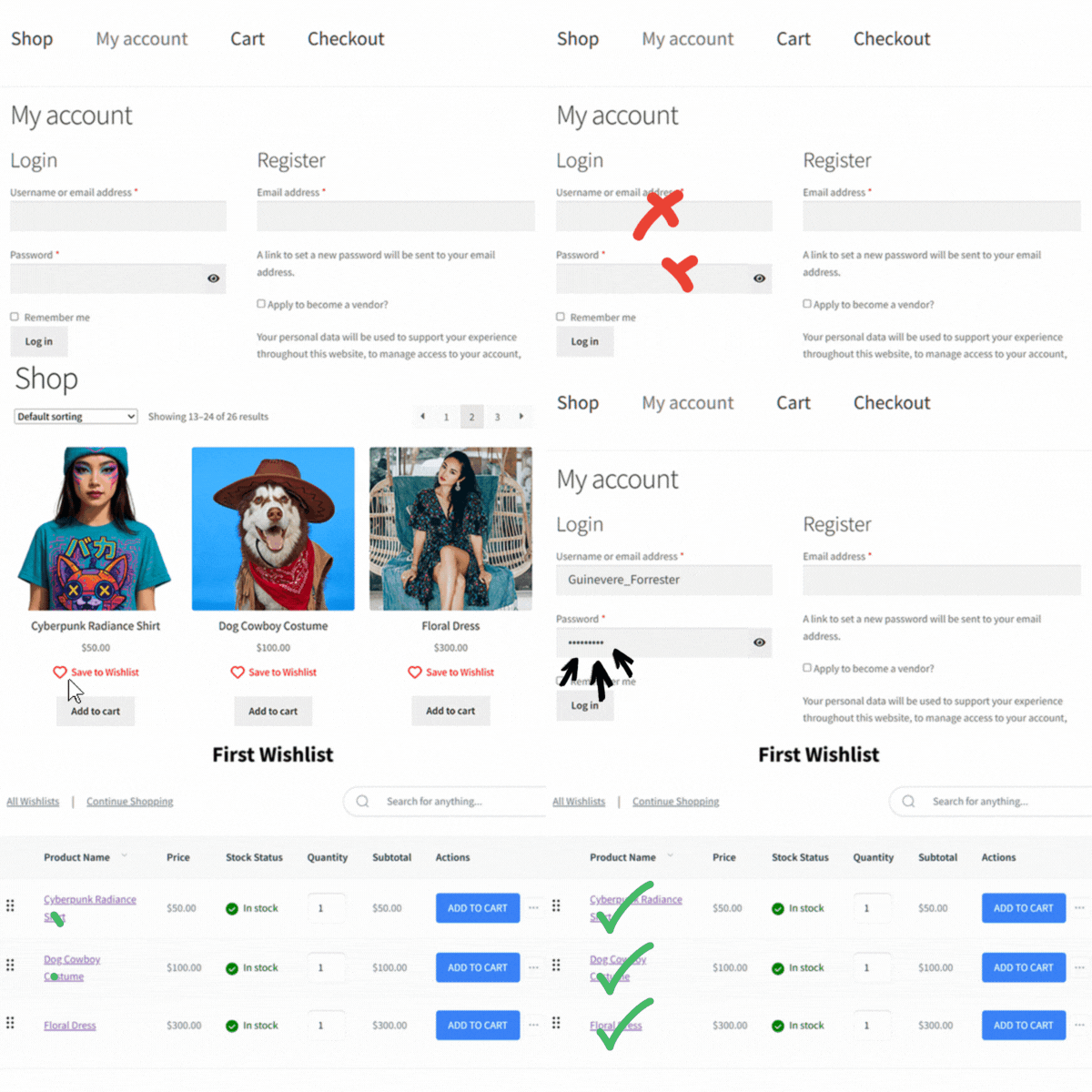
The typical flow works like this. A customer browses your store, sees a product they like, and clicks an “Add to Wishlist” button. That product gets saved to their personal wishlist, which they can access anytime. When they’re ready to buy, they return to their wishlist and add items to their cart.
What separates a good wishlist plugin from a basic one is what happens behind the scenes:
- Variation tracking: a good plugin saves the exact variation selected (size, color, configuration), not just the parent product. SaveTo Wishlist does this automatically, so customers see exactly what they originally wanted.
- Guest support: not every customer is logged in. A good plugin handles guest wishlists so you don’t lose data from non-registered visitors.
- Persistence: the wishlist should survive across sessions and devices. Items added on a phone should still be there when the customer logs in on a laptop.
Are you starting from scratch? Why not check out our guide on how to add wishlist functionality to WooCommerce? It walks through the entire process so you can get started within minutes!
Key Features To Look For In A WooCommerce Wishlist Plugin
Not every wishlist plugin is built the same. Here are the features that actually matter for your store’s bottom line.
Guest wishlist support
Most of your visitors aren’t logged in. If your wishlist only works for registered users, you’re ignoring the majority of your traffic.
Look for a plugin that creates wishlists for guest visitors. It should then merge that data when (or if) they create an account. This is one of the most overlooked features. Yet it makes a real difference in how much wishlist data you actually capture. Learn more about guest wishlists and why they matter.
Multiple wishlists
Customers don’t just have one reason to save products. They might have a birthday list, a holiday gift list, and a personal “treat yourself” list. As a result, a plugin that locks them to a single wishlist forces a structure that doesn’t match how they actually shop.
Multiple wishlists also open up use cases like gift registries and collaborative shopping. Here’s our deep dive on multiple wishlists.
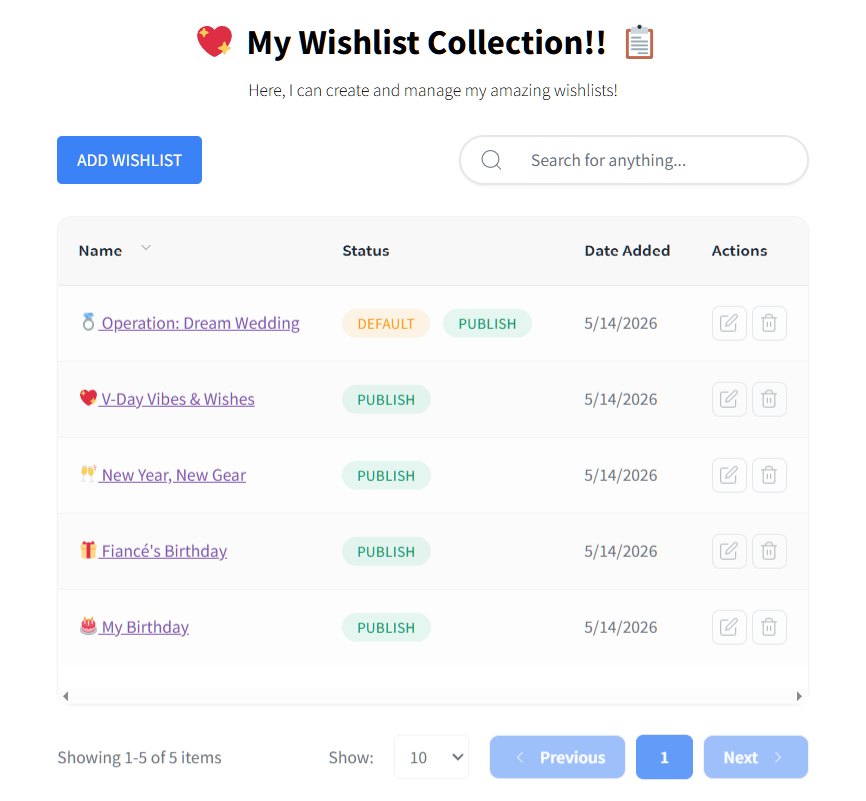
Sharing and collaboration
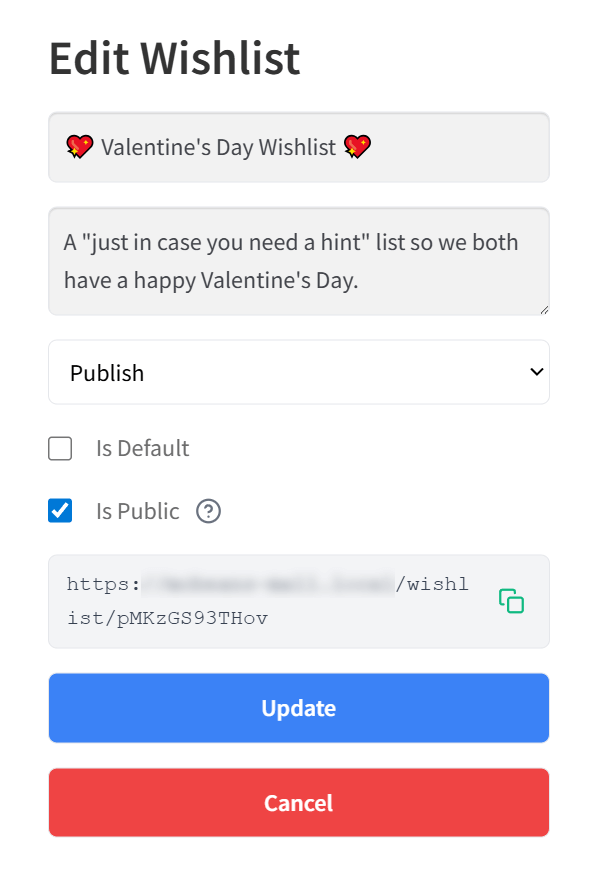
A shareable wishlist drives new traffic to your store. When a customer shares their list with friends or family, every viewer is a potential new customer.
Collaborative lists take this further by letting multiple people contribute to the same list. Think wedding registries, team wishlists for corporate gifting, or family holiday planning. Check out our guide on wishlist sharing and permissions for the full picture.
Analytics and reporting
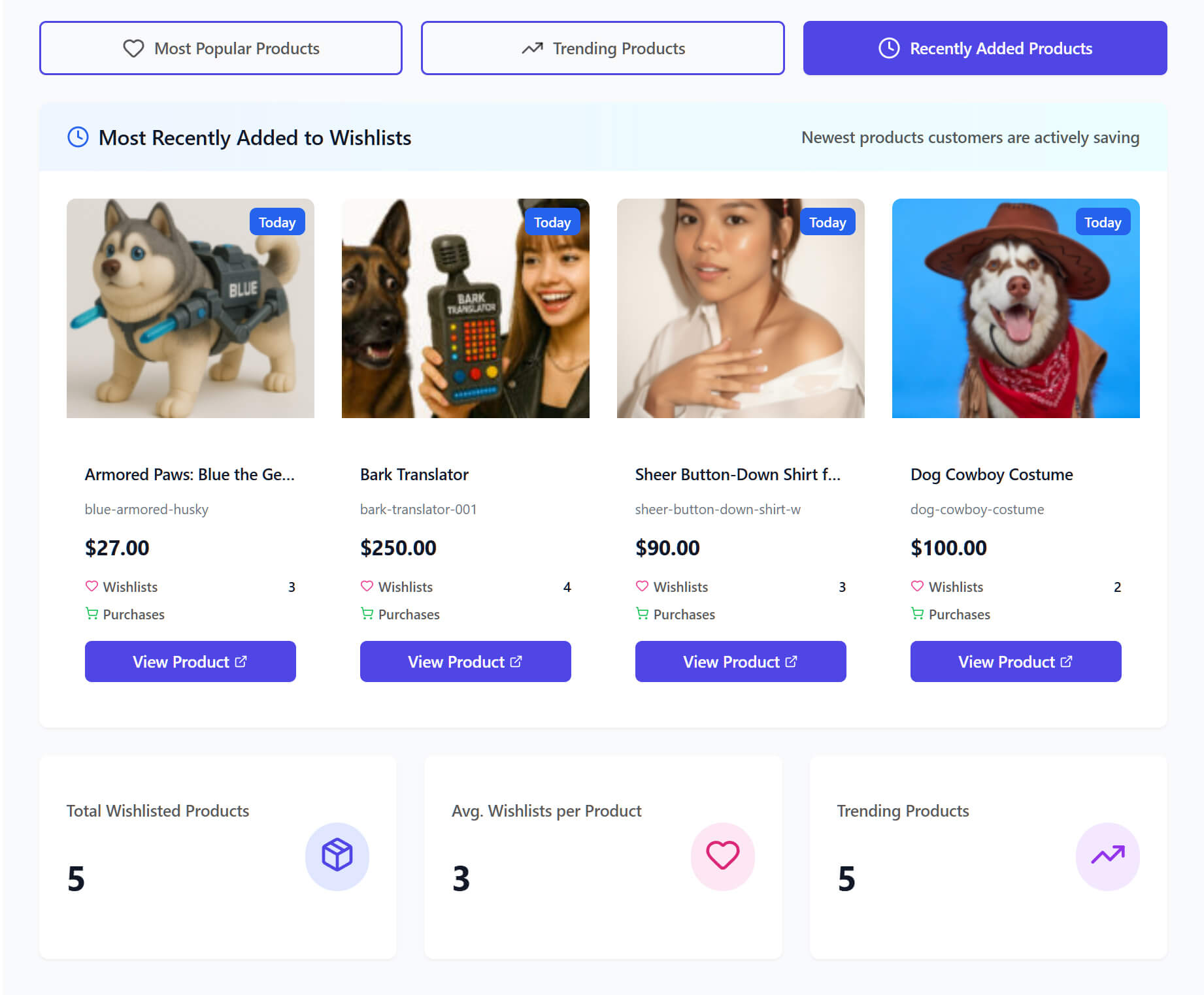
If you can’t measure wishlist activity, you can’t improve it. Analytics tell you which products are most wishlisted, how long items sit before purchase, and where customers drop off.
This data feeds directly into inventory planning, pricing decisions, and marketing strategy. We cover it in detail in our advanced wishlist analytics guide.
Email marketing integration
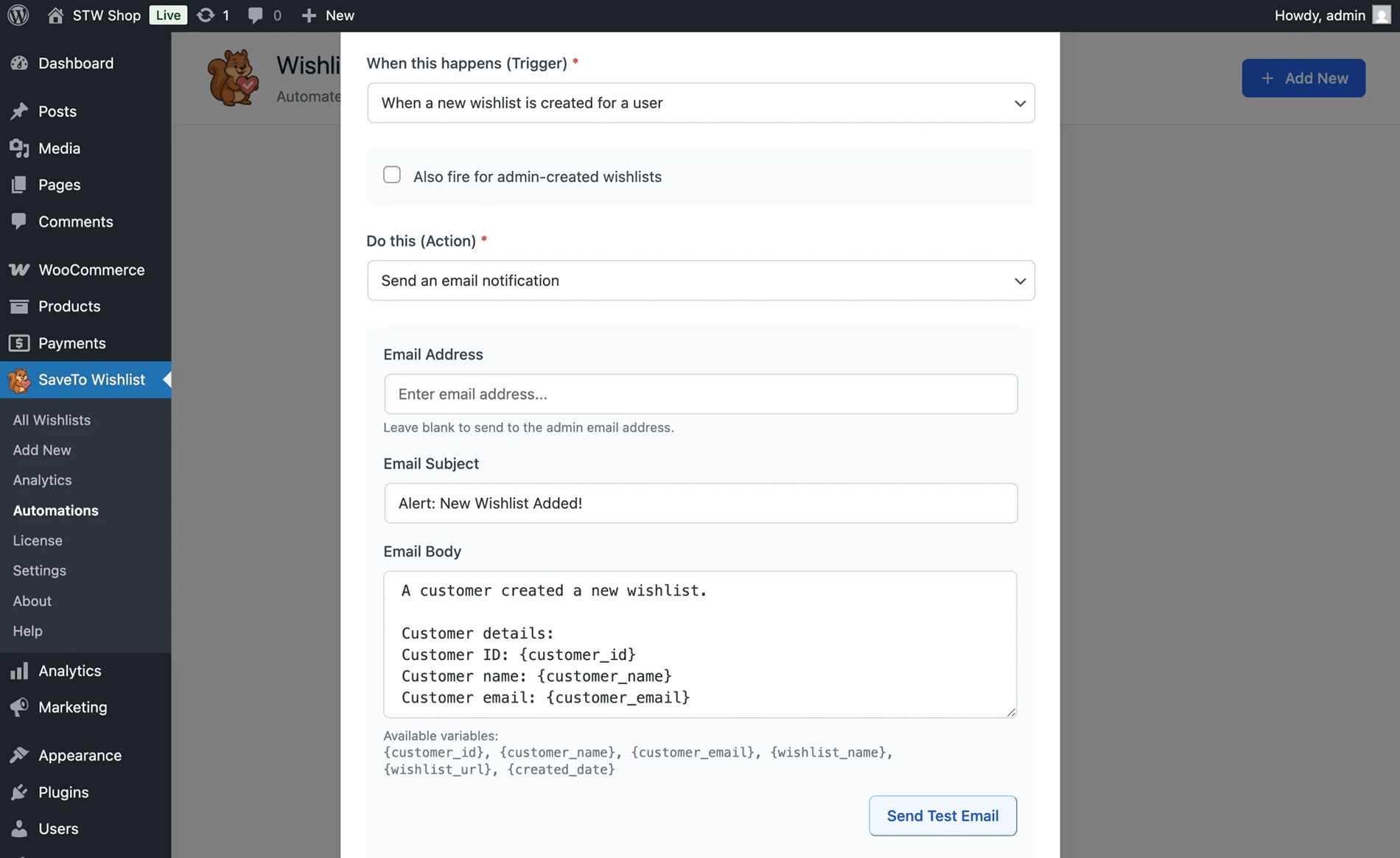
This is where wishlists become a true revenue driver. Price drop alerts, back-in-stock notifications, and wishlist reminder emails turn passive saving into active purchase behavior. Our wishlist email marketing guide covers the full strategy.
For a complete breakdown of every feature worth evaluating, see our full list of wishlist features.
Setting Up A Free WooCommerce Wishlist
You don’t need to spend money to get a solid wishlist running on your store. SaveTo Wishlist’s free version includes features that many competitors charge for.
Here’s what you get at no cost:
- Unlimited wishlists: no caps on how many wishlists your customers can create.
- Guest wishlists: captures wishlist data from visitors who aren’t logged in.
- Variation tracking: saves the exact product variation, not just the parent product.
- Multiple wishlists: customers can organize saved products into separate lists.
- Block theme support: works with WordPress block themes out of the box.
- Button templates: pre-built Add to Wishlist button designs you can customize to match your store.
- Translation ready: full support for multilingual stores.
- Wishlist importer: migrating from another plugin? Import existing wishlist data.
That’s a genuinely complete feature set for a free plugin. In fact, most stores can run their entire wishlist strategy on the free version without hitting any limits.
To get started, install SaveTo Wishlist from the WordPress plugin repository. Activate it, then configure your button placement and styling. The plugin is designed to work with minimal setup, so you can have a dedicated wishlist page live on your store quickly.
For a detailed overview, check out our free WooCommerce wishlist plugin page.
Advanced Wishlist Features With SaveTo Wishlist Pro
When you’re ready to turn wishlist data into revenue, SaveTo Wishlist Pro adds the tools that make it possible.
Analytics and reports
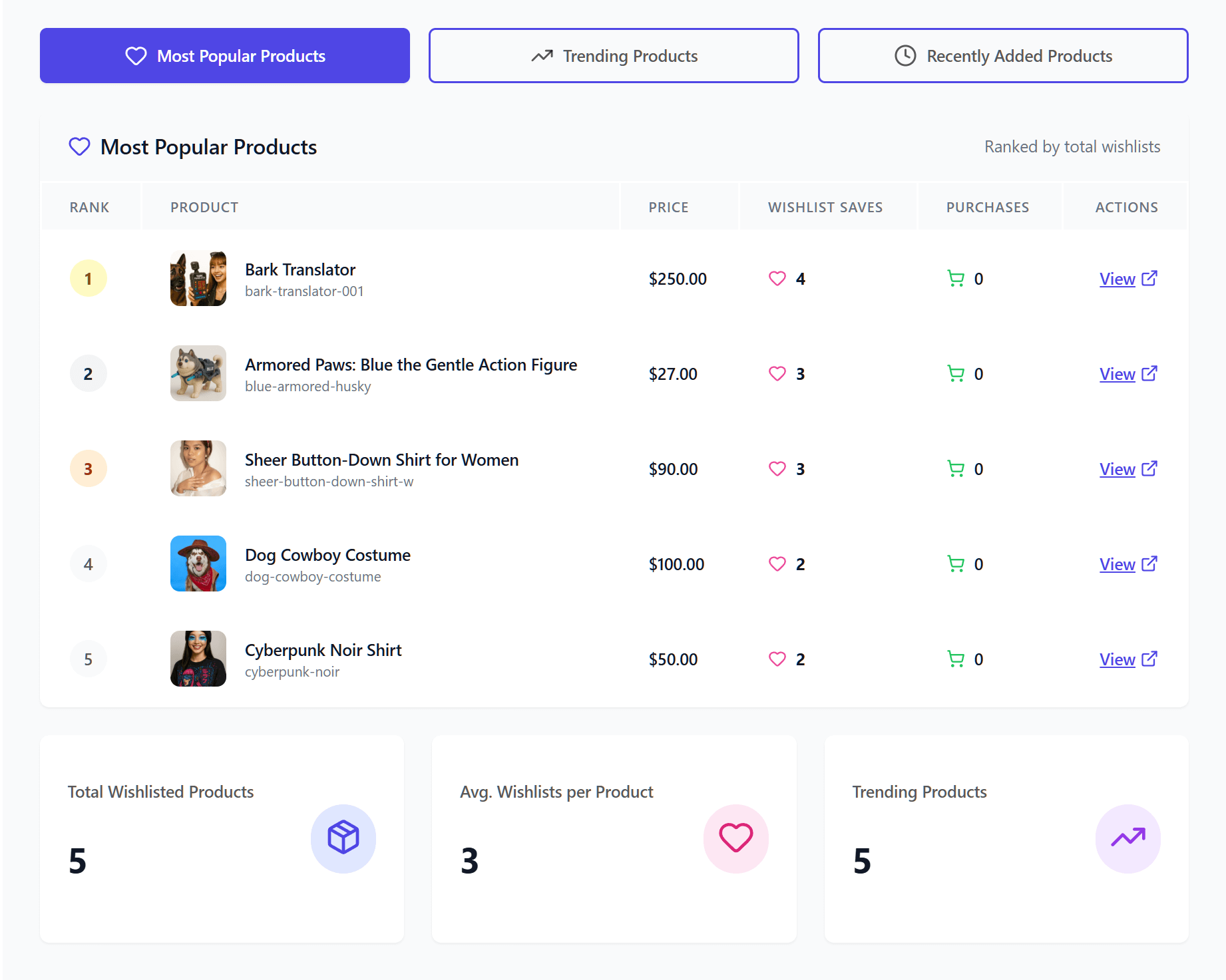
Pro gives you a dedicated analytics dashboard that tracks wishlist activity across your store. You can see which products are trending and monitor wishlist-to-purchase conversion patterns. On top of that, you can identify products that get wishlisted often but rarely purchased, a useful signal for pricing adjustments.
Read our wishlist analytics guide to know more about this feature.
Automations and alerts
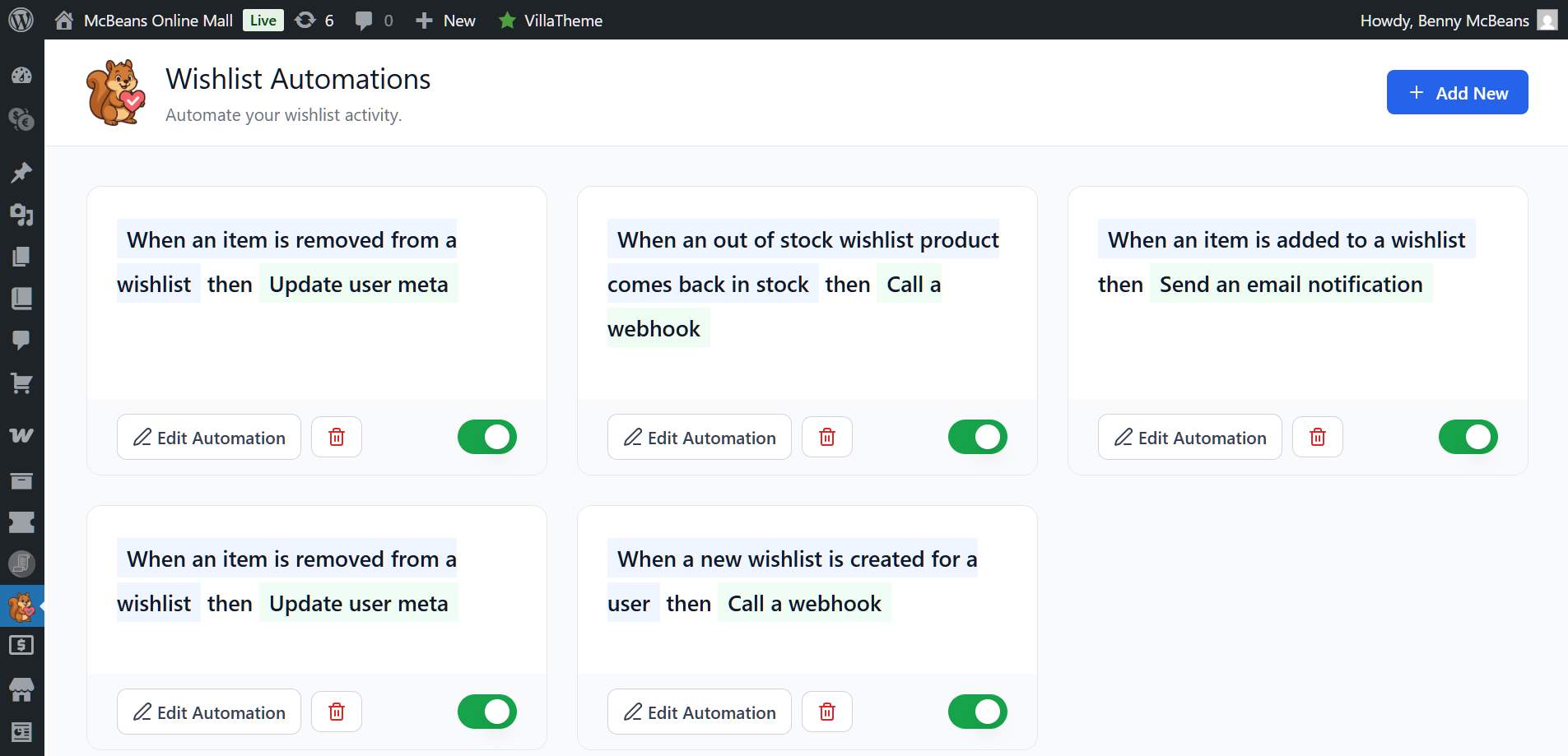
This is the feature set that directly drives revenue:
- Price drop alerts: automatically notify customers when a wishlisted item goes on sale. No manual work required.
- Back-in-stock notifications: when out-of-stock items return, customers who wishlisted them get notified immediately.
- Wishlist-triggered automations: build email workflows that trigger based on wishlist behavior.
Our wishlist automation guide covers how to set these up effectively.
Webhooks and REST API
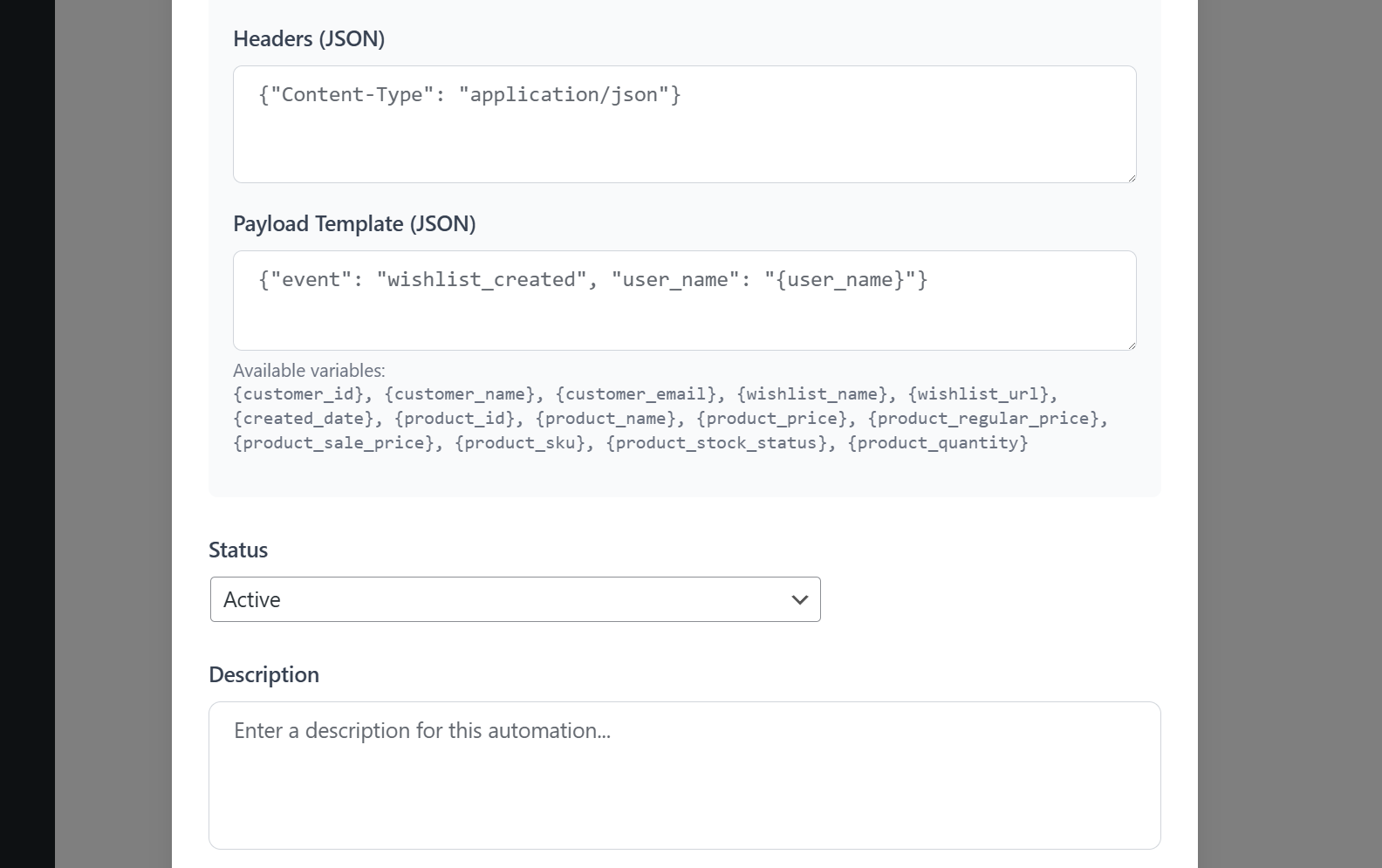
For stores with custom development needs, Pro includes webhooks and a REST API. This lets you connect wishlist data to external systems, build custom reporting, or plug into your existing tech stack.
Collaborative lists and role-based access
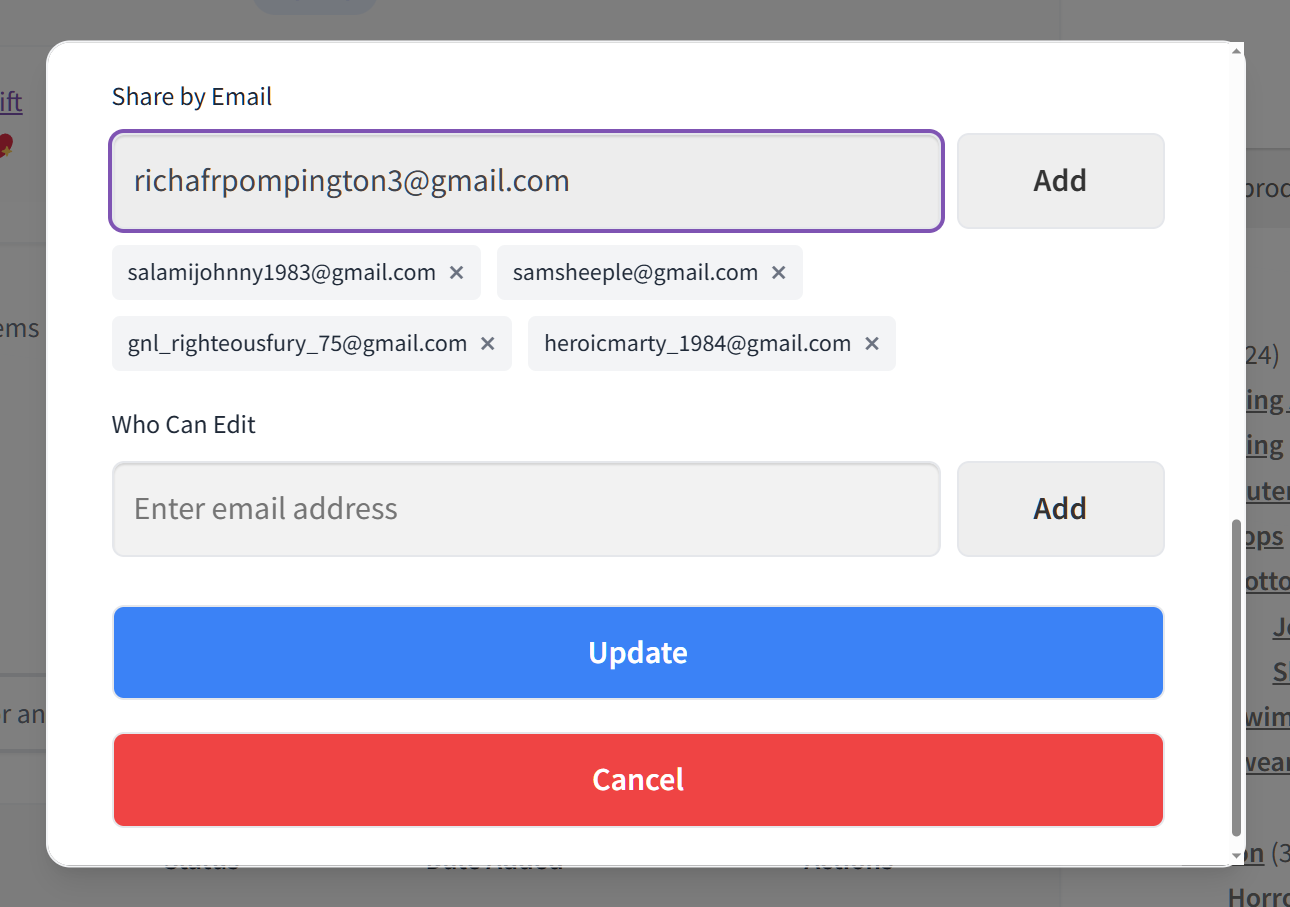
Pro adds collaborative wishlists where multiple users contribute to the same list. Role-based access lets you control who can view, edit, or manage wishlists. That’s especially useful for B2B stores or team-based purchasing.
Pricing: SaveTo Wishlist Pro Growth is $49.50 per year for a single site (intro pricing, normally $99). Plus is $99.50 per year for a single site (normally $199) and adds the Gift Registry Addon. Business is $199.50 per year for unlimited sites (normally $399). All paid plans come with a 14-day money back guarantee.
See the full Pro feature set on the SaveTo Wishlist Pro page.
Wishlist Analytics: Understanding What Your Customers Want
Wishlist data is one of the most underused resources in ecommerce. Every product save is a signal. The patterns across your customer base tell you things that standard analytics can’t.
Here’s what to pay attention to:
- Most-wishlisted products: these are your highest-demand items. If they’re in stock but not converting, that’s a pricing or marketing issue worth investigating.
- Wishlist-to-purchase conversion: track which wishlisted items actually get bought and how long that takes. Short cycles suggest strong intent. Long cycles often mean customers are waiting for a price drop.
- Seasonal trends: wishlist activity often spikes before holidays and gifting seasons. Tracking these patterns helps you plan promotions and inventory.
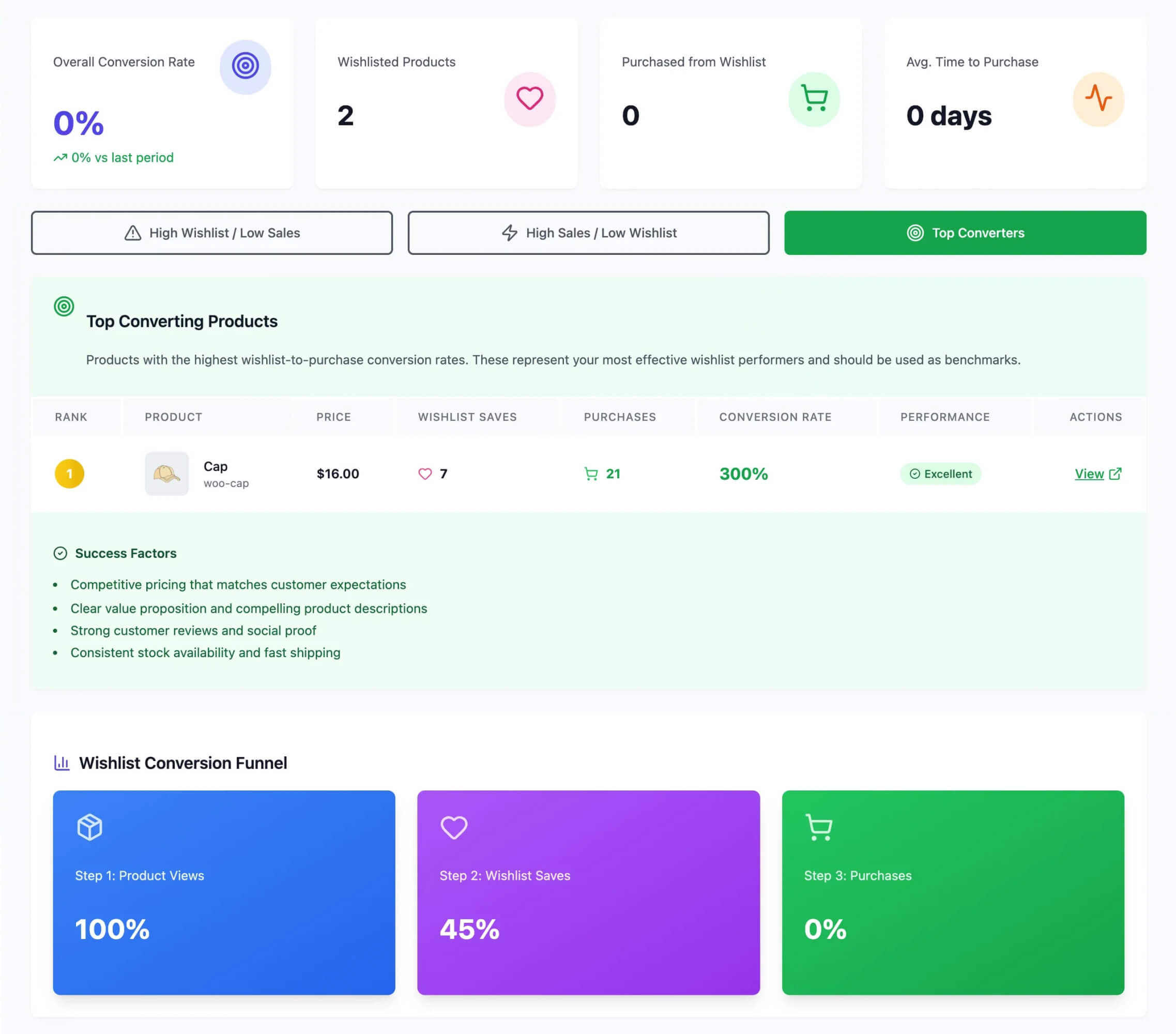
🔍️ What we’ve seen: a mistake we see repeatedly is store owners treating wishlist data as a vanity metric. The real value sits in the product-level insights. Items that get wishlisted but never purchased tell you something important about pricing or availability.
A product with 200 wishlist adds and zero purchases is a signal. Adjust the price, or run a targeted promotion. The key is connecting wishlist insights to action.
If a product is highly wishlisted, feature it in your marketing. If wishlisted items aren’t converting, test a price drop alert campaign. And if wishlist activity spikes before a specific season, plan inventory accordingly.
For the full breakdown on tracking and acting on this data, see our guides on advanced wishlist analytics and ecommerce analytics.
Email Marketing With WooCommerce Wishlists
Wishlists and email marketing are a natural pairing. When you know which products a customer wants, your emails stop being generic blasts. They start being relevant, timely, and effective.
Here are the three highest-impact wishlist email strategies:
- Price drop alerts: when a wishlisted item goes on sale, the customer gets an automatic notification. This is consistently one of the highest-converting email types in ecommerce because intent and incentive align perfectly.
- Back-in-stock notifications: if a customer wishlisted an out-of-stock item, you can notify them when it’s available again. This recovers sales that would otherwise be lost entirely.
- Wishlist reminder emails: periodic nudges back to saved items. These work best paired with a soft incentive (a limited-time discount, free shipping, etc.).
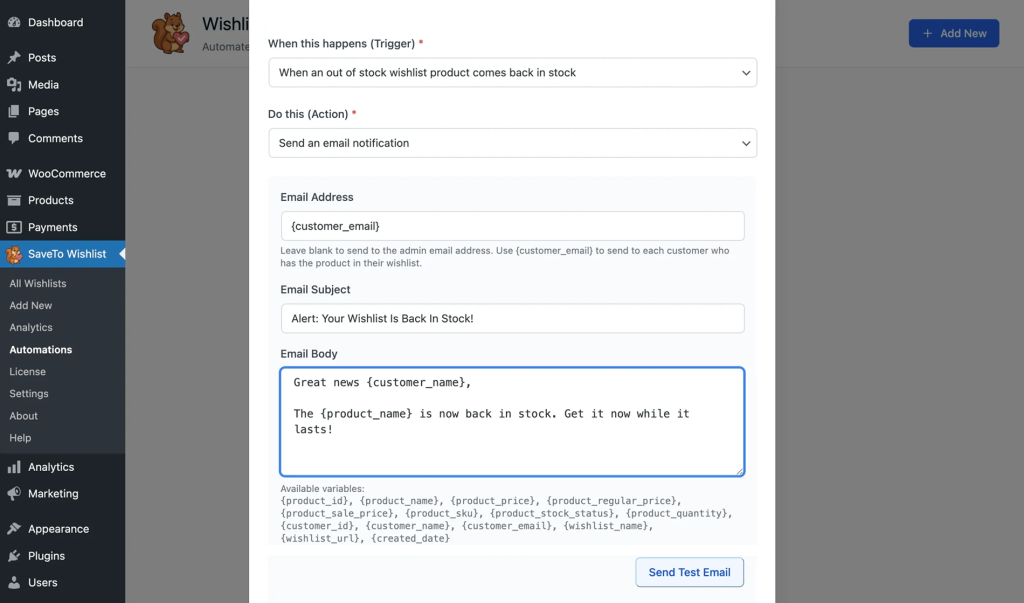
Automation matters here. You shouldn’t be manually sending these emails. Instead, the right setup triggers them automatically based on wishlist activity, price changes, and inventory updates.
SaveTo Wishlist Pro includes built-in automations for price drop alerts and back-in-stock notifications. For the full strategy, read our guides on wishlist email marketing and wishlist automations.
Guest Wishlists: Don’t Lose Non-Logged-In Customers
Most of your store visitors aren’t logged into an account. If your wishlist only works for registered users, you’re invisible to the majority of your traffic.
Guest wishlists solve this by letting non-logged-in visitors save products. The data is stored in their browser session, and it can be merged with their account if they register later.
This matters for two reasons:
- You capture more data. Every guest who uses the wishlist is a data point you’d otherwise lose.
- You create a registration incentive. “Keep your wishlist across devices” is a natural, non-pushy sign-up nudge.
SaveTo Wishlist includes guest wishlist support in the free version. There’s no paywall blocking you from capturing this data.
For the full breakdown, see our guide on guest wishlists.
Multiple Wishlists And Organization
Customers want to organize their saved products. A single flat list gets cluttered fast. That’s especially true for shoppers who browse across multiple categories or buy gifts for different people.
Common use cases for multiple wishlists:
- Gift lists: separate lists for different recipients (holiday gifts for Mom, birthday ideas for a friend).
- Category-based organization: one list for clothing, another for electronics, another for home goods.
- Event planning: wedding registries, housewarming lists, baby shower wishlists.
- Personal vs. shared: a private “treat yourself” list alongside a shared family wishlist.
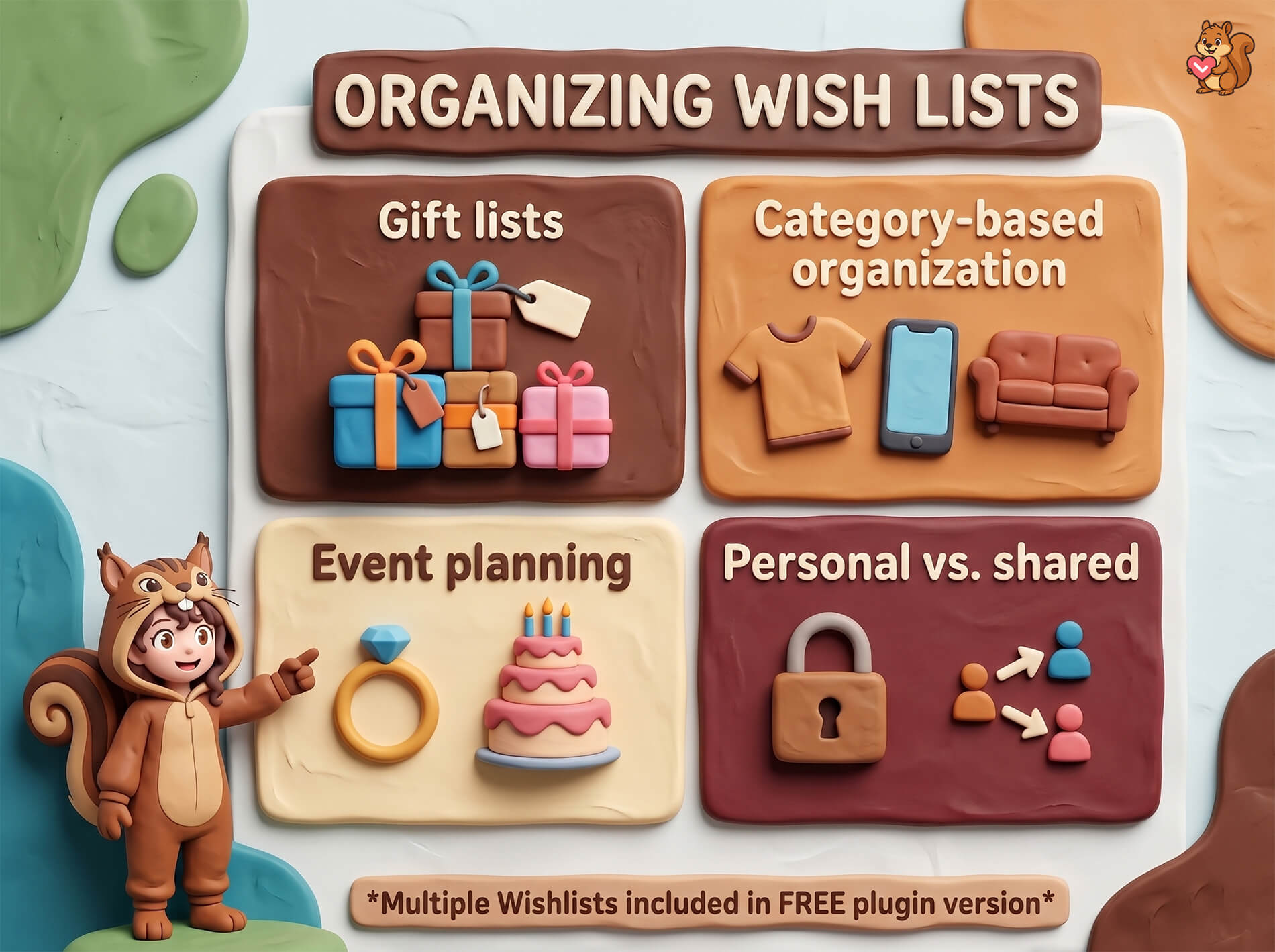
The key detail here: SaveTo Wishlist includes multiple wishlists in the free version. By contrast, many competing plugins lock this behind a premium tier. With SaveTo, your customers get full organizational flexibility at no extra cost.
For more on this, check out our multiple wishlists guide.
Wishlist Optimization Tips
Having a wishlist on your store is step one. Getting the most out of it is where the real value sits.
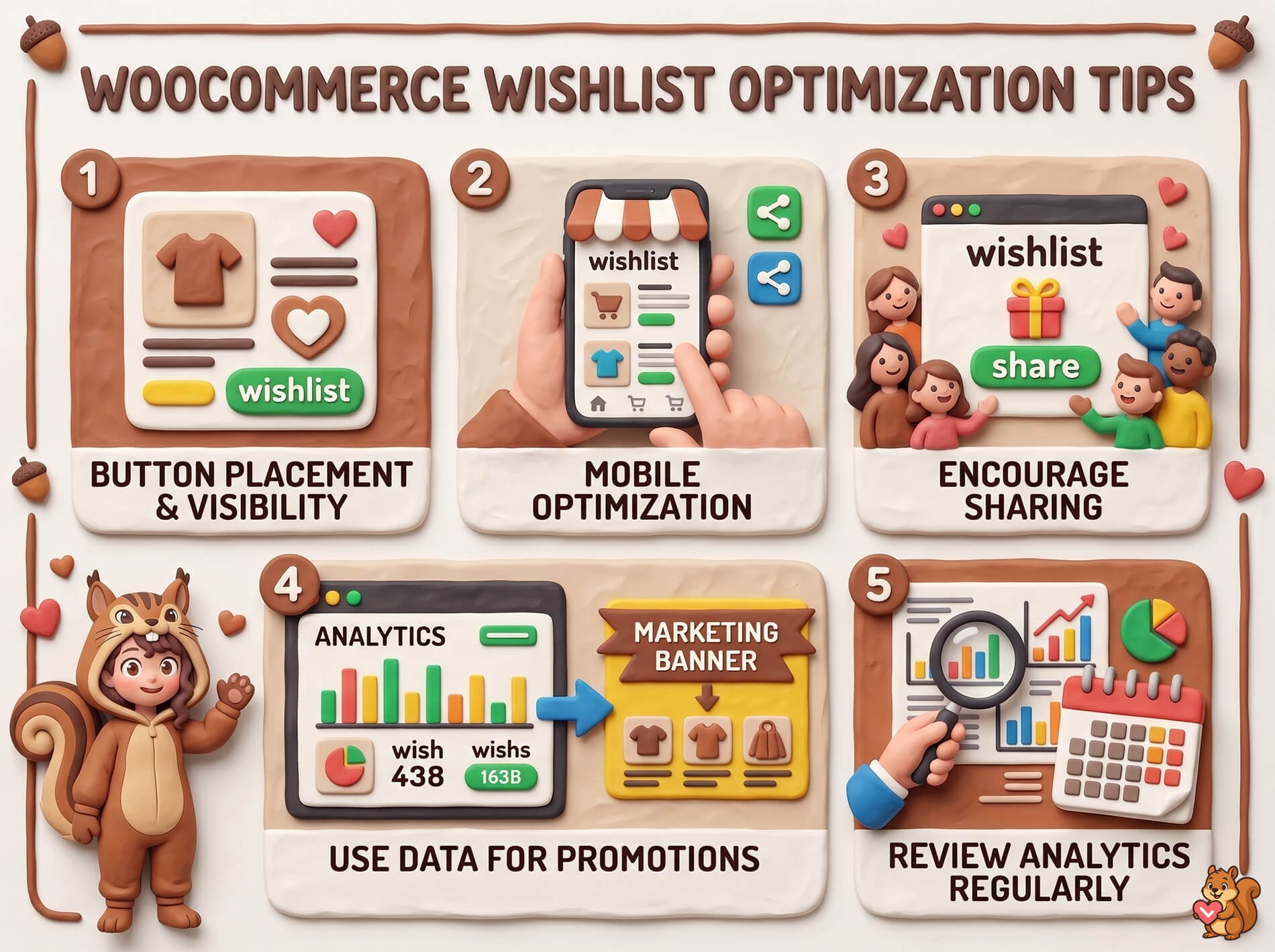
Button placement and visibility: your “Add to Wishlist” button needs to be visible without being intrusive. The best placements are near the “Add to Cart” button on product pages, plus on product cards in category listings. If customers can’t find the button, they won’t use the feature.
Mobile optimization: per Statista’s mobile commerce data, mobile commerce accounts for a growing share of ecommerce revenue. Your Add to Wishlist button, wishlist page, and sharing features all need to work smoothly on mobile. Test the experience on real phones, not just browser preview mode.
Encourage sharing: make the share button prominent on the wishlist page. Customers who share wishlists with friends and family drive organic referral traffic. That’s especially powerful during holiday seasons when gift lists circulate widely.
Use wishlist data to inform promotions: When a product gets heavy wishlist activity, feature it in your next email campaign or homepage banner. You can also run targeted promotions specifically for highly-wishlisted items.
Review your analytics regularly: wishlist data changes over time. Products that were popular last quarter might cool off, and new items might start trending. Build a habit of checking wishlist analytics at least monthly.
Looking for plugin comparisons? See our roundup of the best WooCommerce wishlist plugins.
Frequently Asked Questions
Does WooCommerce have a built-in wishlist feature?
No. WooCommerce doesn’t include wishlist functionality natively. You need a plugin to add wishlists to your store. SaveTo Wishlist is a purpose-built WooCommerce wishlist plugin with both free and Pro versions.
Is SaveTo Wishlist free?
Yes. The free version of SaveTo Wishlist includes unlimited wishlists, guest wishlists, and variation tracking. You also get multiple wishlists, block theme support, button templates, and translation support. You can run a fully functional wishlist without paying anything.
Do wishlists work for guest users?
They do with SaveTo Wishlist. Guest wishlist support is included in the free version, so non-logged-in visitors can save products without an account. Their wishlist data can be merged with an account if they register later.
Can customers create multiple wishlists?
Yes. SaveTo Wishlist supports multiple wishlists in the free version. Customers can create separate lists for different purposes, like gift registries, seasonal shopping, or personal favorites.
How do wishlists help with email marketing?
Wishlists give you the data you need for targeted email campaigns. SaveTo Wishlist Pro sends price drop alerts when wishlisted items go on sale. It also sends back-in-stock notifications and automated reminder emails. These targeted messages convert better than generic promotional blasts.
What’s the difference between the free and Pro versions?
The free version covers core wishlist functionality: unlimited wishlists, guest support, variation tracking, multiple wishlists, button templates, and more. SaveTo Wishlist Pro adds analytics, automations, price drop alerts, and back-in-stock notifications. It also includes webhooks, collaborative lists, role-based access, and a REST API. Pro Growth is $49.50 per year for a single site, normally $99. Plus runs $99.50 per year on a single site, normally $199. Business covers unlimited sites at $199.50 per year, normally $399.
Start Building Better WooCommerce Wishlists Today
Wishlists are one of the highest-ROI features you can add to a WooCommerce store. They cost relatively little to set up. They generate actionable customer data. And they create multiple touchpoints for re-engaging shoppers who’d otherwise disappear after one visit.
The key is treating your wishlist as a strategic tool, not just a UI element. Use the data. Connect it to your email marketing. Pay attention to what customers tell you through their saving behavior.
Here’s what to focus on:
- What wishlists are and why they matter for the foundational reasoning.
- Key features to look for when evaluating wishlist plugins.
- Setting up a free wishlist to get started without spending anything.
- Advanced features with Pro when you’re ready to drive revenue from wishlist data.
- Wishlist analytics to make data-driven decisions.
- Email marketing strategies to convert wishlist saves into purchases.
- Optimization tips to get the most from your existing setup.
Ready to add wishlists to your WooCommerce store? Start with the free version of SaveTo Wishlist. Then, upgrade to Pro when you need analytics, automations, and advanced features. See pricing.



