

 Reviewed by
 Most WooCommerce stores pour their budget into finding new customers and almost nothing into keeping the ones they already have. Strong ecommerce customer retention flips that math. Instead of paying again and again for the first sale, you give existing customers easy reasons to come back. The simplest of those reasons is a wishlist, and it costs you almost nothing to run.
Here’s why it matters. You’ve already paid to acquire each customer through ads, content, or time. When they buy once and never return, that cost only ever earns you a single order. A returning customer spreads that original cost across many purchases, which is where healthy margins come from.
I’ve found the pattern is consistent across stores that use SaveTo Wishlist. A saved product gives a lapsed shopper a specific reason to return. An automated nudge then does the reminding for you. This guide covers six practical ecommerce retention strategies for WooCommerce, all built around capturing and re-engaging intent.
Table Of Contents
- What Is Ecommerce Customer Retention (And Why It Beats Acquisition)?
- 6 Practical Ecommerce Customer Retention Strategies To Keep Customers Coming Back
- Measure What Matters: Retention Metrics To Track
- Your Ecommerce Customer Retention Checklist
- Turn One-Time Buyers Into Regulars
- Frequently Asked Questions: Ecommerce Customer Retention
What Is Ecommerce Customer Retention (And Why It Beats Acquisition)?
Ecommerce customer retention is your ability to turn a first-time buyer into someone who keeps coming back. It’s measured by how many customers return to purchase again over a given period, rather than how many new ones you attract.
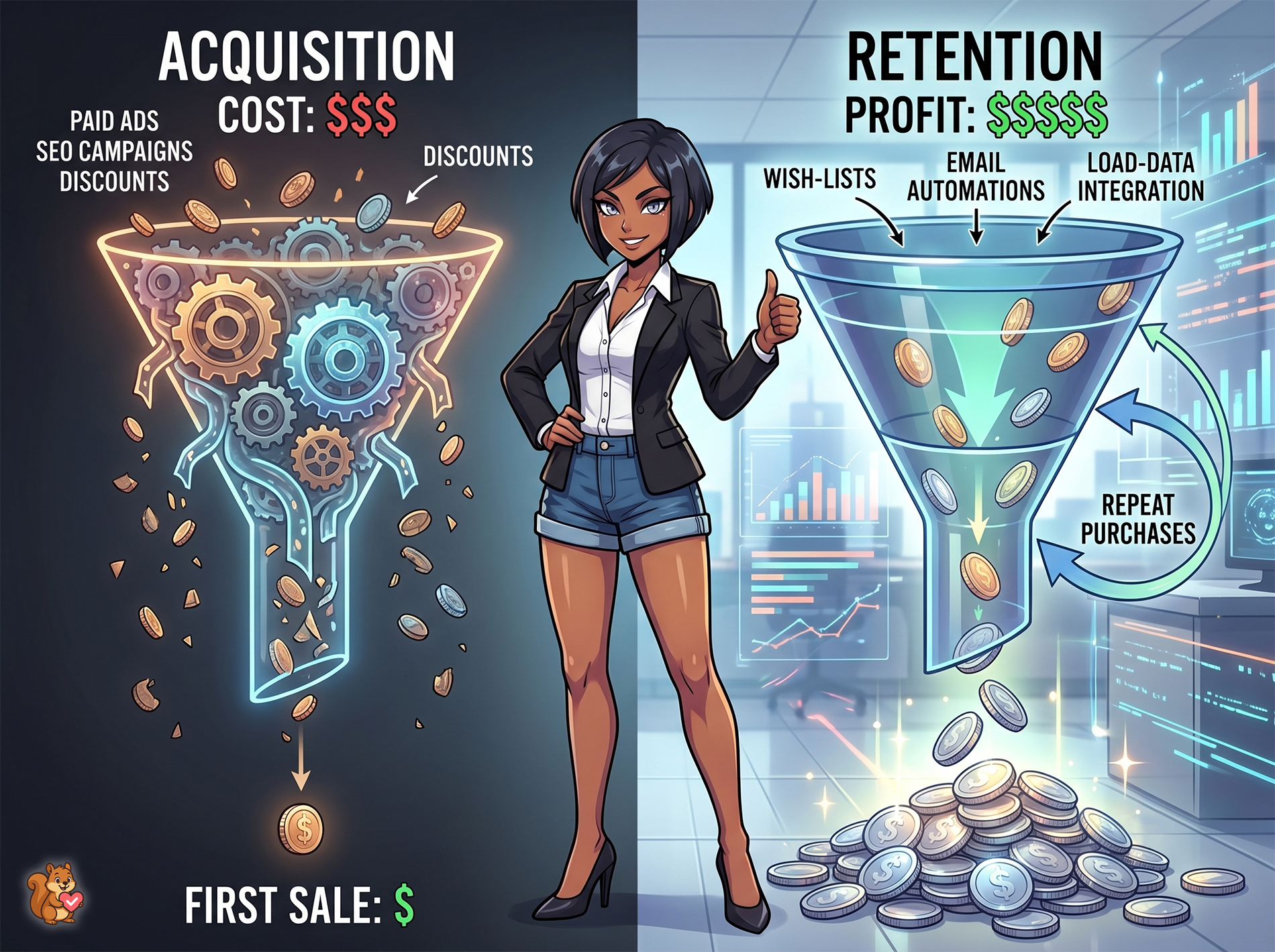
Retention beats acquisition on cost. Winning a brand-new customer means paying for ads, content, and discounts to earn trust from scratch. A returning customer already knows you and usually needs far less convincing to buy again. As a result, a small lift in repeat purchases tends to move profit more than the same effort chasing strangers.
The catch is that retention doesn’t happen on its own. Shoppers are busy, and most simply forget. Your job is to stay useful and present without nagging. That’s exactly what the strategies below are built to do.
6 Practical Ecommerce Customer Retention Strategies To Keep Customers Coming Back
Winning a new customer is a great feeling, but keeping them around is the true secret to building a successful online store.
Instead of constantly paying for ads to find new shoppers, the smartest move is to build customer loyalty by focusing on the people who’ve already bought from you or shown interest in your products. By using tools like wishlists and automated emails, you can gently remind them of what they liked and give them easy, natural reasons to return.
Below are six straightforward ecommerce customer retention strategies you can use to turn one-time visitors into loyal, repeat buyers.
📝 Take note: This is the broad playbook. If you want the wishlist-specific version, our guide on how WooCommerce wishlists drive customer retention goes deeper on that single channel.
1. Give customers a reason to come back
The first rule of retention is simple. Give people a reason to return before they forget you exist. A wishlist does this naturally by letting shoppers save the things they’re not ready to buy yet.
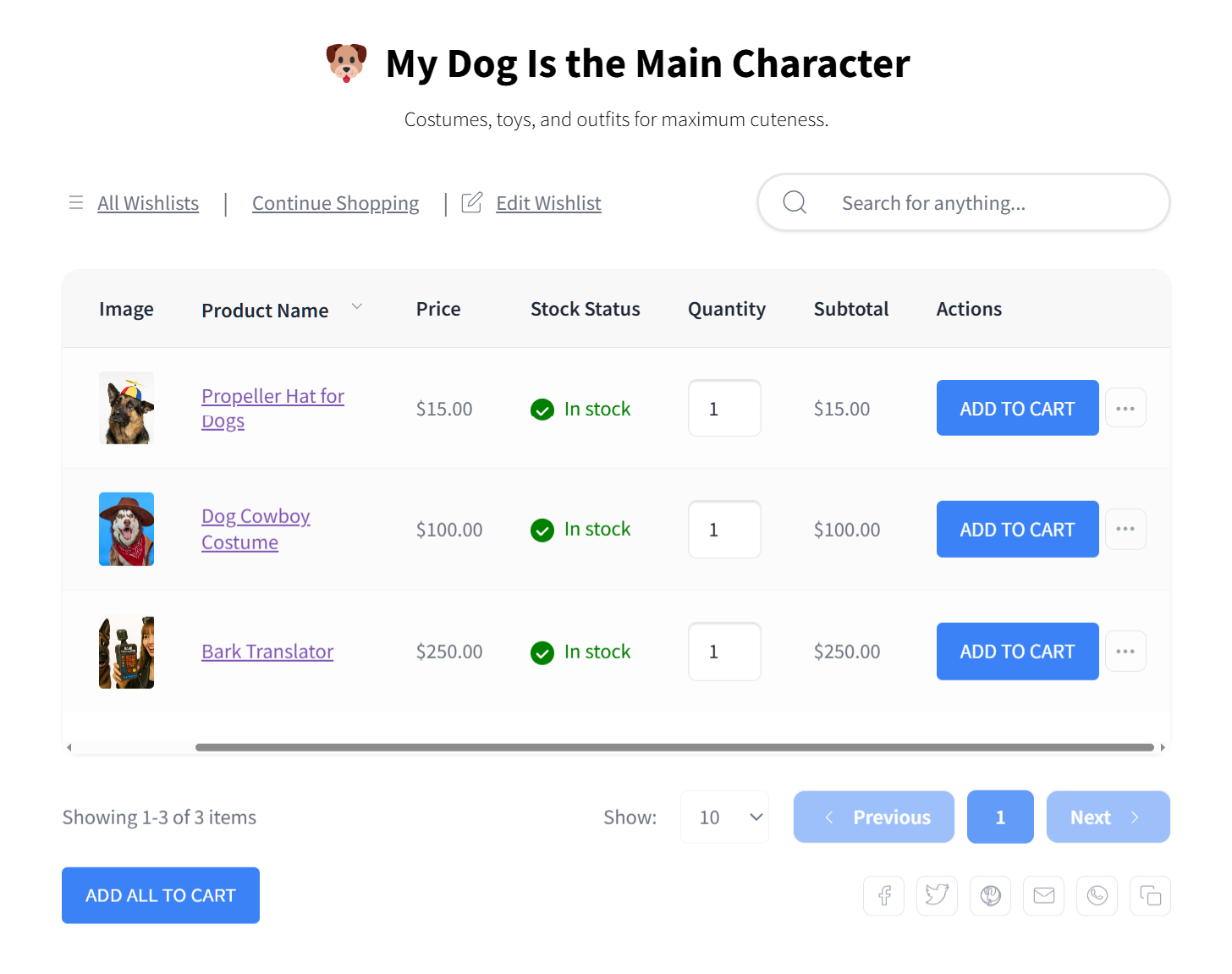
When a customer saves three products on their first visit, you now have a standing reason to bring them back. Those saved items are a personal, self-selected shortlist, far more relevant than any generic “we miss you” email.
The free WooCommerce wishlist plugin lets every shopper, including guests, build that list. There’s no friction at the point of interest.
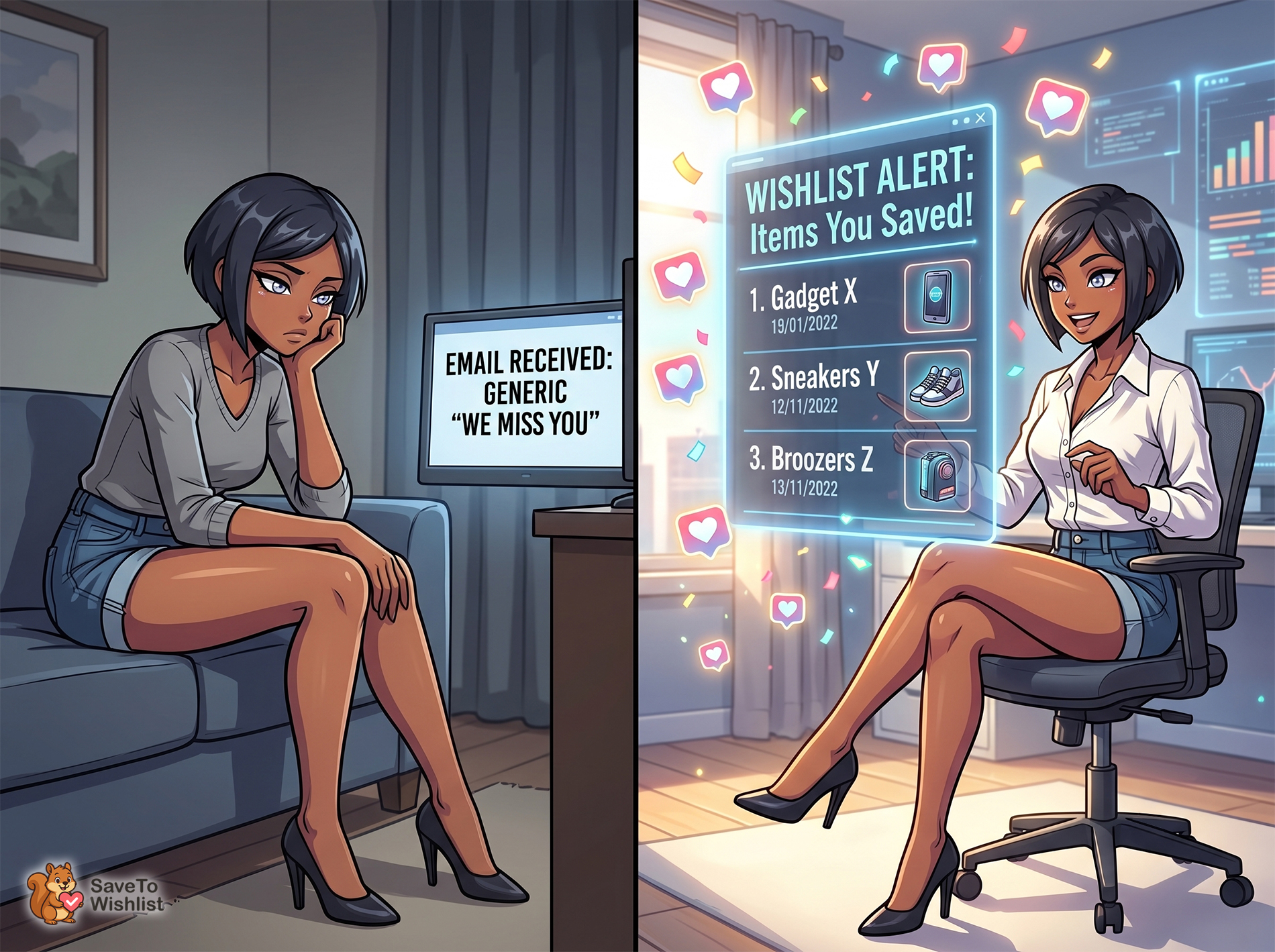
🔍️ What we’ve seen: Stores treat the wishlist as a checkout feature and stop there. The bigger win is treating each saved item as a future touchpoint. The shopper has told you what they want, so the follow-up writes itself.
How it works: Add the wishlist button to product pages, enable guest saving, and make saving visible. Every saved item becomes a reason to re-engage that shopper later.
2. Re-engage saved items with automated emails
Saved items only drive retention if someone acts on them, and doing that by hand simply doesn’t scale. Automation turns the wishlist into a quiet retention engine that runs effortlessly in the background.
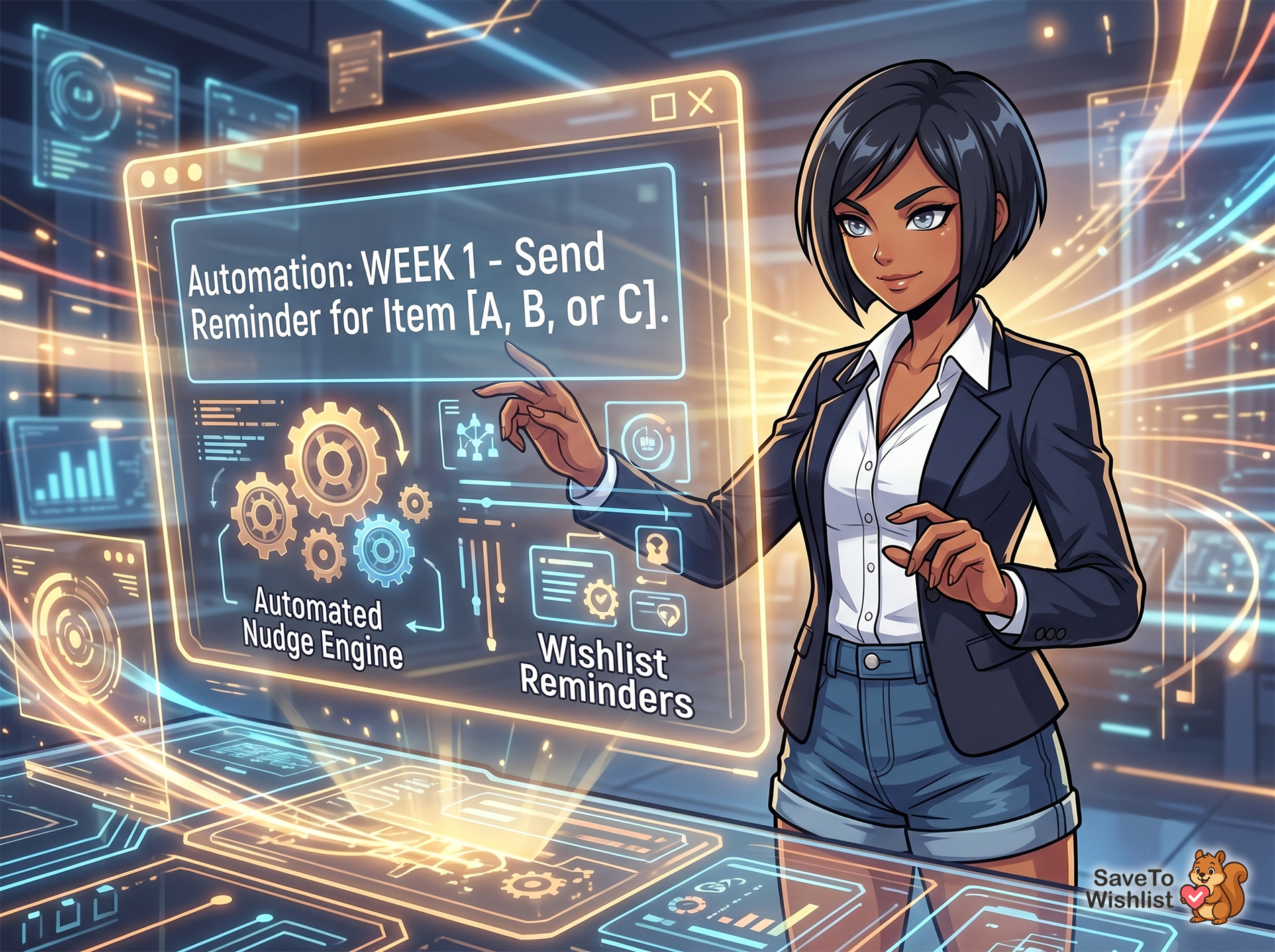
SaveTo Wishlist Pro features automations that let you trigger emails based on what shoppers have saved and how long it has been sitting there. The strength of this approach is relevance. You’re not blasting your whole list with the same generic message—you’re reminding each shopper about the specific products they personally chose.
To make these automated emails actually convert, your copy needs to feel like a friendly nudge, not a hard sell. Here is how to write them:
- Don’t rush to discount: You don’t always have to give away margin to win a sale. A gentle reminder sent a week or two later often brings customers back at full price. The interest was already there; they just got distracted by life.
- Keep it conversational: Avoid boring, generic subject lines. Try something warm and helpful like, “Still thinking about this?” or “We kept your favorites safe for you!”
- Show the product clearly: Make sure the email includes a high-quality image of the exact item they saved, along with a bright, clear button that takes them directly back to their cart. Reduce the friction as much as possible.
📝 Note: You can read more about SaveTo Wishlist Pro’s automation features here and here!
How it works: In SaveTo Wishlist Pro, set up automated reminder emails for saved items. Time them sensibly (like a nudge after a week or two) and use friendly, conversational copy so the message feels like a helpful service rather than a pushy pitch.
3. Bring back lapsed shoppers with price-drop alerts
Sometimes the only thing standing between a saved item and a sale is price. A shopper liked a product, saved it, and decided it was a little too expensive that day. A price-drop alert reopens that conversation at the perfect moment.
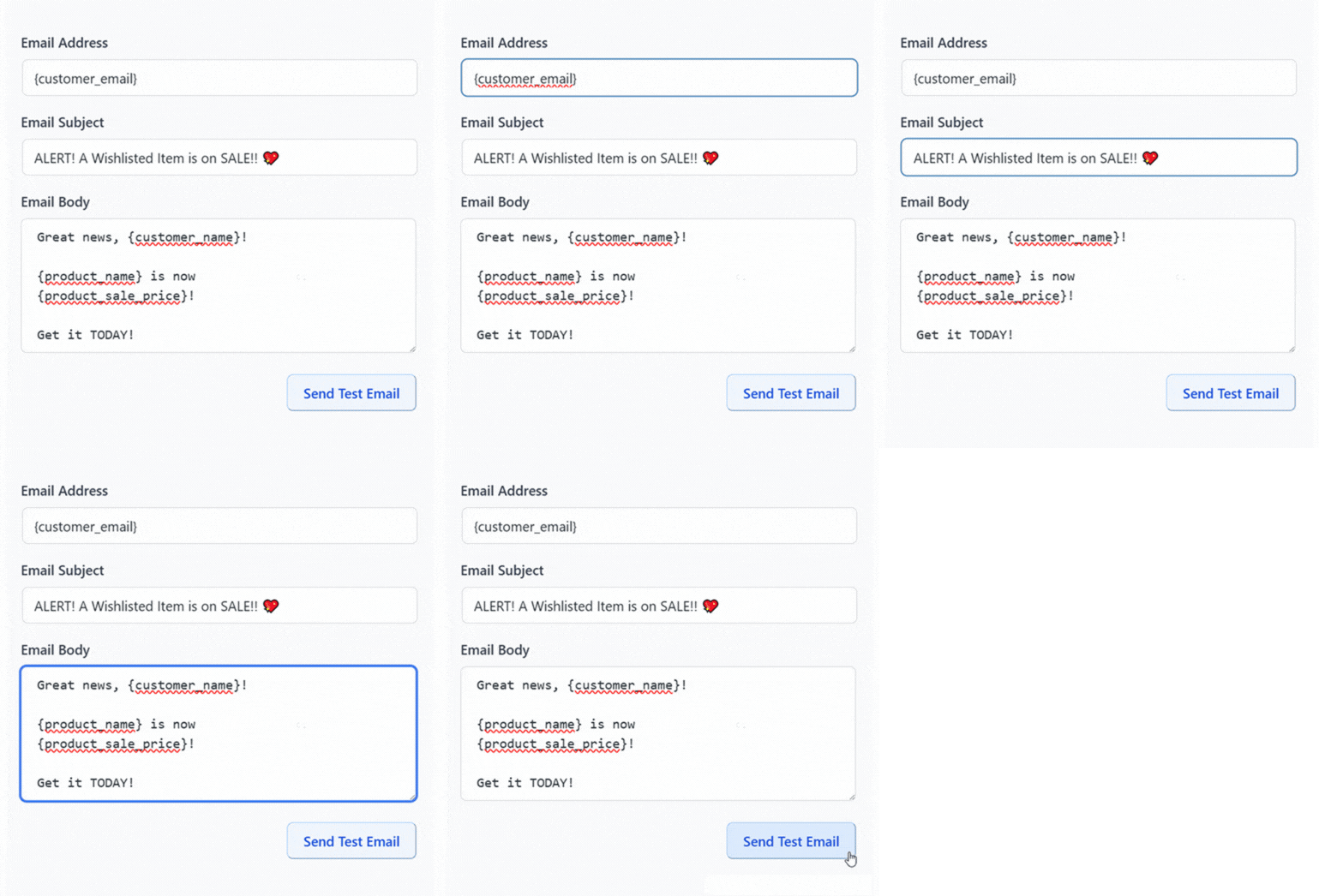
When you discount a wishlisted product, SaveTo Wishlist Pro emails the shoppers who saved it automatically. For a lapsed customer, that message lands as genuinely useful news rather than another promotion. It’s about something they already wanted. As a result, it’s one of the most reliable ways to reactivate a quiet shopper.
Back-in-stock notifications work the same way for items that sold out. The shopper saved something unavailable, and your restock becomes the reason they return.
How it works: Enable price-drop and back-in-stock automations in SaveTo Wishlist Pro. Lapsed shoppers with saved items are re-engaged the moment price or availability changes.
![Businesswoman in a data center points to a glowing display reading'PRICE DROP! [Item A, B, or C]' with a dollar icon nearby.](https://savetowishlist.com/wp-content/uploads/ecommerce-customer-retention-price-drop-1.jpg "ecommerce-customer-retention-price-drop - SaveTo Wishlist")
4. Recover abandoned carts before they churn
A shopper who abandons a cart is one of your most at-risk customers. Recovering them is one of the fastest ways to improve your retention. As you probably know, roughly 70% of online carts are abandoned before purchase, according to the Baymard Institute. That’s a massive leak for almost every store.
But here’s the trick: not every abandoned cart is a lost customer. Many just need a “soft commitment” instead of being forced to buy right that second. Wishlists give these hesitant shoppers a much softer option than abandoning your site entirely.
Here’s how you turn that statistic around:
- Offer a clear fallback option: Right next to your “Checkout” or “Remove from Cart” buttons, make sure you have a highly visible “Save for Later” or “Move to Wishlist” option. If a shopper gets cold feet, this button gives them a safe place to park the item instead of just closing the tab.
- Recover with a friendly tone: Once they take that baby step and save the item, they stay in your orbit. Now, instead of sending a desperate “You left something in your cart!” email, your automated wishlist reminders do the heavy lifting. A quick email saying, “We kept this safe for you!” feels like great customer service, not a high-pressure sales tactic.
📝 Note: Our guide to cart abandonment recovery for WooCommerce walks through the email side of this in detail!
How it works: Add a “Move to Wishlist” or “Save for Later” button directly on your cart page so hesitant buyers have an easy fallback. Once the item is saved, let your automated wishlist emails naturally re-engage them over the coming days.
5. Reward your best customers
Retention compounds when your most loyal shoppers feel recognized. A returning customer who gets a small thank-you, early access, or a special reward is far more likely to keep choosing you over a cheaper competitor.

You don’t need a massive, complicated points system to start building loyalty. Your wishlist data helps you easily spot your most engaged shoppers so you can reward them right away.
Here’s what a simple loyalty play looks like in practice:
- Create a Wishlist VIP tier: Filter your customer data to find shoppers who have saved five or more items to their lists. These are your highly engaged fans. Send them a one-off “VIP Early Access” email for your next seasonal sale, letting them buy their saved items a day before the general public.
- Offer “surprise and delight” perks: If you notice a repeat buyer has a few items sitting on their wishlist for a while, surprise them! Send an exclusive 10% off coupon specifically for the items on their list as a “thank you” for being a great customer.
Pairing these rewards with a structured loyalty program makes the incentives automatic as customers shop, but starting with these small, manual wishlist rewards is a highly effective way to build the habit of coming back.
How it works: Look at your wishlist analytics to identify high-engagement customers (like those with 5+ saved items). Manually offer them exclusive rewards, like a surprise discount on their saved items or early access to a big sale, to cement their long-term loyalty.
6. Use wishlist data to personalize your follow-up
Generic retention emails get ignored. Personalized ones get opened, and wishlists give you the raw material to personalize your marketing at scale without having to guess what people want.
SaveTo Wishlist Pro analytics show you exactly what products your shoppers are saving the most, which customer segments are the most active, and which saved items are aging. Instead of blasting your entire email list with the exact same newsletter, you can use this data to send highly targeted campaigns.
Here’s what real personalization looks like in practice:
- Segment by specific interest: Let’s say you run an apparel store. If you look at your wishlist data and see 200 customers have saved winter coats or boots, don’t send them a promotional email about your new summer swimwear. Tag those 200 shoppers and send them an email specifically highlighting a “cold weather gear” bundle.
- Feed your CRM: Feeding these specific wishlist signals into your store’s customer records makes every single message sharper.
📝 Note: We have a guide on how wishlist data feeds your WooCommerce CRM!
The more your follow-up reflects what each customer actually wants, the more it reads as excellent, one-on-one customer service rather than a pushy sales pitch.
How it works: Review your wishlist analytics regularly to spot trends. Segment your shoppers based on the specific product categories they have saved, and then tailor your email campaigns so they only see the items they actually care about.
Measure What Matters: Retention Metrics To Track
When it comes to improving customer retention, you can’t fix what you don’t measure. Tracking a few key metrics will tell you whether these strategies are working to keep shoppers active and reduce your churn rate:
- Repeat customer rate: the share of customers who buy more than once. Rising is good.
- Purchase frequency: how often returning customers buy in a period.
- Wishlist re-engagement: how many saved items lead to a later visit or sale.
- Time between purchases: shorter gaps usually mean stronger retention.

Pick two or three to watch consistently rather than chasing all of them. Loyalty weighs on these numbers heavily too. Forrester’s 2024 research found that 64% of US online adults agree loyalty programs influence where they buy.
Your Ecommerce Customer Retention Checklist
- Add a wishlist to product pages and enable guest saving.
- Set up automated reminder emails for saved items.
- Turn on price-drop and back-in-stock alerts for lapsed shoppers.
- Offer saving as a fallback to reduce cart abandonment.
- Reward repeat and high-engagement customers.
- Track repeat customer rate and purchase frequency monthly.
Turn One-Time Buyers Into Regulars
Strong ecommerce customer retention isn’t about a single clever email. It’s about consistently giving shoppers a reason to return. It’s also about making the follow-up effortless enough that you’ll actually keep doing it. Wishlists give you both: a self-selected list of what each customer wants, and automations that act on it for you.
Here’s the short version:
- Give customers a reason to come back with an easy wishlist.
- Automate re-engagement so it runs without you.
- Win back lapsed shoppers with price-drop alerts.
- Recover abandoned carts before they churn.
- Reward your best customers using a loyalty program.
- Personalize follow-up with wishlist data.
Ready to build retention into your store? Let your saved-item reminders and price-drop alerts bring customers back for you. Set up SaveTo Wishlist Pro today!
Frequently Asked Questions: Ecommerce Customer Retention
What is a good customer retention rate for ecommerce?
Retention rates vary widely by industry and price point, so the most useful benchmark is your own trend over time. Track your repeat customer rate month over month. Aim to move it steadily upward rather than chasing a single universal number.
How do wishlists improve ecommerce customer retention?
Wishlists capture what shoppers want and give you a reason to bring them back. Saved items power reminder emails, price-drop alerts, and restock notifications. All of them re-engage customers around products they already chose.
Is retention really cheaper than acquisition?
For most stores, yes. You’ve already paid to earn a customer’s trust once. So selling to them again typically takes less discounting and less ad spend than winning a brand-new shopper from scratch.
Do I need paid tools to retain customers?
You can start free by collecting wishlists and offering saving as a fallback to checkout. Automated reminders, price-drop alerts, and back-in-stock notifications are part of SaveTo Wishlist Pro. That’s what makes re-engagement hands-off.
Which retention metric should I focus on first?
Start with repeat customer rate. It’s the clearest signal of whether shoppers are coming back. Plus, it’s easy to track in WooCommerce reports without extra tools.
What is the biggest challenge for customer retention in ecommerce?
The main hurdle for customer retention in ecommerce is simply staying top of mind. Shoppers have endless options and busy lives, meaning they easily forget about stores they like. Wishlists and automated reminders help bridge that gap naturally without being annoying.
Who is responsible for keeping buyers coming back?
While marketing teams often lead these efforts, successful ecommerce customer retention requires a mix of great marketing, high-quality products, and responsive support all working together to keep buyers happy.



