When a customer asks what data you hold about them, or asks you to delete it, their gift registry data is part of the answer. SaveTo Wishlist Registry adds its data to the WordPress privacy tools, so you handle registries in the same request as the rest of your store. This guide shows you what data is included, how to export and erase it, and what happens to registries when you delete a user account.
Prerequisites
- SaveTo Wishlist Registry installed and active.
- An administrator account, so you can open the WordPress privacy tools under Tools.
What registry data is included
SaveTo Wishlist Registry adds three groups of data to each export and erasure request. Registries are found through the customer account that uses the email address in the request. Purchases and contributions are found by the buyer or contributor email saved with them.
| Group | Who it is about | What it contains |
|---|---|---|
| Gift Registries | The registry owner | URL Code, Event Type, Event Date, Registrant Name, Co-Registrant Name, Status, and Created date |
| Gift Registry Purchases | The person who bought a gift | Order ID, Quantity, Buyer Name, Buyer Email, Status, and Date |
| Gift Registry Contributions | The person who gave a cash contribution | Amount, Currency, Contributor Name, Contributor Email, Message, Status, and Date |
Export a customer’s registry data
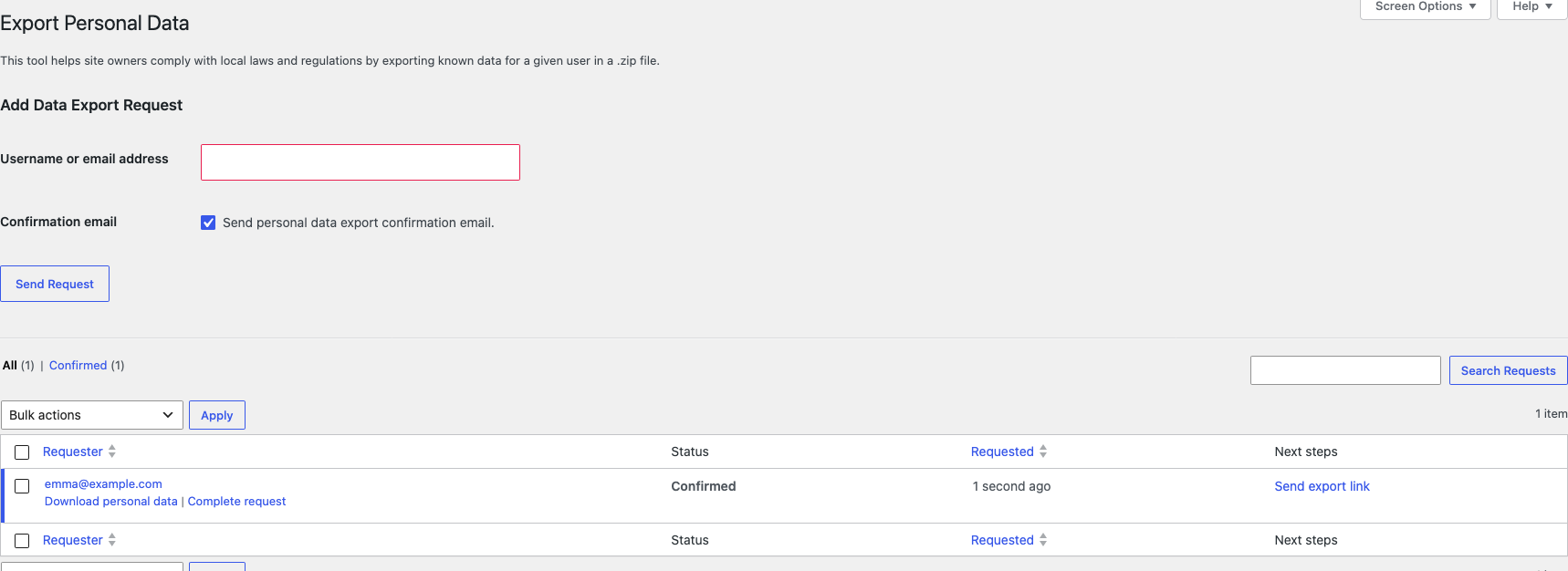
- Go to Tools > Export Personal Data.
- Enter the customer’s email address in Username or email address.
- (Optional) Untick Confirmation email if you have already confirmed the request with the customer.
- Click Send Request.
- When the request is confirmed, hover over the request’s email address and click Download personal data.
 The download is a .zip file with an HTML report. The registry data shows in its own sections, next to the customer’s WooCommerce and WordPress data. A registry that was erased in the last 90 days still shows in the export, with its Status set to deleted.
Erase a customer’s registry data
- Go to Tools > Erase Personal Data.
- Enter the customer’s email address in Username or email address.
- (Optional) Untick Confirmation email if you have already confirmed the request with the customer.
- Click Send Request.
- When the request is confirmed, click Erase personal data in the Next steps column.
Each group of registry data is handled in a different way:
| Group | What happens |
|---|---|
| Gift Registries | The customer’s registries are deleted from your site. After 90 days, the plugin removes them for good, together with their items and purchase records. |
| Gift Registry Purchases | The buyer’s name and email address are cleared. The purchase record stays, so the registry still shows the correct purchased count. |
| Gift Registry Contributions | The contributor’s name, email address, and message are cleared. The contribution record stays. |
What happens when you delete a user account
When you delete a user under Users, what happens to their registries depends on the choice WordPress gives you.
- Attribute all content to another user. Pick the user in the dropdown. The registries move to that user, and keep working.
- Delete all content. The registries are deleted, the same as an erasure request. They are removed for good after 90 days.
WordPress only shows these two options when the user owns WordPress content, such as posts. Registries don’t count as WordPress content, so most customers don’t get the choice. For them, WordPress shows “This user does not have any content.”, and their registries are deleted. If a customer’s registries are still in use, check with them before you delete their account. Registries can’t be moved to another user from the Registries screen.
Troubleshooting
The export has no Gift Registry data
Check that the email in the request matches the one on the customer’s account or on their purchase. Registry data is matched by email address only.
The erasure shows “Could not anonymise some Gift Registry purchase records” or “Could not anonymise some Gift Registry contribution records”
Run the erasure again. If the message stays, contact support.
Frequently asked questions
Does erasing a buyer’s data change the registry?
No. Only the buyer’s name and email address are cleared. The registry still counts the gift as purchased.
Does this also erase the customer’s orders?
No. WooCommerce handles order data with its own privacy tools, in the same request.
What’s next
- How to manage gift registries as a store admin
- How to view gift purchases and send thank-you notes
- Getting started with SaveTo Wishlist Registry
Need help?
If you have a question or run into any issues, we’re here to help.
- Premium users: Open a support ticket
- Free users: Visit our community forum