

 Reviewed by
 Here’s the uncomfortable truth about Black Friday: most of your sales that day come from people who already wanted your products before the discounts went live. The best WooCommerce Black Friday marketing ideas don’t start on the day. They start weeks earlier, by capturing what shoppers want and then nudging them back the moment the price is right.
The money on the table is enormous. Shoppers spent $11.8 billion online on Black Friday 2025, up 9.1% year over year, according to Adobe Analytics. You’ve done the hard work of getting people to your store. They browse, they like a few things, and then most of them leave without buying. The question is whether you have a way to bring them back.
That’s where the wishlist comes in. I’ve spent months testing wishlist-driven campaigns with SaveTo Wishlist, and the pattern is consistent: a saved product is a buying signal you can act on later. This guide walks through eight Black Friday marketing ideas built around that signal, from capturing demand early to recovering the carts you’d otherwise lose.
Jump to:
- What Are The Best Black Friday Marketing Ideas For WooCommerce?
- Which Ideas Need Free Vs. Pro?
- 8 Smart Black Friday Marketing Ideas
- 1. Capture Black Friday demand before the sale
- 2. Turn saved items into automatic price-drop alerts
- 3. Win back sellouts with back-in-stock notifications
- 4. Schedule your discounts so they launch themselves
- 5. Get your deals onto Google Shopping
- 6. Send wishlist-powered pre-sale emails
- 7. Add urgency with stock and countdown cues
- 8. Recover the carts you worked for
- 1. Capture Black Friday demand before the sale
- When Your Price-Drop Alerts Actually Fire
- Turn Saved Items Into A Segment You Can Email
- Your Black Friday Marketing Checklist
- Make This Your Best Black Friday Yet
- Frequently Asked Questions
What Are The Best Black Friday Marketing Ideas For WooCommerce?
The best Black Friday marketing ideas for WooCommerce focus on demand you’ve already earned, not cold traffic you have to buy. On the most competitive ad day of the year, re-engaging shoppers who told you what they want is far cheaper and far more reliable than fighting for new clicks.
A wishlist is how shoppers tell you that. When someone saves a product in late October, they’re handing you a short, honest list of things they’d buy at the right price. Every idea below builds on that list: you capture it, organize it, and then trigger the sale automatically when your discounts go live.
Think of your wishlist data as a pre-sale order book. The bigger it gets before your Black Friday campaign launches, the warmer your launch-day audience becomes.

Which Ideas Need Free Vs. Pro?
A few of these ideas run on the free plugin, while the automated alerts are part of SaveTo Wishlist Pro. Here’s the quick split so you can plan:
- Free plugin: collecting wishlists, guest saving, promoting the wishlist in emails, and using saved items as a save-for-later safety net.
- SaveTo Wishlist Pro: automated price-drop alerts, back-in-stock notifications, and the analytics that show you what shoppers are saving most.
You can start collecting saves today on the free plugin, then turn on the automated follow-ups before your sale. With that settled, let’s get into the ideas.
8 Smart Black Friday Marketing Ideas
Black Friday is the biggest shopping event of the year, but running a successful sale takes more than just slashing prices on the big day.
The real trick is to start preparing weeks in advance by finding out exactly what your shoppers want before they are ready to buy. By helping customers build their wishlists early, you can create a warm audience that is excited to hear from you as soon as your deals go live.
Here are eight simple, powerful ideas to help you turn early interest into massive sales when Black Friday finally arrives.
1. Capture Black Friday demand before the sale
When exploring new Black Friday marketing ideas, keep in mind that the event really begins in your store weeks before the discounts appear. Every product saved now is a sale you can trigger later, so your first job is to make saving effortless and obvious.
Start by adding a clear wishlist button to every product page. The free WooCommerce wishlist plugin does this without slowing your store down, which matters when holiday traffic spikes. A simple label like “Save for Black Friday” gives shoppers a reason to use it now.
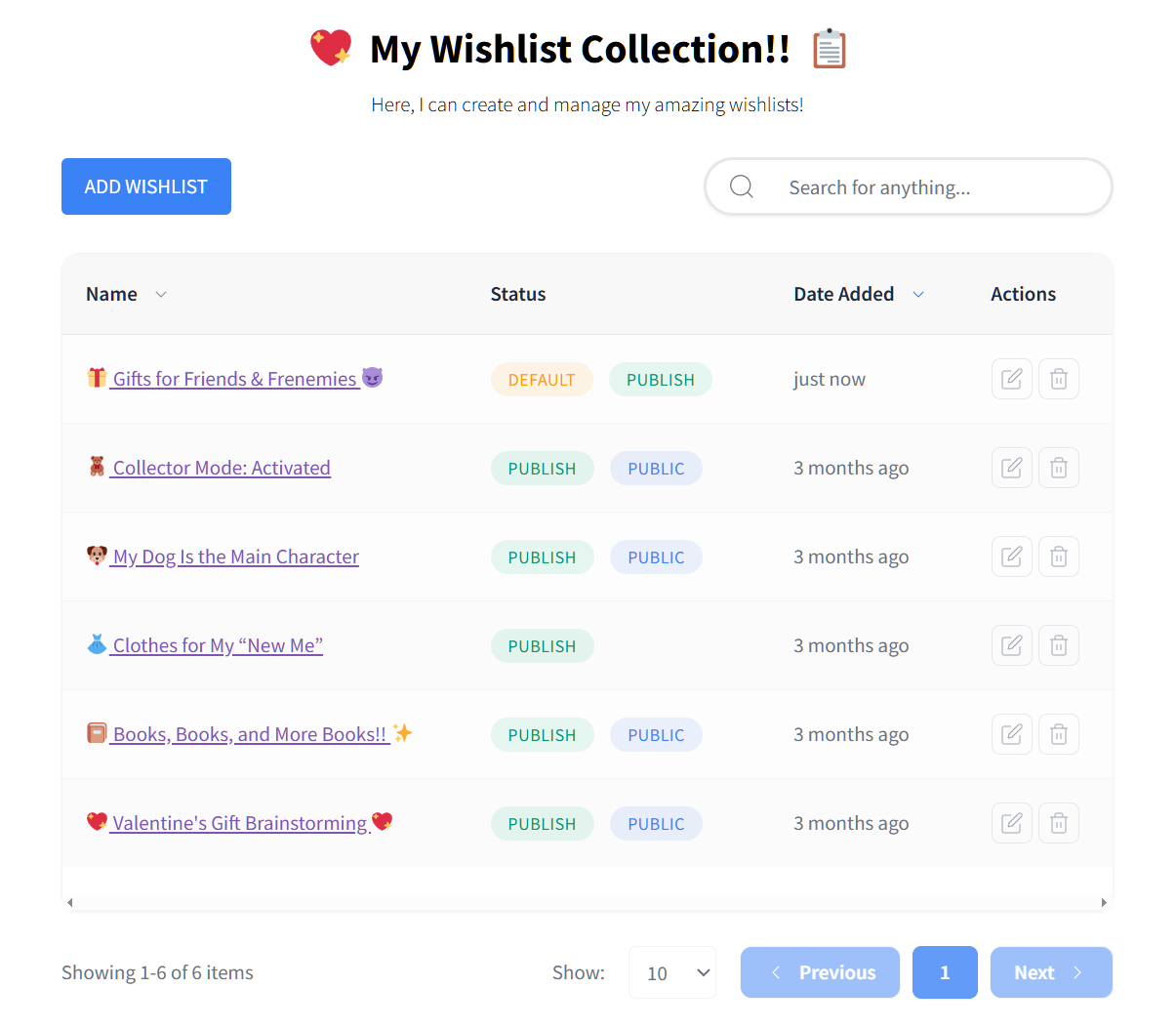
Next, allow guest wishlists. Forcing an account before someone can save an item kills momentum, especially with first-time visitors who found you through an ad. Let guests save first, then invite them to keep their list with an email. You’ll capture far more intent that way.
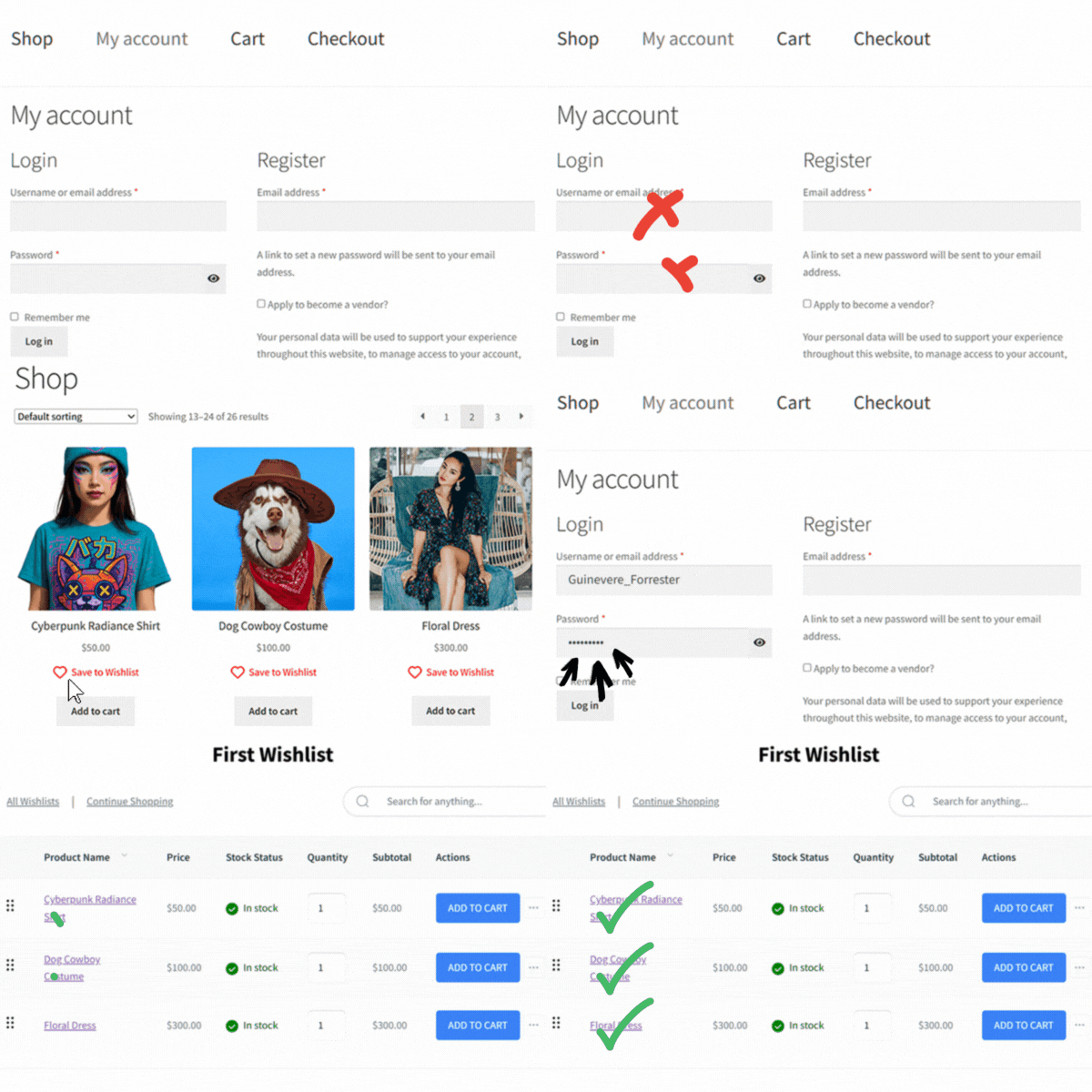
When I tested this, the stores that promoted saving early walked into Black Friday with a real audience instead of a cold email blast. The saved list became the campaign.
How it works
Enable the wishlist button, turn on guest wishlists, and add a line to your pre-sale emails telling subscribers to build their Black Friday wishlist now. That’s the whole setup, and it runs on the free plugin.
2. Turn saved items into automatic price-drop alerts
A saved wishlist only pays off if the shopper comes back. The most effective Black Friday idea I’ve tested is connecting your discounts directly to the people who were waiting for them, so the alert goes out the second a price changes.
This is what SaveTo Wishlist Pro automations are built for. When you discount a wishlisted product, price-drop alerts email the exact shoppers who saved it. They’re not getting a generic promo. They’re hearing that something they already chose just got cheaper, which is about as warm as a sales message gets.
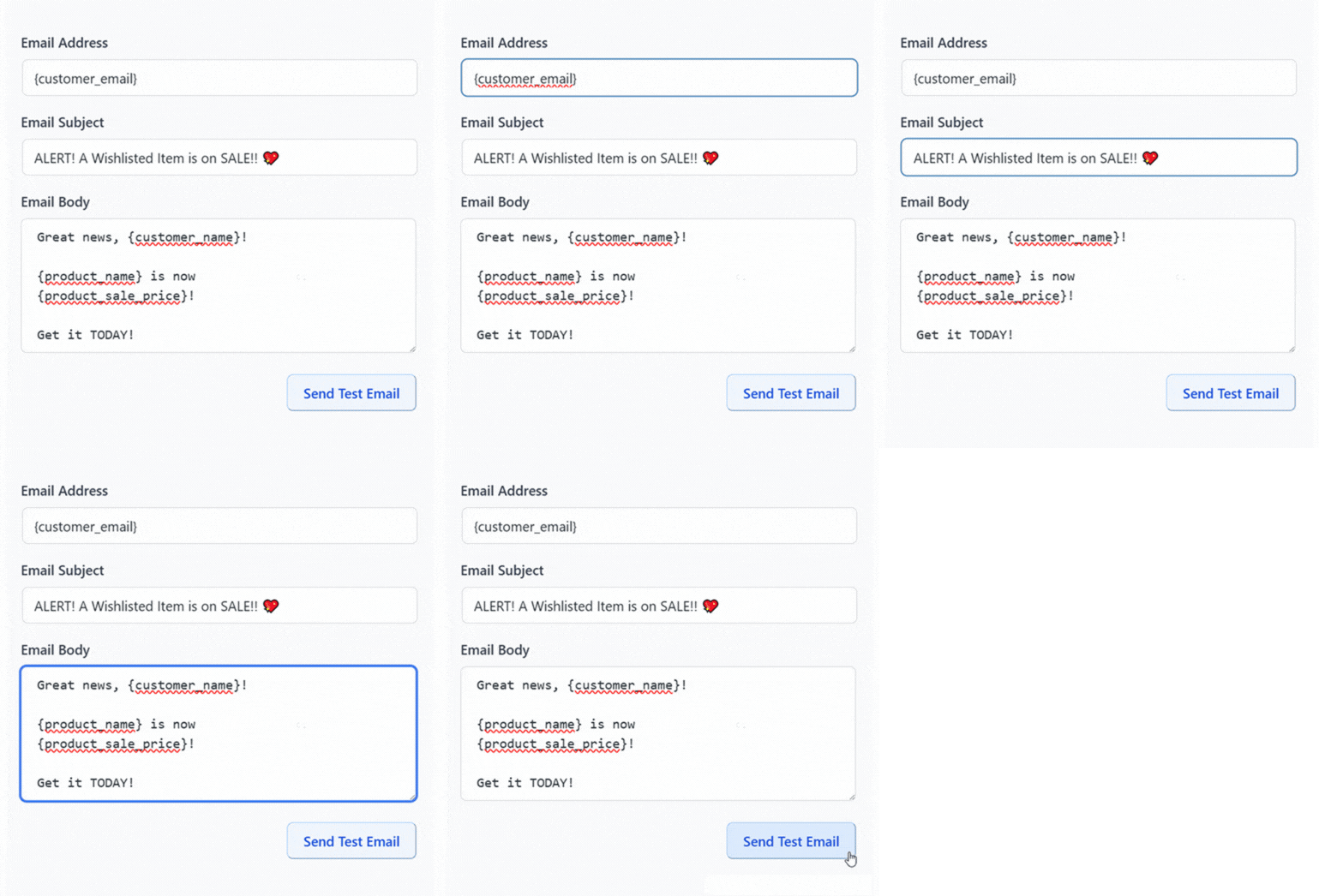
🔍️ What we’ve seen: Store owners often launch great discounts but never connect them to the people who were waiting. The sale goes live, the deals are real, and the most interested shoppers never find out. Wiring price-drop alerts to your wishlists before the sale closes that gap, and it’s the single biggest miss we run into.
Timing matters more than copy here. A price-drop alert that lands at midnight when your sale opens beats a beautifully written newsletter that goes out hours later.
How it works
In SaveTo Wishlist Pro, set up a price-drop automation before Black Friday. When you apply your sale prices, saved shoppers are emailed automatically. No manual list-building on the busiest day of the year.
3. Win back sellouts with back-in-stock notifications
Popular products sell out fast on Black Friday, and a sold-out page is usually a lost customer. Instead of losing that shopper to a competitor, capture their interest and bring them back when you restock.
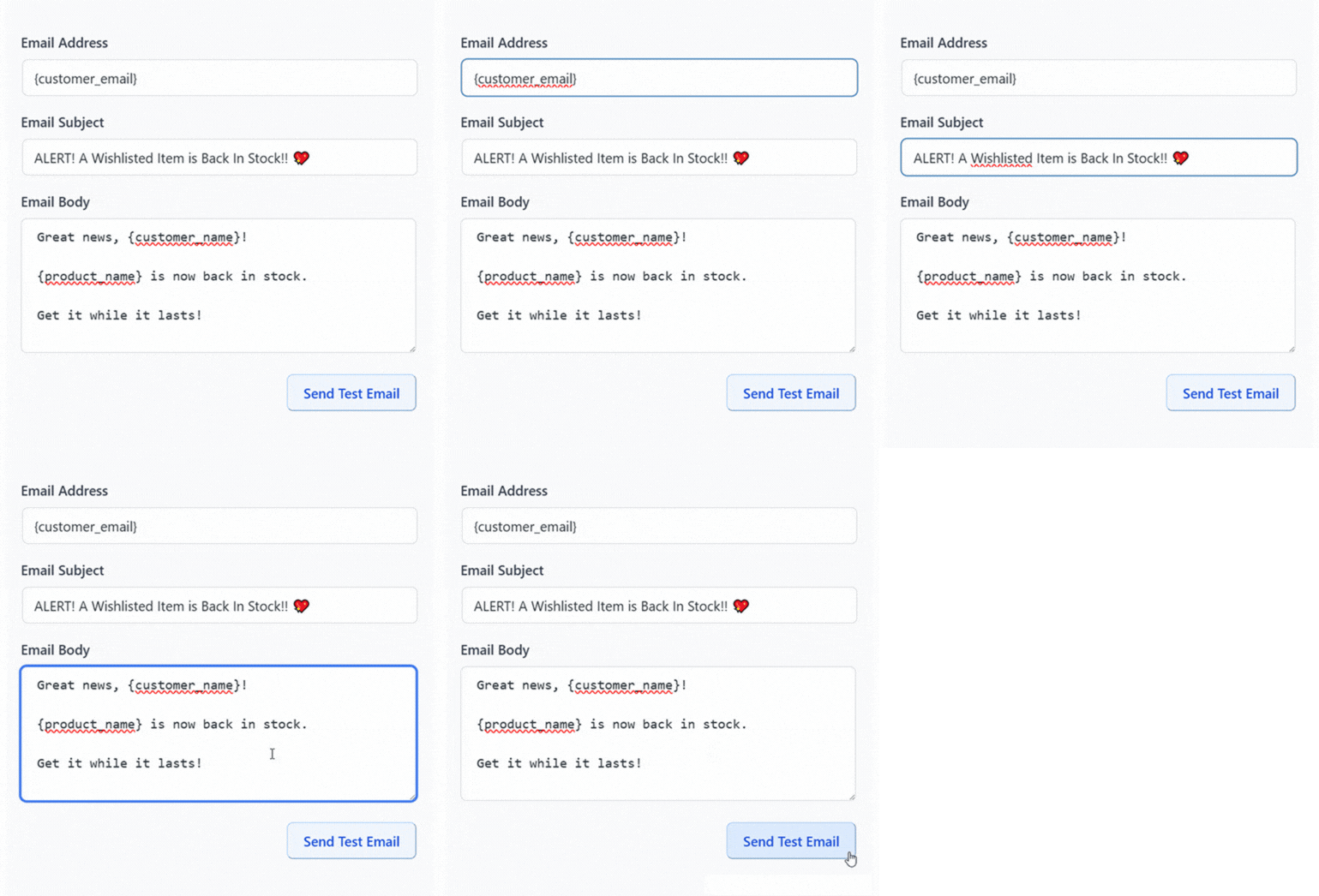
Back-in-stock notifications handle this automatically. A shopper saves the out-of-stock item, and the moment you replenish it, they get an email. During a sale weekend where inventory moves quickly, this recovers sales you’d otherwise write off.
Mobile makes the speed even more important. Adobe found that 57.5% of Cyber Monday 2025 online sales happened on a phone, so a timely notification often reaches shoppers right where they’re ready to tap “buy.”
How it works
Enable back-in-stock notifications in SaveTo Wishlist Pro. Shoppers saving a sold-out product are added to the alert automatically, and your restock triggers the email.
4. Schedule your discounts so they launch themselves
The most reliable Black Friday marketing ideas focus on automation, because nothing should depend on you being awake at midnight. Scheduling your Black Friday deals in advance means your sale opens on time and you get to sleep.
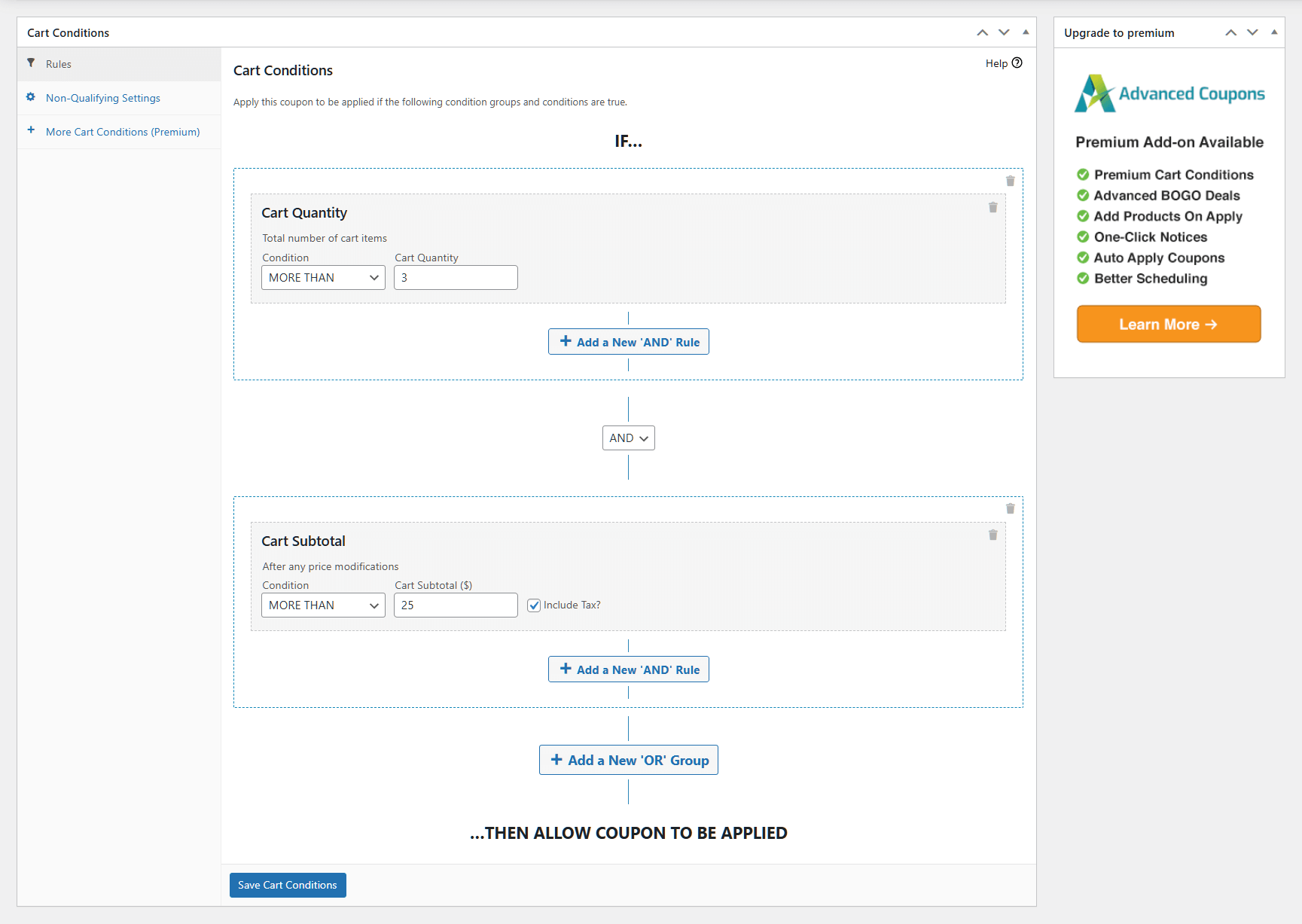
You can schedule your WooCommerce discounts with Advanced Coupons so deals start and end automatically. Pair that scheduling with your wishlist alerts so the deal and the follow-up are both ready before the day. Check when the alerts fire, though, because that depends on how you apply the discount.
How it works
Build your Black Friday coupons and deals ahead of time, set their start and end times, and confirm your price-drop automation is active so the two line up.
5. Get your deals onto Google Shopping
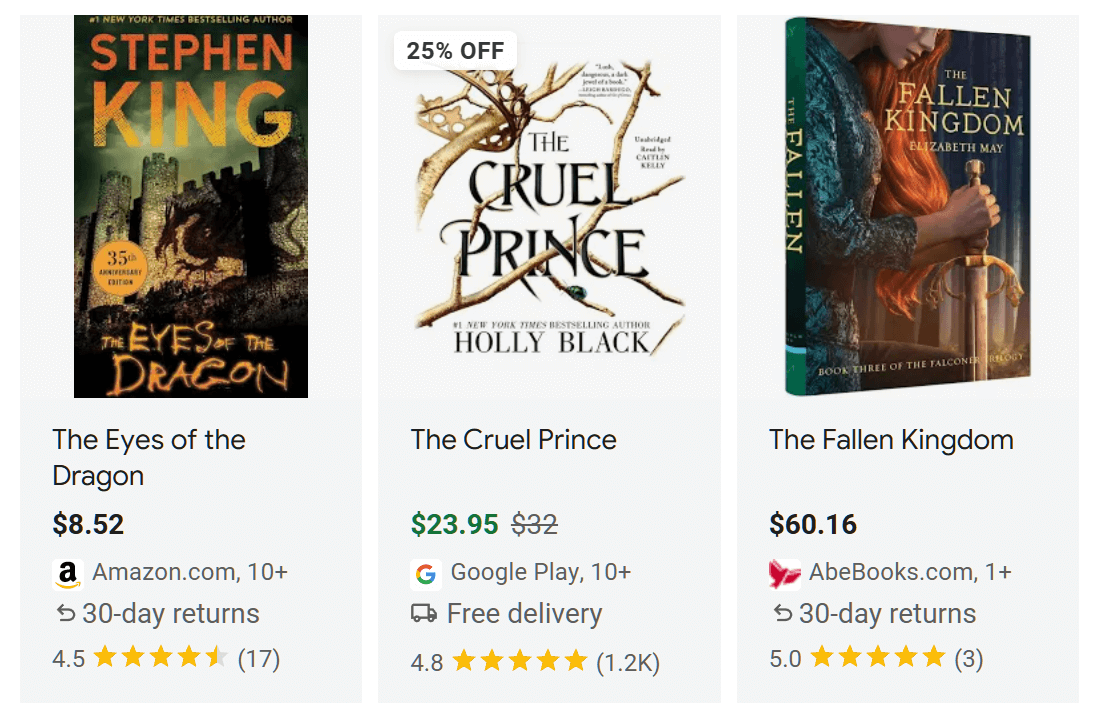
A large share of Black Friday research starts on Google, and shoppers comparing prices want to see your discounted products in the results. If your feed is stale or missing deals, you’re invisible during the exact moment people are buying.
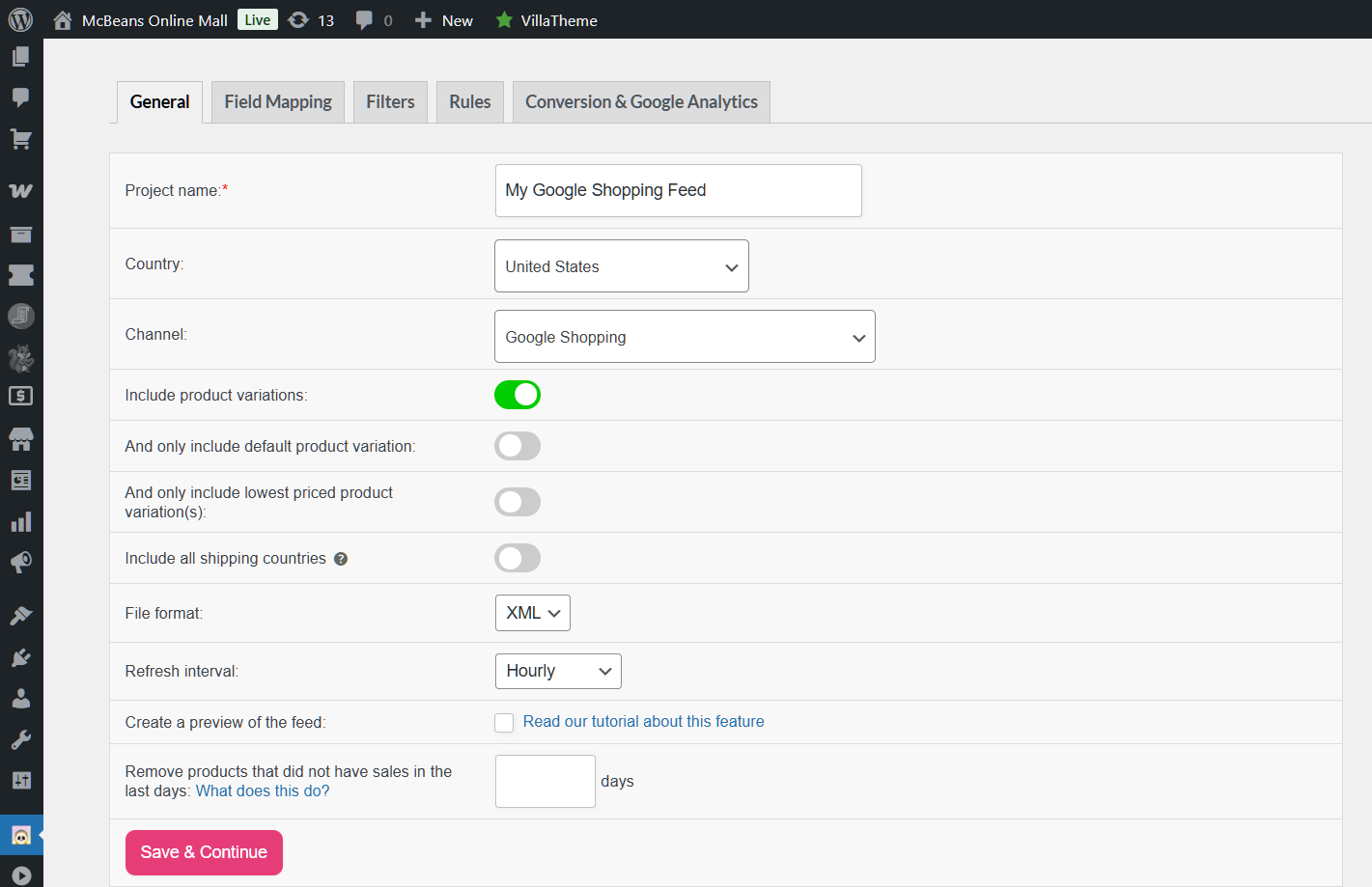
Keeping an accurate Google Shopping product feed puts your Black Friday prices in front of ready buyers and drives them to product pages where they can buy or save. Those saves then feed right back into your wishlist alerts, so even Google traffic becomes part of your follow-up.
How it works
Sync your product feed before the sale and make sure sale prices and availability are accurate. Send that traffic to product pages with a visible wishlist button.
6. Send wishlist-powered pre-sale emails
Your email marketing list is your warmest channel, and wishlists give you a reason to reach out that doesn’t feel like spam. Instead of “our sale is coming,” you can say “the items on your wishlist are about to get cheaper.”
Send a teaser a day or two before Black Friday telling subscribers to review their saved items. It sets expectations, builds anticipation, and gets shoppers to open the email that matters. On top of that, it primes them to act fast when your price-drop alerts arrive.
How it works
Segment subscribers who have saved items and send a short pre-sale email pointing them back to their wishlist. Follow it with your automated alerts once the sale is live.
7. Add urgency with stock and countdown cues
Many popular Black Friday marketing ideas rely on scarcity, and honest urgency nudges saved shoppers to act before their size or color is gone. The trick is to keep it truthful, because fake countdowns erode trust fast.
Show real low-stock notes on popular products and a genuine countdown to when the sale ends. For shoppers who’ve saved an item, that urgency is the final push: they already want it, and now they have a reason to buy today instead of “later.”
How it works
Display real stock levels and a sale-end countdown on product pages. Combine it with your wishlist alerts so the urgency reaches the people most likely to convert.
8. Recover the carts you worked for
You’ll still lose sales at checkout, even on your best day. Roughly 70% of online carts are abandoned before purchase, according to the Baymard Institute, and Black Friday’s rush and price comparison push that number higher, not lower.
Wishlists soften the blow. A shopper who isn’t ready to check out can save the item instead of abandoning it outright, which keeps the door open for a later sale. From there, your follow-up does the work. Our guide to cart abandonment recovery for WooCommerce covers the email side in depth, and our breakdown of how wishlists boost conversion shows why saved intent converts so well.
The mindset shift is simple. A lost cart is gone, but a saved item is a standing invitation to come back.
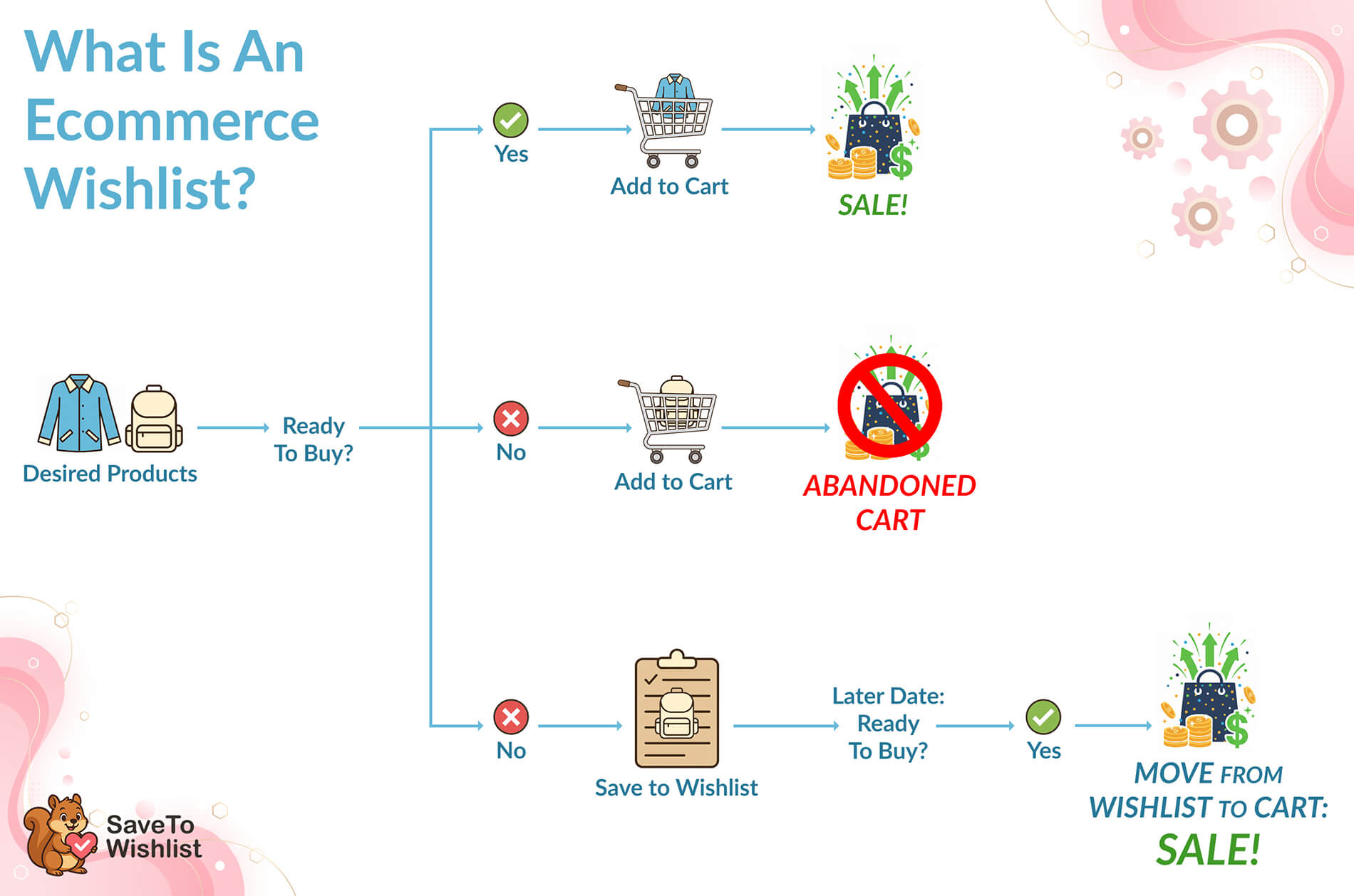
How it works
Encourage saving as a fallback at the cart and product level, then re-engage saved shoppers with price-drop and reminder emails instead of treating the abandonment as final.
When Your Price-Drop Alerts Actually Fire
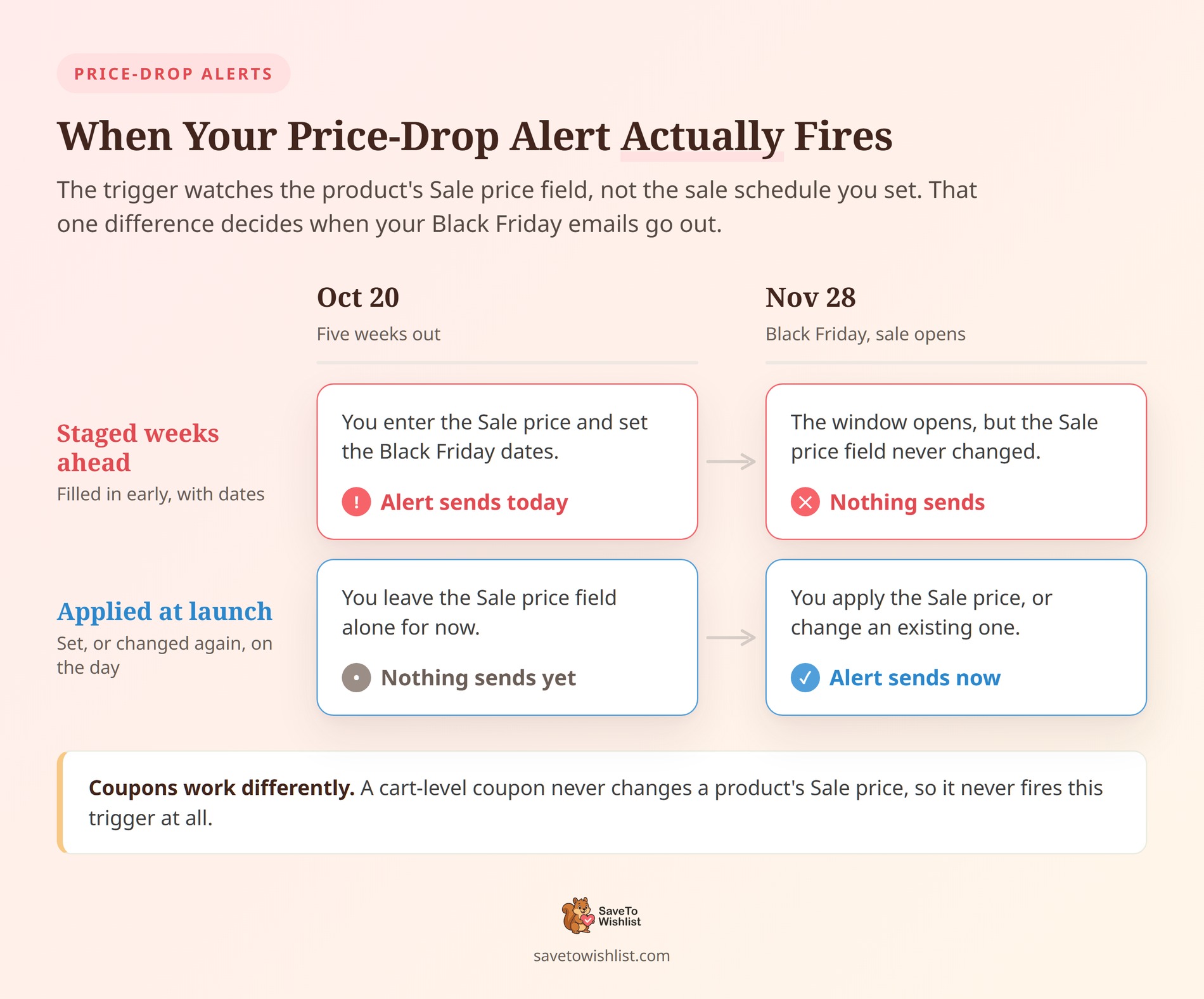
The price-drop automation watches one field: the product’s Sale price. It doesn’t watch your sale schedule. That difference decides when your Black Friday alerts land.
In SaveTo Wishlist Pro the trigger is called When a wishlist product goes on sale. It compares the Sale price against the Regular price, and fires when the Sale price is applied.
Fill in a Sale price today with dates set for Black Friday, and the alert goes out today. When the scheduled window opens, the displayed price changes but the Sale price field doesn’t, so nothing new sends.
What to do instead
Apply your Black Friday sale prices when the sale opens, rather than filling them in weeks ahead. Otherwise the shoppers most likely to buy learn your discount early.
If you’d rather stage everything in advance, change the Sale price again at launch. A different sale price counts as a new drop, so the alert goes out then.
Coupon discounts work differently. A cart-level coupon never changes a product’s Sale price, so it doesn’t fire this trigger at all.
🔍️ What we’ve seen: This one is easy to miss because nothing looks broken. The automation is active, the sale runs, and the alert went out earlier than expected. Set one test product’s sale price a few weeks out and watch when the email arrives. That tells you the timing before Black Friday.
Turn Saved Items Into A Segment You Can Email
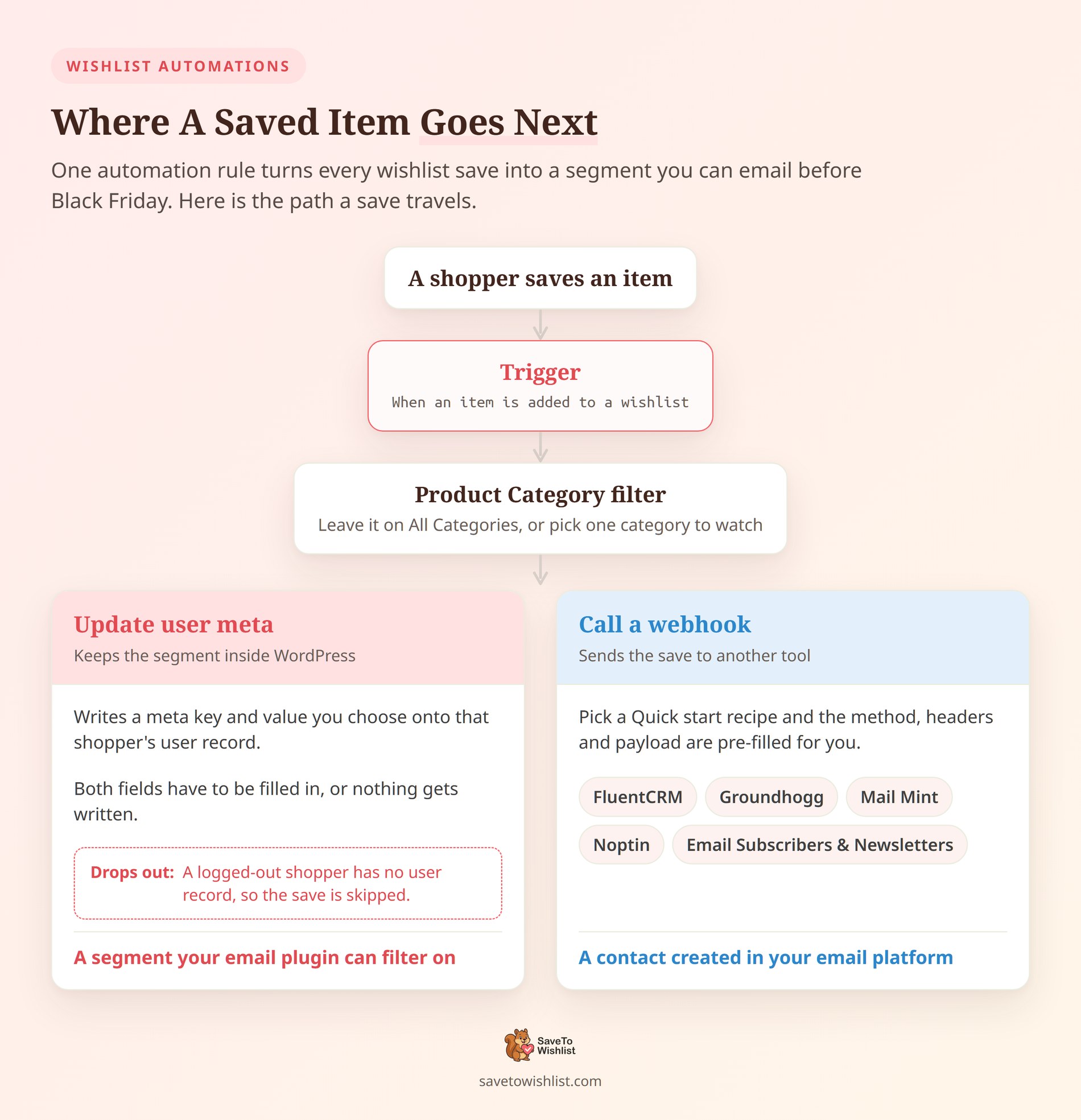
You can build a Black Friday email list of shoppers who saved specific products. SaveTo Wishlist Pro automations do it, and the setup takes one rule.
Go to SaveTo Wishlist → Automations and add one. Under When this happens (Trigger), pick When an item is added to a wishlist. Leave Product Category on All Categories, or pick a single category to watch.
Choose what happens to the save
Under Do this (Action), pick Update user meta. It writes a meta key and value you choose onto that shopper’s user record. Both fields have to be filled in, or nothing gets written.
Call a webhook sends the save to another tool instead. Pick one from Quick start (optional) and it pre-fills the payload for you. FluentCRM, Groundhogg, Mail Mint, Noptin and Email Subscribers & Newsletters are all there.
Category filtering is the useful part
The category limit is what makes this worth doing for Black Friday. Restrict the automation to a category you plan to discount. You then have a list of people waiting on those exact products.
There’s one limit worth planning around. Update user meta skips a save from a logged-out shopper, because there’s no user record to write to. So pair it with a prompt to create an account.
🔍️ What we’ve seen: The segment is only as good as what feeds it. An automation limited to one category collects a cleaner list than one that catches every save in the store. Set yours up before you start promoting saves, so the list is already building when the traffic arrives.
Your Black Friday Marketing Checklist
- Add a visible wishlist button to product pages and enable guest saving.
- Promote “build your Black Friday wishlist” in your pre-sale emails.
- Set up price-drop and back-in-stock alerts before discounts go live.
- Schedule your deals so they launch and expire on their own.
- Confirm your Google Shopping feed shows accurate sale prices.
- Plan a wishlist recovery email for shoppers who don’t check out.
Make This Your Best Black Friday Yet
Black Friday rewards preparation more than improvisation. The store that quietly collects wishlists through November and triggers the right alerts on sale day starts the weekend with a warm, ready audience while everyone else is still buying cold clicks.
To recap, here are the Black Friday marketing ideas you can put into action:
- Capture demand before Black Friday with a free wishlist.
- Turn saved items into automatic price drop alerts.
- Win back sellouts with restock notifications.
- Schedule your discounts so they launch themselves.
- Get your deals onto Google Shopping.
- Send wishlist-powered pre-sale emails.
- Add urgency with stock and countdown cues.
- Recover the carts you’d otherwise lose.
Finally, make sure to:
Ready to turn saved items into Black Friday sales? Have your price-drop and back-in-stock alerts running before the rush begins. Set up SaveTo Wishlist Pro today!
Frequently Asked Questions
When should I start my WooCommerce Black Friday marketing?
Start four to six weeks out. Use that window to collect wishlist saves, warm up your email list, and set up your automated alerts. The earlier you capture interest, the larger your ready-to-buy audience is on sale day.
How do wishlists help on Black Friday?
Wishlists capture what shoppers want before they’re ready to pay. When your sale goes live, automated price-drop and back-in-stock alerts bring those shoppers back to products they already chose, which converts far better than cold promotion.
Do I need a paid plugin to run wishlist alerts?
You can collect wishlists with the free SaveTo Wishlist plugin. Automated price-drop and back-in-stock alerts are part of SaveTo Wishlist Pro, which powers the hands-off follow-up during a busy sale.
What’s the most common Black Friday mistake?
Running great discounts without telling the shoppers who were waiting for them. If your deals aren’t connected to your wishlists, the most interested buyers may never learn their saved item is on sale.
Does this work for Cyber Monday too?
Yes. The same wishlist capture and alerts carry straight through Cyber Monday and the rest of the holiday season, so you set it up once and benefit all weekend.
How early can shoppers start saving items?
As soon as the wishlist is live on your store. Many shoppers begin building holiday lists in October, so having the button in place early means you capture intent well before the sale.
What are the most cost-effective black friday marketing strategies?
The most cost-effective Black Friday marketing strategies focus on the traffic you already have. Instead of spending heavily on ads during the busiest time of the year, concentrate on collecting wishlist saves early and using automated alerts to re-engage those warm leads when prices drop.



